Family tree software for Windows 11: free and offline
A family tree holds names, dates and places, often for people who are still alive. Many family tree services keep your tree on their servers. That is fine for some people, and not for others. If you want your tree in files on your own PC, here is what to look for and what Tidy Button's Family Tree app does.
What Windows gives you on its own
Windows 11 has no family tree program built in. You can keep notes in a document or a spreadsheet, and store photos in folders. That works for a handful of relatives, and it breaks down quickly. You cannot draw an ancestor chart from a spreadsheet, and moving the information to another program later means retyping it.
That is why family tree programs use a shared file format called GEDCOM. It is the standard way to move a tree between programs, and it is the first thing to check.
What to look for in family tree software
Whatever you choose, these are the questions that matter more than the number of features.
- Can it import and export GEDCOM? You should never be locked in. Check which versions it reads and whether it keeps lines it does not understand.
- Where is the tree stored? Find out whether it lives on your PC or on someone else's server, and whether it works without internet.
- Does it record sources? A tree is more useful when each birth, marriage or move says where the fact came from.
- Does it show big trees clearly? Look for charts you can move around and enlarge, not one giant picture.
- Can you print or export charts? A wall chart for a family gathering is a common goal.
- Does it check for mistakes? A person born after they died is easy to type and hard to spot.
Family Tree from Tidy Button
Family Tree is a free app on the Microsoft Store. Your tree, photos and documents stay in local files on your PC. The app makes no network requests, and there is no account, no subscription and no tracking. It works offline.
Pictures are linked, not copied into the tree, and deleting a tree moves its file to the Recycle Bin. Every edit can be undone and is saved as a complete step, so a crash or power cut does not leave a half-written tree.
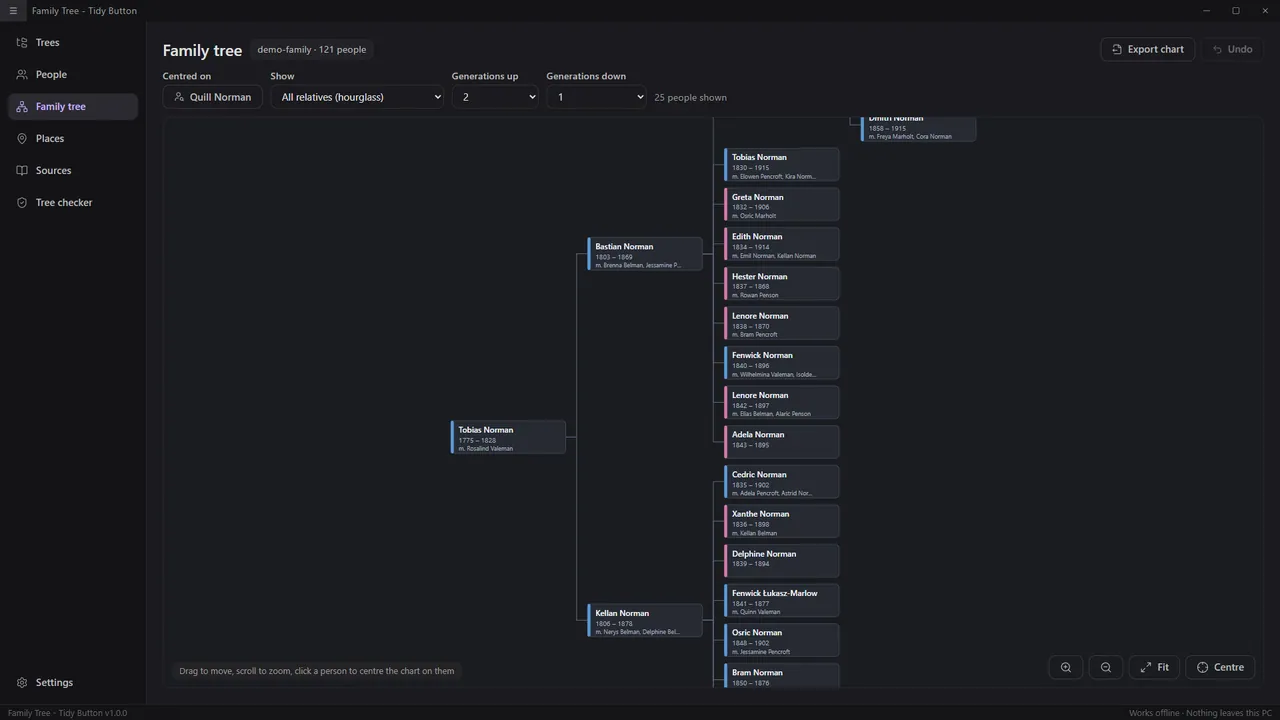
All relatives of one person in an hourglass. Drag to move, scroll to enlarge
Bring your tree over with GEDCOM
If you already have a tree in another program, export it as a GEDCOM file (.ged) and import it here. The app reads versions 5.5.1 and 7.0. Lines it does not edit are kept and written back when you export, so little is lost on the way. You can also start from nothing with New tree.
- Open Family Tree and go to the list of trees.
- Press Import GEDCOM and choose your .ged file. You can also drop it onto the window.
- Wait while the file is read. Press Cancel import if you change your mind.
- Read the import report. It lists what was read and any warnings.
- Press Open on the tree card to start using it.
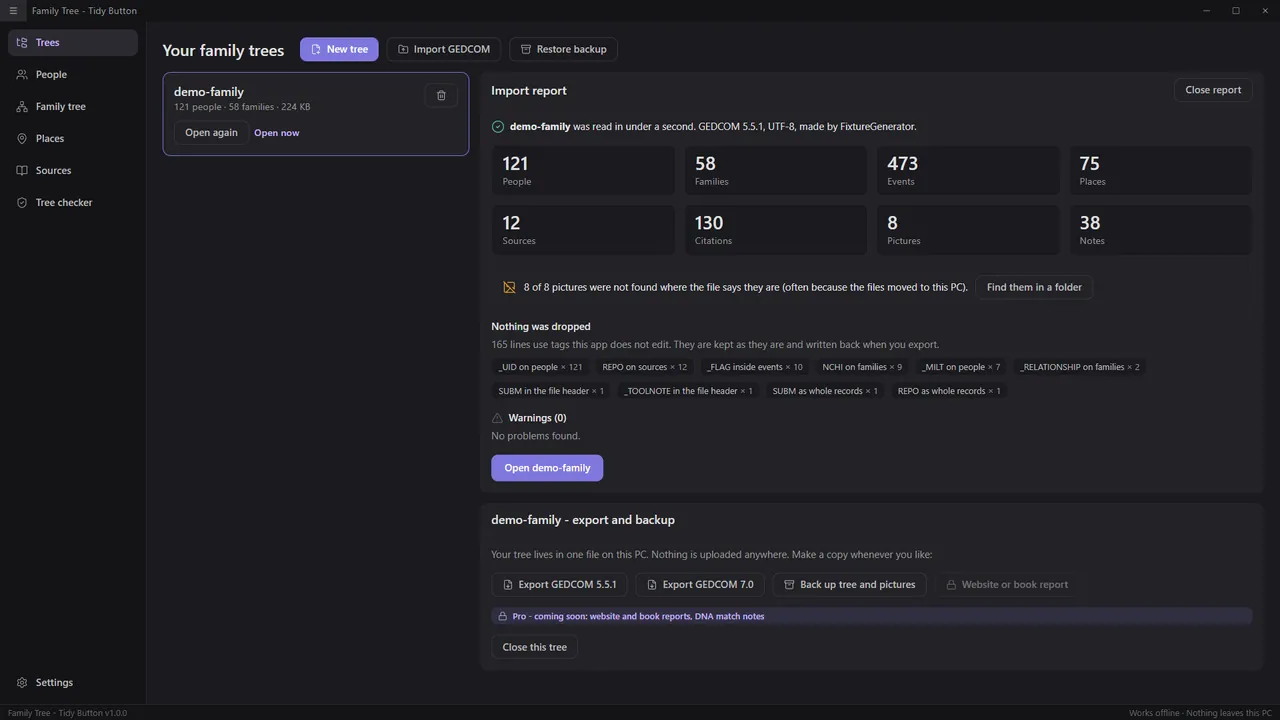
The import report shows what was read, and which lines were kept
Check mistakes and print a chart
The Tree checker finds dates that cannot be true, such as a person born after dying, and people who may be recorded twice. It only reports a problem when the dates make it unavoidable, and it always says why. It reports, and it does not change your tree.
To print, open Family tree, choose who is at the centre, press Export chart, then choose the chart type, the number of generations, the paper size and PDF or PNG. Large charts split over several pages, with every name kept full size.
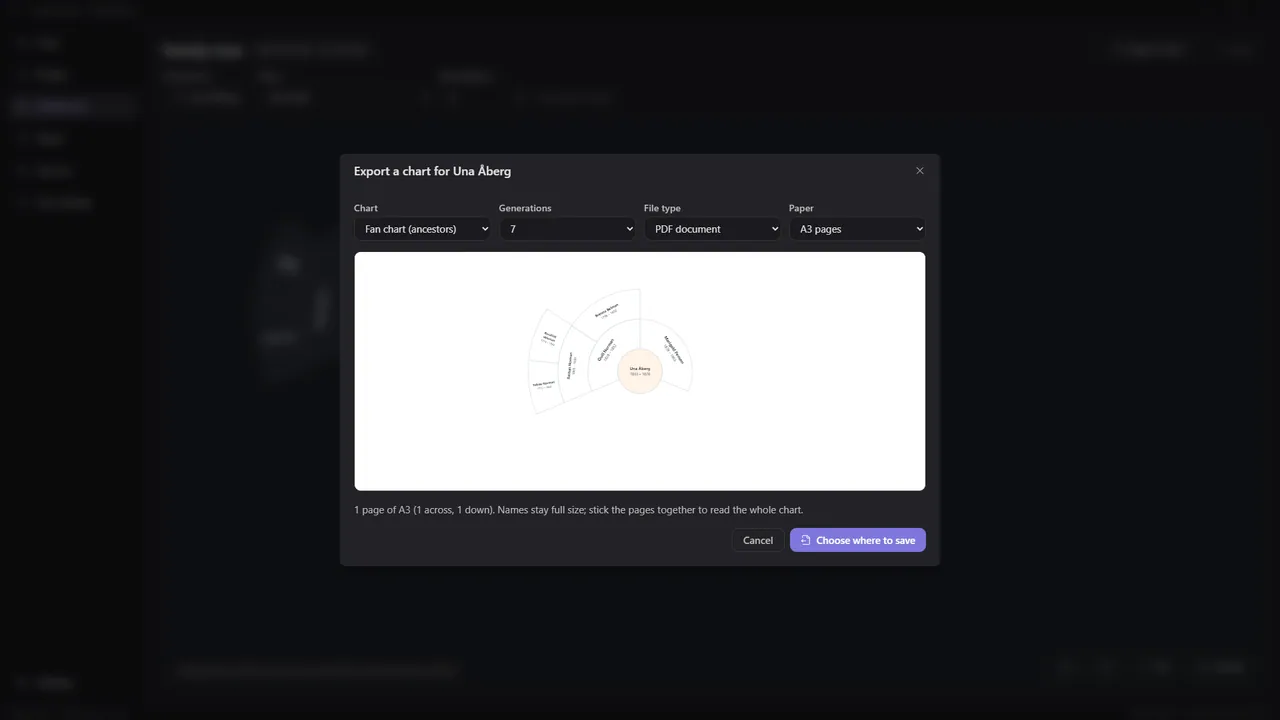
Pages are shown before you save, and every name stays full size
What the free version limits
Editing is free for trees of up to 250 persons. A bigger tree opens read-only, so you can still browse it and draw charts, but you cannot edit it. If your tree is larger, this limit matters, so check your people count first.
A one-time Pro add-on is planned (coming soon) for editing trees of any size, poster charts, website and book reports and DNA match notes. It is not available yet.
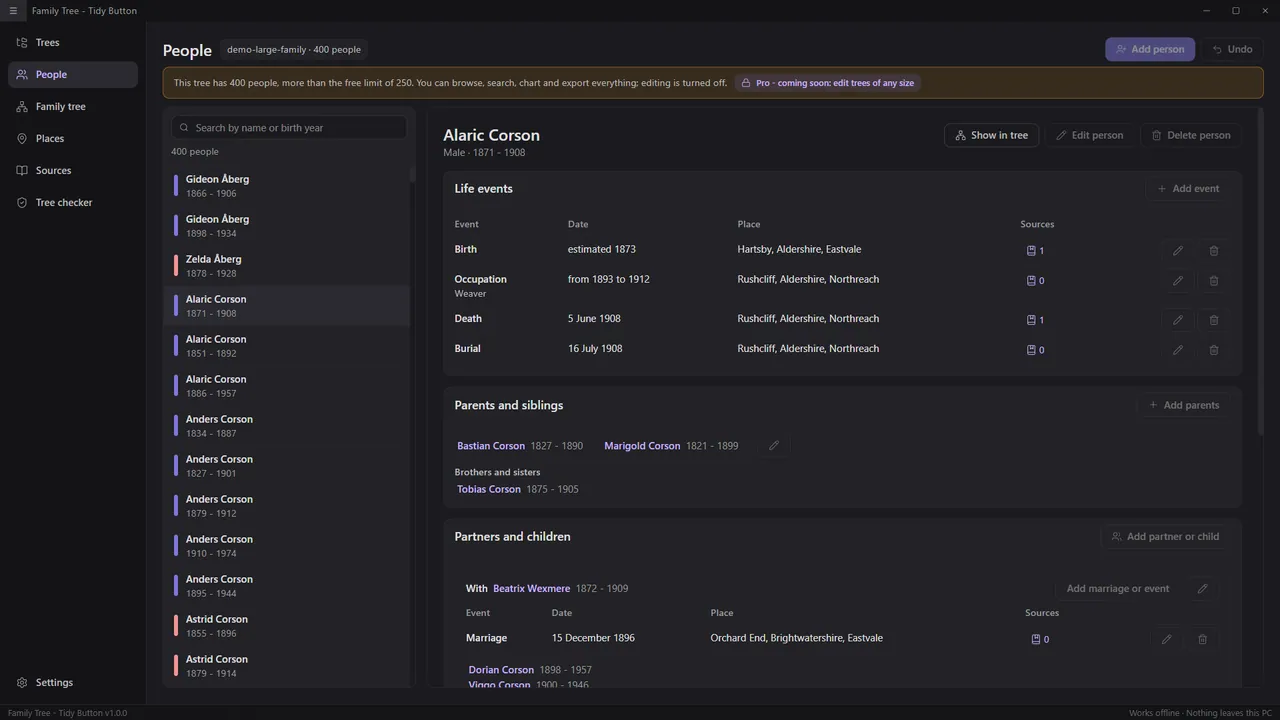
Trees above 250 persons open read-only in the free version
Keeping living relatives private
A family tree can describe living people, including children. With a local tree, that data stays on your PC unless you export or back it up and share the file yourself. The place view is an offline grid, not an online map, and there is no sync.
To back up, press Back up tree and pictures in the list of trees. It saves the tree and the pictures it can find into one zip file that you can restore later.
Questions
Is Family Tree free?
Yes, editing is free for trees of up to 250 persons. Bigger trees open read-only in the free version. A one-time Pro add-on is planned but not available yet.
Does it need an account or internet?
No. It works offline, has no account, no ads and no tracking, and makes no network requests.
Can I move my tree to another program later?
Yes. Use Export GEDCOM 5.5.1 or Export GEDCOM 7.0 from your tree in the list of trees.
Does it run on Windows 11?
Yes. It runs on Windows 10 and Windows 11.
If you want a family tree that stays on your own PC, try Family Tree. It is free on the Microsoft Store, works offline and needs no account. Import a GEDCOM file or start a new tree and see your family in one chart.
More from Family Tree
Questions or something missing? Support is by email, and a person reads it.