Pro keys go on sale when this app's Pro update reaches the Microsoft Store.
One key for this app. Free to use without it. See all pricing
Prefer the command line? winget install 9NSFPJSL3NCD --source msstore
Real app, showing an invented sample family.
Works offline
No account, no ads, no tracking
Nothing is uploaded
Free
See it
Ten views. One tree, kept private.
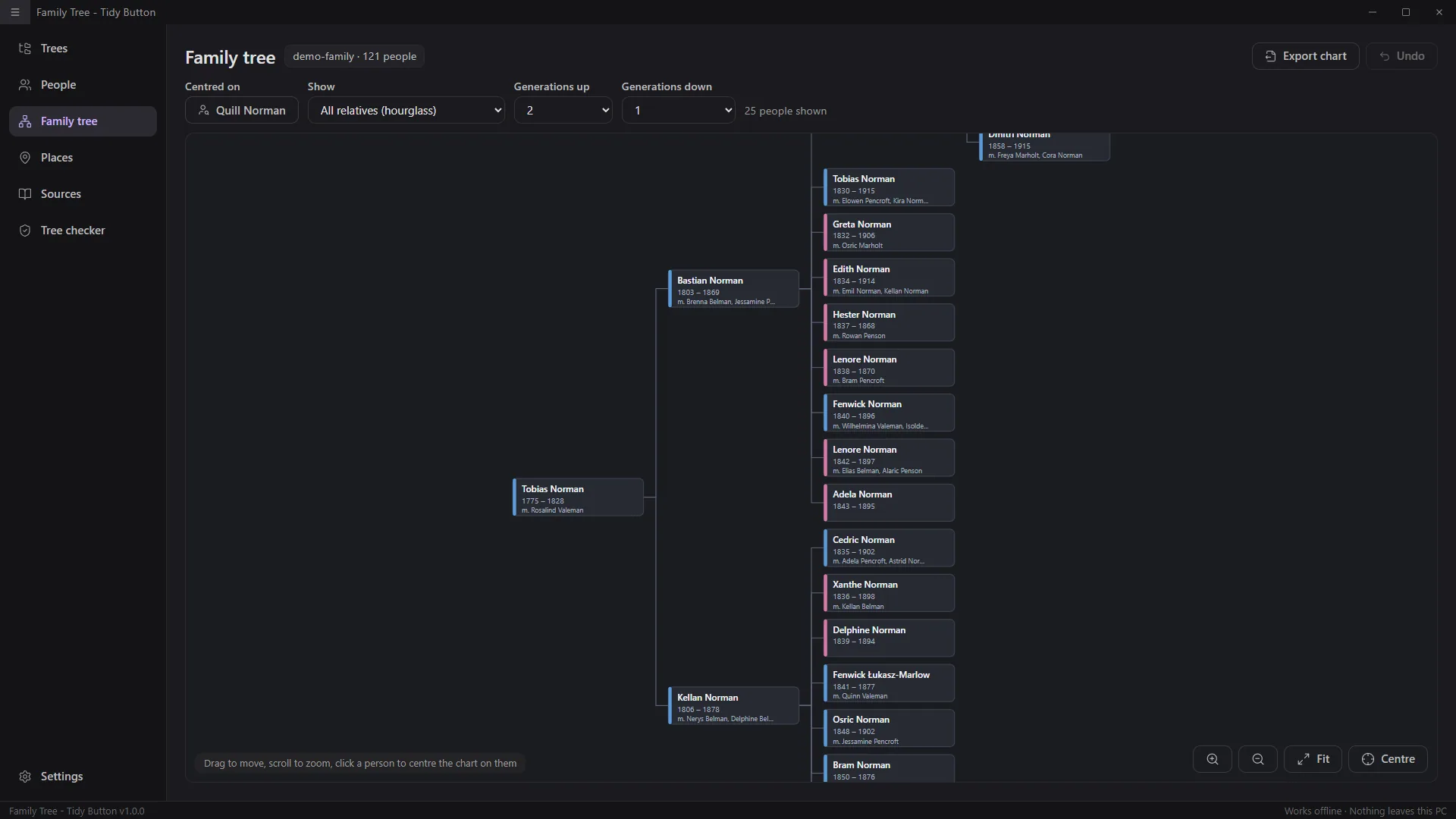
Family tree
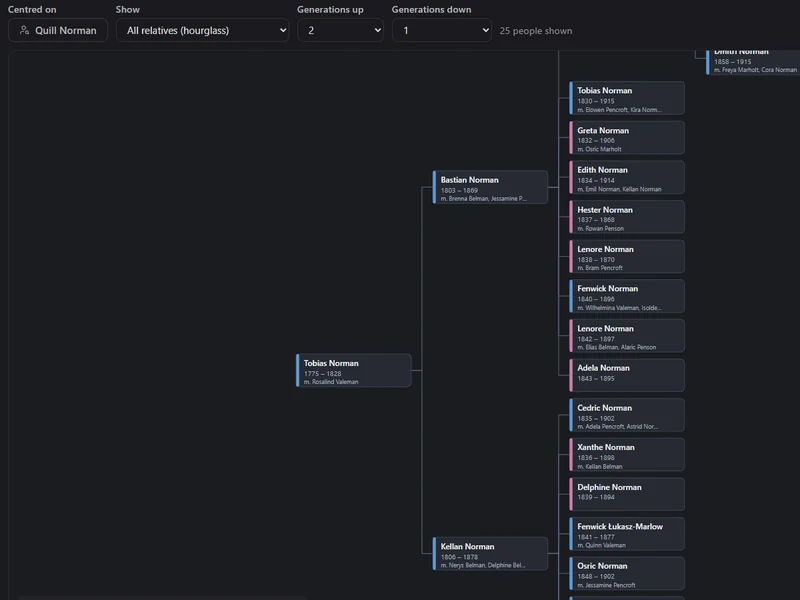
All relatives of one person in an hourglass. Drag to move, scroll to zoom and click anyone to centre the chart on them
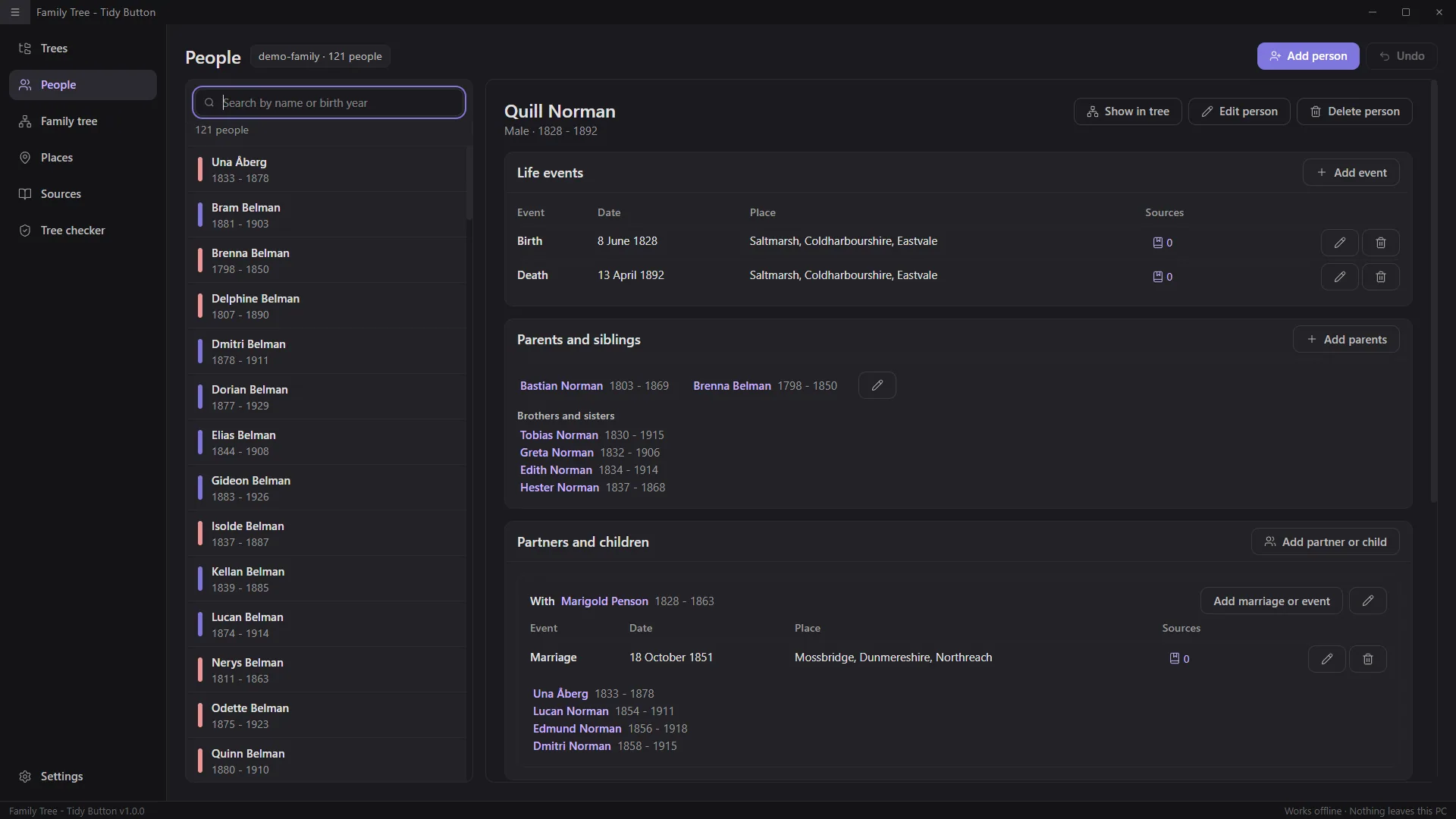
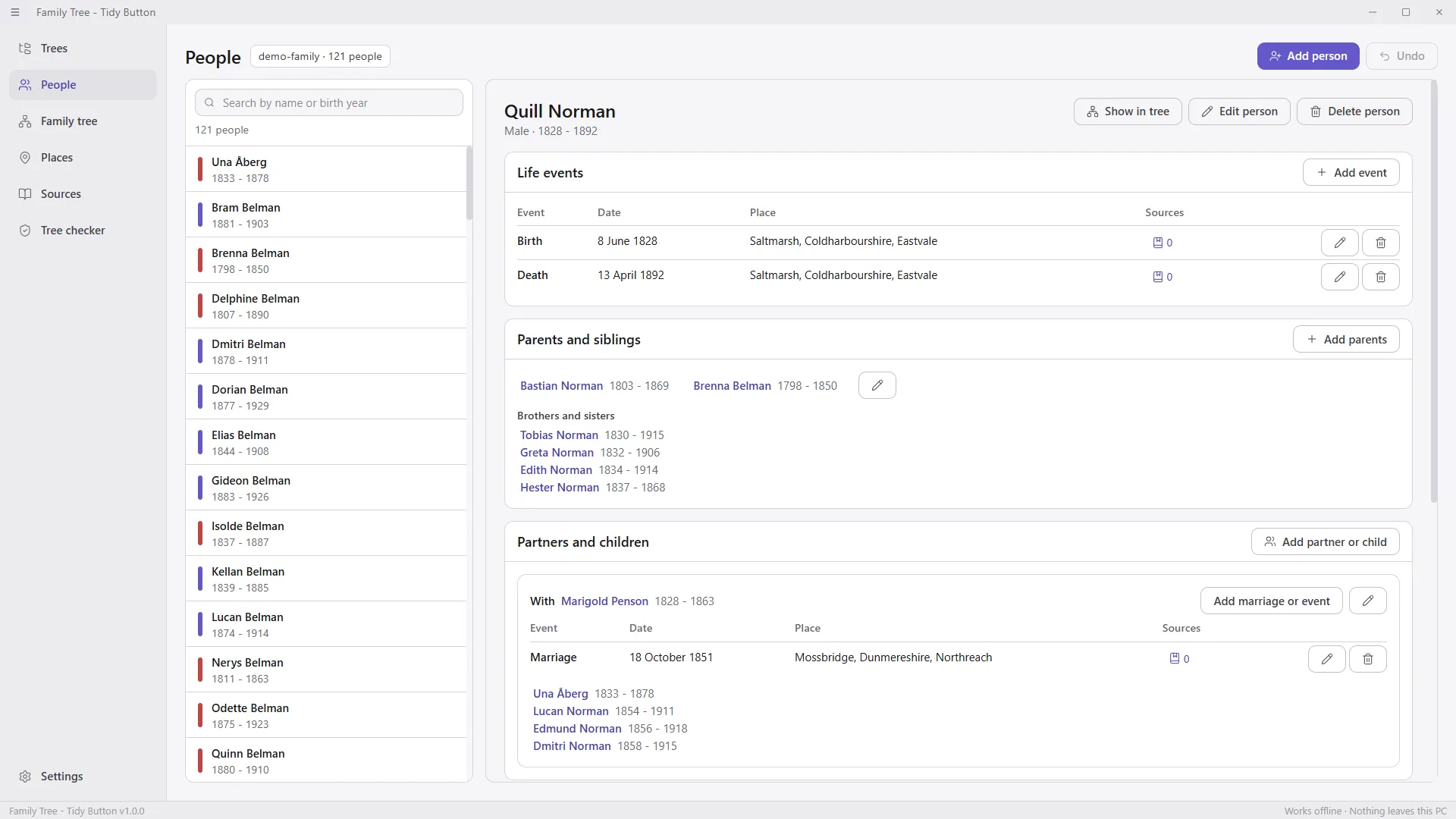
Person
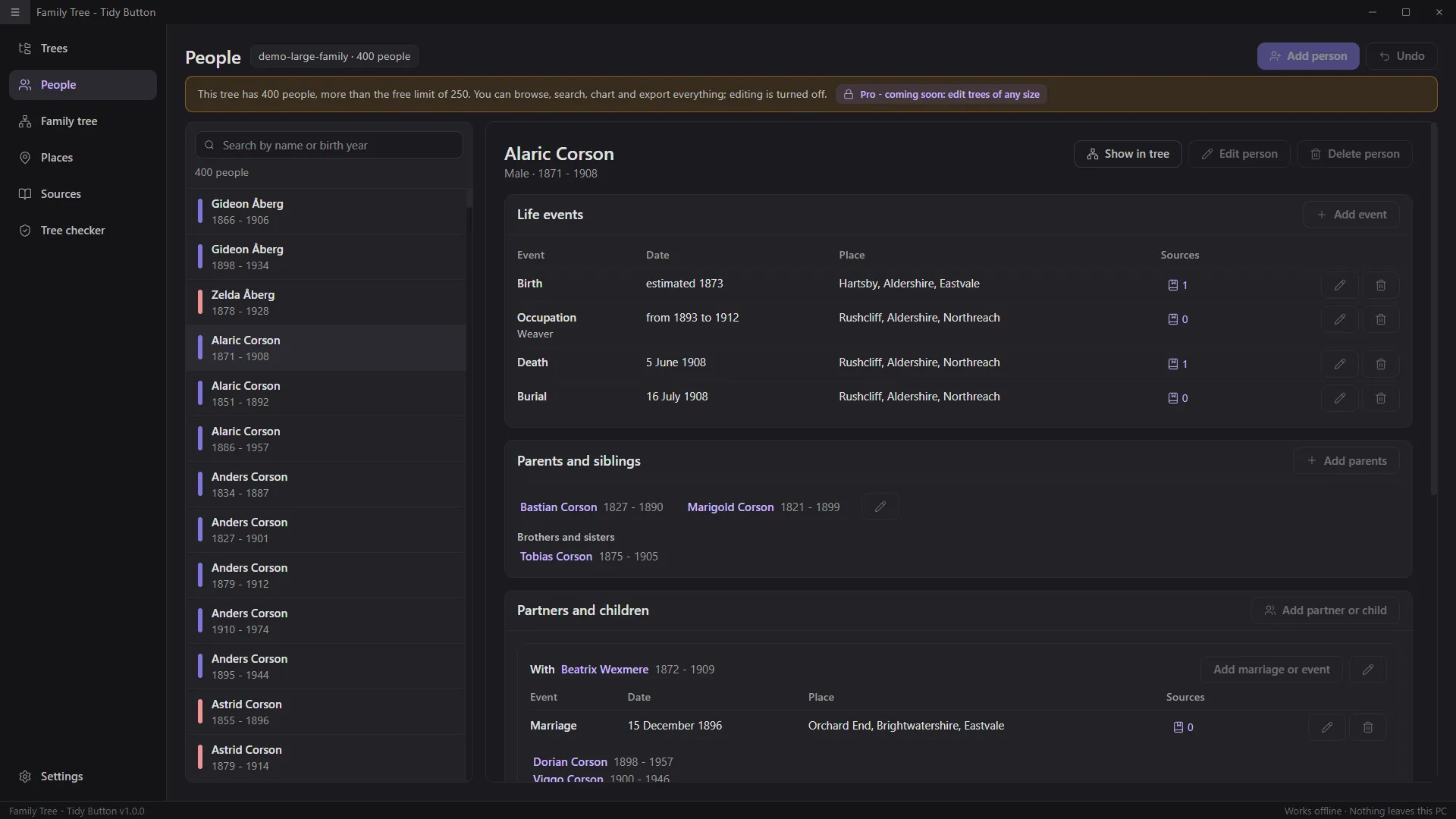
One page for each person: life events, parents and siblings, partners and children, with a source count on every event
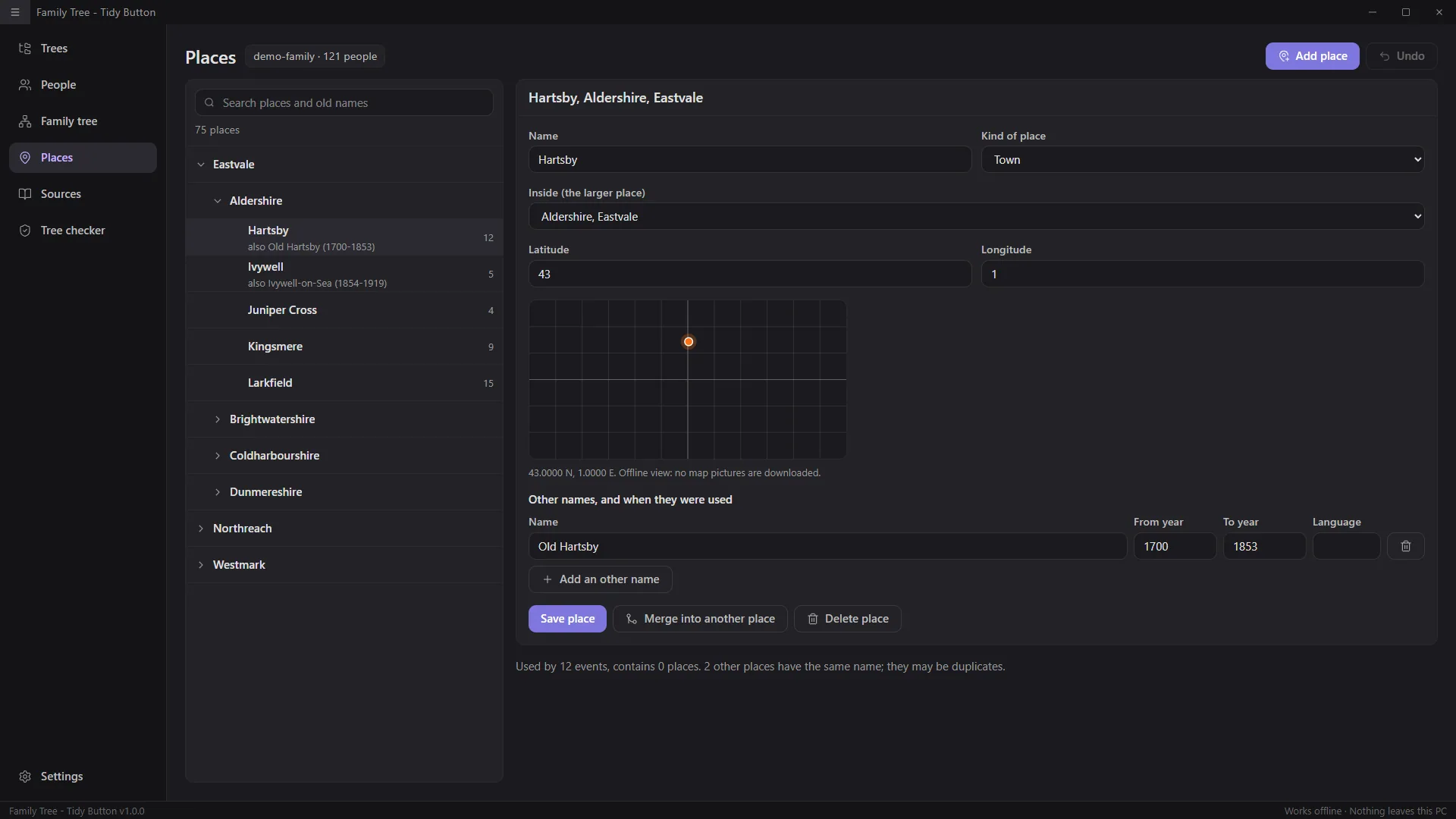
Places
Places are real records. Keep a hierarchy and the old names a place used, with the years they applied
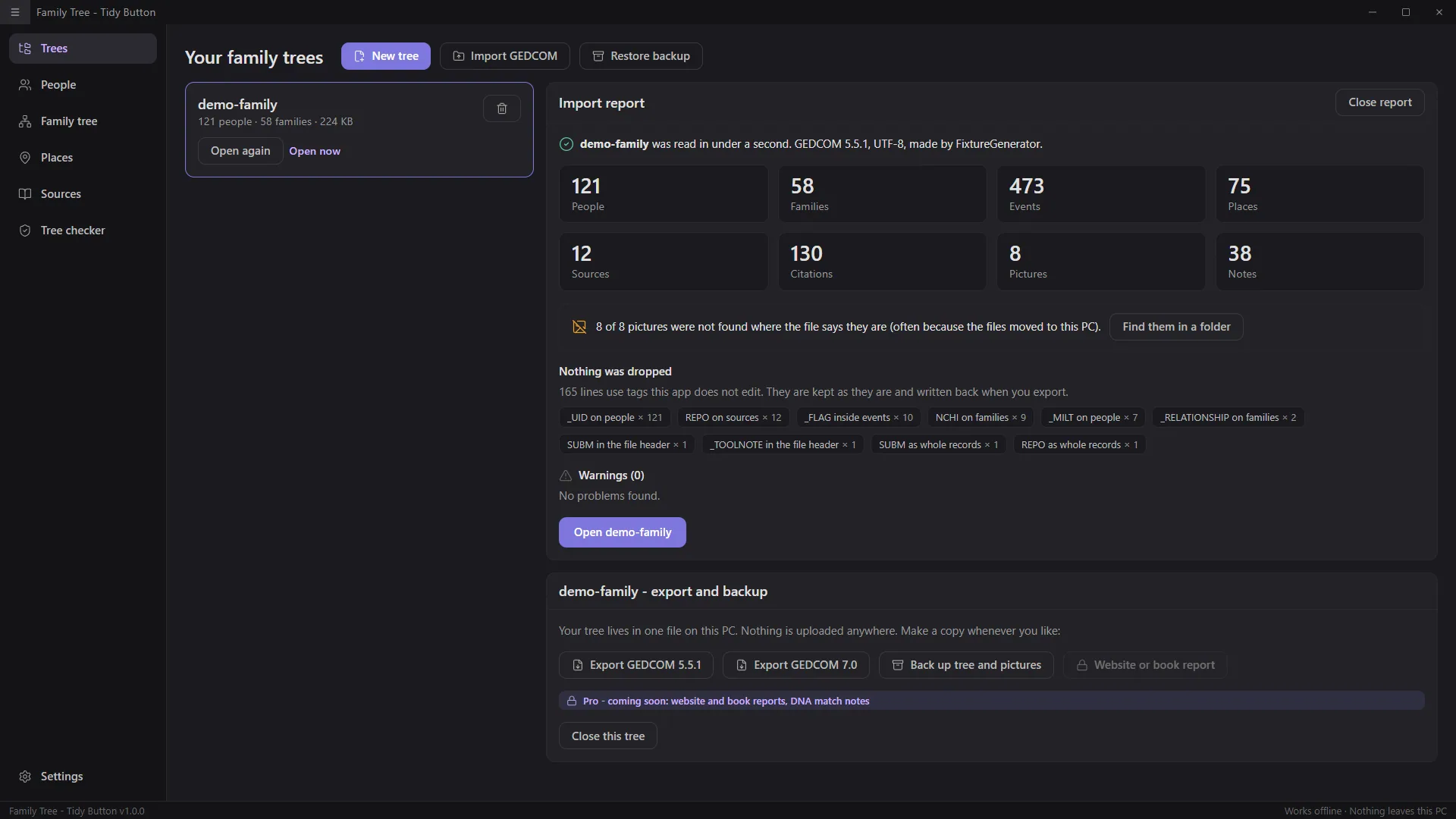
Import report
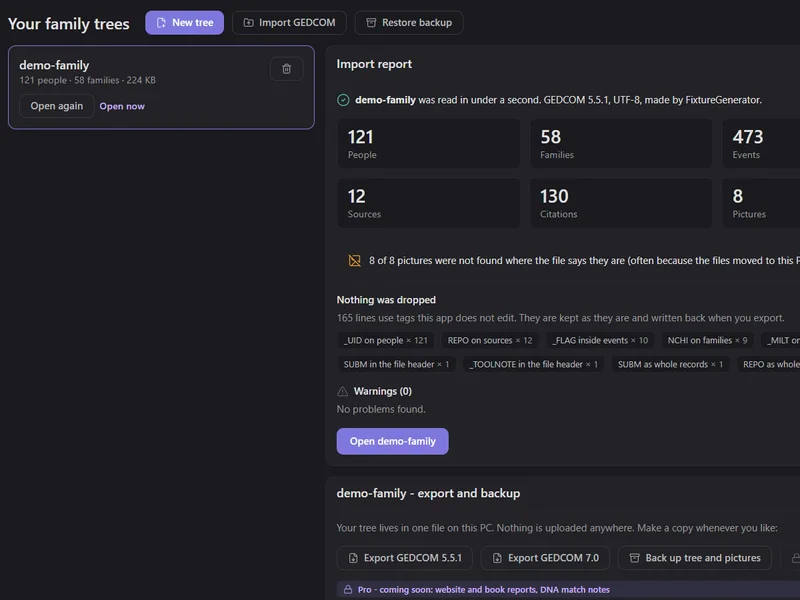
Import a GEDCOM file and read the report. Lines the app does not edit are kept and written back when you export
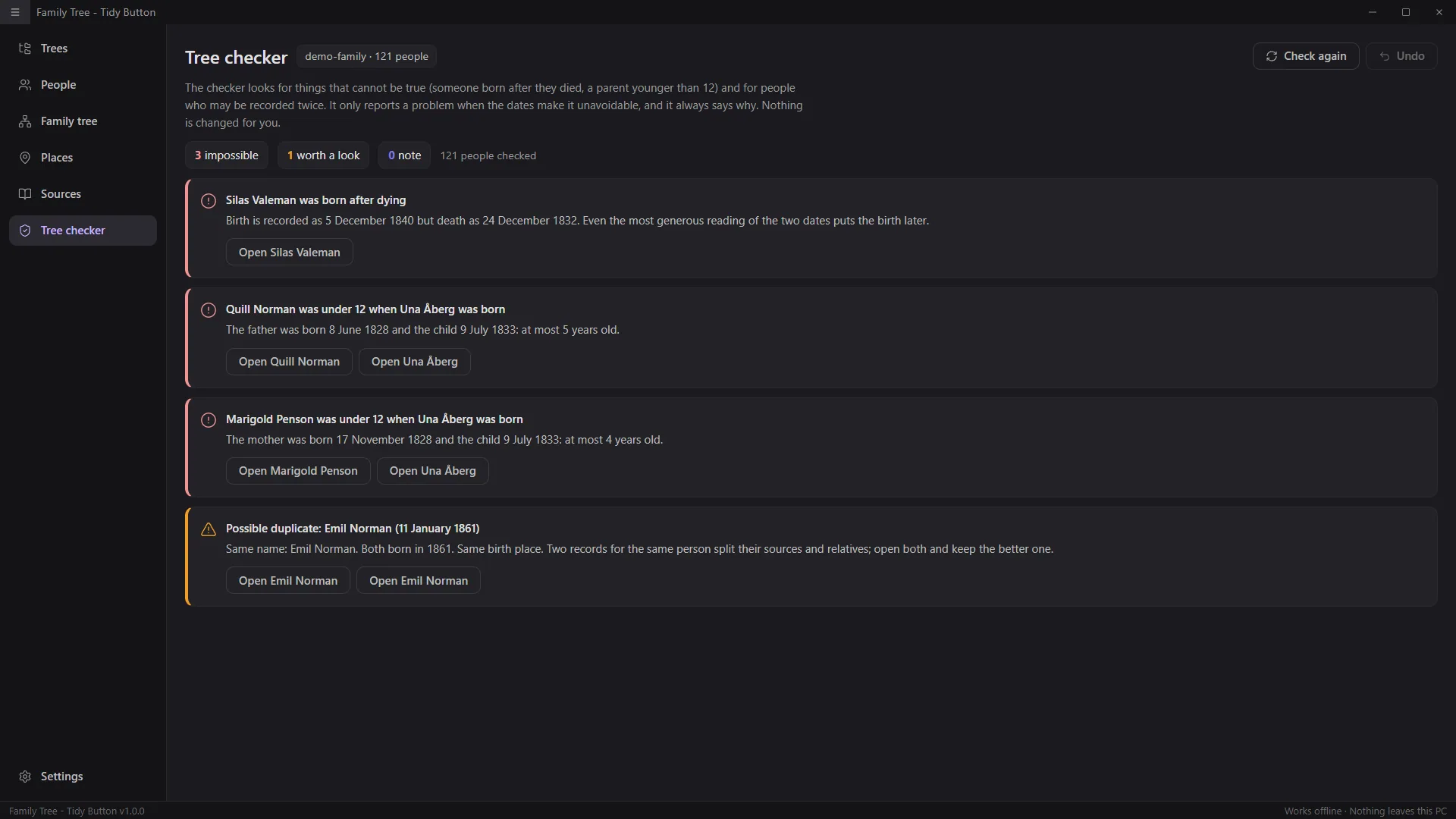
Tree checker
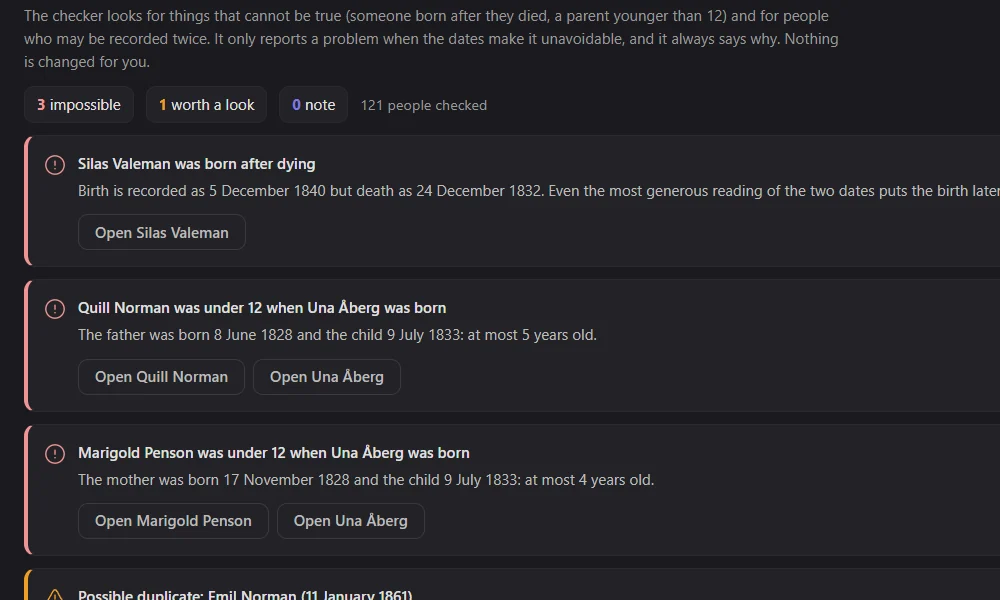
The tree checker reports dates that cannot be true and possible duplicates, and says why for every finding
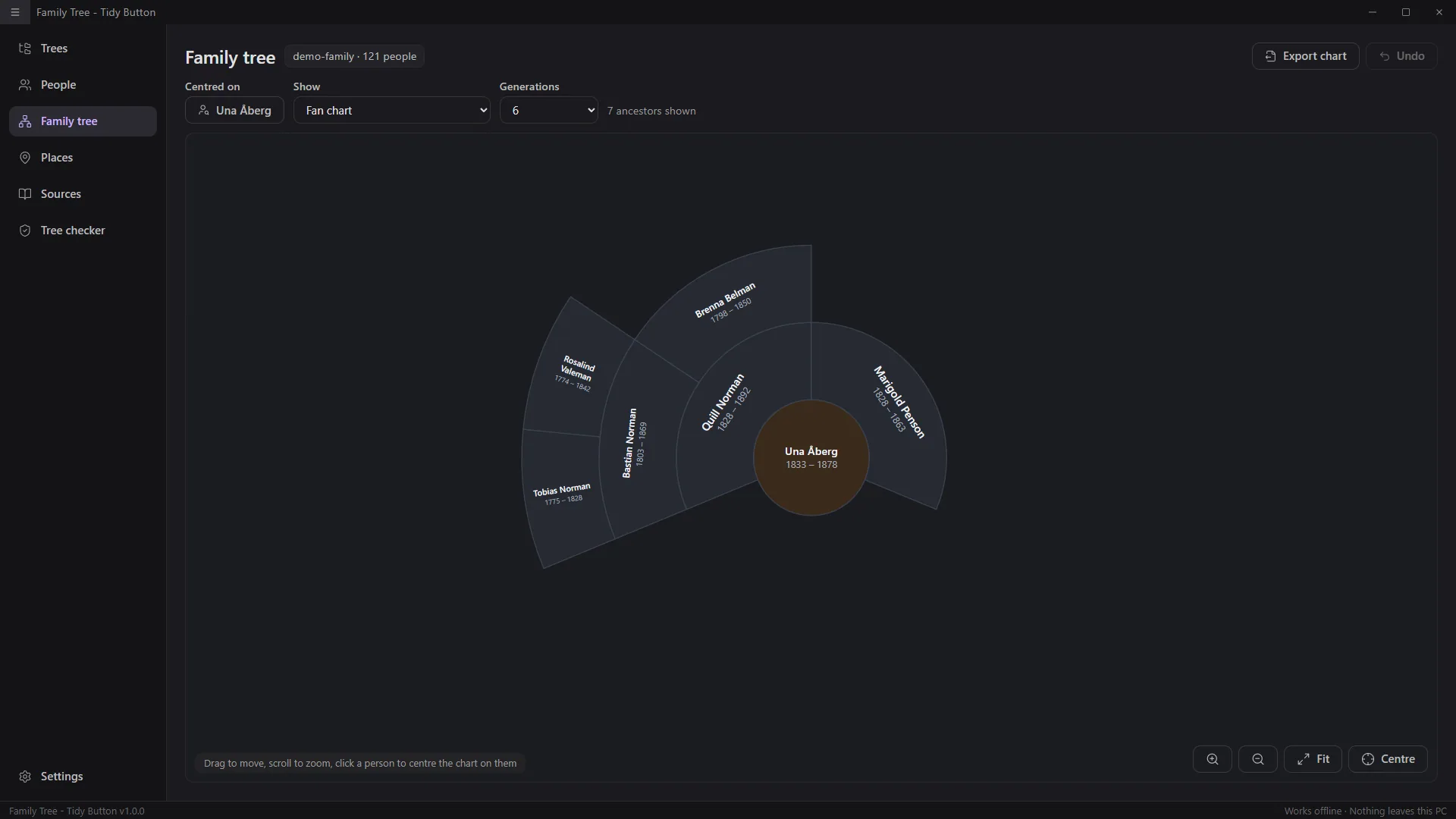
Fan chart
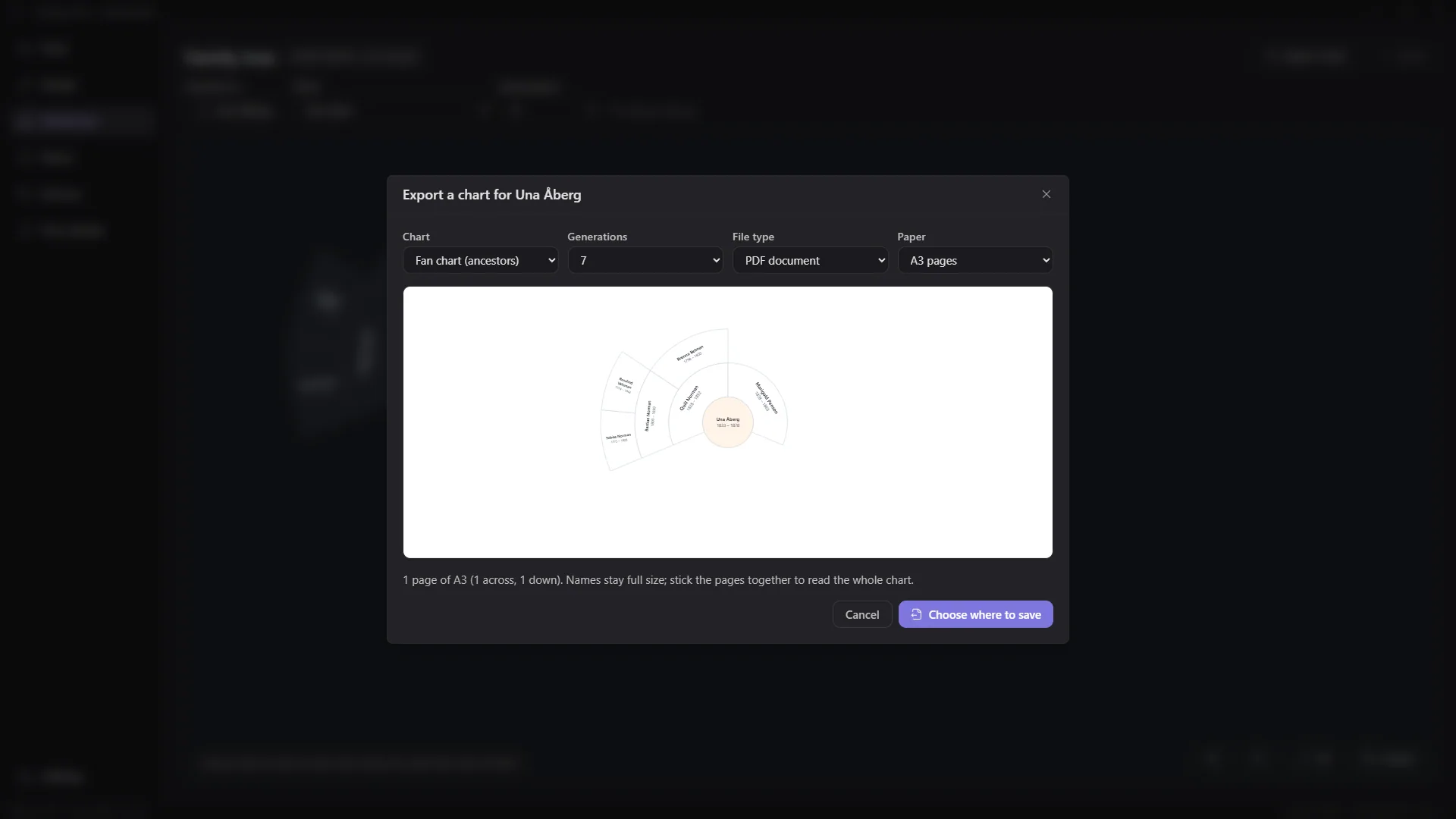
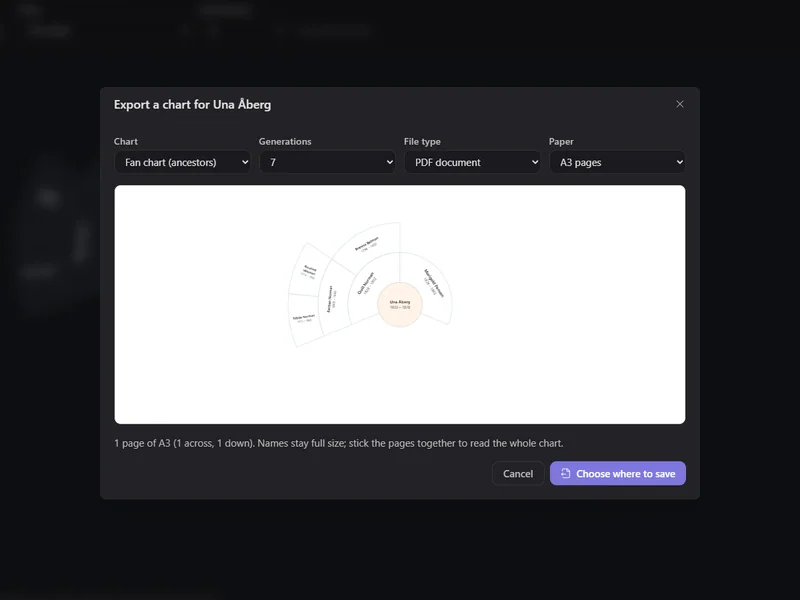
A fan chart of ancestors, ready to export as PDF or PNG
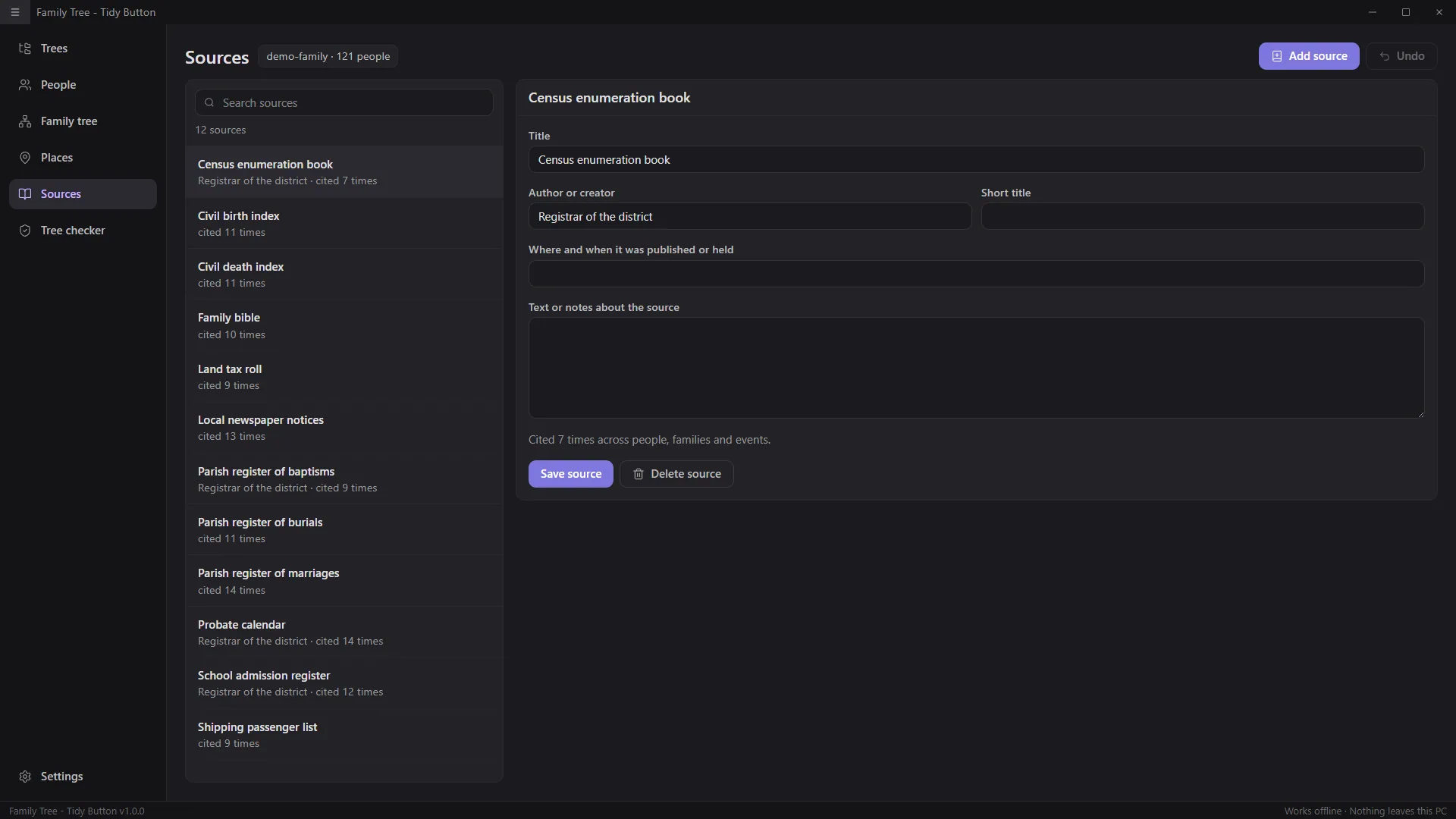
Sources
Attach sources and citations to any event, with a title, author, where it is held and a note
Light theme
The same person page in the light theme
Free limit
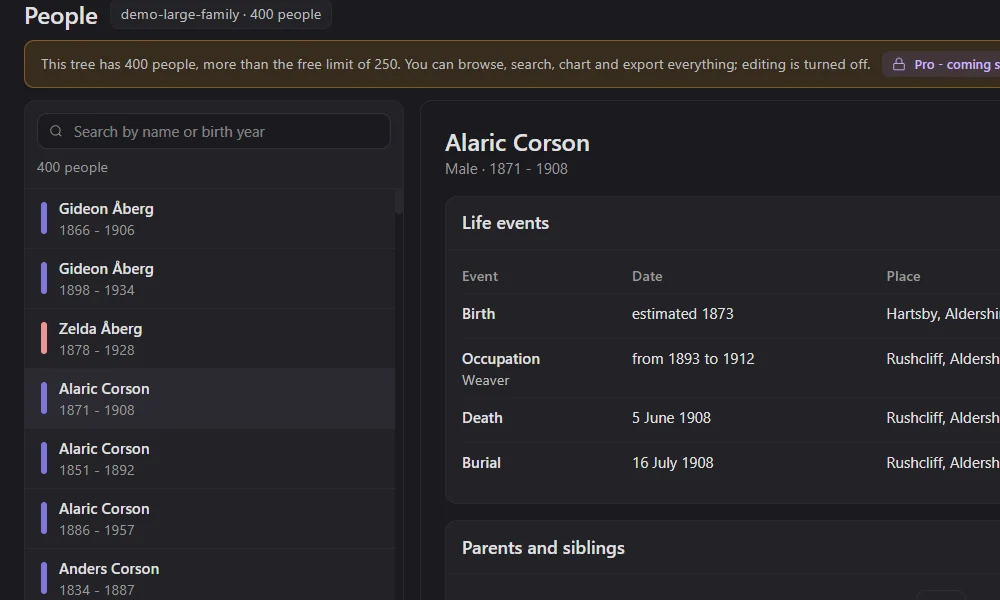
The free version edits trees of up to 250 people. Bigger trees open read-only, and Pro is coming soon
Chart export
Export a chart as PDF or PNG. Pages are shown before you save, and every name stays full size
Screens show an invented sample family. The app has light and dark themes.
How it works
Three steps. No manual.
01
Bring your tree
Press Import GEDCOM and choose a .ged file, or press New tree to start from nothing.
02
Explore and add
Open the Family tree view, click a person and add events, places and sources.
03
Print or back up
Export a chart as PDF or PNG, or back up the tree and its pictures to one zip file.
What it does
What it does.
A modern family tree program that keeps your tree in files on your PC. Import a GEDCOM file, add people, events, places and sources, and print the charts. Nothing is uploaded or shared. There is no account and no subscription, and it works offline.
GEDCOM in and out
Import GEDCOM 5.5.1 and 7.0 in the background with a progress bar. Lines the app does not edit are kept and written back when you export. An import report lists what was read.
Places as real records
Build a hierarchy of town, county and country, record the old names a place used and the years they applied, and merge duplicates in one step.
Three clear views
All relatives in an hourglass, ancestors, and descendants. Drag to move, scroll to zoom and click anyone to centre the chart on them.
Person page
Events, partners, children, parents, notes, pictures and sources for each person, on one page.
Sources and citations
Attach a source to a birth, a marriage or any event, with the page, how reliable it is and a note.
Tree checker
Finds dates that cannot be true and people who may be recorded twice, and always says why.
Charts to print
Export pedigree, descendant and fan charts as PDF or PNG. Multi-page output keeps every name full size.
Safe by design
Every edit can be undone and is saved as a complete step. Back up a tree and its pictures to one zip file and restore it later.
The small print, in plain English
Safe by design.
The tree checker reports a problem only when the dates make it unavoidable, and says why.
A tree of more than 250 people opens read-only in the free version, so you can still browse and chart it.
Your tree is never uploaded. The app makes no network requests.
Trees, photos and documents stay in local files on your PC. Pictures are linked, not copied into the tree.
Deleting a tree moves its file to the Recycle Bin.
Works offline. No account. No ads. No tracking.
What it keeps
Every fact, with its source.
A tree is more than names and dates.
Sources and citations.
People
Person page
Events, partners, children, parents, notes and pictures.
Places
Real records
A hierarchy with former names and the years they applied.
Sources
Citations
Page, reliability and a note on any event.
Charts
Print
Pedigree, descendant and fan charts to PDF or PNG.
GEDCOM
Import and export
Versions 5.5.1 and 7.0 in and out.
Backup
One click
A tree and its pictures in one zip file.
Pro is planned, not available yet, and would add editing trees of any size, single-sheet poster charts beyond four generations, website and book reports and DNA match notes. Everything in the app runs on your PC only.
Good for
Handy when the family is a lot of people.
Bringing a tree over from another program
Keeping a tree about living relatives private
Printing a wall chart for a family gathering
Recording where each fact came from
Questions
Plain answers.
Is anything uploaded?
No. Your tree, pictures and documents stay in local files on your PC. There is no upload, no account, no telemetry and no ads.
Can I import a tree from another program?
Yes. Import GEDCOM files (versions 5.5.1 and 7.0). Lines the app does not edit are kept and written back when you export.
How big a tree can it handle?
A tree of 12,000 people is read in a few seconds, and only what is on screen is drawn, so big trees stay smooth. The free version edits trees of up to 250 people. Bigger trees open read-only.
Does it change my pictures?
No. Pictures are linked, not copied into the tree. A backup copies the pictures it can find into a zip file.
What does the tree checker do?
It finds dates that cannot be true, such as a person born after dying, and people who may be recorded twice. It only reports a problem when the dates make it unavoidable, and it always says why.
Can I undo a mistake?
Yes. Every edit can be undone, and every edit is saved as a complete step, so a crash or a power cut never leaves a half-written tree.
Is there a limit in the free version?
Editing is free for trees of up to 250 people. A one-time Pro add-on is planned (coming soon) for editing trees of any size, poster charts, website and book reports and DNA match notes.
Does it need an account?
No. There is no account, no ads, no tracking and no subscription.