Free on the Microsoft Store
Network Scanner Who is on your network.
List every device on your own network with its name, IP address, MAC address and maker, and get told when something new appears. It talks only to devices on your private network and makes no internet connection.
Bigger ranges, saved networks, your own ports, Wake-on-LAN.
Pro keys go on sale when this app's Pro update reaches the Microsoft Store.
One key for this app. Free to use without it. See all pricing
Prefer the command line? winget install 9PJTCQQ3XBM6 --source msstore
- Works offline
- No account, no ads, no tracking
- Private addresses only
- Free
See it
Six views. Every device, named.
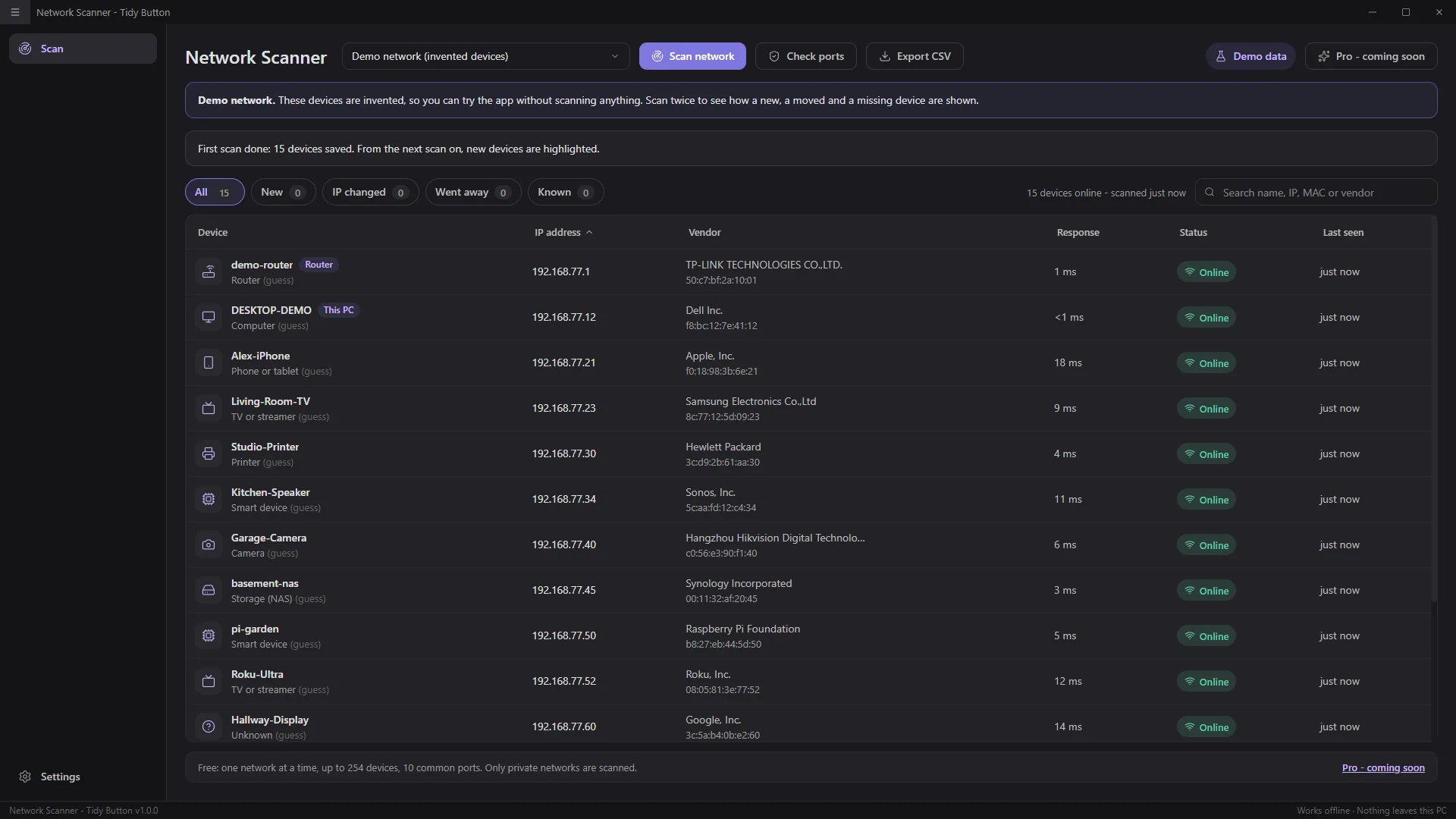
Devices
Every device with its name, IP address, maker and response time, and a guess at what it is. Sort by any column or search
Scanning
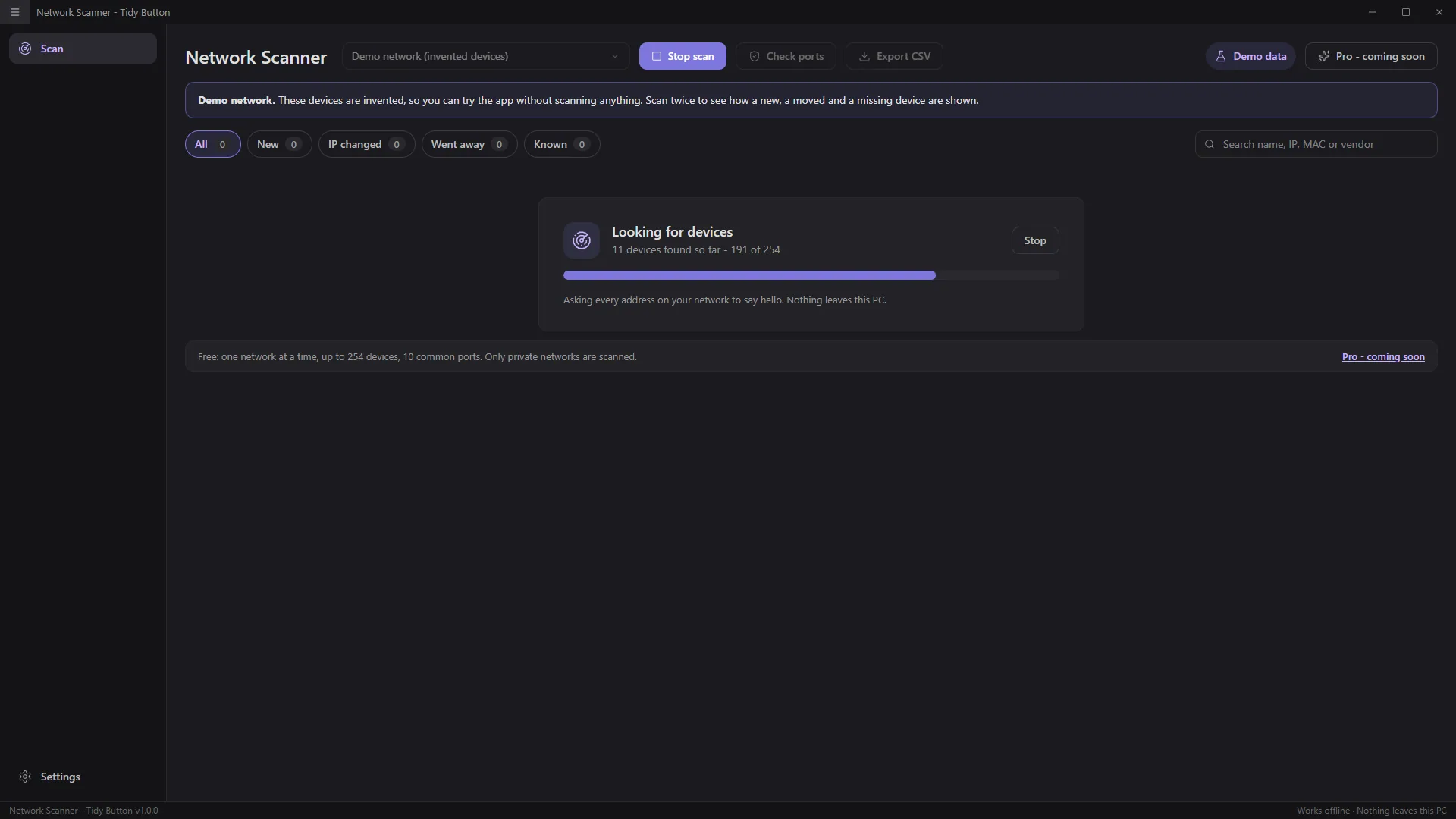
Press Scan network and watch devices appear. A few seconds is enough for a home network
Device details
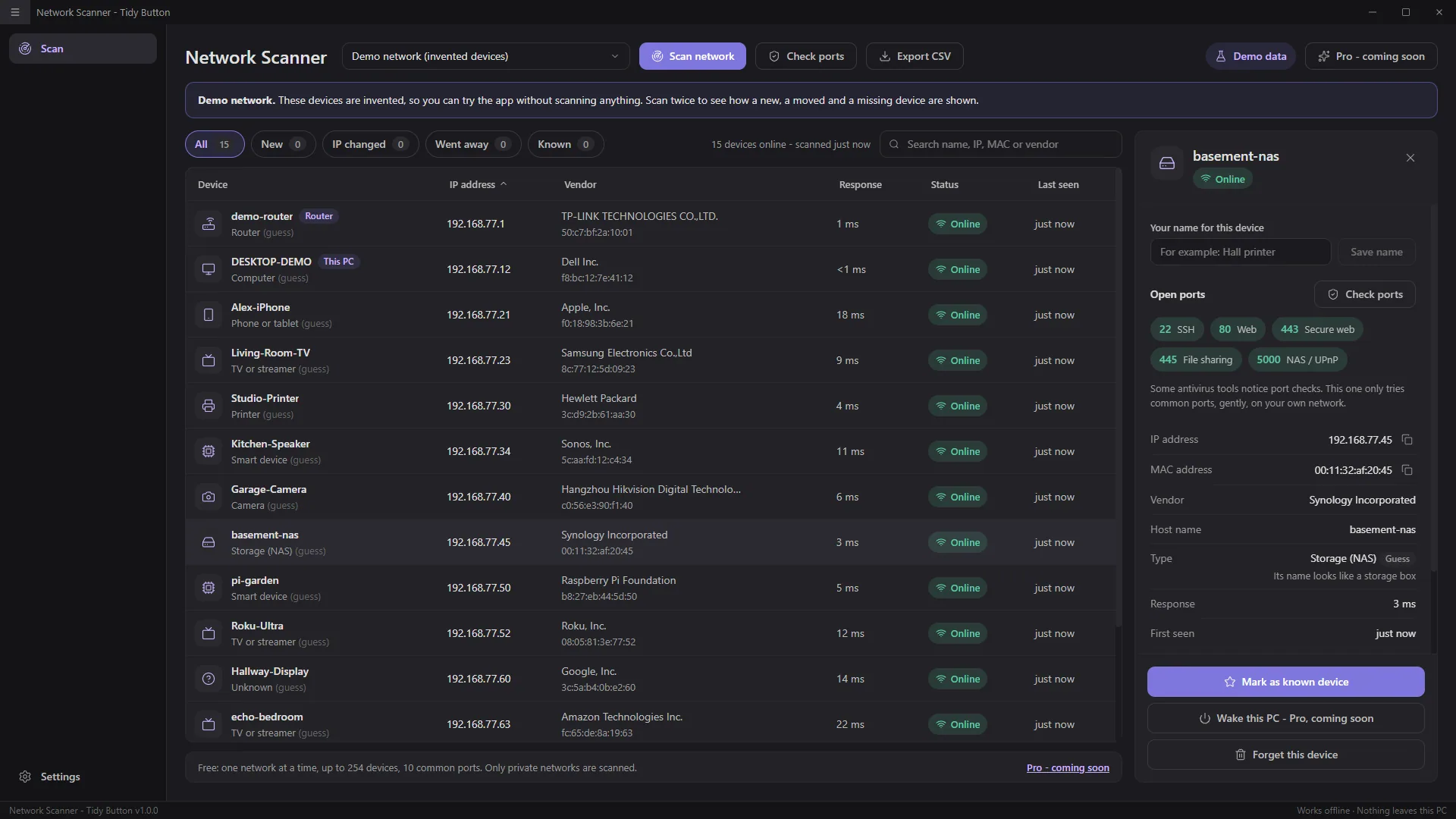
Open a device to see its MAC address, maker and open ports. The check tries ten common ports, gently
New device
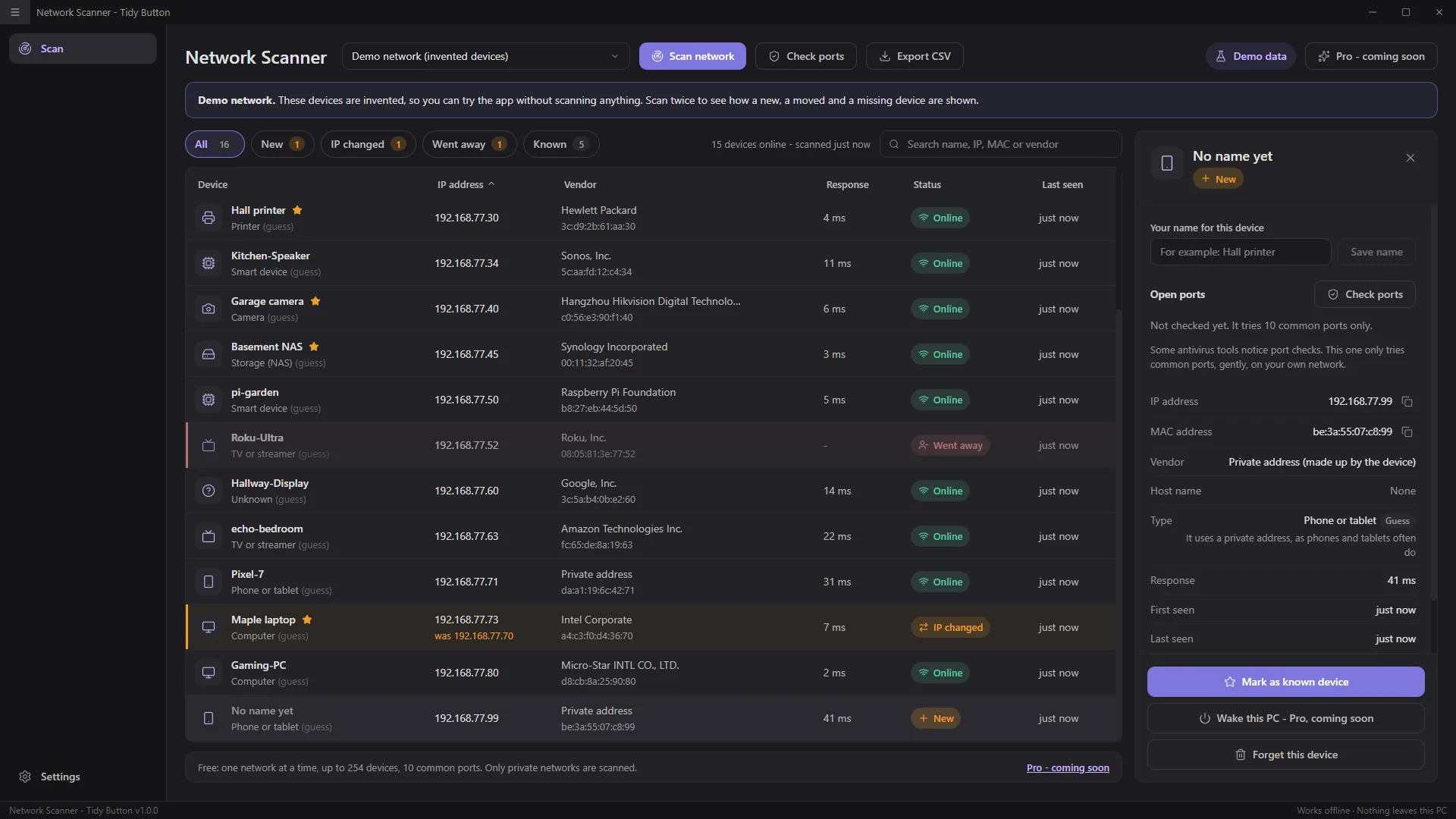
A device that was not there last time is highlighted as New, so you notice a stranger on your network
Known devices
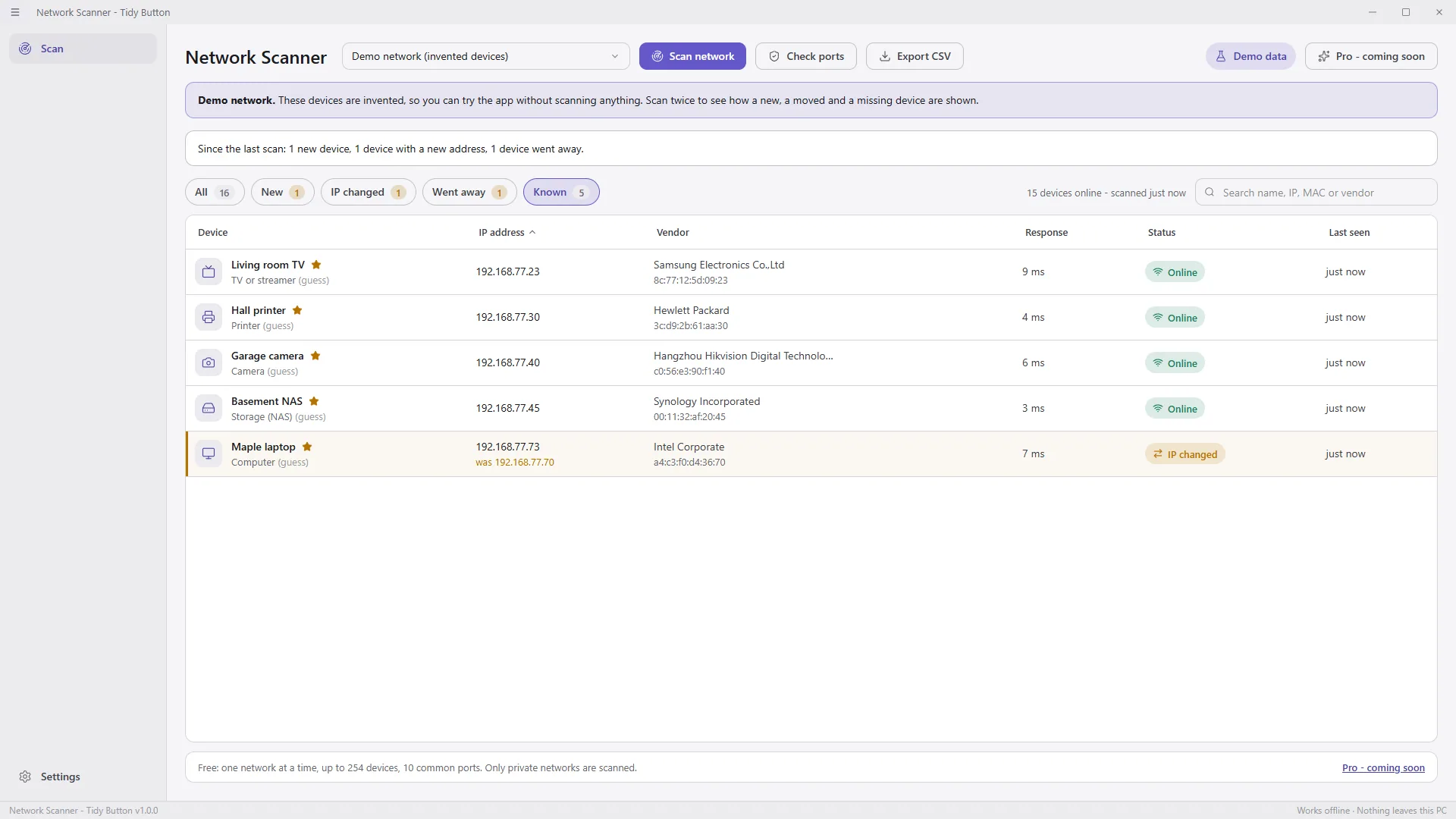
Name your devices and mark them as known. The Known filter lists the ones you recognise
Port check
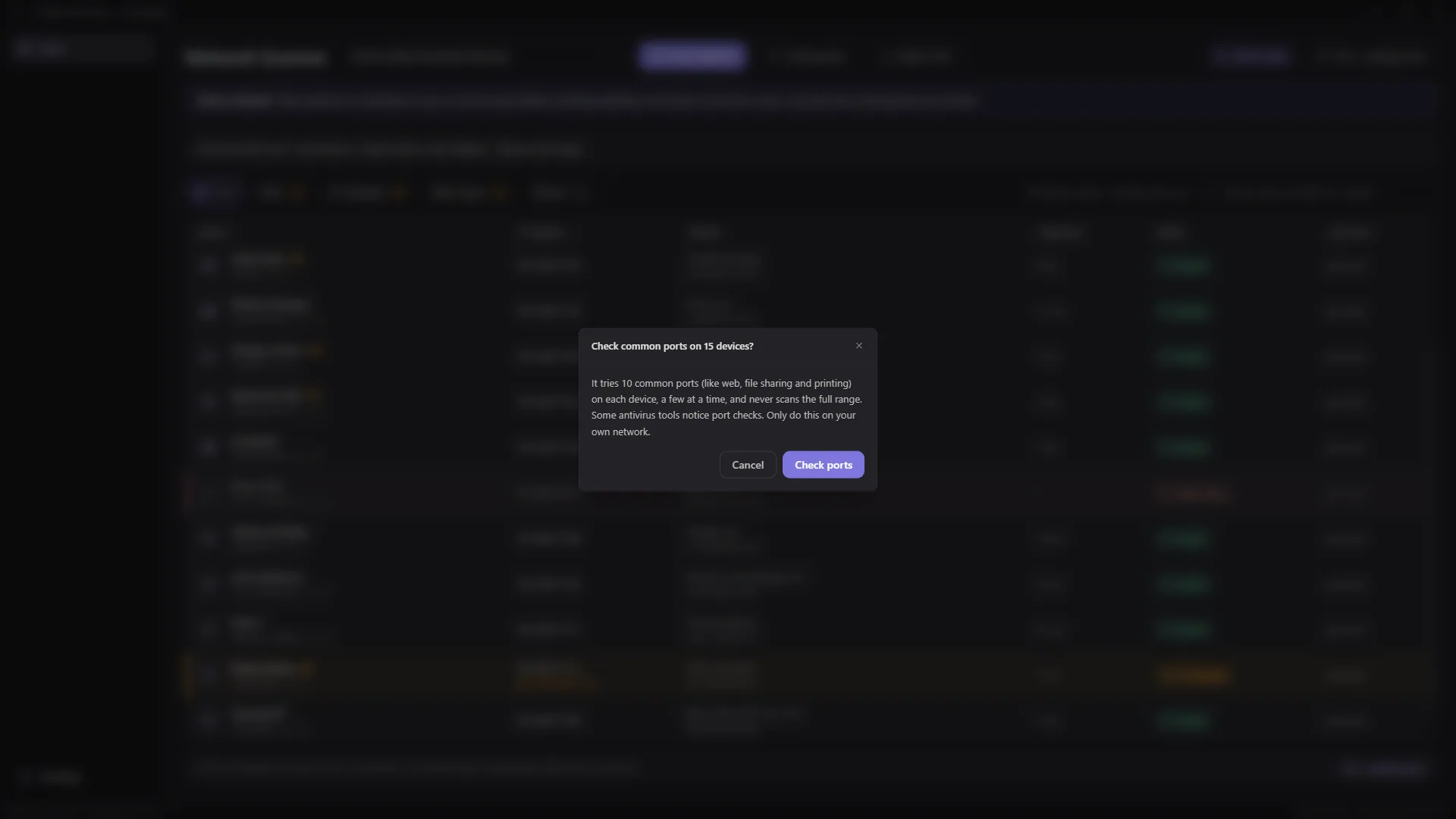
Checking ports on every device asks first, tries only ten common ports and never scans the full range
Screens show invented demo devices. The app has light and dark themes.
What it does
What it does.
Press Scan network and in a few seconds you see each device with its name, IP address, MAC address, the company that made it and how fast it answered. Please scan only networks you own or manage.
Every device in one list
Name, IP address, MAC address, maker and response time for each device. Search, sort, copy an IP or MAC address and export to CSV for Excel.
Finds devices that ignore ping
It also reads your PC's address table, so quiet devices still show up.
Spots what changed
Name a device and mark it as known. On the next scan a new device, one whose address changed and one that went away are highlighted.
A guess at what it is
A router, printer, phone, TV, camera or computer, always labelled as a guess with the reason.
A gentle port check
On request, for one device or all of them, it tries ten common ports, a few devices at a time. It never scans the full range, and it warns you that some antivirus tools notice port checks.
Private networks only
Home and office address ranges are scanned. Public addresses are refused.
Maker names stored in the app
The list of manufacturers is part of the app, so nothing is looked up online.
Try it without scanning
A built-in demo network with invented devices lets you try everything first.
The small print, in plain English
Safe by design.
- The app talks only to devices on your own private network. It makes no internet connection and sends nothing to us or anyone else.
- It scans only private address ranges and refuses public addresses.
- Port checks are always started by you, use a fixed list of ten ports and run a few devices at a time.
- No account, no ads, no tracking. Please scan only networks you own or manage.
Good for
Handy when something is on your Wi-Fi.
- Checking who is on your home Wi-Fi
- Homelabs and small offices
- Finding the address of a printer, camera or TV
Questions
Plain answers.
Does it connect to the internet?
No. It talks only to devices on your own private network. There is no account, no analytics and no online lookup.
Does anything leave my PC?
No. The devices it finds, the names you give them and the port results stay on your PC.
What does it send on my network?
Pings, address and name requests, a multicast discovery message and, only when you ask for a port check, short TCP connections to a fixed list of ten ports. It uses the Windows ping, arp and route tools.
Can I scan a network that is not mine?
Please scan only networks you own or manage. The app also refuses public addresses.
Can it find every device?
It finds devices that answer on the network and reads your PC's address table for quiet ones. A device that stays completely silent may not appear. The device type is always a guess.
Is there a limit in the free version?
The free version scans one network at a time, up to 254 devices, and checks ten common ports. A Pro add-on is planned (coming soon).
Which versions of Windows does it run on?
Windows 10 and Windows 11.