Pro keys go on sale when this app's Pro update reaches the Microsoft Store.
One key for this app. Free to use without it. See all pricing
Prefer the command line? winget install 9NC6F5N1HJMB --source msstore
Real app, reading a demo server log.
Works offline
No account, no ads, no tracking
Read-only
Free
See it
Ten views. One log, readable.
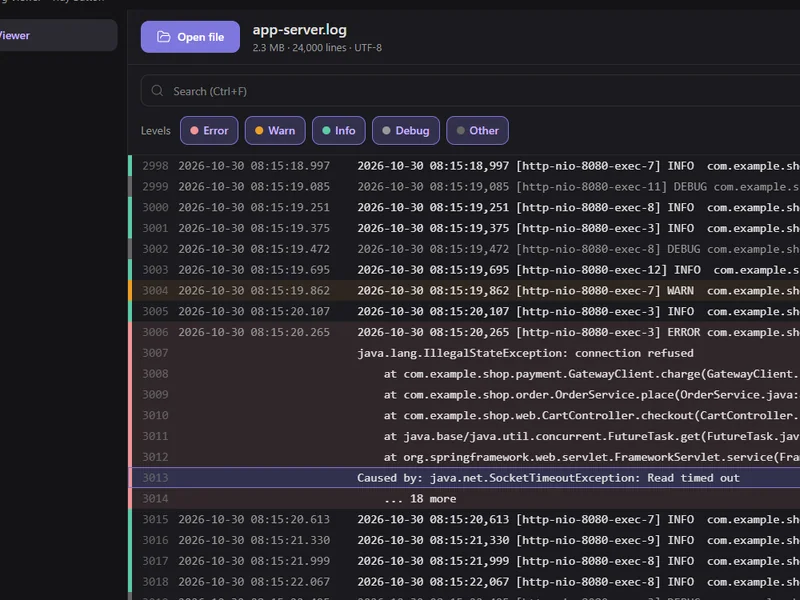
Log
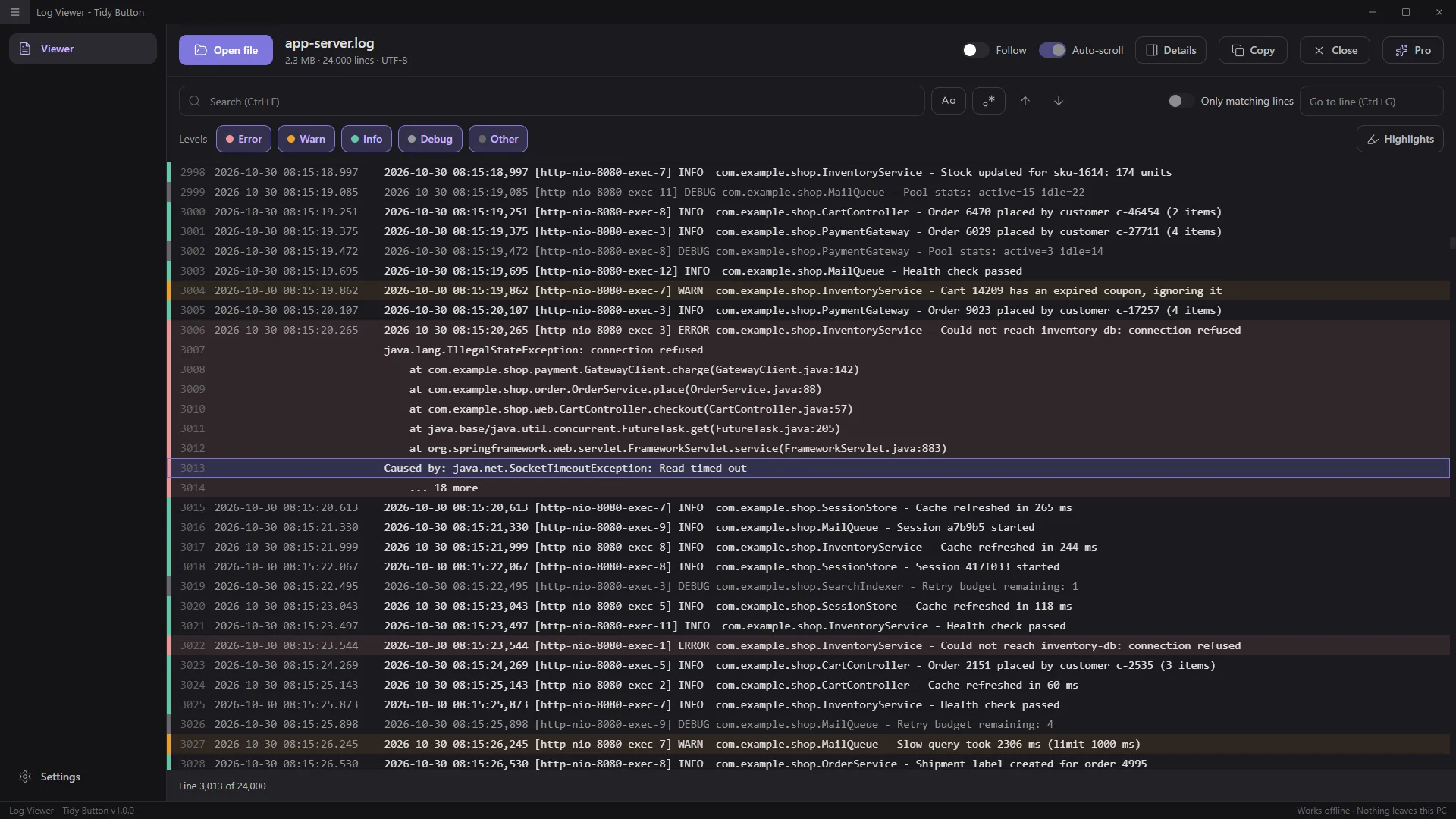
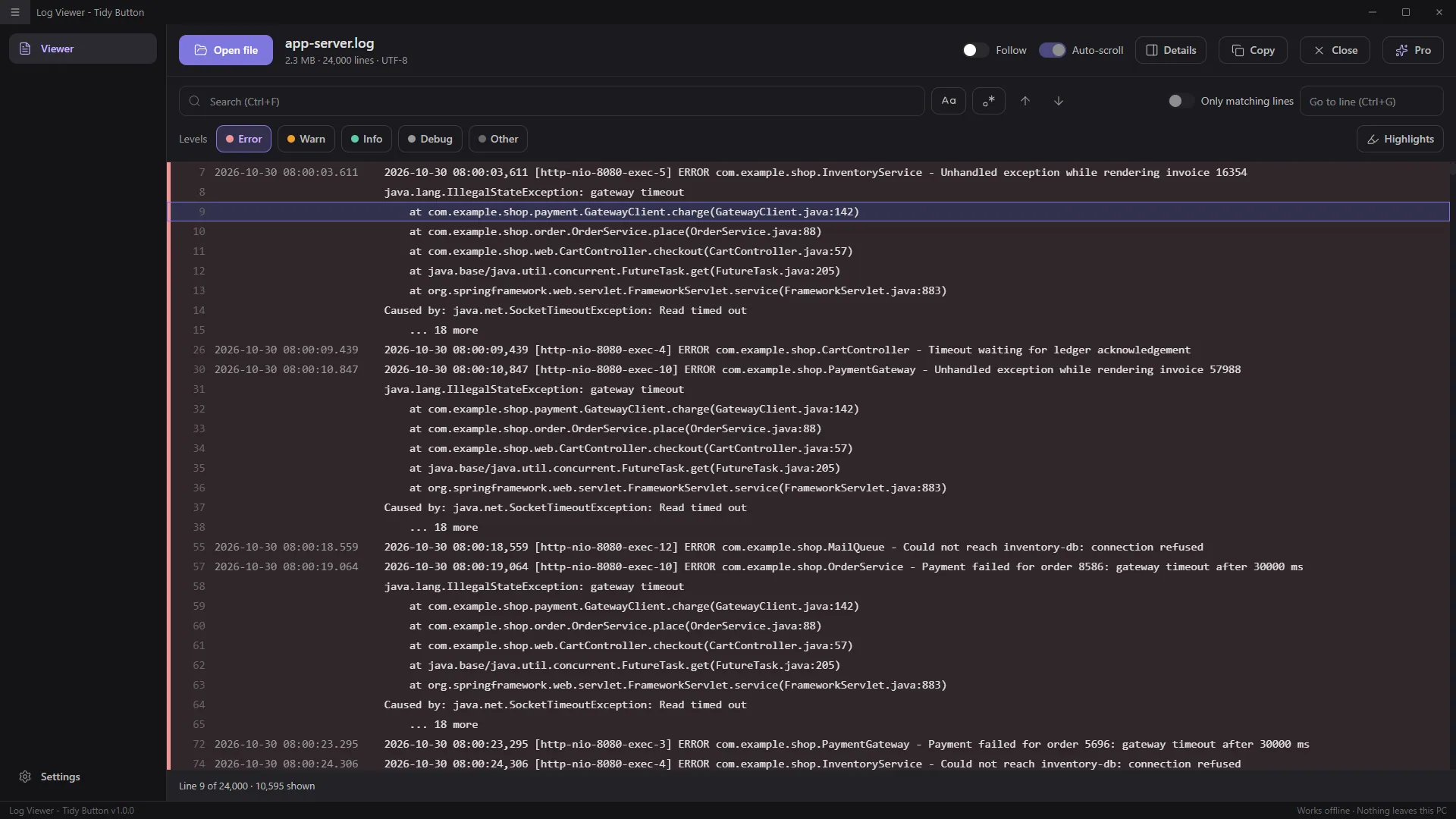
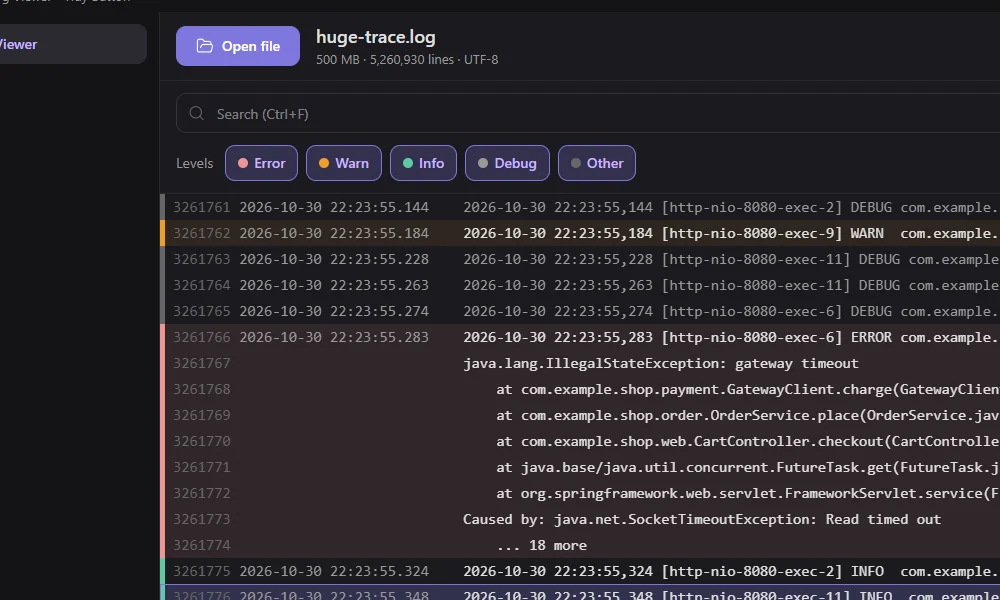
Levels at a glance: coloured bars, a time column and stack traces kept together
Big file
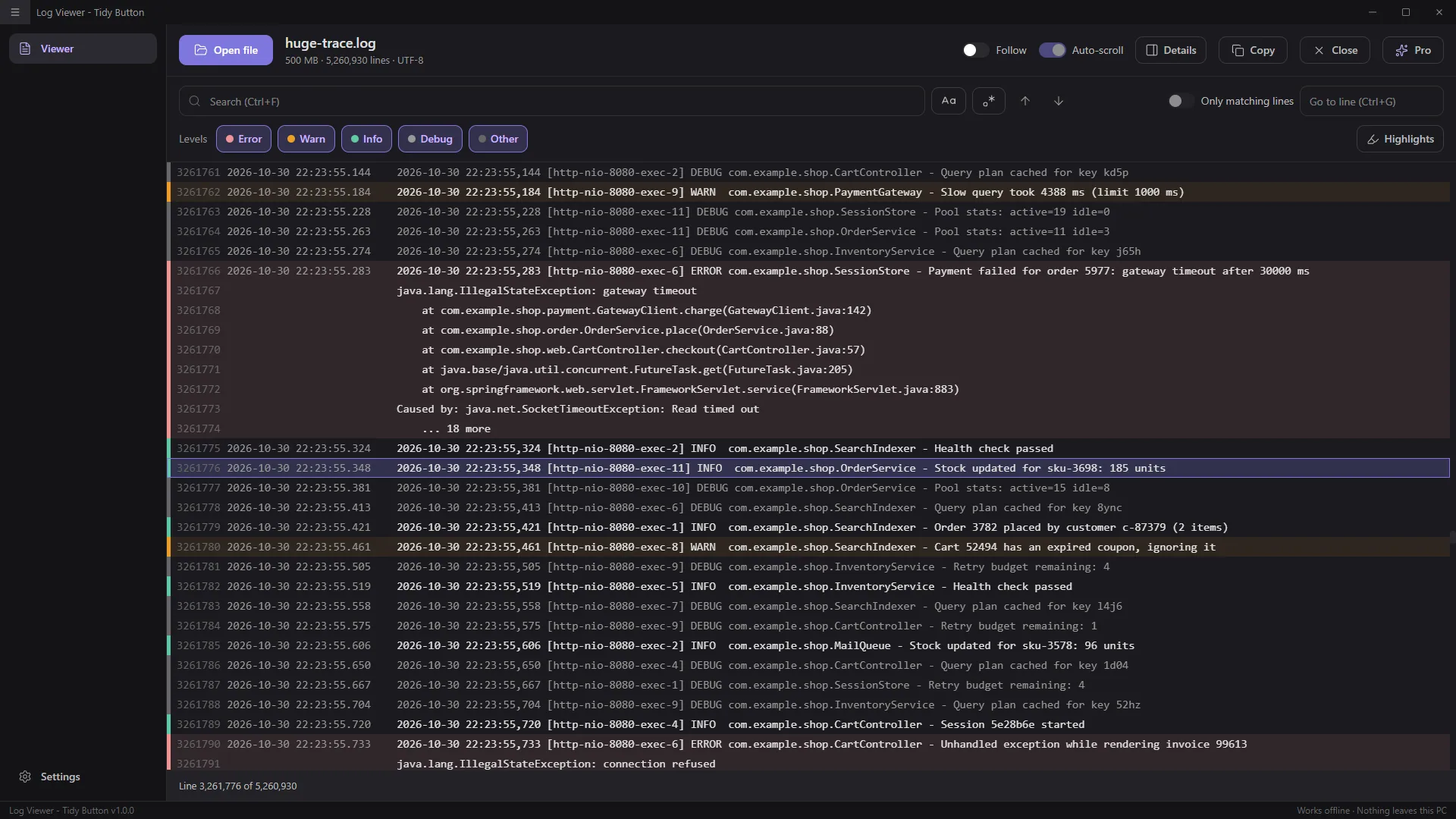
A 500 MB log with over five million lines scrolls smoothly
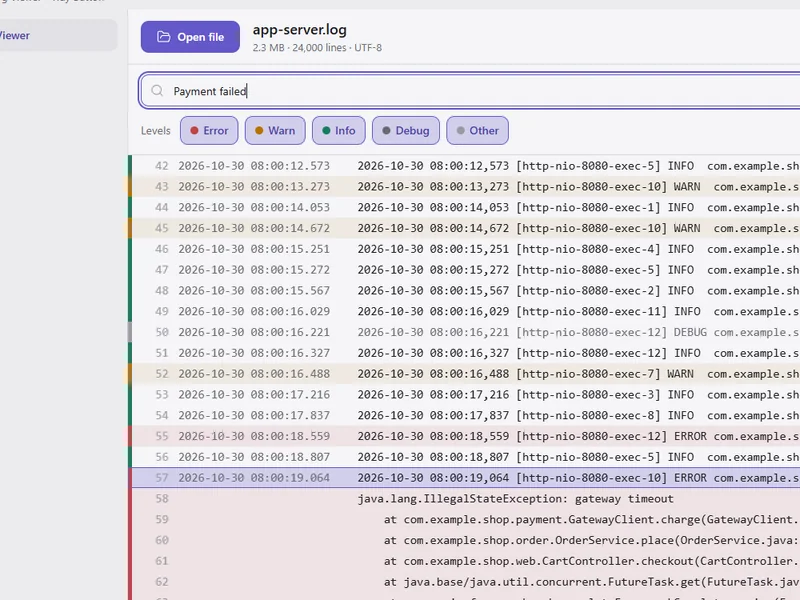
Search
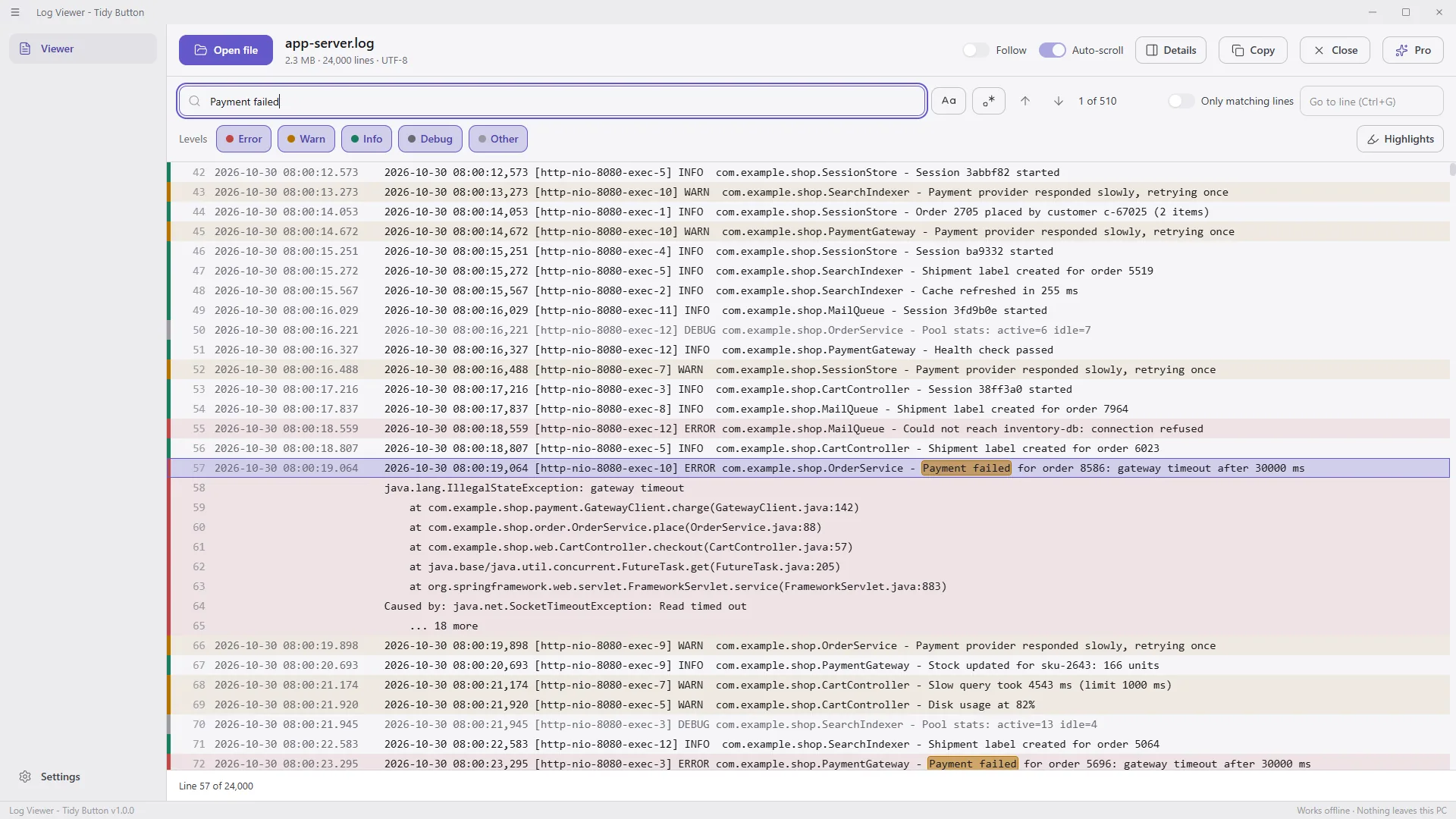
Search with next and previous match, a match count and highlighted results
Regex
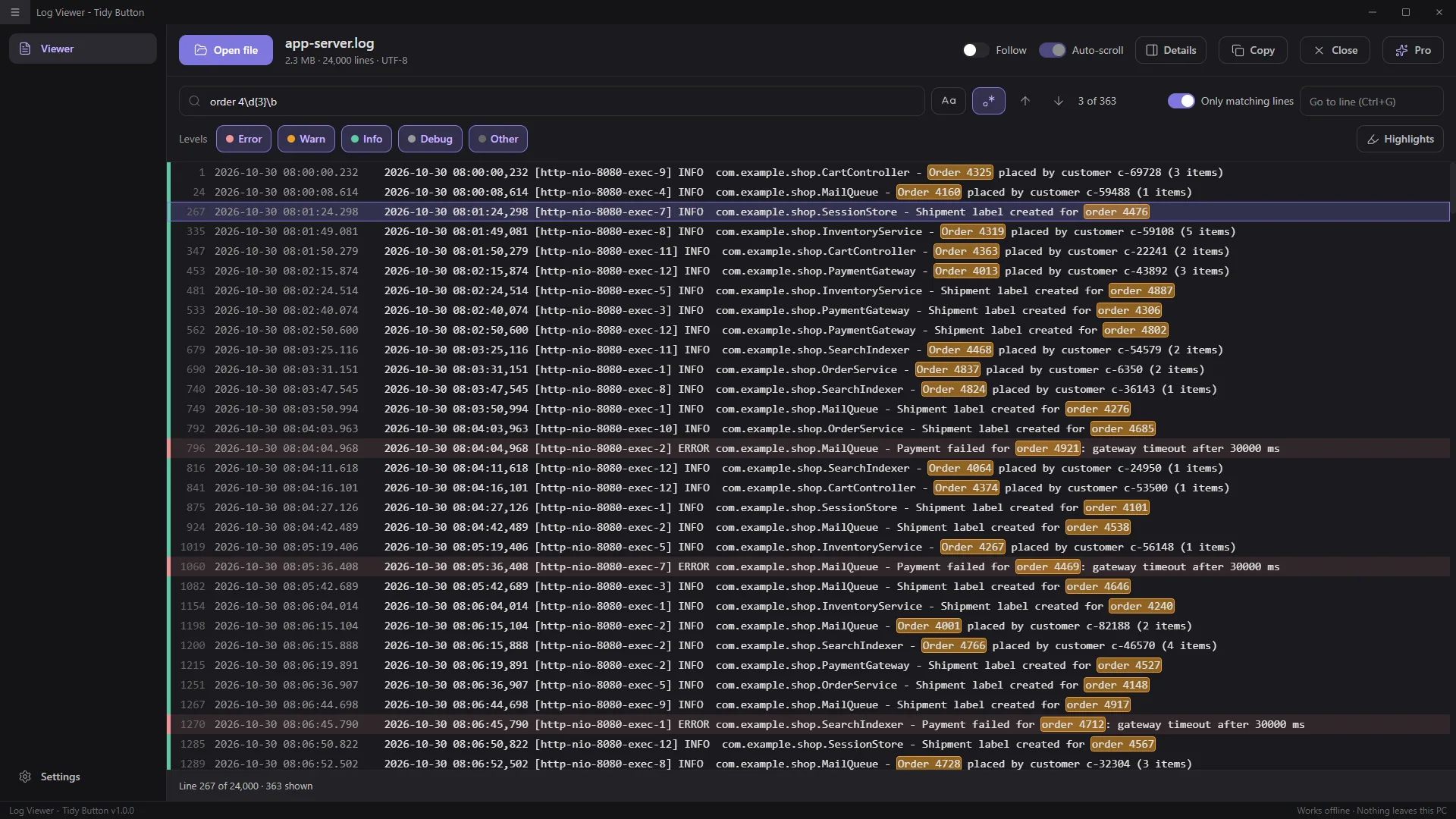
Use a regular expression and show only the matching lines
Errors only
Filter by level to see only the errors, with their stack traces
JSON lines
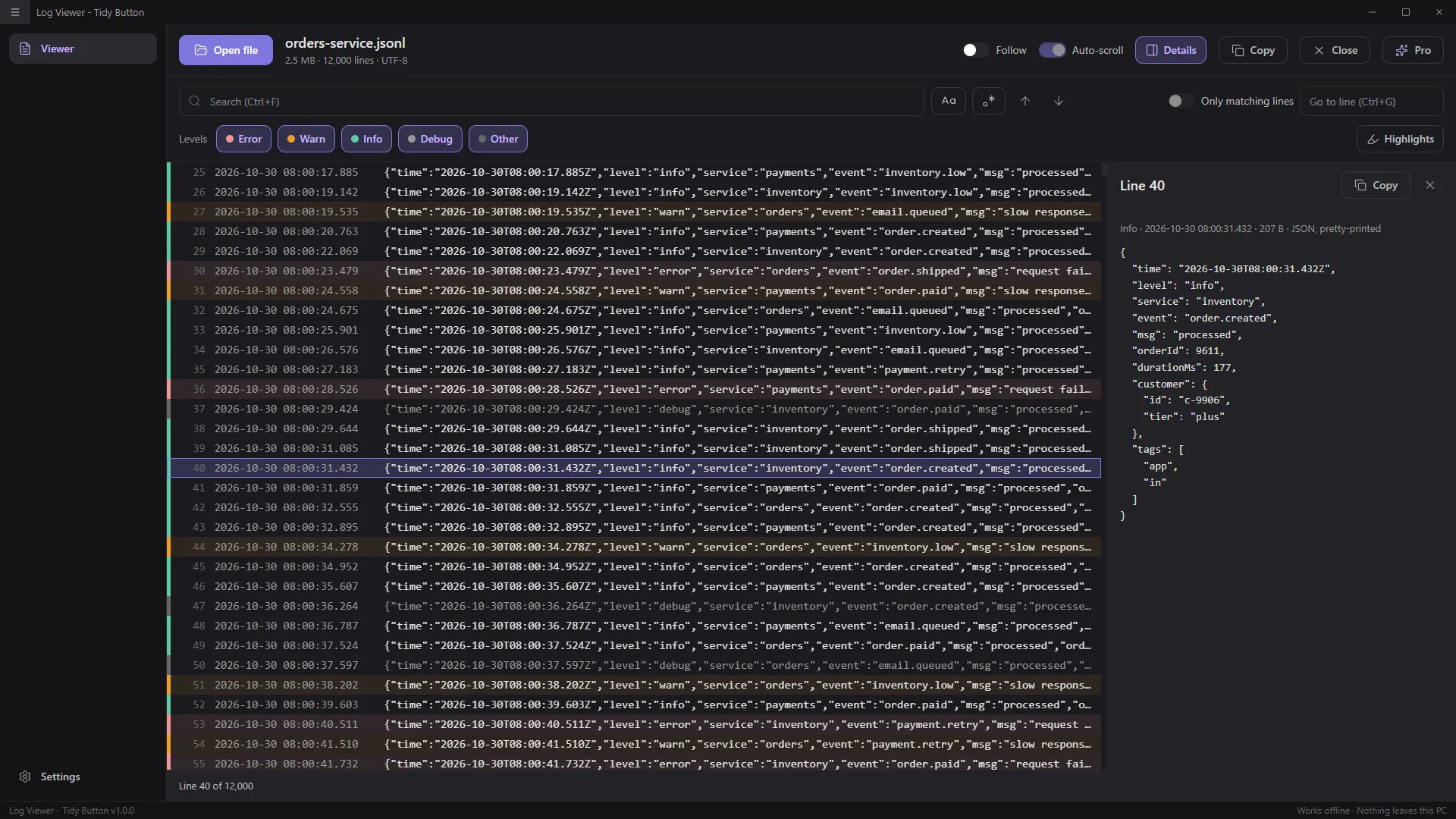
Select a JSON line and read it pretty-printed in the detail pane
Live tail
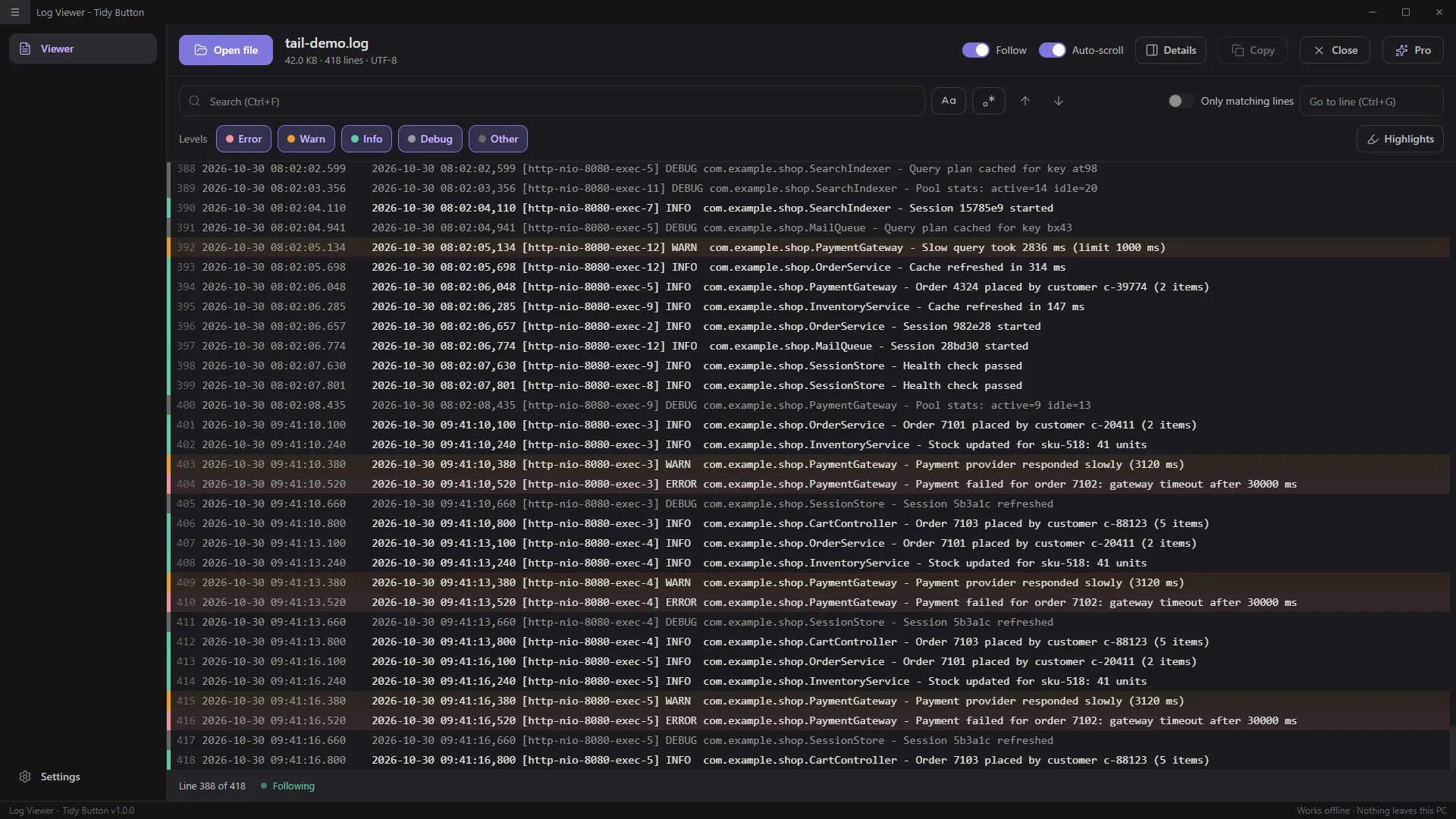
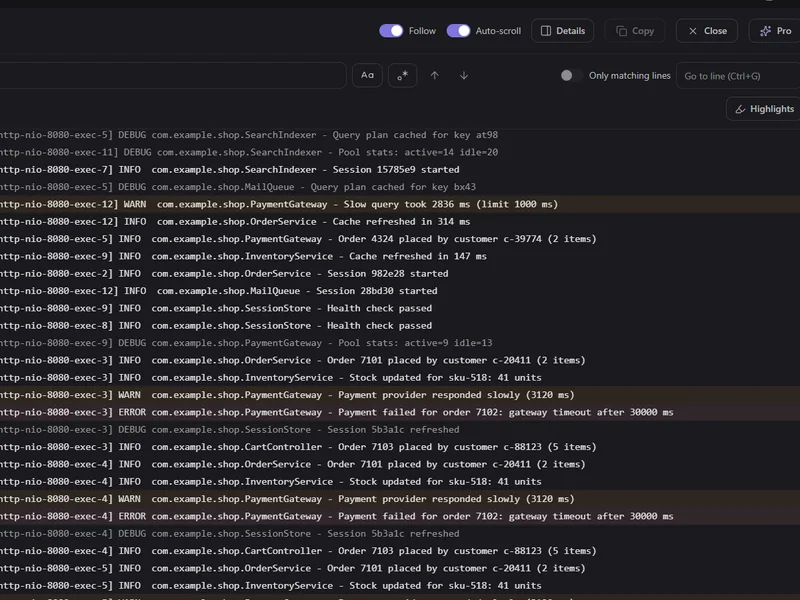
Follow a log live. The list stays on the end until you scroll up
Highlights
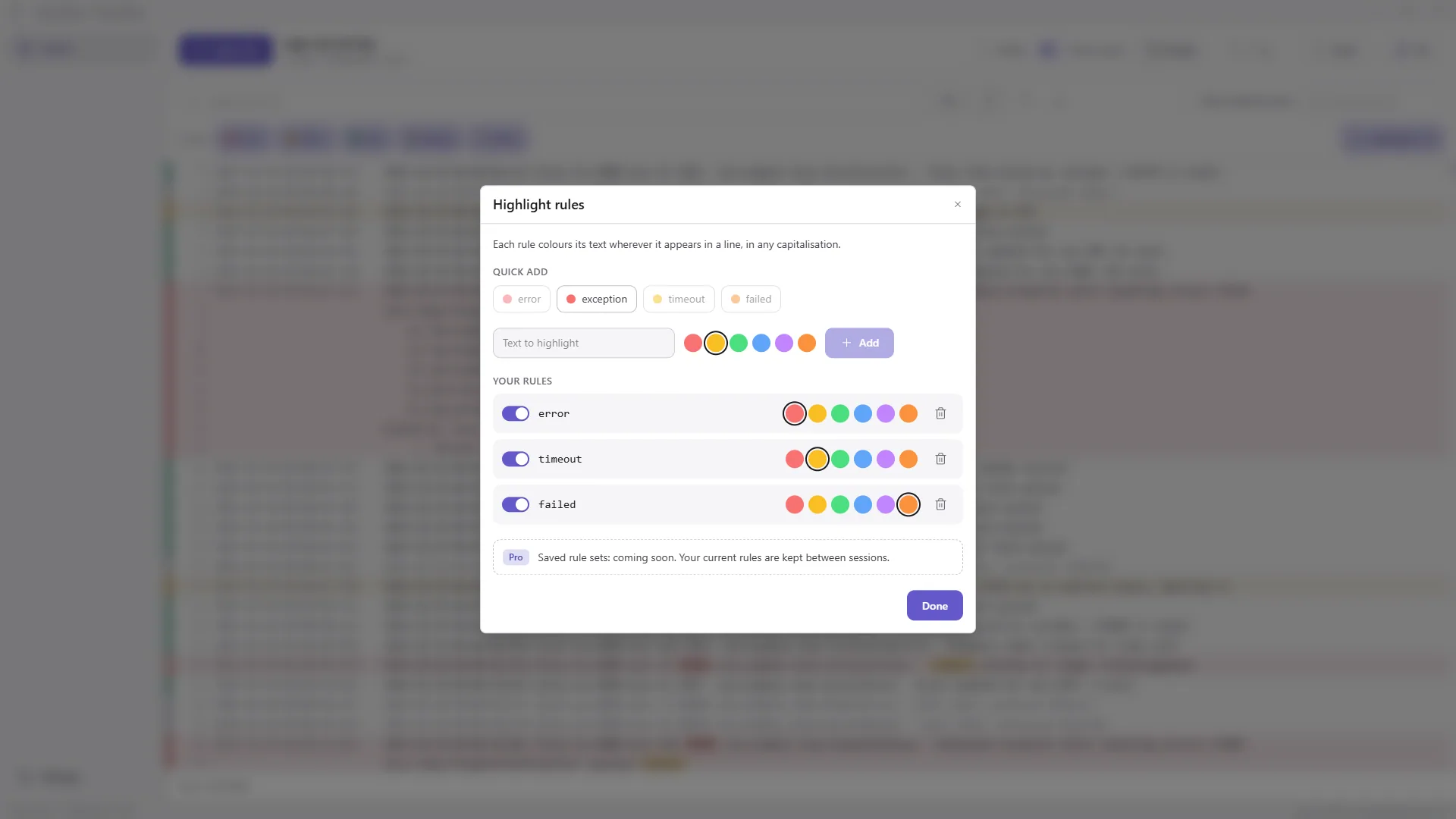
Highlight the words that matter, each in its own colour
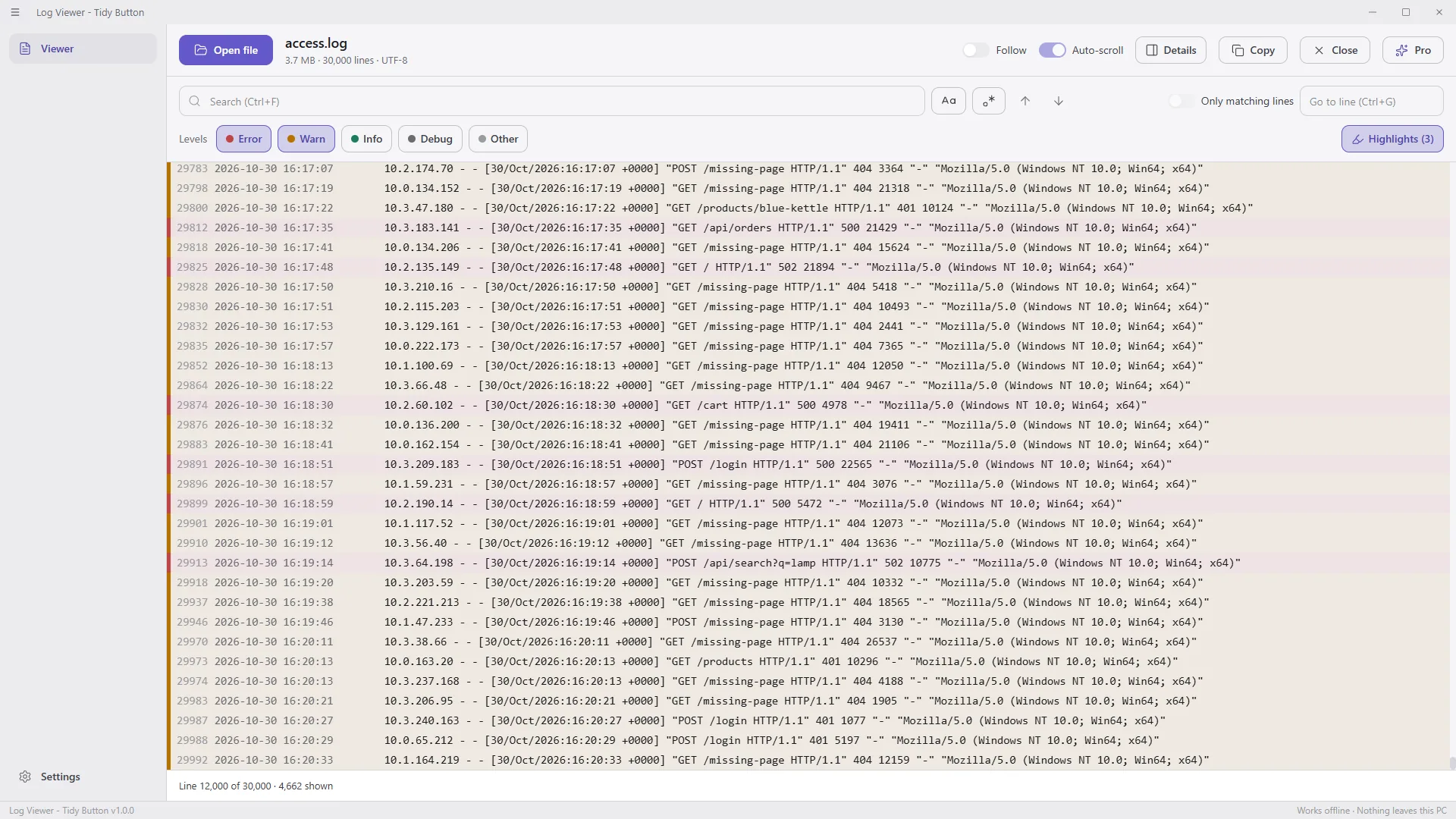
Access log
Web access logs too: 4xx responses show as warnings and 5xx as errors
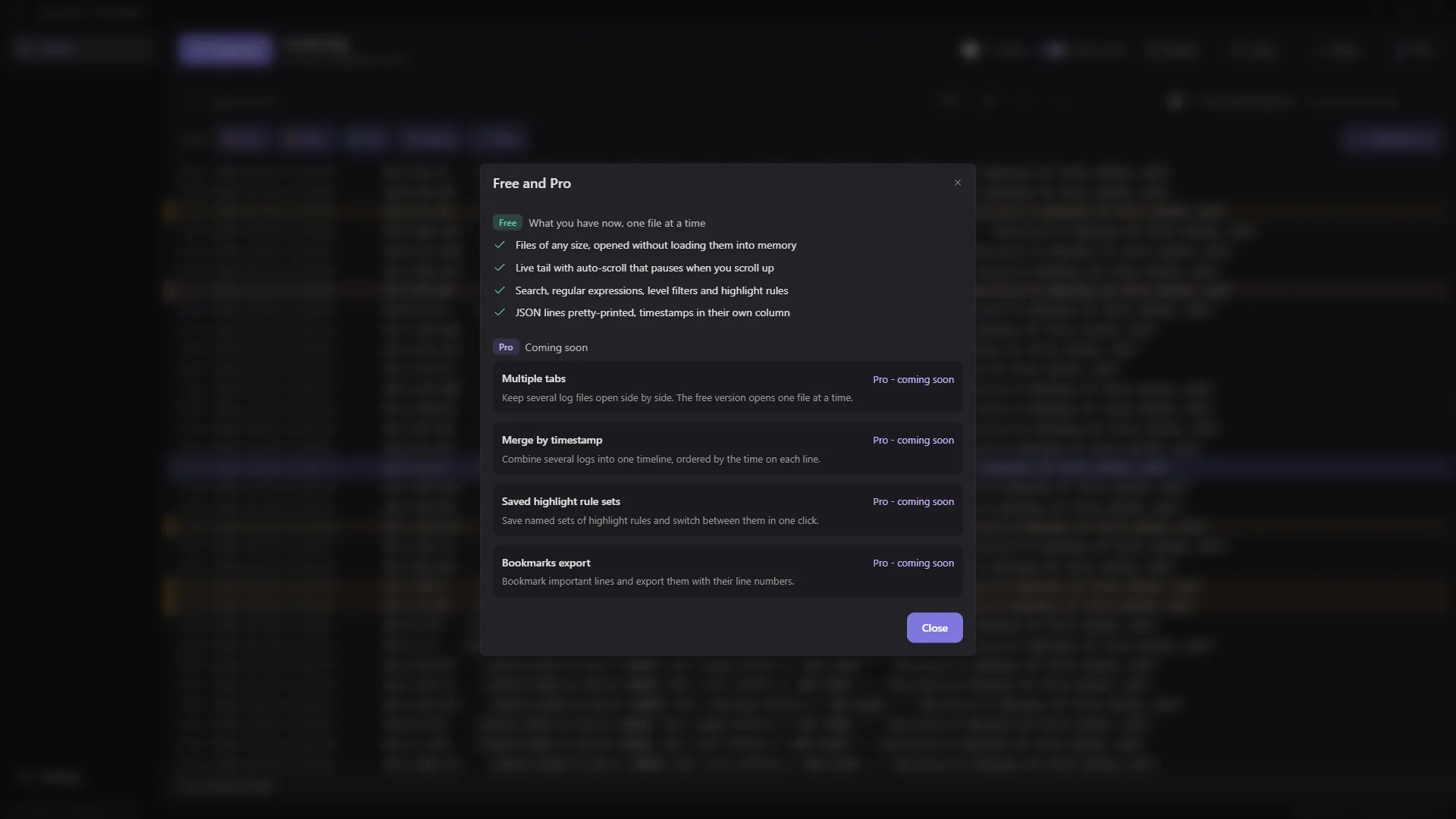
Free and Pro
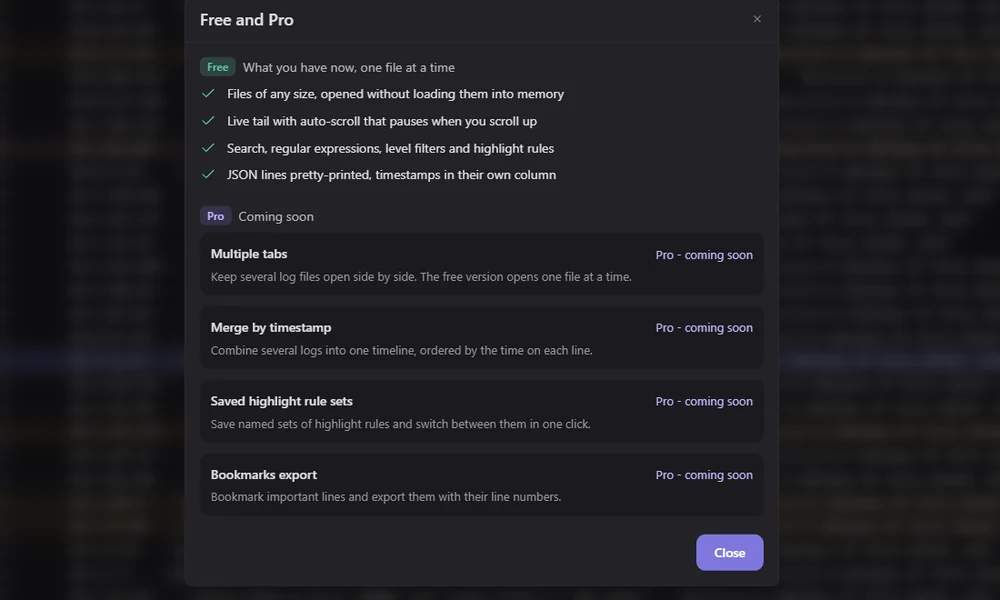
What is free now, and what is planned for Pro
Screens show sample logs, not real systems. The app has light and dark themes.
How it works
Three steps. No manual.
01
Open a file
Press Open file, or drop a log onto the window. The lines appear with a coloured bar for each level.
02
Find what matters
Search with text or a regular expression, show only the matching lines, or filter by level.
03
Follow it live
Turn on Follow and new lines appear as they are written. Scroll up to pause and read.
What it does
What it does.
Open a log file, even a big one, and scroll through it smoothly. Levels get coloured bars, times get their own column, and stack traces stay together under the error that caused them. Turn on Follow to watch new lines arrive, search with plain text or a regular expression, and show only the lines that matter.
Opens files of any size
Only the lines on screen are loaded, so a big file is ready in moments and does not fill your memory.
Live tail
Turn on Follow and new lines appear as they are written. Auto-scroll pauses the moment you scroll up.
Rotation and truncation
If the file is truncated or replaced, the viewer starts again from the top and tells you so.
Search with text or regex
Match case if you need to, see a match count, and jump from match to match. A slow or invalid pattern is reported instead of freezing the window.
Matching lines only
Show only the lines that match, or filter by level: Error, Warn, Info and Debug.
Levels and times at a glance
Plain text, log4j and Serilog style, syslog, JSON lines and web access logs are recognised, with a coloured bar and a time column.
JSON lines, pretty-printed
Select a JSON line and the detail pane shows it laid out, with its level and time above.
Highlight rules
Add words such as error, timeout or failed and give each its own colour. Your rules are kept between sessions.
The small print, in plain English
Safe by design.
Only the lines on screen are loaded, so a very large file does not fill your memory.
Free is one file at a time. Multiple tabs and the rest are planned for Pro, and nothing is hidden.
Read-only. It never changes the log file you open.
Reads only the file you choose or drop onto the window.
Your logs stay on your PC and are never uploaded.
A slow or invalid search pattern is reported instead of freezing the window.
Works offline. No account. No ads. No tracking.
What it understands
Five log styles, no setup.
The viewer recognises the level and the time of each line from the common formats, so you do not have to configure anything.
Web access logs are recognised too.
Plain text
Lines with a level word
Words such as ERROR, WARN, INFO and DEBUG set the colour.
log4j and Serilog
Common application logs
Levels and timestamps are picked out of each line.
Syslog
System logs
Recognised, with levels and times shown.
JSON lines
One JSON object per line
Select a line to read it pretty-printed in the detail pane.
Access logs
Web server requests
4xx responses show as warnings and 5xx as errors.
Reads UTF-8 files, with or without a byte-order mark, and UTF-16 LE files.
Good for
Handy when something broke.
Checking an app log after a crash
Following a log while you test a change
Finding one order or user in a long log
Reading JSON lines without a formatter
Spotting 4xx and 5xx responses in an access log
Questions
Plain answers.
Does it change my log file?
No. It only reads the file you choose or drop onto the window. It never changes, moves or deletes it.
How big a file can it open?
Only the lines on screen are loaded, so size is not the limit it is for most editors. The screenshots show a 500 MB demo file with over five million lines.
Can I watch a log while it is being written?
Yes. Turn on Follow and new lines appear as they are written. Auto-scroll pauses the moment you scroll up, and a button takes you back to the end. If the file is truncated or replaced, the viewer starts again from the top and tells you.
Can I search with a regular expression?
Yes. Search with plain text or a regular expression, match case if you need to, and jump between matches. A pattern that is slow or invalid is reported instead of freezing the window.
Which log formats and encodings work?
Levels are recognised from plain text, log4j and Serilog style, syslog, JSON lines and web access logs. It reads UTF-8 files, with or without a byte-order mark, and UTF-16 LE files.
Does it need an account or an internet connection?
Neither. There is no account, no ads and no tracking, your logs stay on your PC and the app works offline.
Is there a limit in the free version?
The free version opens one file at a time. A Pro add-on is planned for people who work with many logs: multiple tabs, merging logs by timestamp, saved highlight rule sets and bookmark export.