How to open a huge log file on Windows
This guide shows how to open a large log file, find the lines you need, and follow a log while a program is still writing to it. The viewer only reads your file. It never changes it.
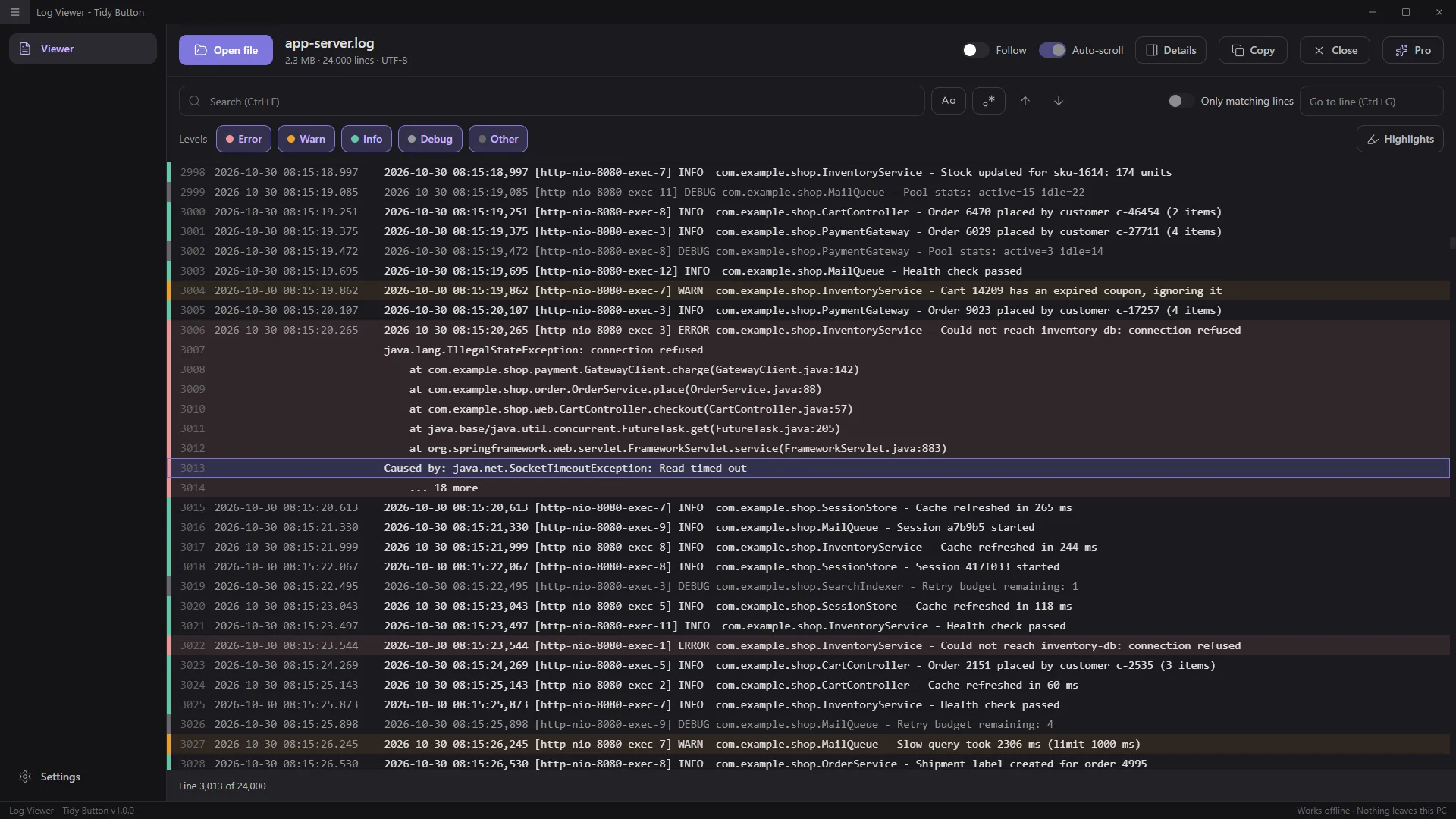
Open a big log file and search it
- Open Log Viewer and press Open file, or drop the log onto the window.
- Wait for the lines to appear. Only the lines on screen are loaded, so large files open quickly.
- Click the search box named Search the log and type a word, for example failed.
- Read the count next to the box. Press Enter to jump to the next match, or Shift+Enter for the previous one.
- Switch on Only matching lines to hide every line that does not match.
You can also press Ctrl+O to open a file and Ctrl+F to search.
Show only errors and warnings
- Open your log with Open file.
- Find the Levels row under the search box.
- Press the buttons for the levels you want to see, such as Error and Warn. Press a button again to turn it off.
- Scroll through the lines that are left. Each line has a coloured bar for its level.
Watch a log live while a program writes to it
- Open the log with Open file.
- Switch on Follow. New lines appear as they are written.
- Leave Auto-scroll on to stay at the bottom.
- Scroll up to read an older line. Auto-scroll pauses.
- Press Paused: jump to end to go back to the newest line.
Auto-scroll can only be switched on while Follow is on.
Highlight words such as error or timeout
- Open your log, then press Highlights.
- Under Quick add, press a word to add it with a ready-made colour.
- Or type your own word in Text to highlight, pick a colour, and press Add.
- Press Done. The word is coloured wherever it appears in a line.
Your highlight rules are kept the next time you open the app.
Jump to a line and copy lines
- Type a line number into the Go to line number box and press Enter.
- Click a line to select it. Hold Shift to select more lines.
- Press Copy to copy the selected lines.
If something goes wrong
Why did new lines stop scrolling into view?
Auto-scroll pauses as soon as you scroll up to read. Press Paused: jump to end to resume.
My search shows an error message. What is wrong?
If Regular expression is on, the text you typed must be a valid pattern. Turn the button off to search for plain text, or correct the pattern.
Why is Auto-scroll greyed out?
It needs Follow to be on. Switch on Follow first.
What happens if the log file is replaced while I am following it?
If the file is cut short or replaced, the viewer starts again from the top and shows a message to tell you.
Can I open two files side by side?
The free app opens one file at a time. Press Close, then open the next file with Open file.
Good to know
- Log Viewer reads files only. It cannot edit or save changes to a log.
Still stuck? Support is by email, and a person reads it.