Pro keys go on sale when this app's Pro update reaches the Microsoft Store.
One key for this app. Free to use without it. See all pricing
Prefer the command line? winget install 9NB5W9Z2NS0F --source msstore
Real app, comparing two versions of a sample contract.
Works offline
No account, no ads, no tracking
Merge either way
Free
See it
Ten views. One difference, found.
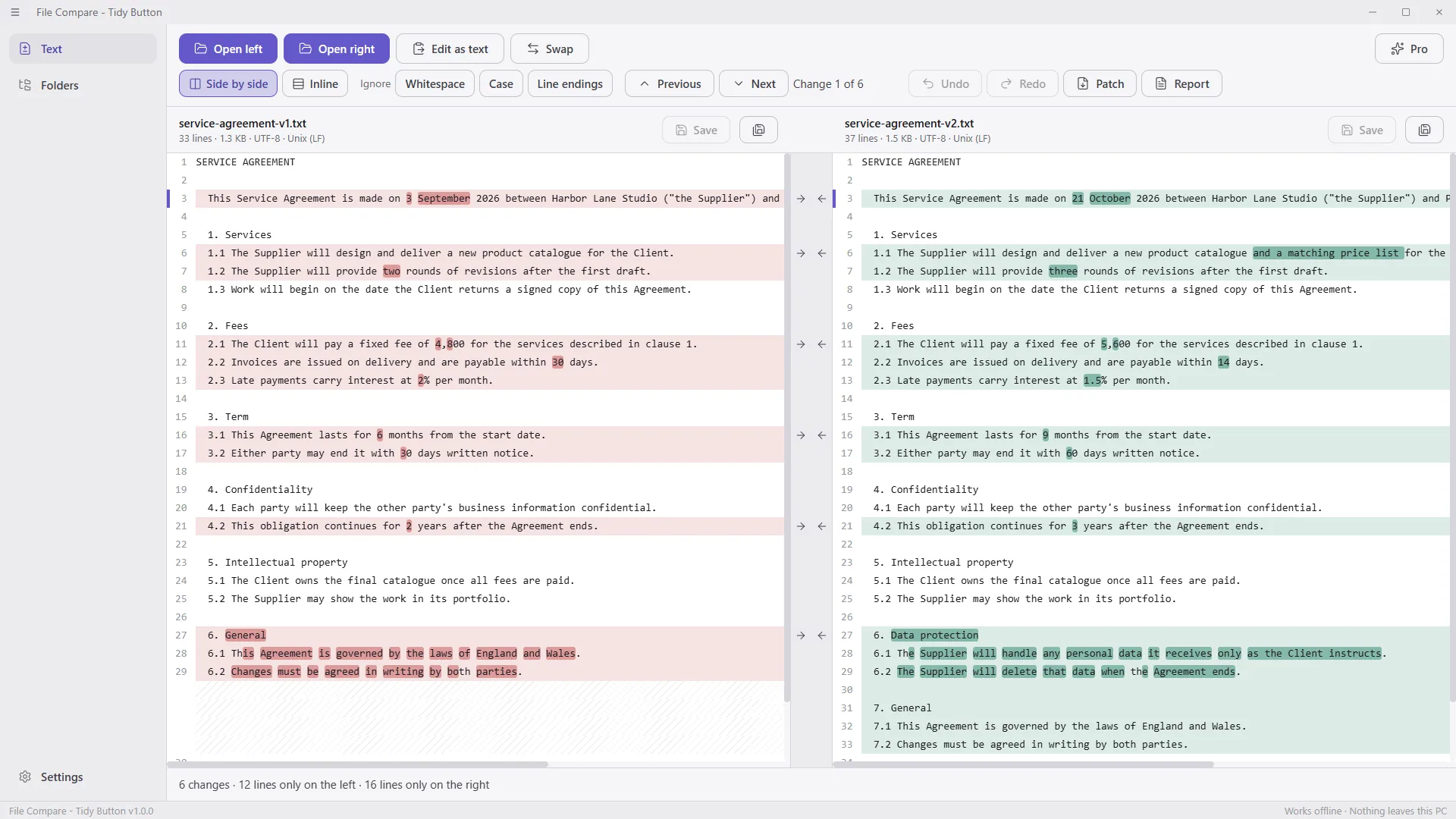
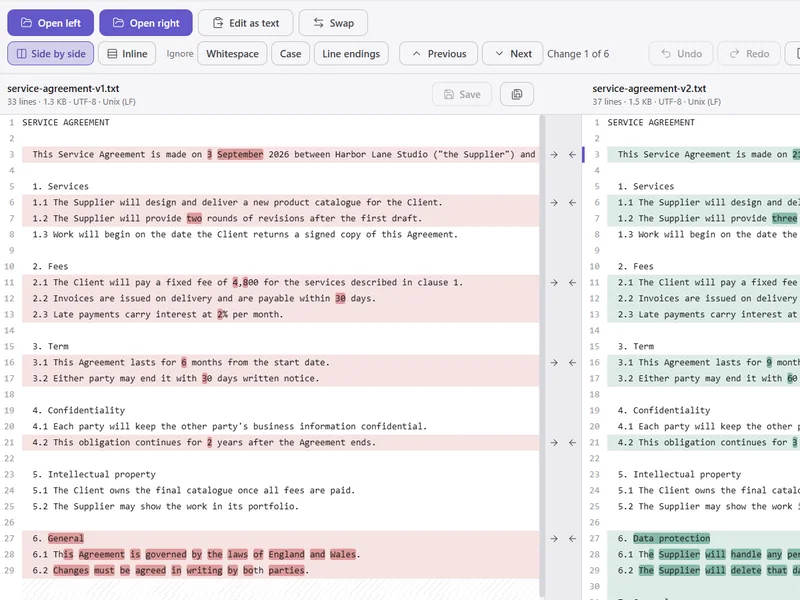
Side by side
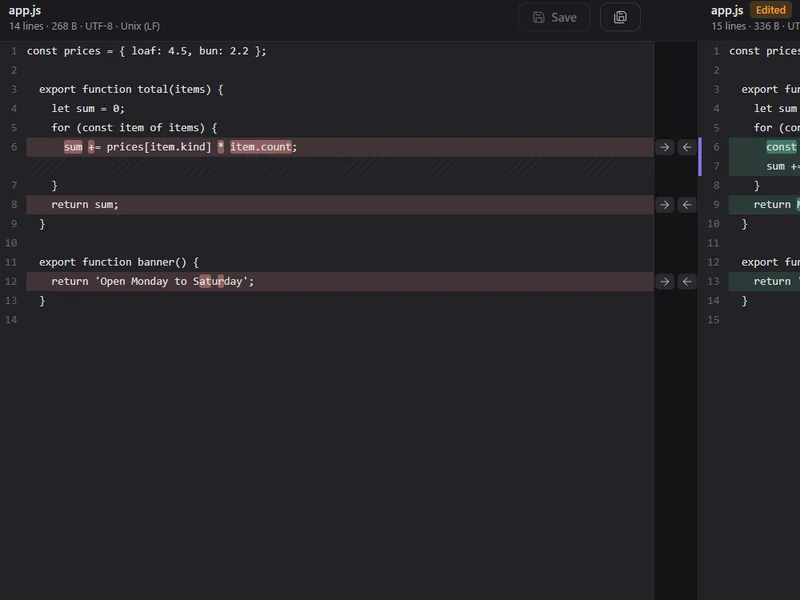
Two versions of a contract side by side, with the changed words marked
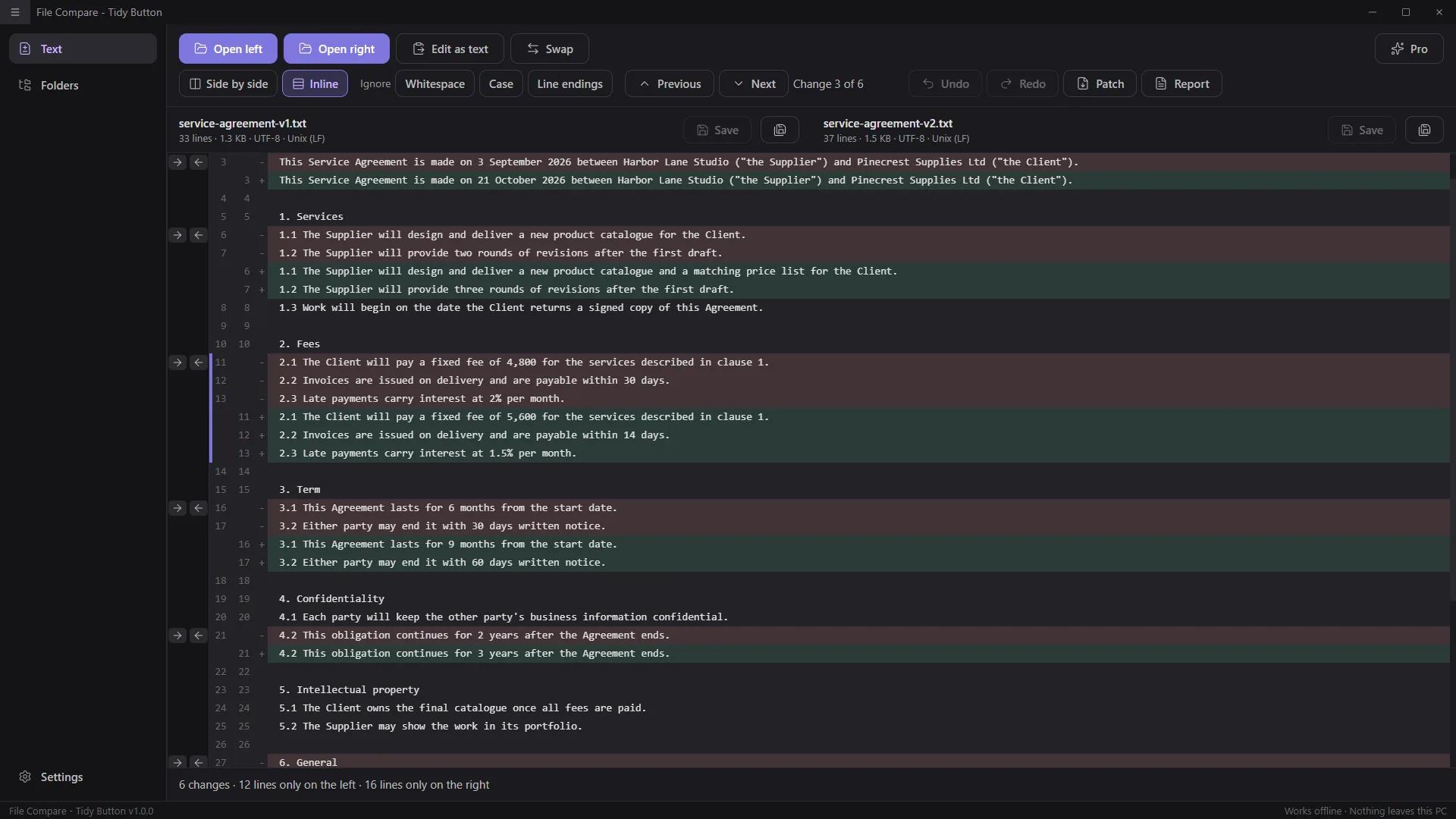
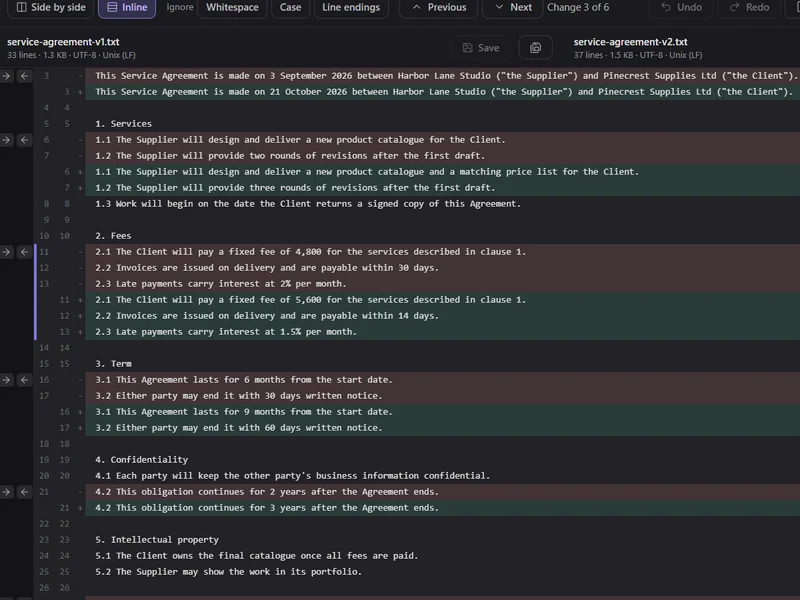
Inline
Prefer one list? Removed lines in red, added lines in green
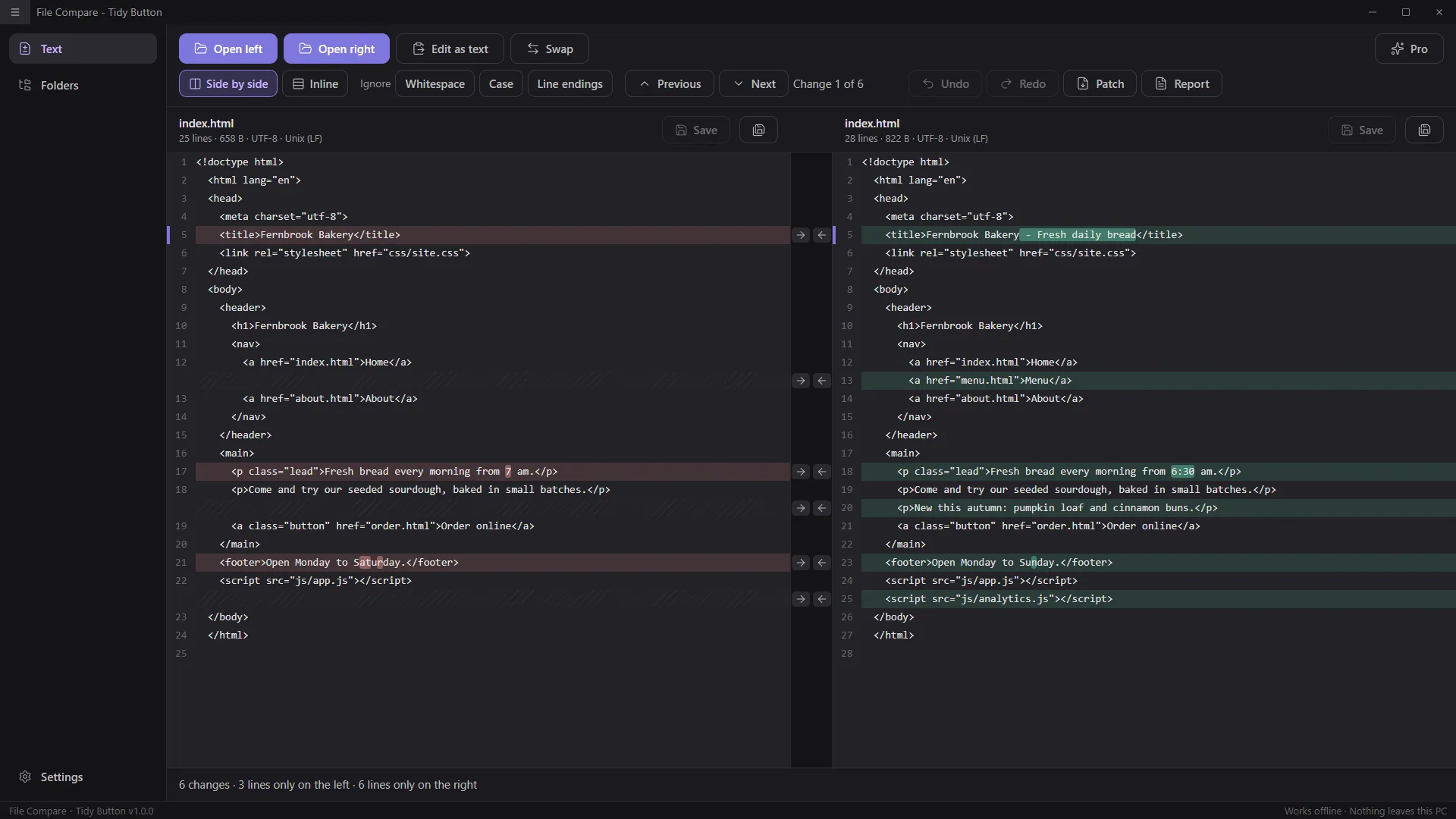
Web page
Compare any text file, such as a web page
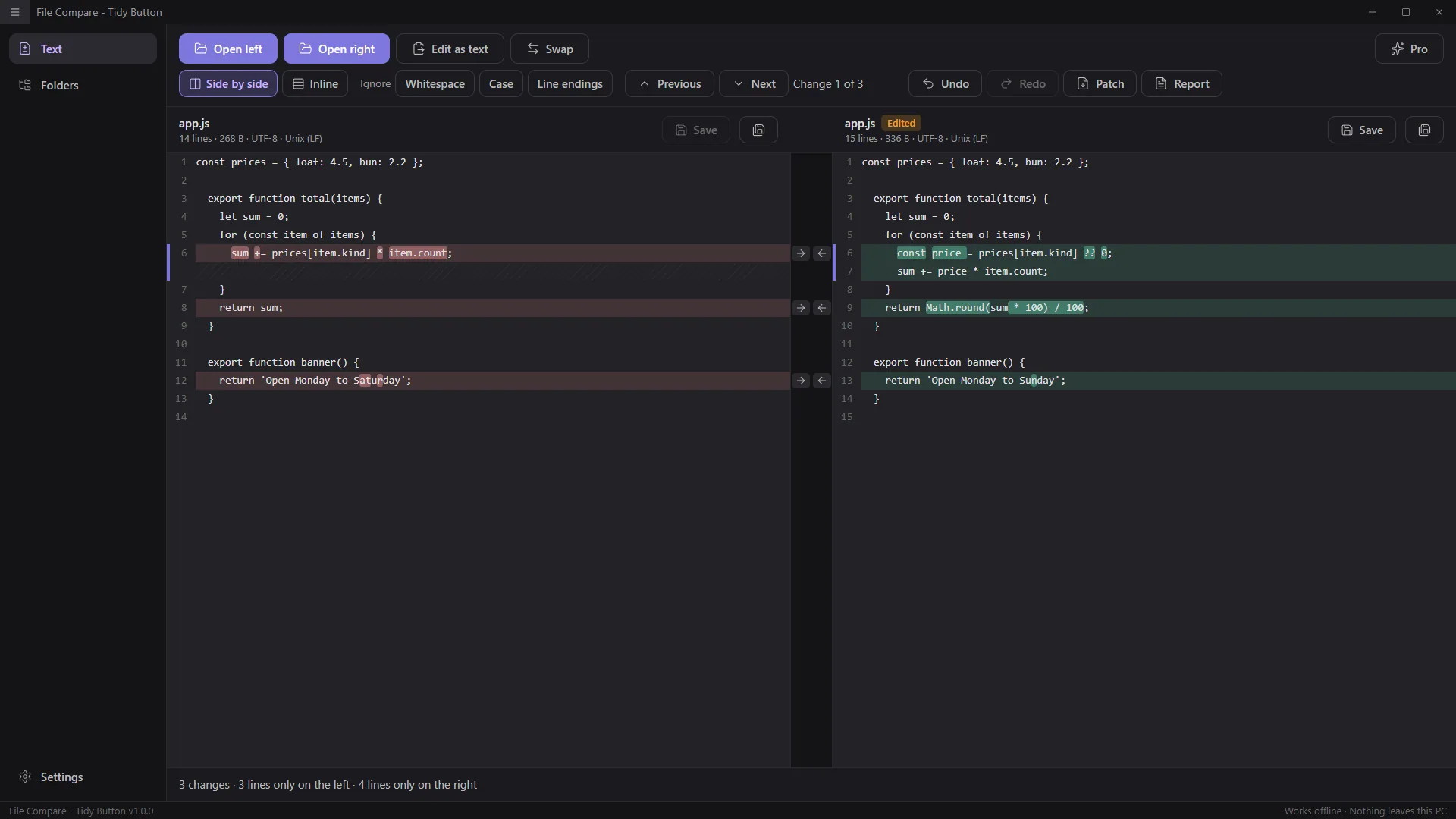
Merge
Copy a change from one side to the other, with Undo and Redo
Ignore
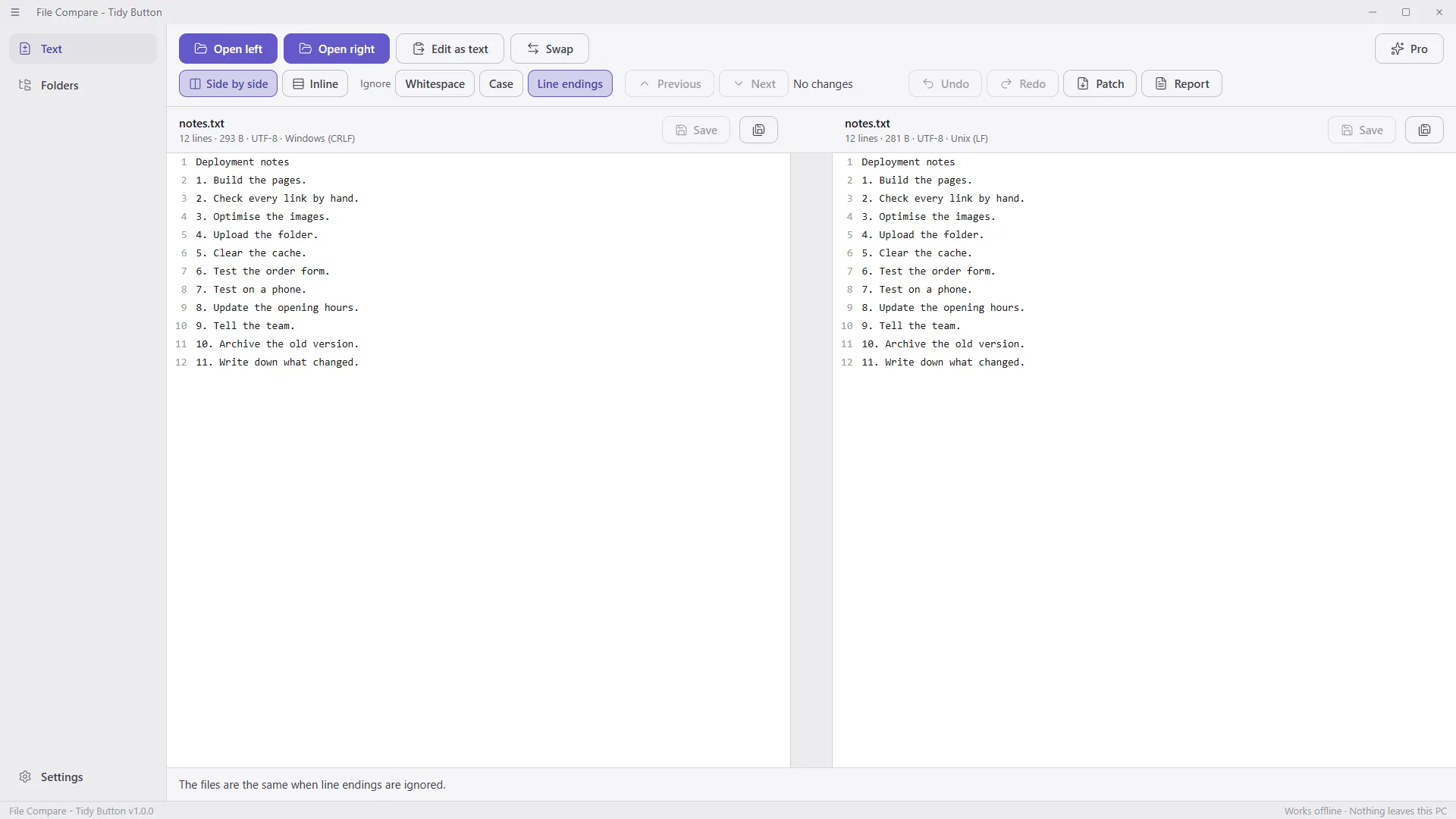
Ignore whitespace, case or line endings, and the status line says why two files match
Folders
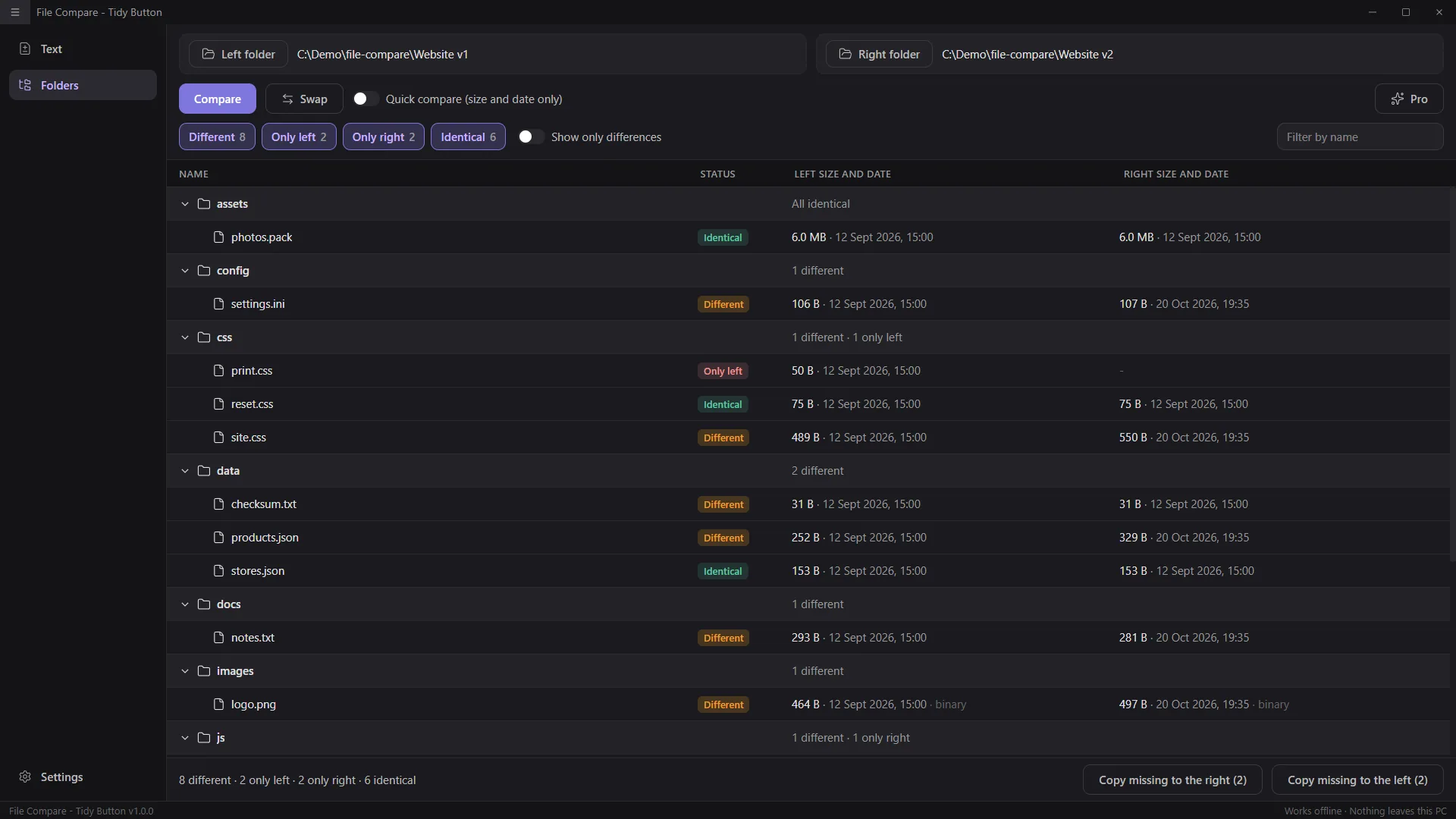
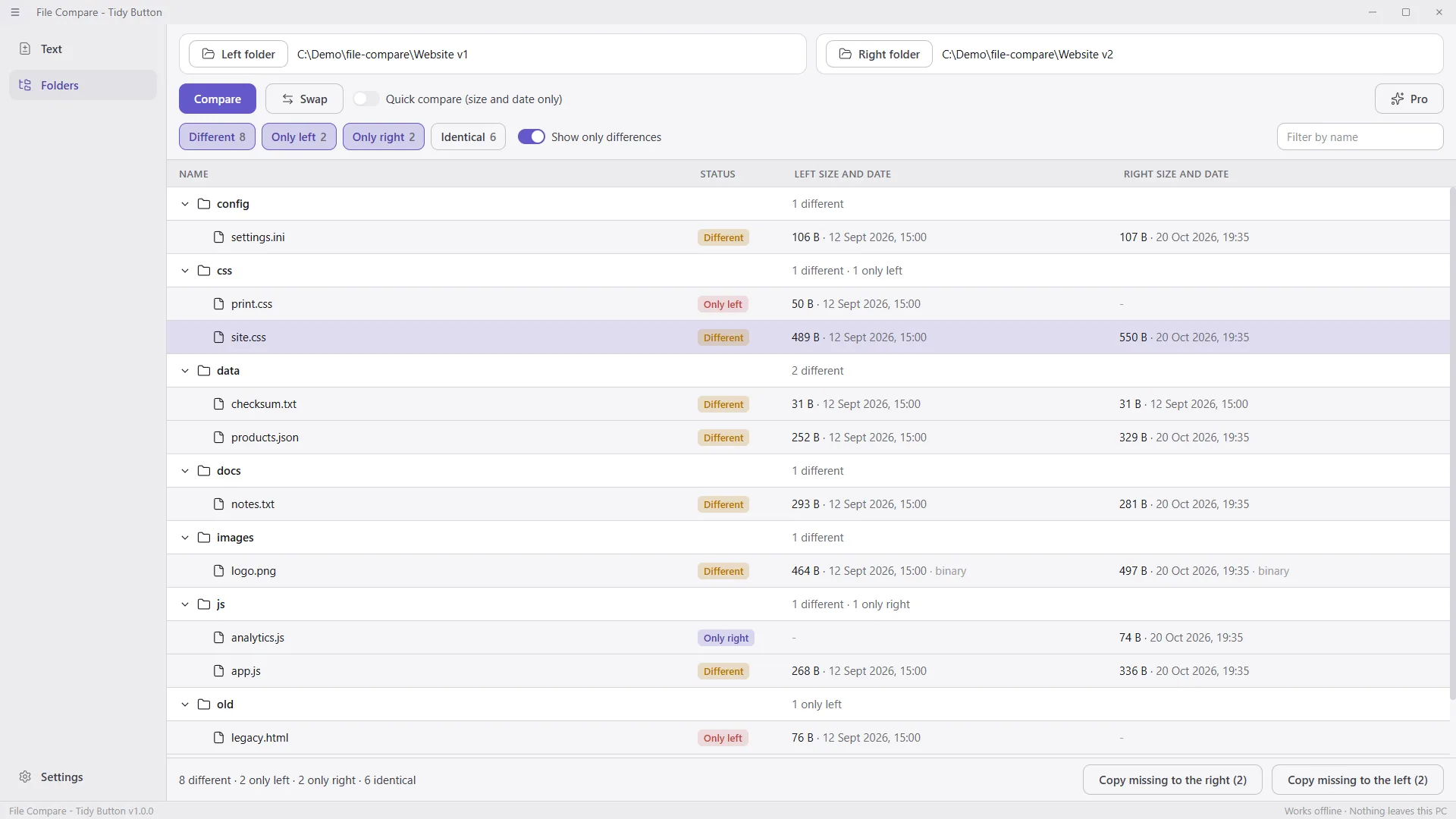
Every file is identical, different, only on the left or only on the right
Only differences
Show only differences and filter by name
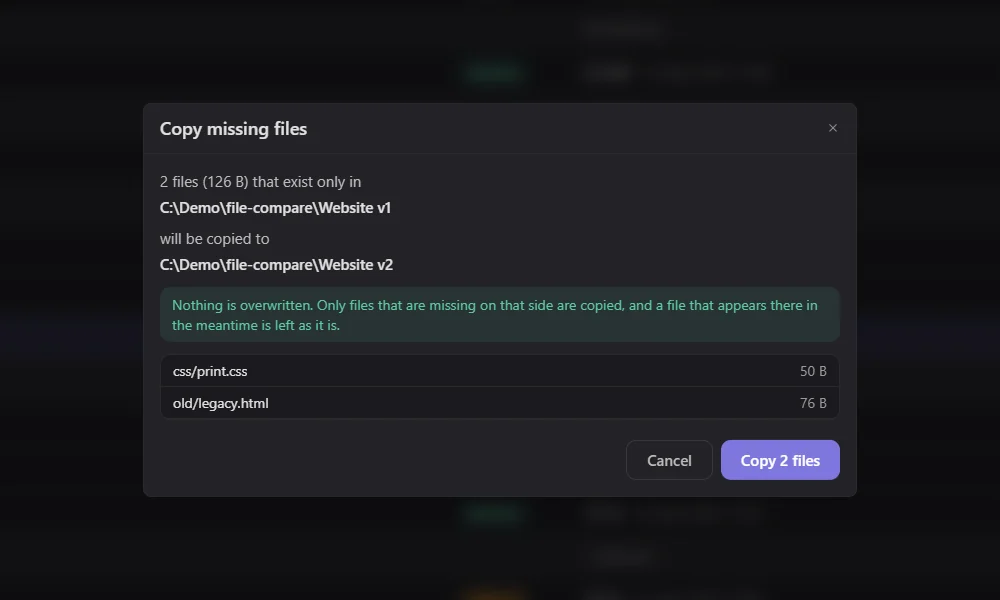
Copy missing
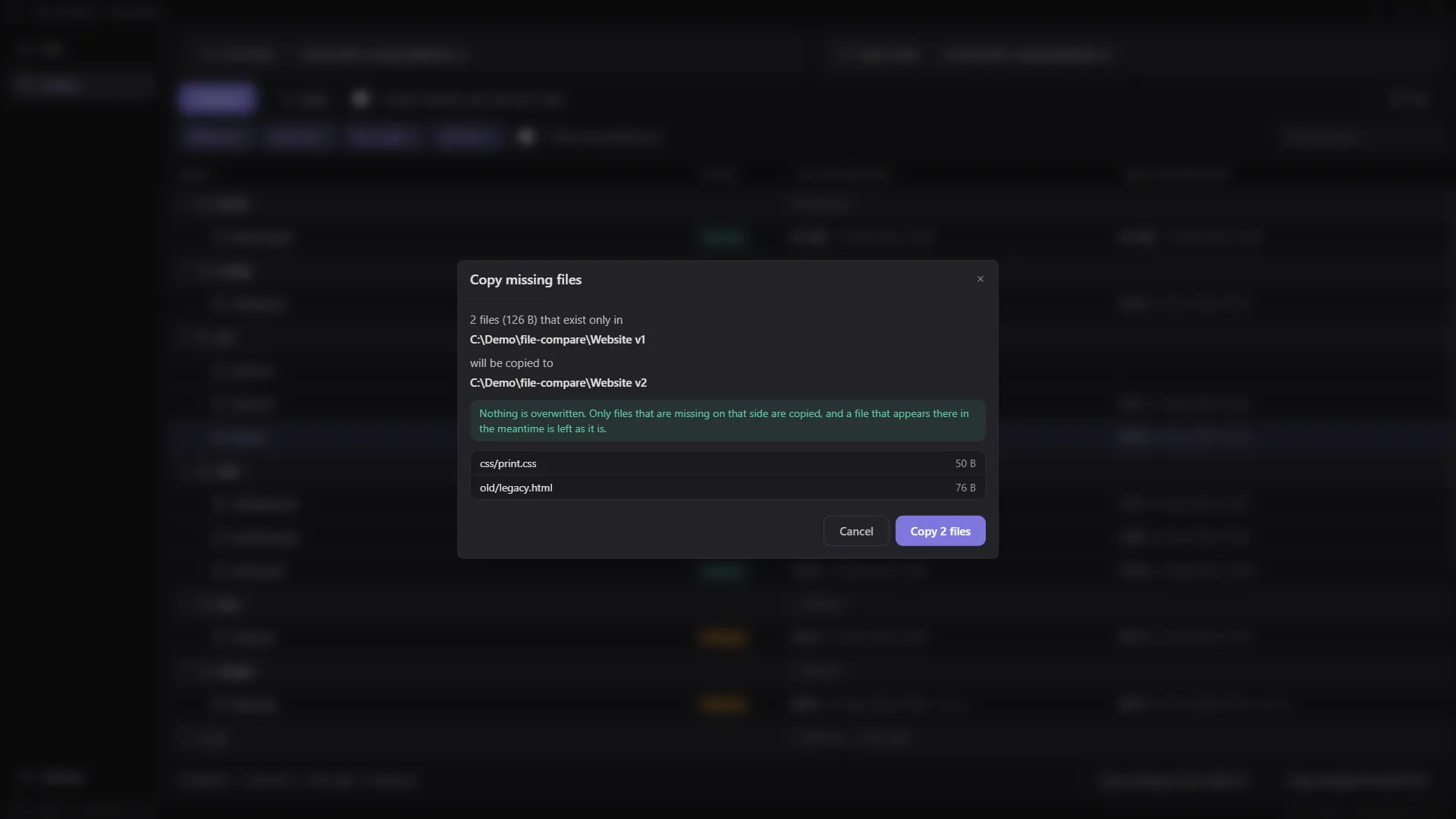
Copy missing files from a list that shows exactly what will be copied
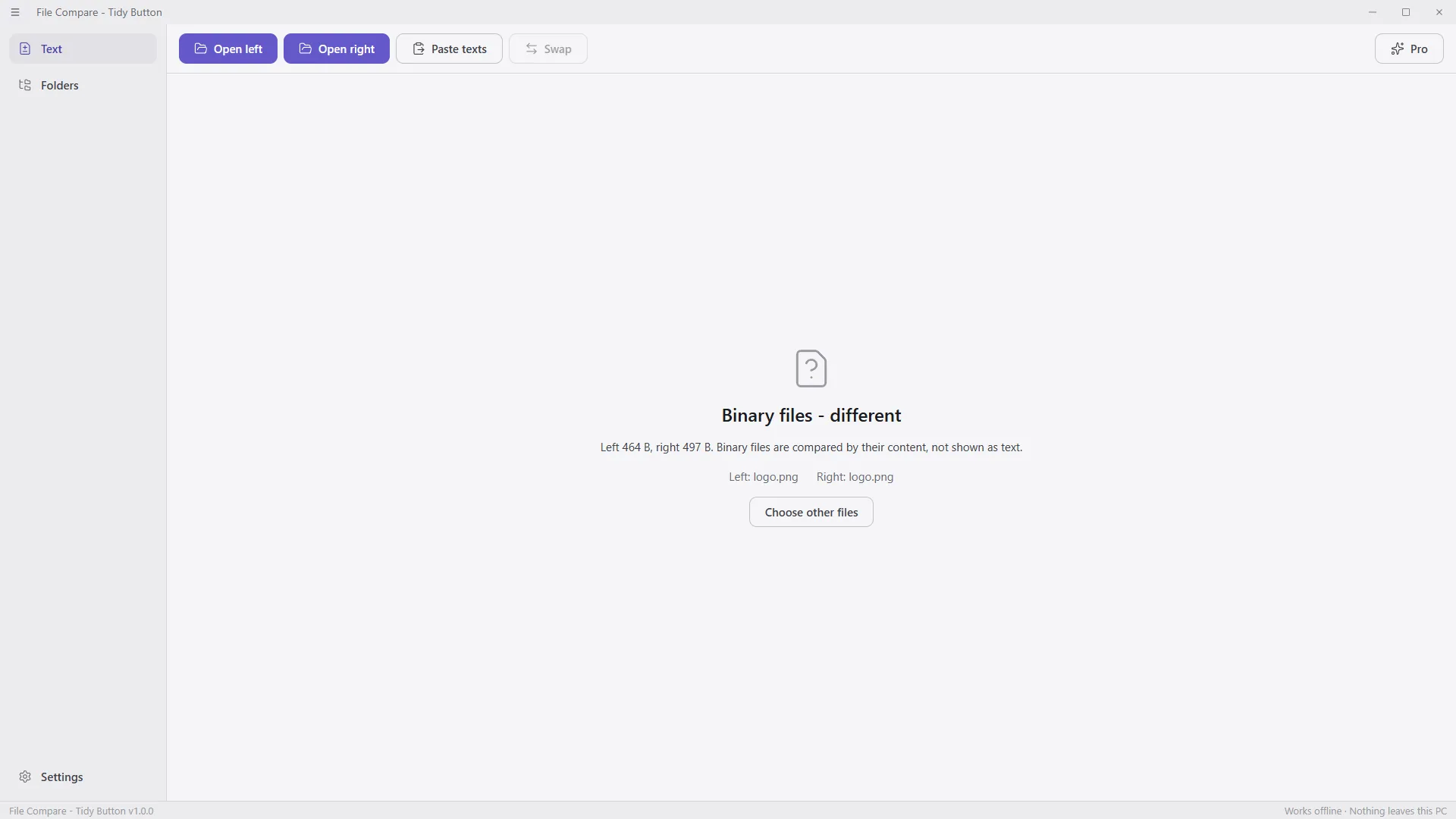
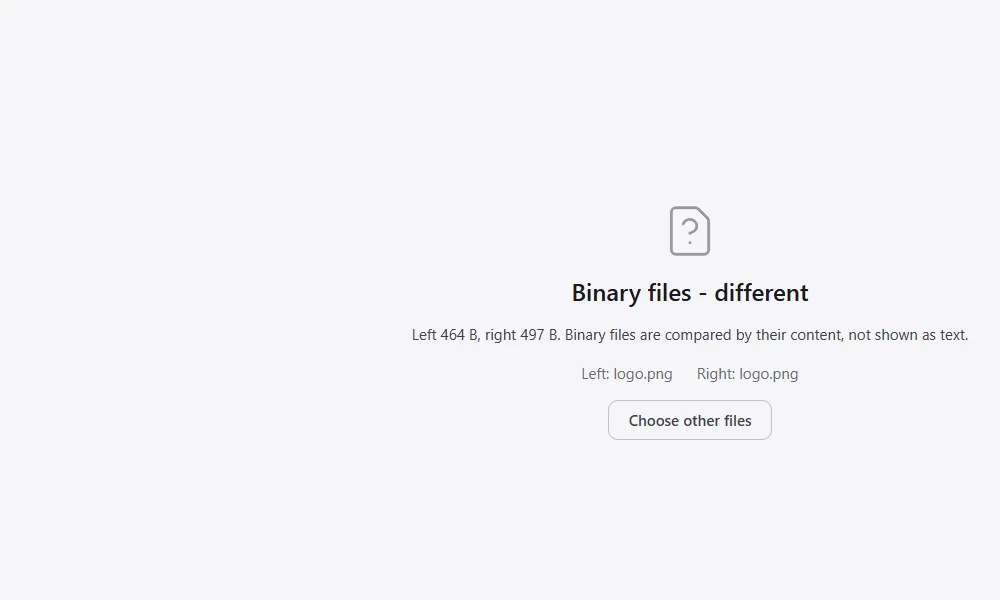
Binary files
Pictures and other binary files are reported as the same or different, with their sizes
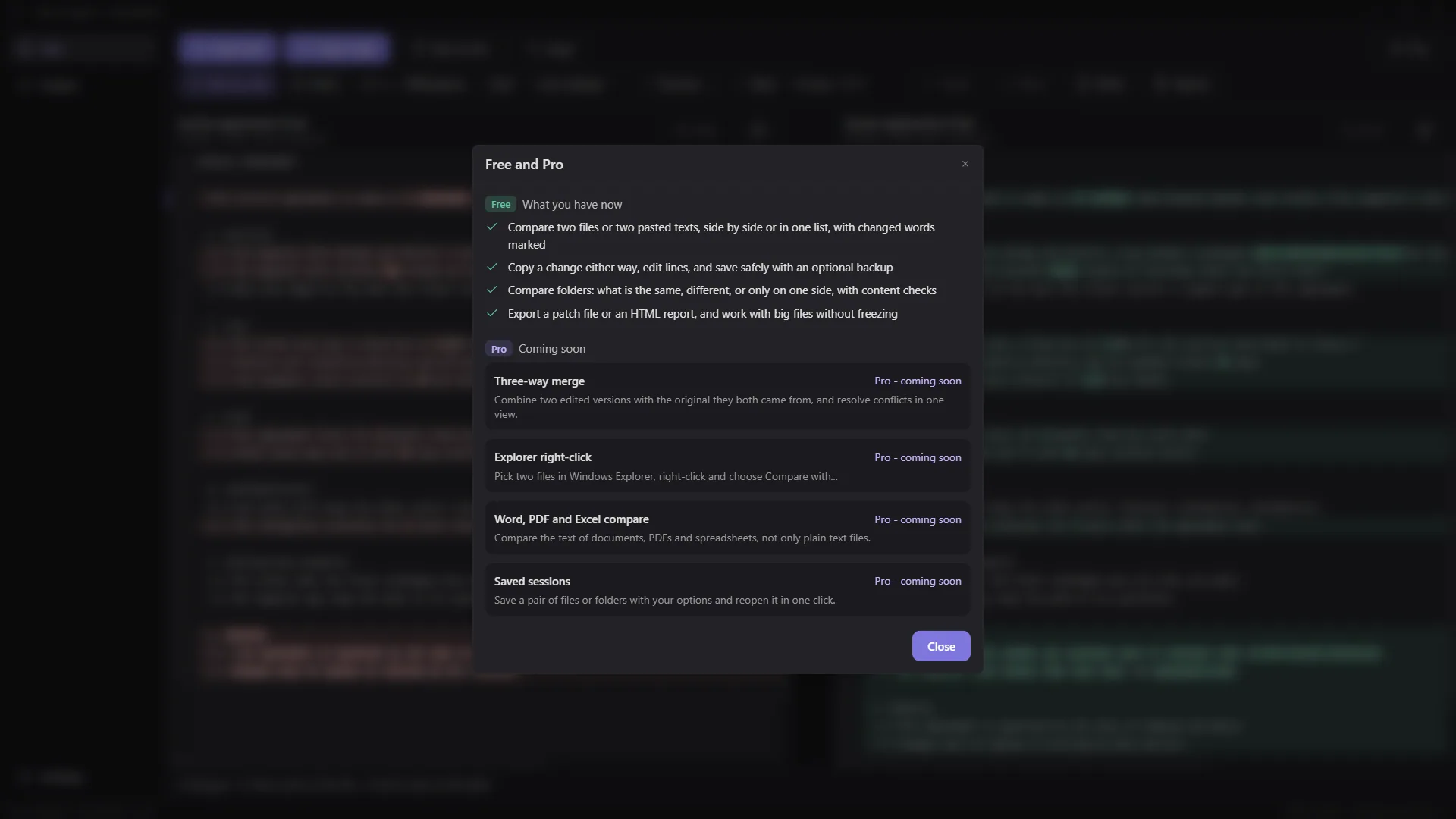
Free and Pro
What you have now, and what is planned for Pro (coming soon)
Screens show sample documents and folders, not real ones. The app has light and dark themes.
How it works
Three steps. No manual.
01
Open two files
Press Open left and Open right, drop files on the window, or paste two texts.
02
See what changed
Changed lines are tinted and the changed words are marked. Jump between changes with Next and Previous.
03
Merge or export
Copy a change either way, then save, or export a patch or an HTML report.
What it does
What it does.
Open two files, drop them on the window, or paste two texts. Changed words are marked inside every changed line, so a new price or a renamed setting stands out at once. Everything runs on your PC. Your files are never uploaded, and the app has no network connection.
Side by side or one list
Compare two files or pasted texts with line numbers and scrolling that moves together. Jump between changes with Next, Previous or F8.
Changed words marked
Inside each changed line, the words and letters that changed are marked.
Ignore the noise
Ignore whitespace, letter case or line endings, and the app says when two files are the same under those options.
Merge either way
Copy a change left to right or right to left, edit a line, and undo and redo as many steps as you like.
Safe saving
Saving asks first and replaces the file in one safe step. An optional backup keeps the previous version next to it.
Compare folders
See every file as identical, different, only on the left or only on the right. Files of the same size are checked by their content.
Copy missing files
Copy the missing files to the other side from a list that shows exactly what will be copied. Nothing is overwritten.
Share the result
Export the differences as a standard patch file (.diff) or as a single HTML report you can open in any browser.
The small print, in plain English
Safe by design.
Copying missing files shows exactly what will be copied. Nothing is overwritten.
Pictures and other binary files are reported as the same or different, not shown as unreadable text.
Your files are never uploaded. The app has no network connection.
Saving always asks first, and an interrupted save never leaves a half-written file.
Copying missing files in a folder compare never overwrites an existing file.
If another program changed a file while it was open, the app tells you before it overwrites anything.
Works offline. No account. No ads. No tracking.
What it compares
Text, folders, and the odd picture.
Two versions of anything, and a clear answer.
Two folders, every file accounted for.
Text files
Line and word
Side by side or in one list, with the changed words marked.
Pasted text
No file needed
Paste two texts and compare them without saving anything.
Folders
With counts
Identical, different, only left or only right, in a tree you can filter.
Big files
No freezing
Files of ten megabytes and more stay smooth. The work runs in the background with a Cancel button.
Encodings
Right result
UTF-8 with or without a byte-order mark, UTF-16 and older Windows text are read and saved back the way they came.
Binary files
Not shown as garbage
Reported as the same or different, with their sizes.
Export the differences as a standard patch file (.diff) that other tools can apply, or as one HTML report you can open in any browser or attach to an email.
Good for
Handy when two versions disagree.
Two versions of a contract or a document
A web page or a settings file that changed
Checking what differs between two folders
Sending someone a patch or a report of the changes
Questions
Plain answers.
Is anything uploaded?
No. The app has no network connection and your files stay on your PC.
Can it change my files?
Only when you ask. Saving asks first and replaces the file in one safe step, and an optional backup keeps the previous version next to it. If another program changed the file while it was open, the app tells you before it overwrites anything.
Can I ignore spaces or capital letters?
Yes. Turn on Ignore whitespace, Ignore case or Ignore line endings. If two files are the same under those options, the app says so and says why.
Can it compare folders?
Yes. Every file is shown as identical, different, only on the left or only on the right. Files of the same size are checked by their content.
What about pictures and other binary files?
They are reported as the same or different, with their sizes, instead of being shown as unreadable text.
How do I share the result?
Export a standard patch file (.diff) or a single HTML report you can open in any browser.
Is there a Pro version?
A Pro add-on is planned (coming soon) with three-way merge, an Explorer right-click Compare with command, Word, PDF and Excel compare, and saved sessions.