We will link the Store listing here the day it is live. Until then there is nothing to download.
Real app, with invented sample files.
Works offline
No account, no ads, no tracking
Safety checks on every archive
Free to open and extract
See it
Eight views. One archive, opened.
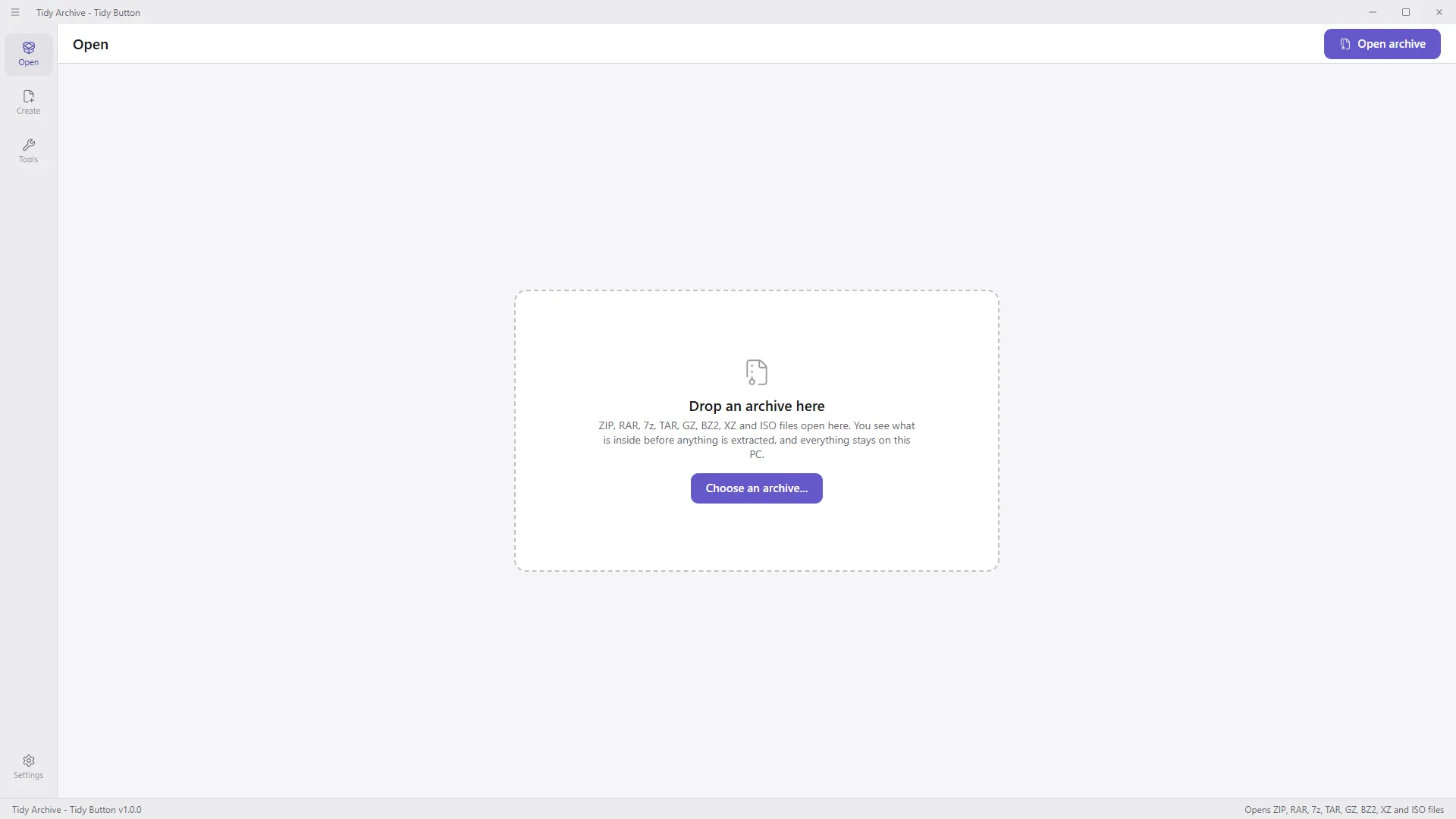
Start
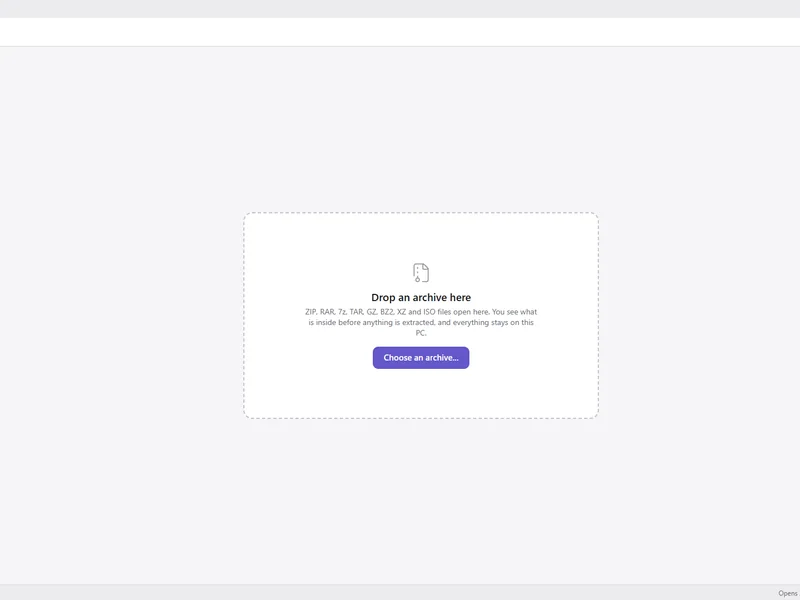
Drop an archive on the window or press Open. ZIP, RAR, 7z, TAR, GZ, BZ2, XZ and ISO files open here.
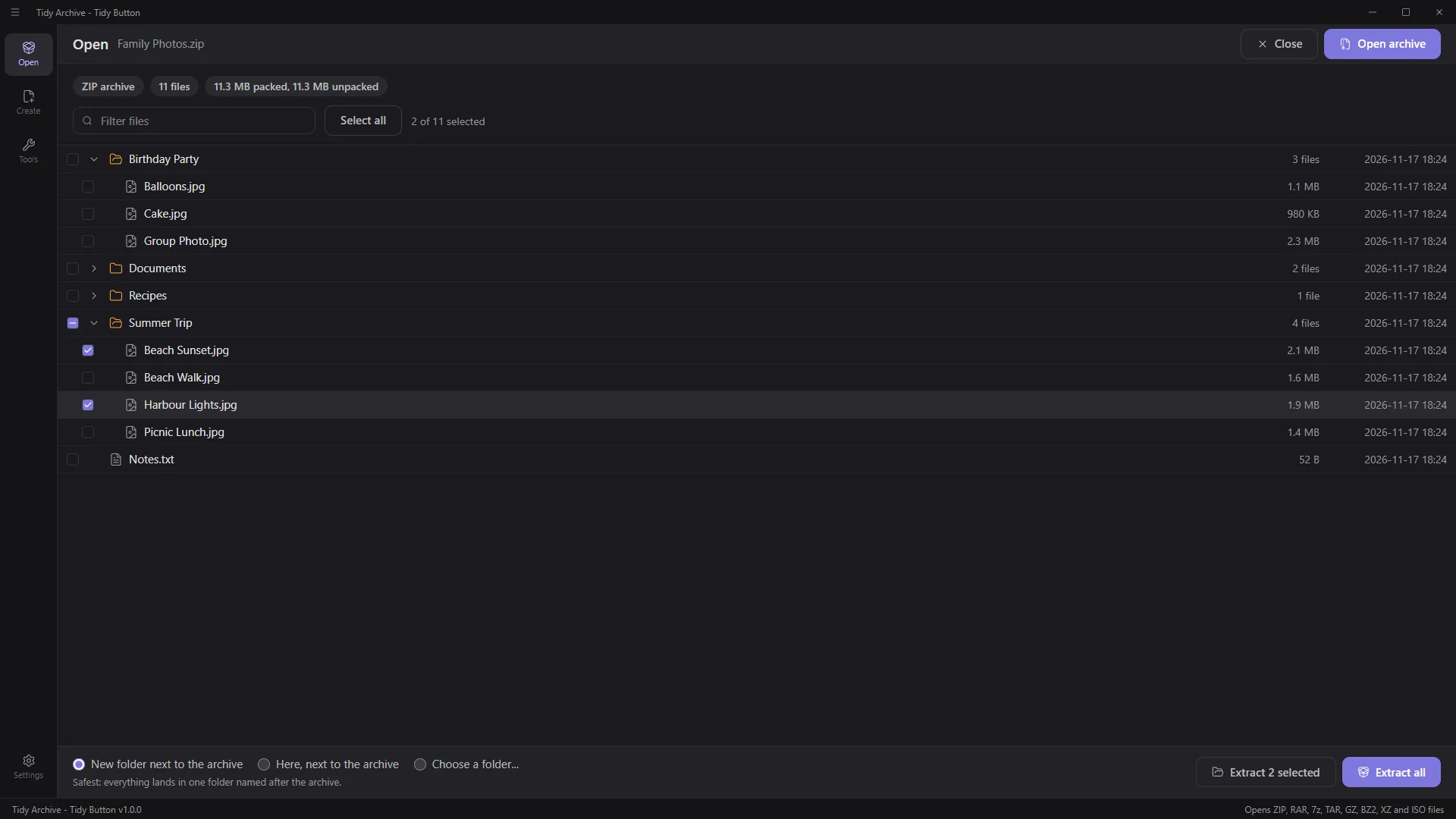
Browse
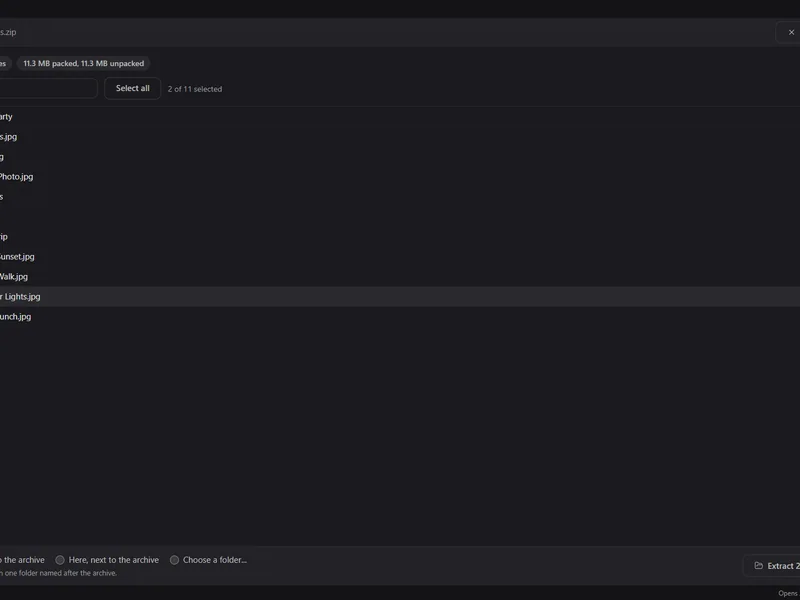
See every file in a folder tree before anything is extracted, then tick only the ones you want
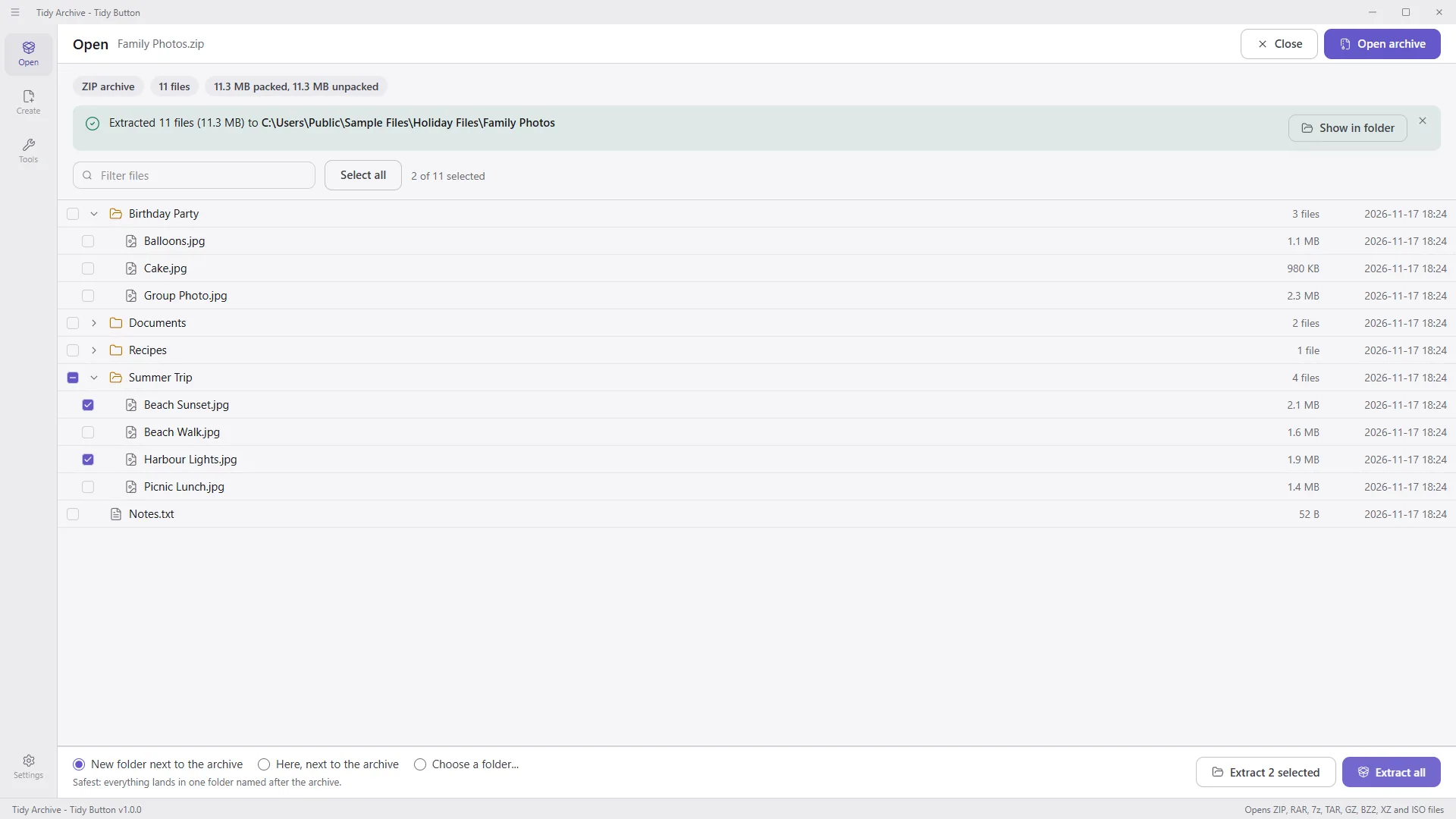
Extract
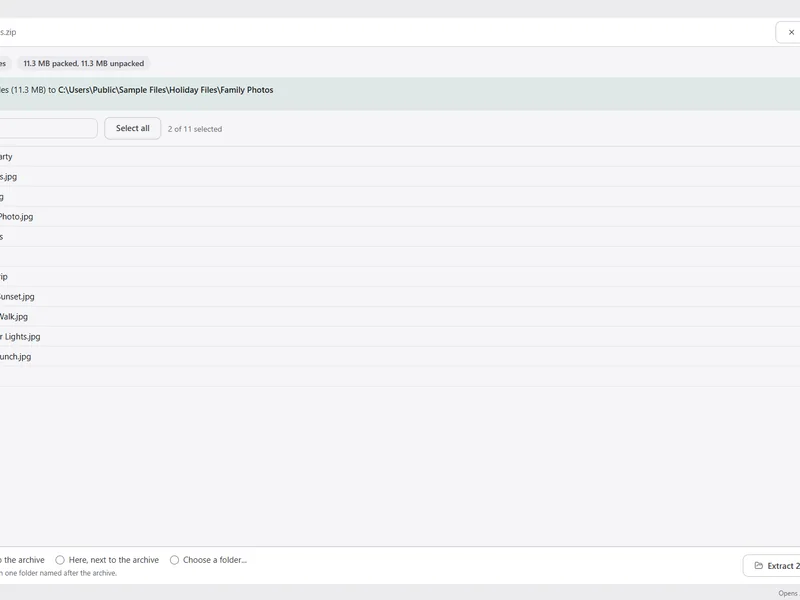
Extract into a new folder next to the archive and see how many files were saved and where
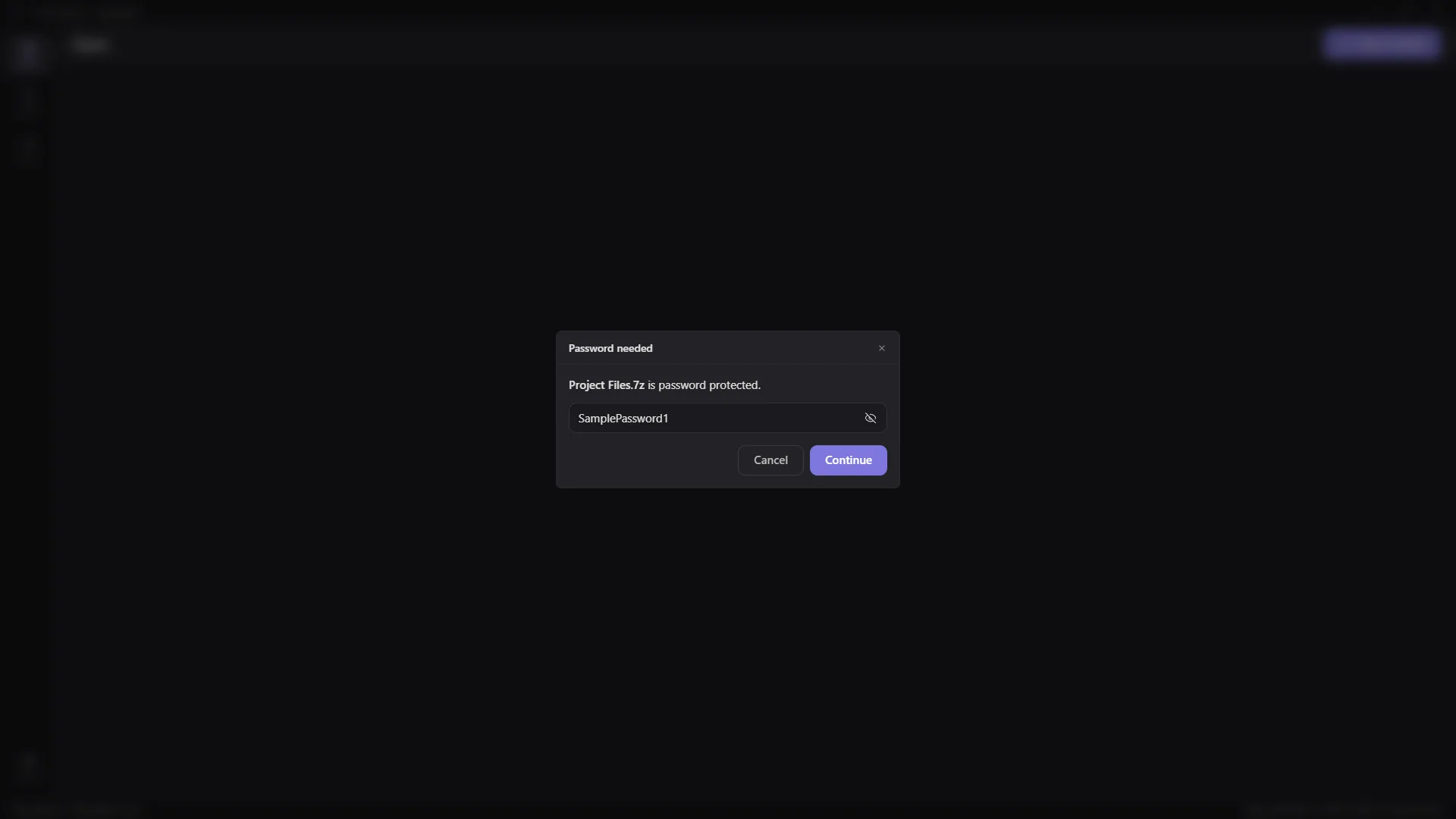
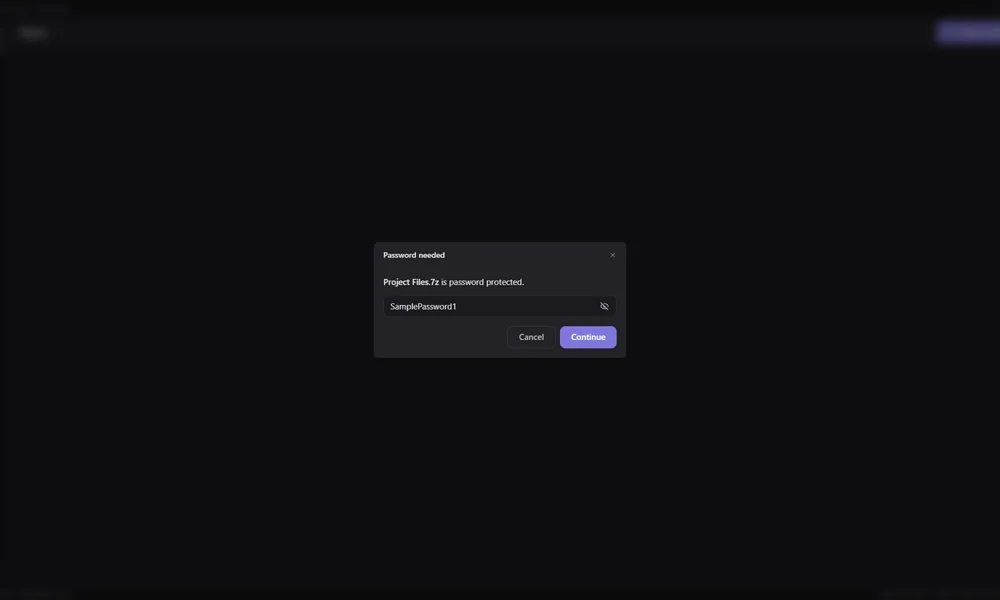
Password
Password-protected archives ask for the password, and a wrong one is caught
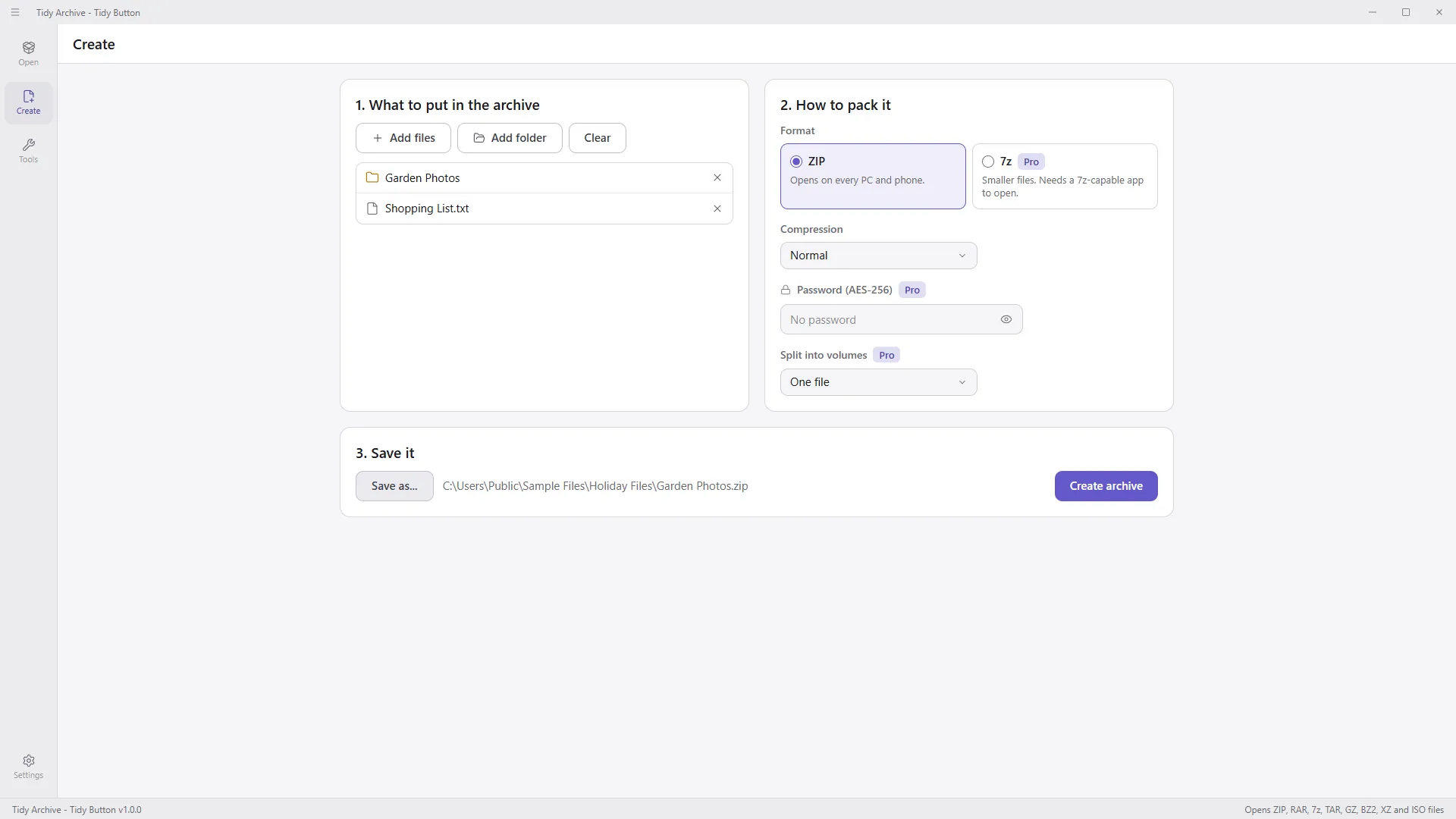
Create
Make a ZIP from files and folders, choose a compression level and save it
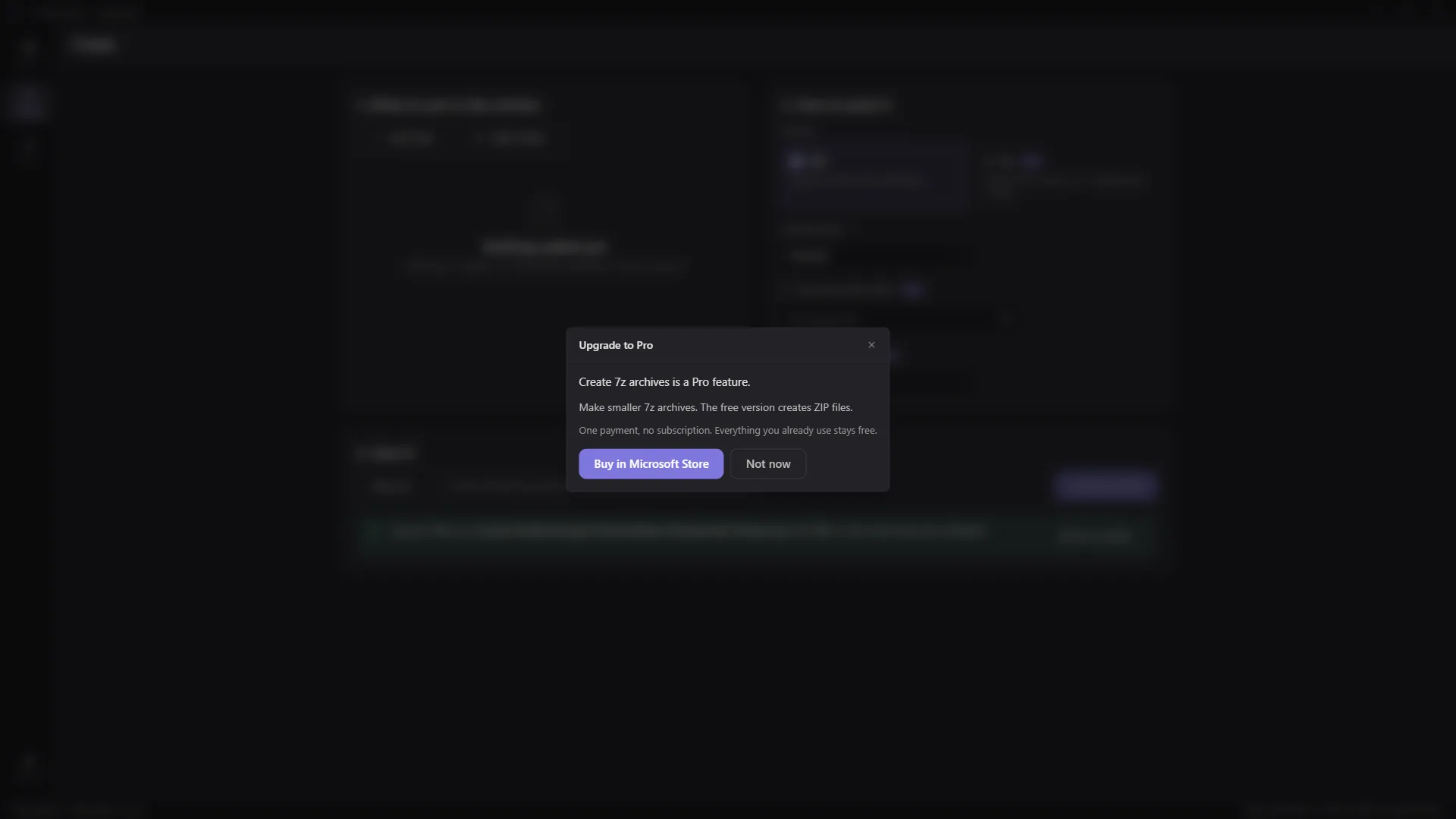
Pro
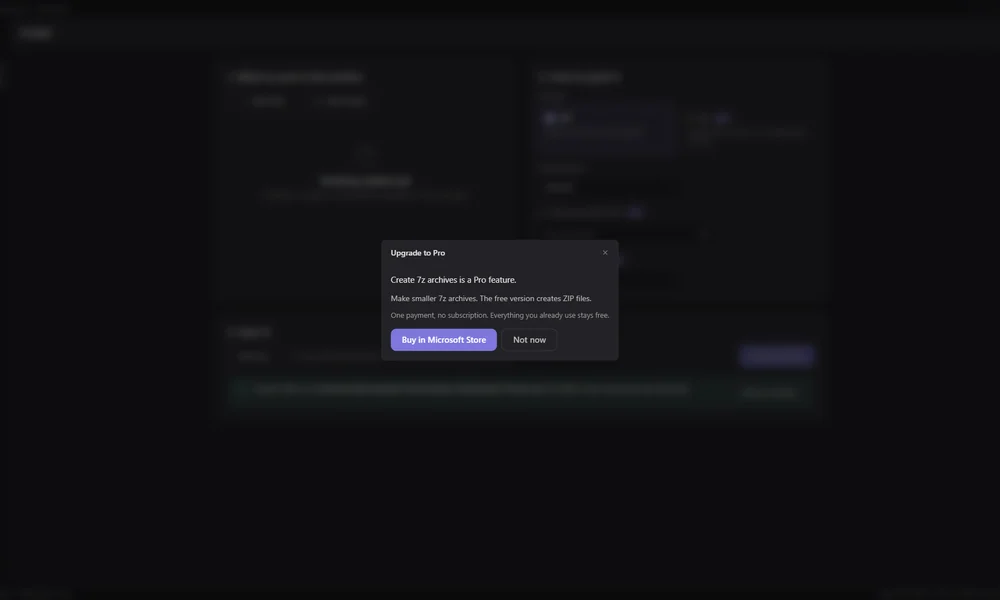
Pro features ask first, only when you touch them. Opening and extracting every format stays free.
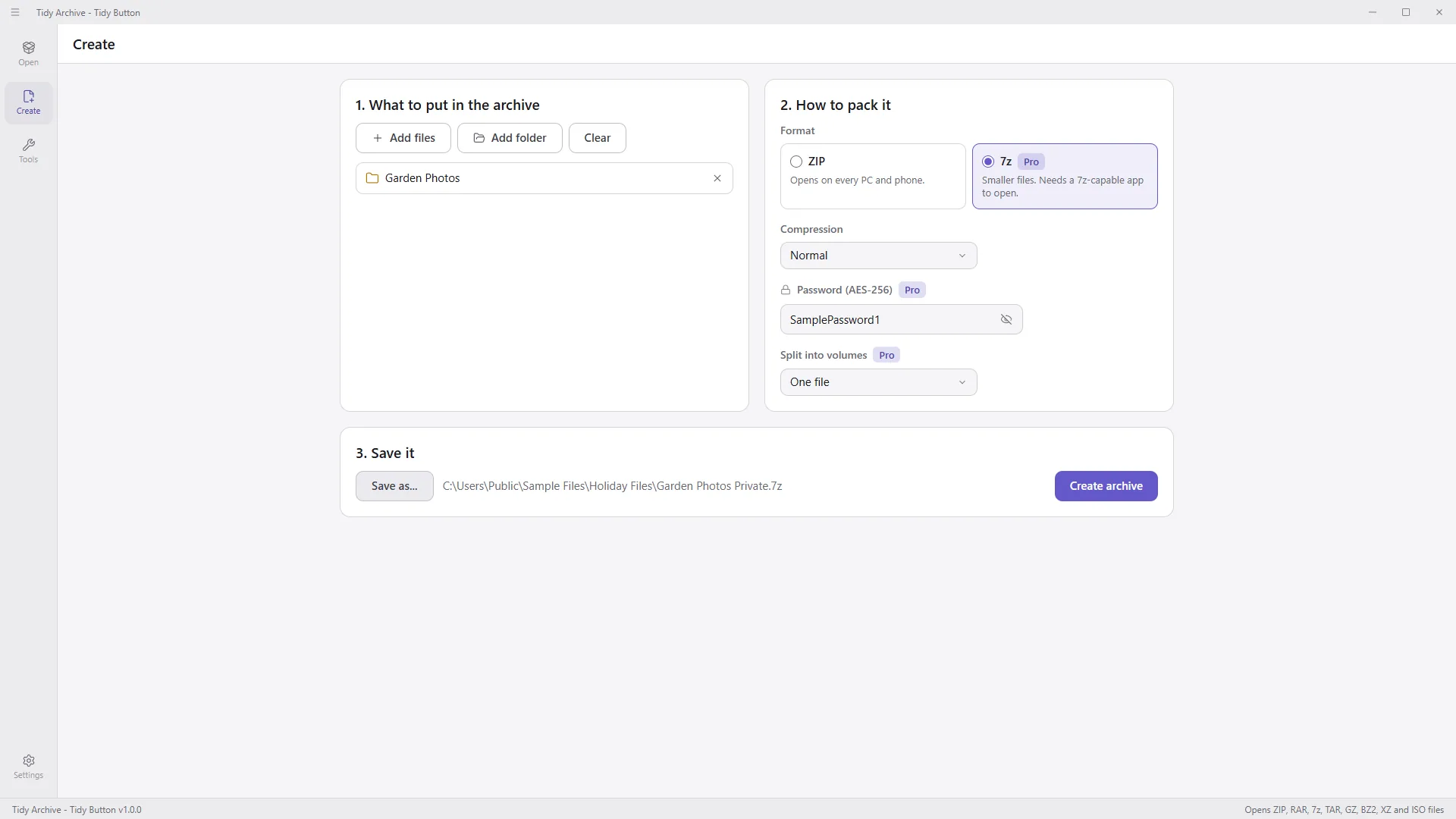
Encrypt
Pro: create a 7z archive locked with a password
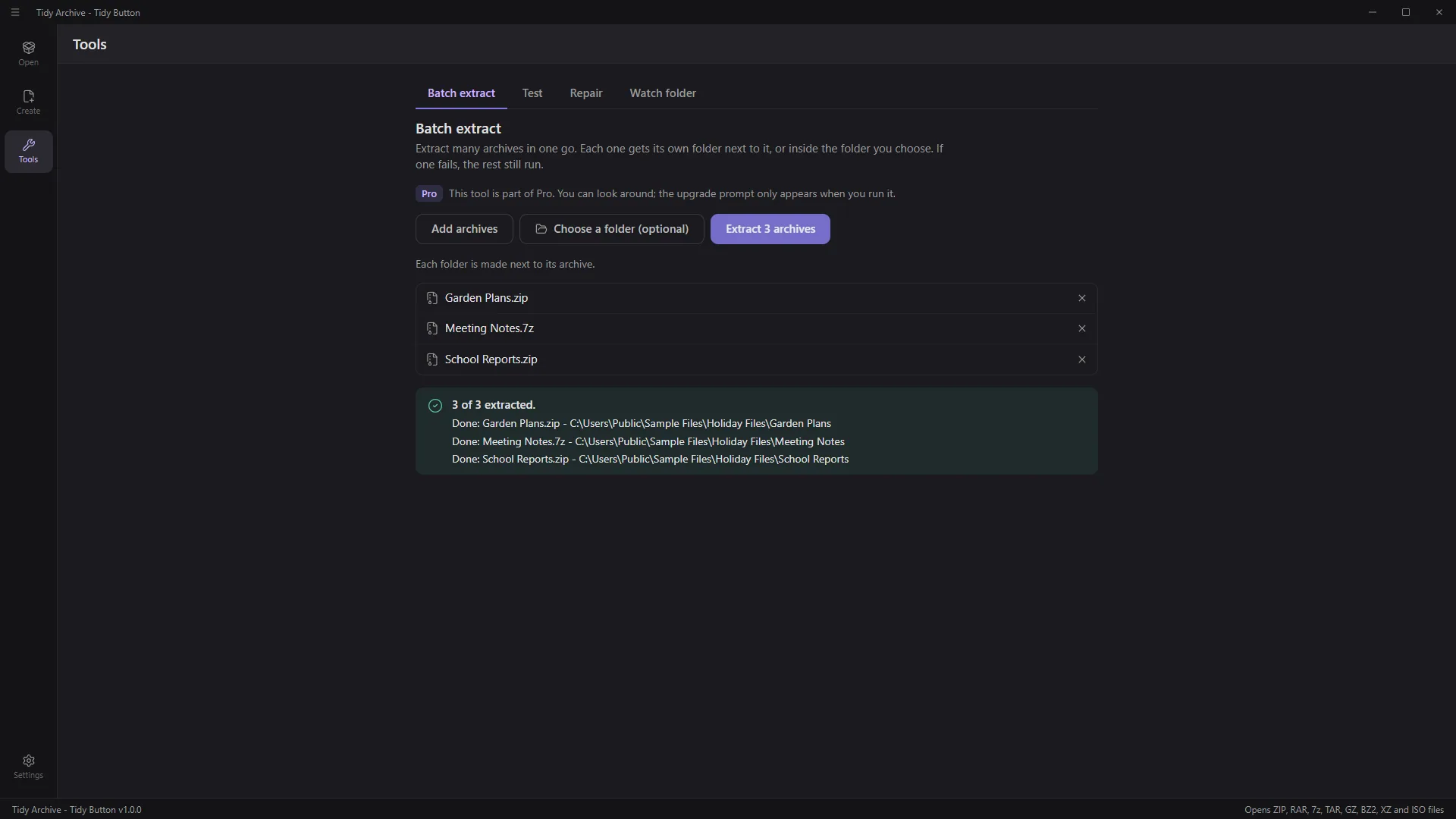
Batch
Pro: extract many archives in one go, each into its own folder
Screens show invented sample files and a sample password. The app has light and dark themes.
How it works
Three steps. No manual.
01
Open an archive
Drop it on the window, press Open, or double-click it in Windows.
02
Look inside
Browse the folder tree, filter by name and tick the files you want.
03
Extract
Choose where the files go and press Extract. The result shows what was saved and where.
What it does
What it does.
Tidy Archive opens the archives people send you and shows what is inside as a folder tree, with sizes, dates, a filter box and tick boxes. Extract everything or only what you tick, into a new folder, next to the archive or into any folder you pick. Password-protected archives ask for the password and a wrong one is caught without leaving half-extracted files behind. Opening and extracting every format is free, with no time limit and no ads. Safety checks run on every archive: files that try to escape the target folder are blocked, programs and scripts are pointed out first, and decompression bombs are refused. The app works offline.
Every common format
Open ZIP, RAR, 7z, TAR, GZ, BZ2, XZ and ISO files by dropping them on the window, pressing Open or double-clicking them.
See inside first
Browse the files as a folder tree with sizes and dates, filter by name and tick only the files you want.
You choose where
Extract into a new folder named after the archive, next to the archive, or into a folder you pick.
Passwords handled
Password-protected archives ask for the password. A wrong one is caught and nothing half-extracted is left behind.
Safe by default
Escape paths are blocked, programs are flagged before you extract them, links are never created and decompression bombs are refused.
Make ZIP files
Add files and folders, pick a compression level from store to ultra and save. The new ZIP is read back and checked.
Encrypt and split
Pro: lock a ZIP or 7z with AES-256, create 7z archives and split a big archive into parts that fit a USB stick or an email limit.
Batch, test and repair
Pro: extract many archives at once, test that every file can be read, salvage the readable files from a damaged archive, or watch a folder such as Downloads.
The small print, in plain English
Safe by design.
Pro features ask first, only when you touch them. Opening and extracting stays free.
Password-protected archives ask for the password, and a wrong one is caught.
Your archives and files stay on your PC.
No ads, no pop-ups and no waiting screens.
Works offline. No account. No tracking.
Opening and extracting everything is free. Pro is optional and one payment.
What it does
Every archive, handled with care.
From a single download to a pile of them.
Pro: batch extract gives every archive its own folder.
Formats
Open them all
ZIP, RAR, 7z, TAR, GZ, BZ2, XZ and ISO files open and extract. RAR files are read only.
Tree
See first
Folders, sizes, dates, a filter box and tick boxes before anything is written.
Where
Your choice
A new folder named after the archive, next to the archive, or a folder you choose.
ZIP files with a compression level, read back and checked after saving.
Tools
Pro
AES-256 encryption, 7z, split volumes, batch extract, test, repair and watch a folder.
The free app opens and extracts every format. Pro adds the extra tools for making and fixing archives.
Good for
Handy when a file arrives zipped.
Opening a ZIP or RAR someone sent you
Pulling a few files out of a big archive
Opening a protected archive with its password
Sending a folder as one ZIP file
Rescuing files from a damaged archive
Questions
Plain answers.
Is opening and extracting really free?
Yes. Opening and extracting every format, including RAR and password-protected archives, and creating ZIP files is free, with no ads and no time limit.
Does it change the archive I open?
No. Archives are opened read-only. Files are written only to the place you choose when you extract.
Is anything sent anywhere?
No. Your archives and files stay on your PC. The only network use is the check of a Pro licence.
What does it do about unsafe archives?
Files that try to escape the target folder are blocked, programs and scripts are pointed out before you extract them, links are never created and decompression bombs are refused.
Can it create RAR files?
No. RAR files can be opened and extracted but not created. It creates ZIP files for free and 7z files with Pro.
What does Pro add?
One payment, no subscription. Pro adds AES-256 encrypted ZIP and 7z, 7z creation, split volumes, batch extract, archive testing, repair and watching a folder.
Does it need an account or an internet connection?
Neither. There is no account, no ads and no tracking, and everything works offline.