Coming to the Microsoft Store
Wi-Fi Analyzer What is on the air, in plain words.
See nearby Wi-Fi networks, their signal and channels. Watch your own signal live and get a plain-language best channel for your router. It never connects to or changes anything, and nothing leaves your PC. Works offline.
Not on sale yet. The app is still being built.
We will link the Store listing here the day it is live. Until then there is nothing to download.
- Works offline
- No account, no ads, no tracking
- Never changes your network
- Free
See it
Six views. Signal, channels, advice.
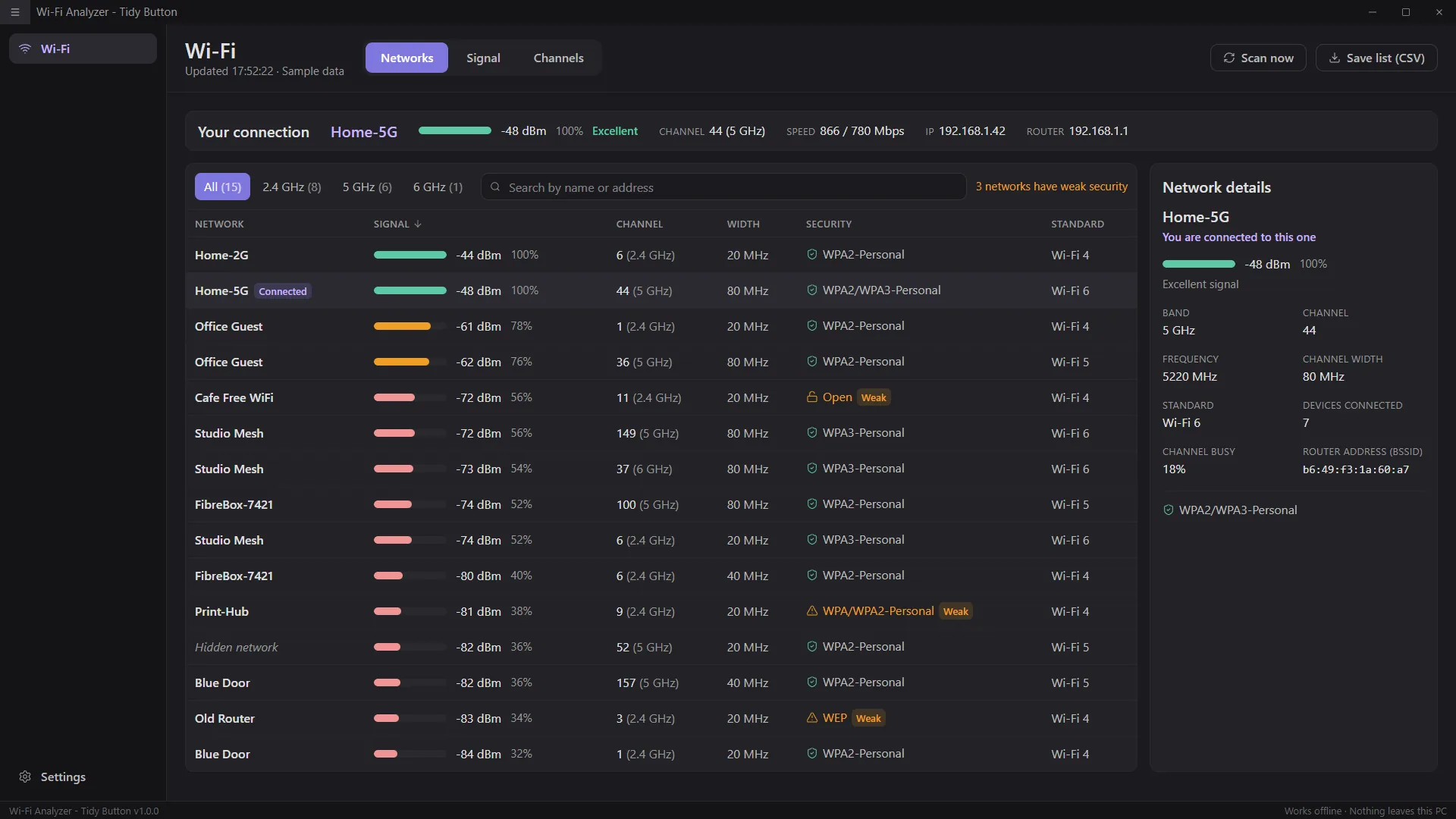
Nearby networks
Every nearby network with its signal, channel, band, width and security. The one you are connected to is marked
Weak security
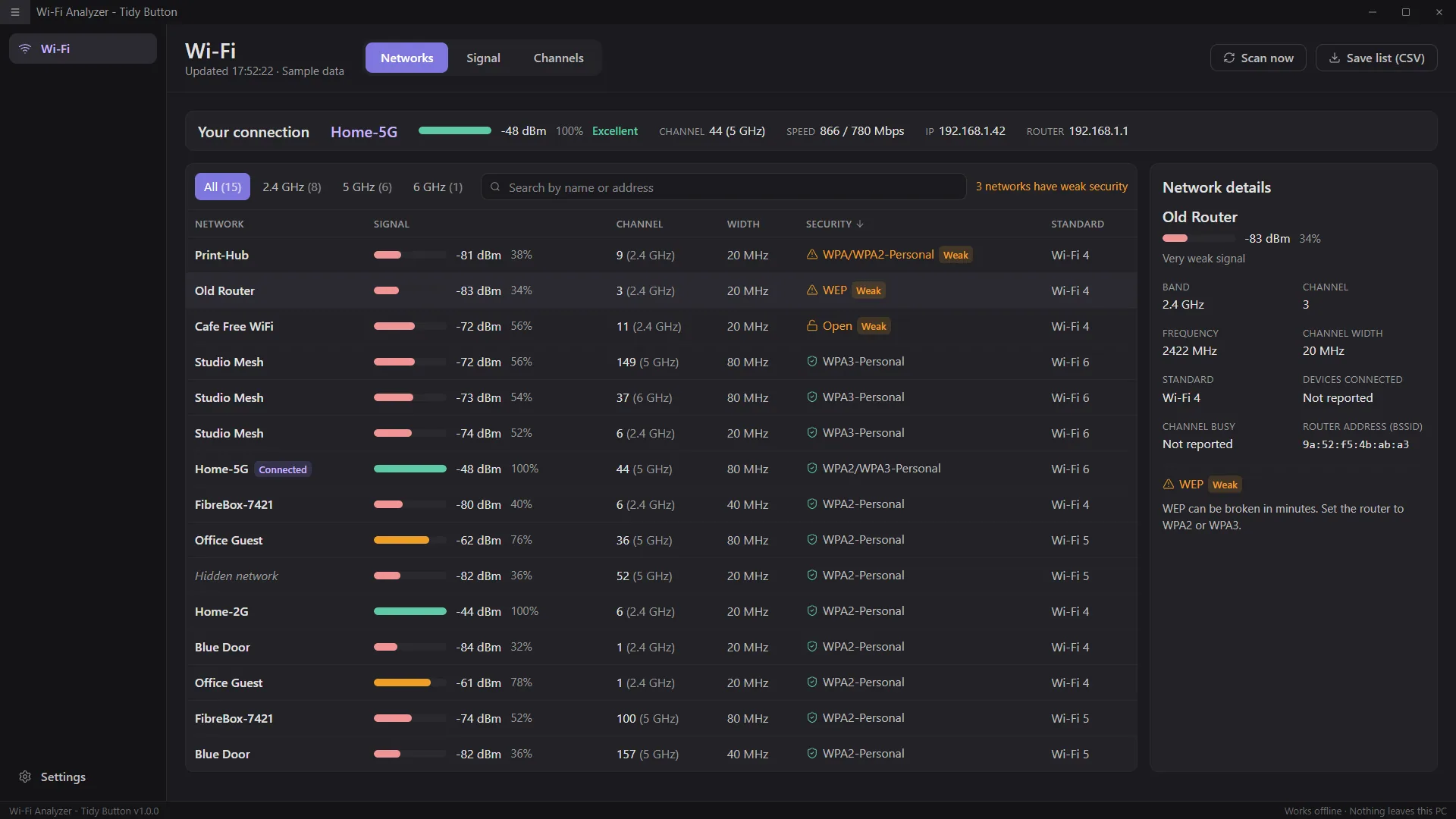
Open, WEP and old WPA networks are flagged as weak, with one line on why and what to change
Live signal
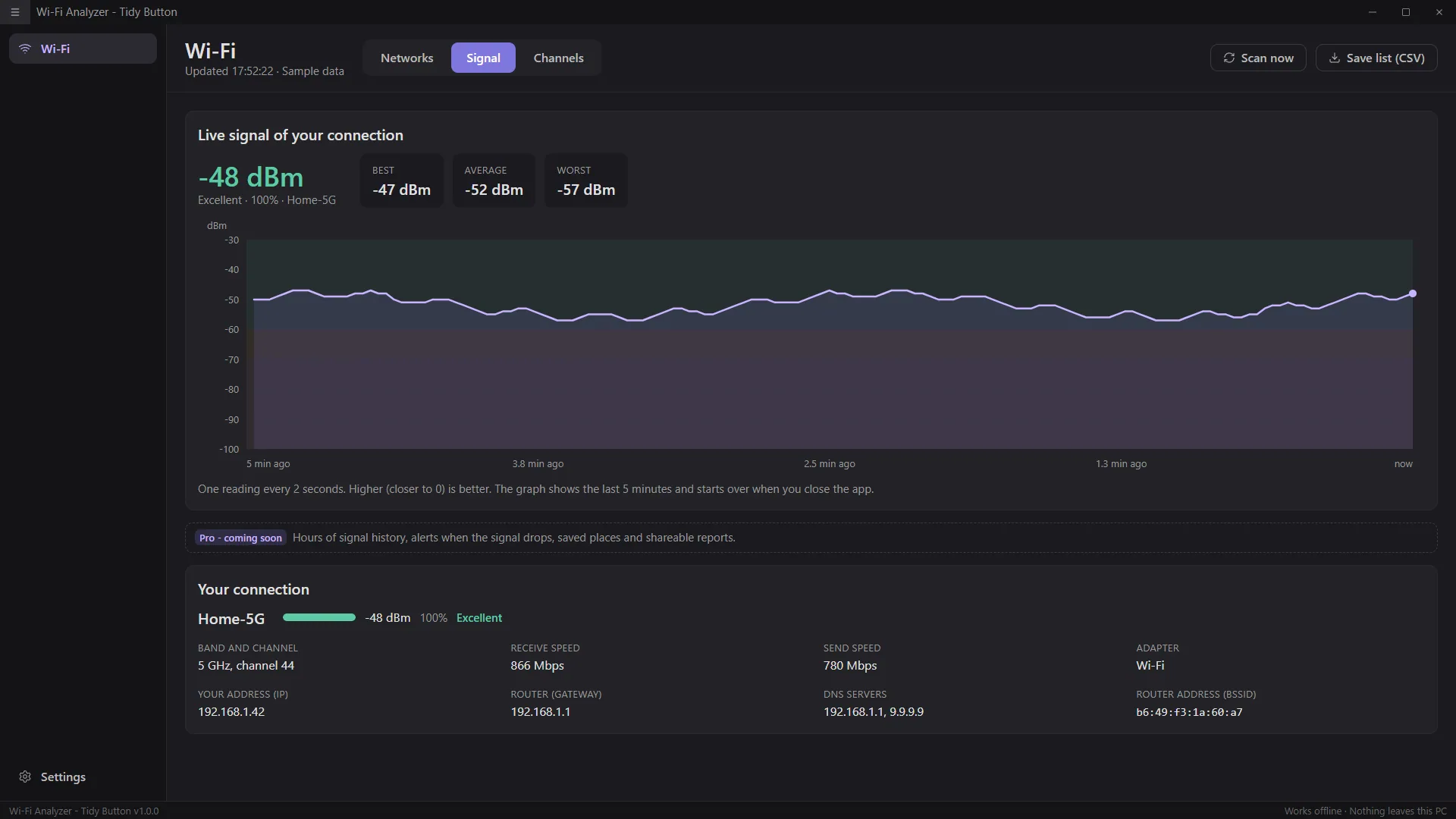
Watch the signal of your own connection live, with best, average and worst
Best channel
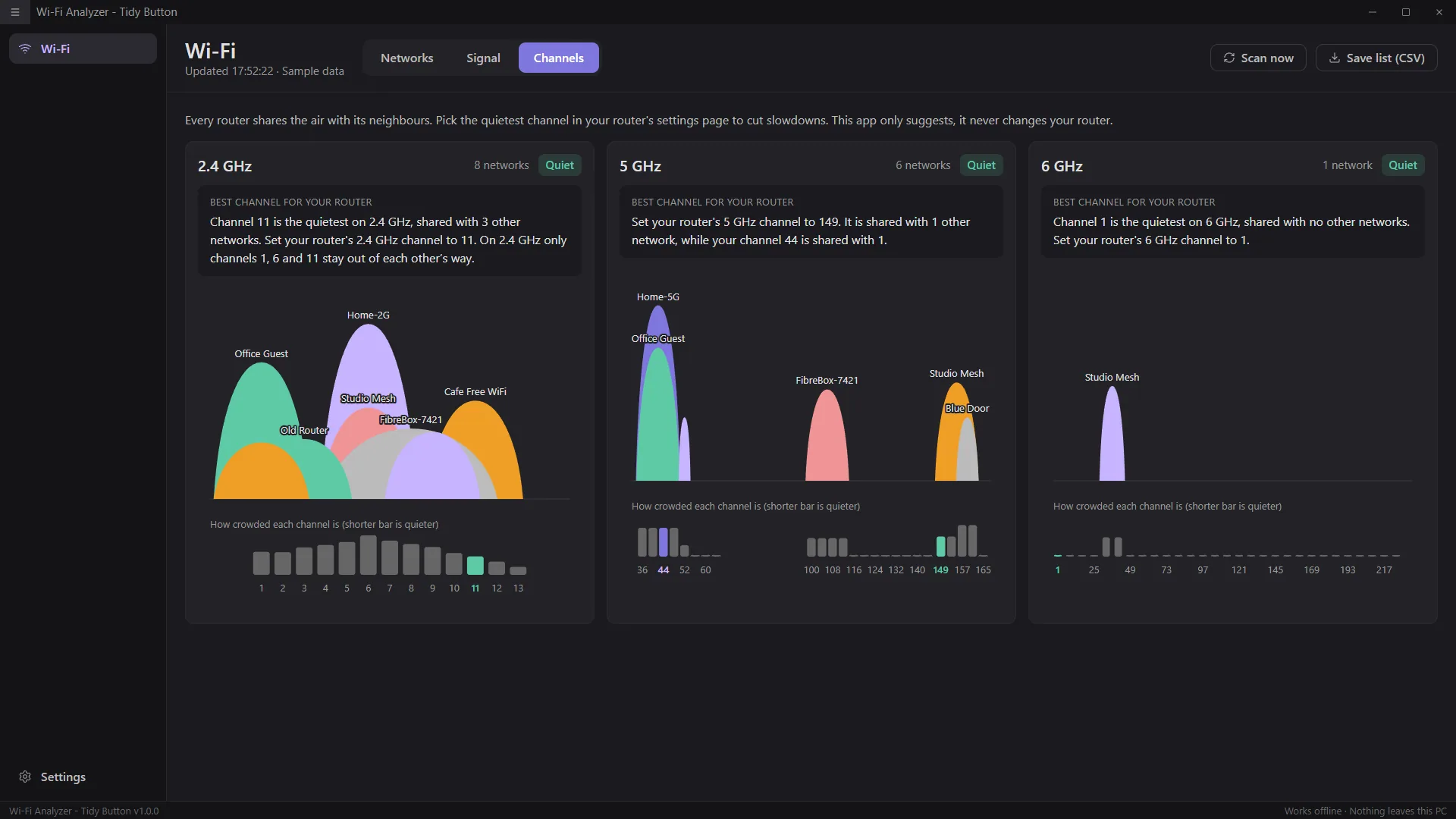
A plain-language best channel for each band, and a chart of how busy every channel is
Channel crowding
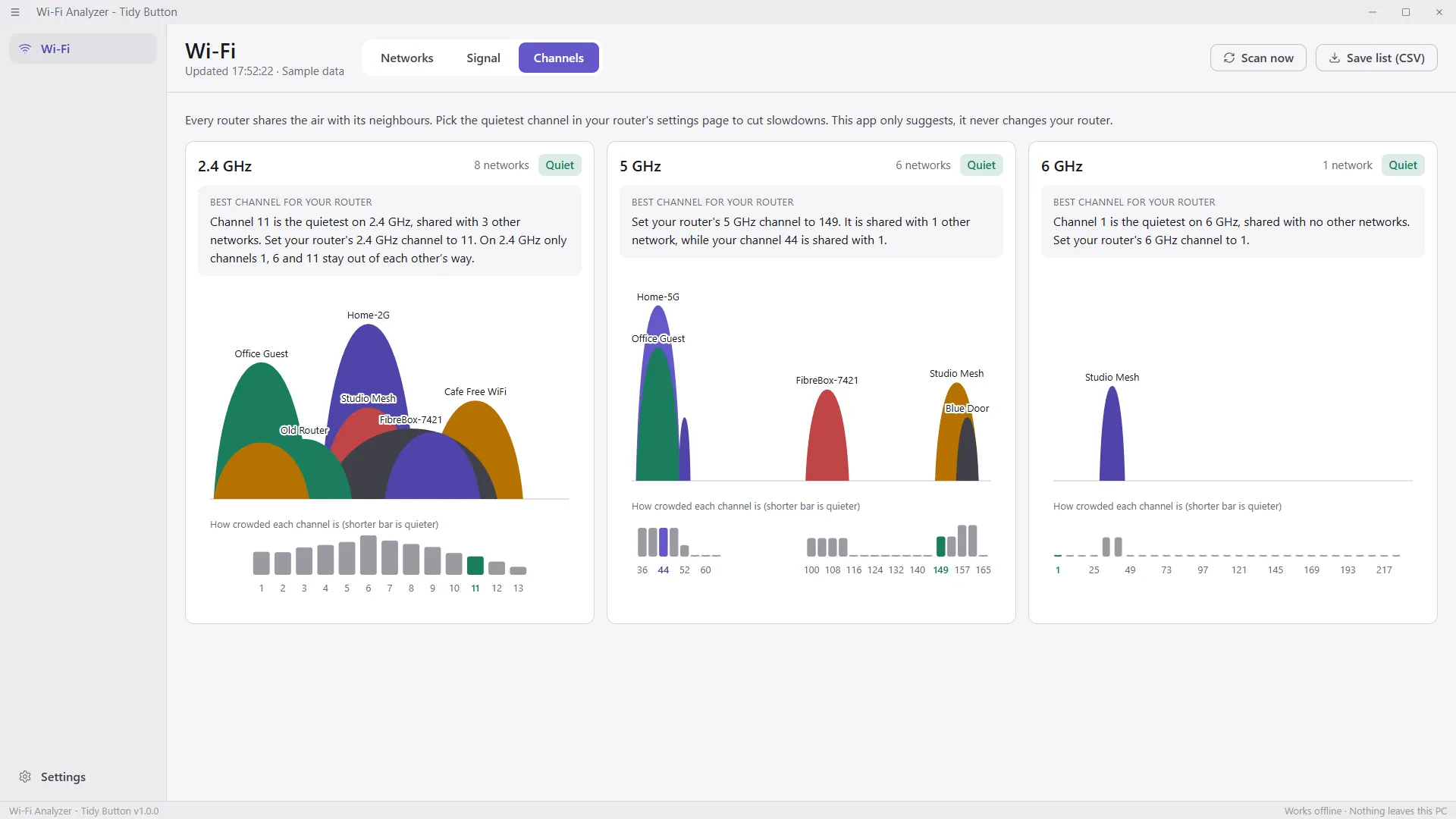
See which channels your neighbours crowd. Taller bars are busier; the green bar is the quietest
Location help
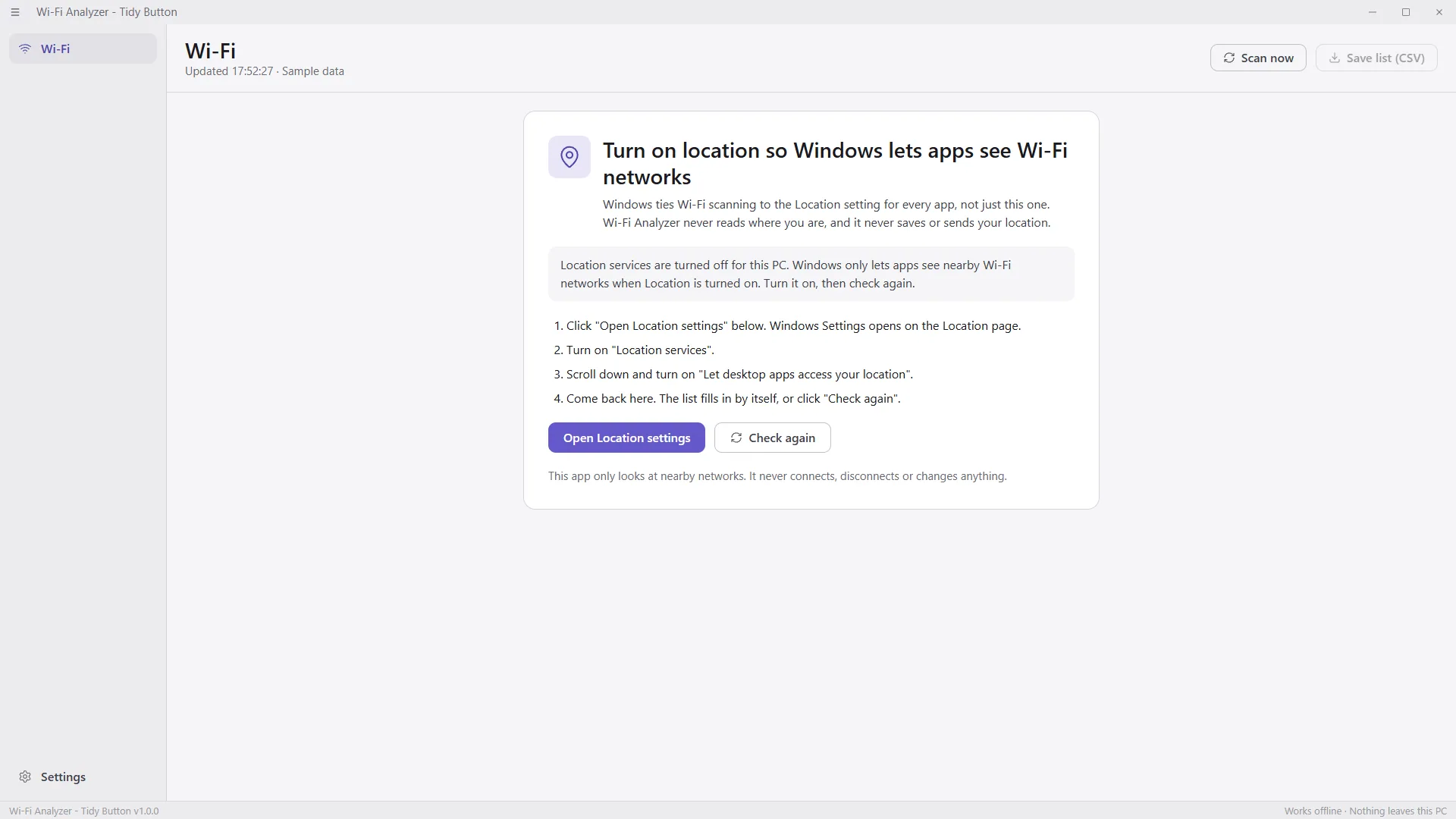
Windows only lets apps see Wi-Fi networks when Location is on. The app explains and opens the right Windows page
Screens show invented sample networks. The app has light and dark themes.
What it does
What it does.
Open the app and it lists every nearby Wi-Fi network with its signal strength, channel, band, channel width and type of security. A graph follows the signal of the network you are connected to, so you can walk to the next room and watch what happens. The app is read-only. It never connects to, disconnects from or changes any network, and it has no password features.
Nearby networks
Signal in dBm and percent, channel, band, channel width and Wi-Fi generation. Click a network to see everything Windows reports about it.
Live signal
A graph of your own connection, one reading every two seconds, with best, average and worst. The free version keeps the last five minutes.
Best channel for your router
For each band (2.4, 5 and 6 GHz) the app draws how busy every channel is and suggests the quietest one in a sentence you can act on. It only suggests and never touches your router.
Weak security flagged
Open networks, WEP and old WPA are marked as weak, with one line on why and what to change.
Your connection at a glance
Link speed, address, router and DNS servers, read only.
Filter, search and sort
Filter by band, search by name or address, and sort by signal, name, channel or security.
Save the list
Export the networks on screen to a CSV file that opens in Excel.
Clear about Location
If Windows has Location off, the app explains and opens the right Windows settings page. It never reads where you are.
The small print, in plain English
Safe by design.
- Windows requires Location to be on before an app can see nearby Wi-Fi networks. This app reads only the Location on and off switches, and never reads or stores your location.
- It never connects to, disconnects from or changes any network. It has no password features.
- Nothing leaves your PC. The app makes no internet connections.
- No account, no ads, no tracking.
Good for
Handy when the Wi-Fi feels slow.
- Choosing a quieter channel for your router
- Walking around to find where the signal drops
- Checking whether a nearby network is open or weak
Questions
Plain answers.
Why does it need Location to be on?
Since Windows 11 24H2, Windows lets apps see nearby Wi-Fi networks only when Location is on, because router names and addresses could be used to work out where a PC is. This applies to every app that lists Wi-Fi networks. The app reads only the on and off switches. It never reads or stores your location.
Does it connect to or change my network?
No. It is read-only. It never connects to, disconnects from or changes any network, and it never touches your router. The channel advice is only a suggestion.
Does anything leave my PC?
No. The app makes no internet connections and has no account, analytics or tracking.
What if Location is off?
The app shows a clear screen with a button that opens the right Windows settings page, and checks again when you come back.
Does it need a Wi-Fi adapter?
Yes. It needs a PC with a Wi-Fi adapter. Results can differ between Wi-Fi adapters and drivers.
What is free?
The free version lists networks, shows the live signal of your connection for the last five minutes and gives channel advice. Longer signal history, alerts and shareable reports are planned for Pro (coming soon).
Which versions of Windows does it run on?
Windows 10 and Windows 11.