We will link the Store listing here the day it is live. Until then there is nothing to download.
Real app, with a looping demo picture of a living room.
Works offline
No account, no ads, no tracking
No microphone
Free for one camera
See it
Seven views. One camera, watched.
Start
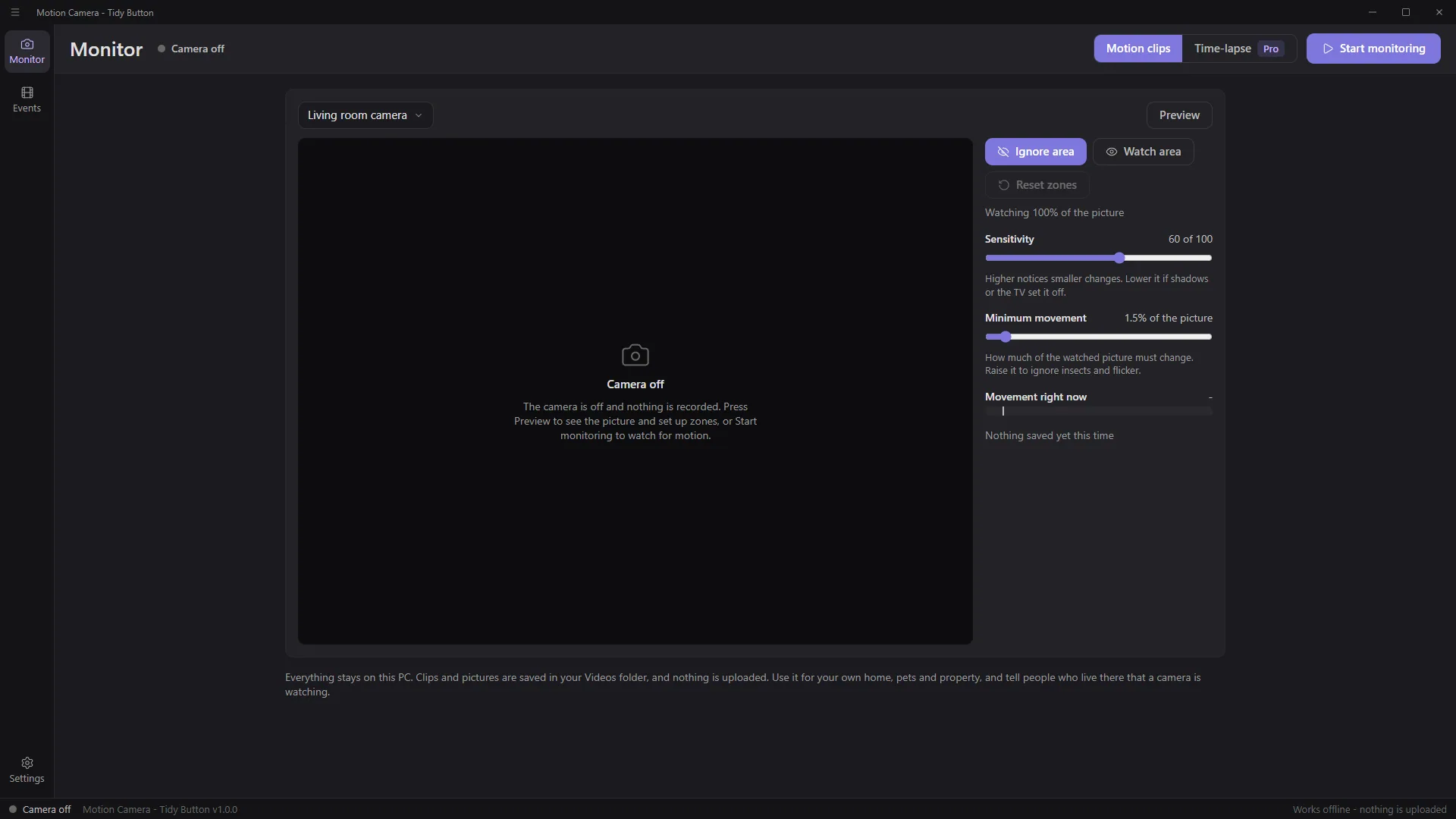
The camera is off until you press Preview or Start monitoring
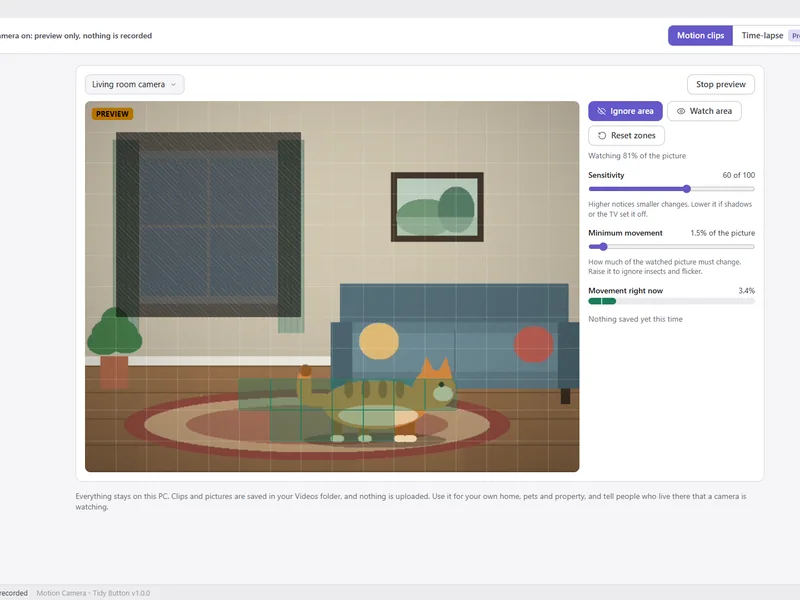
Zones
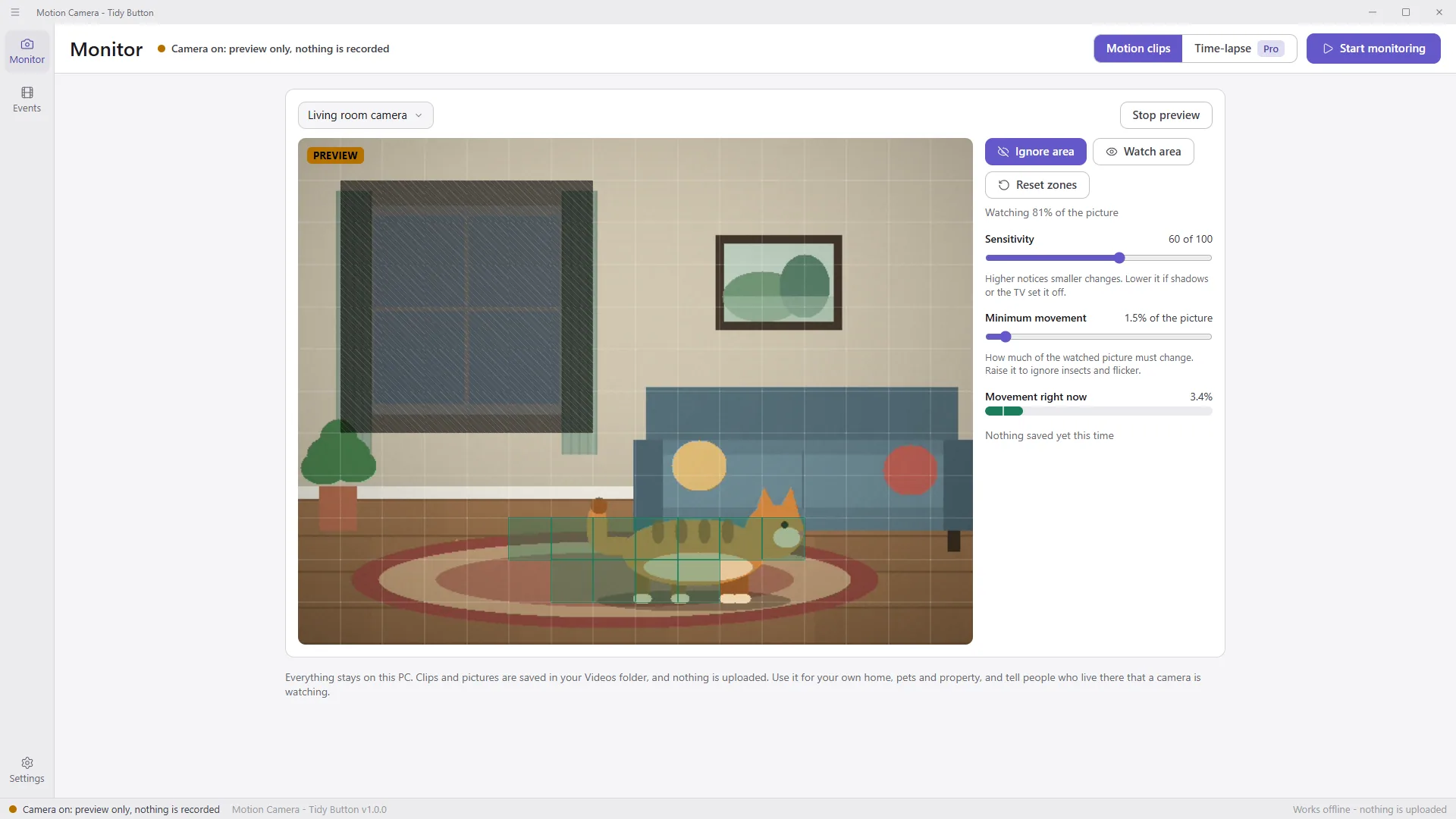
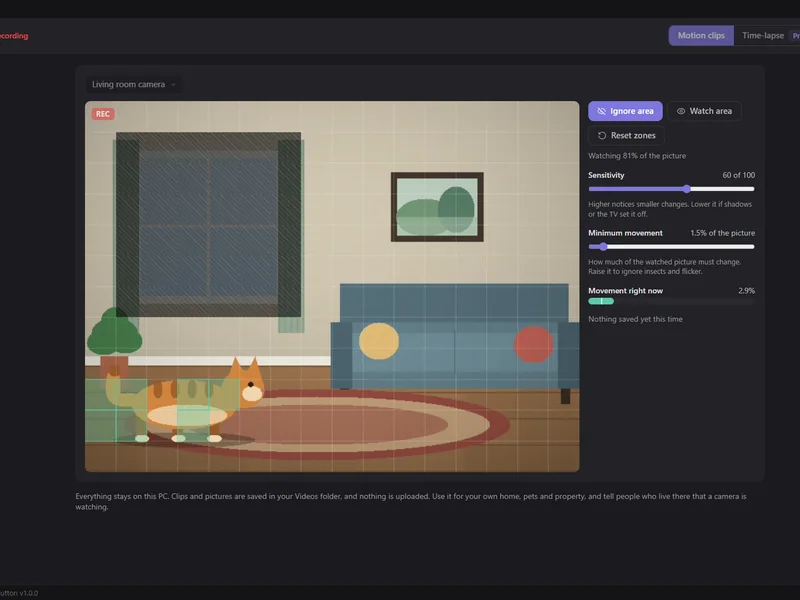
Preview the picture, paint the parts to ignore and watch the movement meter react
Record
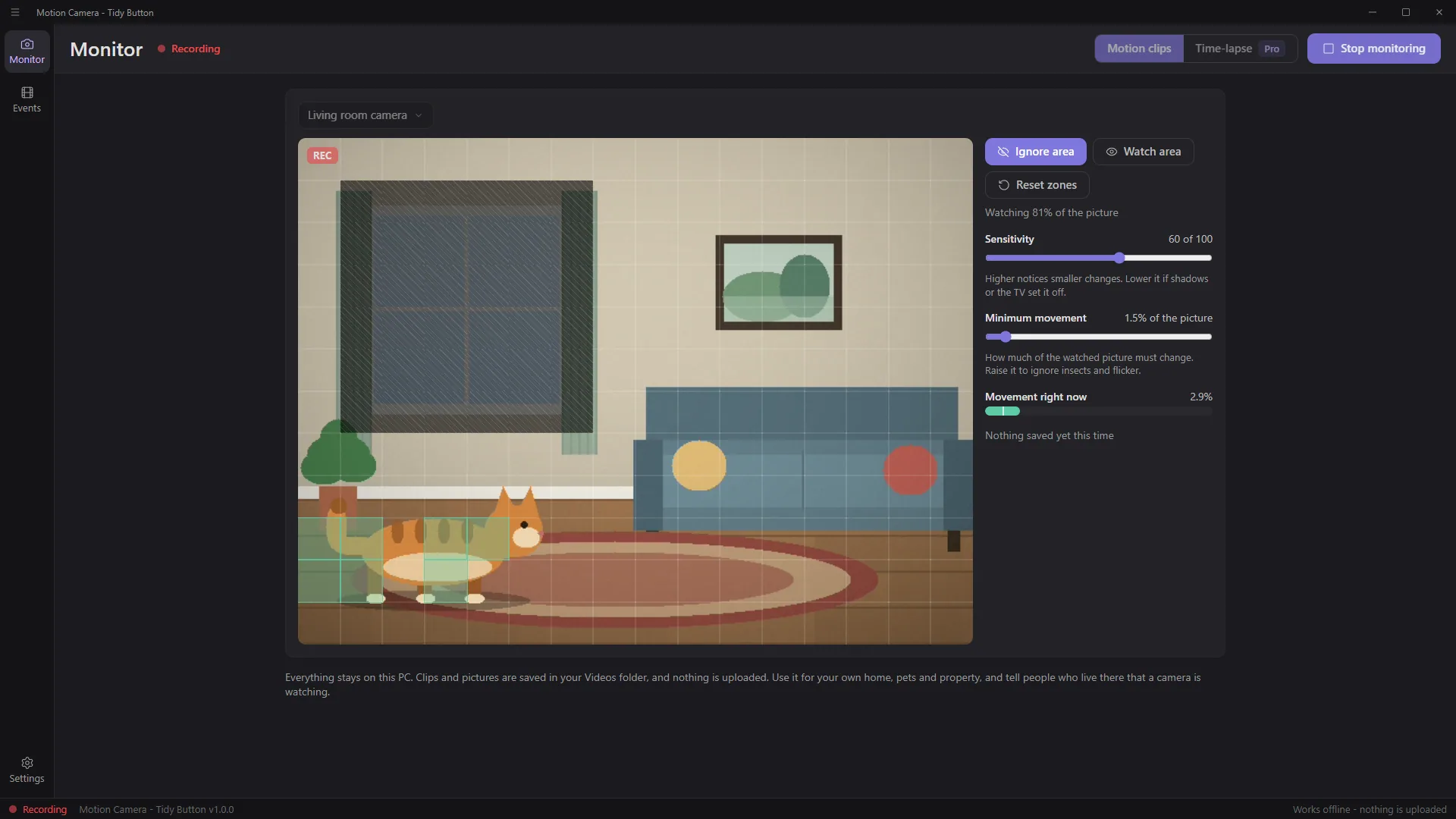
A clip records when something moves, and the REC sign shows the camera is on
Events
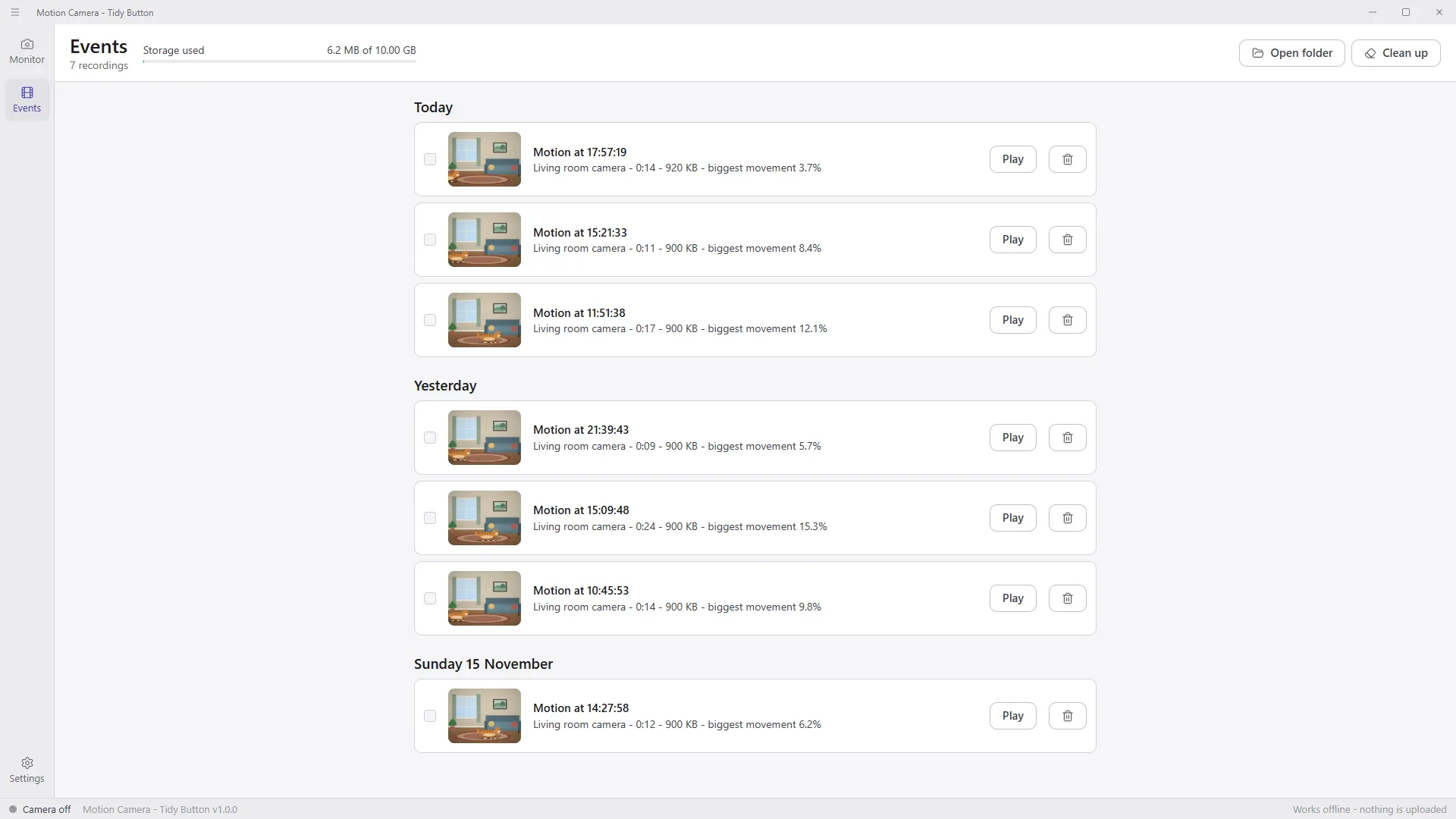
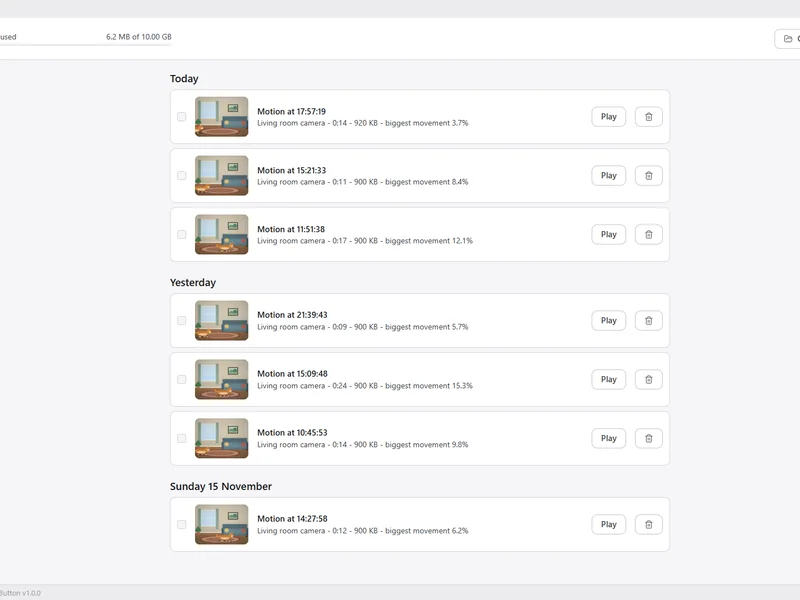
Every clip is listed by day with a thumbnail, its length and size
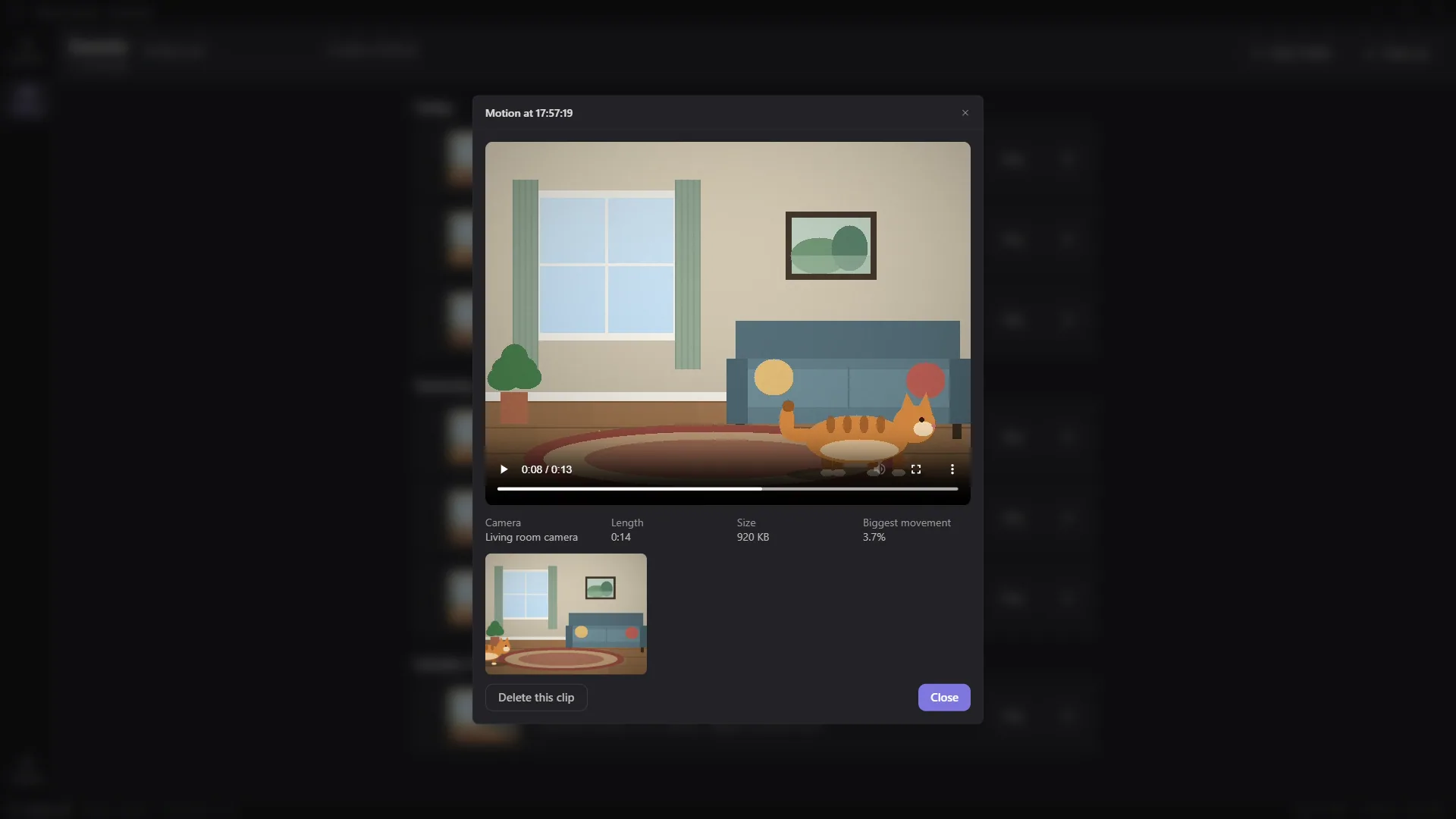
Player
Play a clip in the app, with the picture taken when the motion began
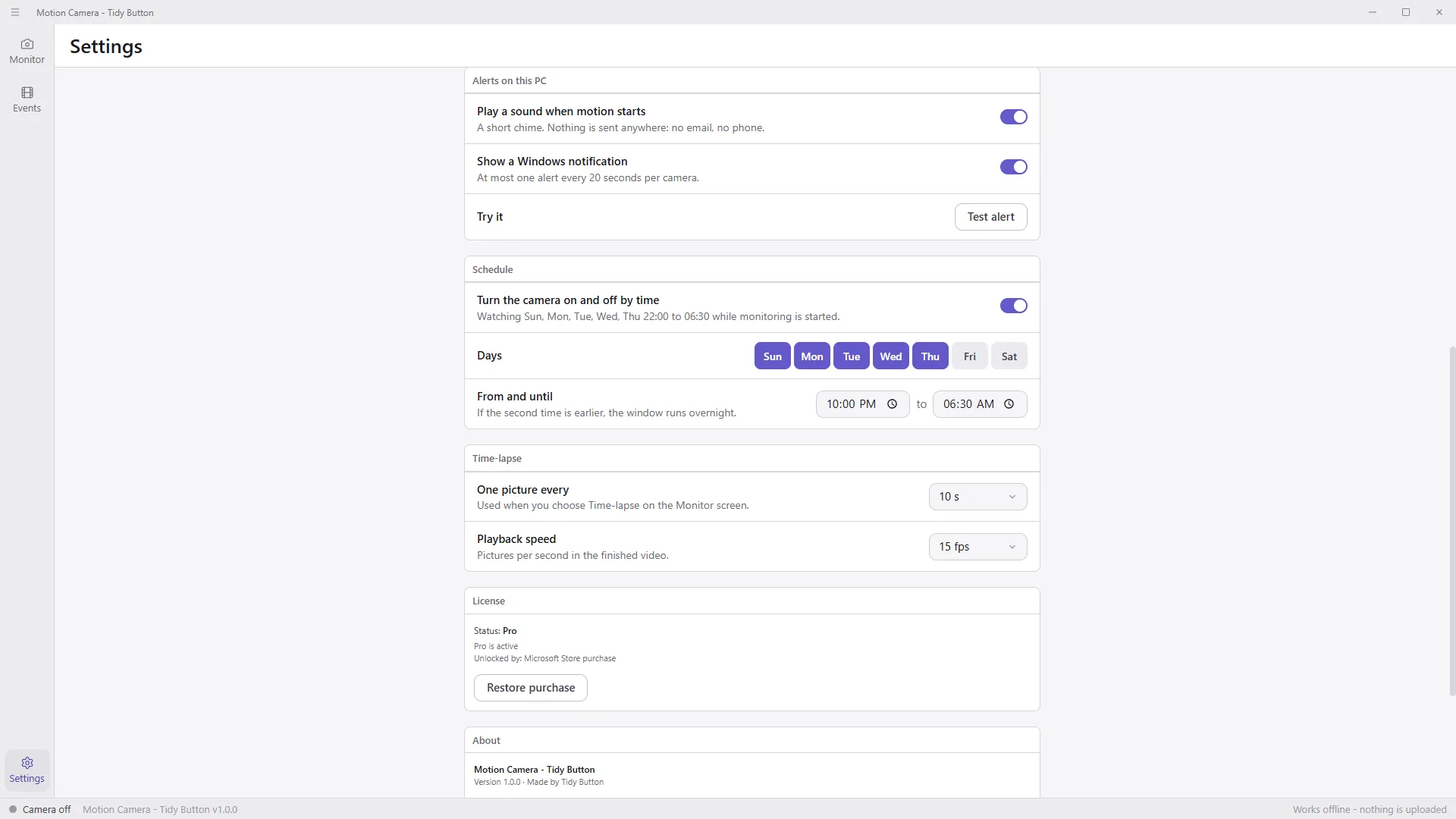
Pro
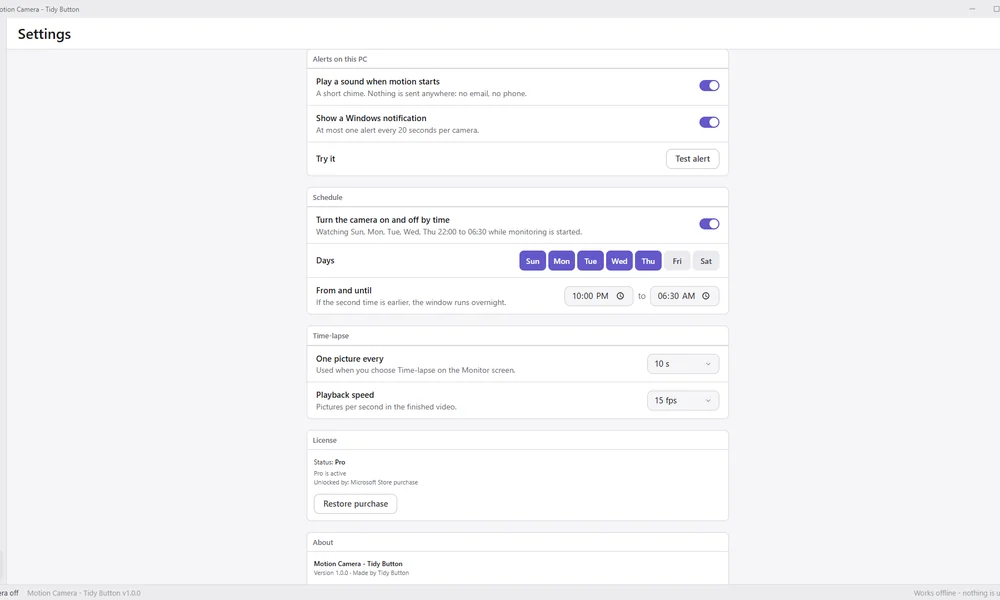
Pro: choose the days and hours the camera watches and get alerts on this PC
Free
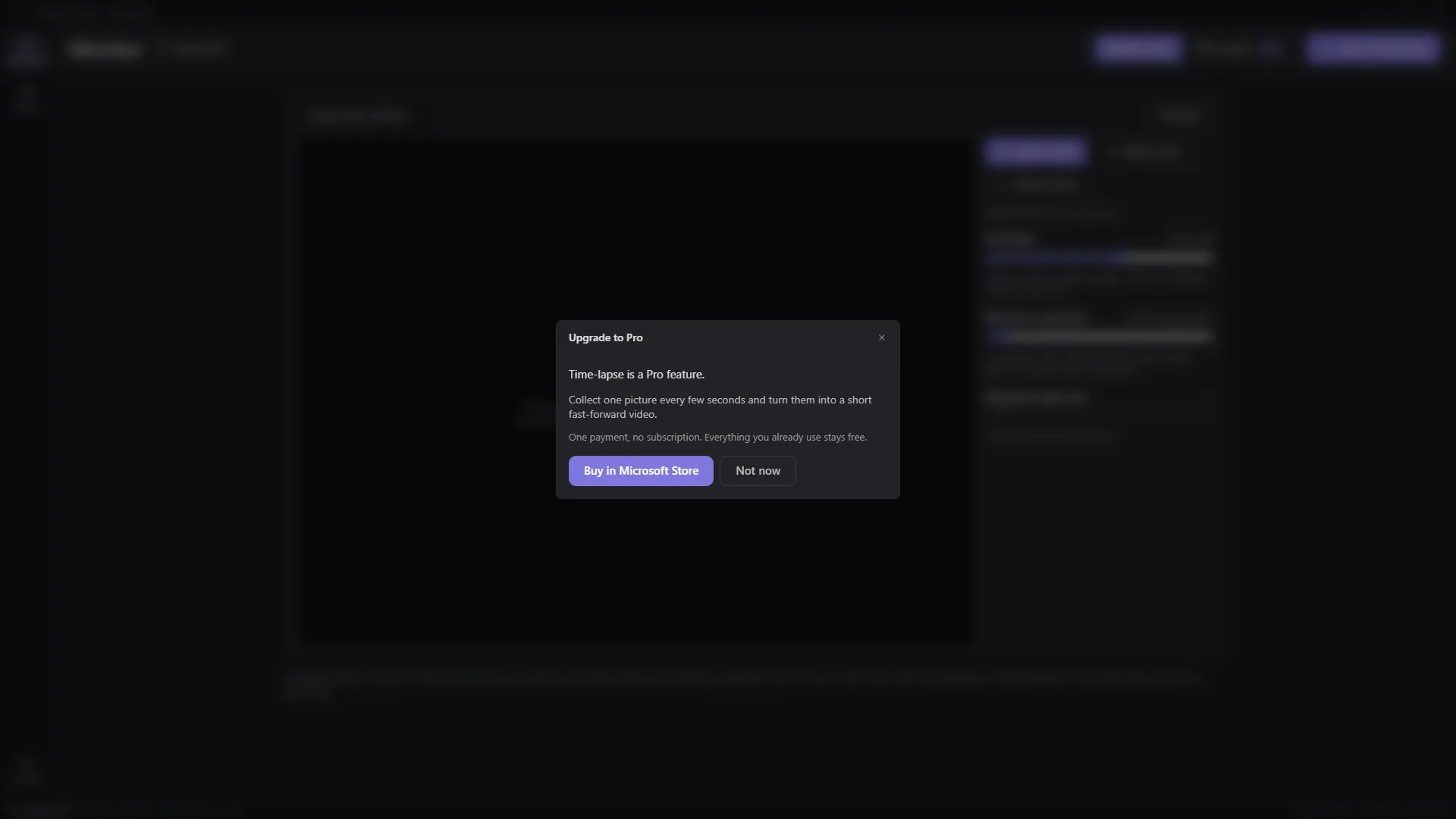
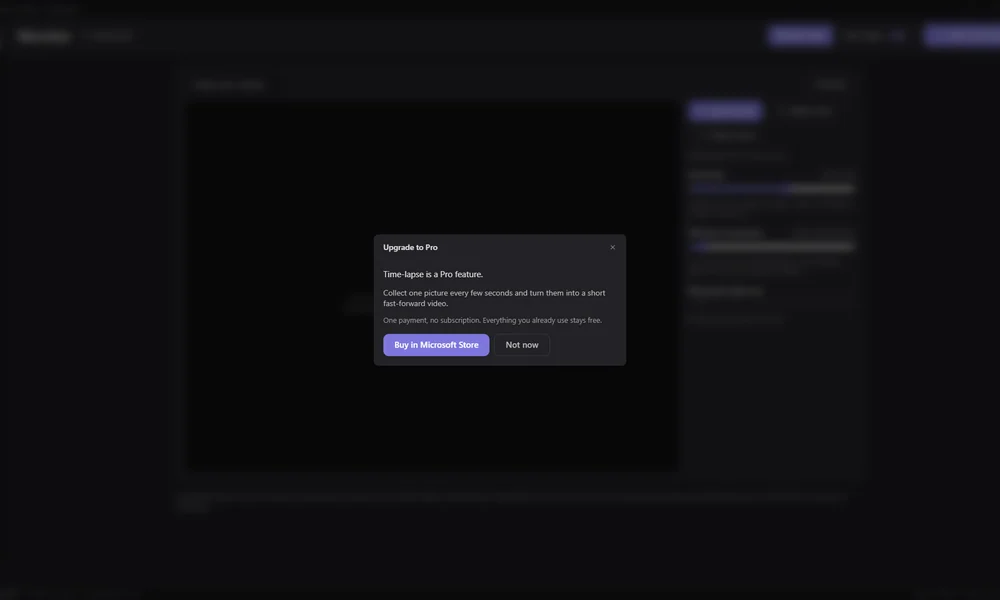
Pro features ask first. One camera with motion recording is free and never expires.
Screens show a looping demo picture of a living room, not a real home. The app has light and dark themes.
How it works
Three steps. No manual.
01
Pick your camera
Choose the webcam, press Preview and paint any part of the picture you want ignored, such as a window or a TV.
02
Start monitoring
The camera records a clip only when something moves, with a few seconds from before the motion. The REC sign shows when it is on.
03
Look back by day
Open Events to see every clip with a thumbnail, play it, and keep or delete it. Stop and the camera is let go at once.
What it does
What it does.
Motion Camera watches your webcam and saves a short clip only when something moves, so you can see what happened while you were away without scrolling through hours of video. Each clip starts with up to 10 seconds from just before the motion, and a picture is saved when the motion begins. The free app is complete for one camera, with no time limit and no cap on clips. The camera is let go the moment you press Stop, stop the preview or close the window. Nothing is uploaded, there is no account and the app never uses the microphone.
Records on motion
A clip is saved only when the webcam sees movement, with up to 10 seconds from before it started and a time you choose after it stops.
Zones
Paint the parts of the picture to ignore, such as a window, a TV or a curtain, and watch the rest.
Tune it live
A sensitivity slider, a minimum-movement slider and a live movement meter show what the detector sees as you adjust.
Clear camera sign
The title bar, the status bar and the picture say whether the camera is off, previewing, watching or recording.
Clips by day
An event list grouped by day, with thumbnails, a built-in player, a picture from when the motion started and delete.
Storage limit
Set a limit. The oldest clips go first, and only clips Motion Camera saved. It can ask before it deletes or run by itself.
Cameras and schedules
Pro: watch up to four cameras at once, and turn the camera on and off by time of day and day of the week.
Alerts, time-lapse and joining
Pro: a chime and a Windows notification when motion starts, time-lapse videos, and joining several clips into one video.
The small print, in plain English
Safe by design.
Pro features ask first. One camera with motion recording is free and never expires.
Pro: choose the days and hours the camera watches and get alerts on this PC.
Your pictures and clips stay on your PC.
The camera is let go the moment you stop.
No microphone, no account, no ads, no tracking.
One camera is free with no time limit. Pro is optional and one payment.
What it does
Every setting, in plain words.
From one camera at home to a small shop.
Each clip starts a few seconds before the motion, so you see how it began.
Detection
See it work
A sensitivity slider and a minimum-movement slider, with a live meter to tune them by.
Zones
Ignore a window
Paint the parts of the picture to ignore, or watch only one area.
Pre-roll
Not just the end
Up to 10 seconds from before the motion, and a time you choose after it stops.
Storage
Asks first
A limit you set. The oldest clips go first, only the ones the app saved.
Camera
Never left on
Let go the moment you press Stop, stop the preview or close the window.
More
Pro
Up to four cameras, schedules, alerts on this PC, time-lapse and joining clips.
Use it for your own home, pets and property, and tell the people who live there that a camera is watching.
Good for
Handy when you are out.
Seeing what moved at home while you were out
Keeping an eye on a pet area or a garage
Watching a shop or workshop you own
Catching the night-time visitor in the garden
Making a time-lapse of a plant or a building project
Questions
Plain answers.
Is anything uploaded?
No. Clips, pictures and settings stay on your PC. The only network use is the check of a Pro licence.
Does it record sound?
No. The app asks only for the camera. It never uses the microphone, and clips have no sound.
When is the camera on?
Only after you press Preview or Start monitoring, or when a schedule you set turns it on while monitoring is started. It is let go when you stop or close the window, and the title bar always says whether it is on.
Is the free version limited?
It watches one camera. Motion recording, zones, pre-roll and post-roll, pictures, the event list, the player and the storage limit are free, with no time limit and no cap on clips.
What does Pro add?
One payment, no subscription. Pro adds up to four cameras, schedules by time and weekday, a chime and a Windows notification when motion starts, time-lapse, and joining clips into one video.
Where are my clips?
In a folder called Motion Camera inside your Videos folder, as WebM files you can open or copy. The Open folder button on the Events screen takes you there.
Will it fill my disk?
You set a storage limit. When it is passed, the oldest clips are deleted first, only ones Motion Camera saved, and it asks first unless you choose automatic.
Does it need an account or an internet connection?
Neither. There is no account, no ads and no tracking, and everything works offline.