Coming to the Microsoft Store
Voice Recorder Record, trim, save.
One button to record, two handles to trim, MP3 or WAV to save. Offline, no account.
Not on sale yet. The app is still being built.
We will link the Store listing here the day it is live. Until then there is nothing to download.
- Works offline
- No account, no ads, no tracking
- Record, trim, save
- Free
See it
Four views. One clean recording.
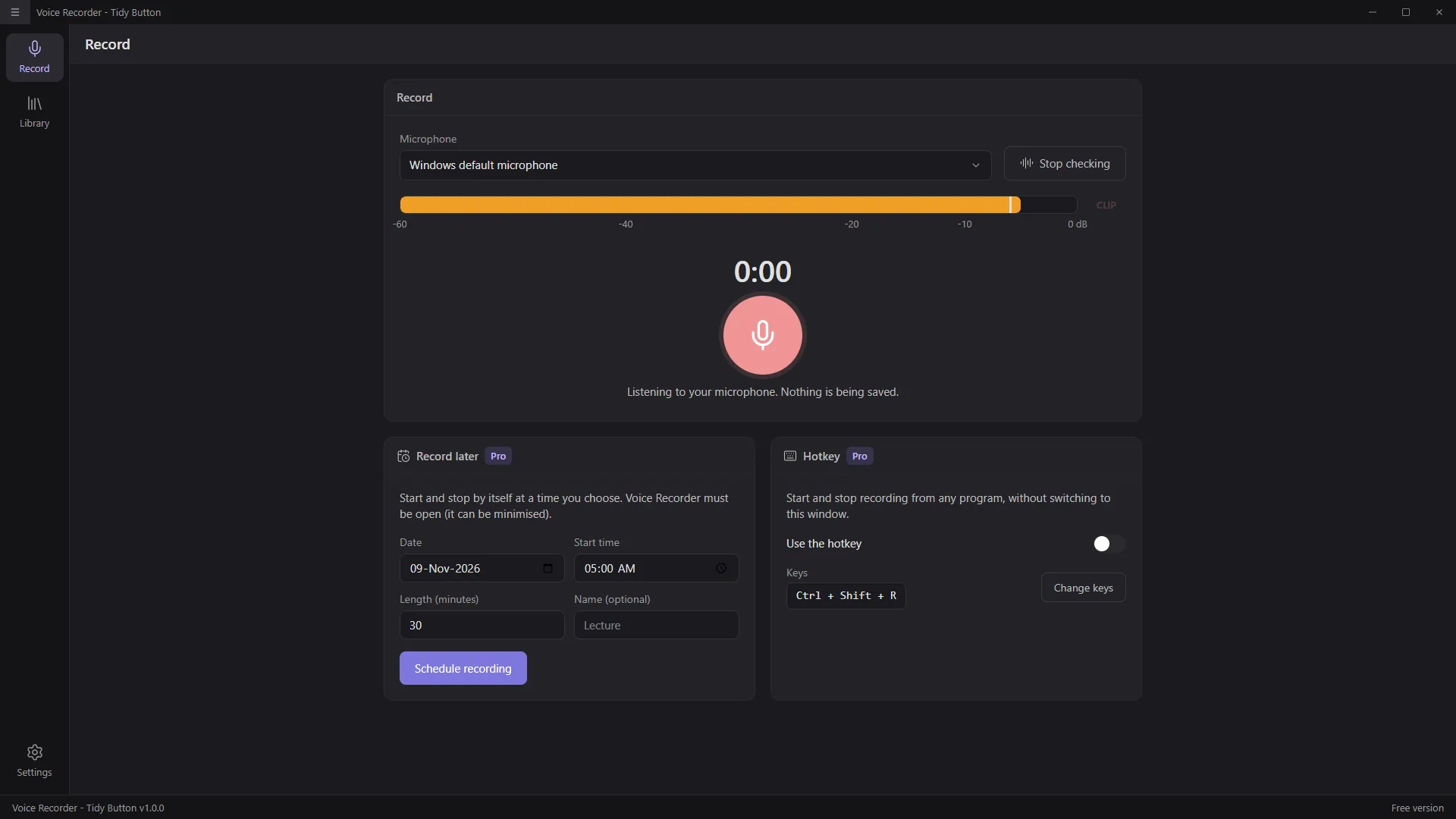
Record
Pick your microphone and check the level before you record
Library
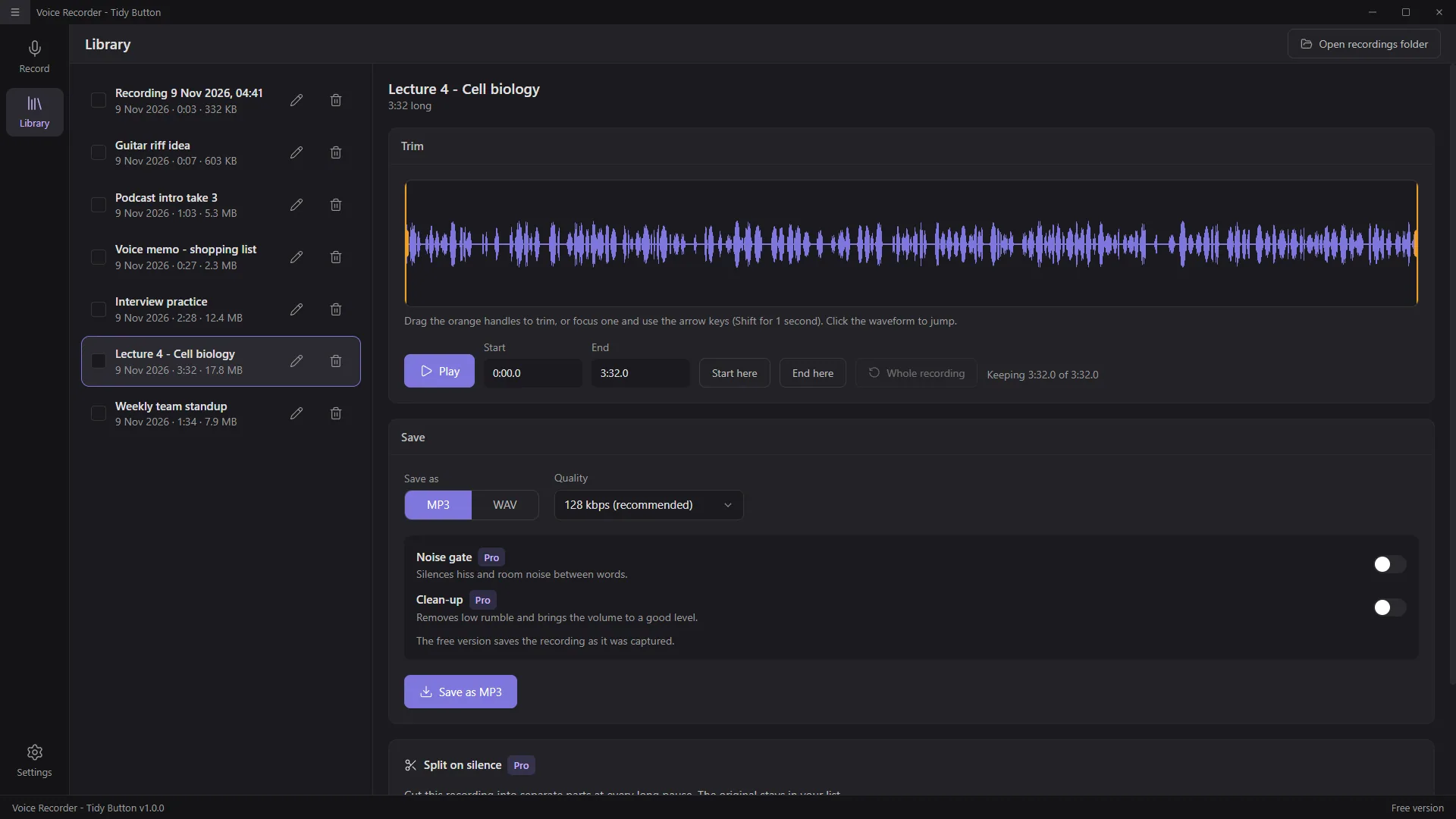
Every recording in one list, with its waveform
Trim
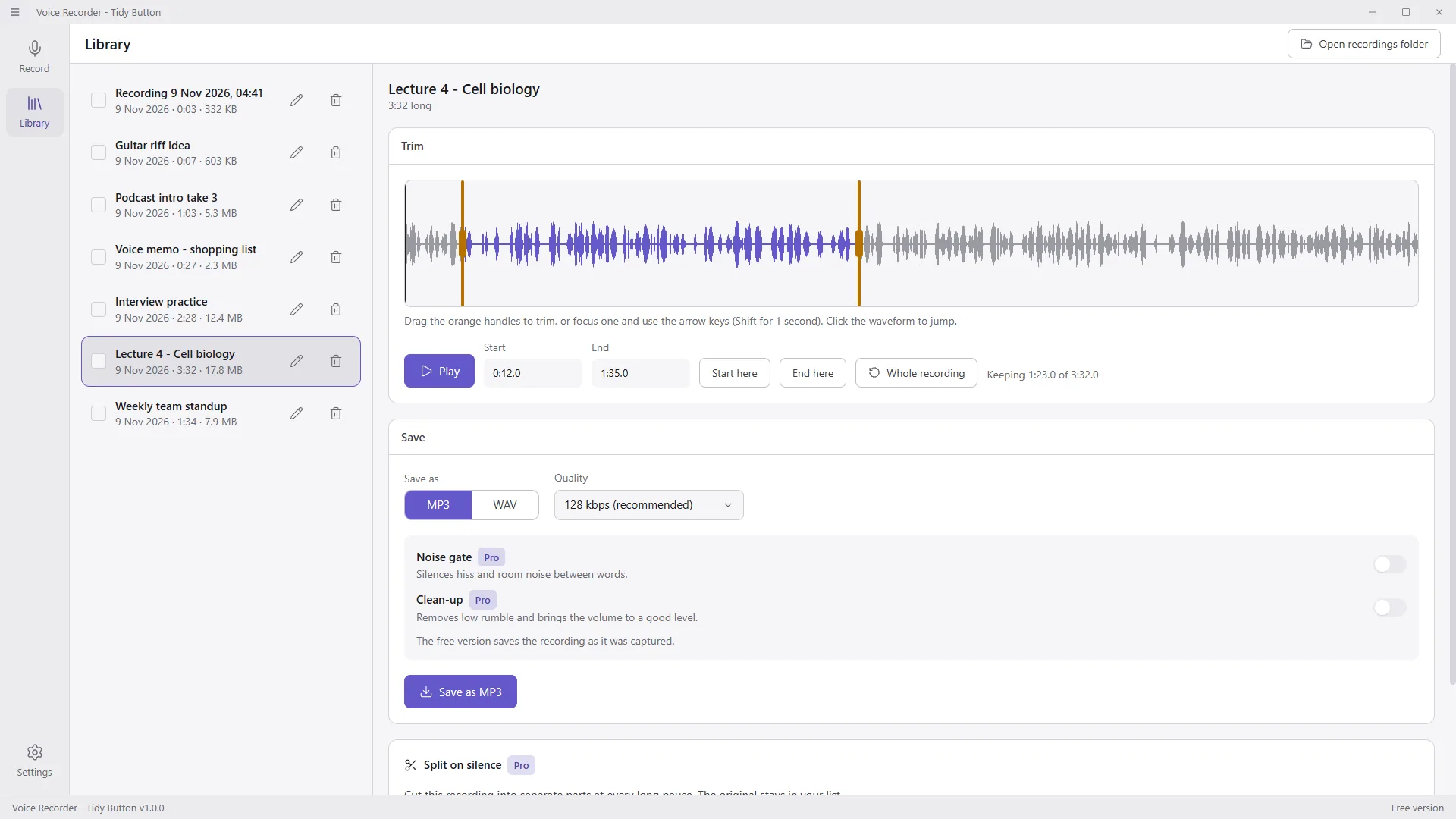
Drag the handles to keep only the part you want
Recording
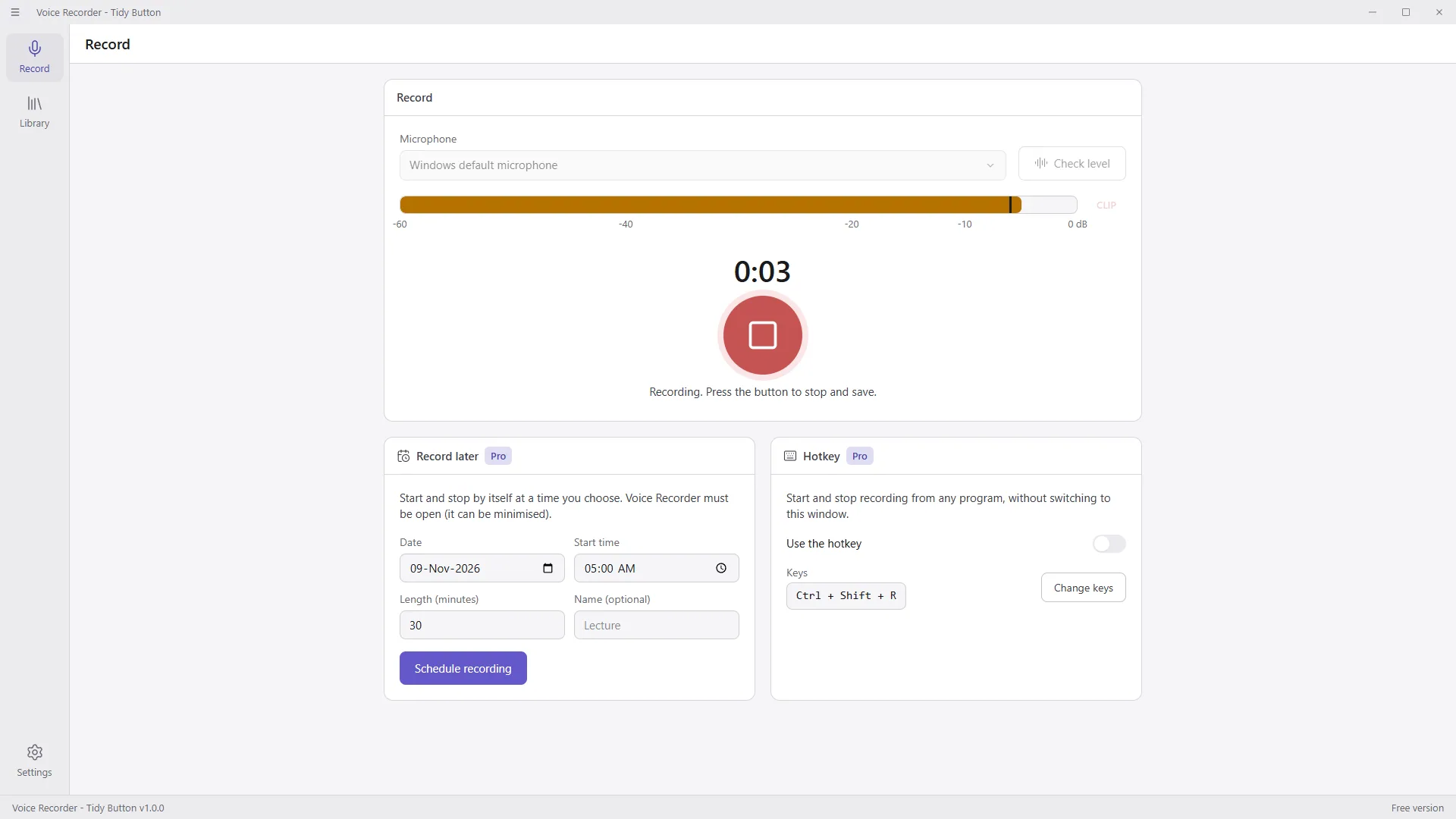
A running timer and a live level meter while you record
Screens show a demo folder, not a real PC. The app has light and dark themes.
What it does
What it does.
Voice Recorder records from your microphone and keeps every recording in a simple Library. A level meter shows your microphone before you start, so you know it is working. Open any recording to see its waveform. Drag the two handles to cut the start and end, play the part you keep, and save it as an MP3 or WAV file. Saving makes a new copy, so the original stays as it was.
One-click recording
Choose your microphone, watch the level meter and press the round button. Press it again to stop and save.
Waveform and trim
Drag the two handles, type a start and end time, or use the arrow keys. The kept part is highlighted.
MP3 or WAV
Save as MP3 (64 to 192 kbps) or WAV. Saving makes a copy and never changes the original.
Library of recordings
Every recording is listed with its date, length and size. Rename it, or remove it to the Recycle Bin after a confirmation.
Recovery after a crash
A recording cut short by a crash or power loss is recovered the next time you open the app.
Light and dark themes
Pick the look you like, or follow Windows.
The small print, in plain English
Safe by design.
- Recordings stay on your PC. Nothing is uploaded.
- Saving never changes the original recording.
- Removing a recording asks first and sends it to the Recycle Bin.
- Works offline. No account. No ads. No tracking.
Good for
Handy for lectures and memos.
- Recording a lecture
- Interview practice
- Quick voice memos
- Podcast takes
- Trimming dead air from a recording
Questions
Plain answers.
Does it upload my recordings?
No. Recordings are saved on your PC, in a Voice Recorder folder inside your Music folder. The free app does not use the internet.
Does saving change my original recording?
No. Saving makes a new MP3 or WAV file where you choose. The original stays in your Library.
What happens if the app or my PC stops while recording?
A recording cut short by a crash or power loss is recovered the next time you open the app.
Which file types can I save?
MP3 at 64, 96, 128 or 192 kbps, or WAV.
Is there a Pro version?
Yes, an optional one-time Pro unlock adds a noise gate and clean-up, scheduled recording, a hotkey, auto split on silence and saving several recordings at once. Everything above works in the free version.