We will link the Store listing here the day it is live. Until then there is nothing to download.
Real app, with the sample loops that come with it.
Pauses for games
No account, no ads, no tracking
Your wallpaper is never changed
Free
See it
Seven views. One desktop, alive.
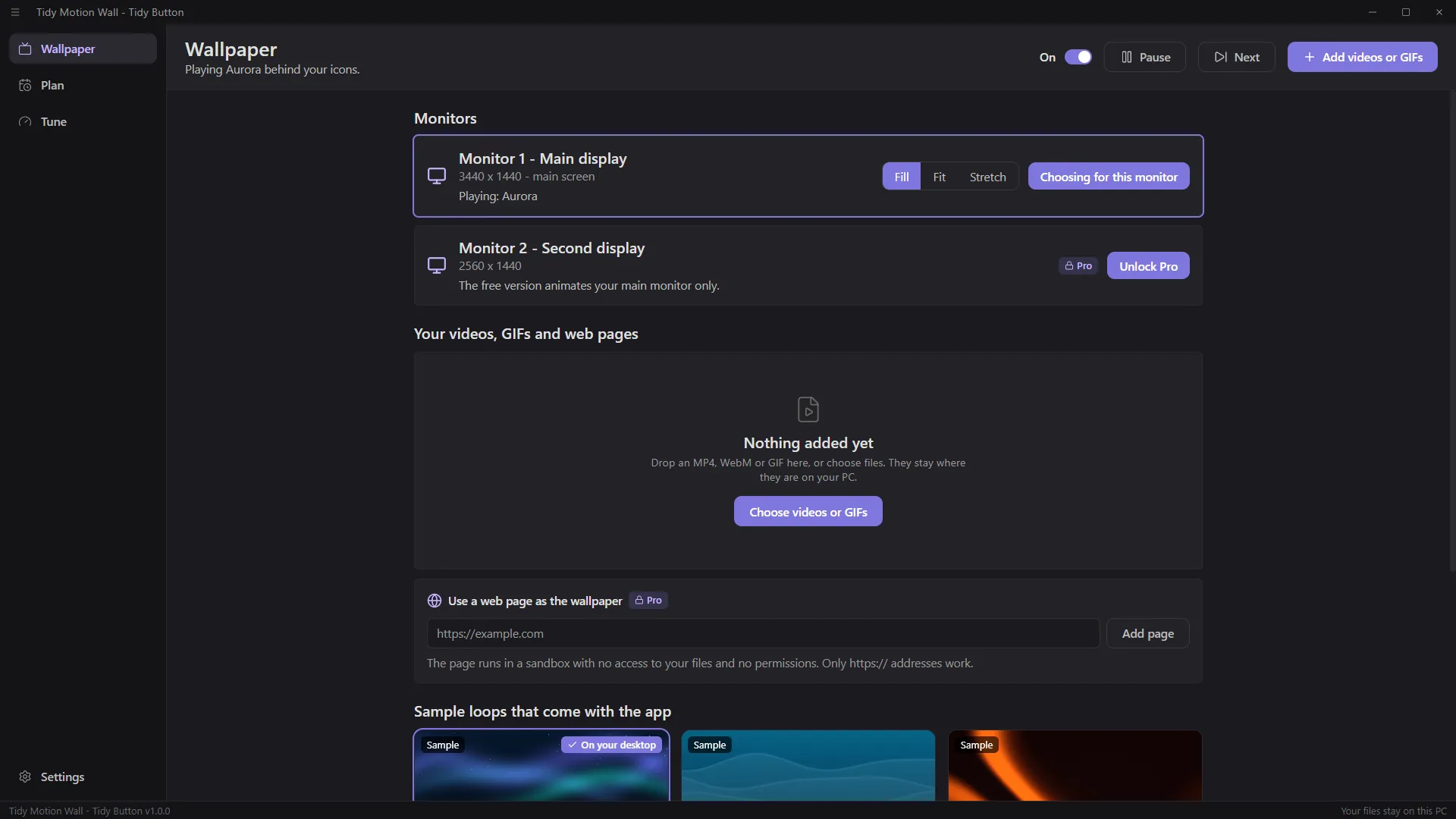
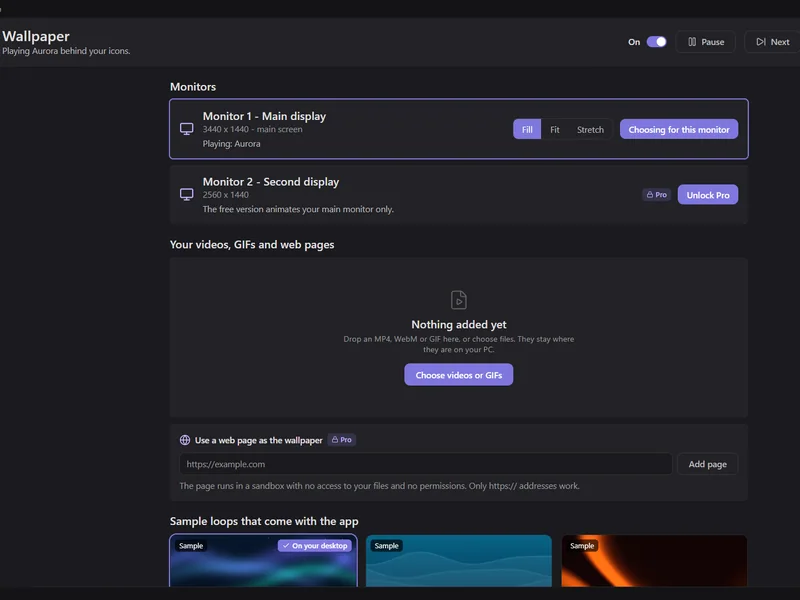
Start
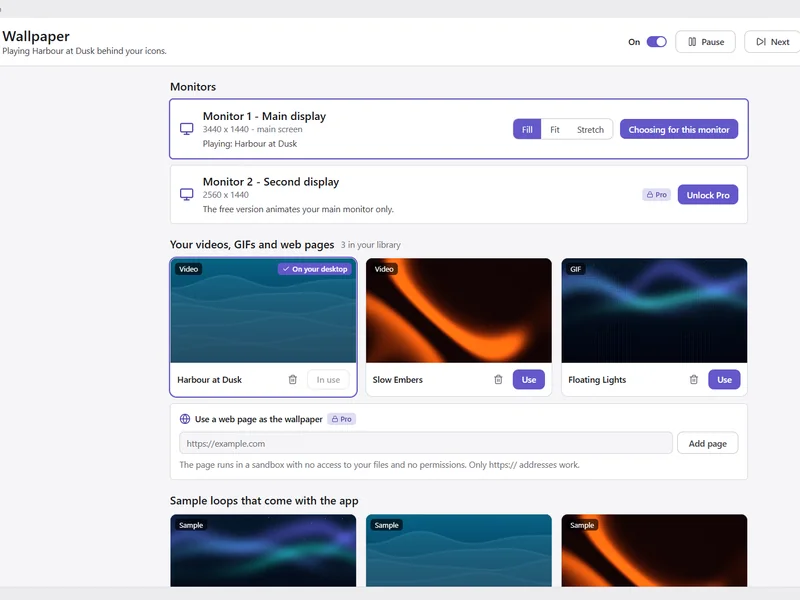
The app on first start. A sample loop plays behind your icons, with Fill, Fit and Stretch for each monitor
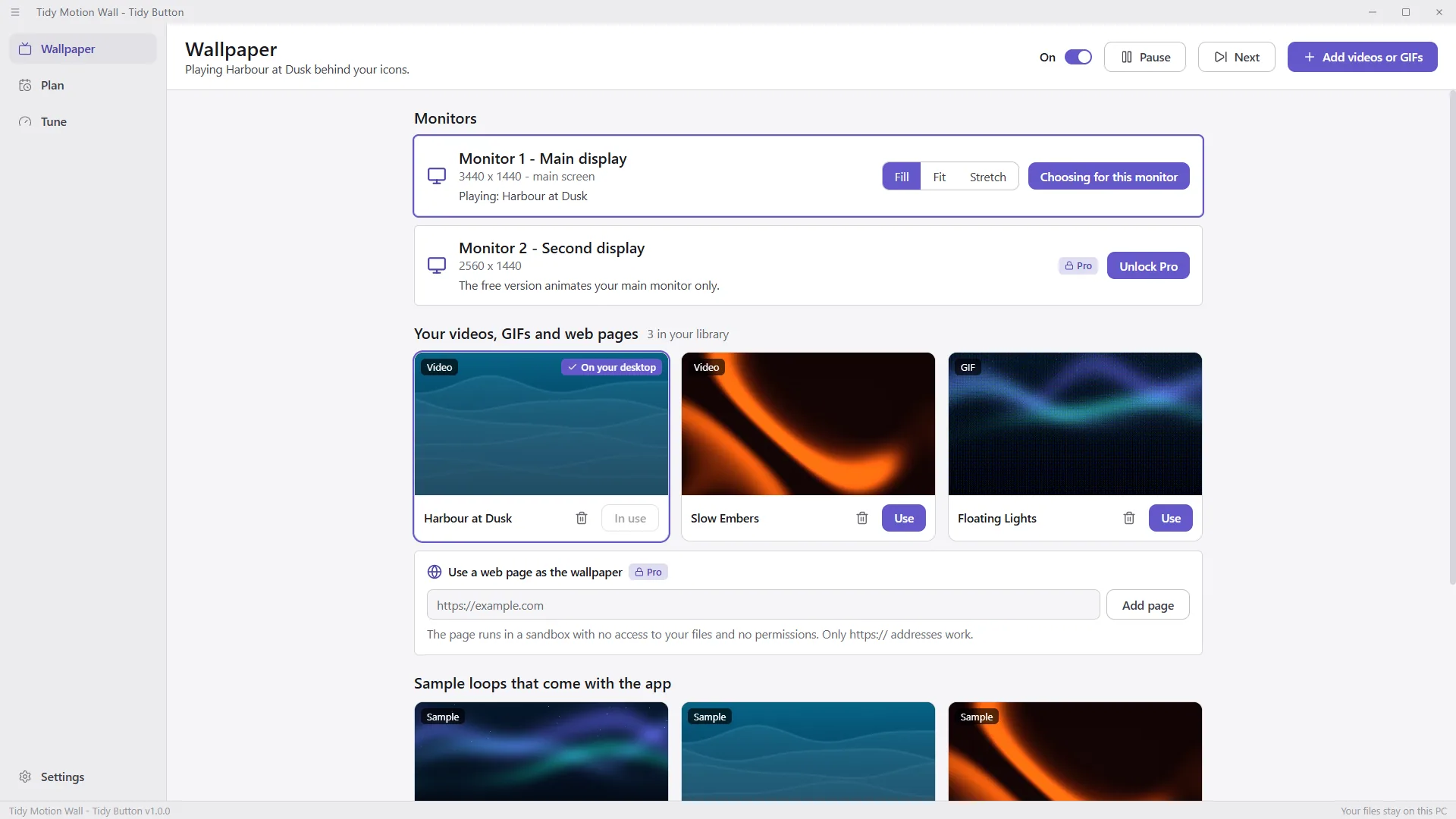
Library
Add your own MP4, WebM and GIF files. One click makes any of them your wallpaper
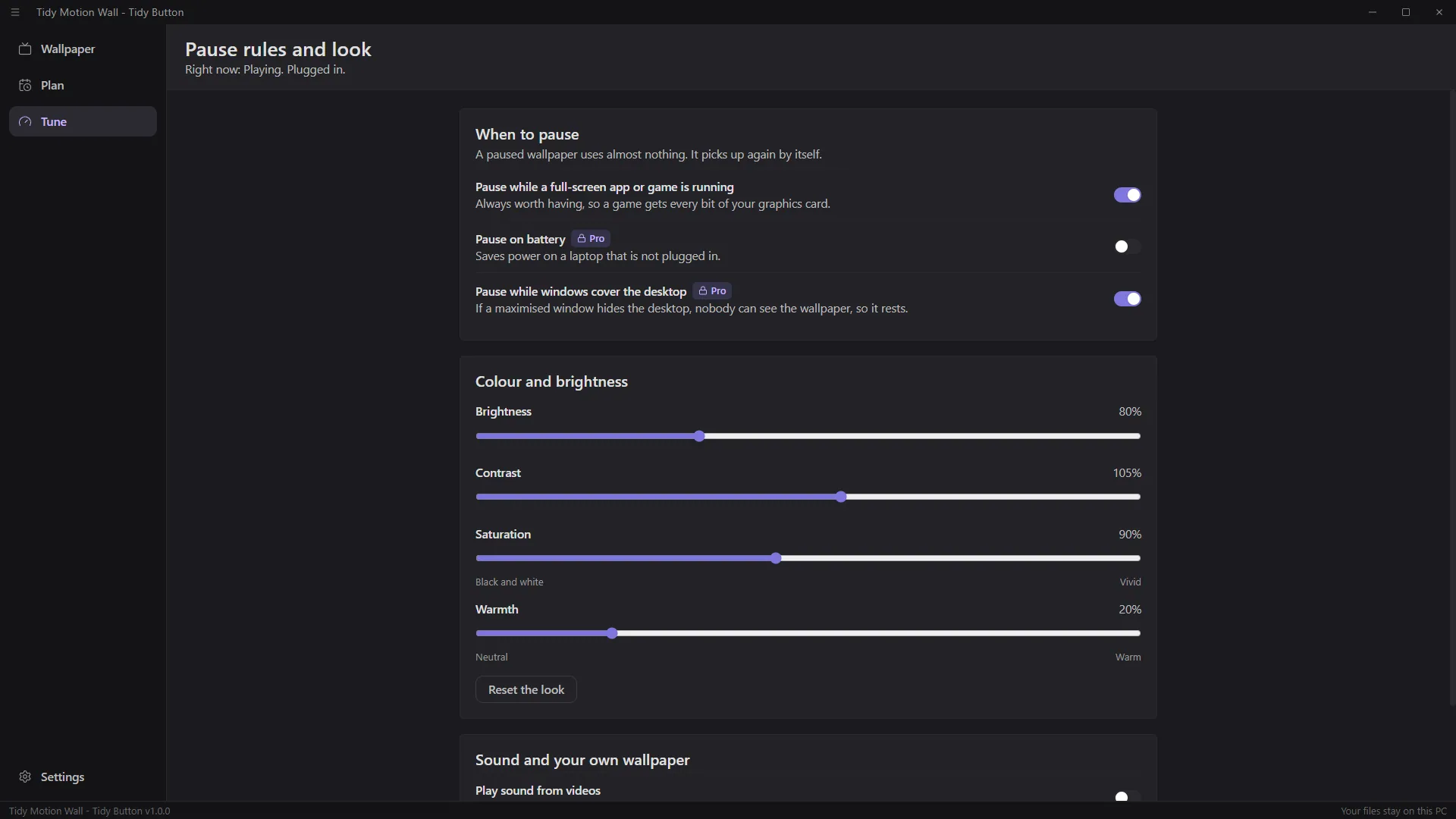
Pause rules
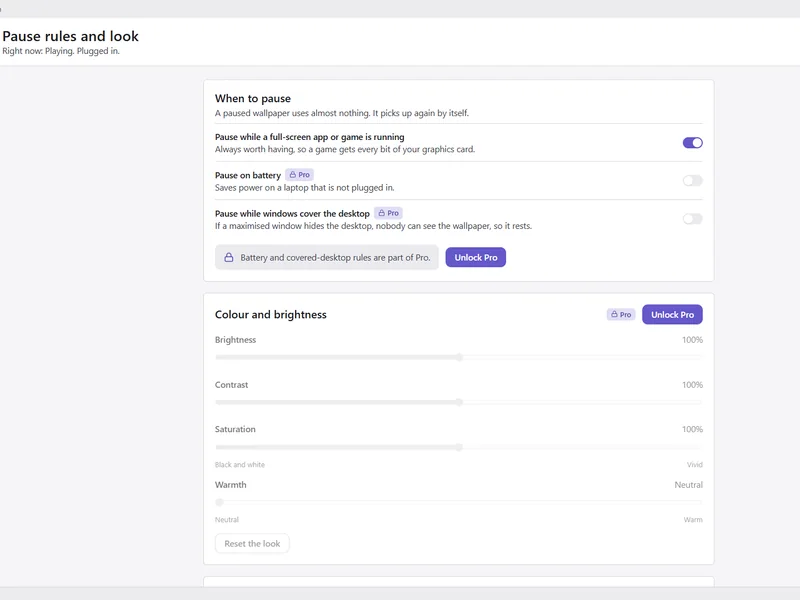
The wallpaper rests by itself while a full-screen app or game runs
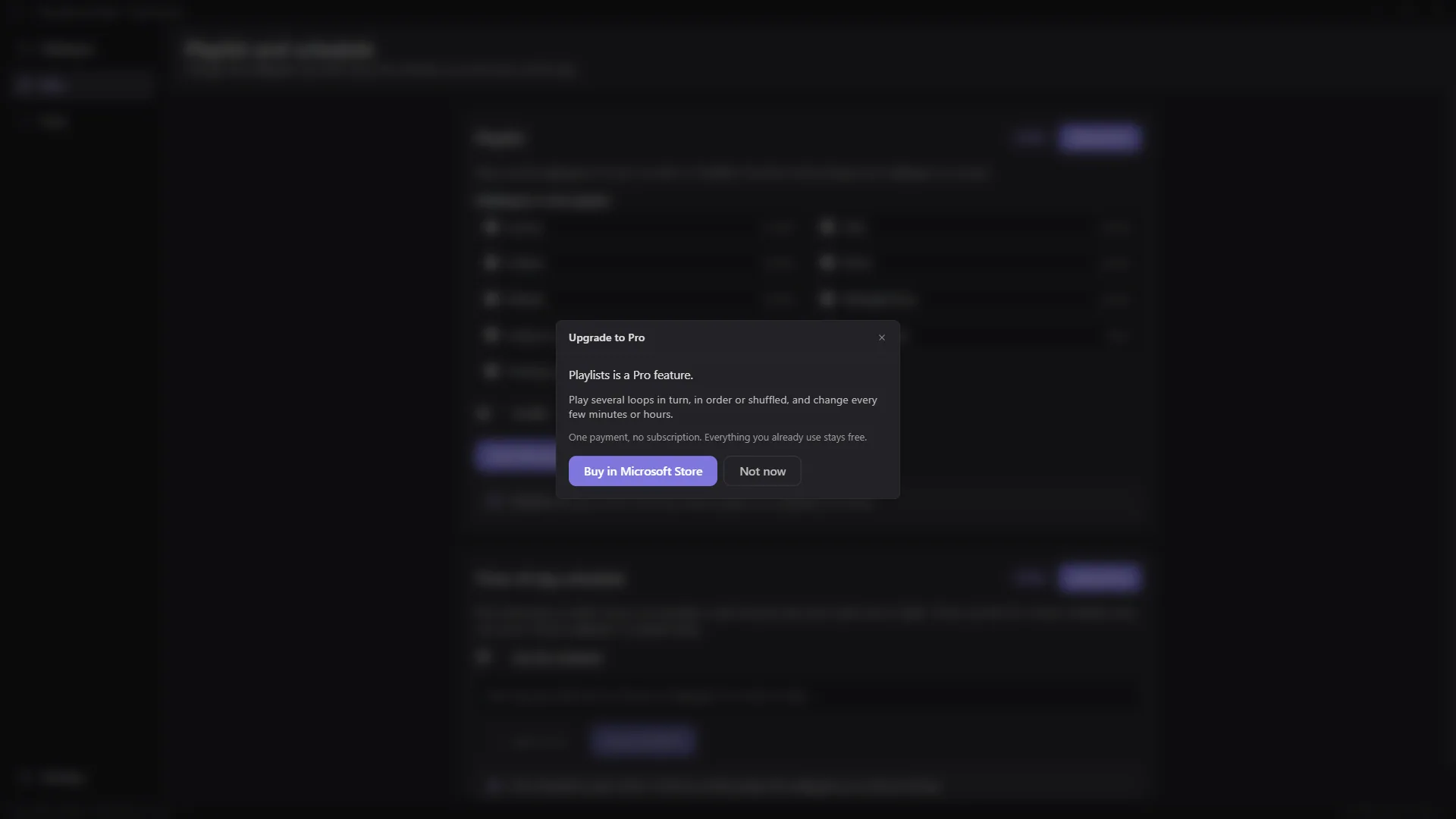
Pro
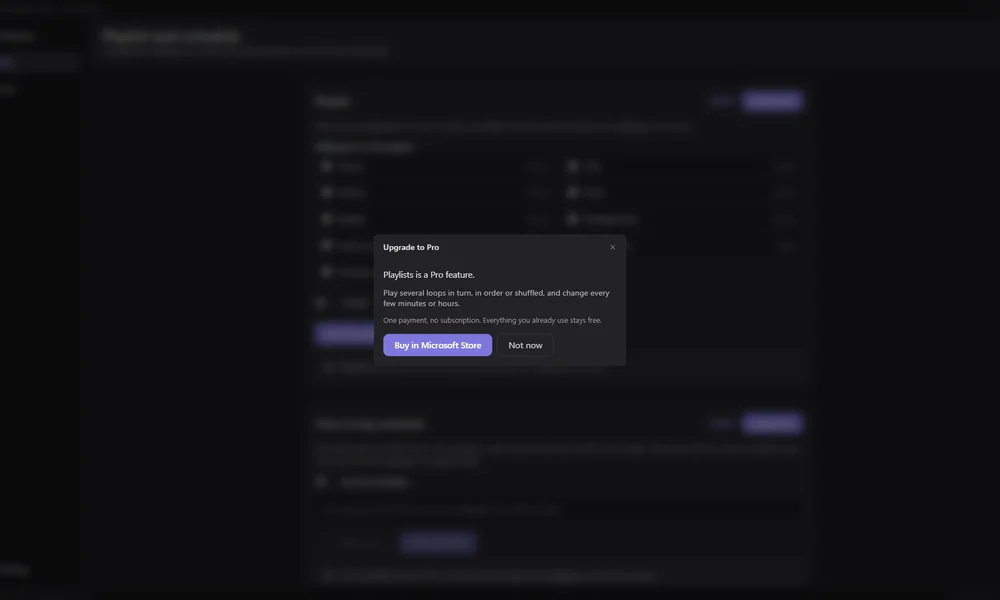
Pro features ask first. One payment, no subscription, and everything you already use stays free
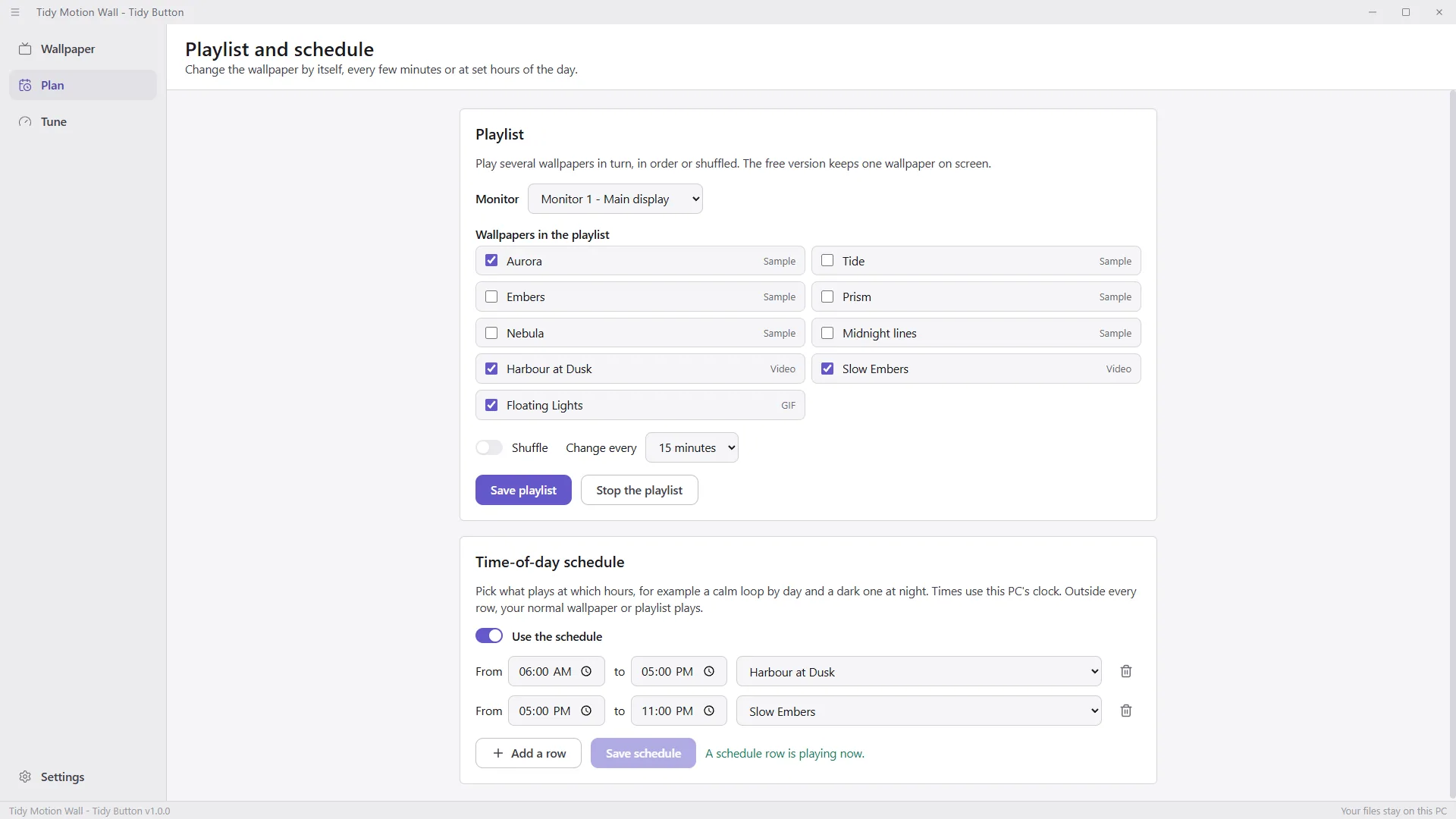
Plan
Pro: build a playlist and a time-of-day schedule so the wallpaper changes by itself
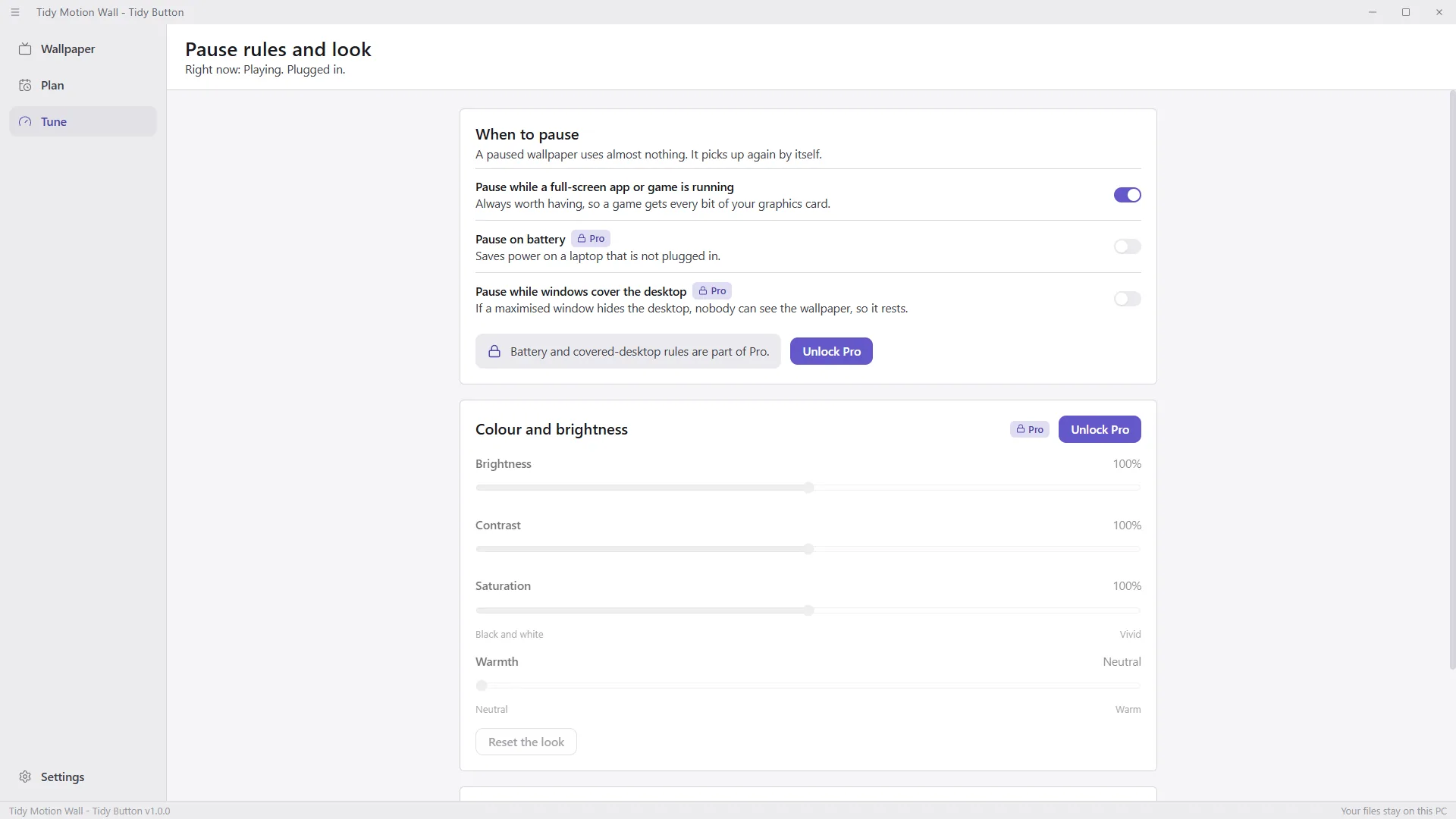
Tune
Pro: tone a wallpaper down or warm it up with brightness, contrast, saturation and warmth
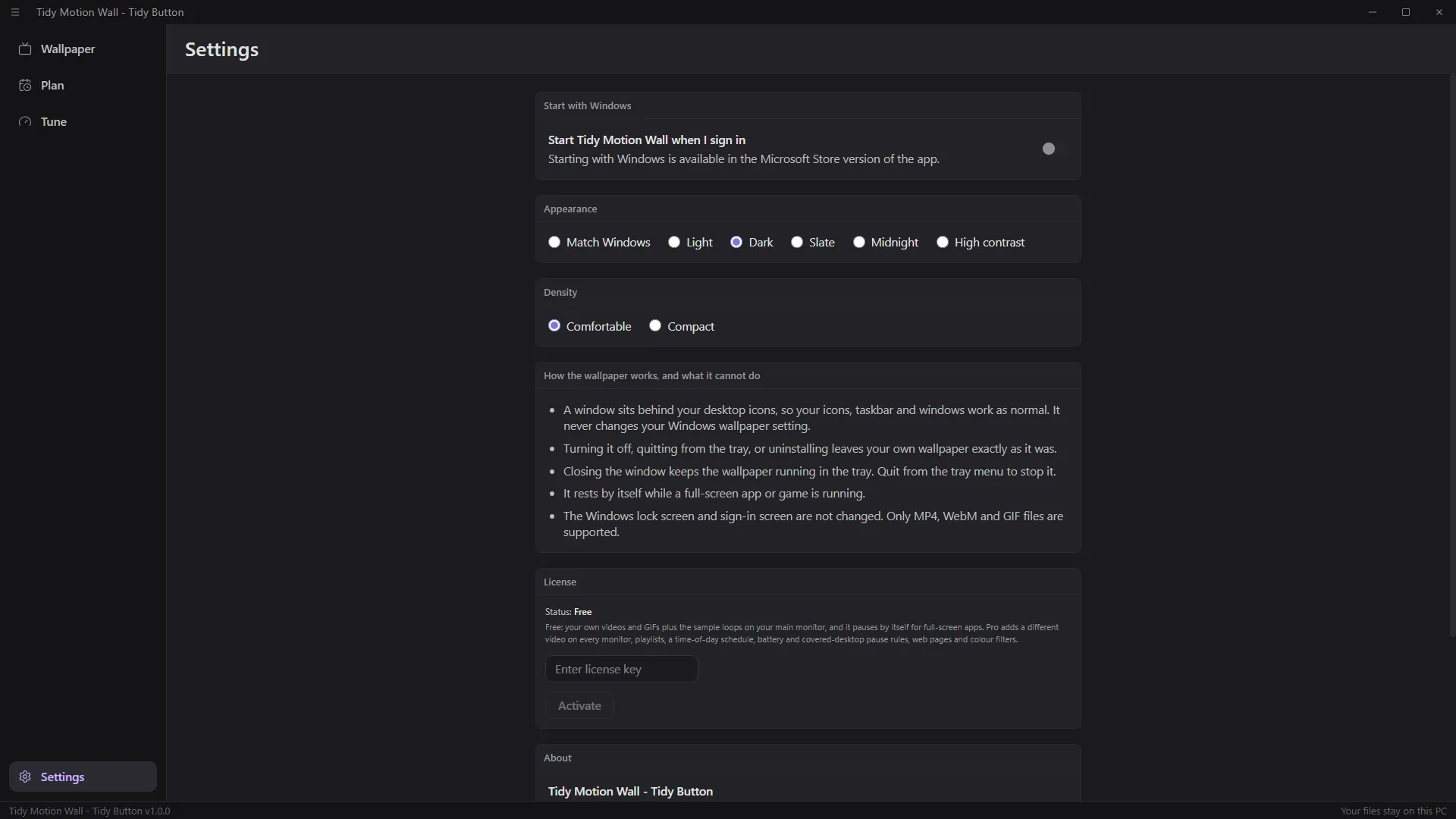
Settings
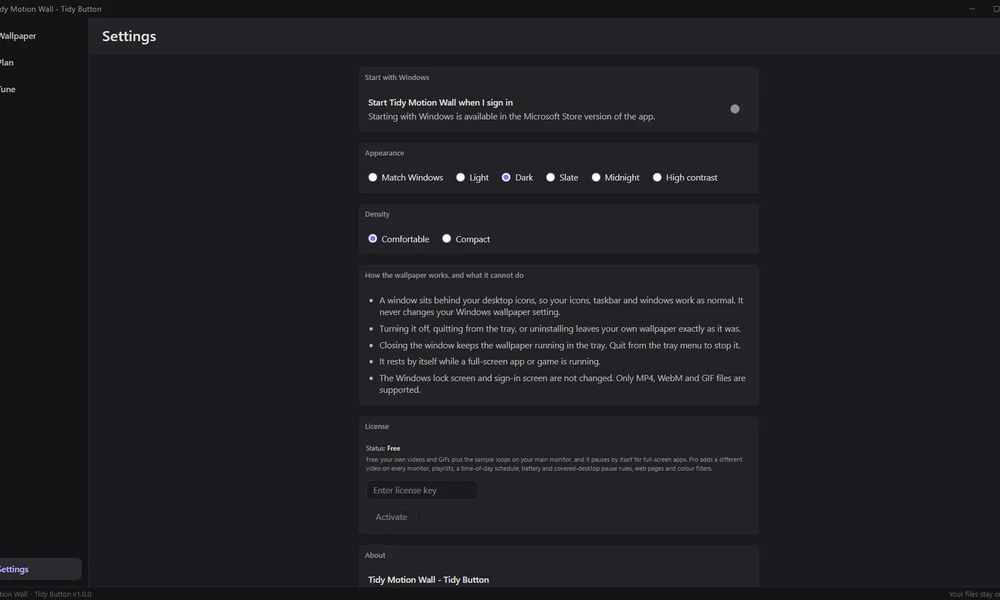
Settings: choose a theme, and read how the wallpaper works and what it never touches
Screens show the sample loops and invented file names. The app has light and dark themes.
How it works
Three steps. No manual.
01
Pick a loop
Start with one of the six sample loops, or add your own MP4, WebM or GIF.
02
Use it
Press Use on any item in your library. It plays behind your icons on your main monitor.
03
Let it rest
It pauses while a full-screen app or game runs and starts again when you leave.
What it does
What it does.
Tidy Motion Wall puts a video or GIF on your desktop, behind your icons, and keeps it from getting in the way. Pick one of the six loops that come with the app, or add your own files, choose Fill, Fit or Stretch, and it plays on your main monitor. Your own Windows wallpaper setting is never changed. Turn the wallpaper off, quit from the tray or uninstall, and your desktop picture is exactly as it was. Your files stay where they are on your PC.
Your own videos and GIFs
Add MP4, WebM and GIF files. They are played from where they are on your PC and are never copied or uploaded.
Six loops included
Six original sample loops come with the app, so it works the moment it is installed.
Fill, Fit or Stretch
Choose how the picture lays out on the screen. Icons, taskbar and windows work exactly as before.
Rests by itself
It pauses while a full-screen app or game is running and plays again when you leave. A paused wallpaper uses almost nothing.
Tray controls
Pause and Next from the app or the tray icon. Closing the window keeps the wallpaper running in the tray. Sound is off by default.
Never replaces your wallpaper
Your own Windows wallpaper setting is not changed. A moved or unplayable file is marked in your library and your own wallpaper shows instead of black.
Every monitor, playlists, schedule
Pro: a different wallpaper and fit on each monitor, playlists with shuffle, and a time-of-day schedule with up to 12 rows.
Battery, web pages, filters
Pro: pause on battery or while windows cover the desktop, use an https web page as the wallpaper, and tune brightness, contrast, saturation and warmth.
The small print, in plain English
Safe by design.
Settings say plainly how the wallpaper works and what it never touches.
Pro features ask first. One payment, no subscription.
Your files stay where they are on your PC. Nothing is uploaded.
Your own Windows wallpaper setting is never changed.
No ads, no account, no subscription, no tracking.
The free version is useful on its own. Pro is one payment.
What it does
Every setting, shown plainly.
From one loop on one monitor to a schedule across several.
Pro: a playlist, plus a schedule that picks the wallpaper by the hour.
Files
Yours
MP4, WebM and GIF, played from where they are on your PC.
Layout
Your choice
Fill, Fit or Stretch for each monitor.
Pausing
Automatic
Rests for full-screen apps and games. Pro also rests on battery and when windows cover the desktop.
Monitors
Pro
The free version animates your main monitor. Pro gives each monitor its own wallpaper and fit.
Playlist and schedule
Pro
Change the wallpaper every 30 seconds up to once a day, in order or shuffled, or by the hour.
Look
Pro
Brightness, contrast, saturation and warmth, plus an https web page as the wallpaper.
The app never changes your Windows wallpaper setting, the lock screen or the sign-in screen.
Good for
Handy when you want some life.
A calm moving background behind your icons
A different loop by day and by night
A desktop that rests while you play a game
Two or more monitors with their own pictures
Turning a favourite GIF into a wallpaper
Questions
Plain answers.
Does it change my Windows wallpaper?
No. The video plays in a window behind your icons. Turn it off, quit from the tray or uninstall, and your own wallpaper is exactly as it was.
Will it slow down my games?
It pauses by itself while a full-screen app or game is running, and starts again when you leave. A paused wallpaper uses almost nothing.
Which files can I use?
MP4, WebM and GIF files. They stay where they are on your PC and are never copied or uploaded.
Can I use it on two monitors?
The free version animates your main monitor. Pro gives each monitor its own wallpaper and fit.
What does Pro cost and add?
One payment of $8.99, no subscription. It adds a wallpaper per monitor, playlists, a schedule, battery and covered-desktop rules, web pages and colour filters.
Is anything sent anywhere?
No. Your files and choices stay on your PC. The only network use is the Pro licence check, and a web page you choose to add.
Does it start with Windows?
In the Microsoft Store version, yes, once you turn it on in Settings.