Coming to the Microsoft Store
Video Joiner Many clips, one video.
Join video clips into one file, in the order you choose. Matching clips are joined without re-encoding. Works offline, with no watermark, no upload and no account. Your original clips are never touched.
Not on sale yet. The app is still being built.
We will link the Store listing here the day it is live. Until then there is nothing to download.
- Works offline
- No account, no ads, no tracking
- No watermark
- Free
See it
Six views. Clips in, one video out.
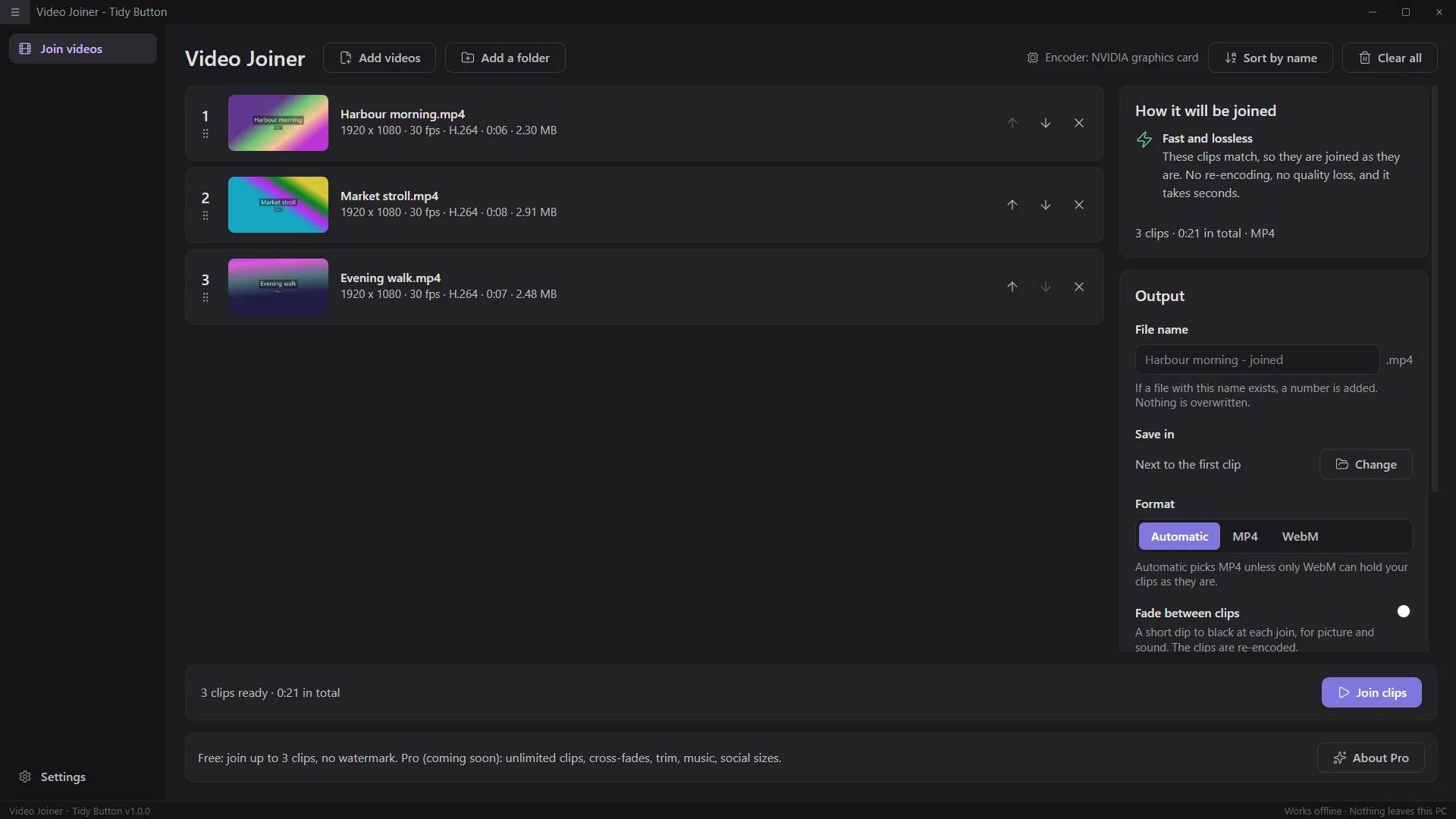
Matching clips
Before you start, the app says how the clips will be joined. Matching clips are joined as they are, with no re-encoding
Output
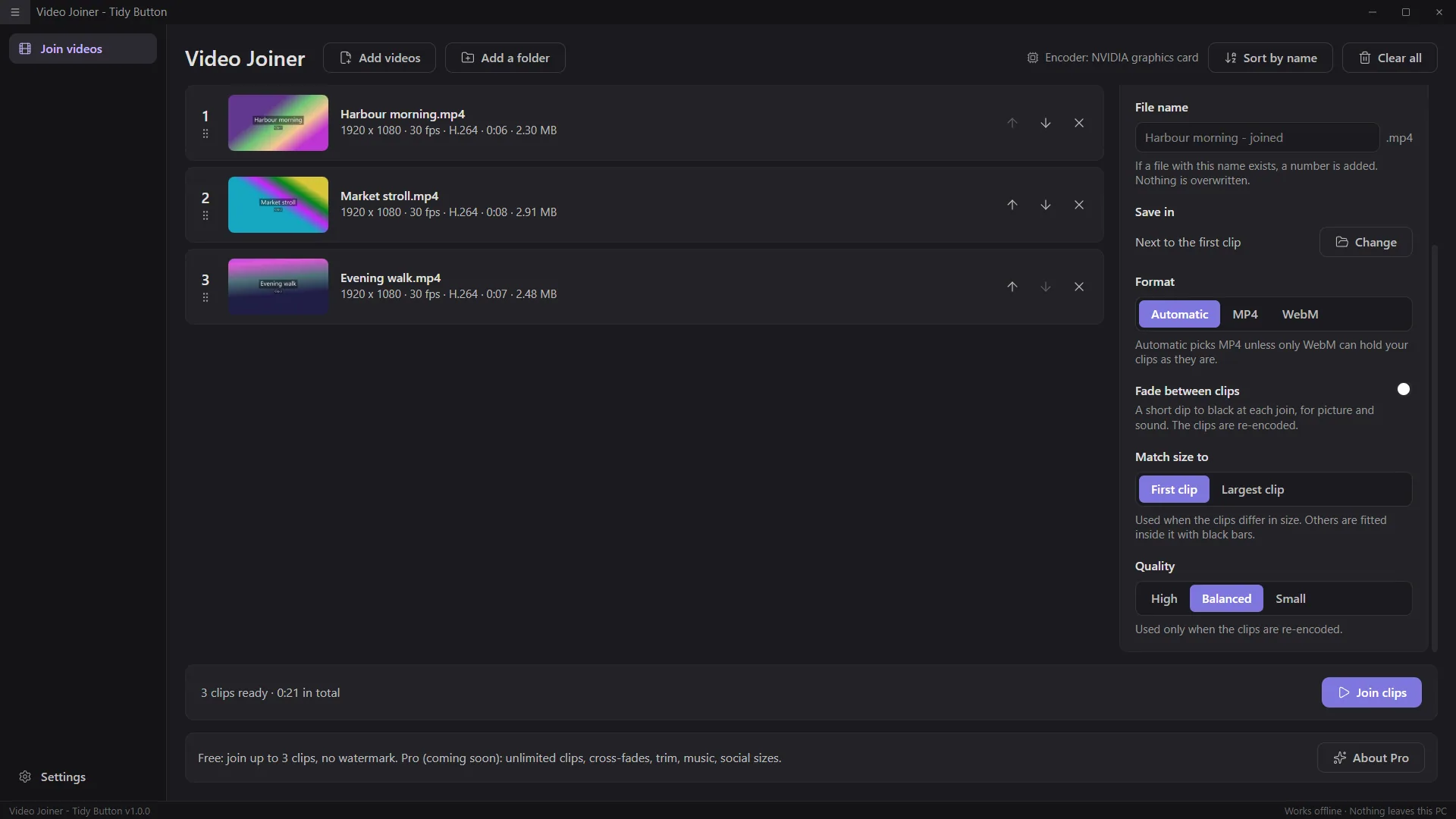
Name the result, choose where it goes, pick MP4 or WebM, add a fade and choose the quality
Joined
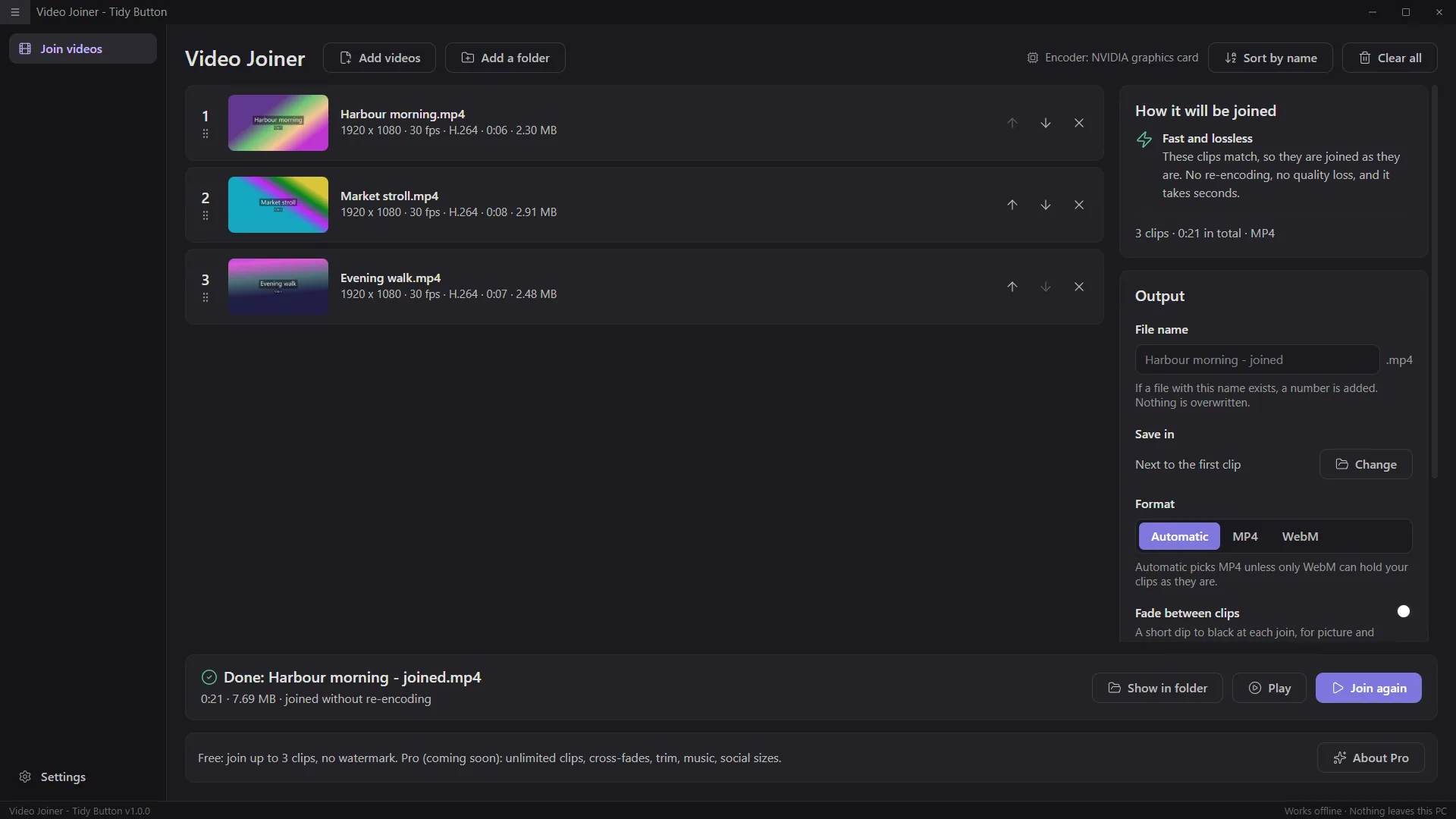
Matching clips are joined in seconds and the result is checked afterwards
Mixed clips
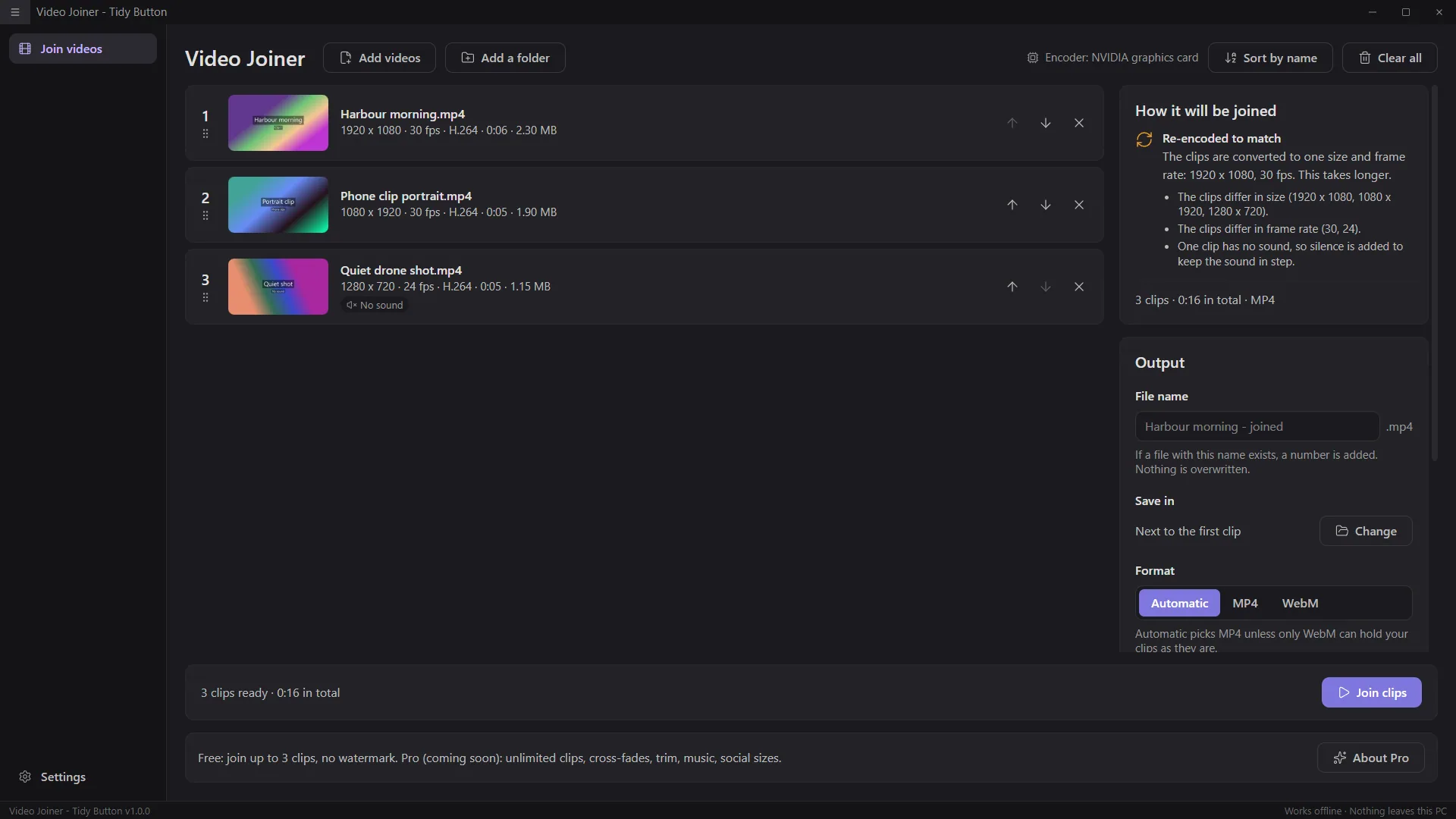
Clips of different sizes, frame rates and sound are listed, and the app matches them for you
Progress
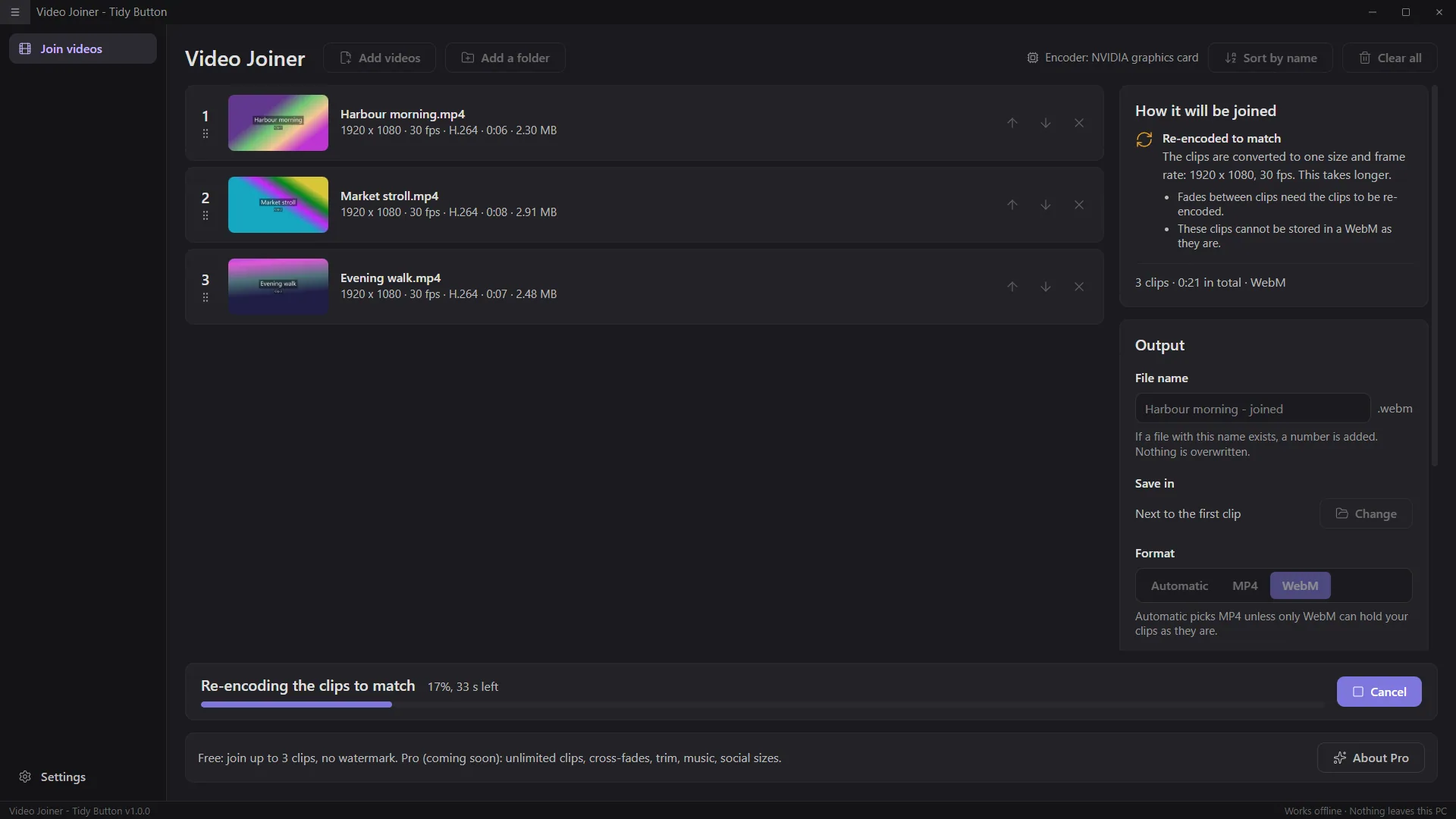
Progress and time left while clips are re-encoded. Cancel stops at once and leaves no half-finished file
Free limit
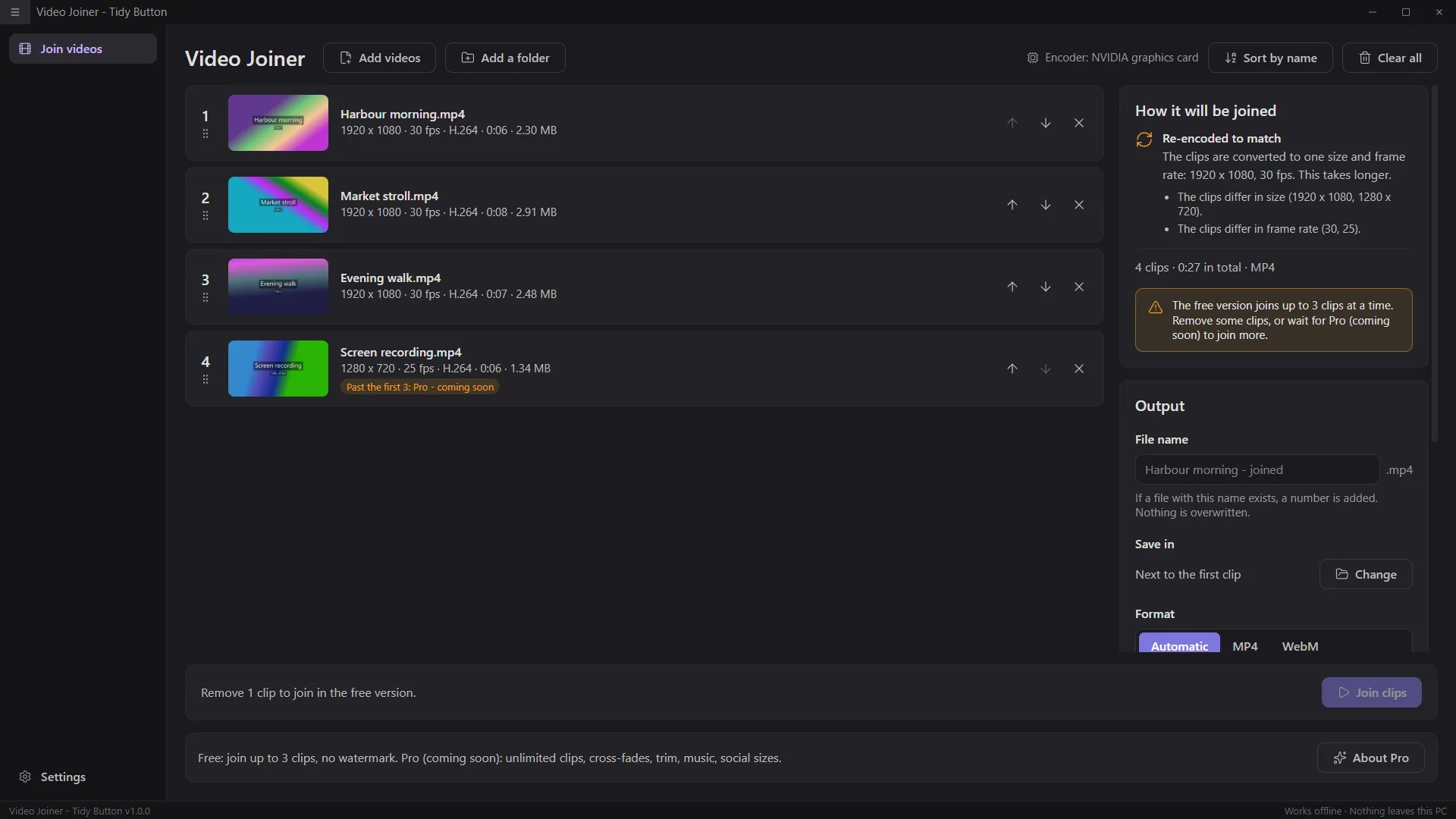
The free version joins up to 3 clips and says so before you start
Screens show invented sample clips. The app has light and dark themes.
What it does
What it does.
Add your clips, put them in order and press Join. Before you do, the app tells you how it will do it. Clips that match are joined as they are, with no loss of quality, in seconds. If they differ, the app says exactly what differs and matches them for you. Every result is checked after joining. If a fast join does not pass the check, the app re-encodes the clips instead of keeping a bad file.
Add, order and join
Add clips one by one, many at a time, or a whole folder. Order them with the buttons, by dragging or with Sort by name.
Fast, lossless joining
Clips with the same size, frame rate and format are joined without re-encoding.
Mixed clips matched for you
One picture size, one frame rate and one sound format. A clip with no sound gets silence, and sideways phone video is turned upright.
Know before you start
A picture, size, frame rate, format and length for every clip, and a plain note on how they will be joined.
Optional fade
A short dip to black between clips, for picture and sound.
MP4 or WebM
Choose a format, or let the app pick. Choose the quality for clips that have to be re-encoded.
Checked and safe
The result is checked after joining. Nothing is overwritten: a taken name gets (2), (3) and so on. Cancel stops at once and leaves no half-finished file.
Works offline
No watermark, no upload, no account. It uses your graphics card to encode when it can, or the Windows video encoder.
The small print, in plain English
Safe by design.
- Your clips are never uploaded. The video engine is part of the app and runs on your PC.
- Your original clips are never changed, moved or deleted, and existing files are never overwritten.
- The result is checked after joining. If a fast join does not pass, the app re-encodes instead of keeping a bad file.
- No account, no ads, no tracking, no watermark.
Good for
Handy when one clip is not enough.
- Clips from a trip or an event
- Screen recordings you want as one video
- Phone clips of different sizes
Questions
Plain answers.
Are my videos uploaded?
No. The video engine runs on your PC and the app makes no network requests.
Does joining lose quality?
Not when the clips match (same size, frame rate and format). They are joined without re-encoding. If they differ, the app tells you what differs and re-encodes them to match.
What about clips with no sound?
A clip with no sound gets silence, so the sound stays in step with the picture.
Will it overwrite a file?
No. A taken name gets (2), (3) and so on. Your original clips are never changed.
Is there a watermark?
No.
Is there a limit in the free version?
The free version joins up to 3 clips at a time, with no watermark. A Pro add-on is planned (coming soon).
Which versions of Windows does it run on?
Windows 10 and Windows 11.