We will link the Store listing here the day it is live. Until then there is nothing to download.
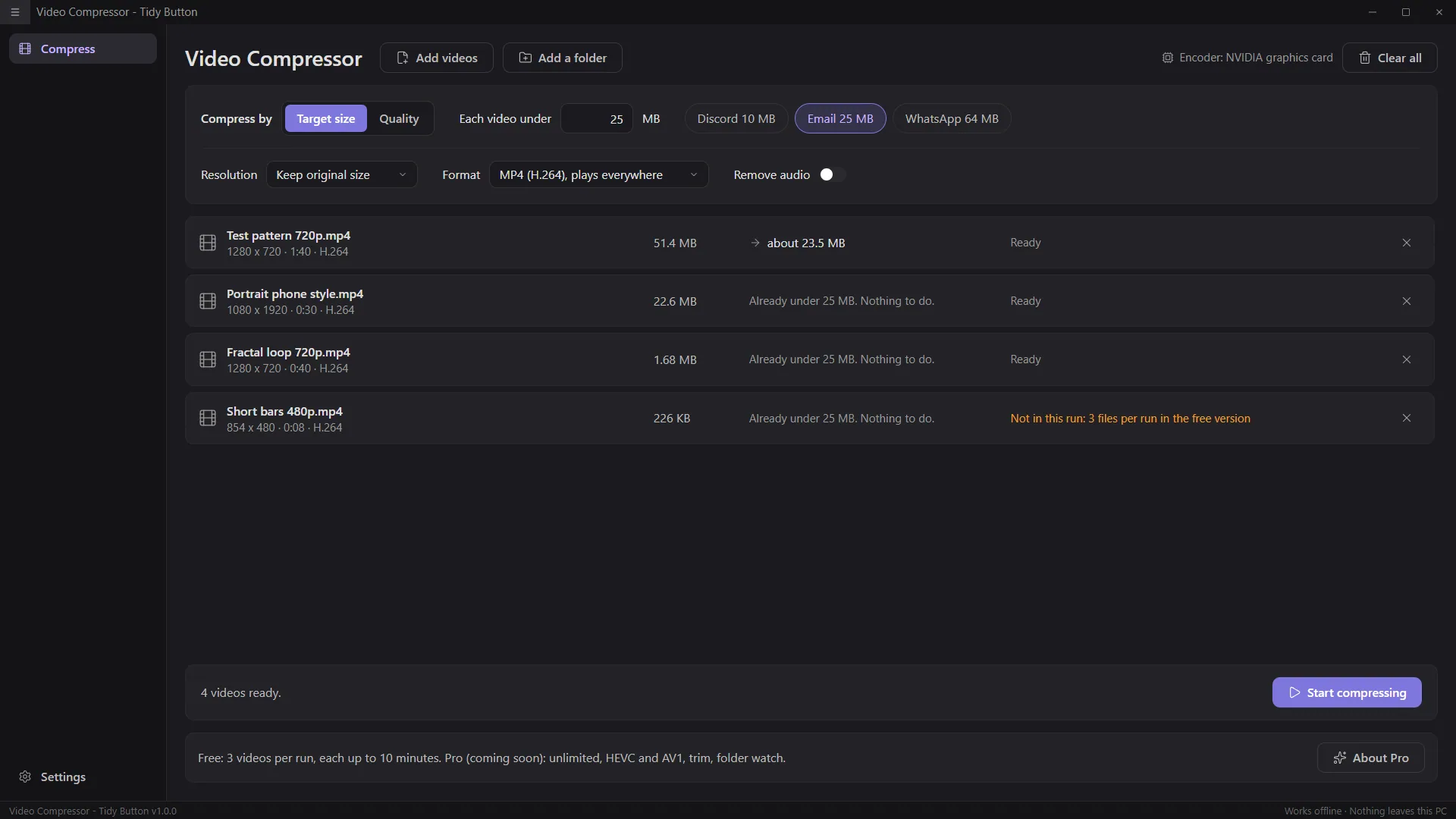
Real app, with three sample videos ready to compress.
Works offline
No account, no ads, no tracking
No watermark
Free
See it
Eight views. One size, chosen.
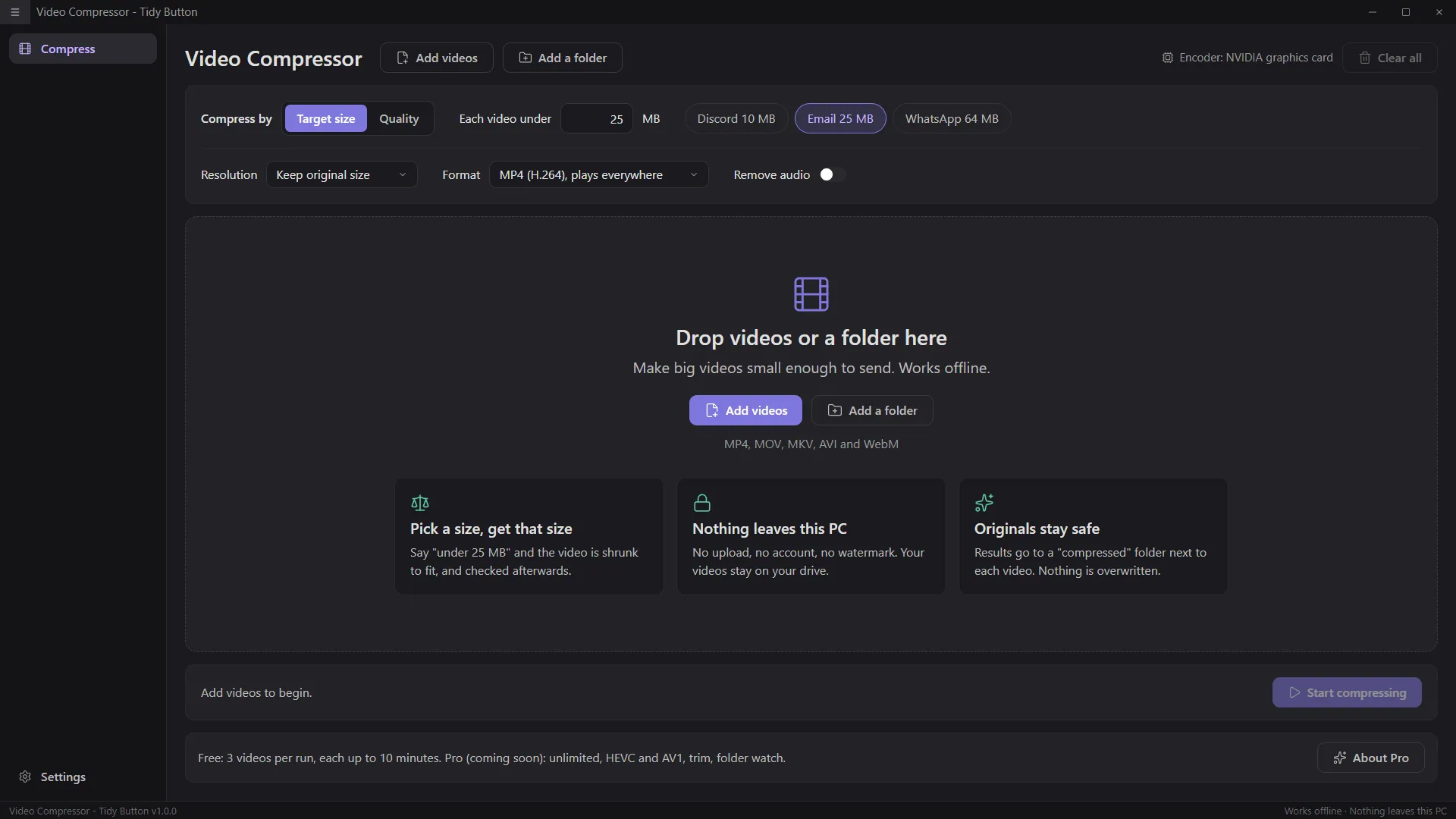
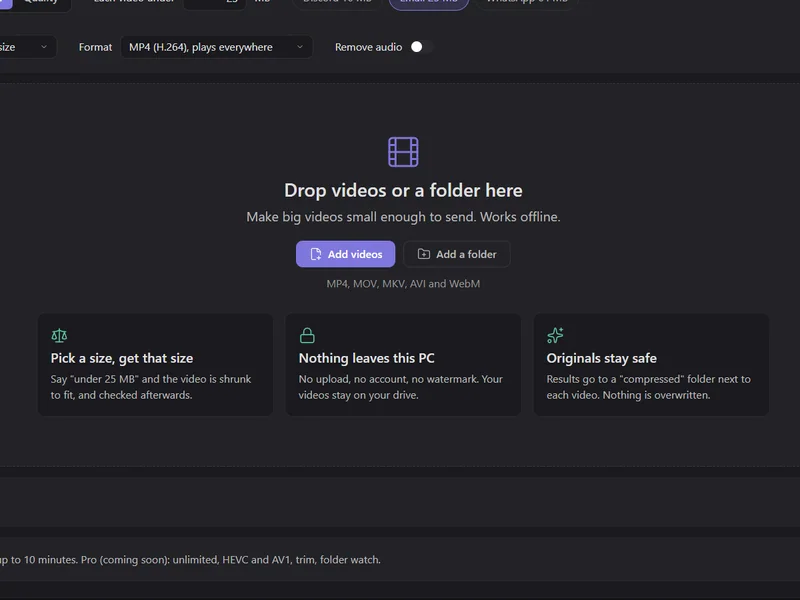
Start
Drop videos or a whole folder and pick a size. Everything runs on your PC
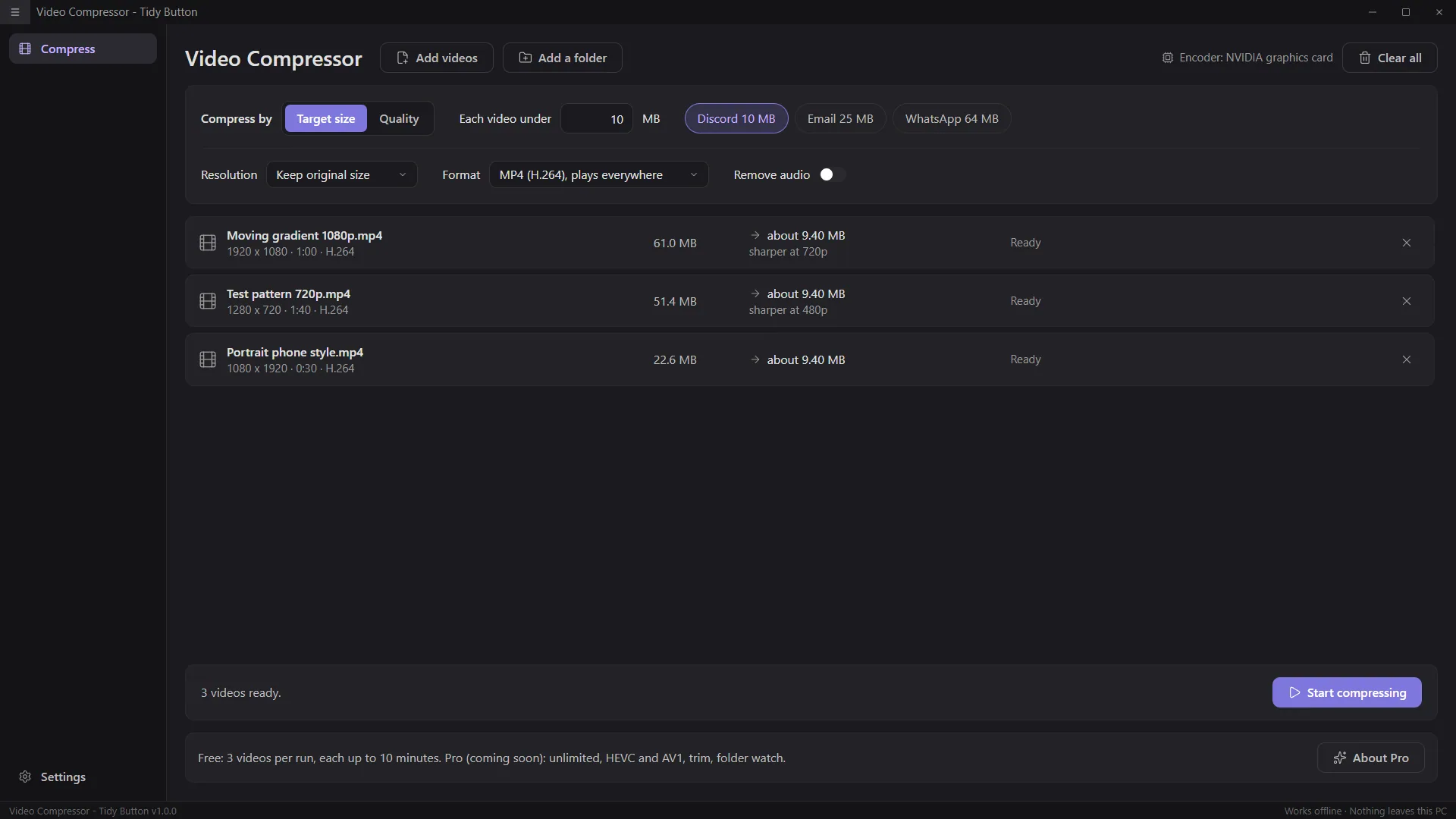
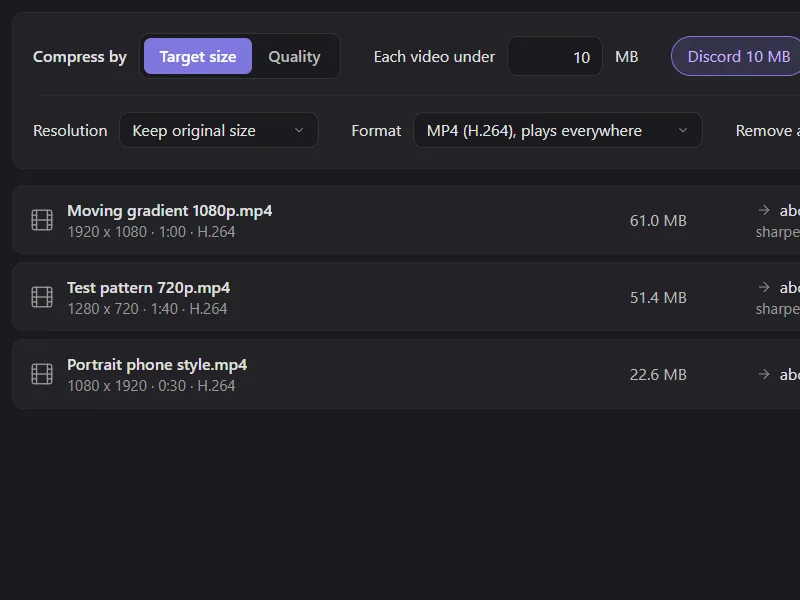
Estimates
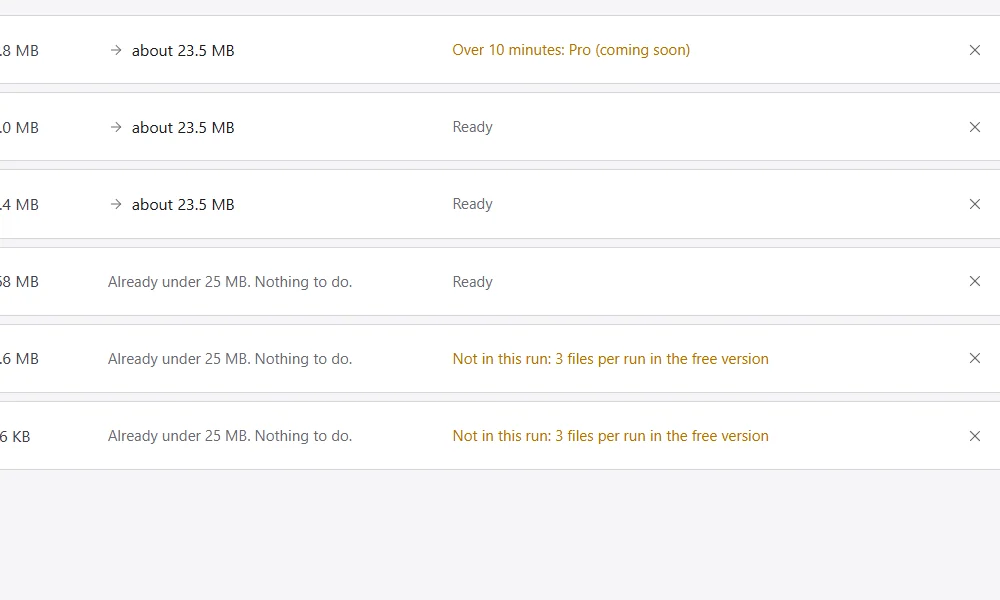
Every video shows an estimate of its new size before you start
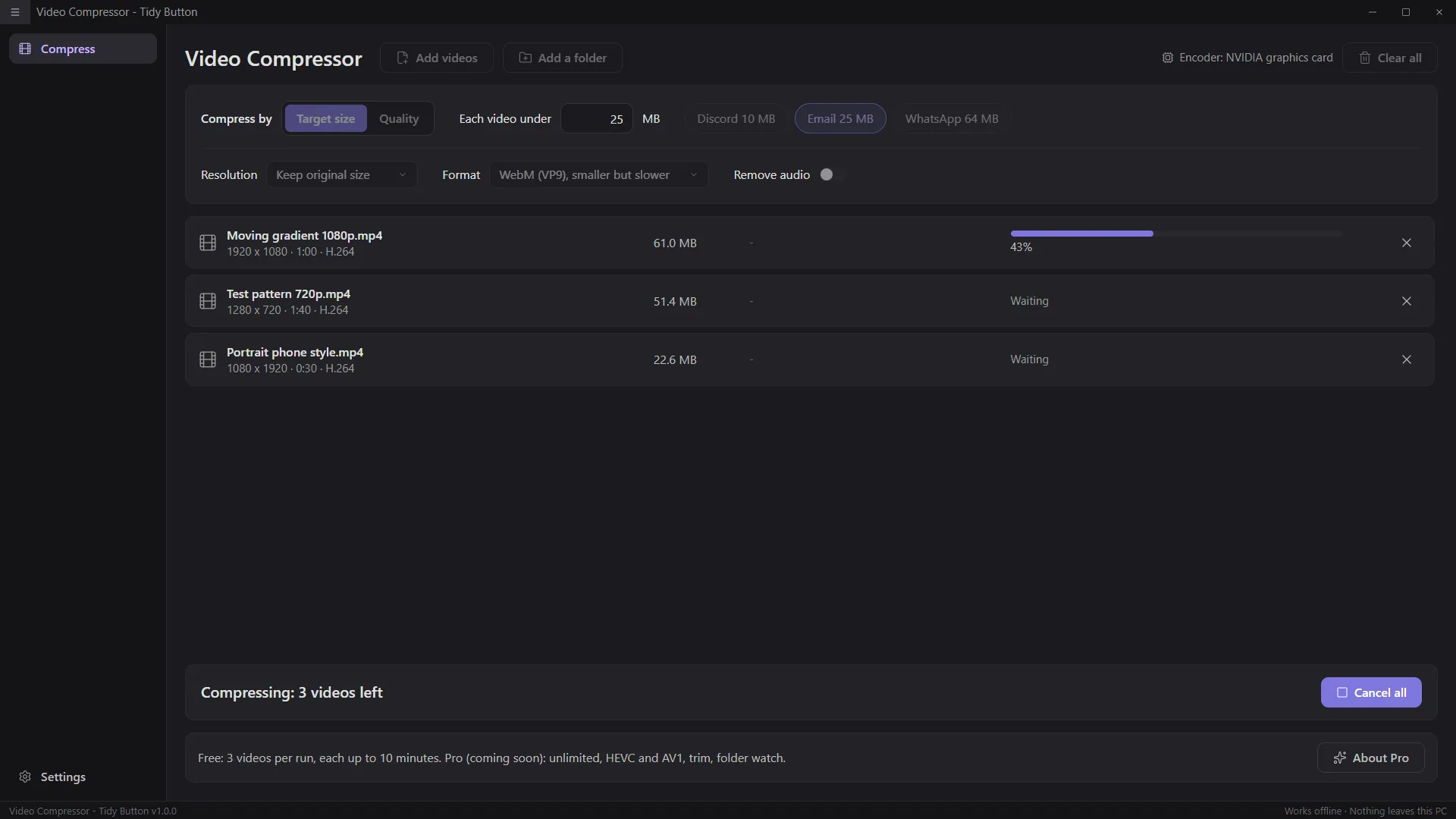
Compressing
A progress bar for every video, with Cancel all at the bottom
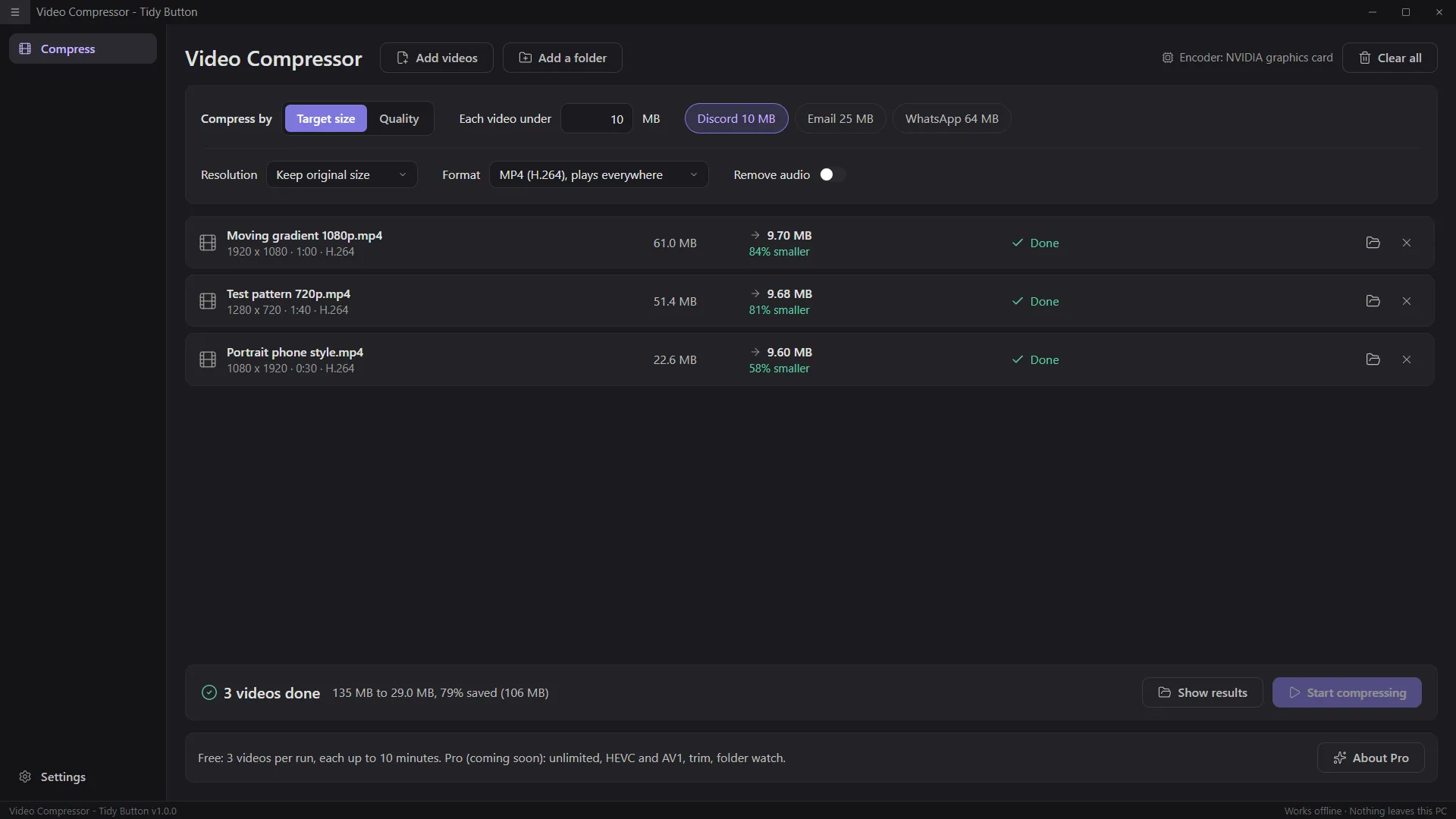
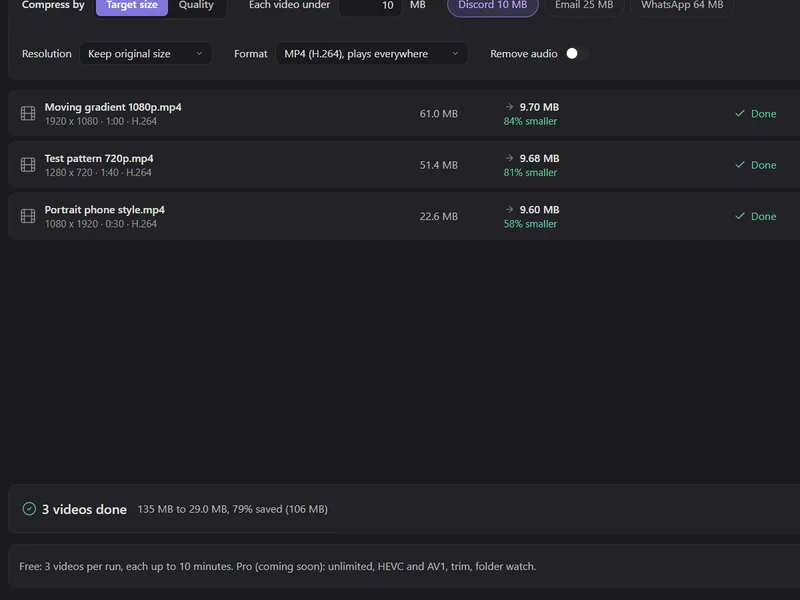
Done
Before and after sizes, and the total saved, when the run finishes
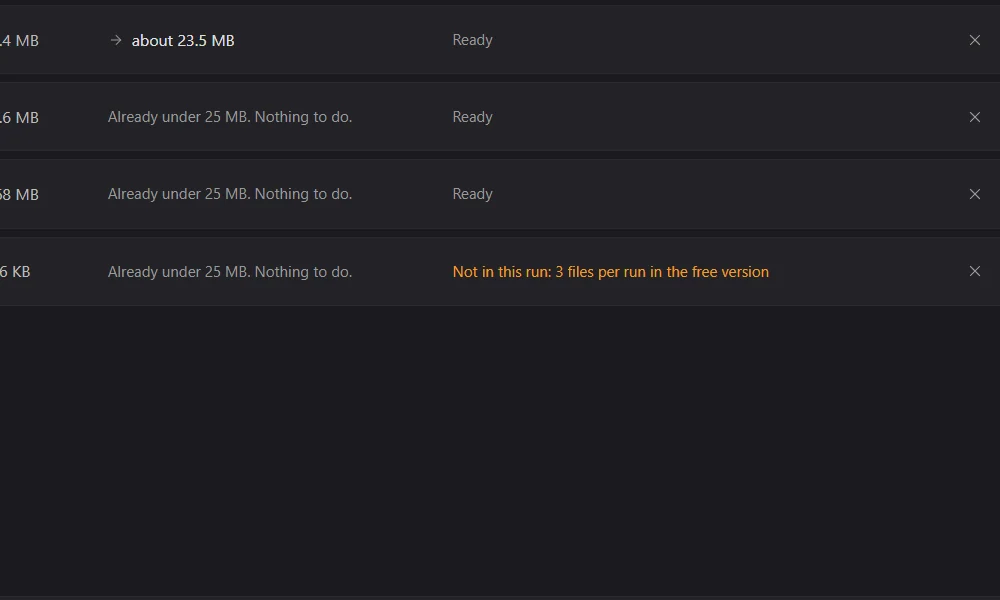
Left alone
Videos already under your size are left alone, with a clear note
Quality
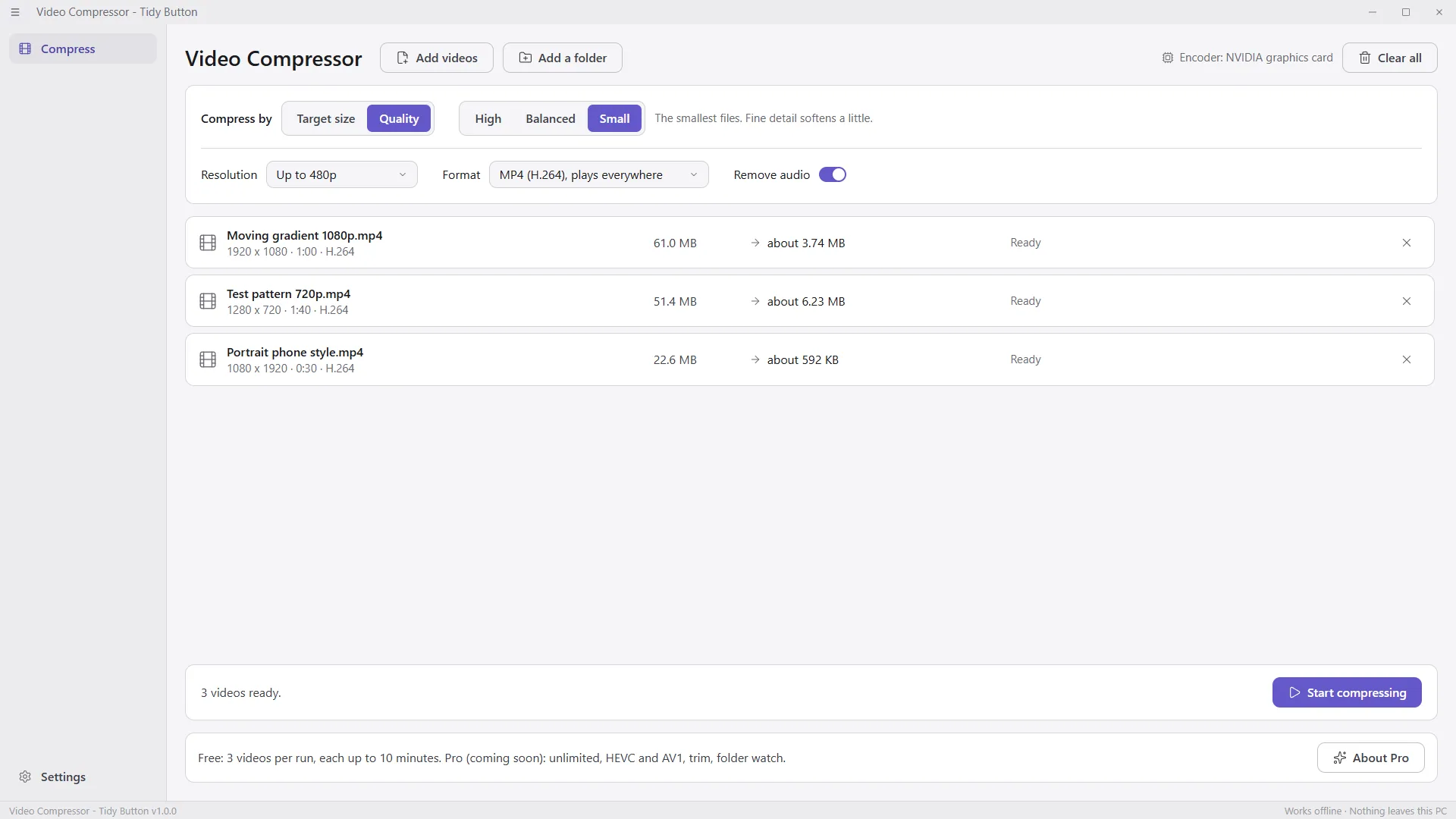
Prefer quality to a size? Pick High, Balanced or Small and cap the picture size
Free limit
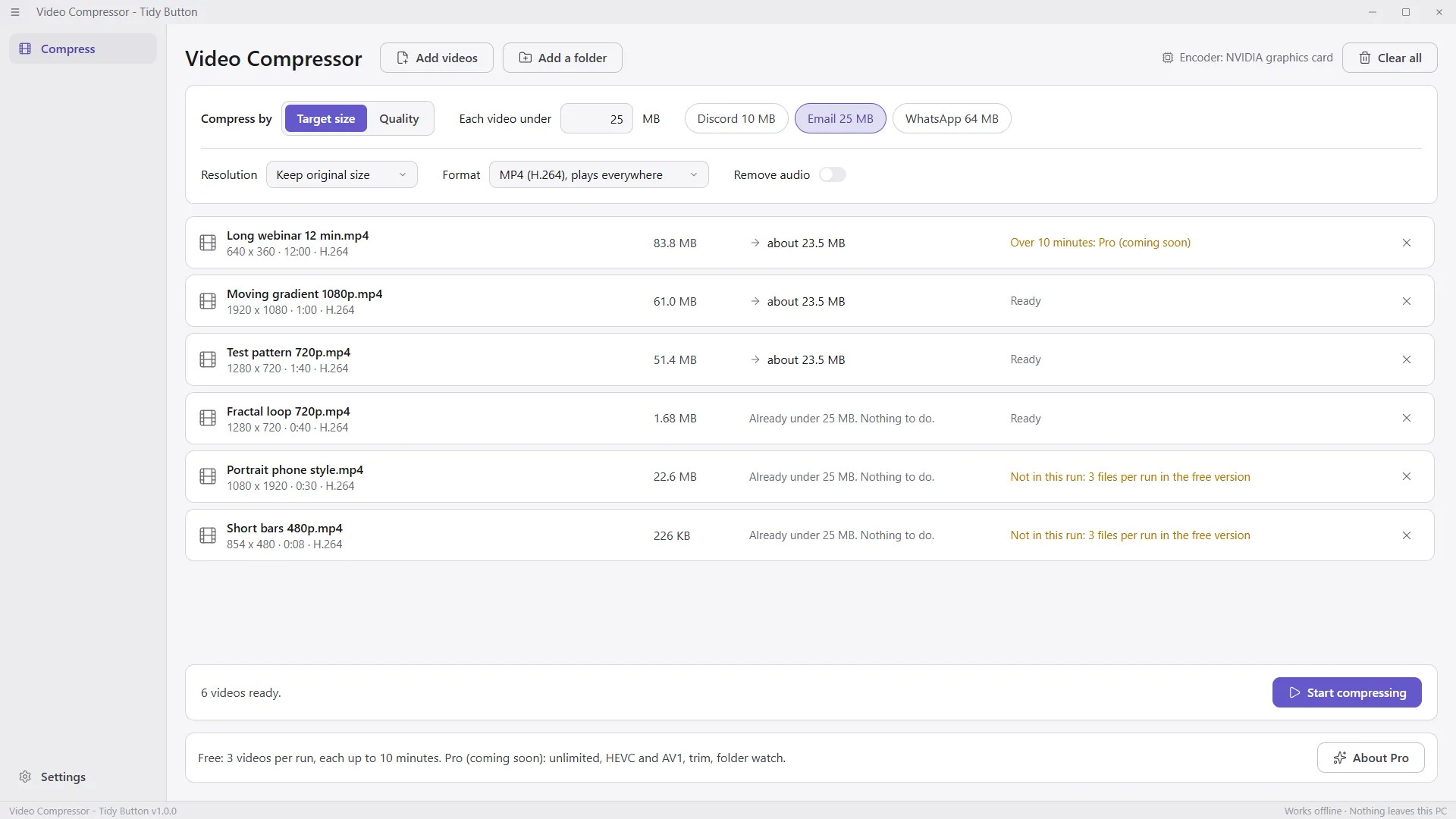
The free version compresses 3 videos per run, each up to 10 minutes
Pro, planned
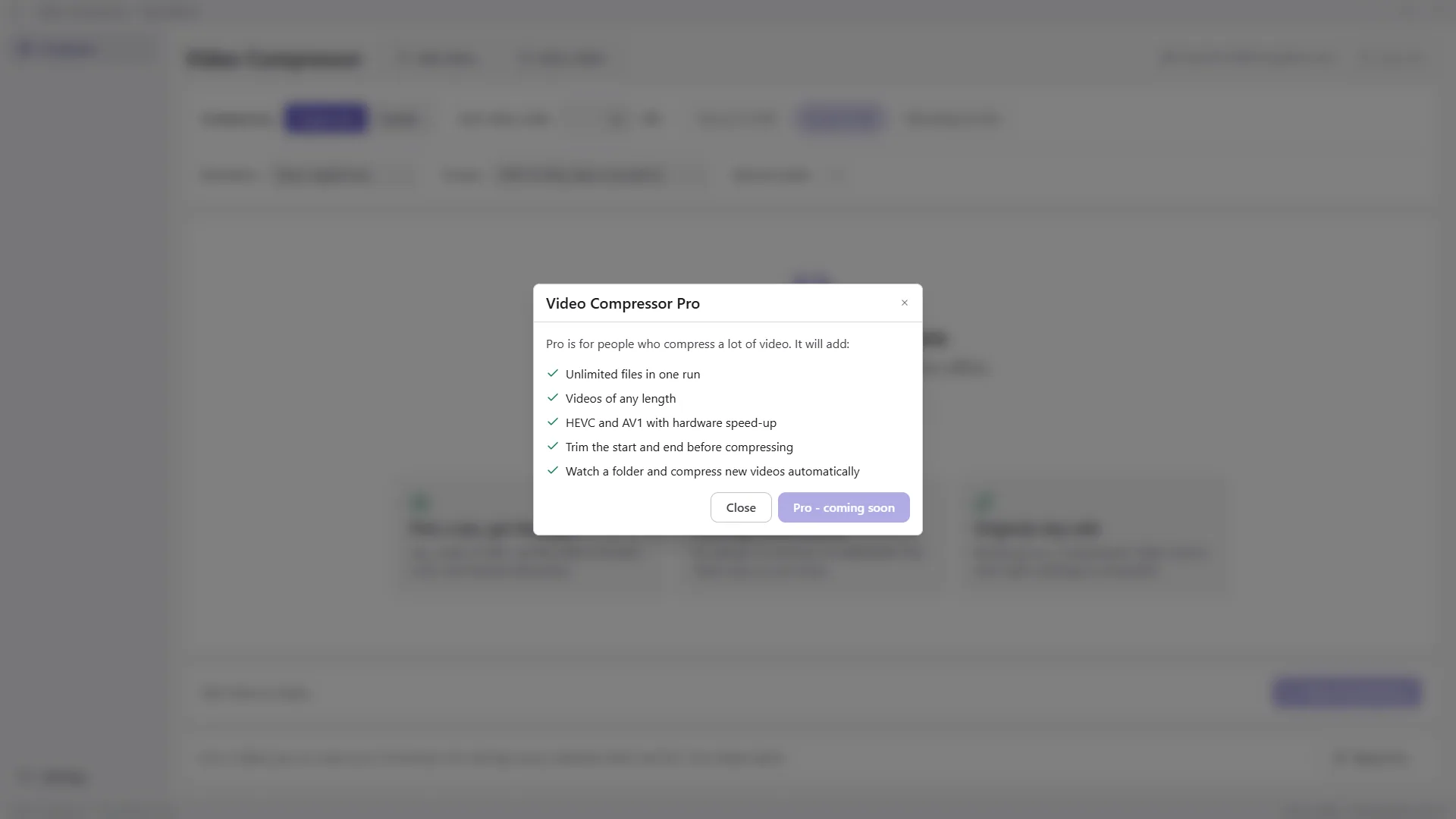
Planned for Pro (coming soon): unlimited videos and length, HEVC and AV1, trimming, a folder watcher
Screens show sample videos, not real ones. The app has light and dark themes.
How it works
Three steps. No manual.
01
Add your videos
Drag videos or a folder onto the window, or use the Add buttons.
02
Pick a size
Type a size or press a preset. Each video shows an estimate before you start.
03
Start and check
Watch the progress, then see the sizes before and after. Results are in a compressed folder.
What it does
What it does.
Add videos or a whole folder, pick a size, and press Start. The app works out how much picture each second can have, compresses the video, then checks the result. If it landed a little over, it tries once more at a lower setting. Everything runs on your PC. The video engine is part of the app, so it works with the internet turned off.
Pick a size, get that size
Type any size, or press the presets for 10 MB, 25 MB and 64 MB. The result is checked after compressing.
Stays sharp at small sizes
If the picture would turn blocky at the size you chose, the app makes the picture a step smaller instead, so it stays sharp.
Videos or a whole folder
Reads MP4, MOV, MKV, AVI and WebM. Drag them onto the window or use the Add buttons.
Estimate before you start
Each video shows its picture size, length, size on disk and an estimate of the result.
Quality mode too
Prefer quality to a size? Pick High, Balanced or Small, cap the picture at 1080p, 720p or 480p, or remove the audio.
MP4 or WebM out
Save as MP4 (H.264) or WebM (VP9). If no MP4 encoder works on your PC, WebM is built in.
Progress and Cancel
A progress bar and time left for every video. Cancel one video or all of them.
Before and after summary
See the old and new sizes and the percentage saved when a run finishes.
The small print, in plain English
Safe by design.
A video already under your size is left alone, with a clear note.
Anything beyond the free limits is marked, so there are no surprises.
Nothing is uploaded. The video engine is part of the app and runs on your PC.
Your originals are never changed. Results go to a compressed folder next to each original.
Nothing is ever overwritten. A taken name gets a number added.
The free version compresses 3 videos per run, each up to 10 minutes, and marks anything beyond that.
Works offline. No account. No ads. No tracking. No watermark.
What it does to a video
Smaller file, same video.
Choose a size or a quality, and the app does the sums.
Quality, resolution and audio are yours to set.
Videos in
Five formats
MP4, MOV, MKV, AVI and WebM.
Videos out
Your choice
MP4 (H.264) or WebM (VP9).
Target size
Any size you like
Type a size or use the 10, 25 and 64 MB presets. These are sizes, not promises about what any service accepts.
Quality
Three levels
High, Balanced or Small, if you prefer that to a size.
Resolution
Optional cap
Cap the picture at 1080p, 720p or 480p. The shape of the picture is kept.
Audio
Remove audio
One switch removes the sound.
The app uses your graphics card to encode when it can (NVIDIA, Intel or AMD), or the Windows video encoder otherwise. It tests them when it starts and picks the best one that works on your PC.
Good for
Handy when the file is too big.
Getting a clip under an email or chat upload limit
Shrinking a folder of phone videos
Tidying screen recordings
Videos you would rather not upload to a website
Questions
Plain answers.
Is anything uploaded?
No. The video engine is part of the app, it makes no network calls and it works with the internet turned off.
Does it change my original videos?
No. Results go to a folder named compressed next to each original. Nothing is overwritten and the originals stay where they are.
What videos can I add?
MP4, MOV, MKV, AVI and WebM. You can add single videos or a whole folder.
What if my video is already small?
A video that is already under your size is left alone, with a clear note, so nothing is compressed for no reason.
What if the picture would look blocky?
At a very small size the app makes the picture a step smaller instead, so it stays sharp.
Is there a limit in the free version?
The free version compresses 3 videos per run, each up to 10 minutes, and marks anything beyond that. A Pro add-on is planned (coming soon) for unlimited videos and length, HEVC and AV1 with hardware speed-up, trimming and a folder watcher.
Does it need an account?
No. There is no account, no ads, no tracking and no watermark.