We will link the Store listing here the day it is live. Until then there is nothing to download.
Real app, with a made-up garage.
Works offline
No account, no ads, no tracking
Records stay on your PC
Free for one vehicle
See it
Eight views. One garage, open.
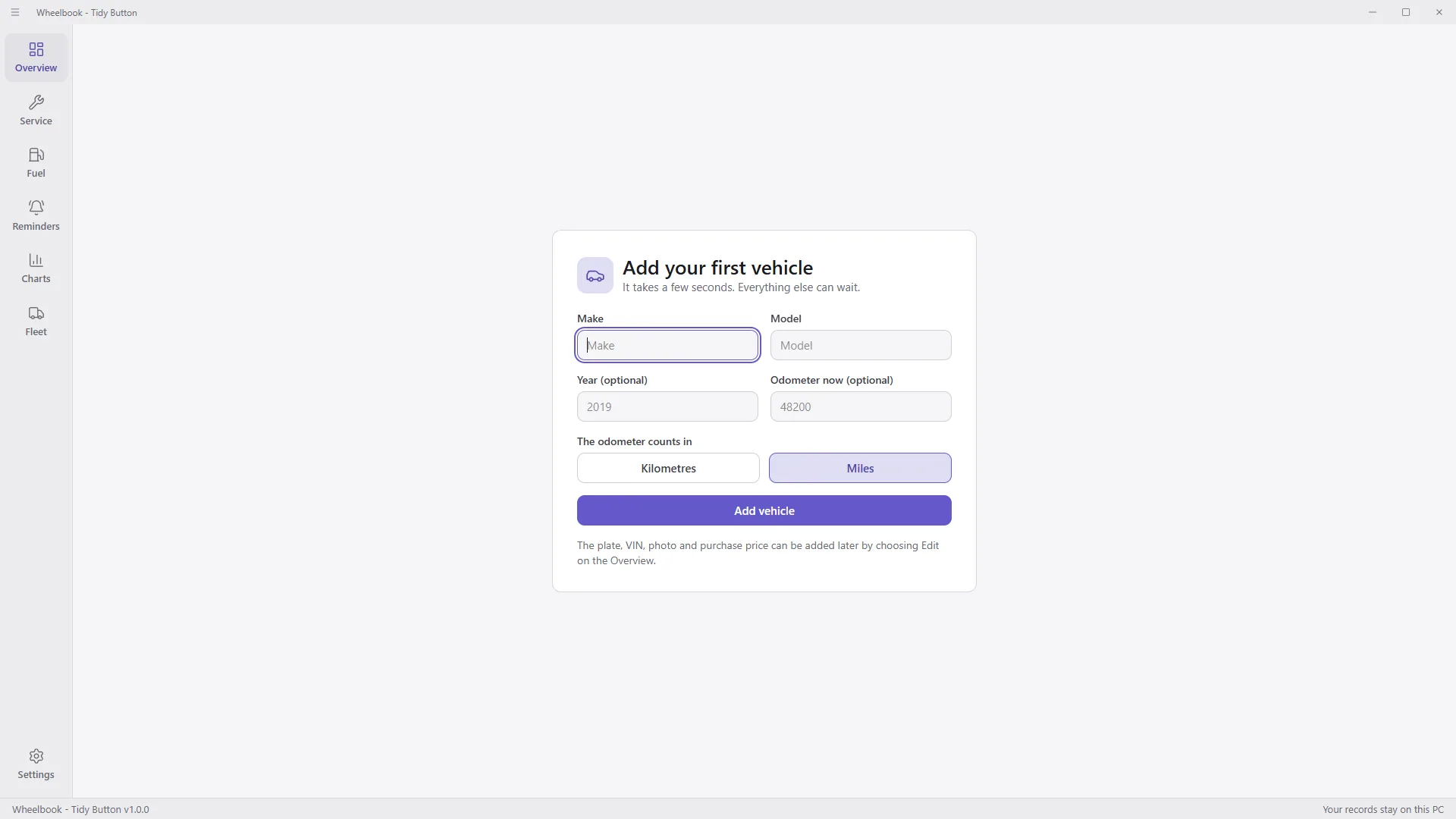
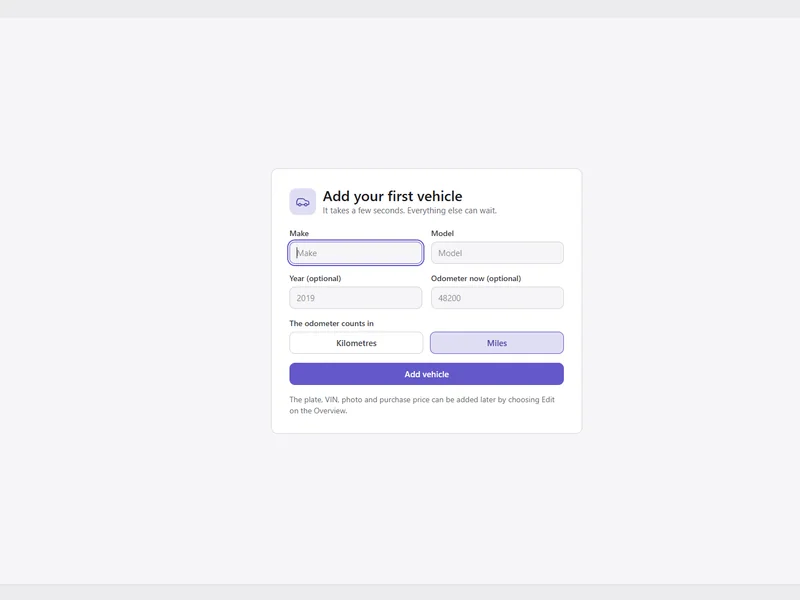
First vehicle
Add your first vehicle with four boxes and one button
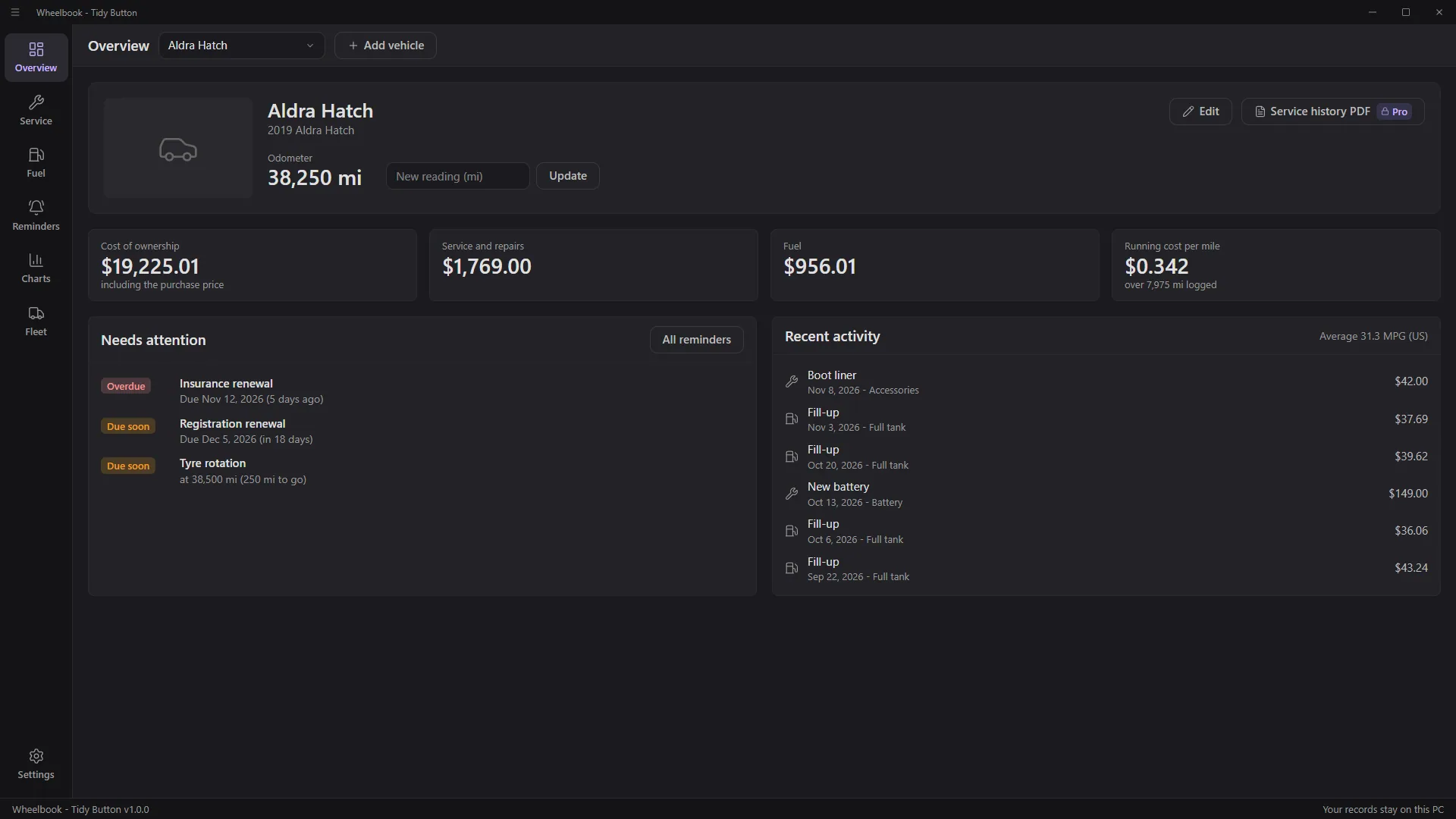
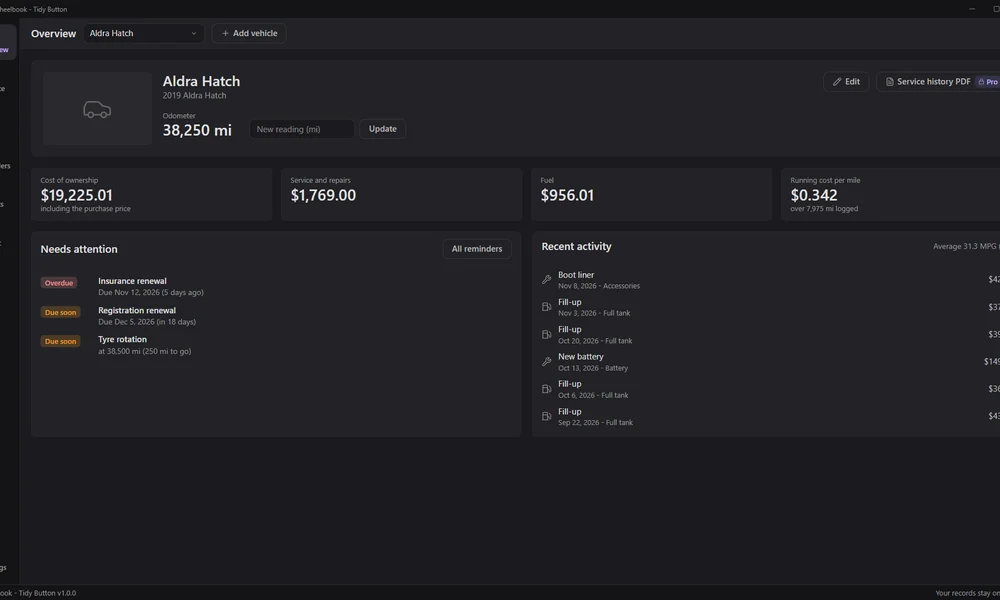
Overview
The odometer, what you have spent, and the reminders that need attention
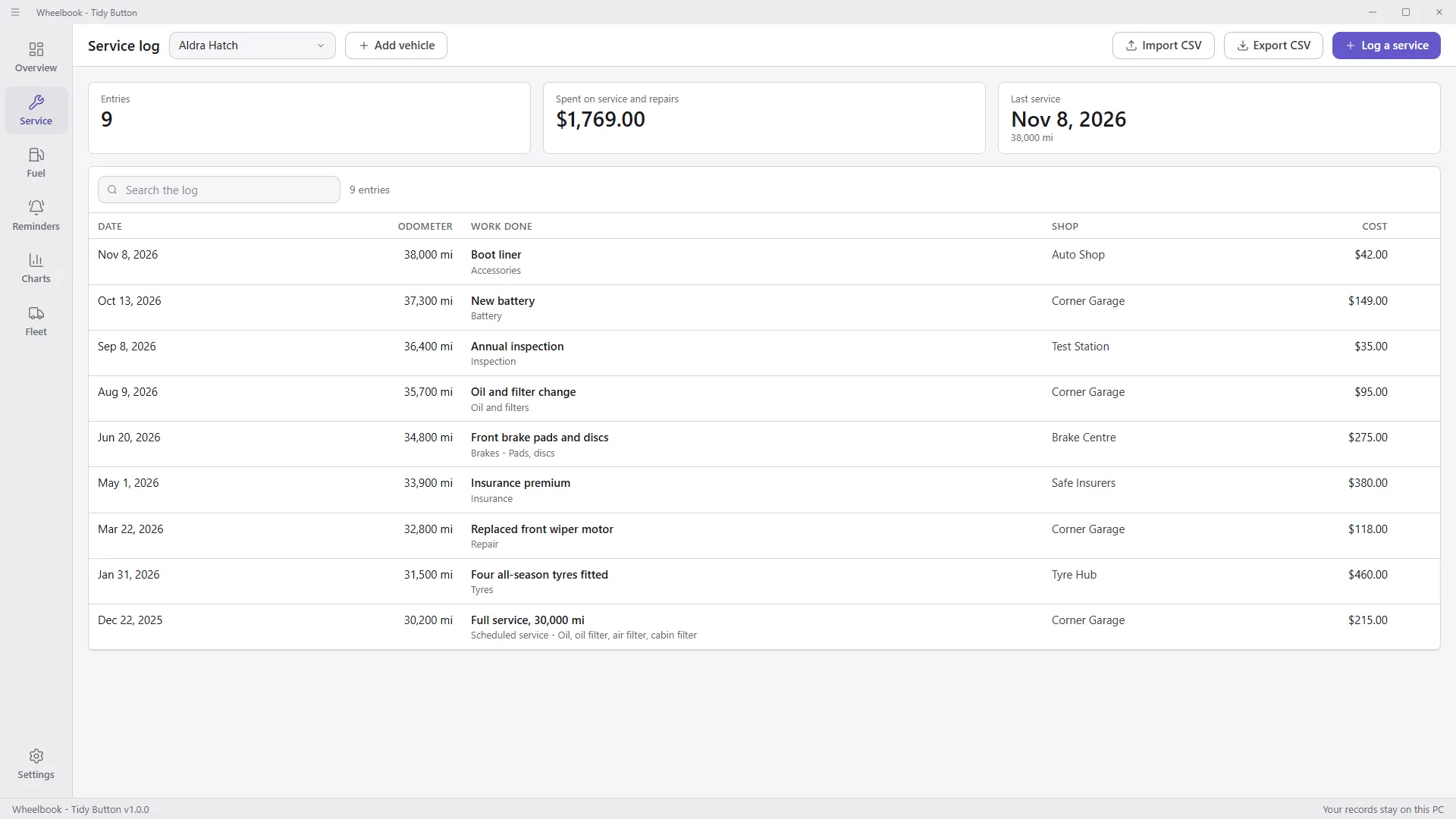
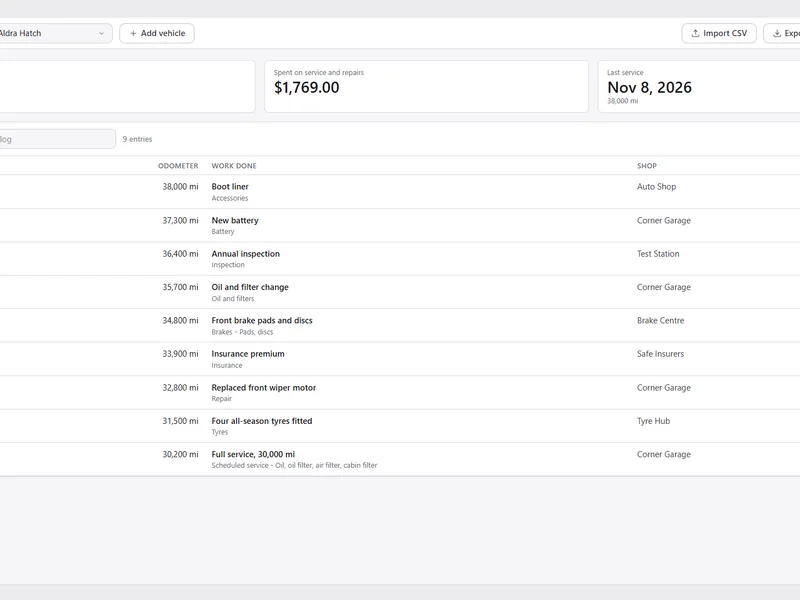
Service log
Every service and repair in one searchable log
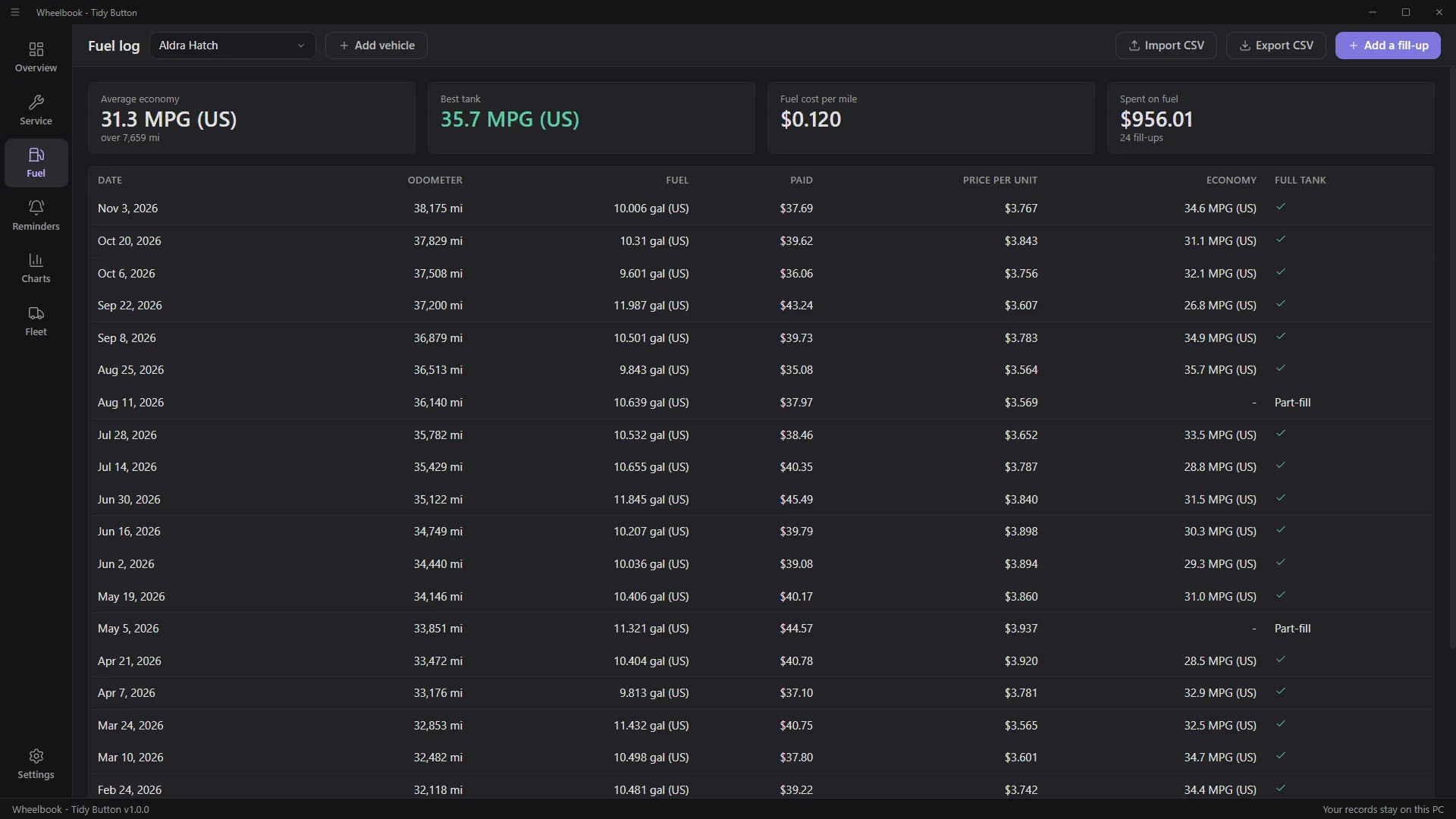
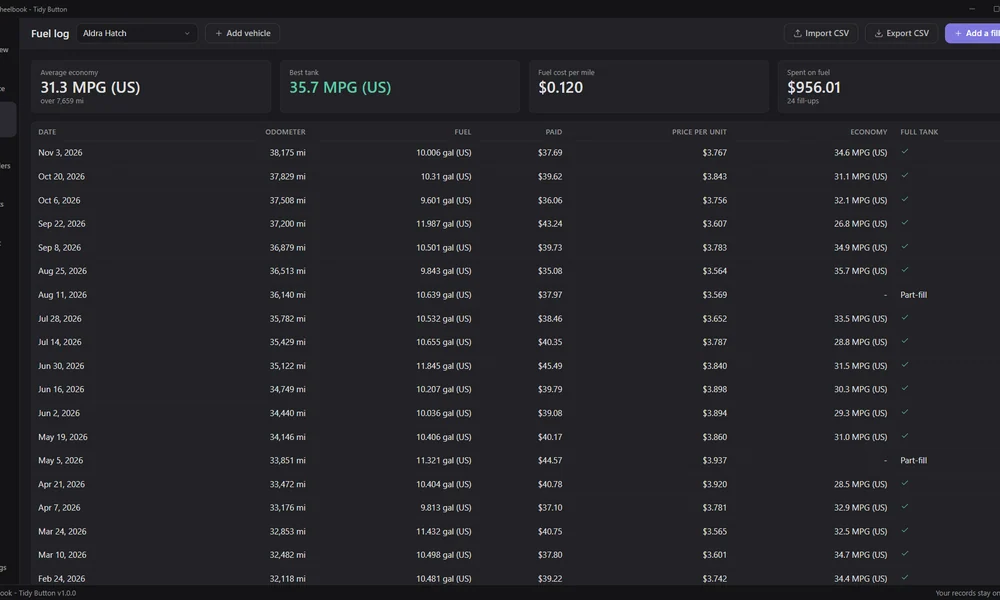
Fuel economy
Fuel economy worked out between full tanks
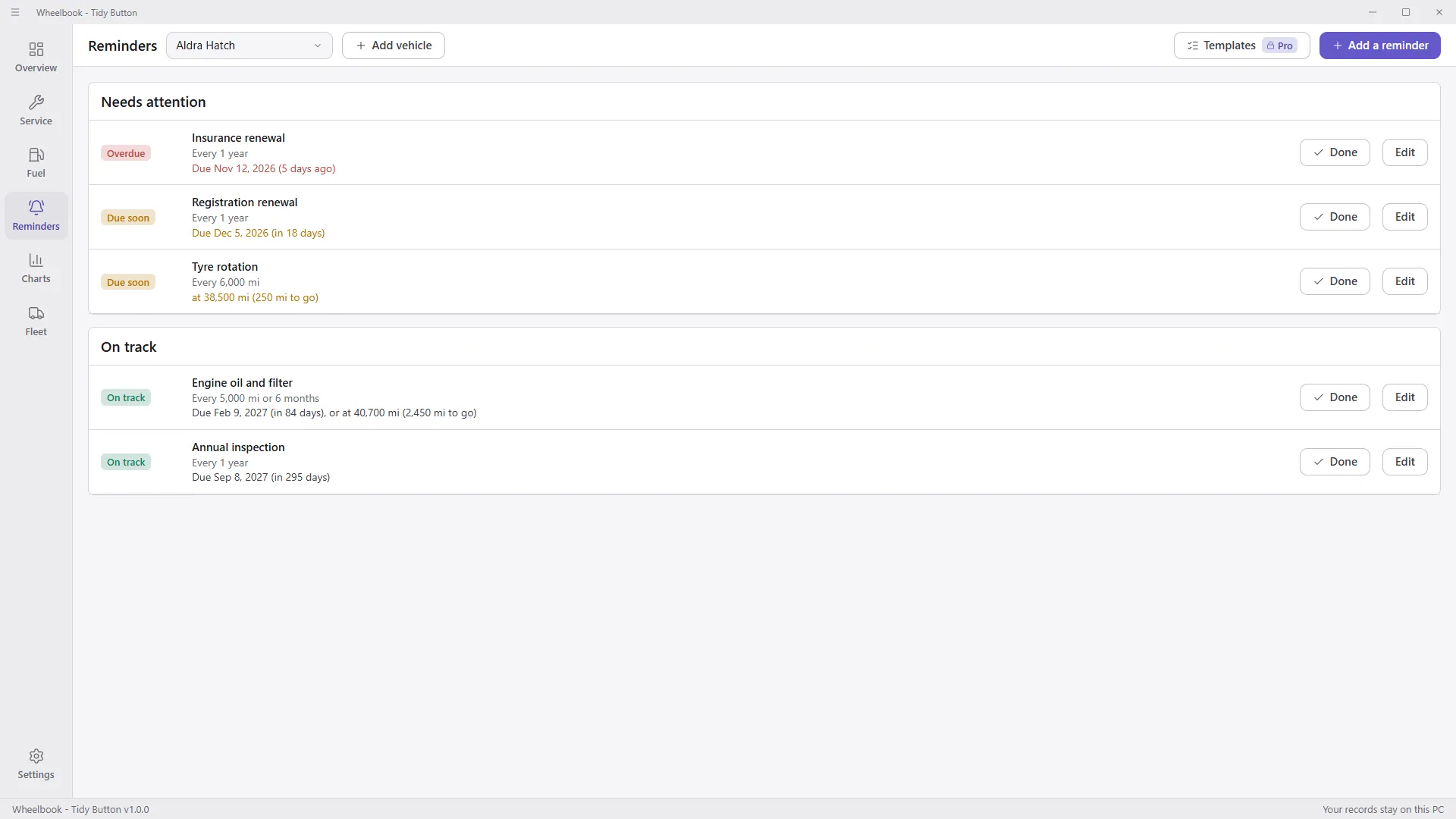
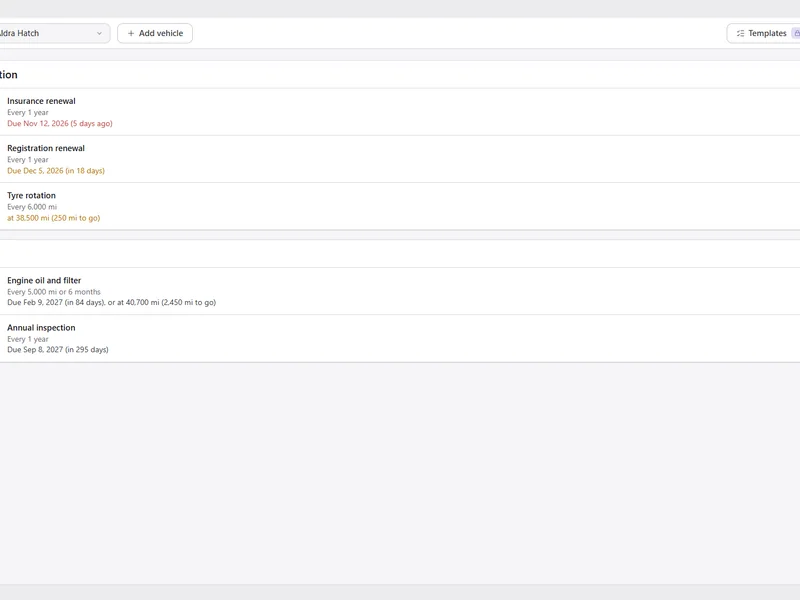
Reminders
Reminders fall due by date or by distance, whichever comes first
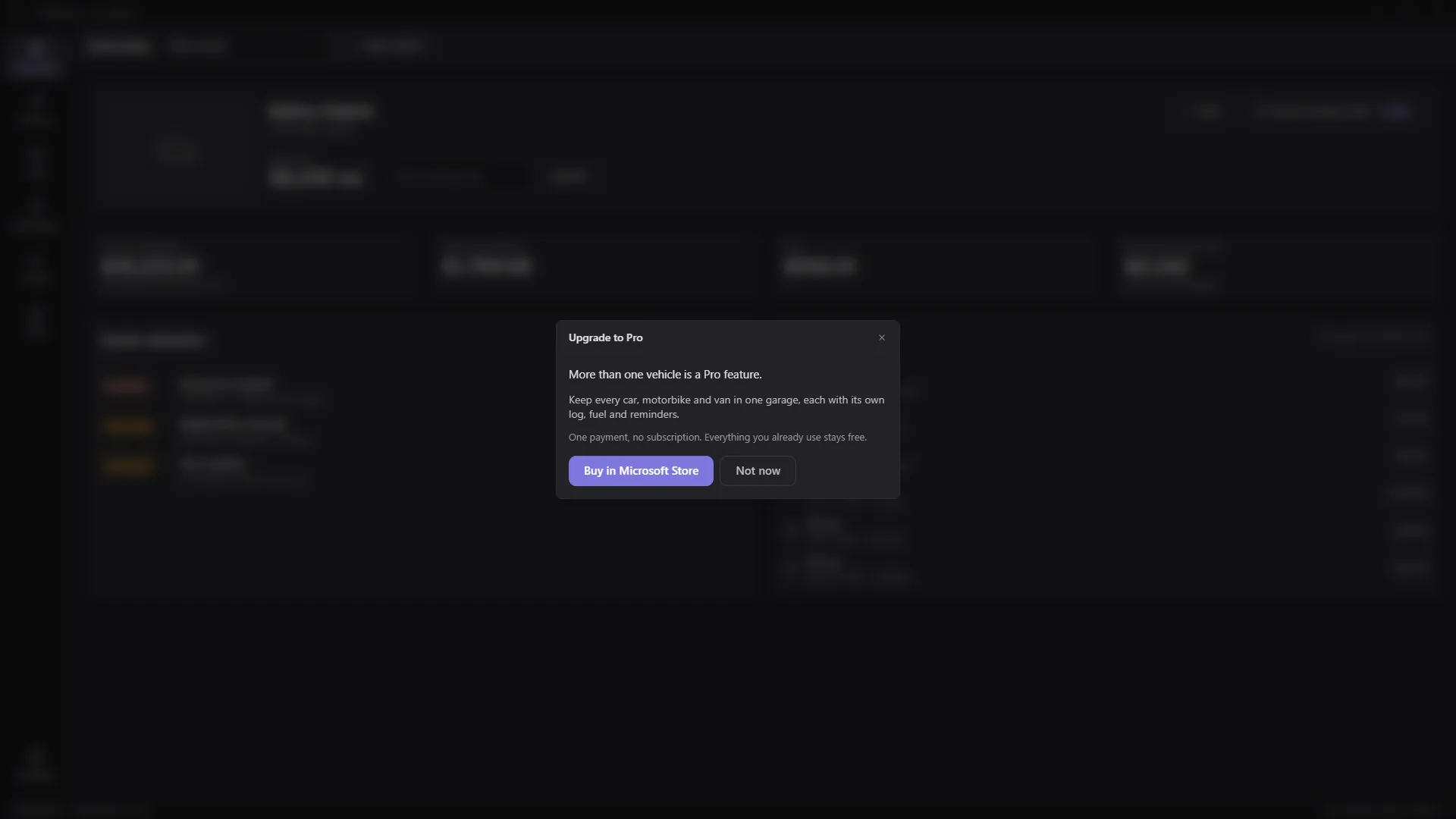
Free limit
One vehicle is free. Pro is a single payment and adds more vehicles
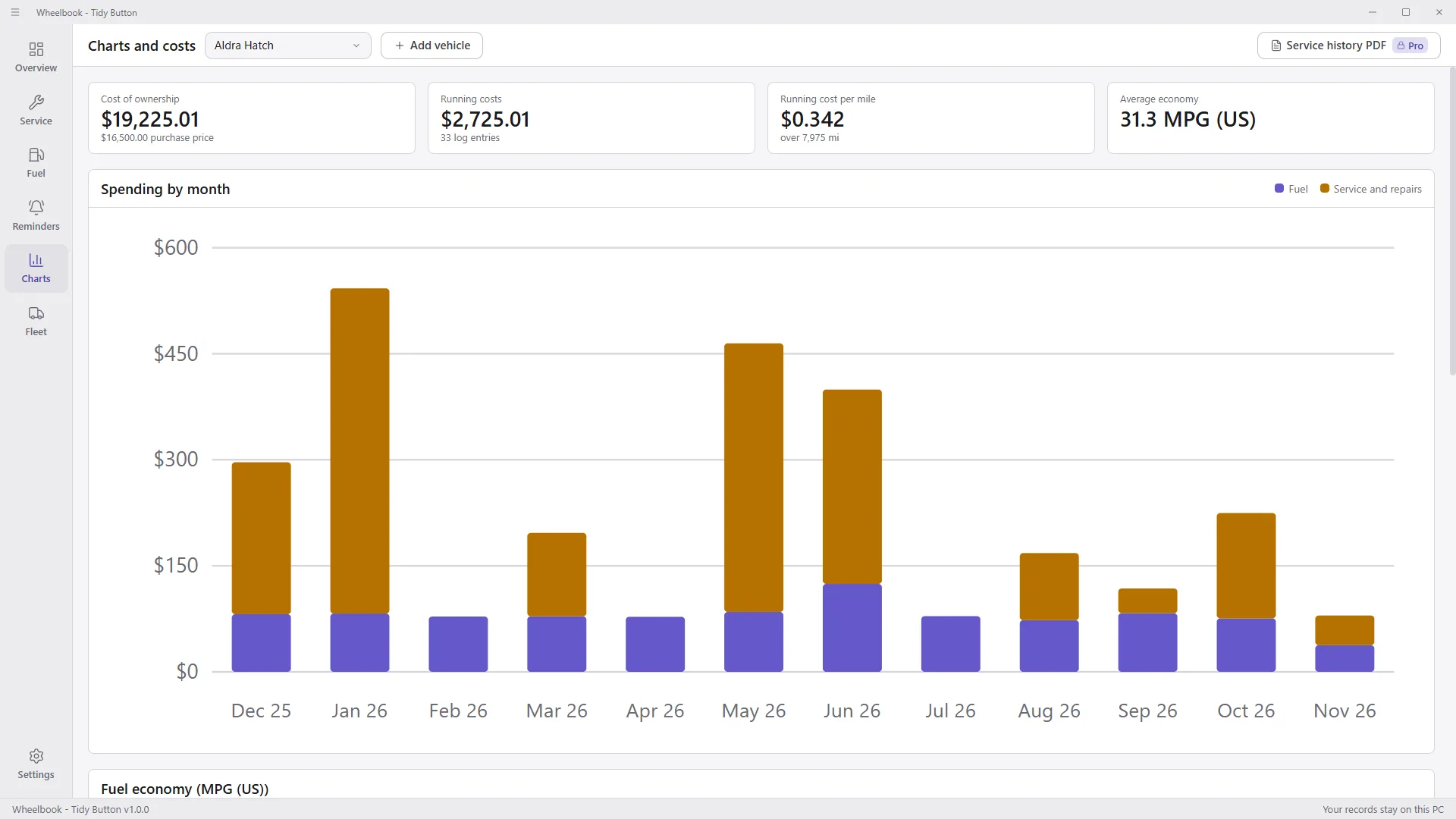
Charts
Pro: charts of monthly spending, fuel economy and where the money went
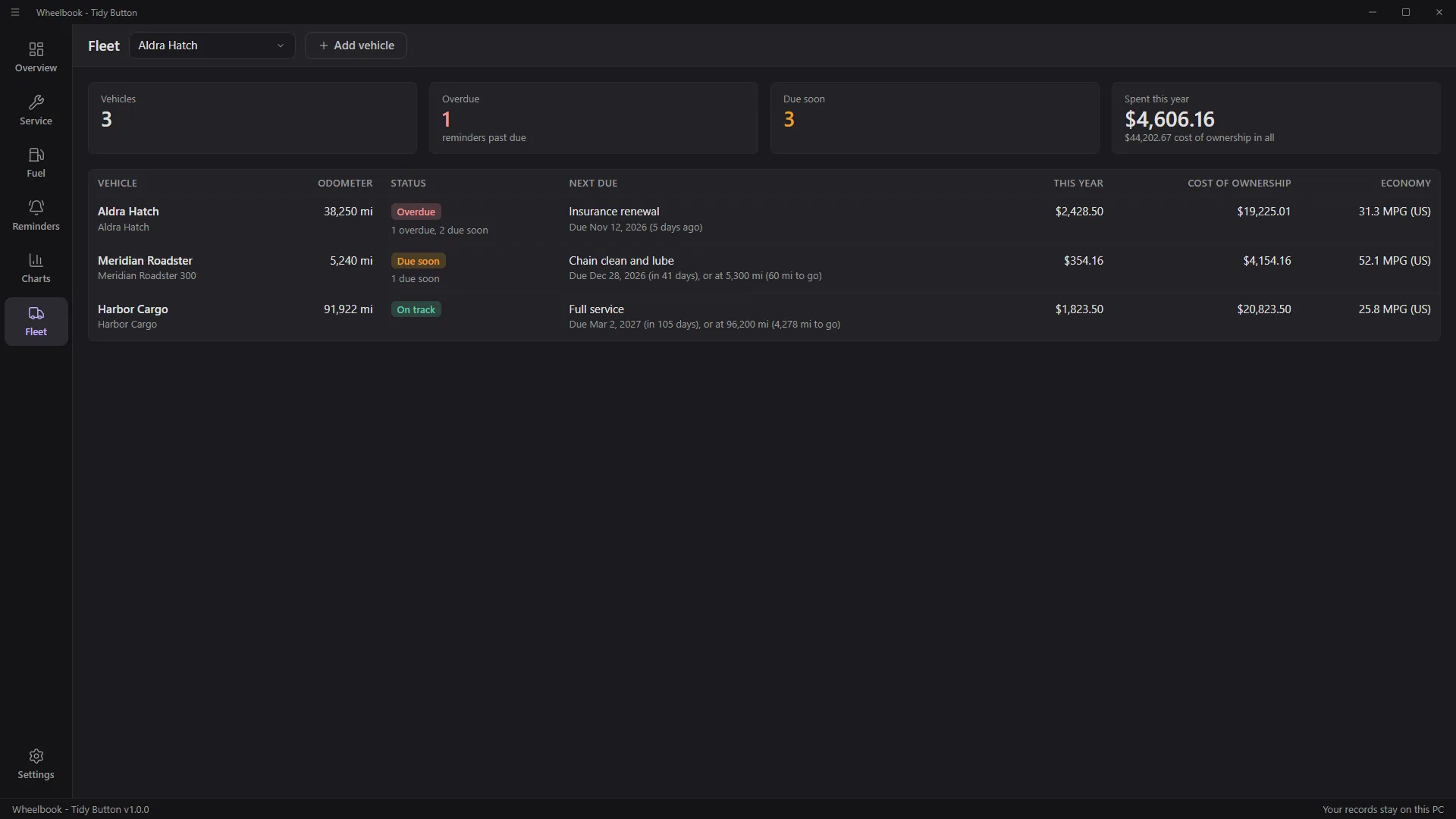
Fleet
Pro: every vehicle, what is due and what each one costs
Screens show made-up vehicles and made-up numbers. The app has light and dark themes.
How it works
Three steps. No manual.
01
Add your vehicle
Type the make, model, year and odometer, choose kilometres or miles, and press Add vehicle.
02
Log services and fill-ups
Record each job with its date, mileage, shop and cost, and each fill-up with its volume and price.
03
Let reminders watch the dates
Set what is due by date, by distance or both. Press Done and the clocks restart.
What it does
What it does.
Wheelbook keeps the whole story of a vehicle in one place: every service and repair, every fill-up, and what is coming due next. Add your first vehicle with four boxes and one button, then log jobs and fill-ups as they happen. Your records are saved on your own PC, and a copy is made every week in a folder called Wheelbook inside Documents, so an uninstall never has to mean losing your history.
Service log
Record the date, odometer, type of work, shop, parts, notes and cost of every job. Search the log and see what you have spent on service and repairs.
Fuel economy that adds up
Log each fill-up and whether the tank was full. Economy is worked out between full tanks, with part-fills counted, and shown as L/100 km, km/L, MPG (US) or MPG (UK).
Reminders by date or distance
Set a reminder such as every 5,000 miles or 6 months. It falls due on whichever comes first. Insurance, registration and inspection use a fixed due date.
Cost of ownership
See the purchase price, service and fuel together, plus your running cost per mile or kilometre.
Weekly backup
A copy of your garage is made every week in Documents, and you can restore the newest copy from Settings.
Your units
Kilometres or miles, litres or US or UK gallons, your currency, light or dark theme, and comfortable or compact spacing.
Windows notification
One notification when a reminder is overdue or due soon. You can turn it off in Settings.
Pro tools
An optional one-time Pro add-on adds more than one vehicle, receipt attachments, charts and cost reports, a printable PDF service history, CSV import and export, reminder templates and a fleet view.
The small print, in plain English
Safe by design.
Your records stay on your PC. The status bar says so on every screen.
Economy is worked out on your PC from the fill-ups you log.
Your records stay on your PC. Nothing is sent to a server.
No account, no cloud, no ads and no tracking.
One vehicle is free with the full service log, fuel log, reminders and weekly backup, with no time limit.
Pro is optional and one payment, with no subscription. Everything free stays free.
Works offline.
How it works out the numbers
Your units, your numbers.
Choose how your vehicle counts, and the log follows.
Economy between full tanks, with part-fills counted in the interval.
Economy
Between full tanks
Worked out between full tanks, with part-fills counted in the interval. Shown as L/100 km, km/L, MPG (US) or MPG (UK).
Reminders
Date or distance
Every 5,000 miles or 6 months falls due on whichever comes first. Insurance, registration and inspection use a fixed date.
Done
Clocks restart
Mark a reminder as done and both clocks restart, with the job added to your service log.
Cost of ownership
All in one figure
Purchase price plus service and fuel, with a running cost per mile or kilometre.
Backup
Weekly, automatic
A copy of your garage is made in Documents every week. Restore the newest copy from Settings.
Units
Per vehicle
Kilometres or miles, litres or US or UK gallons, set for each vehicle.
Everything on this page works without an internet connection.
Good for
Handy when you ask what was done.
Keeping the service history of the family car
Knowing what your motorbike really costs to run
Never missing insurance, registration or an inspection
Showing a buyer a full service history when you sell
A small fleet of cars, bikes and vans
Questions
Plain answers.
Where are my records saved?
On your own PC. Nothing is sent to a server. A copy is also made every week in a folder called Wheelbook inside your Documents folder, and you can restore the newest copy from Settings.
What happens if I uninstall the app?
The app's own data folder is removed by a Store uninstall, but the weekly copy in Documents stays where it is, so you can restore your history after a reinstall.
How is fuel economy worked out?
Between full tanks. Fill-ups that were not full are counted in the interval to the next full tank. You can see it as L/100 km, km/L, MPG (US) or MPG (UK).
How do reminders work?
Set a distance, a time, or both. A reminder such as every 5,000 miles or 6 months falls due on whichever comes first. Insurance, registration and inspection reminders use a fixed due date. Windows can notify you when one is overdue or due soon.
How many vehicles can I keep for free?
One, with the full service log, fuel log with economy, reminders, cost totals, vehicle photo and the weekly backup, and no time limit. More vehicles are part of the optional Pro add-on.
What does Pro add?
One payment, no subscription. More than one vehicle, receipt attachments, charts and cost reports, a printable PDF service history, CSV import and export, reminder templates and a fleet view.
Does it need an account or an internet connection?
Neither. There is no account, no ads and no tracking. The only network use is the optional check of a Pro licence.