Coming to the Microsoft Store
Tidy Typing Learn to type. Quietly.
Guided lessons, speed tests and progress on your own PC. Offline, no account, no ads.
Not on sale yet. The app is still being built.
We will link the Store listing here the day it is live. Until then there is nothing to download.
- Works offline
- No account, no ads, no tracking
- Results stay on your PC
- Free
See it
Eight views. One keyboard, learned.
Start
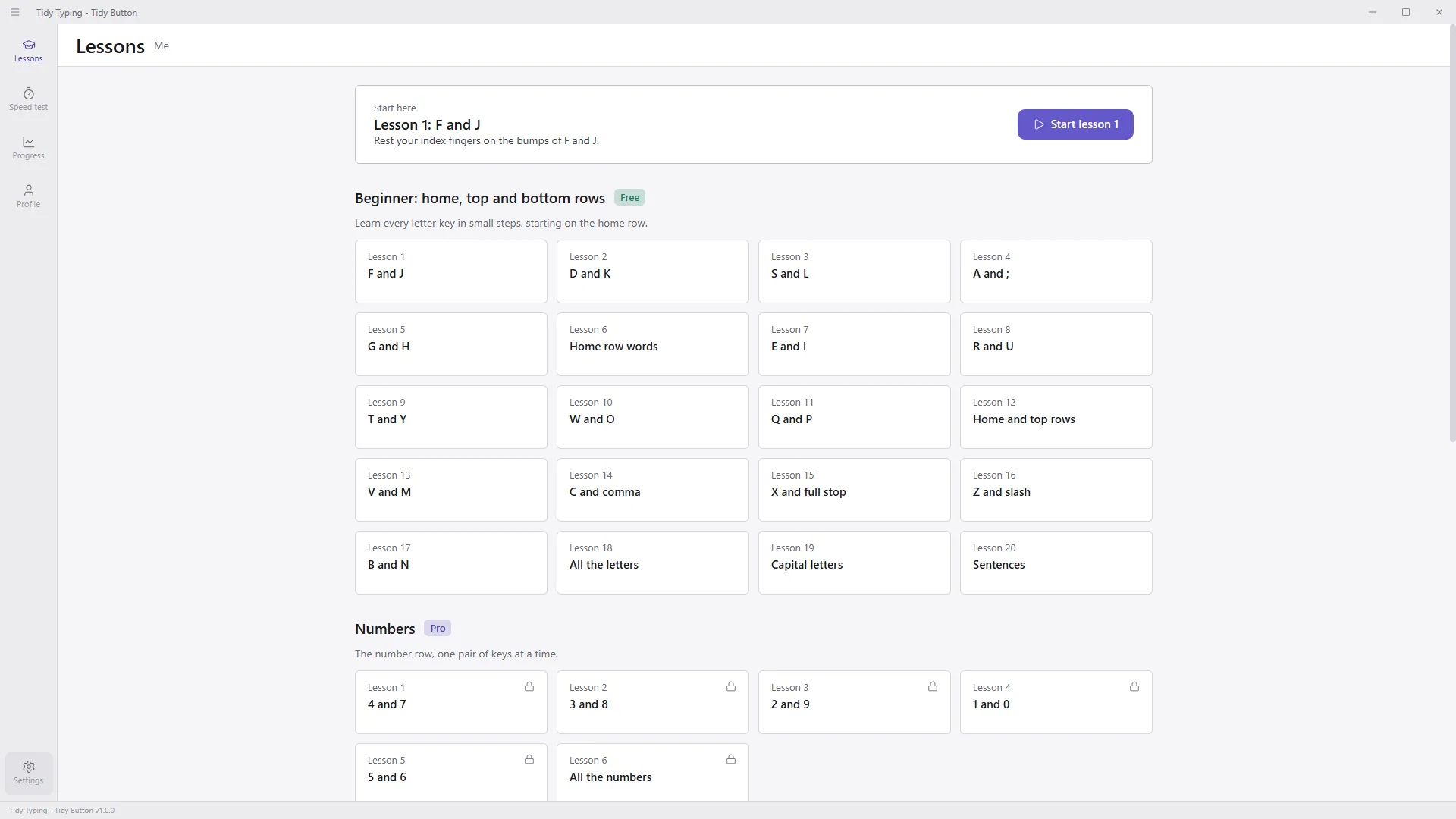
Start with lesson 1, the F and J keys
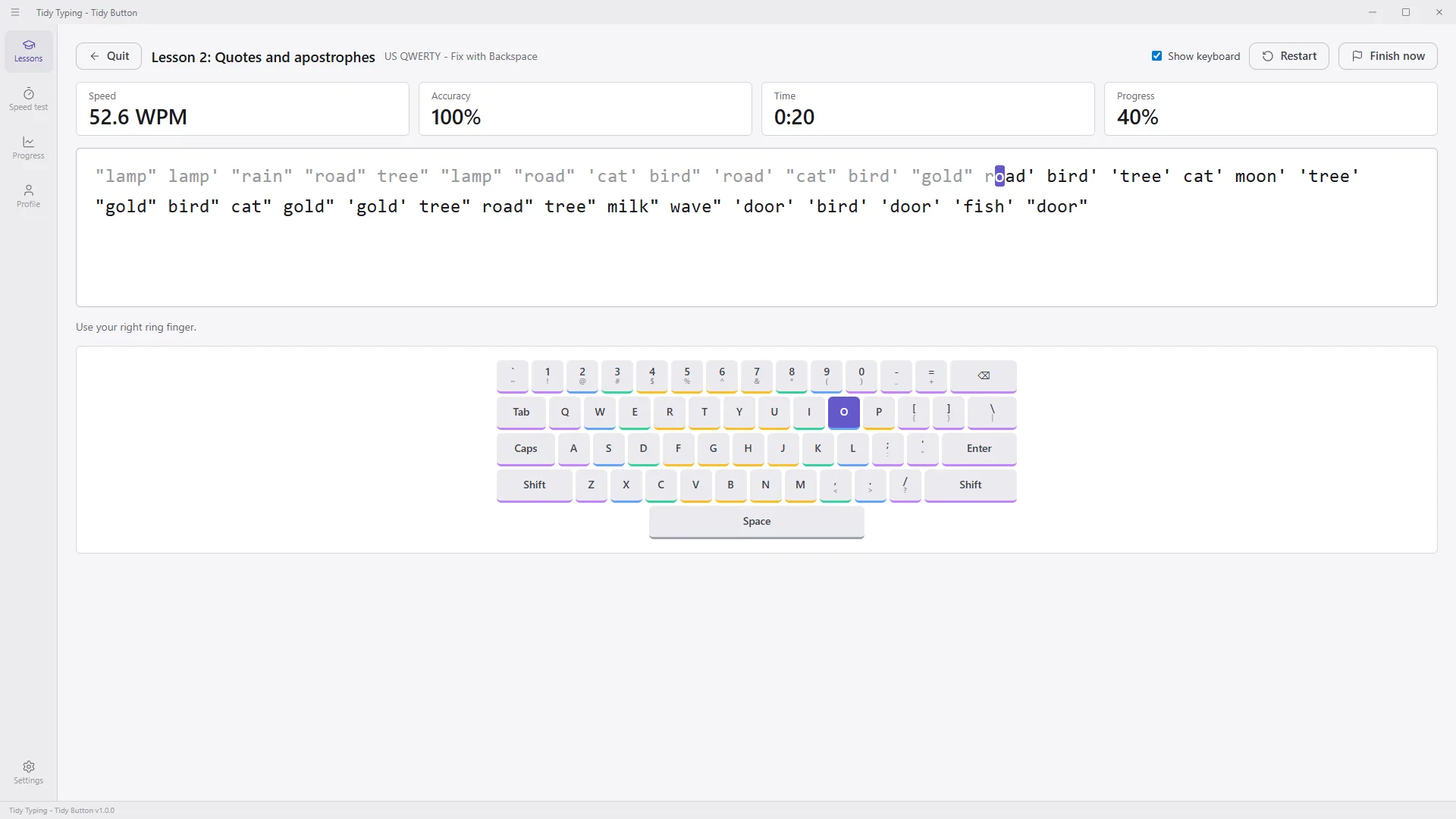
Practice
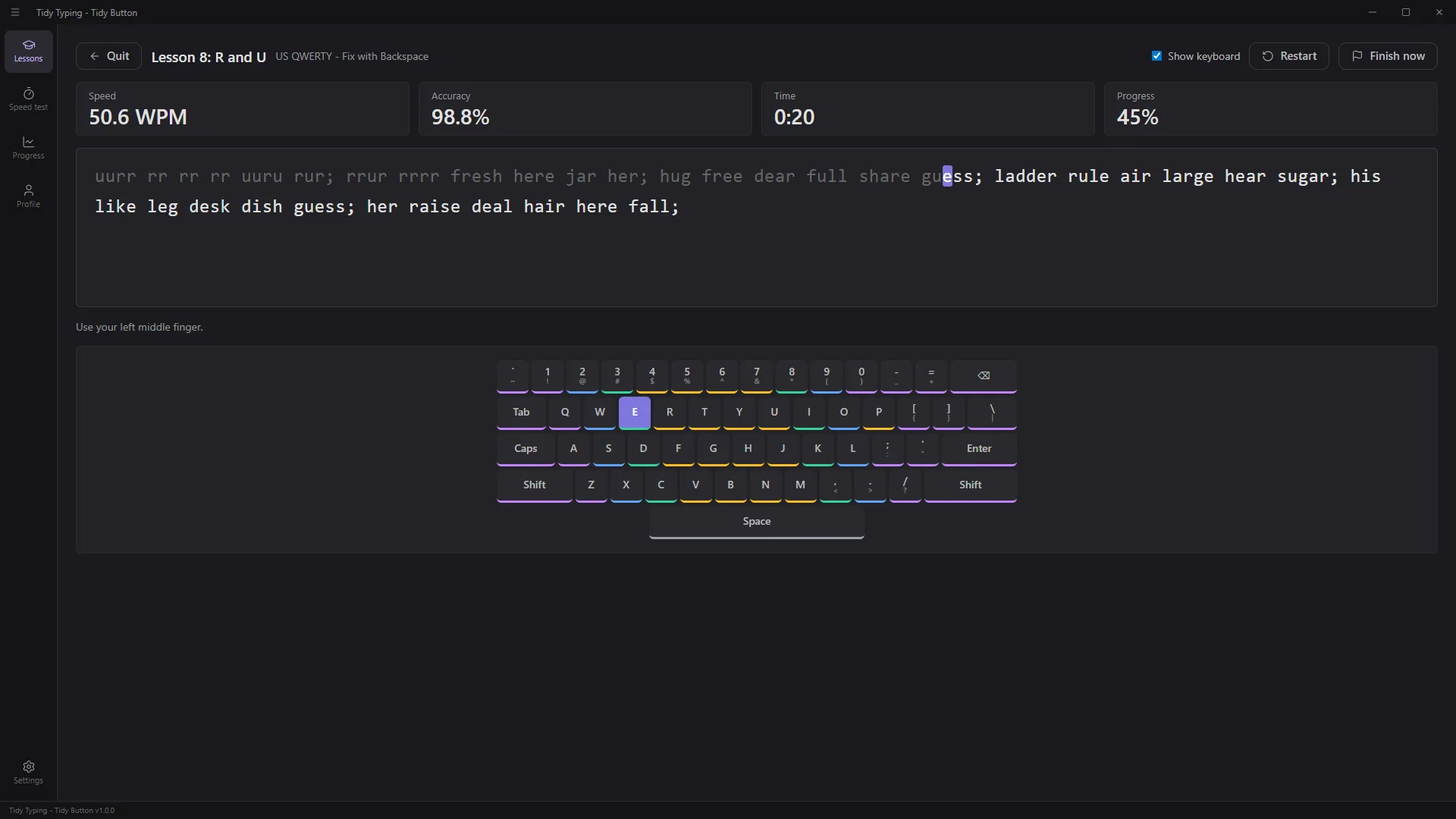
The keyboard lights the next key and names the finger to use
Result
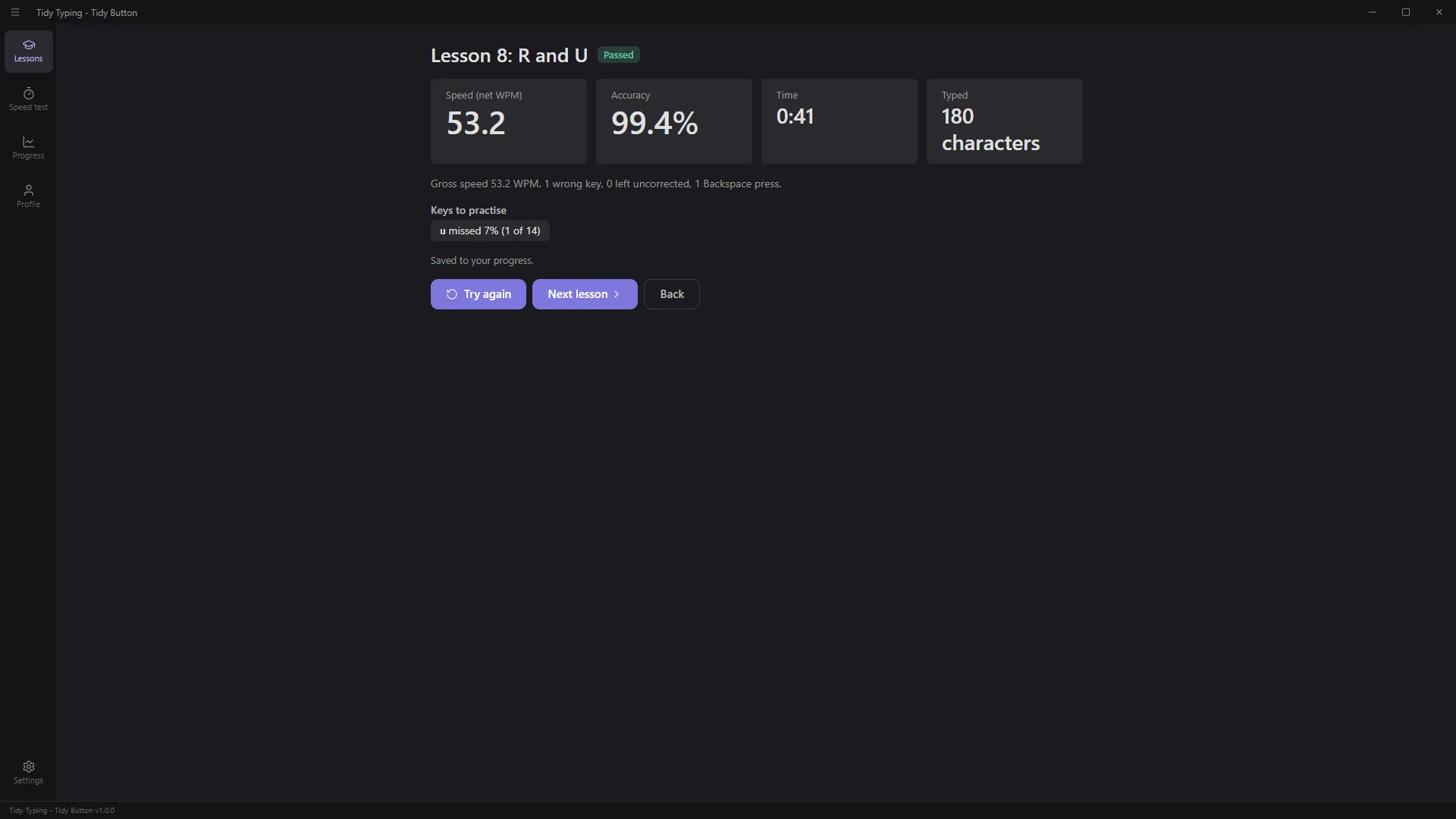
A clear result after each lesson, with the keys to practise
Speed test
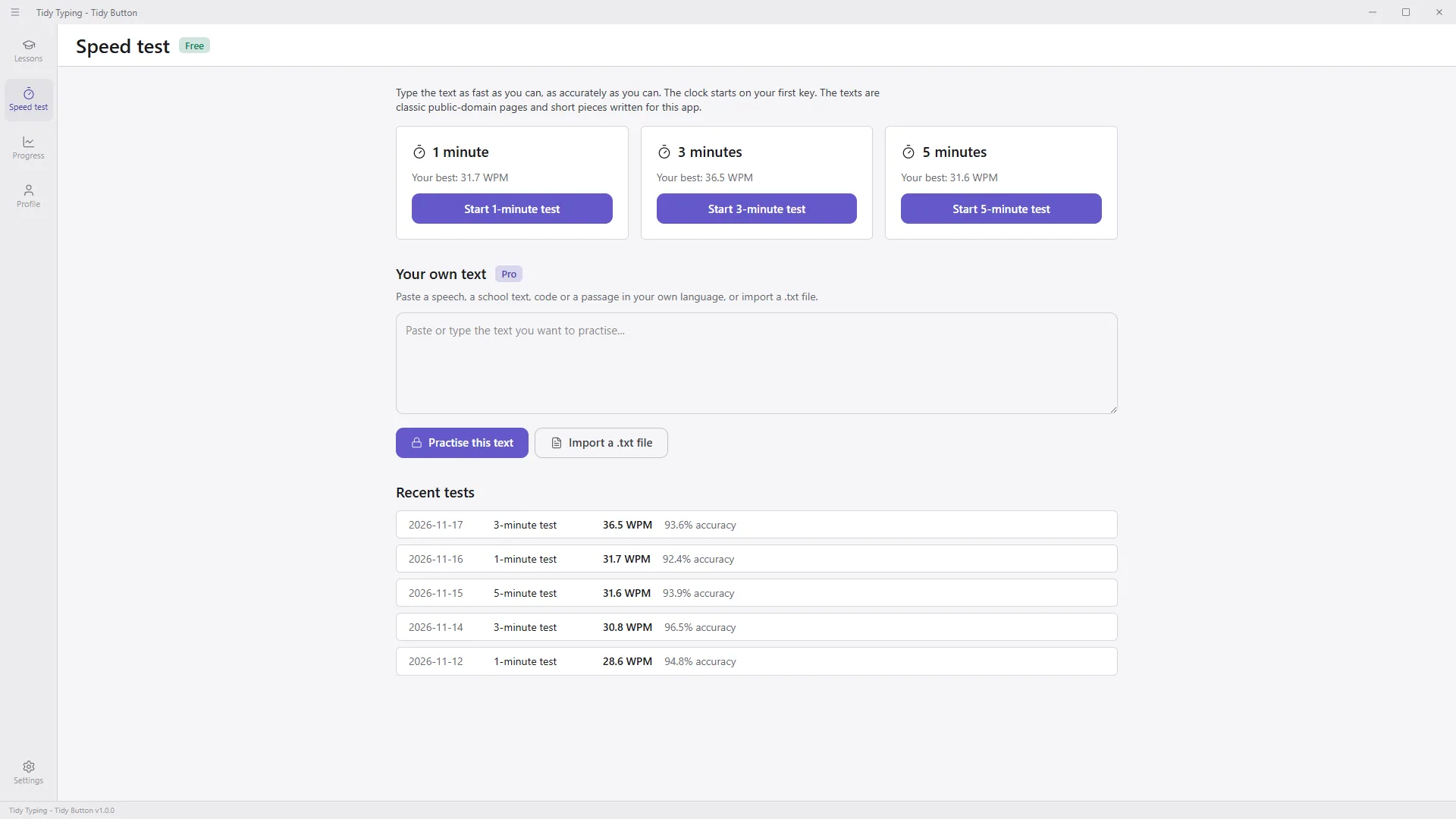
Speed tests of 1, 3 and 5 minutes, with your best and recent results
Progress
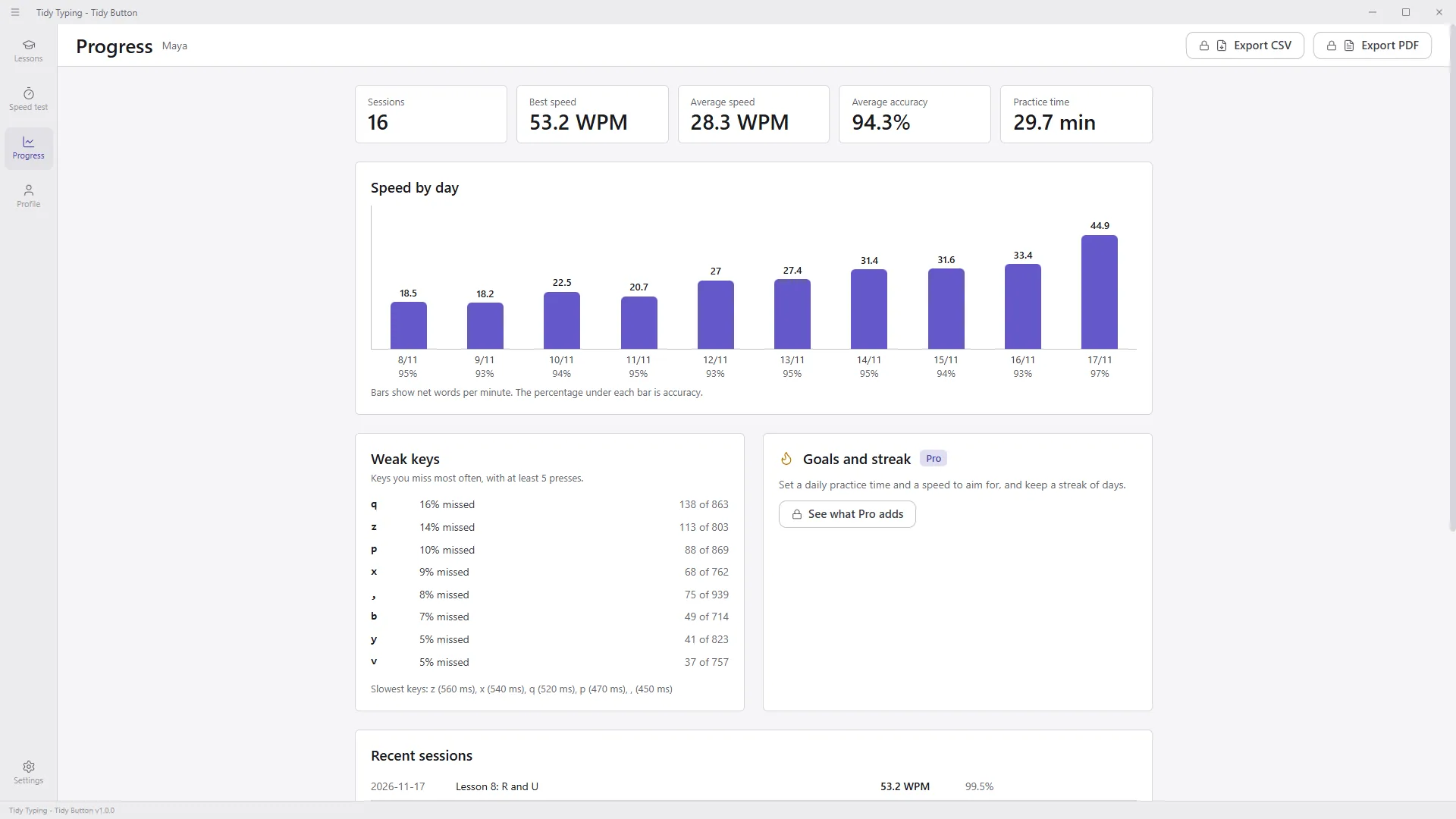
Speed by day, weak keys and slowest keys
Pro courses
Pro adds numbers, symbols, number pad and programming courses
Goals
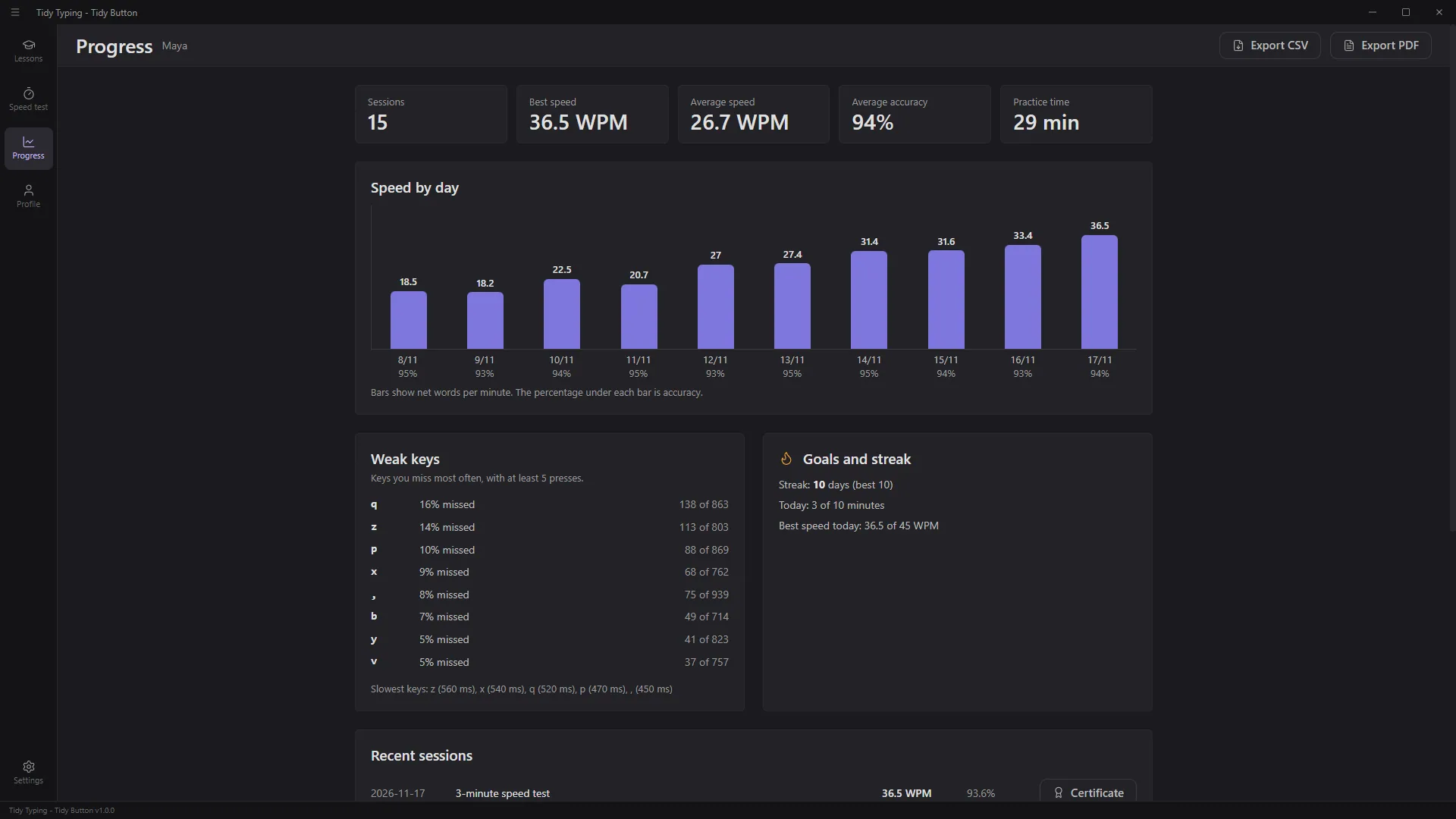
Pro: a daily goal and a streak of practice days
Free limit
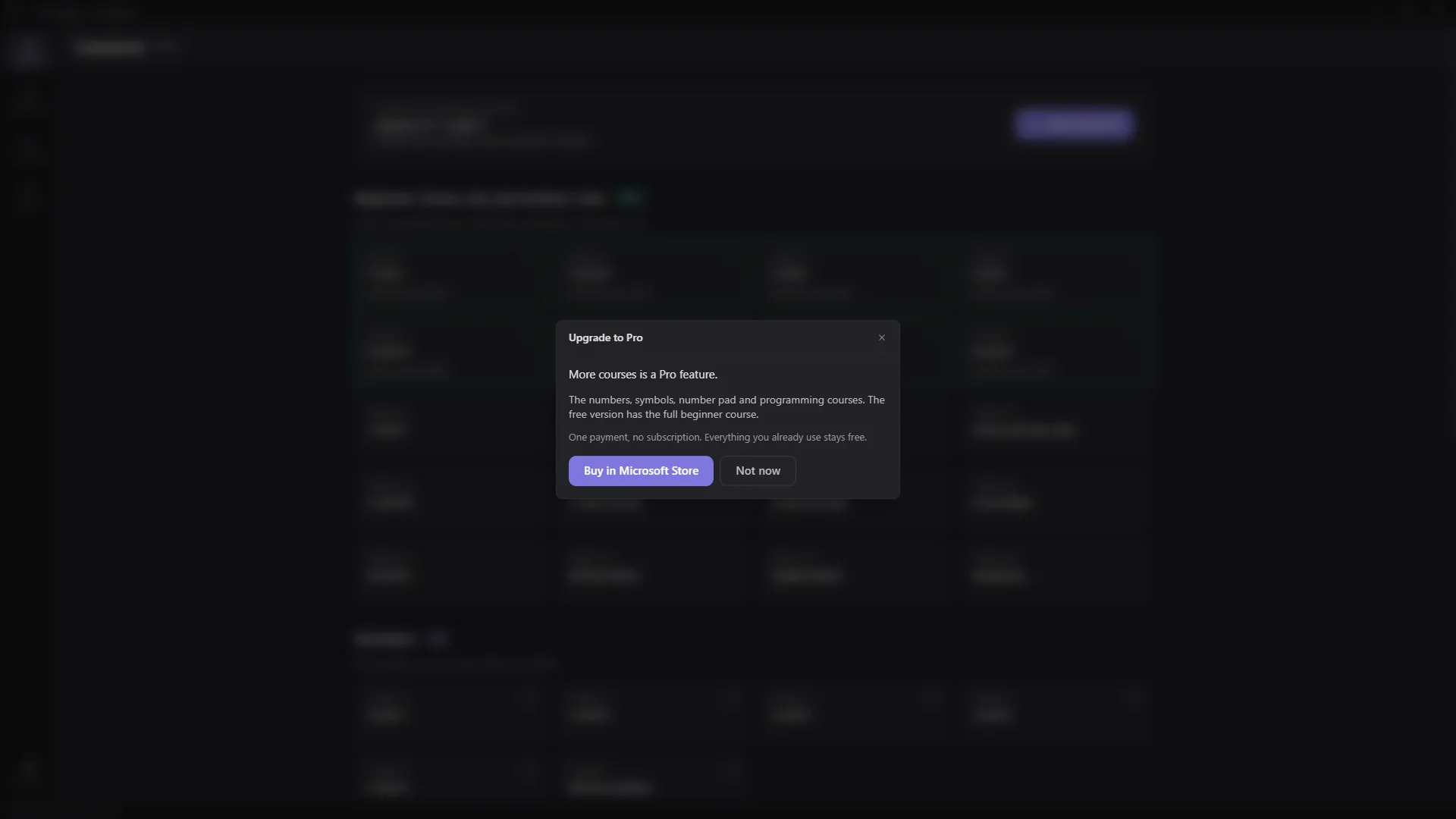
The free version has the full beginner course and says so plainly
Screens show sample practice results for an invented person. The app has light and dark themes.
What it does
What it does.
Start on the home row and work up through the top and bottom rows, one pair of keys at a time. An on-screen keyboard lights the next key and tells you which finger to use, while your speed and accuracy update as you type. Your results are saved on your own PC, in a folder called Tidy Button inside Documents, so your history is still there after a restart.
Free beginner course
20 lessons from the home row up, through the top and bottom rows, capital letters and sentences.
Next key and finger
The on-screen keyboard lights the next key and says which finger to use.
Live speed and accuracy
Net words per minute and accuracy while you type, and the same numbers on the result screen.
Speed tests
Timed tests of 1, 3 and 5 minutes on classic public-domain pages and short original pieces.
Your choice on mistakes
Fix with Backspace, stop at each mistake, or practise with no Backspace at all.
Progress and weak keys
A chart of speed by day, the keys you miss most and your slowest keys.
Your keyboard
US QWERTY, UK QWERTY and Dvorak, with a warning when Windows uses a different layout.
Kid mode
Larger text and a larger on-screen keyboard.
Pro tools
An optional one-time Pro add-on adds courses for numbers, symbols, the number pad and programming, your own text, several profiles, goals and a streak, CSV and PDF reports, and certificates of speed.
The small print, in plain English
Safe by design.
- Your results stay on your PC.
- Nothing you type is sent anywhere.
- Works offline. No account. No ads. No tracking.
- Pro is optional and one payment. Everything above stays free.
Good for
Handy when you want to type faster.
- Children learning to type
- Students who need faster, cleaner typing
- A speed certificate for a job application
- Quiet daily practice for adults
- Learning Dvorak or a new layout
Questions
Plain answers.
Where are my results saved?
On your own PC, in a folder called Tidy Button inside your Documents folder. Nothing is sent anywhere.
How is speed worked out?
A word is 5 characters. Net speed is your gross speed minus one word per minute for each mistake you left uncorrected. The clock starts on your first key.
Does it work with my keyboard layout?
Yes. Choose US QWERTY, UK QWERTY or Dvorak on the Profile screen. If Windows is using another layout, the app tells you.
What is free and what is Pro?
The free version has the whole 20-lesson beginner course, speed tests, progress, weak keys, all three layouts and kid mode for one profile. The optional one-time Pro add-on adds courses for numbers, symbols, the number pad and programming, your own text, several profiles, goals and a streak, CSV and PDF reports, and certificates of speed.
Does it need an account or an internet connection?
Neither. There is no account, no ads and no tracking. Practising works offline. The only network use is the optional check of a Pro licence.
Which versions of Windows does it run on?
Windows 10 and Windows 11.