We will link the Store listing here the day it is live. Until then there is nothing to download.
Real app, with a made-up quiz and made-up teams.
Works offline
No account, no ads, no tracking
Nobody needs a phone
Free
See it
Eight views. One quiz night, hosted.
Start
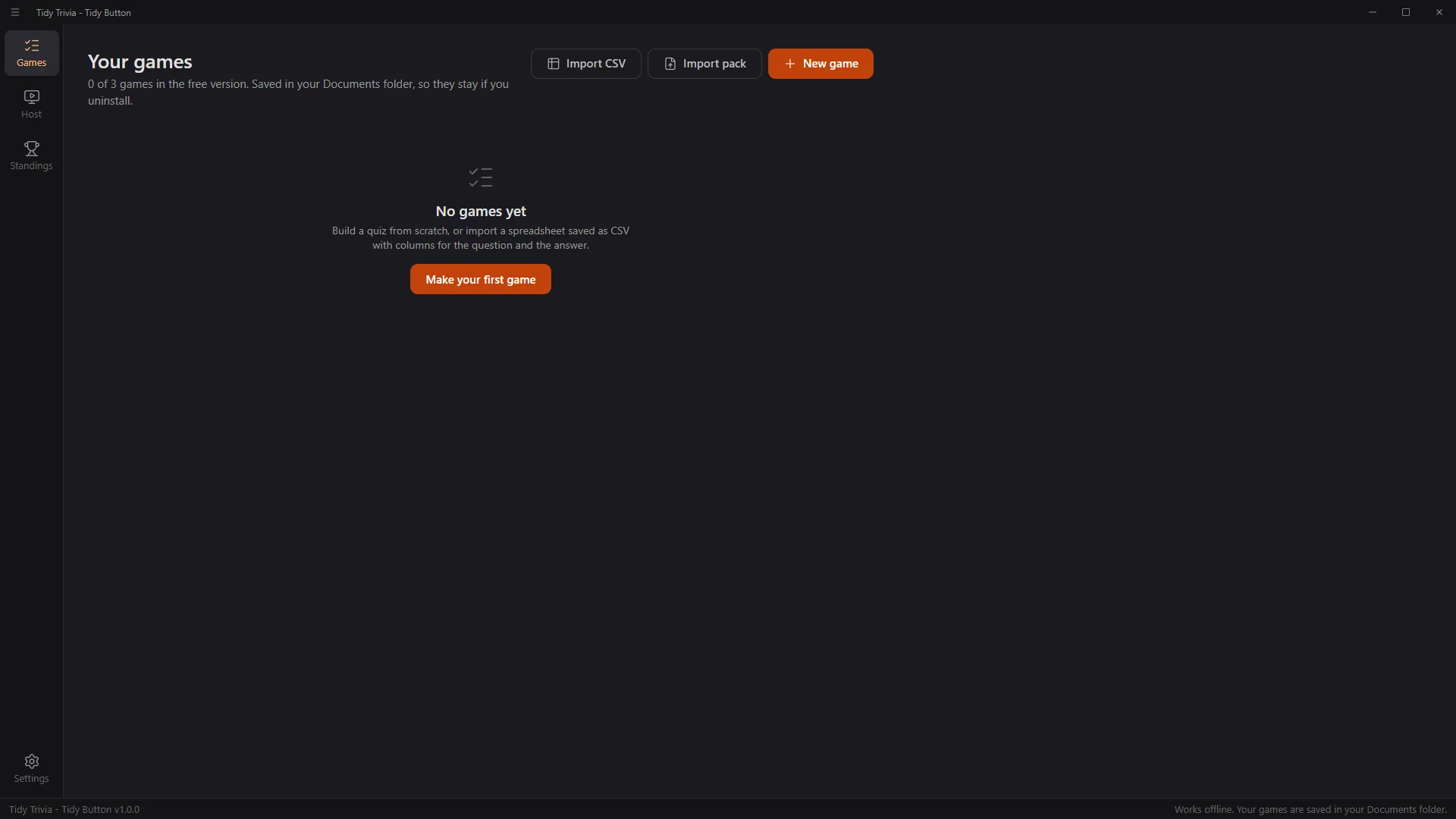
Start with an empty library, then build a quiz or import a CSV file
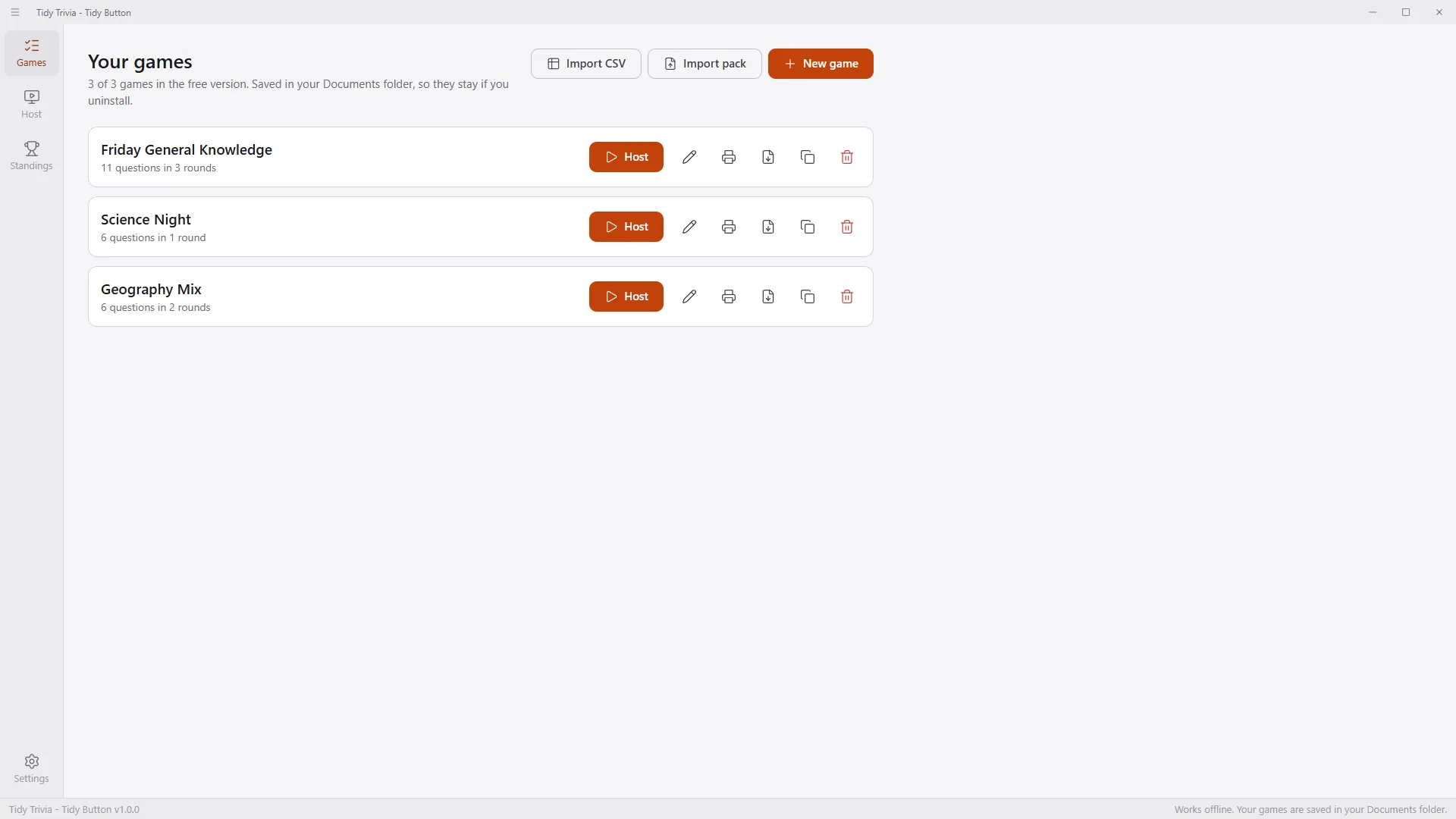
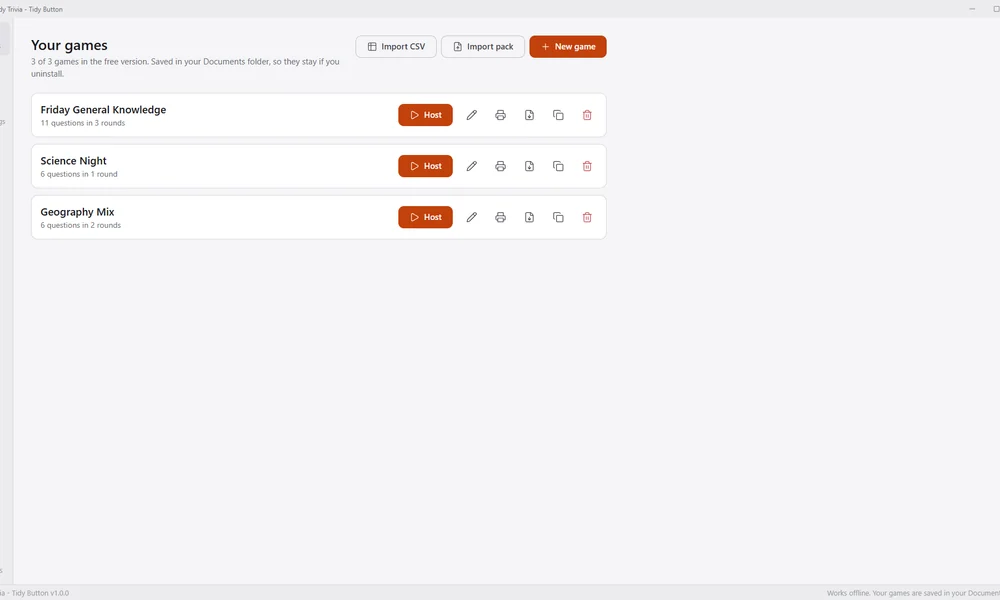
Games
Your quiz library: host, edit, print or copy a game
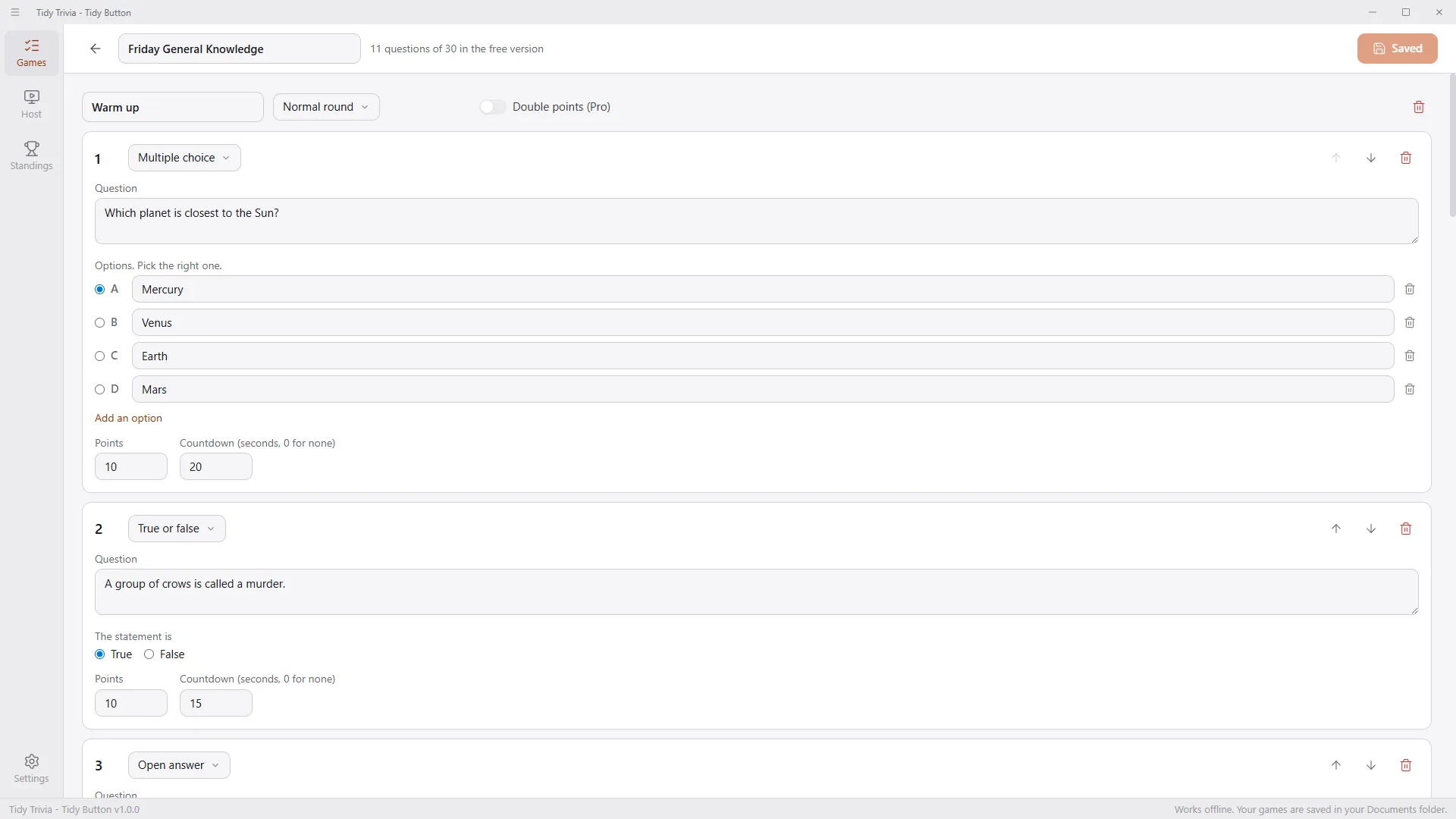
Editor
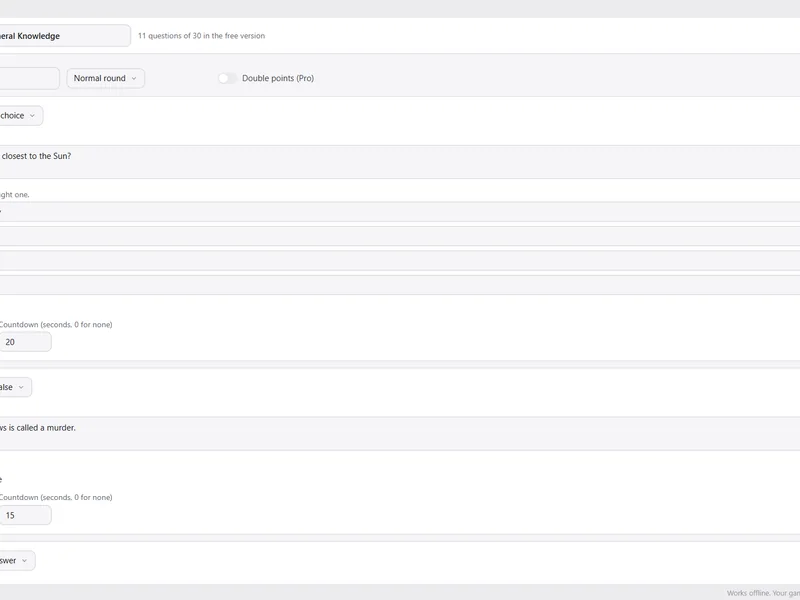
Write rounds with multiple choice, true or false and open answers
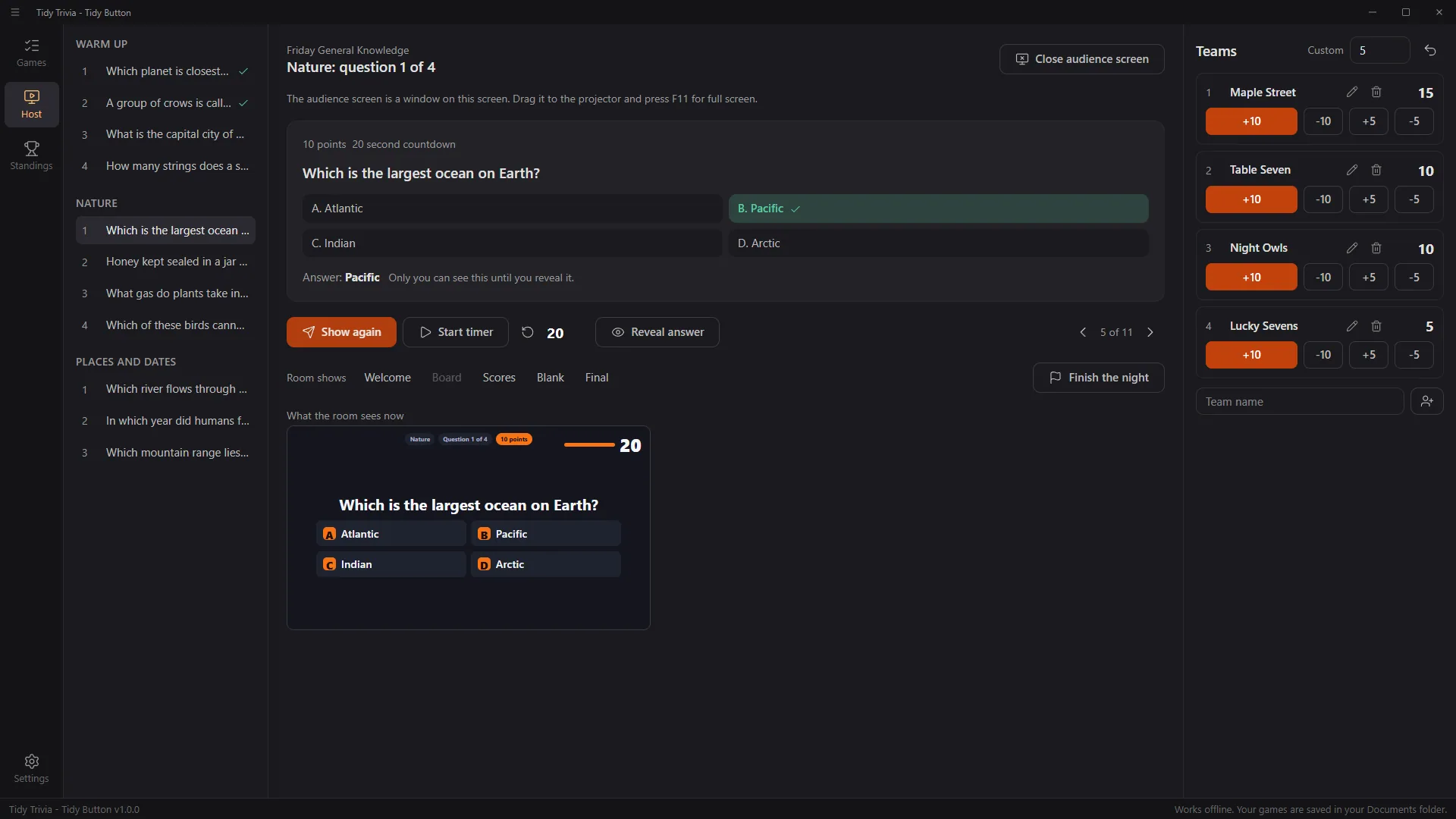
Host
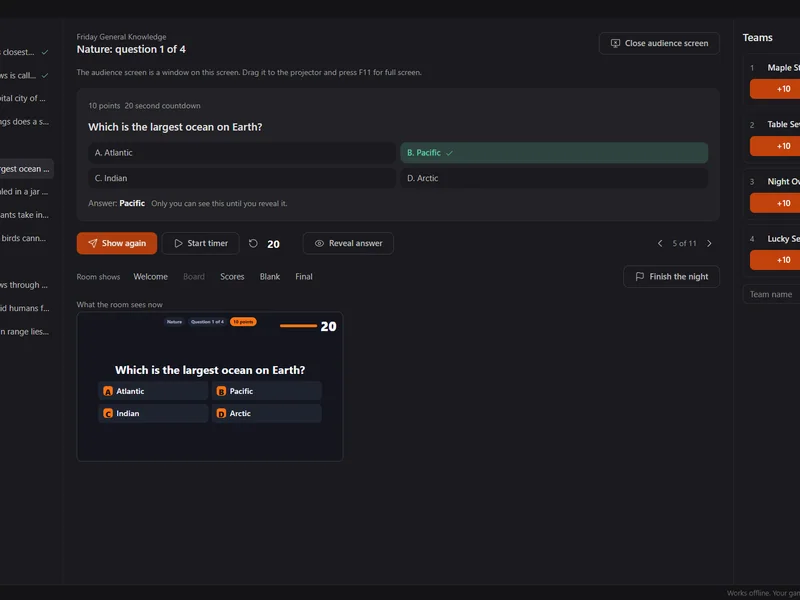
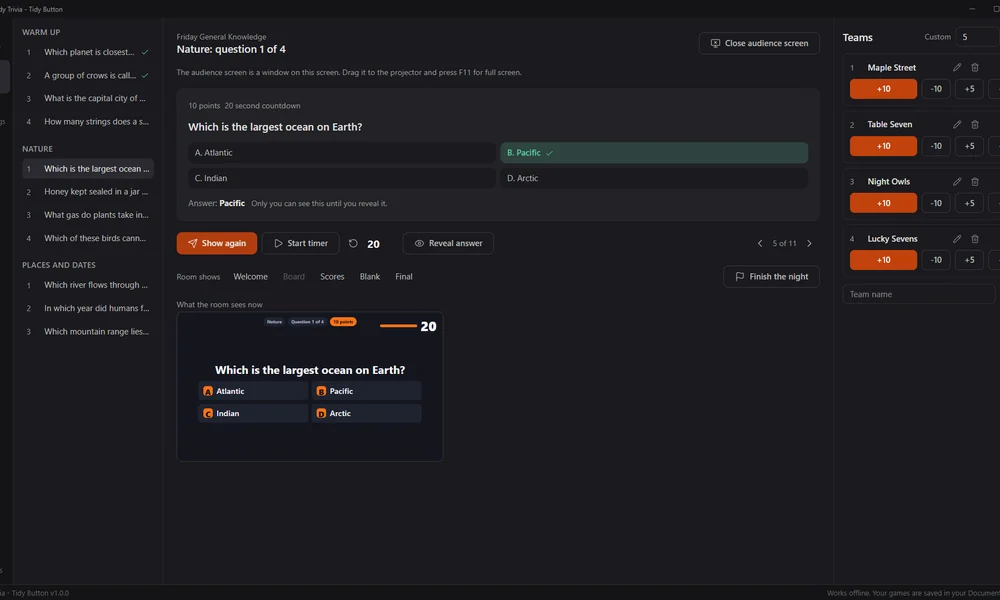
The host console: the answer for you, scores for each team
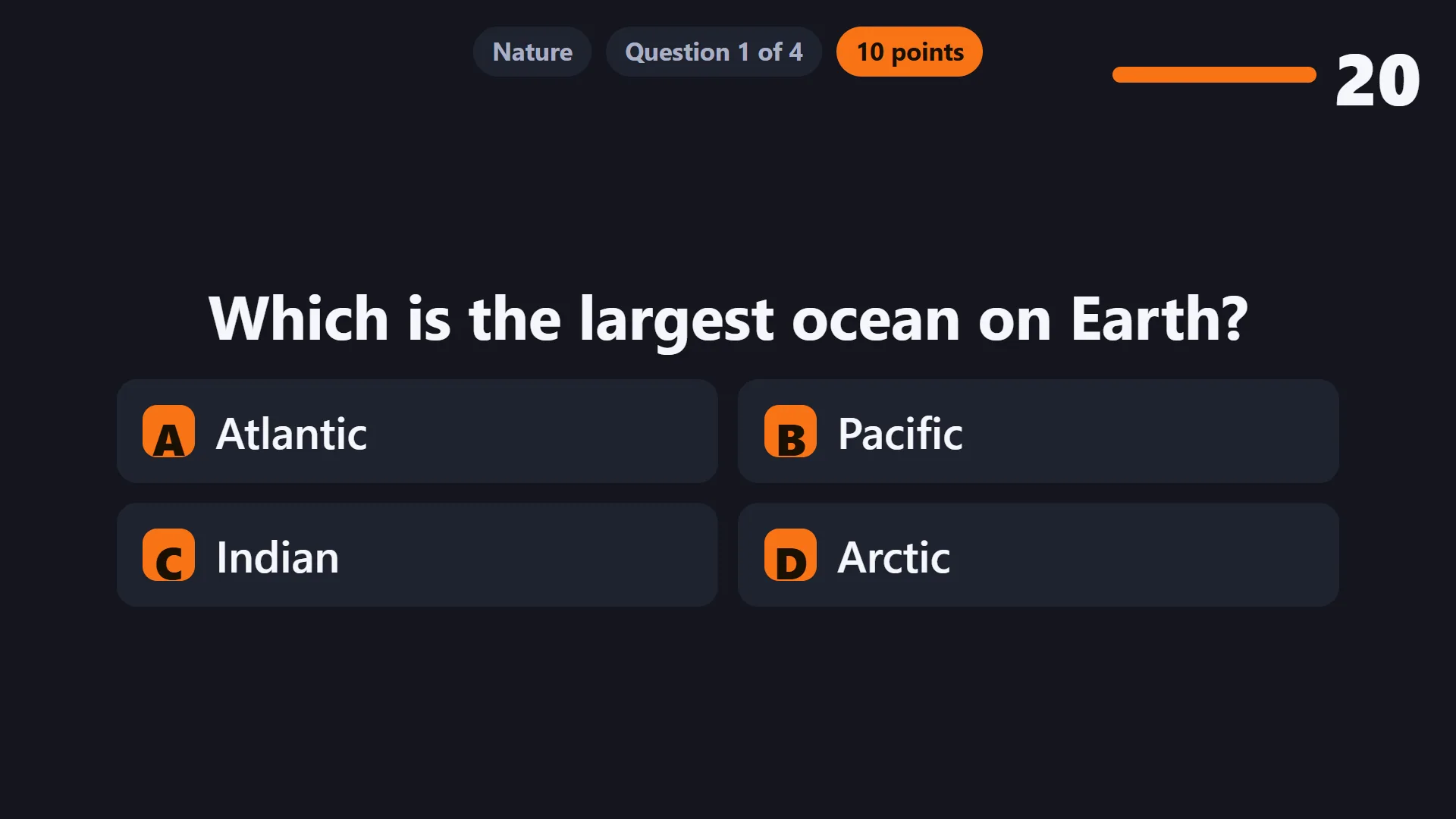
Audience
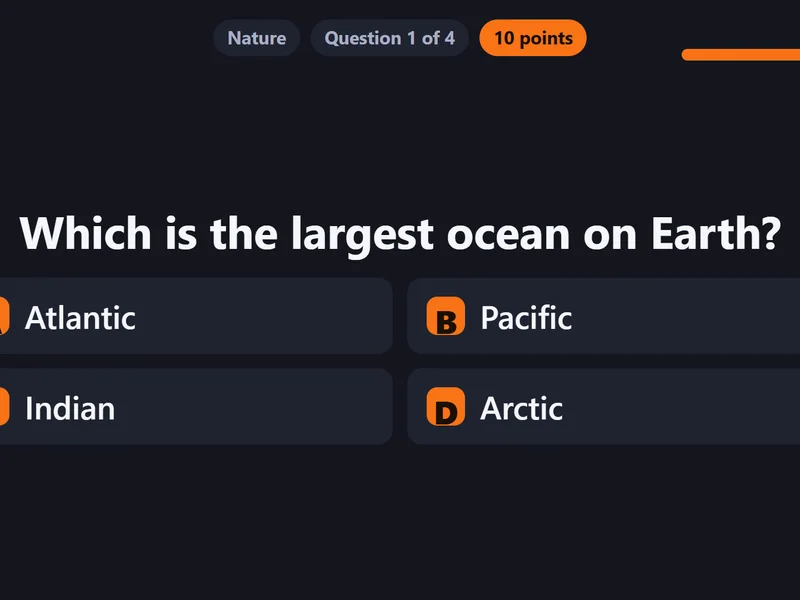
The audience screen: big text and a countdown for the room
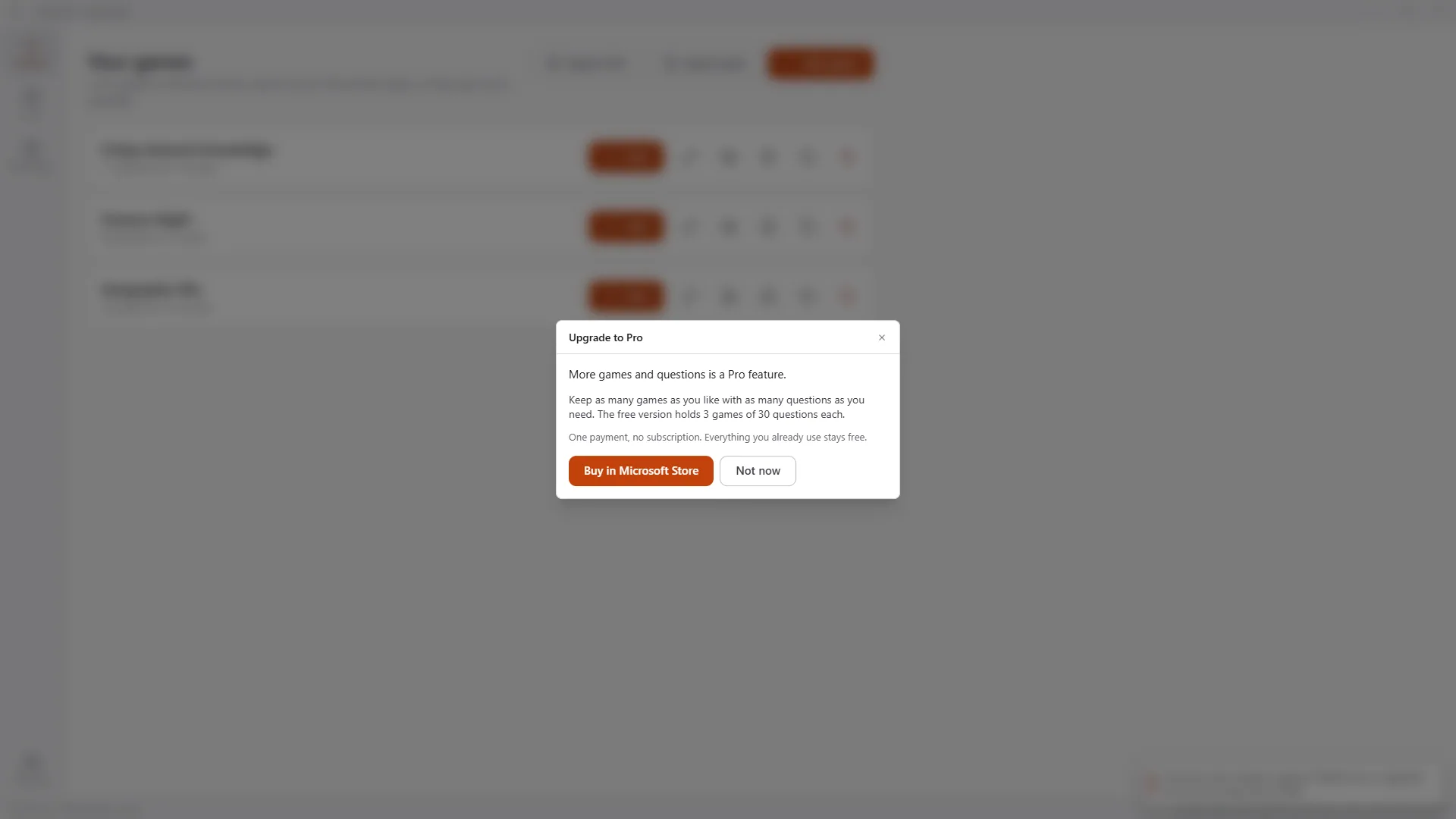
Free limit
The free version holds 3 games of 30 questions
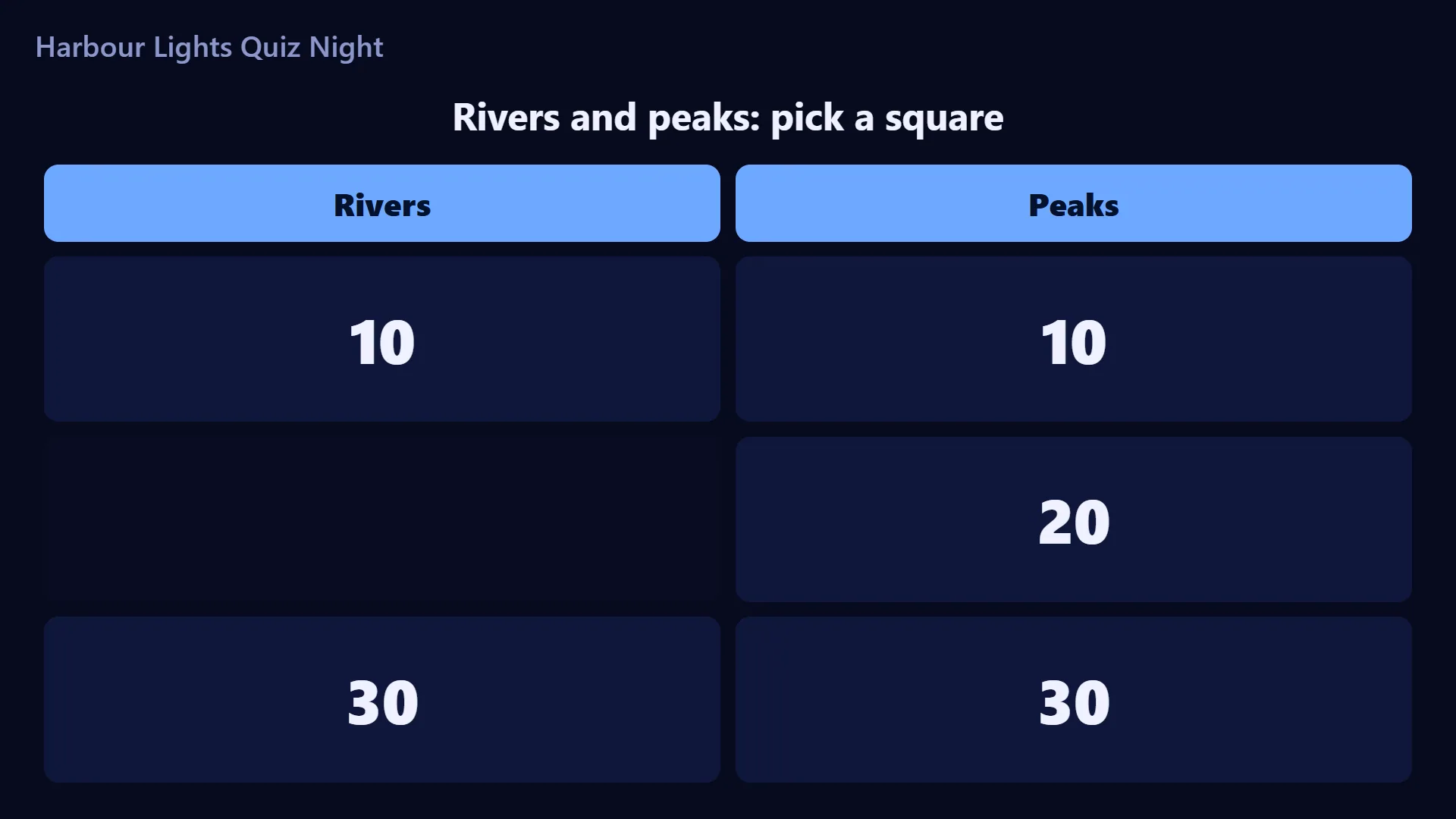
Board mode
Pro: a board of categories and points, with the venue name on top
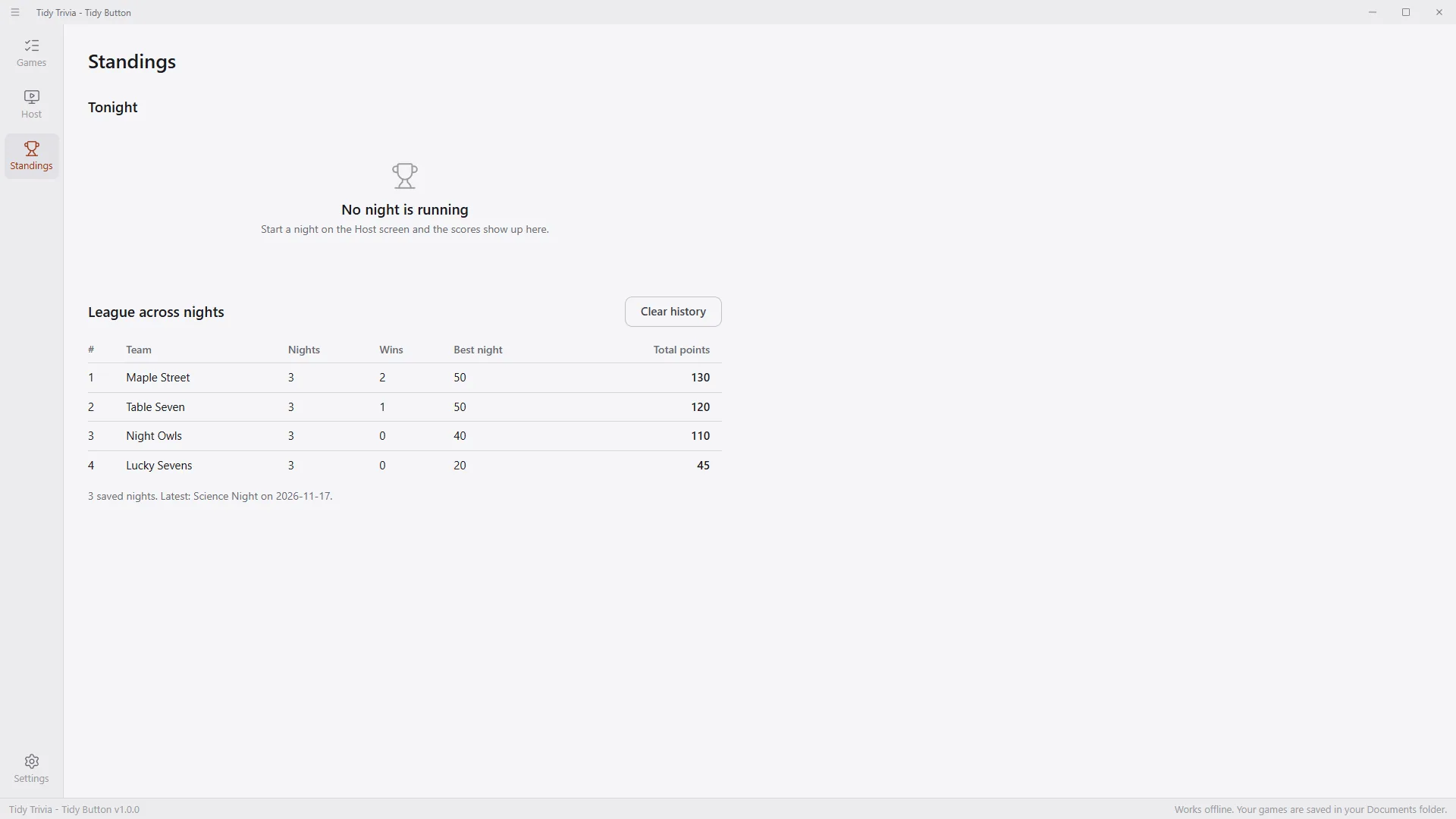
Standings
Pro: a league table across all your quiz nights
Screens show a made-up quiz and made-up team names. The app has light and dark themes. Board mode and the league table are part of the optional Pro add-on.
How it works
Three steps. No manual.
01
Build a game
Write your rounds and questions, or import them from a CSV file.
02
Open the audience screen
Name your teams, start the night and drag the audience window to the projector.
03
Score and finish
Show each question, reveal the answer and give points. Your night is saved as you go.
What it does
What it does.
Tidy Trivia is a host console for quiz nights. You run the game on your laptop, and the room sees the question, the countdown and the scores on a second screen or a projector. Your games and the night in progress are saved in a folder called Tidy Trivia inside your Documents folder, so they are still there if you close the app or uninstall it.
Build your game
Rounds of multiple choice, true or false and open answer questions, with points and a countdown for each one.
Host console
The question list, the right answer for your eyes only, a timer and a Reveal button, with big score buttons for each team and an undo.
Audience screen
A separate window for a second monitor or projector, with large text and a countdown. It gets the answer only when you reveal it.
Safe by default
The night is saved after every action and comes back after you close the app. If the projector is unplugged, the audience screen returns as a window.
CSV import and printouts
Import questions from a spreadsheet saved as CSV. Print a host sheet with every answer and blank answer sheets for your teams as PDF files.
Pro tools
An optional one-time Pro add-on adds unlimited games and questions, board mode, picture and audio clip questions, venue themes and logo, double and tie-breaker rounds, game packs and a league across nights.
The small print, in plain English
Safe by design.
Only you see the answer until you press Reveal.
Your games live in your Documents folder and stay if you uninstall.
Your questions stay on your PC.
The audience screen never gets an answer until you reveal it.
Your night is saved as you go, and comes back after a restart.
The free version holds 3 games of 30 questions each.
Works offline. No account. No ads. No tracking.
What is free
A real quiz night, free.
Pro is a one-time add-on. Everything below stays free.
Three games of 30 questions each, free.
Games
Free
3 games with up to 30 questions each.
Question types
Free
Multiple choice, true or false and open answer.
Hosting
Free
The host console, the audience screen, the countdown and team scoring.
CSV and printouts
Free
Import questions from a CSV file, and print a host sheet and team answer sheets.
More games
Pro
Unlimited games and questions, and game packs to share with other hosts.
Pictures, audio and board
Pro
Picture and audio clip questions, board mode, venue themes, double and tie-breaker rounds, and a league across nights.
Pro is one payment. There is no subscription.
Good for
Handy when you host the night.
A weekly pub or bar quiz
A teacher's review game
A club, office or family quiz night
Printing answer sheets for every team
Questions
Plain answers.
Do my players need phones or an account?
No. You run the game on your laptop and the room watches the audience screen. There is no join code and no sign-up.
Can the room see the answer early?
No. The audience screen is sent the question and its options. The answer is sent only after you press Reveal.
Where are my games saved?
In a folder called Tidy Trivia inside your Documents folder. They stay if you uninstall the app, and the night in progress is saved after every action.
How big can a free game be?
You can keep 3 games with up to 30 questions each. More games and bigger games are part of the optional Pro add-on.
Can I use a projector or a second monitor?
Yes. Open the audience screen as a window and drag it to the projector, or choose a monitor. If it is unplugged during the game, the audience screen comes back as a window.
Does it need the internet?
No. The only network use is the optional check of a Pro licence.