Coming to the Microsoft Store
Timetable Maker Drag it, check it, print it.
Add classes, teachers, rooms and subjects, then drag the lessons onto a weekly grid. Clashes are flagged as you go, and you can print or save as PDF. Your timetable is a file on your PC. Works offline, no account, no ads.
Not on sale yet. The app is still being built.
We will link the Store listing here the day it is live. Until then there is nothing to download.
- Works offline
- No account, no ads, no tracking
- Clash warnings
- Free
See it
Ten views. From setup to printout.
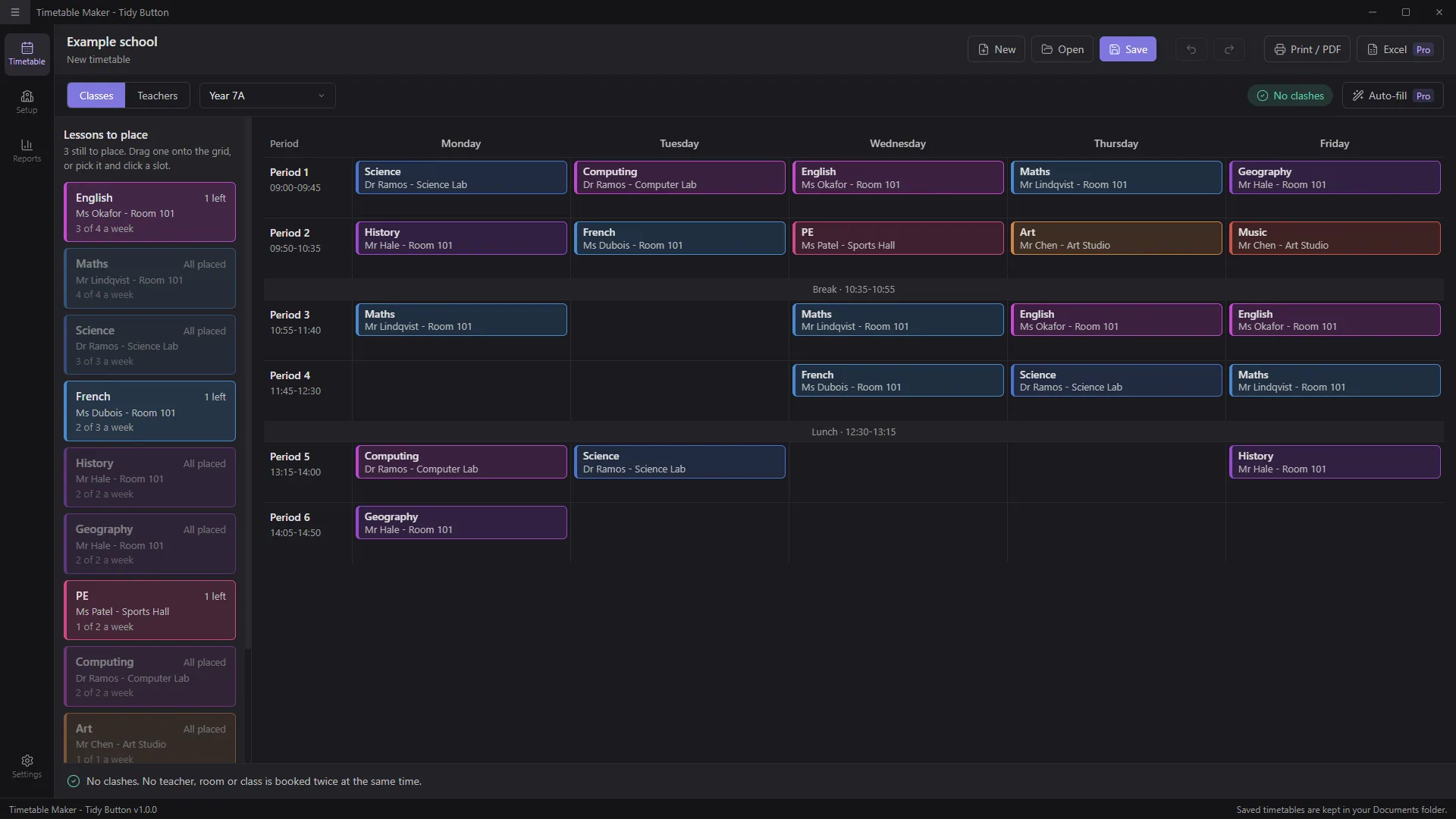
Class view
Drag lessons from the tray onto the weekly grid
Teacher view
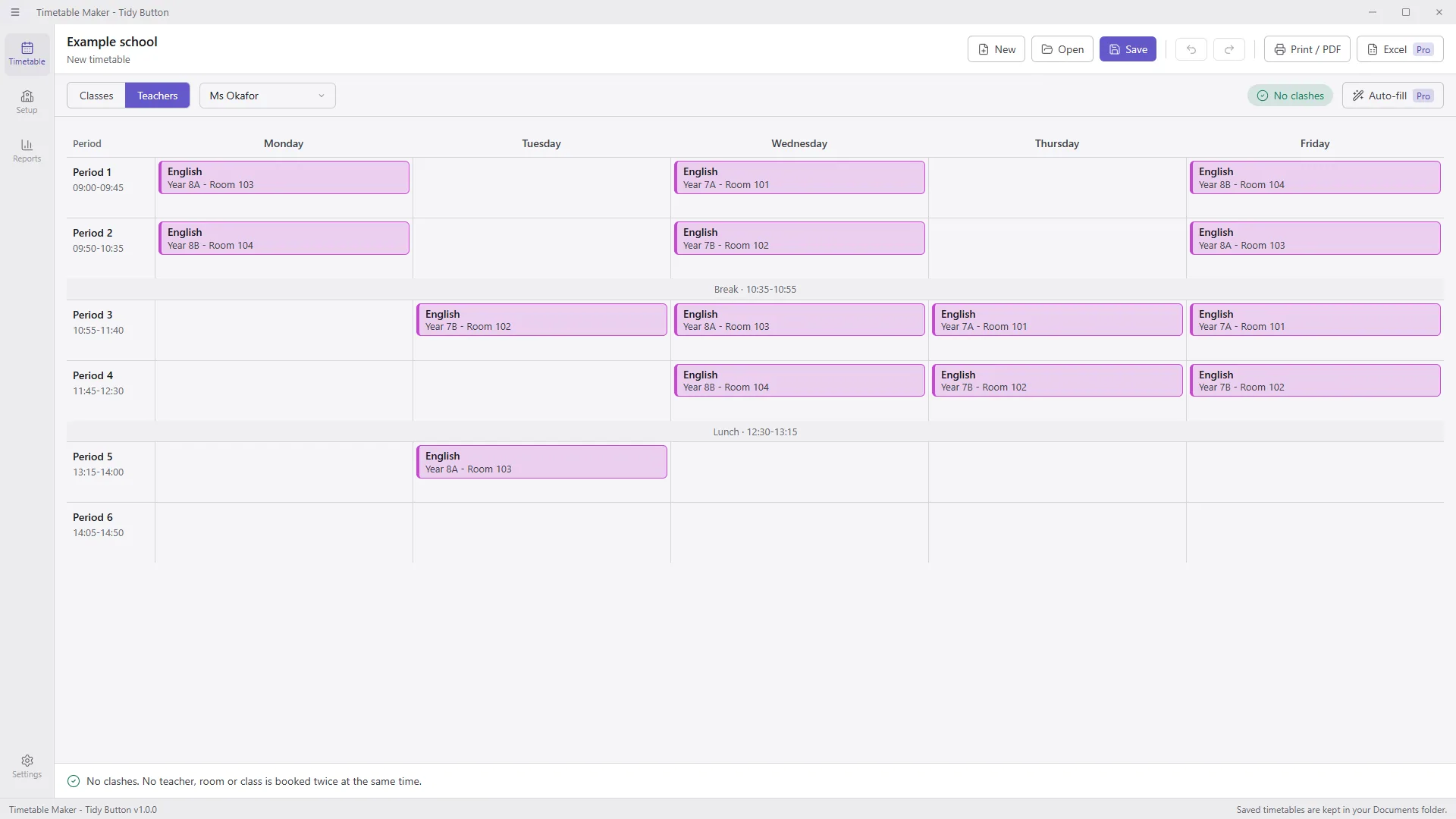
The same timetable from a teacher's side
Clashes
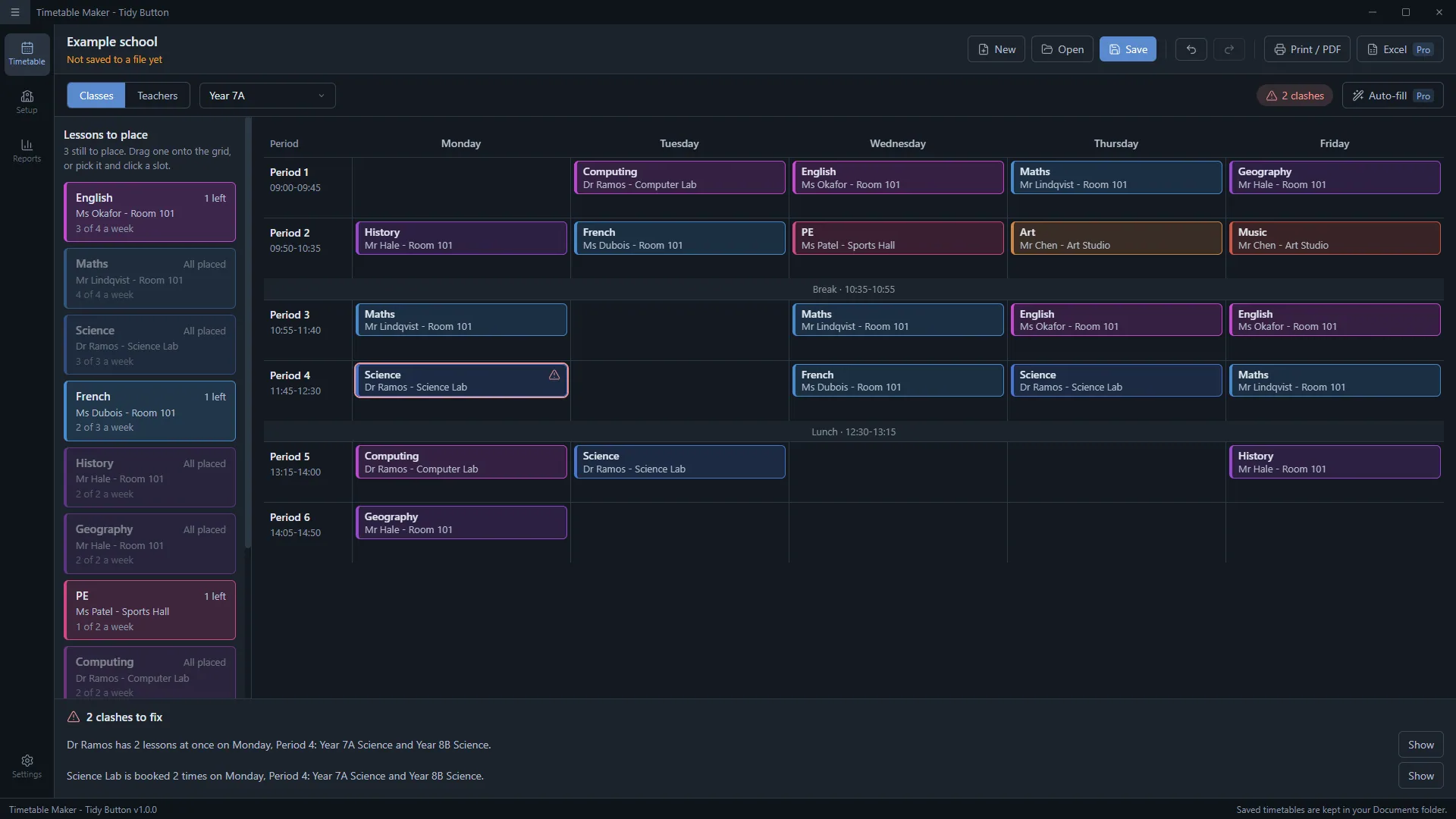
A clash is flagged as soon as it happens
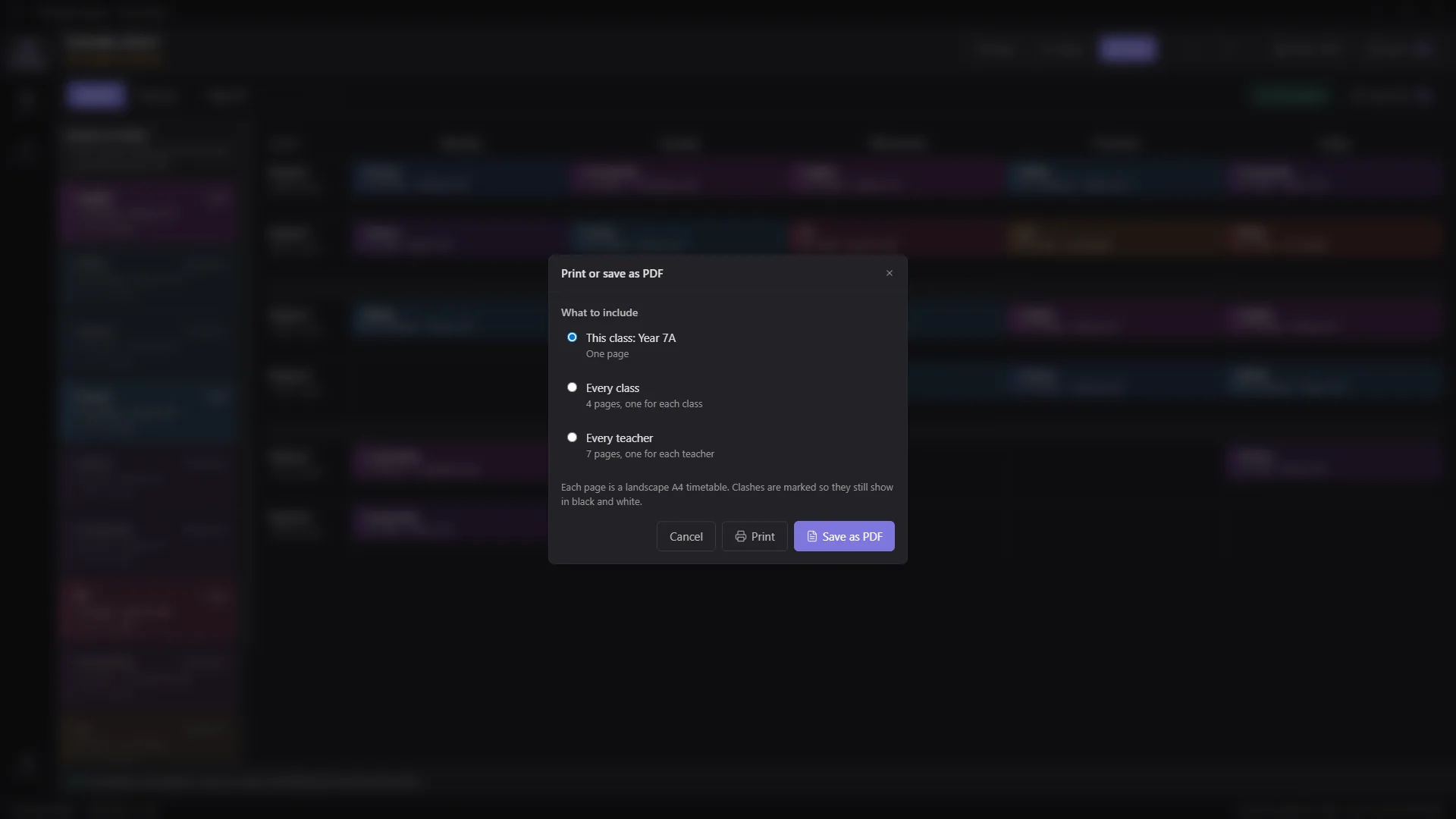
Print or save as PDF: a class, every class or every teacher
Screens show the app's invented example school. The app has several themes, including light and dark.
What it does
What it does.
A weekly timetable without a spreadsheet. Drag lessons onto the grid and see a warning the moment a teacher, a room or a class is booked twice. Print one class, every class or every teacher, or save the timetable as a file on your PC.
Drag and drop
Drag a lesson onto the grid, or pick it up and click a slot. Swap lessons, undo and redo.
Live clash warnings
Teachers, rooms and classes are checked as you place lessons, with a list that jumps to each clash.
Class and teacher views
See the same timetable from a class's side or a teacher's side.
Print and PDF
One class, every class or every teacher, one page each.
Saved as a file
Save a .ttmaker file on your PC, open it later, and recover a draft after a crash.
An example school
Start from an example and change it, or set up your own classes, teachers and rooms.
Optional Pro
Unlimited classes, auto-fill suggestions, teacher workload and room use views and Excel export. The free version builds a timetable for 5 classes.
The small print, in plain English
Safe by design.
- Your timetable stays in a file on your PC.
- A timetable with more than 5 classes still opens, prints and saves as PDF on the free version.
- Nothing is deleted if you do not buy Pro.
- No account. No ads. No tracking.
Good for
Handy when a week needs a plan.
- Small schools and tutoring centres
- Music and language schools
- Teachers planning a timetable for a few classes
Questions
Plain answers.
What is checked for clashes?
Teachers, rooms and classes. If one is booked twice at the same time, the app shows a warning that names it.
Where is my timetable saved?
As a .ttmaker file where you choose to save it. A recovery draft is kept so a crash does not lose your work.
Can I print it?
Yes. Print or save as PDF for one class, every class or every teacher.
Is there a limit in the free version?
The free version builds a timetable for up to 5 classes. Pro is an optional one-time add-on for more.