Coming to the Microsoft Store
Time Tracker Track time, bill it clearly.
Start a timer for a client and project, see your day, week and month, and export timesheets and simple numbered invoices. Your data stays in one file on your PC. No account, no cloud and no subscription.
Not on sale yet. The app is still being built.
We will link the Store listing here the day it is live. Until then there is nothing to download.
- Works offline
- No account, no ads, no tracking
- Nothing leaves your PC
- Free
See it
Six views. From timer to invoice.
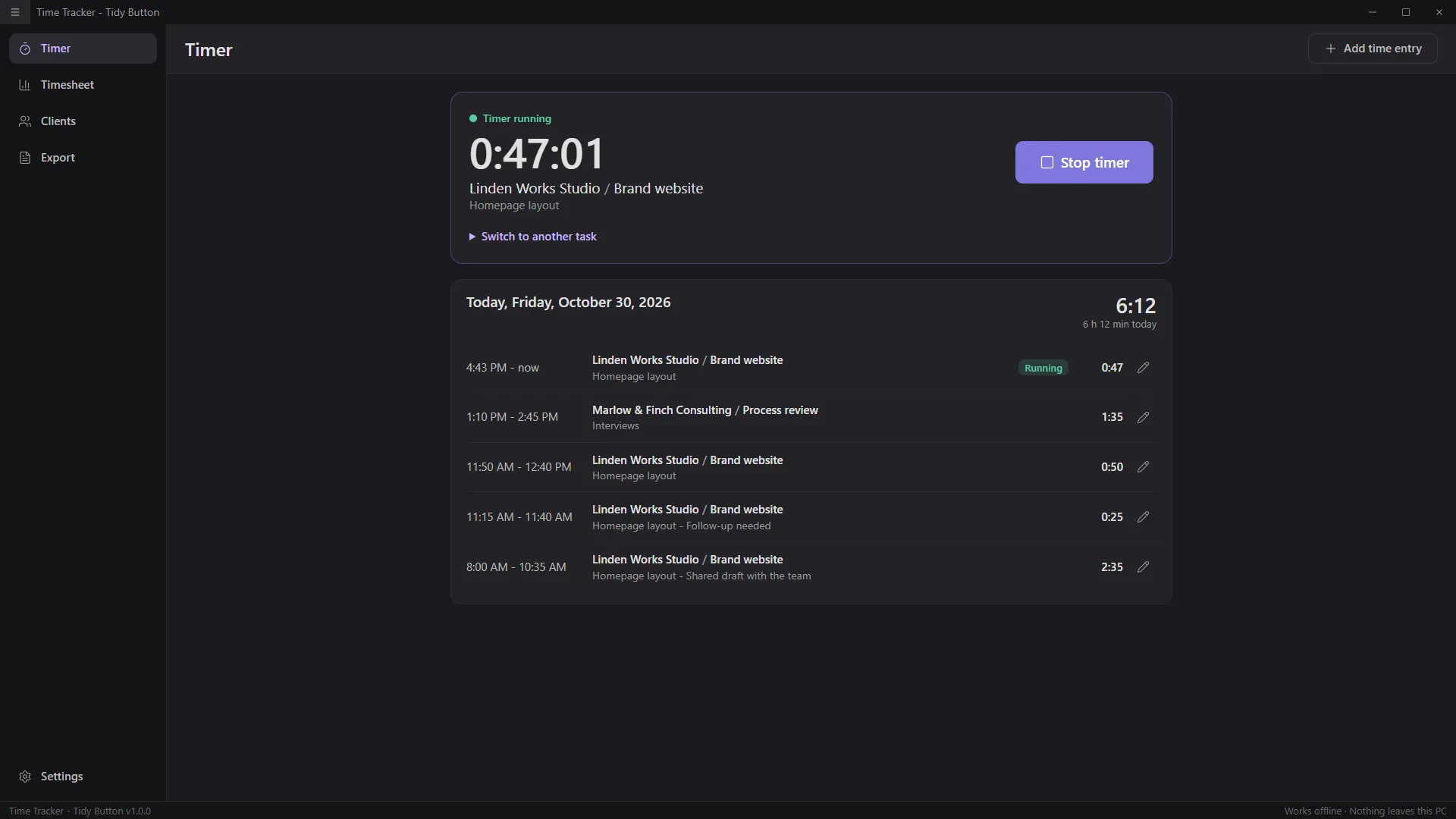
Timer
Start the timer for a client, project and task. It keeps counting if the app closes, and the tray icon shows it running
Week
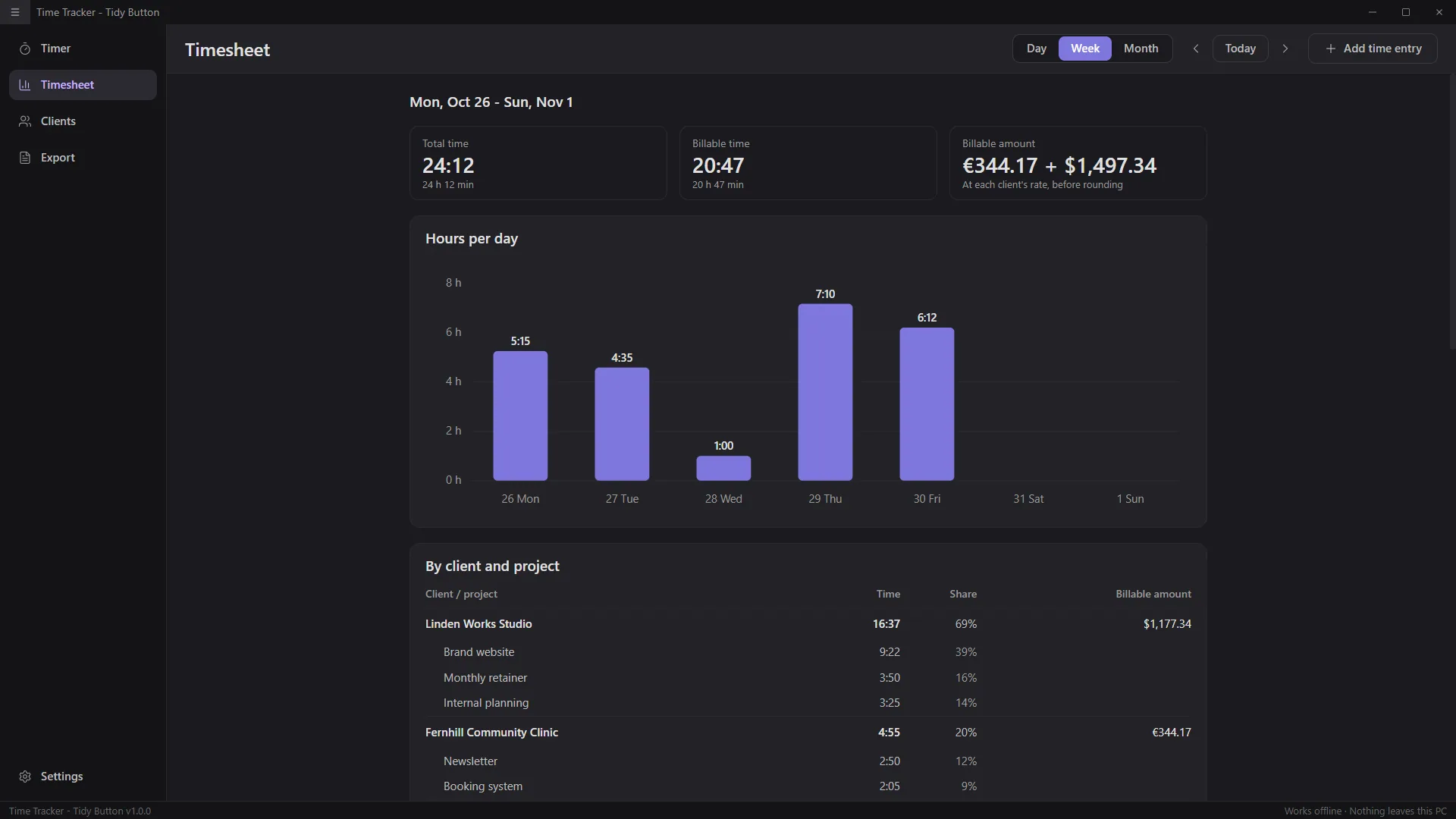
See the week at a glance: hours per day, totals per client and project, and the billable amount for each currency
Clients and rates
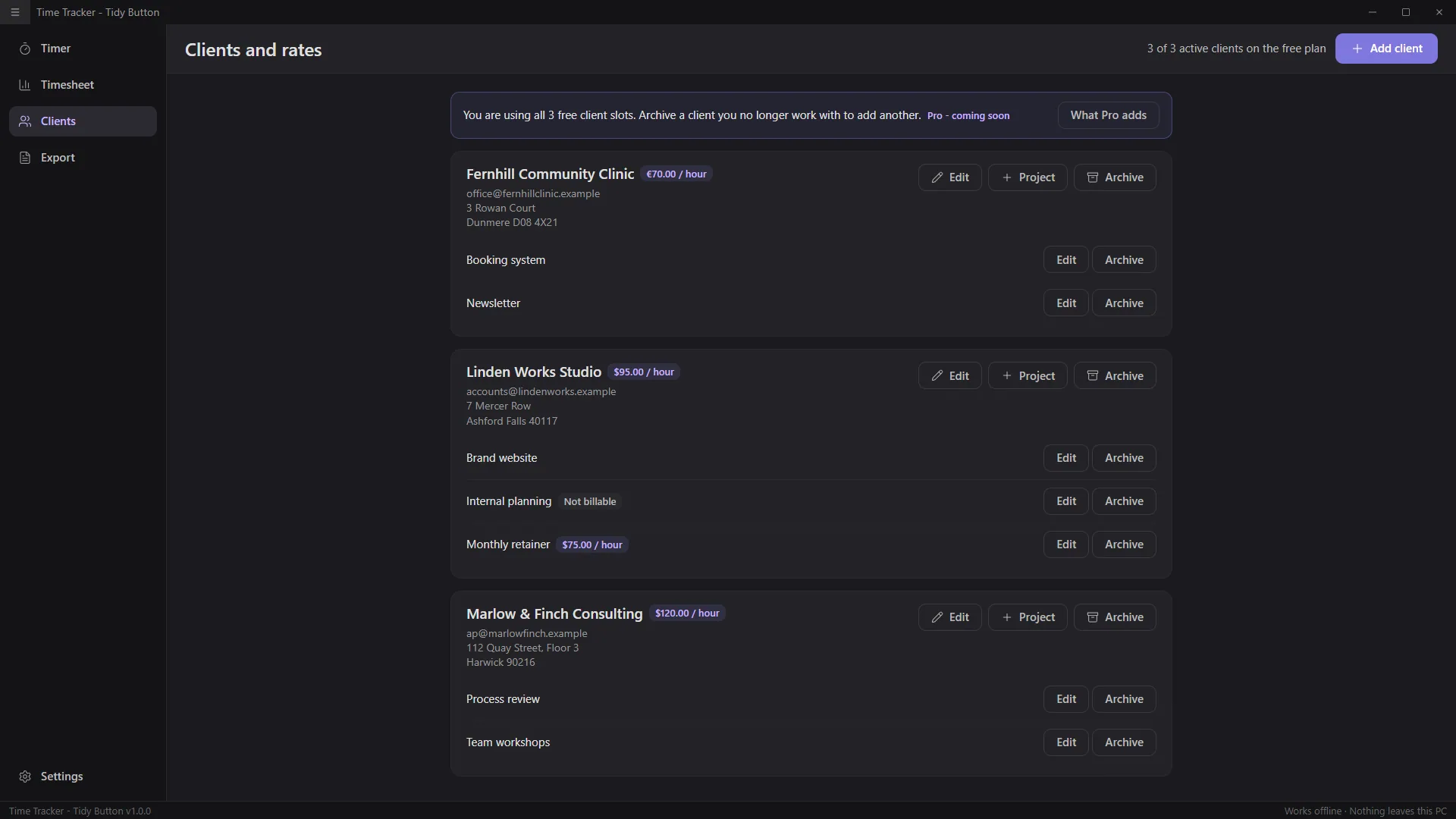
Each client and project can have its own hourly rate and currency. Archive instead of delete
Export
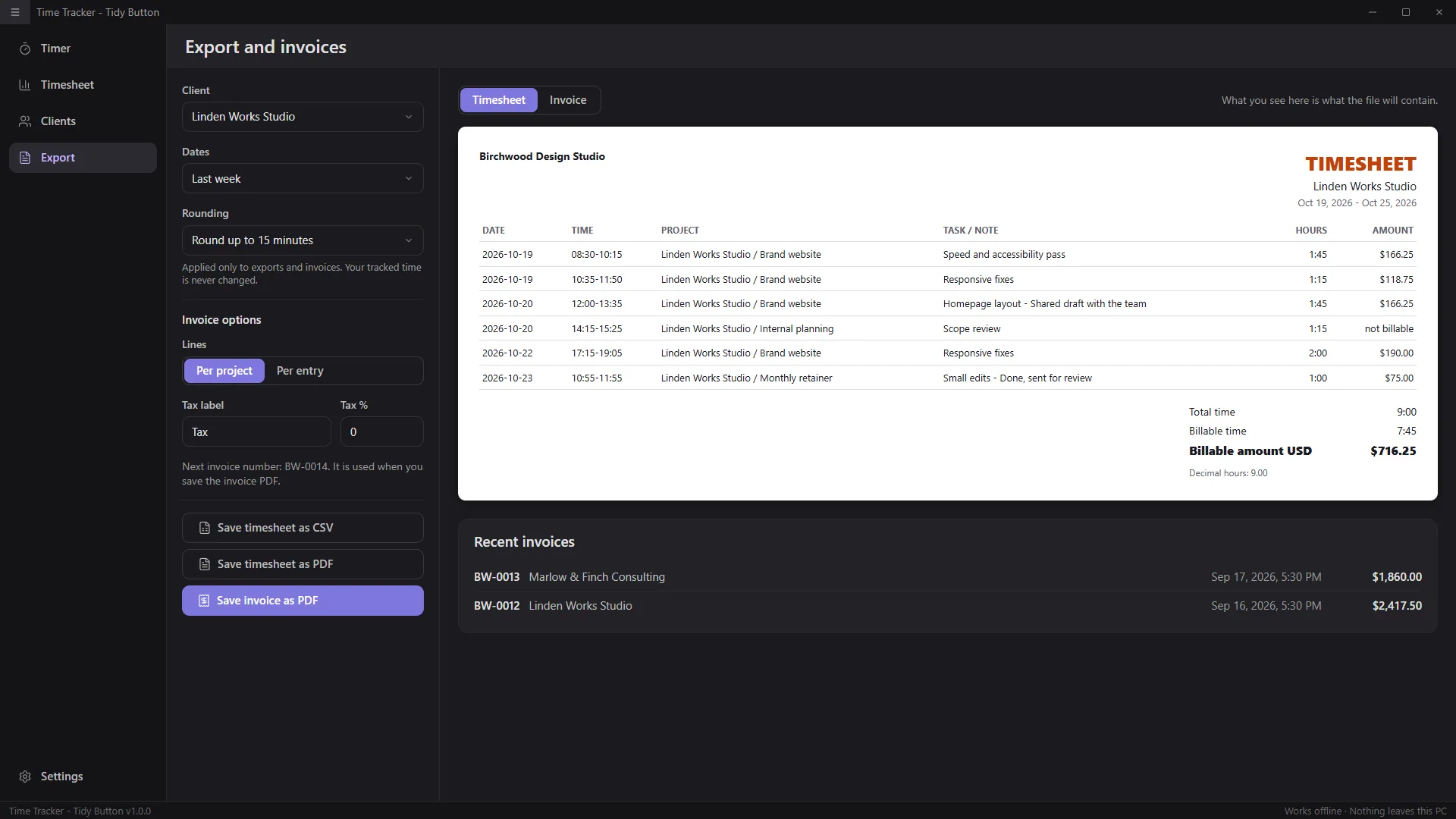
Export a timesheet as CSV or PDF for any dates and client. Rounding only affects the export
Invoice
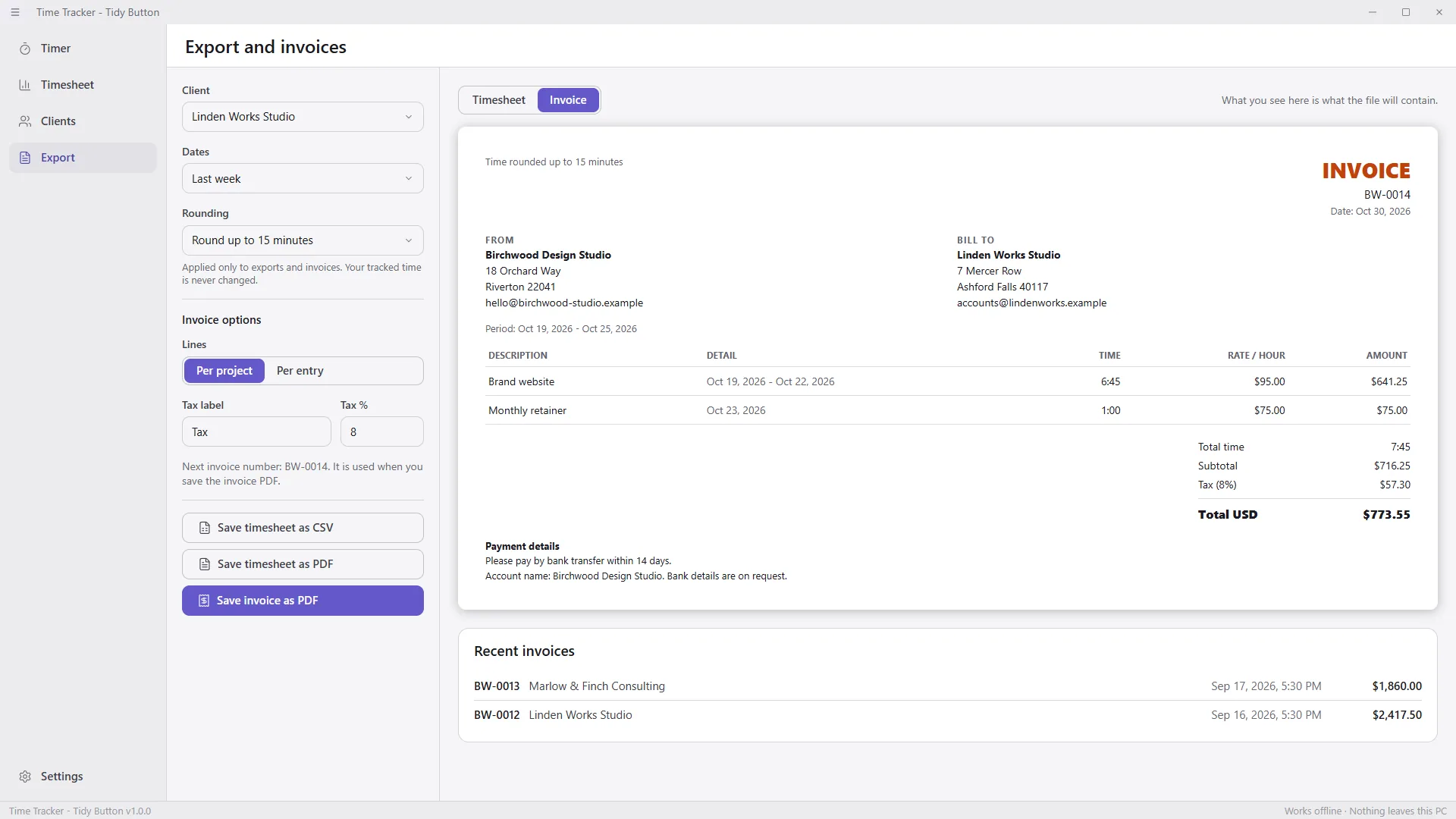
A simple invoice from your tracked time: your details, the client, rate, subtotal, an optional tax line and the total
Idle prompt
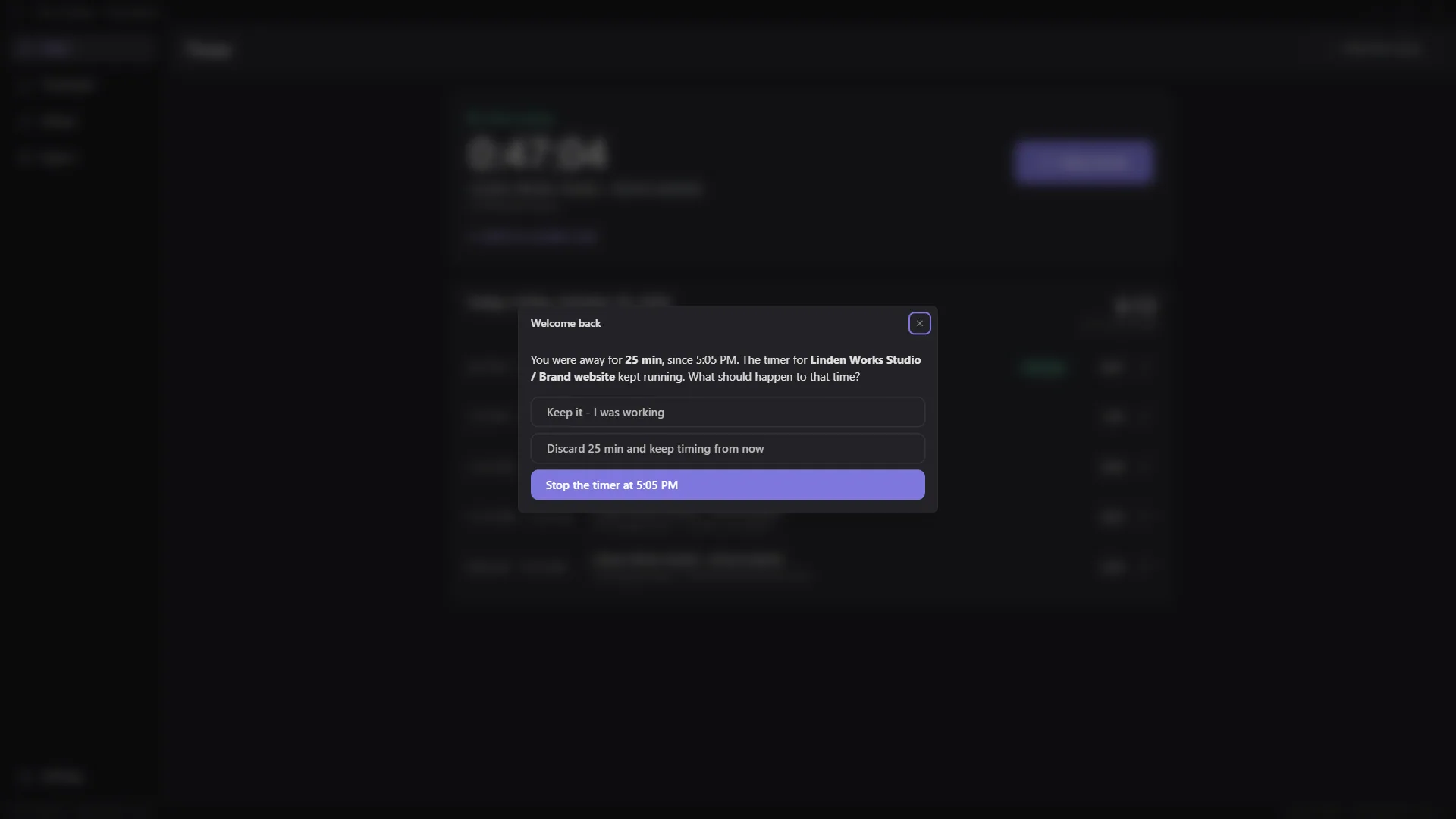
Back after a break? Keep the time, discard the idle time and carry on, or stop the timer where the break began
Screens show invented sample clients and entries. The app has several themes, including light and dark.
What it does
What it does.
A calm, private time tracker for freelancers and consultants. Track hours for each client and project, then turn them into timesheets and simple invoices. Everything stays on your PC, and the app works offline.
Timer with a tray icon
Start and stop a timer for a client, project and task from the window, the tray menu or a global shortcut. Switching tasks stops the previous timer.
Survives a restart
The start time is saved the moment you press Start, so a restart or a crash does not lose it.
Add or fix time by hand
Enter an entry by start and end or by length. Entries that overlap get a warning.
Day, week and month views
Hours per day and totals per client and project.
Rates for each client and project
Each has its own hourly rate and currency. Billable can be set per project or per entry.
Timesheets and invoices
CSV or PDF timesheets for any dates and any client, and simple invoice PDFs with an optional tax line and numbers that count up.
Rounding on exports only
Round up to 6, 15 or 30 minutes on exports and invoices. Your tracked time is never changed.
Idle detection
After the time you choose, the app asks whether to keep the time you were away, discard it or stop the timer where the break began.
The small print, in plain English
Safe by design.
- Your clients, rates and time stay in one file on your PC and are never uploaded.
- The app makes no network requests. No account, no ads, no tracking.
- Files are saved only where you choose, and your tracked time is never changed by rounding.
- The app prints the numbers you enter. It does not give tax or legal advice.
Good for
Handy when you bill by the hour.
- Freelancers and consultants
- Billing clients by the hour
- Anyone who needs a timesheet at the end of the month
Questions
Plain answers.
Is anything uploaded?
No. Your data stays in one file on your PC. The app makes no network requests.
Does it need an account?
No. There is no account, no cloud and no subscription.
What happens if the app or PC crashes with a timer running?
The start time is saved when you press Start, so the timer is still there when you open the app again.
Does rounding change my time?
No. Rounding up to 6, 15 or 30 minutes applies on exports and invoices only.
Does it give tax advice?
No. It prints the numbers you enter and does not give tax or legal advice.
Is there a limit in the free version?
The free version is not time-limited and tracks up to 3 active clients. A one-time Pro purchase is planned (coming soon).
Which versions of Windows does it run on?
Windows 10 and Windows 11.