Coming to the Microsoft Store
Text Tools Lists and text, tidied.
Sort, de-duplicate, change case and count words on your own PC. Offline, no upload, no account.
Not on sale yet. The app is still being built.
We will link the Store listing here the day it is live. Until then there is nothing to download.
- Works offline
- No account, no ads, no tracking
- Your text stays on your PC
- Free
See it
Eight views. One list, tidied.
Start
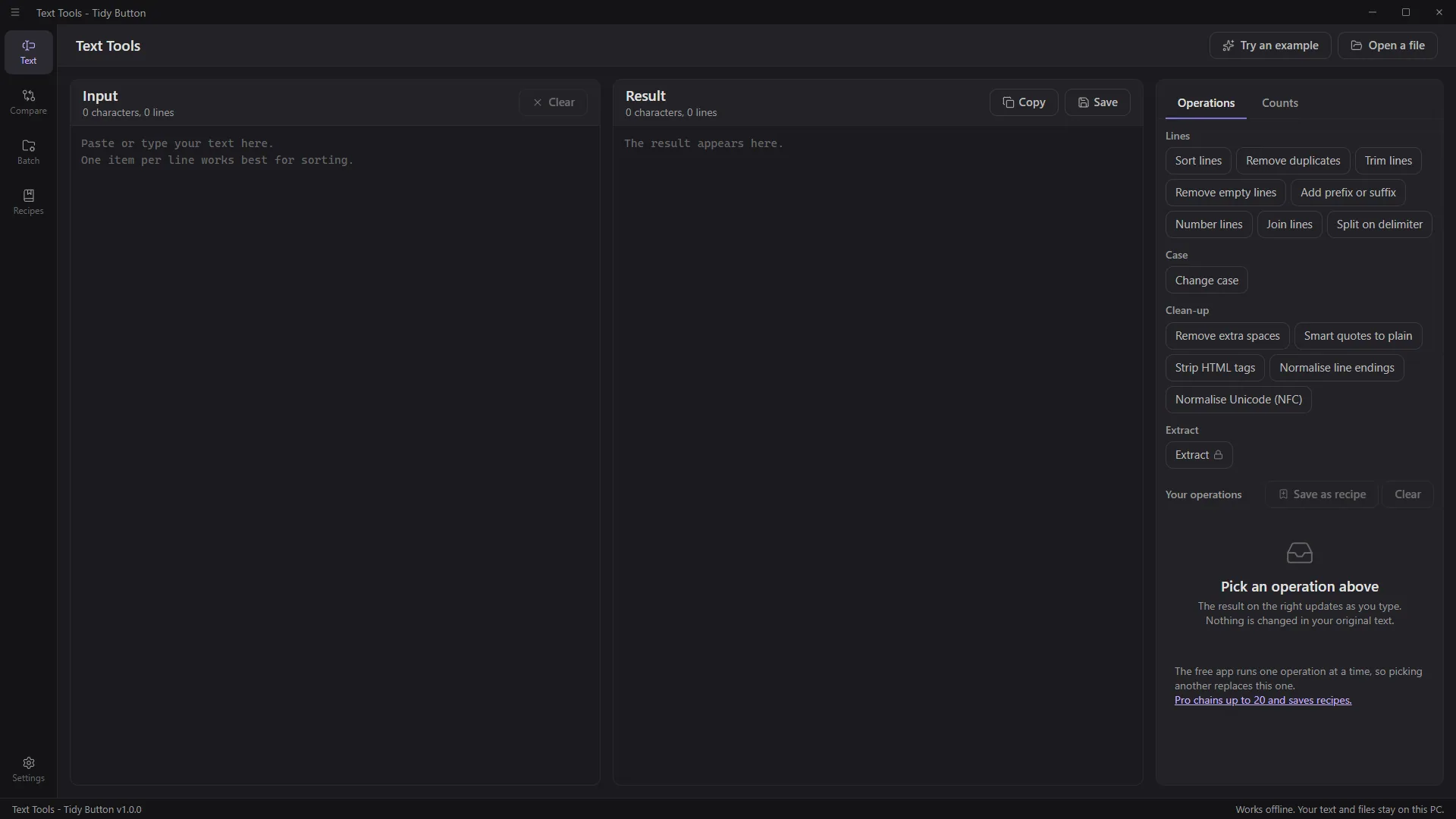
Paste a list or open a file, then pick an operation
Remove duplicates
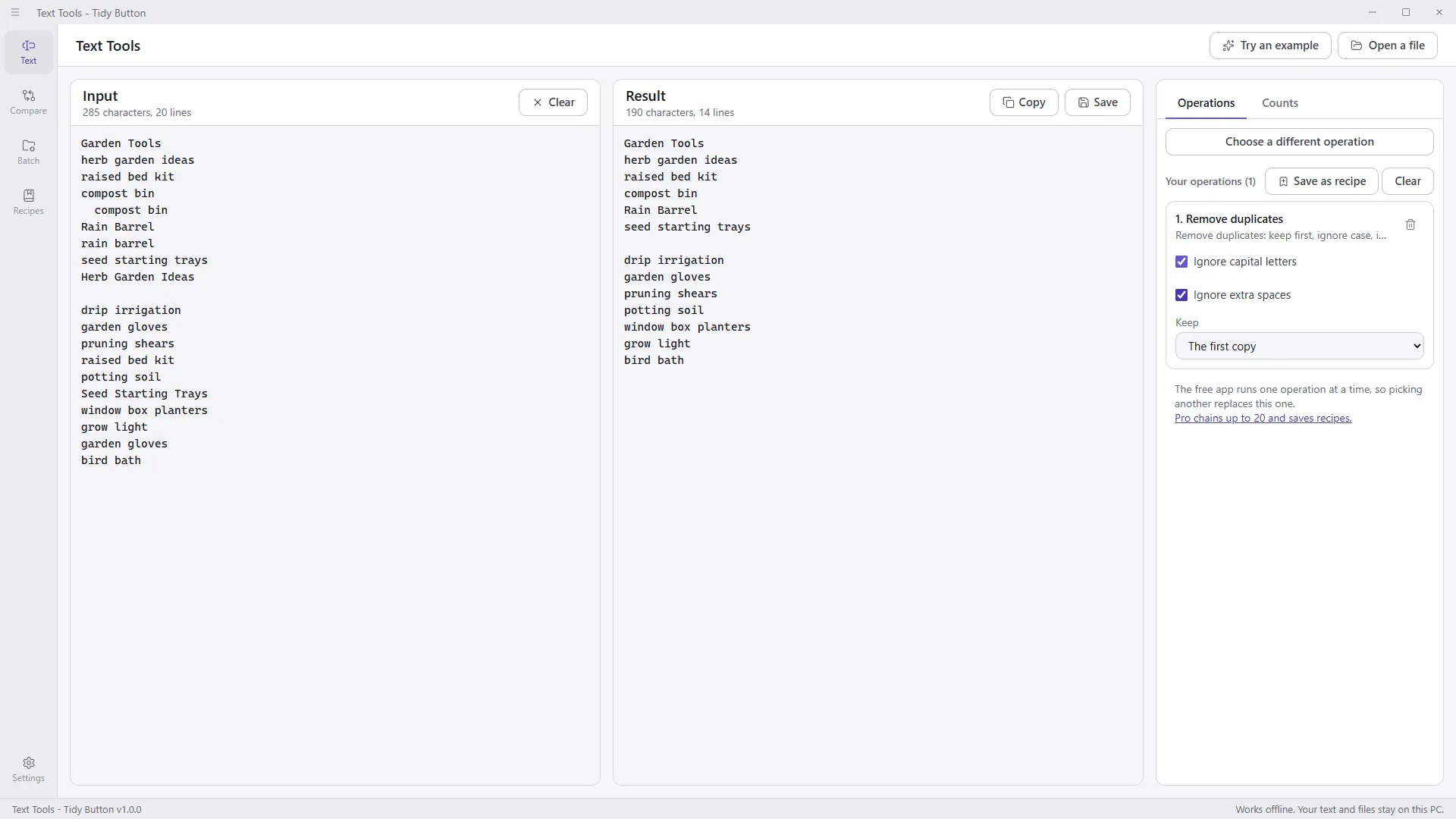
Remove duplicate lines and see the result as you type
Counts
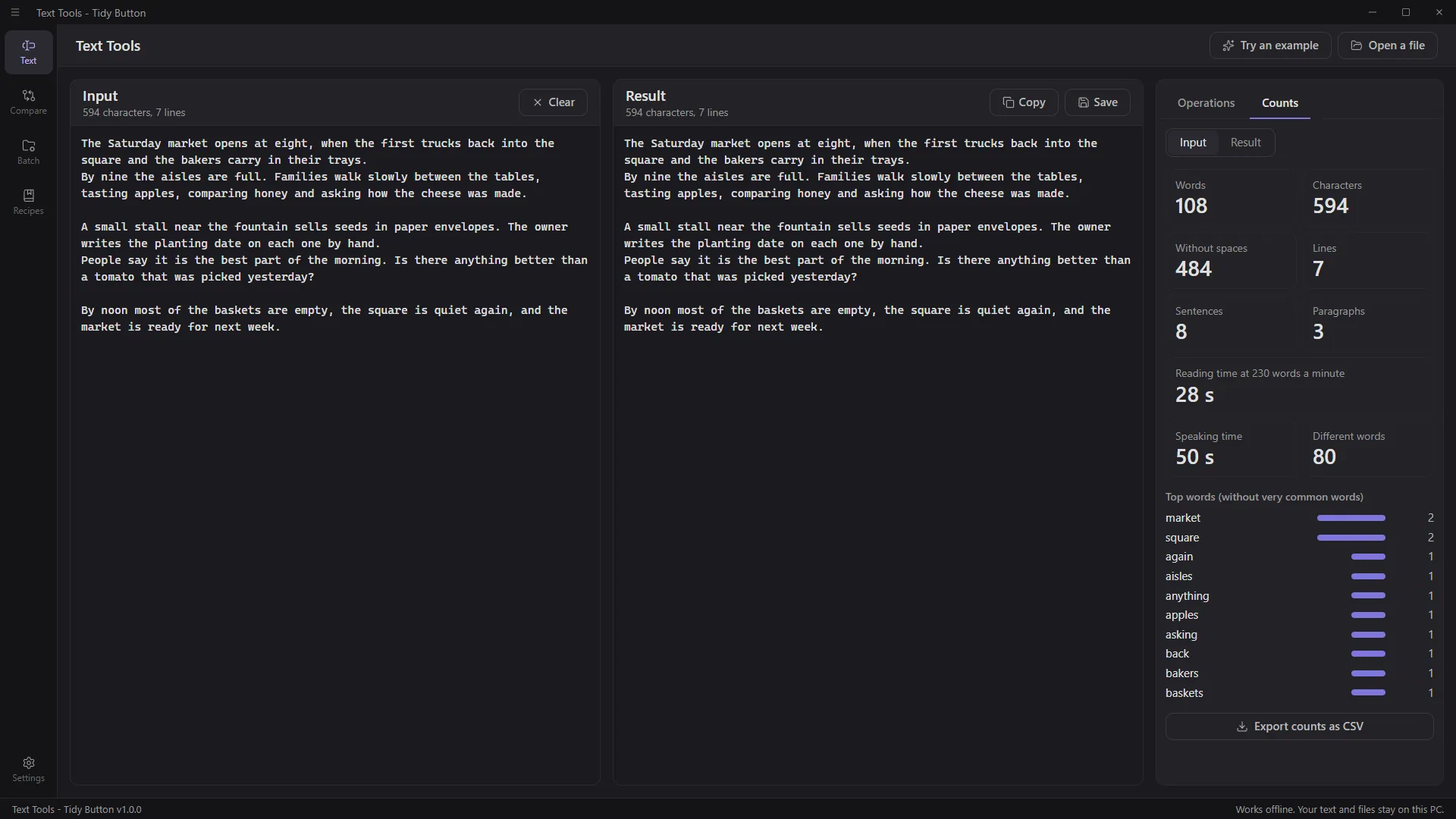
Words, characters, sentences, reading time and top words
Stack (Pro)
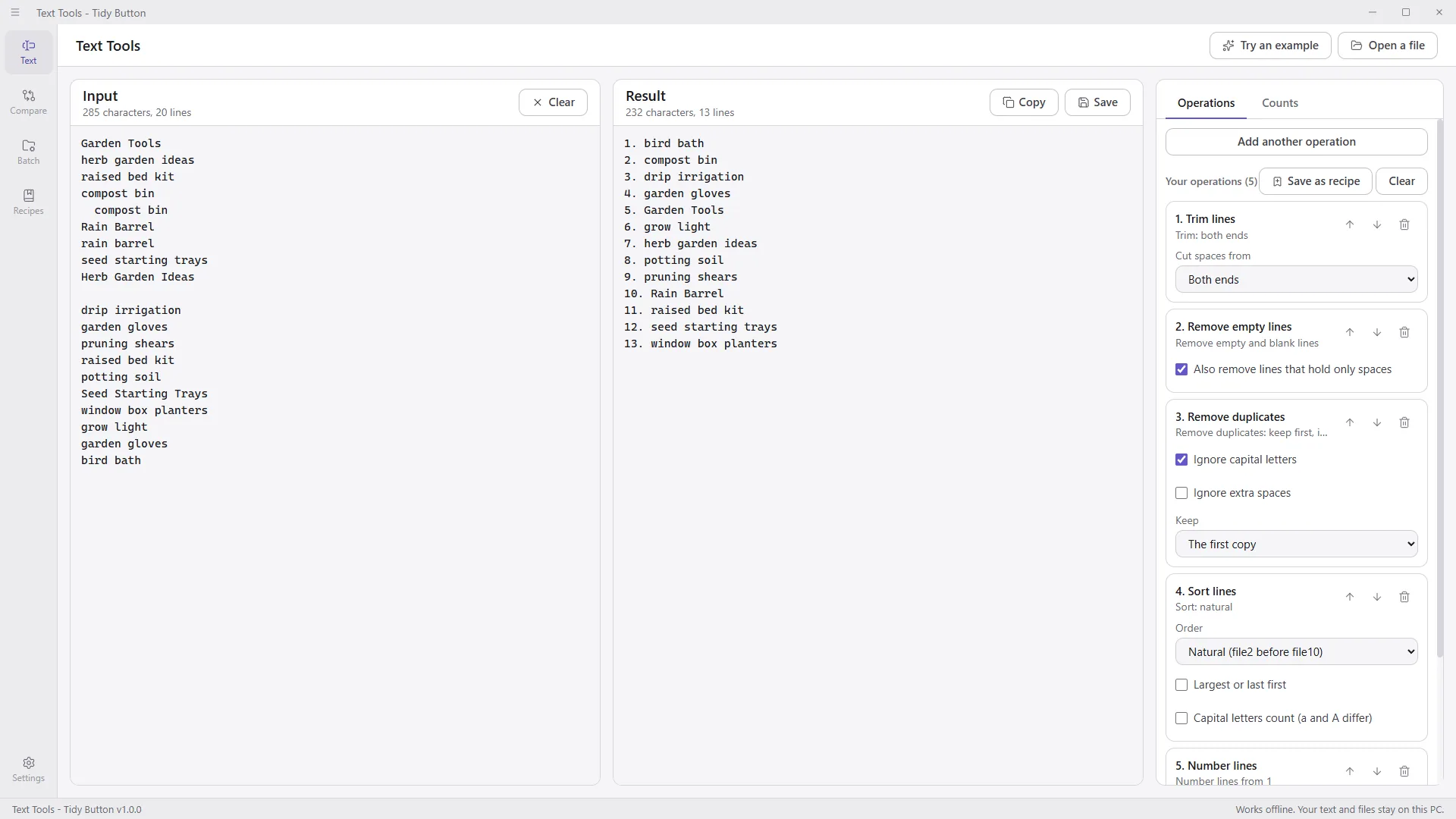
Pro: chain operations in a row, here trim, drop blanks, remove duplicates, sort and number
Compare (Pro)
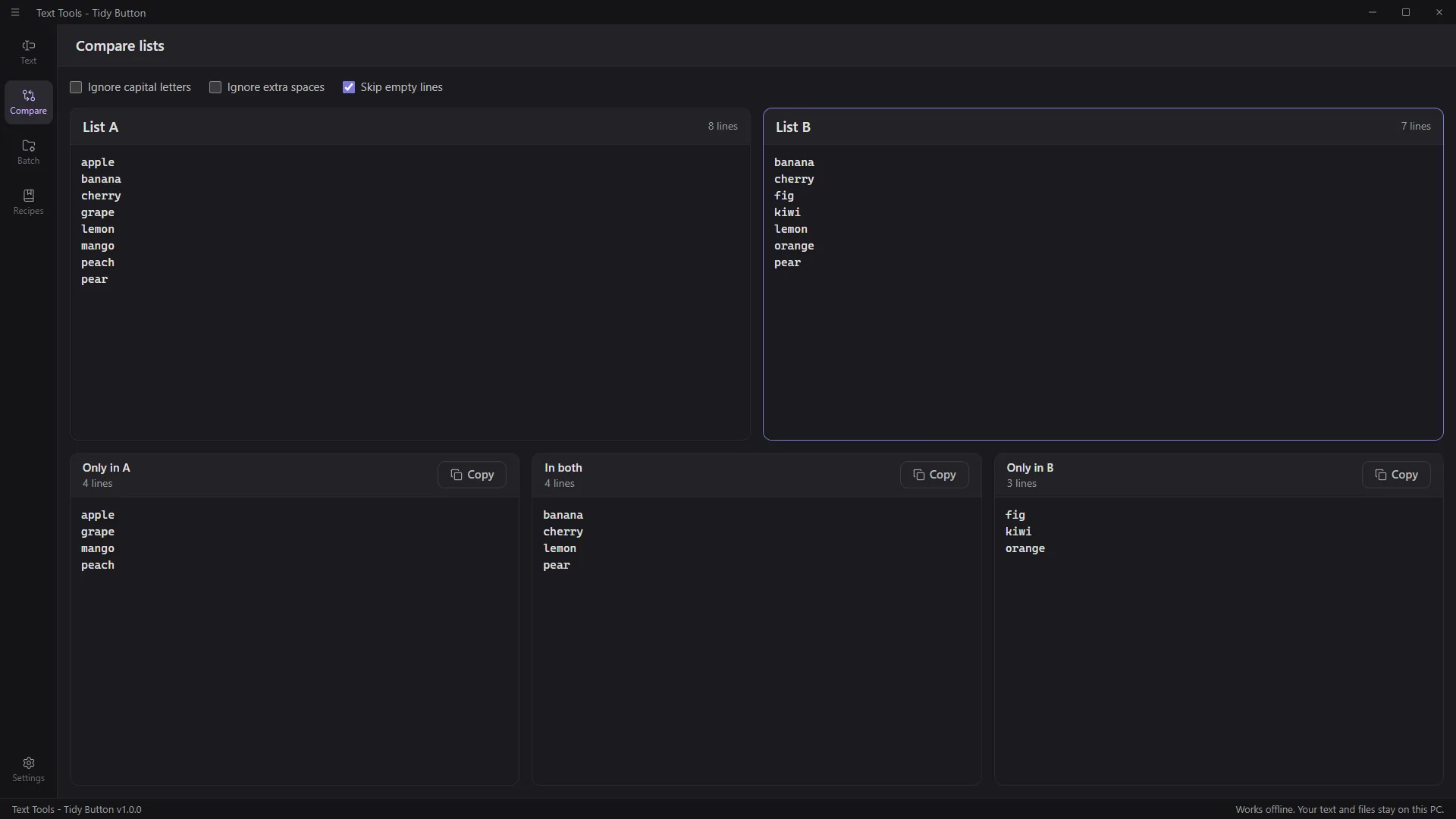
Pro: compare two lists to see what is only in A, in both, or only in B
Free limit
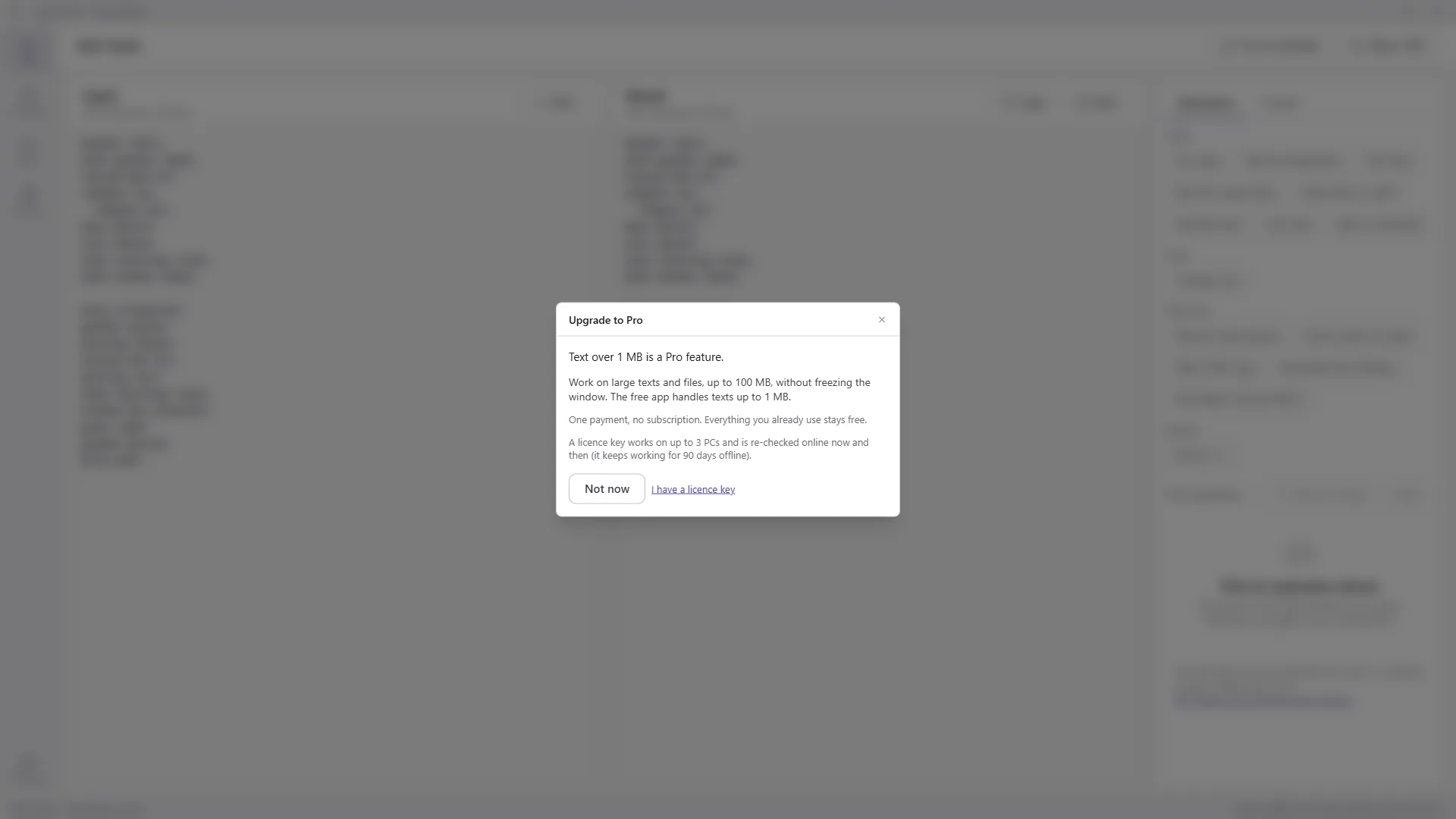
The free app works on texts up to 1 MB and says so plainly
Recipes (Pro)
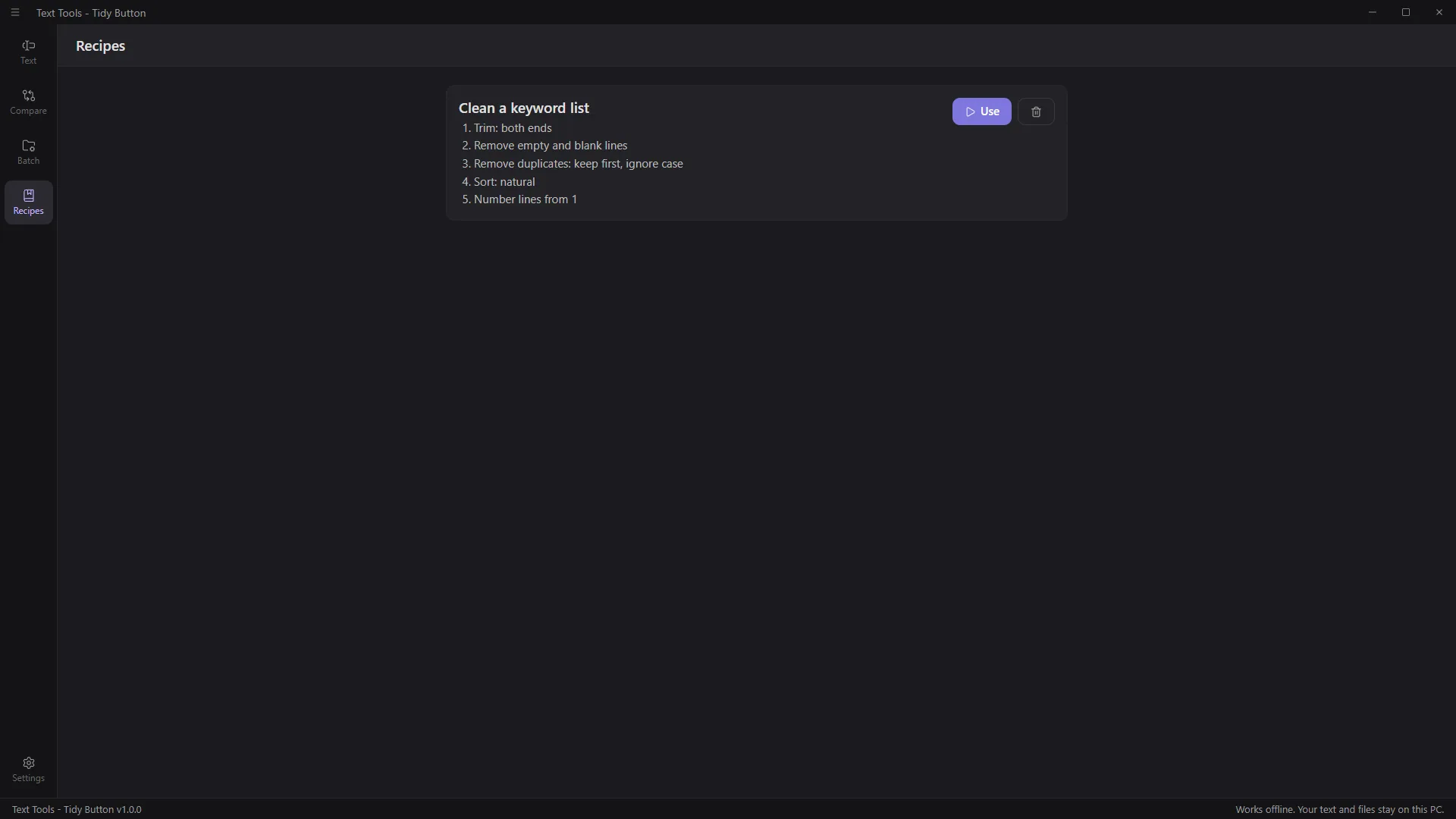
Pro: save a stack as a recipe and use it again
Extract (Pro)
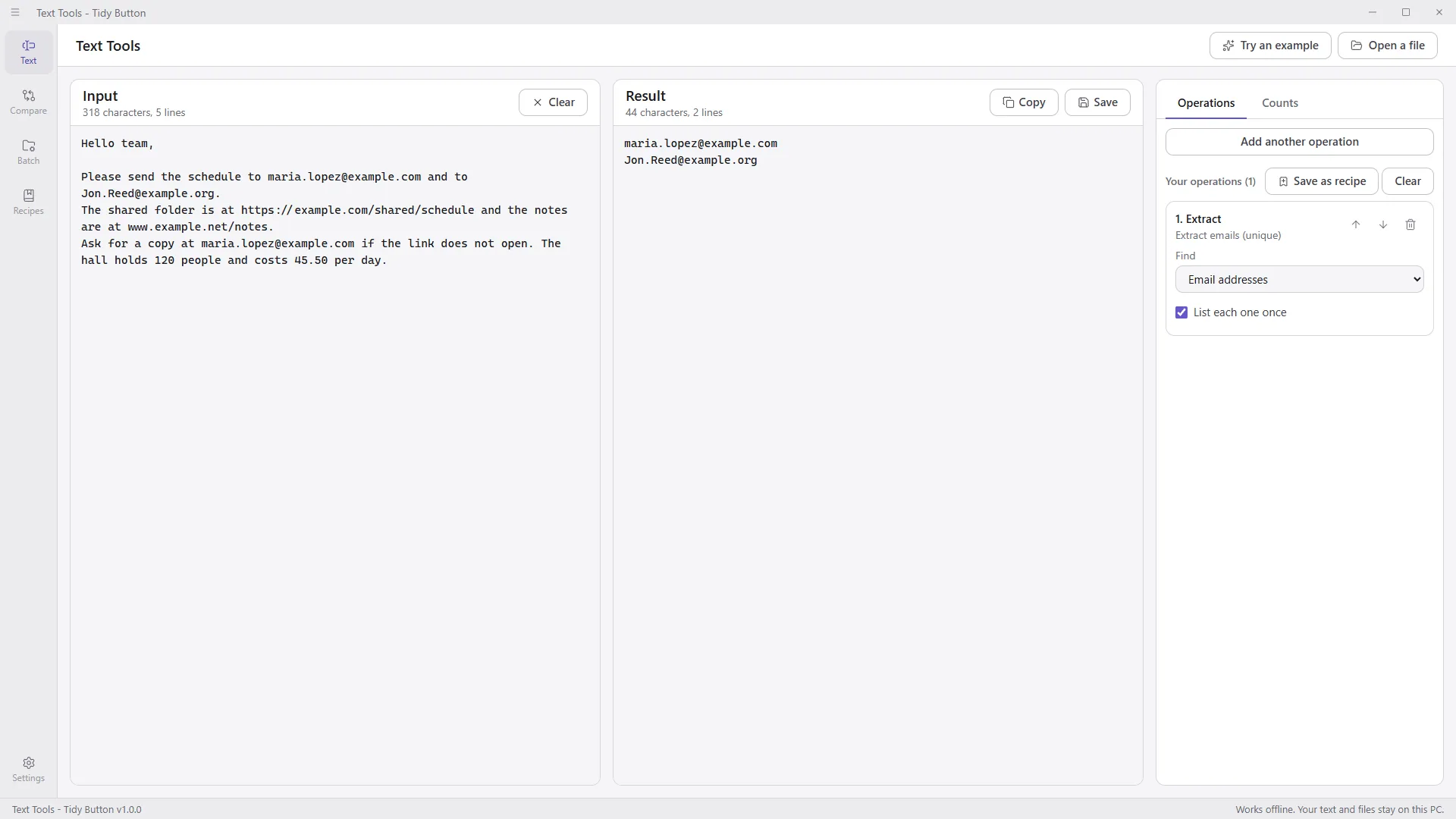
Pro: pull emails, links or numbers out of any text
Screens show made-up sample text. The app has light and dark themes.
What it does
What it does.
Text Tools is a toolbox for lists and text. Type or paste on the left, choose an operation on the right, and the result appears in the middle. Your original text is never changed. Everything happens on your PC, so it works with the internet turned off.
Sort and tidy lines
Sort A-Z, naturally (file2 before file10), by number, by length, in reverse or at random with a seed. Trim, remove empty lines, add a prefix or suffix, number, join and split.
Remove duplicates
Ignore capital letters and extra spaces if you like, and keep the first or the last copy of each line.
Change case
UPPER, lower, Title, Sentence, camelCase and snake_case. Accents and letters of any script are kept.
Clean up
Remove extra spaces, turn curly quotes into plain quotes, strip HTML tags, make line endings the same and join letters with their accents.
Counts
Characters with and without spaces, words, lines, sentences, paragraphs, reading and speaking time, and your most used words.
Copy, save, open
Copy the result or save it to a file. A Windows file keeps its line endings.
Pro tools
An optional one-time Pro add-on adds stacks of up to 20 operations and saved recipes, batch over files and folders, compare two lists, extract emails, links and numbers, texts up to 100 MB and a counts CSV.
The small print, in plain English
Safe by design.
- Your text stays on your PC.
- Nothing is uploaded or sent anywhere.
- Works offline. No account. No ads. No tracking.
- Every single operation and the counts are free. Pro is optional and one payment.
Good for
Handy when a list is a mess.
- Cleaning a keyword or mailing list
- Tidying an export before you use it
- Counting the words in an essay or a post
- Fixing pasted text with odd spaces and quotes
- Comparing two lists
Questions
Plain answers.
Is my text uploaded?
No. Your text is read on your PC and never leaves it. The app works with the internet turned off.
Does it change my original text or files?
No. The result appears next to your text. Files are written only when you press Save or run a batch, and a batch always goes into a new folder, so nothing is overwritten.
Can I sort file names so that file2 comes before file10?
Yes. Sort lines has a natural order for exactly that, as well as A-Z, by number, by length, reverse and random.
Does a Windows text file stay a Windows file?
Yes. The line endings and the final line break are kept when you save the result.
How big a text can I use?
The free app handles texts up to 1 MB. The optional Pro add-on raises this to 100 MB. The window shows a preview of very large texts and stays responsive.
What does Pro add?
Stacks of up to 20 operations and saved recipes, batch over files and folders, compare two lists, extract emails, links and numbers, texts up to 100 MB and a counts CSV. It is one payment.
Does it need an account or an internet connection?
Neither. There is no account, no ads and no tracking. The only network use is the optional check of a Pro licence.
Which versions of Windows does it run on?
Windows 10 and Windows 11.