Coming to the Microsoft Store
Socket Tester Talk to any device on your network.
A TCP client, TCP server and UDP tool with text and hex views. Offline, no account.
We will link the Store listing here the day it is live. Until then there is nothing to download.
- Works offline
- No account, no ads, no tracking
- Stays on your PC
- Free
See it
Five views. One conversation, open.
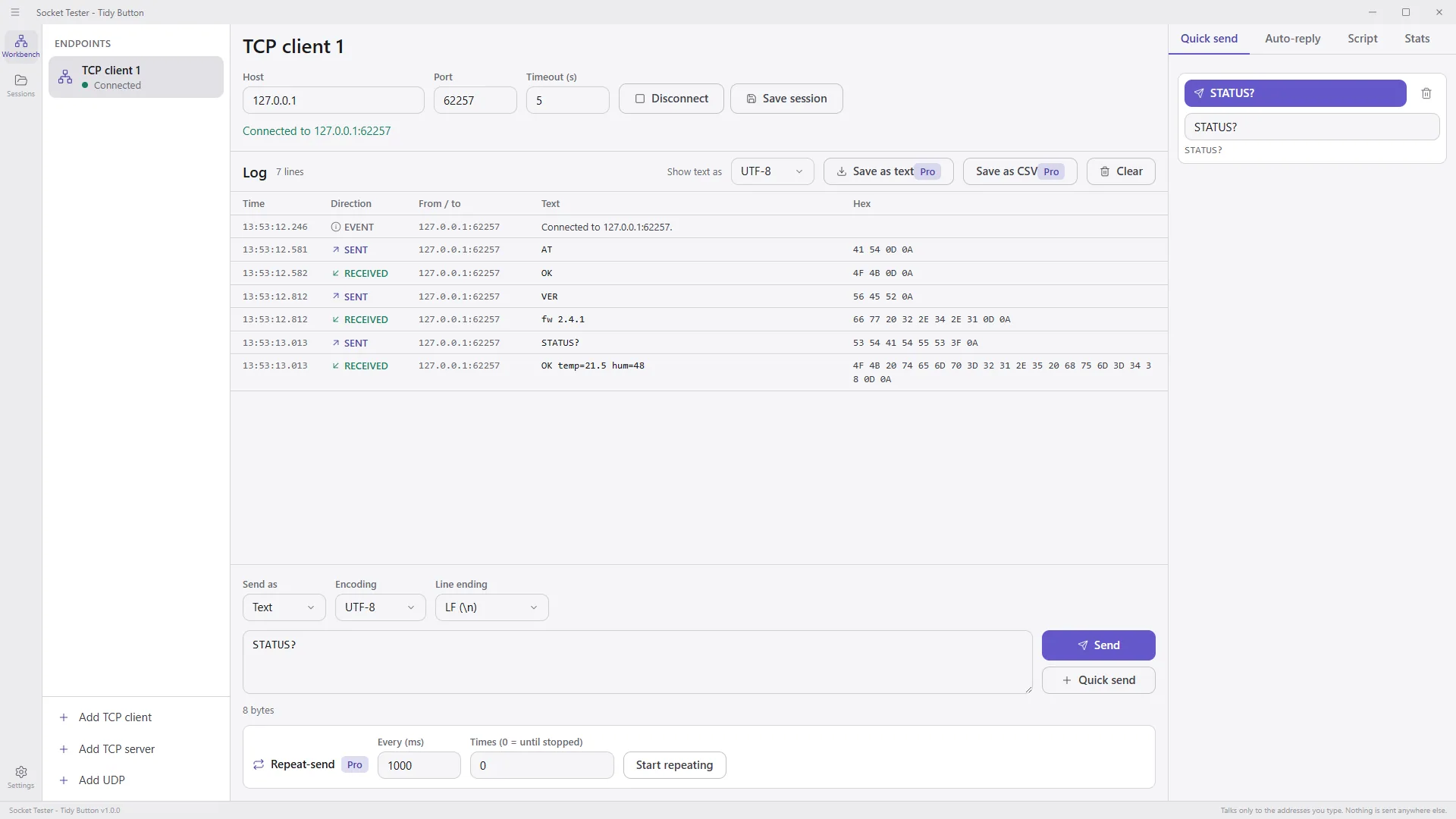
TCP client
Connect to a device, send a command and read the answer
TCP server
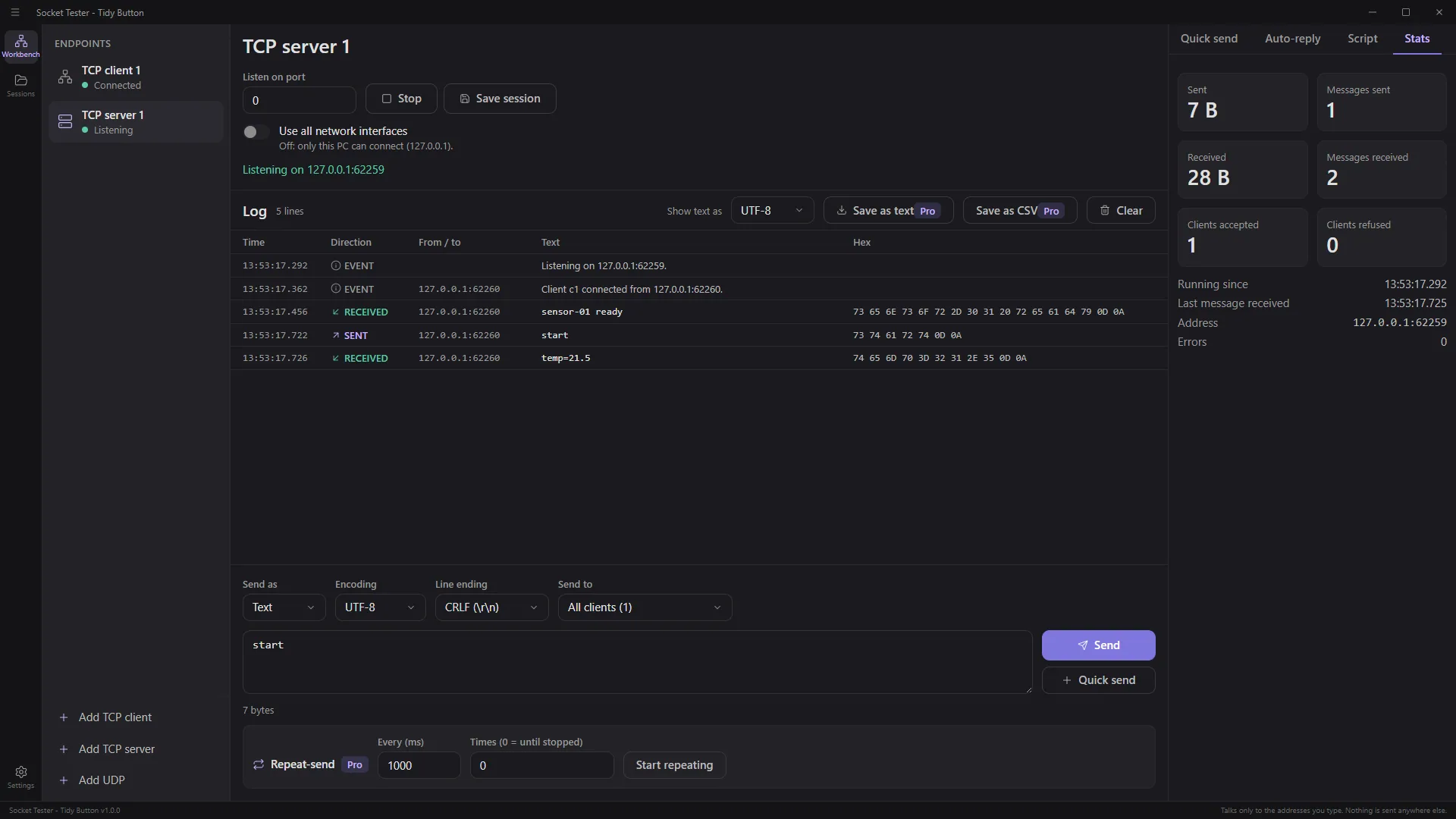
Run a server and watch a device connect and talk
Free limit
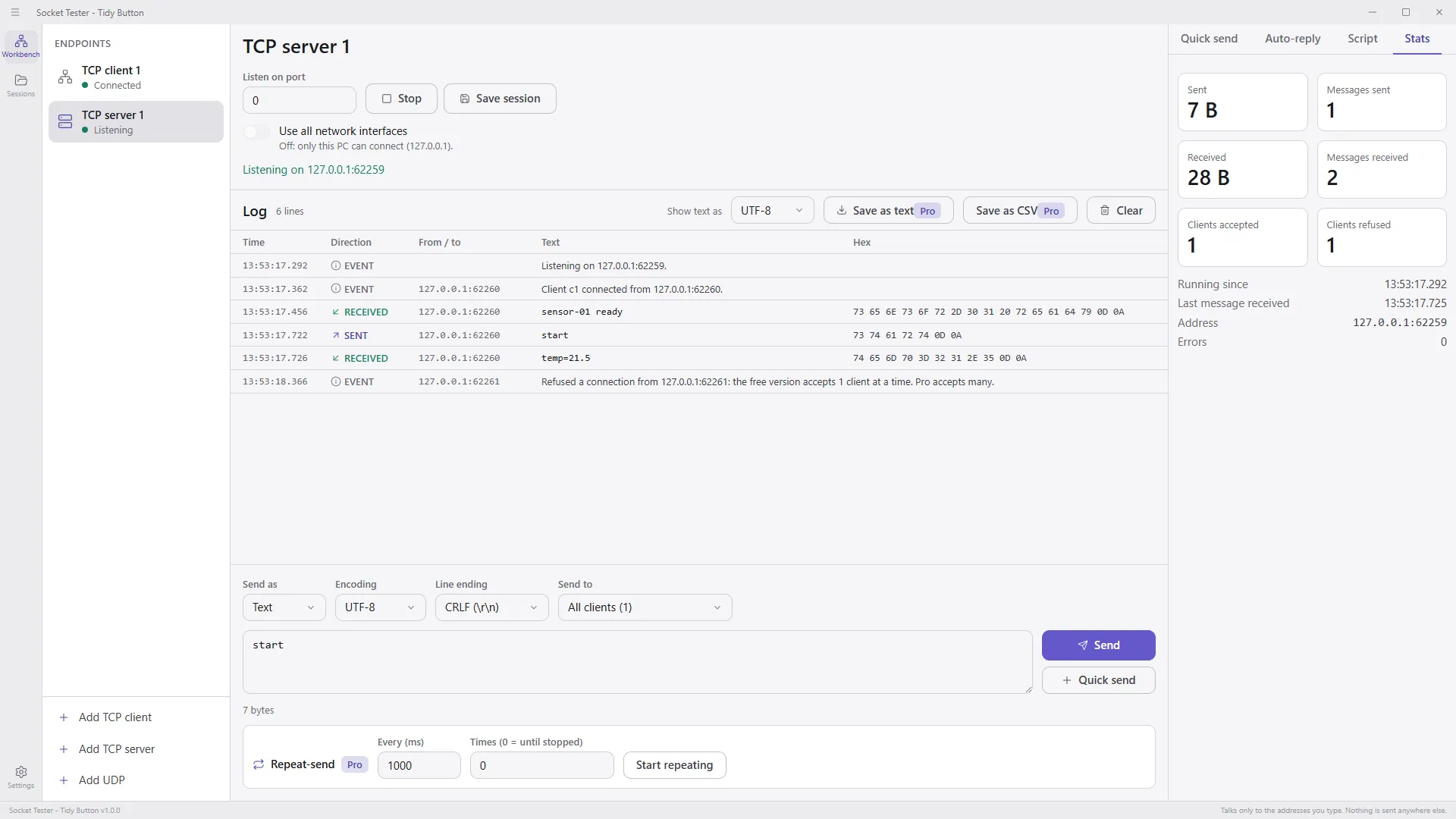
The free server takes one client at a time and says so
Auto-reply
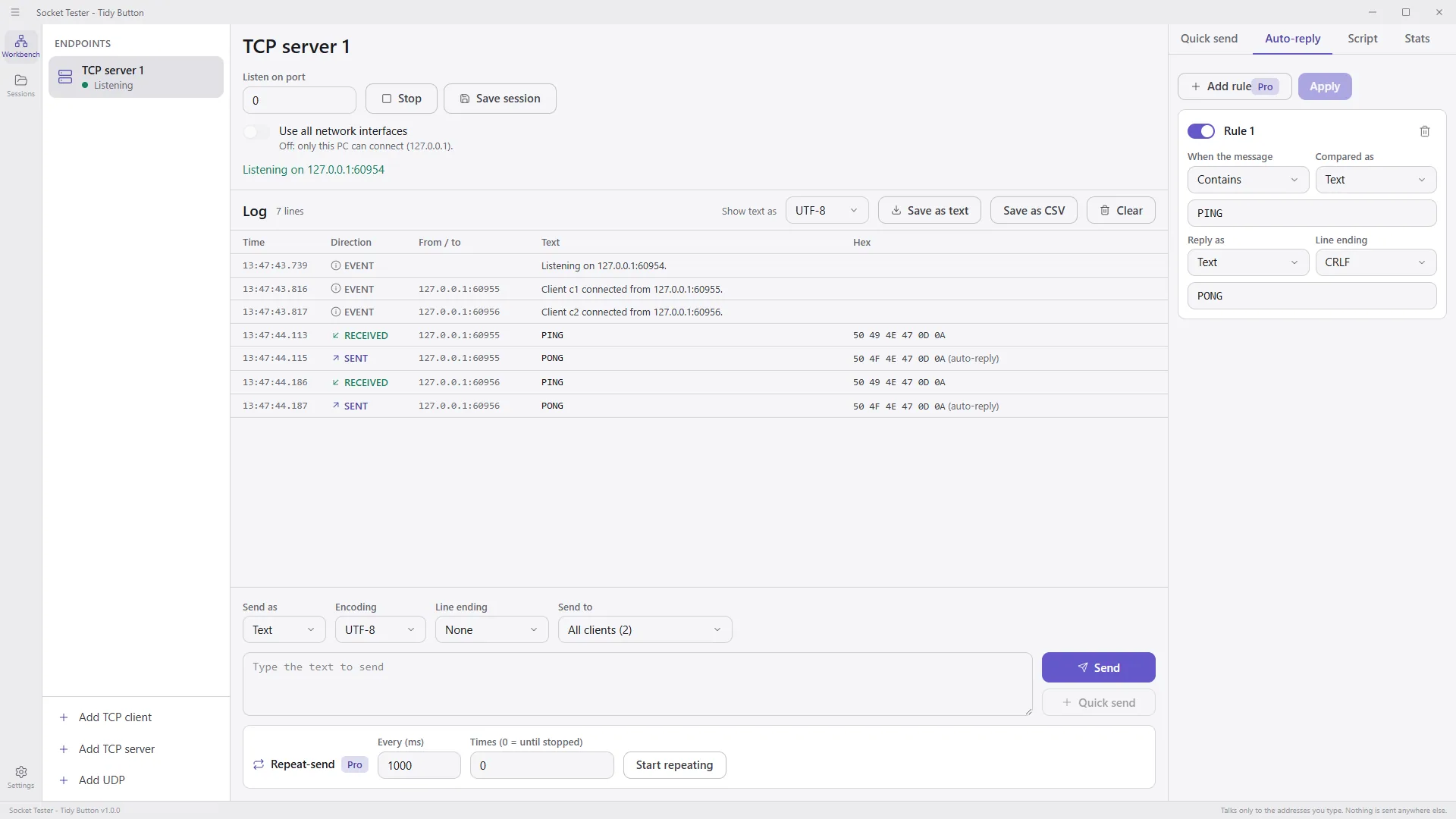
Pro: answer matching messages automatically
Script
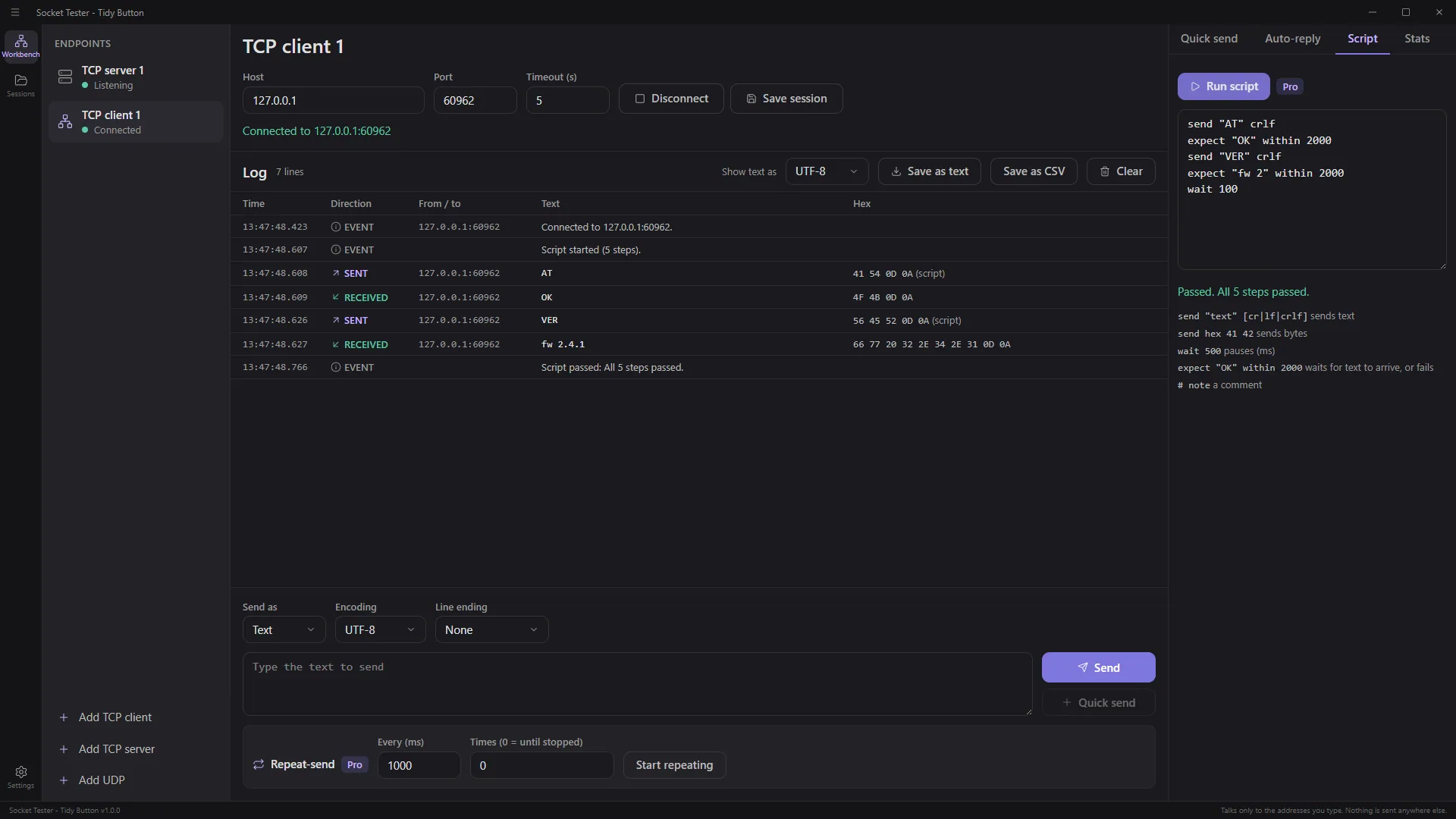
Pro: run a send, wait and expect script against a device
Screens show a demo folder, not a real PC. The app has light and dark themes.
What it does
What it does.
Choose TCP client, TCP server or UDP, fill in the host and port, type a message and press Send. Every line of the log shows the time, the direction, the address, the text and the hex bytes. Everything you send and receive stays on your PC. The tool talks to one address at a time and refuses ranges, so it is not a network scanner.
TCP client
Connect to a host and port with a connect timeout, send a message and see exactly what came back.
TCP server
Listen on this PC only by default, or on all network interfaces when other devices need to reach it. The free server takes one client at a time.
UDP
Listen on a port, send to a host and port, and see which address each datagram came from.
Text and hex
Send UTF-8, ASCII or Latin-1 text or hex bytes, with line endings none, CR, LF or CRLF. The log shows text and hex side by side.
Quick send and stats
Keep up to 8 quick-send buttons per connection, and see bytes, messages, clients accepted and refused for each one.
Pro tools
An optional one-time Pro add-on adds a server with many clients, UDP broadcast and multicast, repeat-send, auto-reply rules, send scripts, a bigger log with text and CSV export, and saved sessions.
The small print, in plain English
Safe by design.
- Everything you send stays on your PC.
- No account, no ads, no tracking.
- Works offline. The only network use is the connection you open.
- Pro is optional and one payment. Everything above stays free.
Good for
Handy when a device will not answer.
- Talking to a sensor or gateway that answers text commands
- Checking what a UDP data feed really sends
- Standing in for a device while you build the other side
- Testing a server you are writing on your own PC
- Repeating a message to see how a device copes
Questions
Plain answers.
Does it send anything to the internet?
No. It opens only the connections you ask for and sends only the messages you type. The only other network use is the optional check of a Pro licence.
Can it scan a network?
No. The host box takes one address. Ranges, lists and wildcards are refused, and connection attempts and sending are rate limited.
Who can connect to my TCP server?
Only this PC, by default. Switch on all network interfaces to let other devices connect. Windows may ask about its firewall.
How many clients can the free server take?
One at a time. A second client is turned away and the log says why. Pro accepts many clients.
Where are saved sessions kept?
In a folder called Socket Tester inside your Documents folder. Saving sessions is part of the optional Pro add-on.
Which versions of Windows does it run on?
Windows 10 and Windows 11.