Coming to the Microsoft Store
Subscription Tracker Know what renews, and when.
A private list of everything you pay for on a schedule. See the monthly and yearly cost, get a Windows reminder before each renewal and open the cancel link when you decide to stop. The list stays in one file on your PC, with no bank connection and no account.
Not on sale yet. The app is still being built.
We will link the Store listing here the day it is live. Until then there is nothing to download.
- Works offline
- No account, no bank link
- Nothing leaves your PC
- Free
See it
Six views. Every renewal in sight.
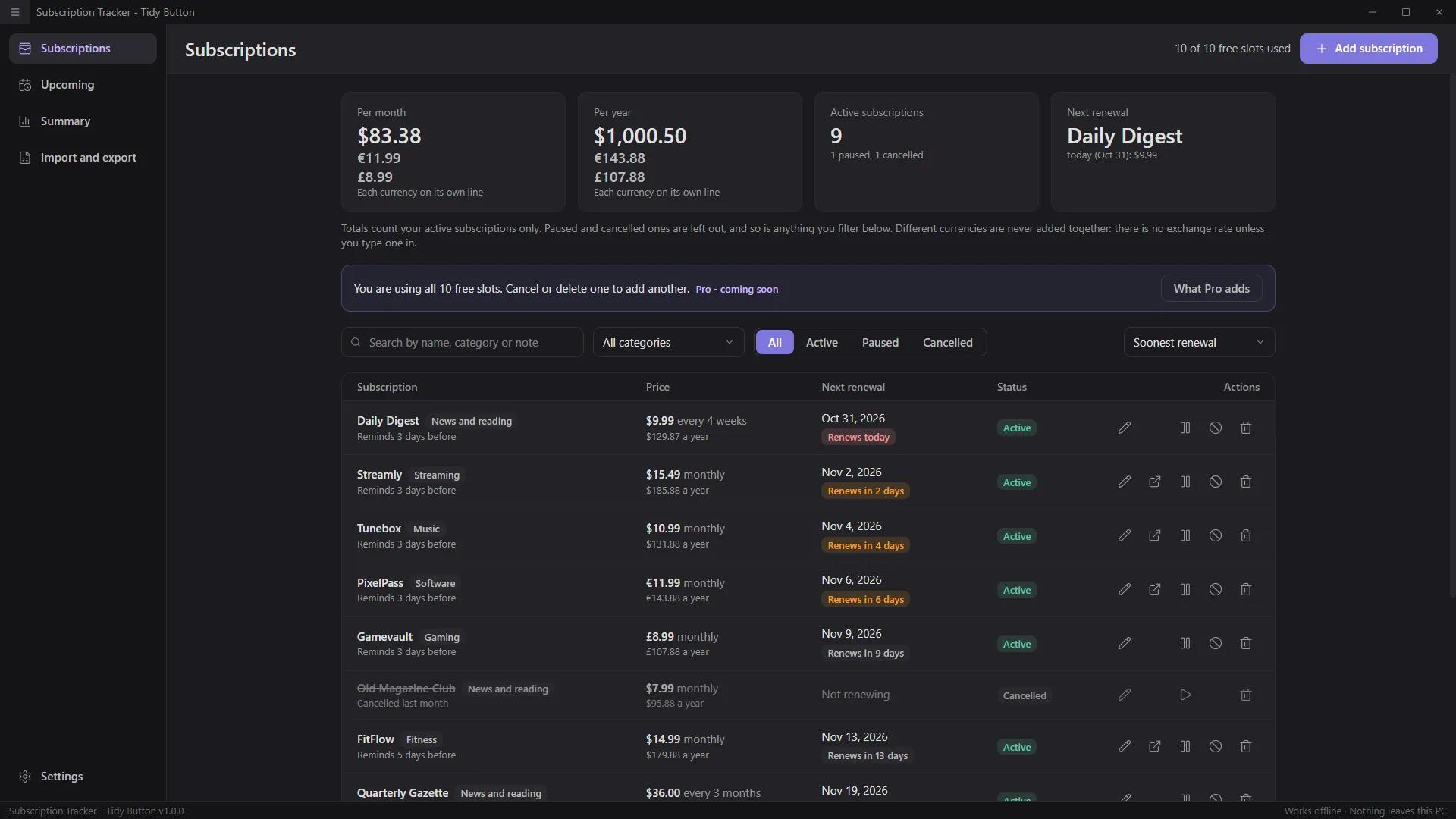
Subscriptions
Every subscription with its price, next renewal and status, and monthly and yearly totals with one line per currency
Edit
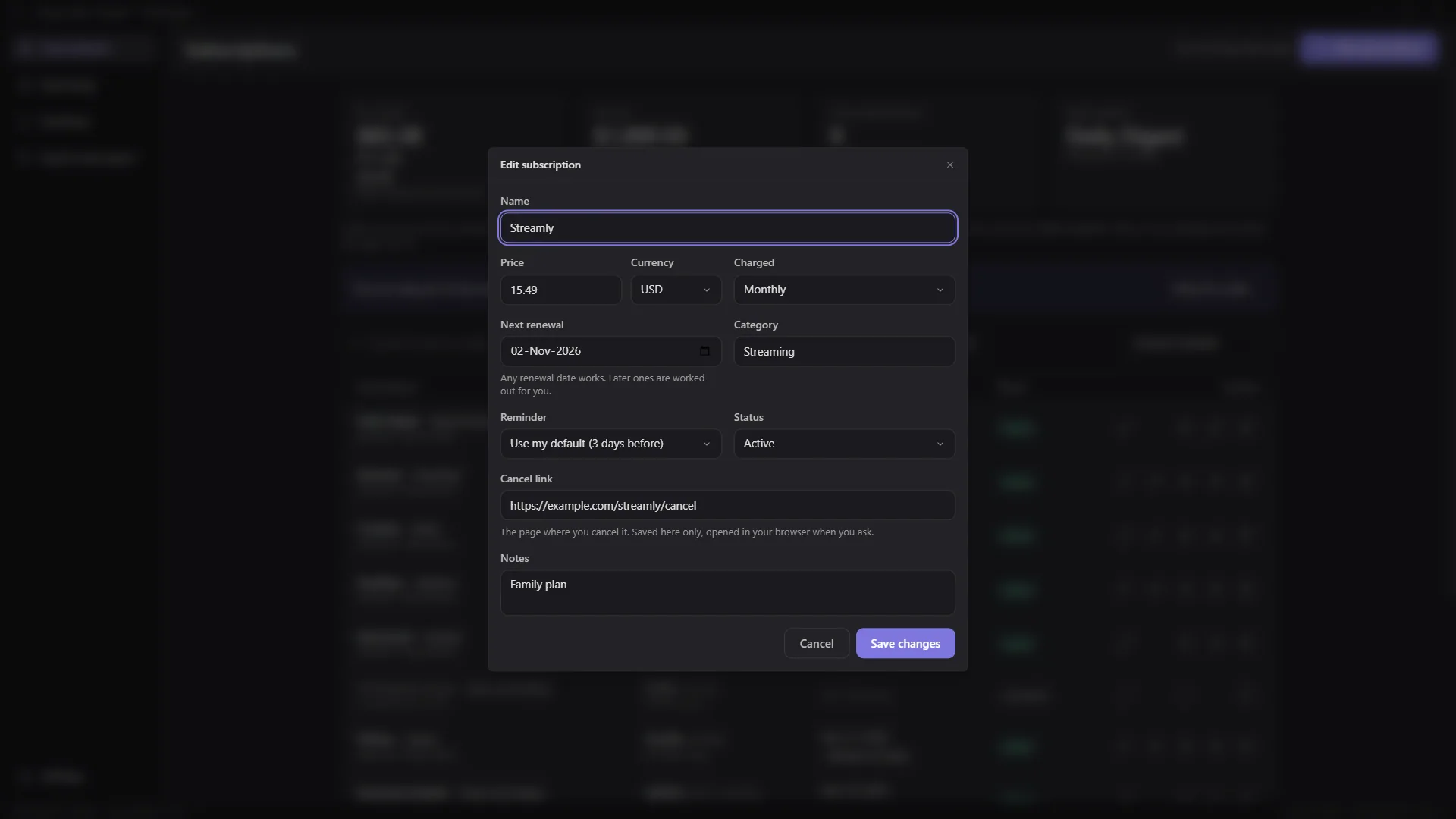
Price, currency, how often it is charged, the next renewal, a category, a reminder and a cancel link
Upcoming
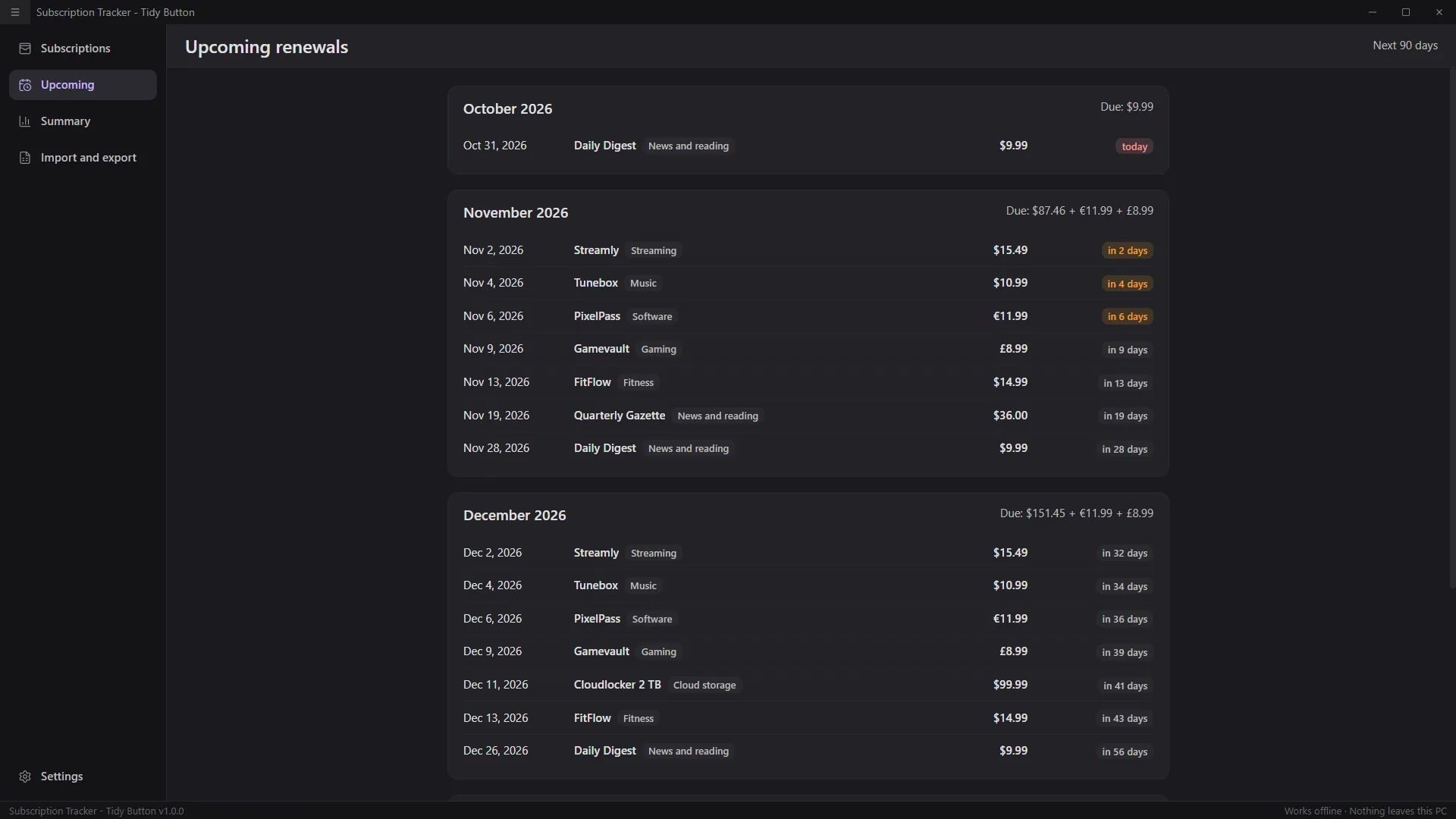
Upcoming renewals for the next 90 days, grouped by month, with the amount due in each month
Summary
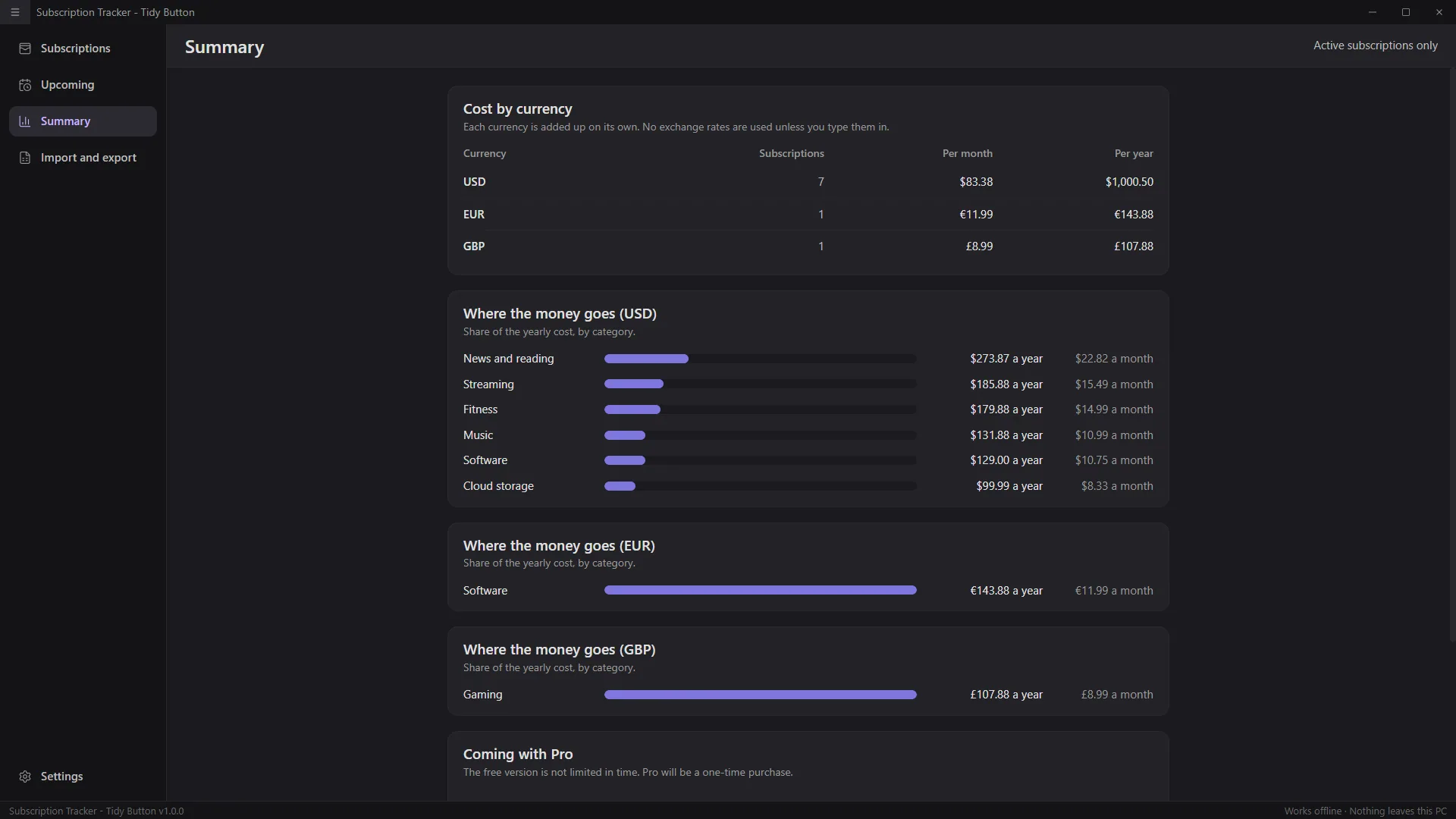
Cost by currency and where the money goes by category, with each currency added up on its own
Import
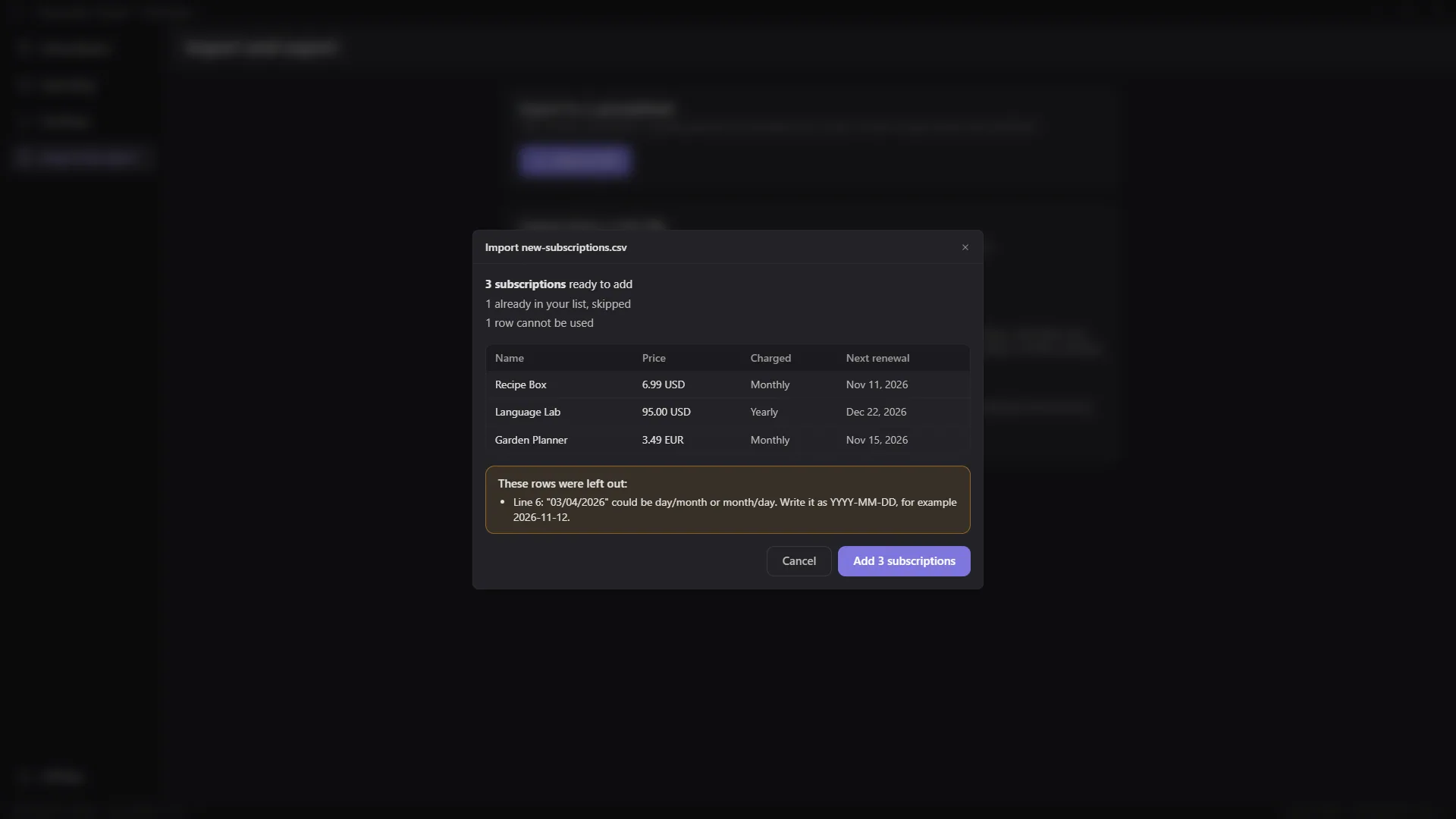
The import preview shows what will be added, and why any row was left out, before anything changes
Reminders
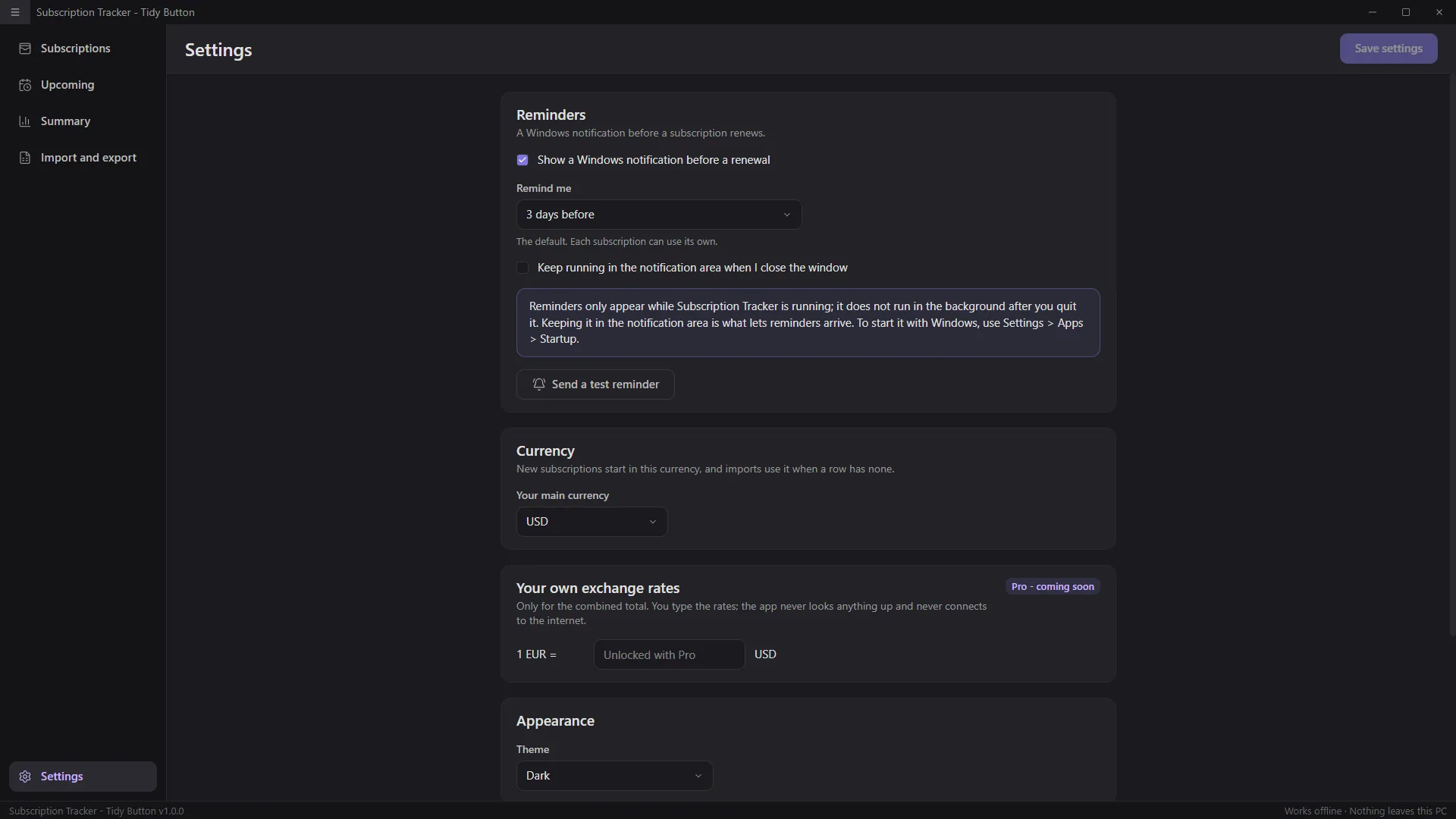
Choose how many days before a renewal you are reminded, and send a test reminder
Screens show invented sample subscriptions. The app has light and dark themes.
What it does
What it does.
Add what each subscription costs and when it renews. The app shows what you spend per month and per year, works out the next renewal for you and tells you before the next charge. You type the subscriptions in, or import them from a spreadsheet. Nothing is linked to your bank and nothing leaves your PC.
Monthly and yearly totals
Worked out from the subscriptions that are active. A search or filter changes the rows you see, never the totals.
A reminder before each renewal
A normal Windows notification, with your own lead time for each subscription. Reminders appear while the app is running.
Next renewal worked out for you
Enter any past or future renewal date once and the app keeps counting. Weekly, monthly, every few months or yearly.
A currency for each subscription
Totals are shown on their own line for each currency. The app never adds currencies together and never looks up an exchange rate.
Upcoming renewals
The next 90 days, grouped by month with the amount due in each.
Categories, notes and a cancel link
Keep notes with each subscription. The cancel link opens in your own browser when you decide to stop paying.
Pause or cancel without losing it
Paused and cancelled subscriptions stay on the list but leave the totals.
Import and export CSV
Bring in a spreadsheet you already keep, or open the list in Excel or Google Sheets.
The small print, in plain English
Safe by design.
- Your list stays in one file on your PC. The app makes no network requests.
- No bank connection and no account. You type the subscriptions in or import a CSV file you choose.
- Reminders are Windows notifications made by the app on your PC. They are not sent from a server.
- The only outward step is the cancel button, which asks Windows to open your saved link in your own browser.
Good for
Handy when the bills creep up.
- Streaming, music, software and storage plans
- Memberships and insurance with yearly renewals
- Anyone who wants to see the yearly cost before it surprises them
Questions
Plain answers.
Does it connect to my bank?
No. You type the subscriptions in or import a CSV file. There is no bank link and no account.
How do reminders work?
The app shows a normal Windows notification before each renewal, with the lead time you choose. They appear while the app is running. Turn on Keep running in the notification area in Settings to keep it running after you close the window.
What about different currencies?
Each subscription has its own currency and totals are shown per currency. The app never looks up an exchange rate.
Do the totals change when I search?
No. A search or filter only changes which rows you see. The totals always count every active subscription.
Can I bring in a list I already keep?
Yes. Import a CSV file. A preview shows what will be added, and why any row was left out, before anything changes.
Is there a limit in the free version?
The free version tracks up to 10 subscriptions, with reminders, totals, categories, import and export. A Pro add-on is planned (coming soon).
Which versions of Windows does it run on?
Windows 10 and Windows 11.