We will link the Store listing here the day it is live. Until then there is nothing to download.
Real app, with an invented class list.
Works offline
No account, no ads, no tracking
Data stays on your PC
Free
See it
Eight views. One semester, planned.
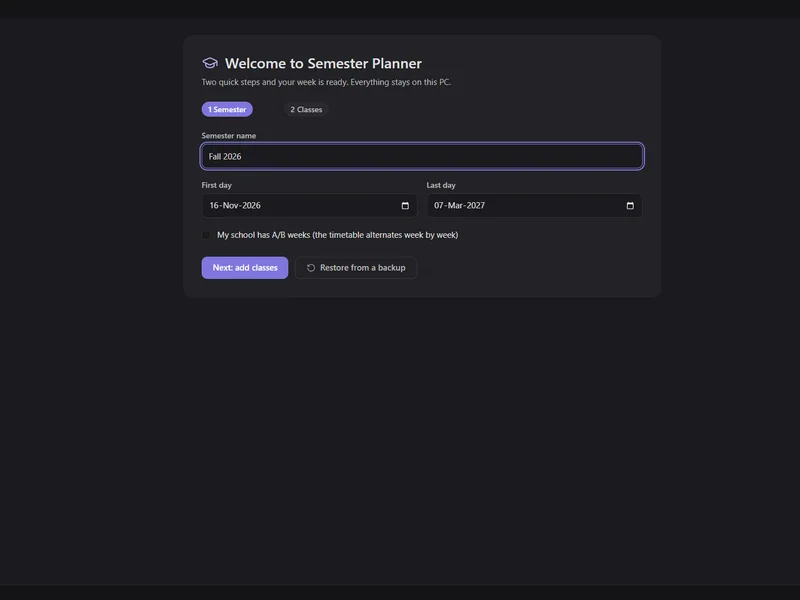
Start
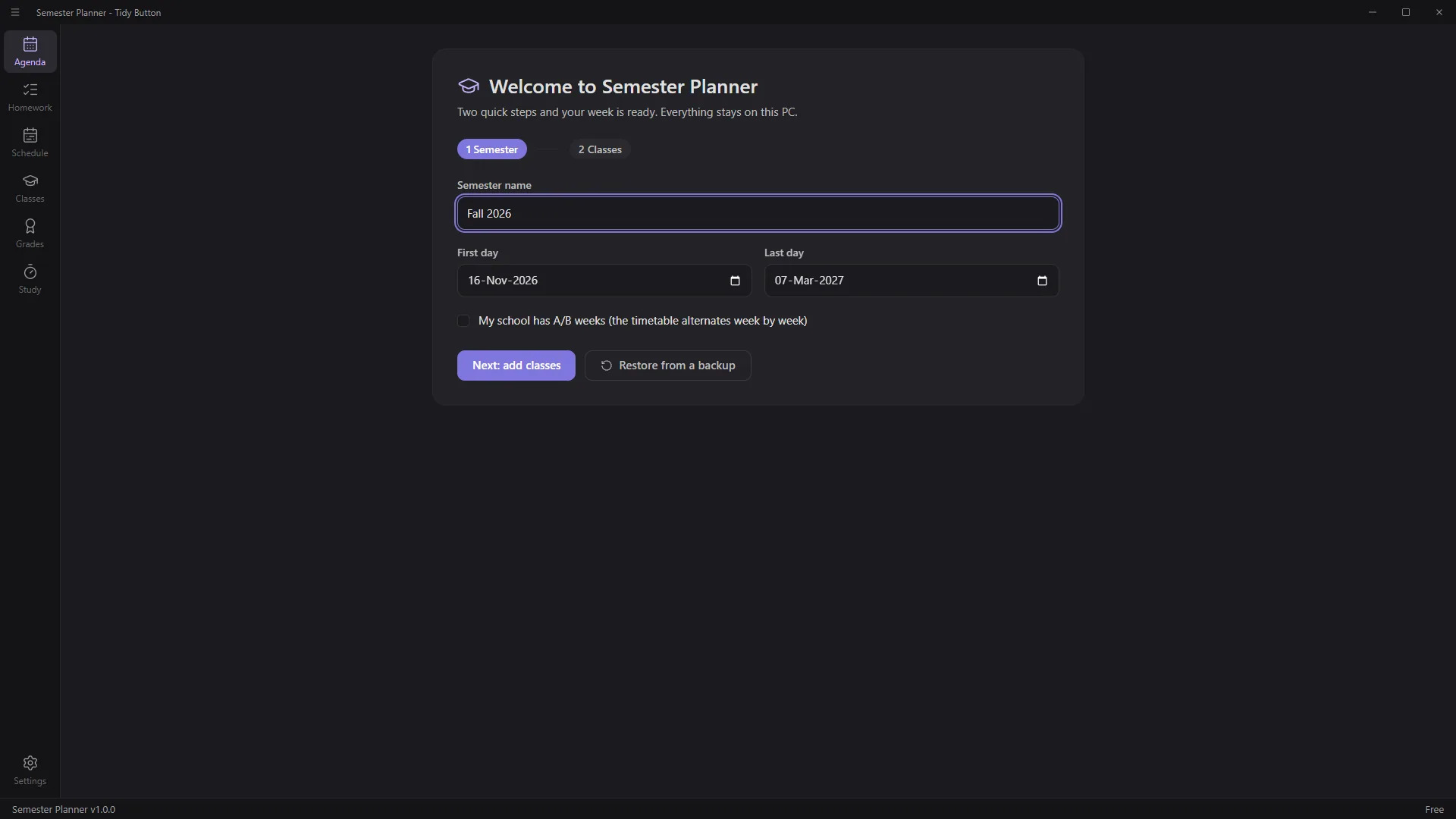
Two quick steps and your week is ready
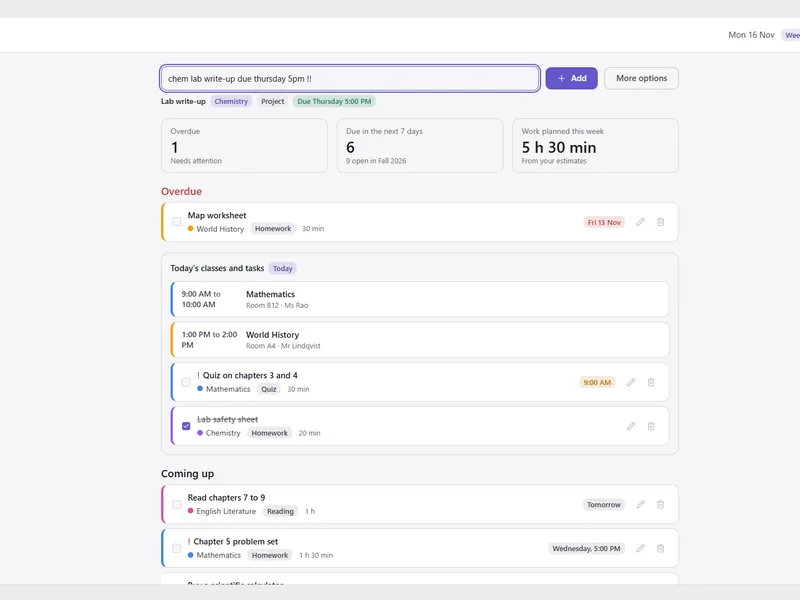
Agenda
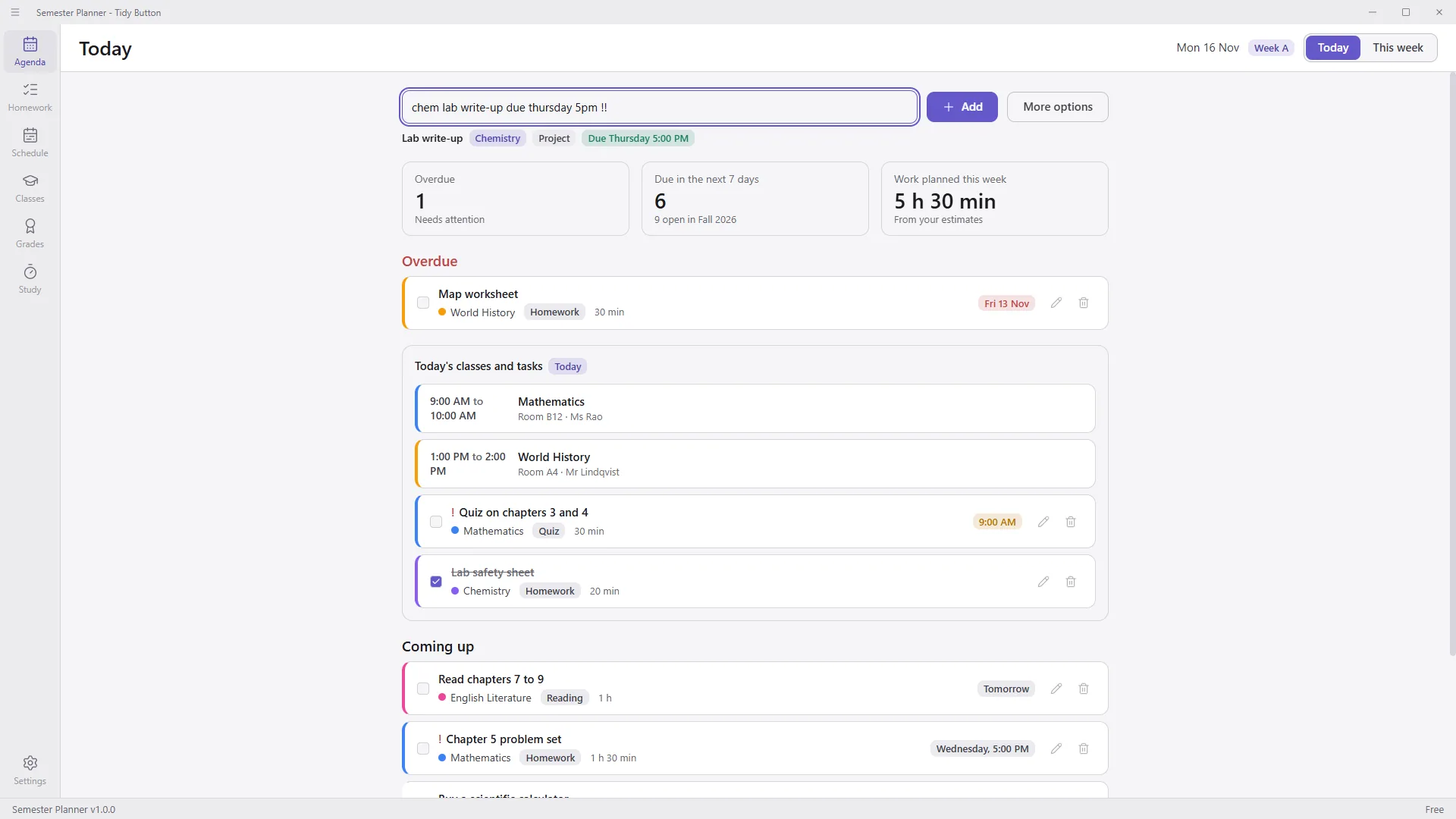
Type a task in one line and see what was understood before it is saved
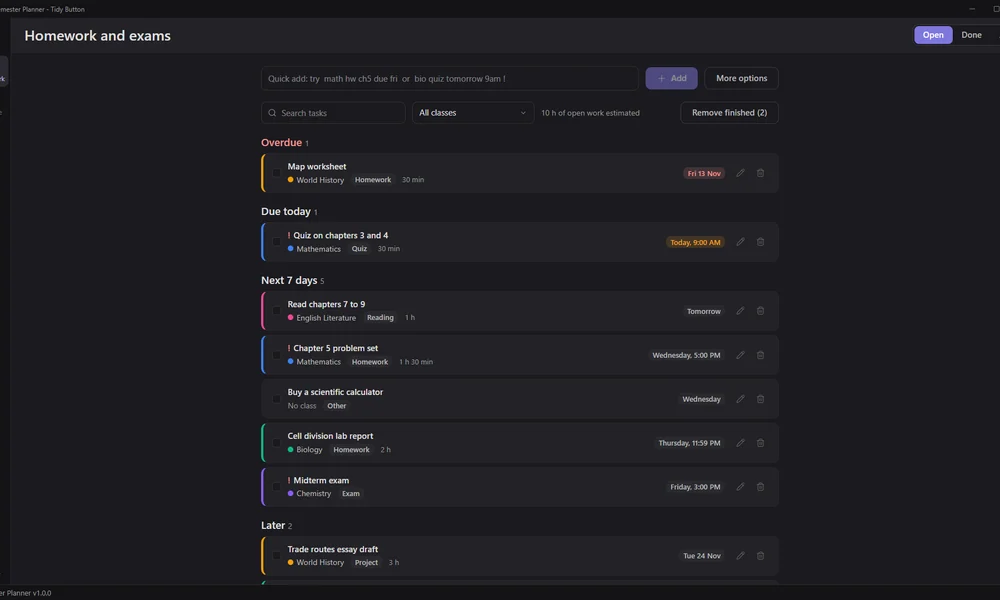
Homework
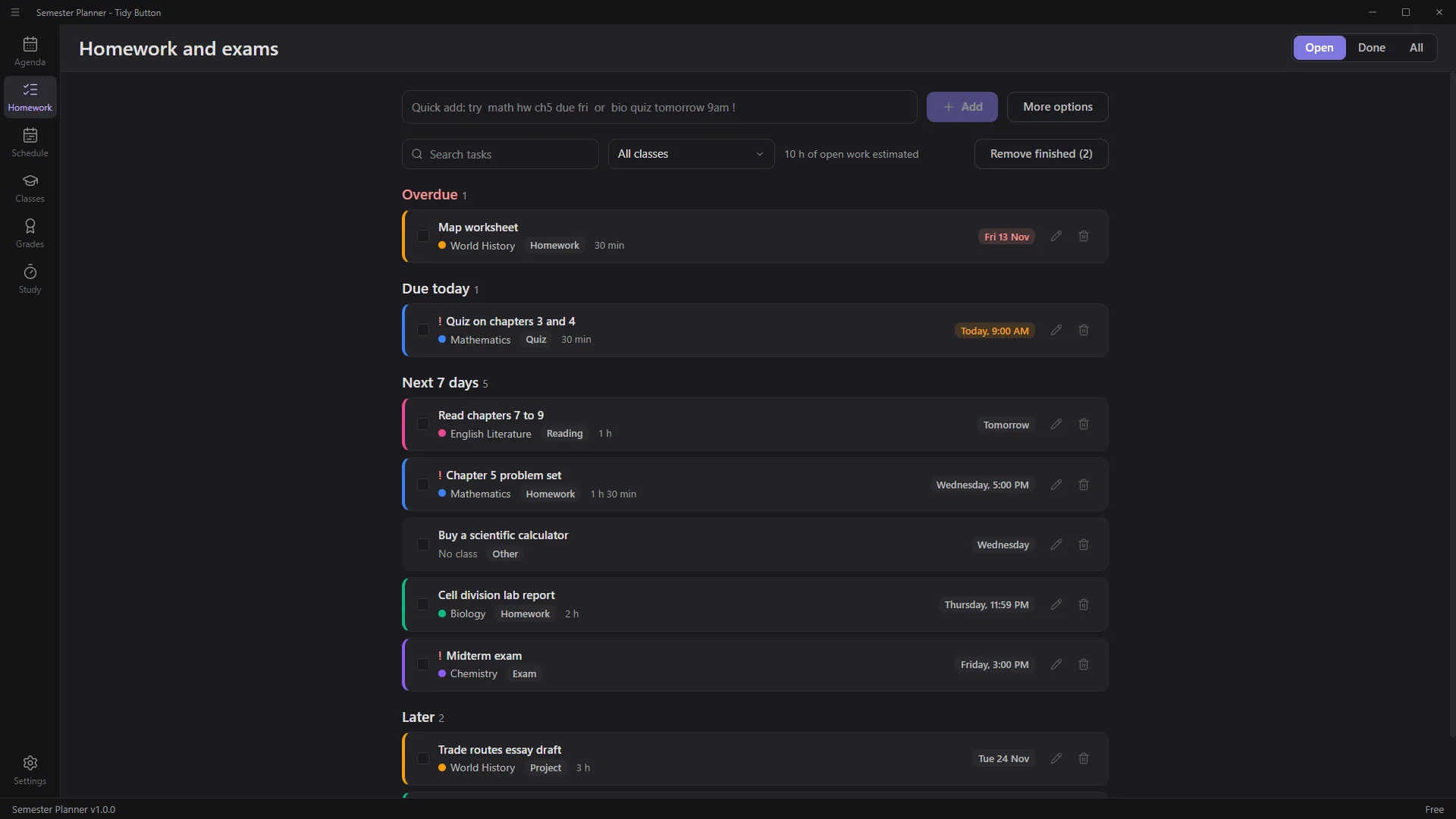
Homework and exams sorted into Overdue, Due today, Next 7 days and Later
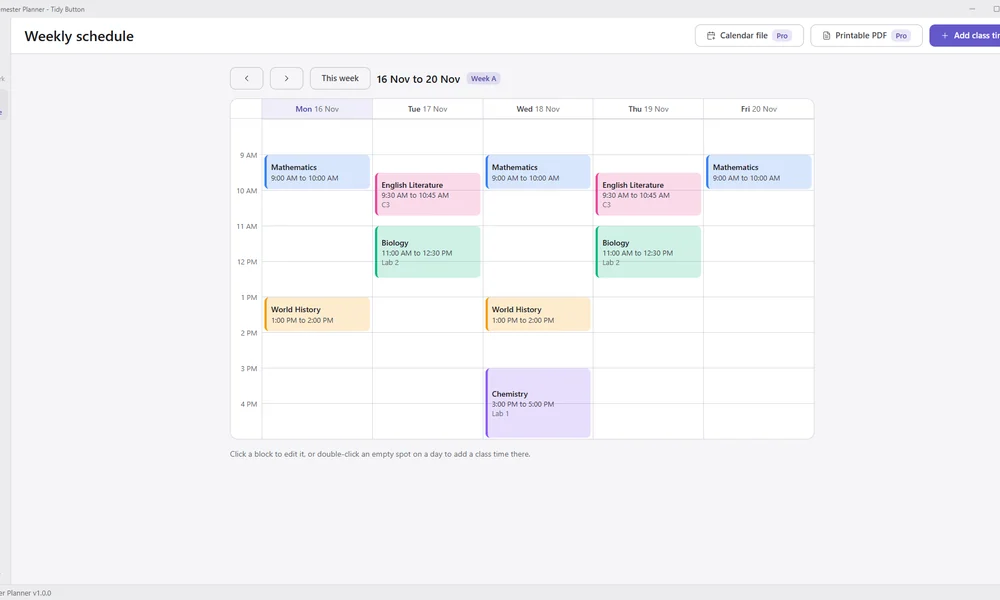
Schedule
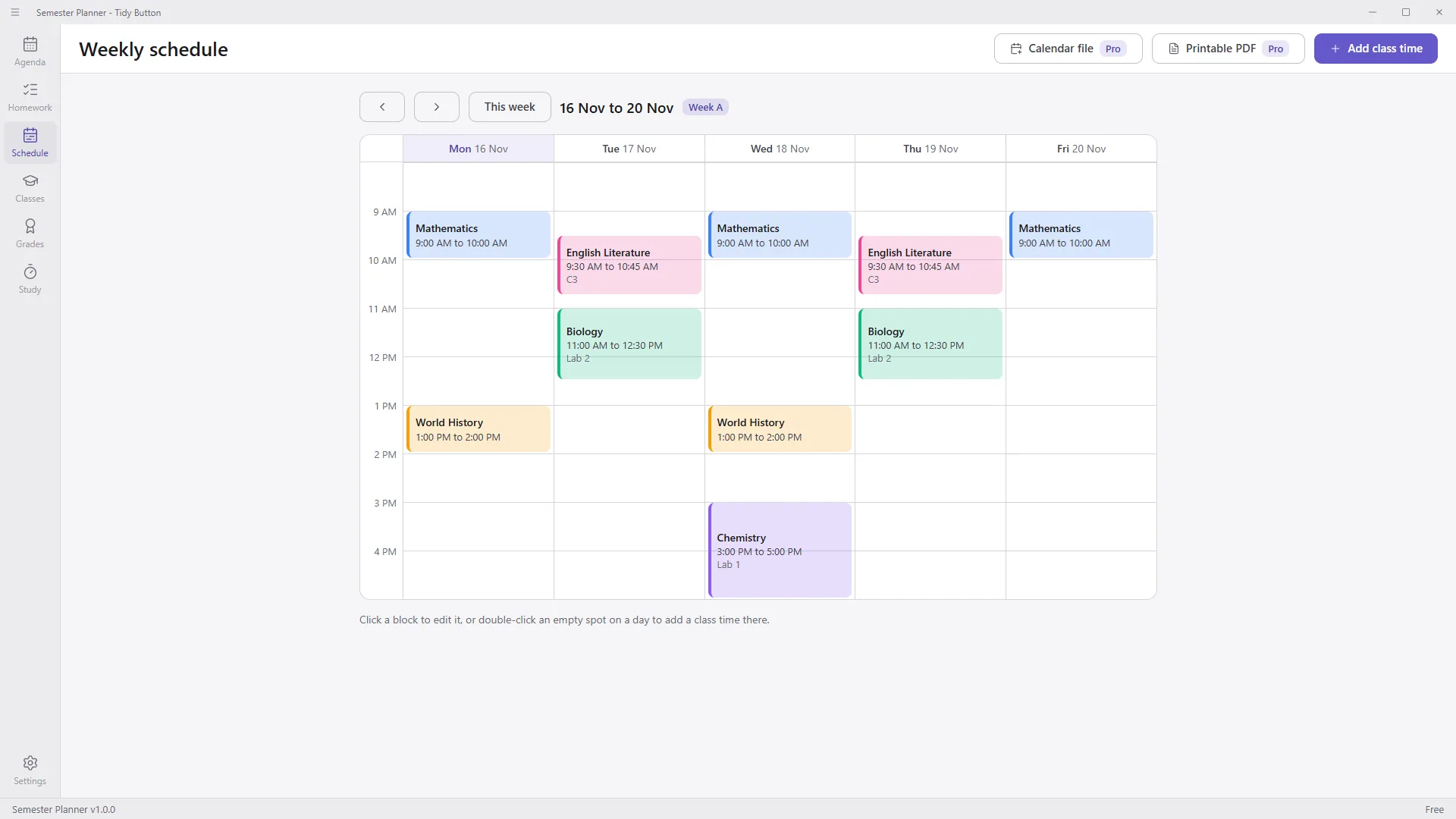
A weekly timetable with A/B weeks
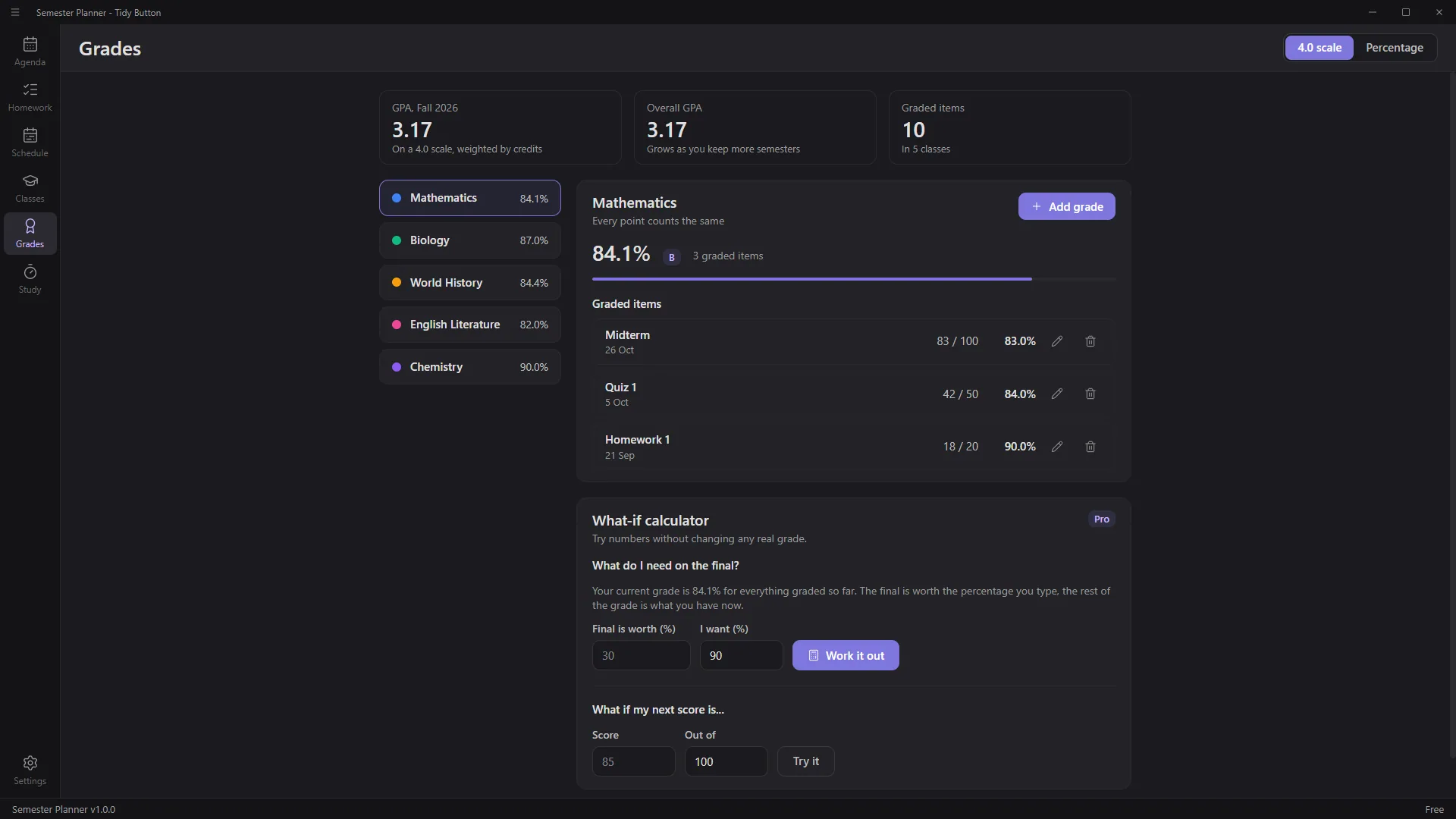
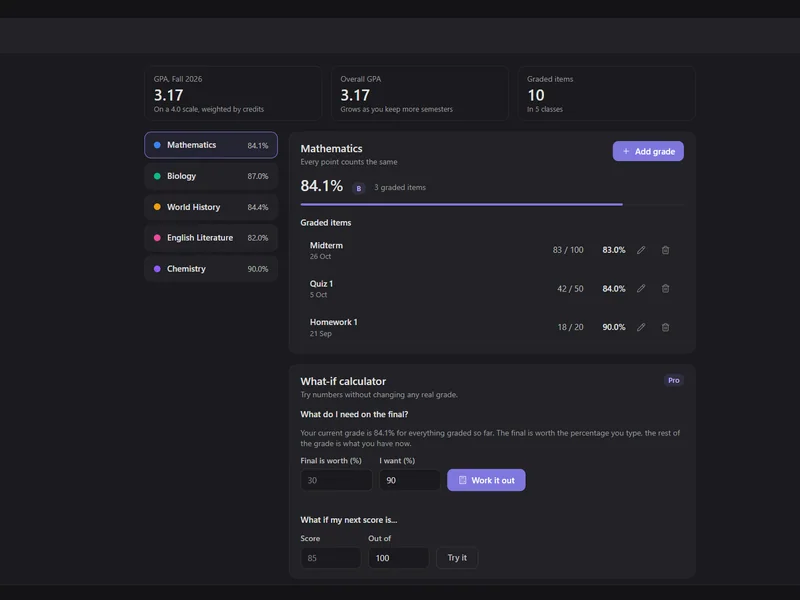
Grades
Grades and GPA for every class
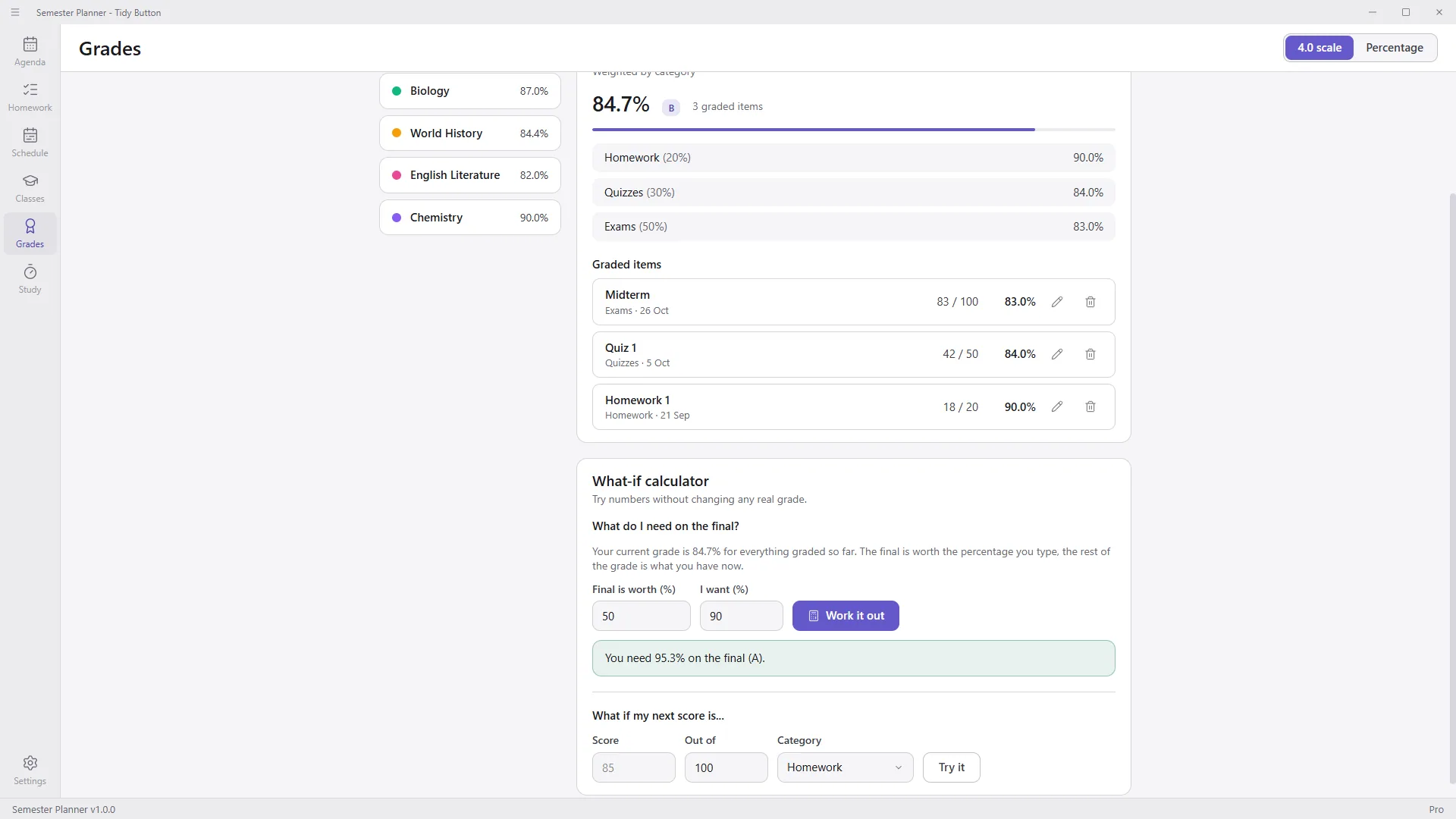
What-if (Pro)
Pro: weighted categories and a what-if calculator for the final
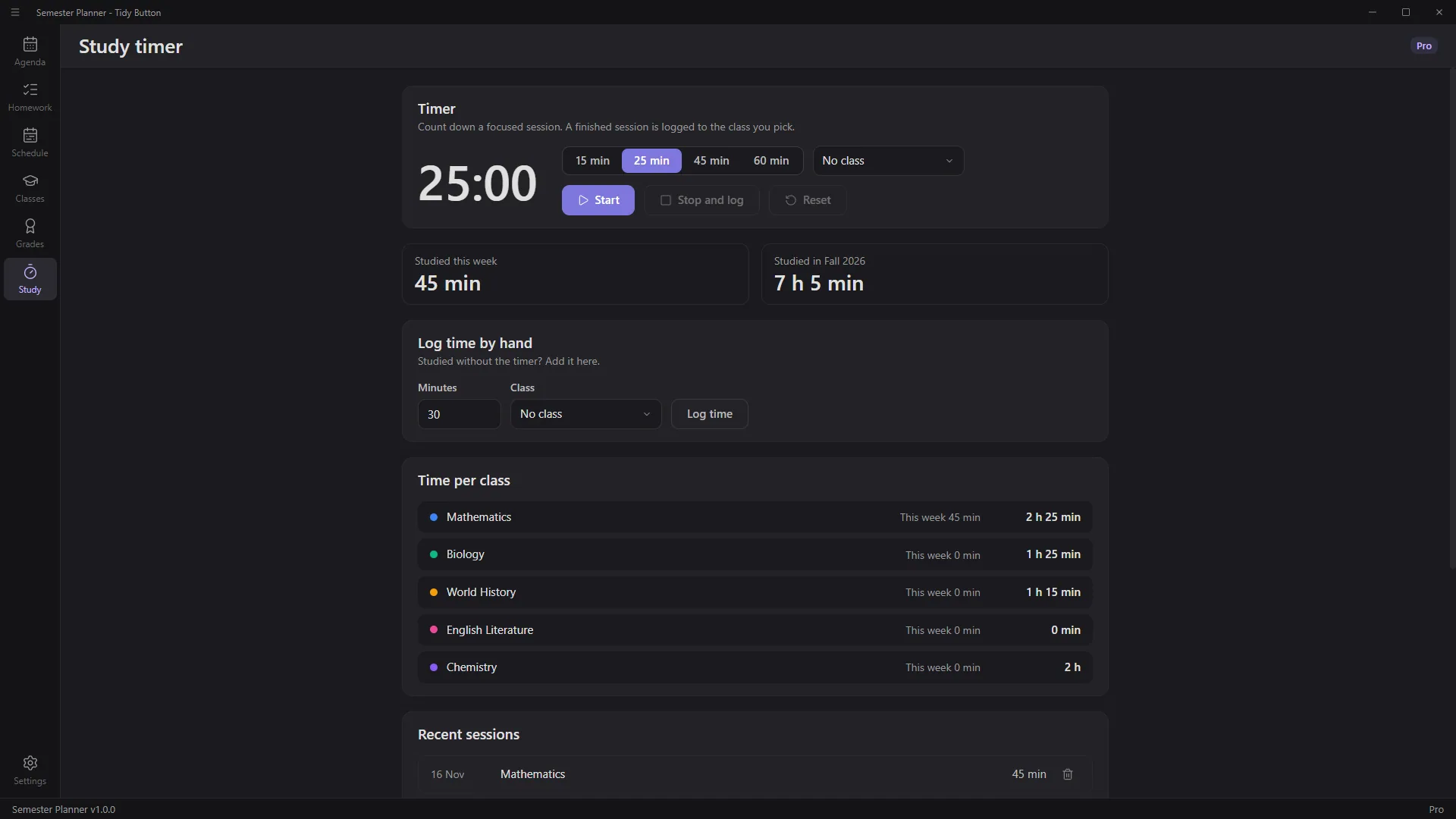
Study timer (Pro)
Pro: a study timer that logs time to each class
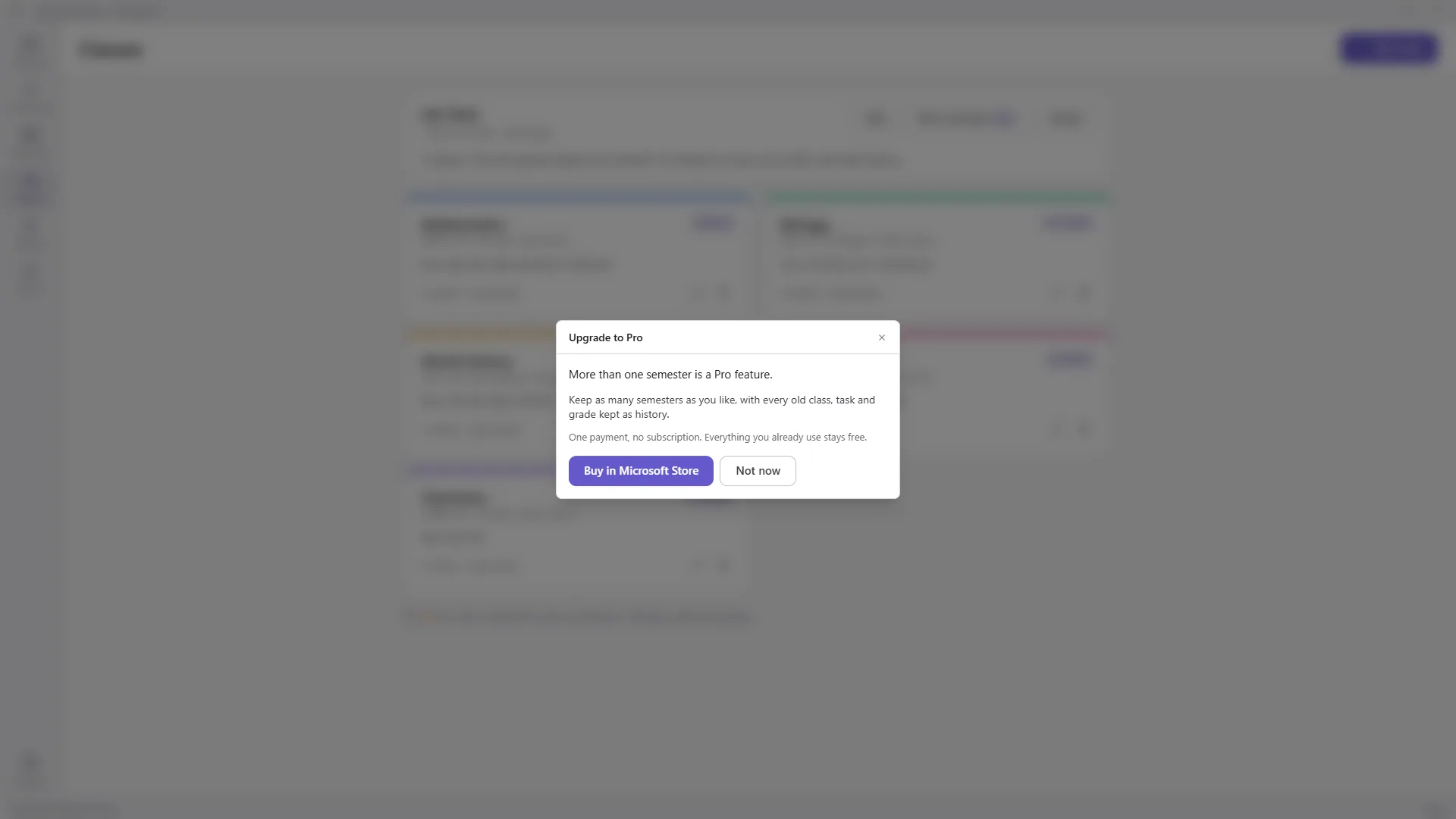
Free limit
The free planner covers one semester; more is part of Pro
Screens show an invented class list and made-up grades. The app has light and dark themes.
How it works
Three steps. No manual.
01
Set up your semester
Name it, pick the first and last day, then add your classes with their days and times.
02
Add your homework
Type one line such as math hw ch5 due fri 5pm. The app shows what it understood before it saves.
03
Watch your grades
Enter scores to see a percentage and a letter for each class, and your GPA.
What it does
What it does.
Name your semester, add your classes with their days and times, and your week is ready. Add homework by typing one line such as math hw ch5 due fri 5pm, and the app shows what it understood before it saves anything. Your classes, tasks and grades are saved on your own PC, with a copy of the previous version and the last seven daily copies kept for safety.
Weekly timetable
Colour-coded classes with rooms and times, and optional A/B weeks for schools that alternate week by week.
One-line quick add
Type math hw ch5 due fri 5pm !!! 2h and see the class, type, day, time, priority and time needed before it is saved.
Homework and exams
Homework, quizzes, exams, projects and reading with due dates and times, priorities and an estimate of how long each will take.
Today and This week
See today's classes in time order, what is overdue, what is due soon and how much work you have planned.
Grades and GPA
A percentage and a letter for each class, and GPA for the semester and overall on a 4.0 scale or as a percentage.
Reminders
Windows notifications for classes and due tasks while the app runs, with an optional tray icon.
Safe saving and backup
The previous version and the last seven daily copies are kept, and one backup file saves and restores everything.
Pro tools
An optional one-time Pro add-on adds more semesters kept as history, weighted grades, a what-if calculator, a study timer, a calendar file, a printable weekly planner and extra themes.
The small print, in plain English
Safe by design.
A weekly timetable, with A/B weeks if your school has them.
Homework and exams grouped by when they are due.
Your classes, tasks and grades stay on your PC.
Nothing is sent anywhere.
Works offline. No account. No ads. No tracking.
The free planner has unlimited classes and tasks for one semester.
Pro is optional and one payment. Everything above stays free.
What is free
A complete planner, free to use.
Pro adds extras. It never appears until you touch a Pro control.
Pro is asked about only when you touch a Pro control.
Classes and tasks
Free
Unlimited classes and tasks for one semester.
Timetable
Free
A weekly timetable with optional A/B weeks.
Quick add
Free
Type a task in one line and check it before it is saved.
Grades
Free
A plain average for each class, and GPA on a 4.0 scale or as a percentage.
Backup
Free
Save everything to one file and restore it later.
More semesters
Pro, one payment
Keep as many semesters as you like as history, with weighted grades, a what-if calculator, a study timer, a calendar file, a printable planner and extra themes.
The free app works with the internet turned off.
Good for
Handy when the term gets busy.
High-school students
University students
Keeping track of homework and exams
Working out what you need on the final
Planning a week of classes
Questions
Plain answers.
Where is my data saved?
On your own PC, in the app's own data folder. Nothing is sent anywhere. The previous version and the last seven daily copies are kept for safety.
Does it need an account or an internet connection?
Neither. There is no account, no ads and no tracking. Planning your semester works offline. The only network use is the optional check of a Pro licence.
What does the quick add line understand?
A line such as math hw ch5 due fri 5pm !!! 2h. It picks out the class, the type, the day and time, the priority and the time needed, and shows them to you before it saves.
What is free and what is Pro?
Free has one semester with unlimited classes and tasks, the timetable, reminders, GPA and backup. Pro is an optional one-time add-on for more semesters, weighted grades, a what-if calculator, a study timer, a calendar file, a printable planner and extra themes.
Can I back up my semester?
Yes. Save everything to one file in Settings and restore it later. A safety copy is made before a restore.
Will I get reminders?
Yes, as Windows notifications for classes and due tasks while the app is running. An optional tray icon keeps it running after you close the window.