We will link the Store listing here the day it is live. Until then there is nothing to download.
Real app, with sample models.
Works offline
Files stay on your PC
No account, no cloud
Free for files up to 50 MB
See it
Eight views. One clear model.
Start
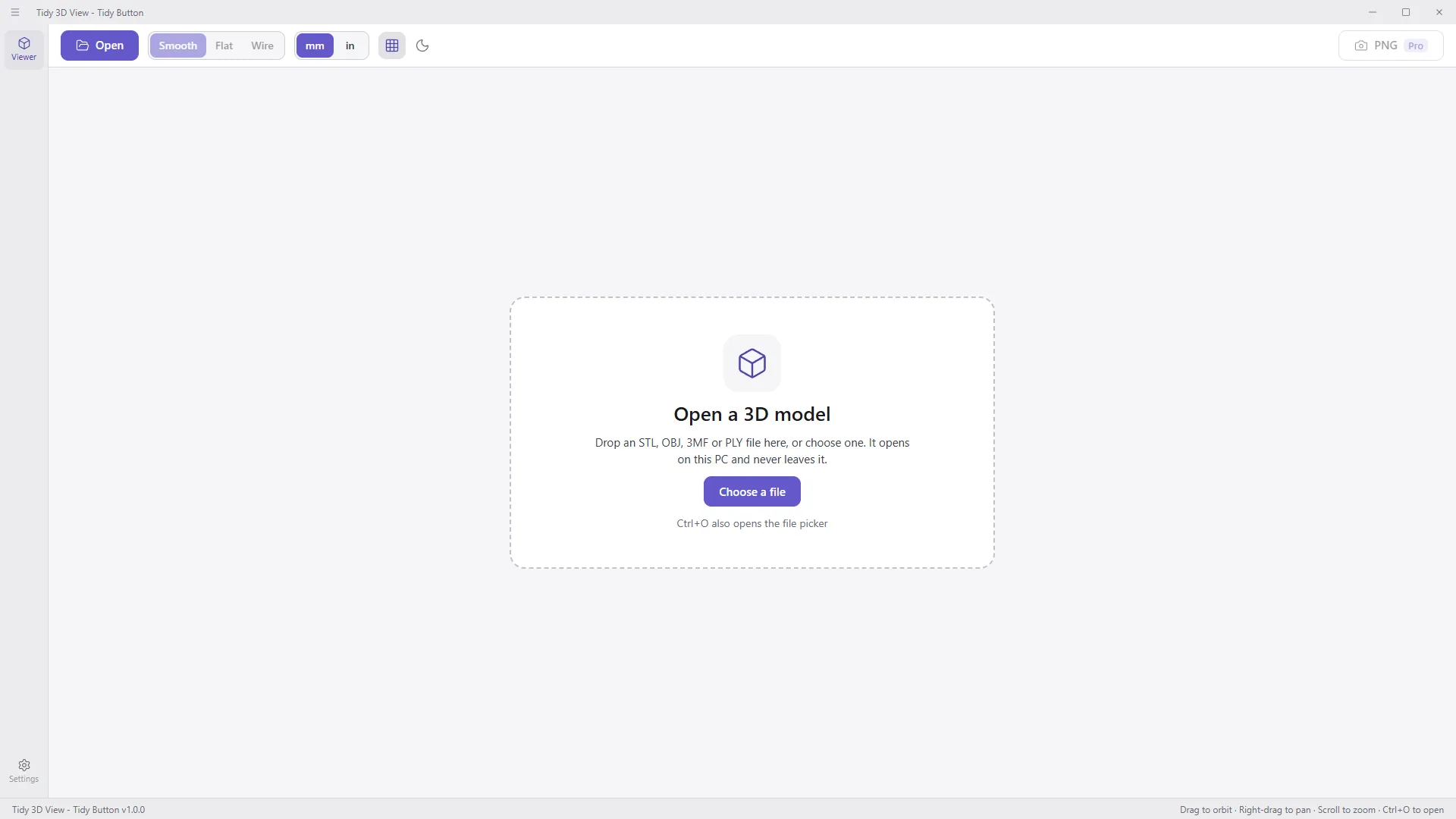
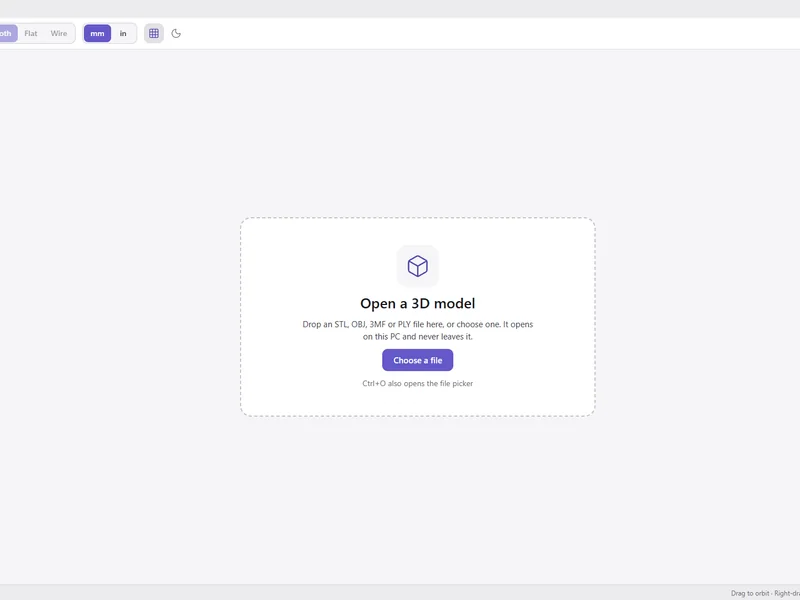
Drop in an STL, OBJ, 3MF or PLY file, or choose one. It opens on your PC and never leaves it.
Model
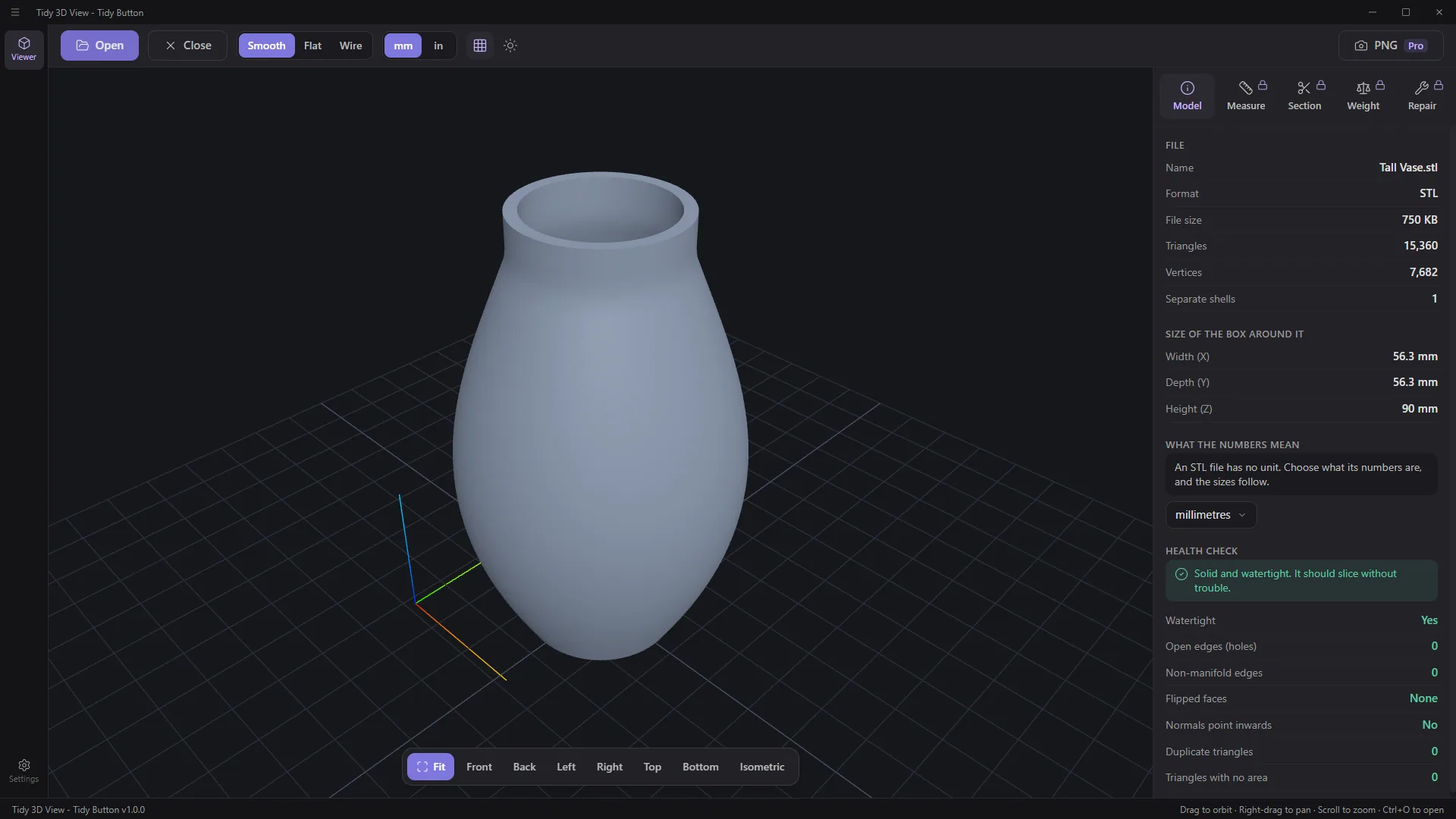
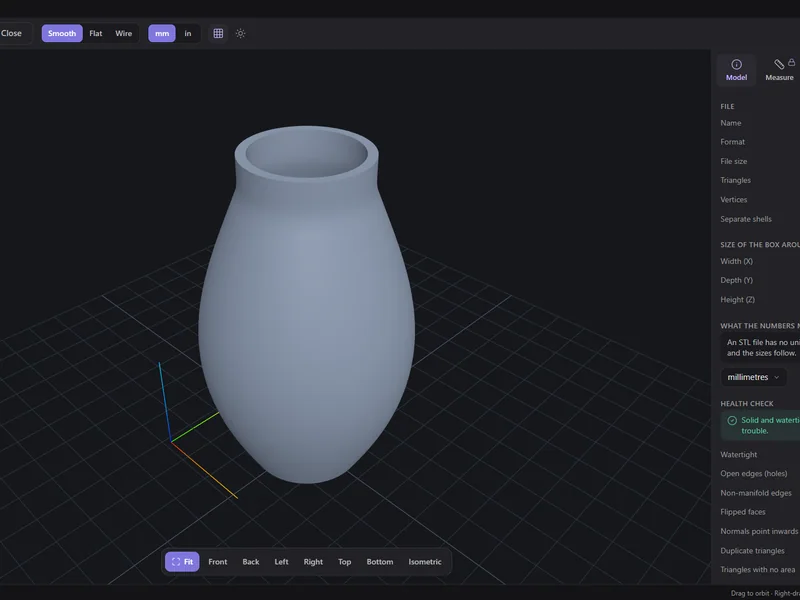
Your model stands the right way up, with its size, triangle count and a health check beside it.
Health check
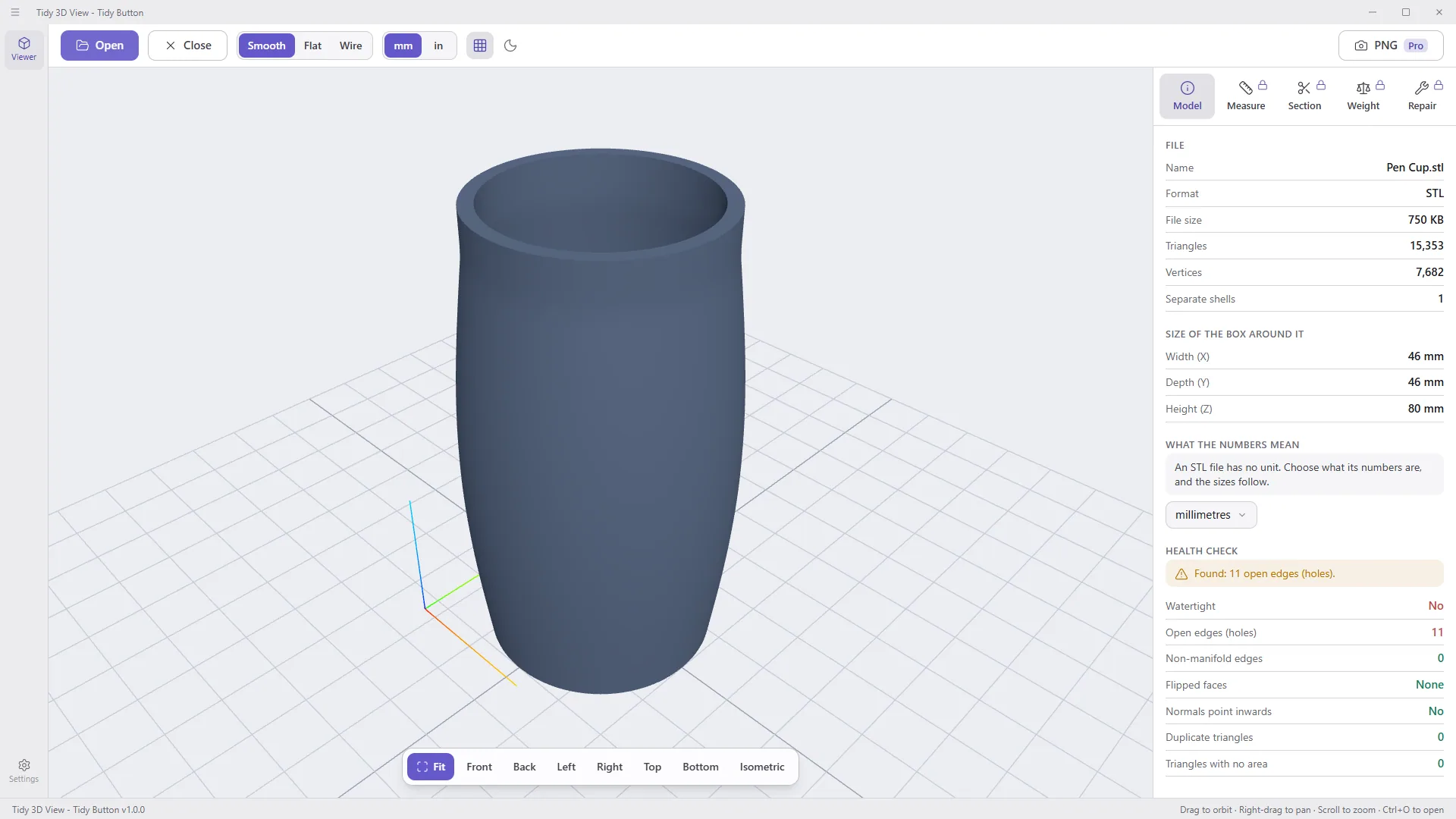
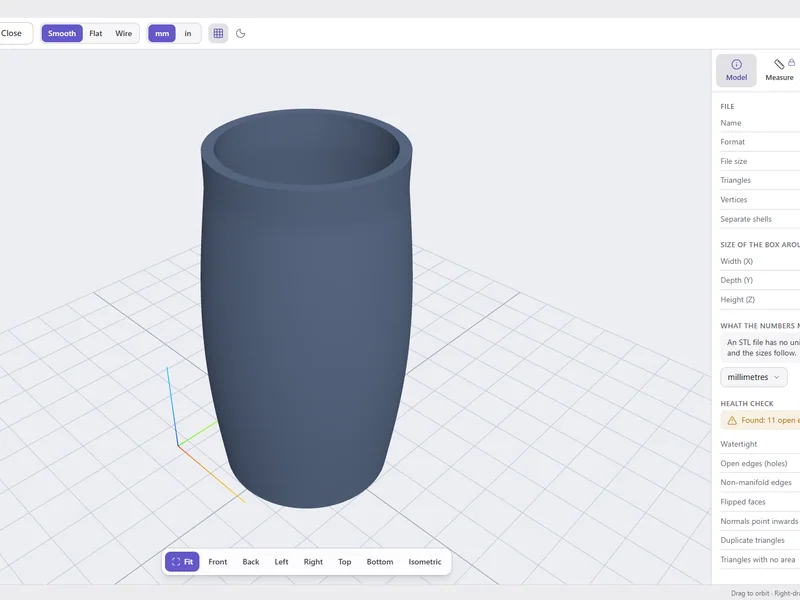
The health check says in plain words when a model has holes, so you find out before you print.
Measure
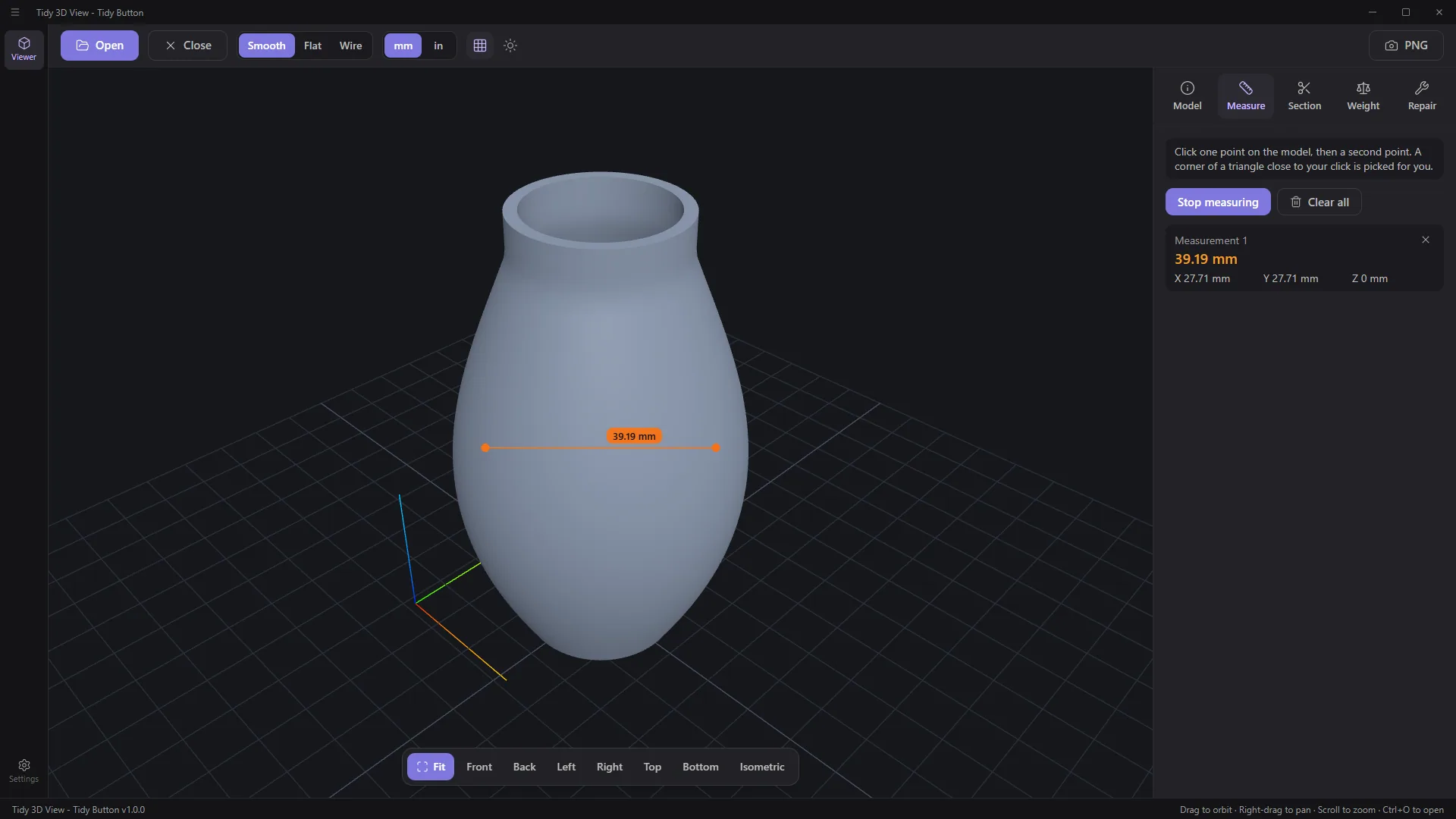
Pro: click two points to read the distance and the X, Y and Z differences.
Section
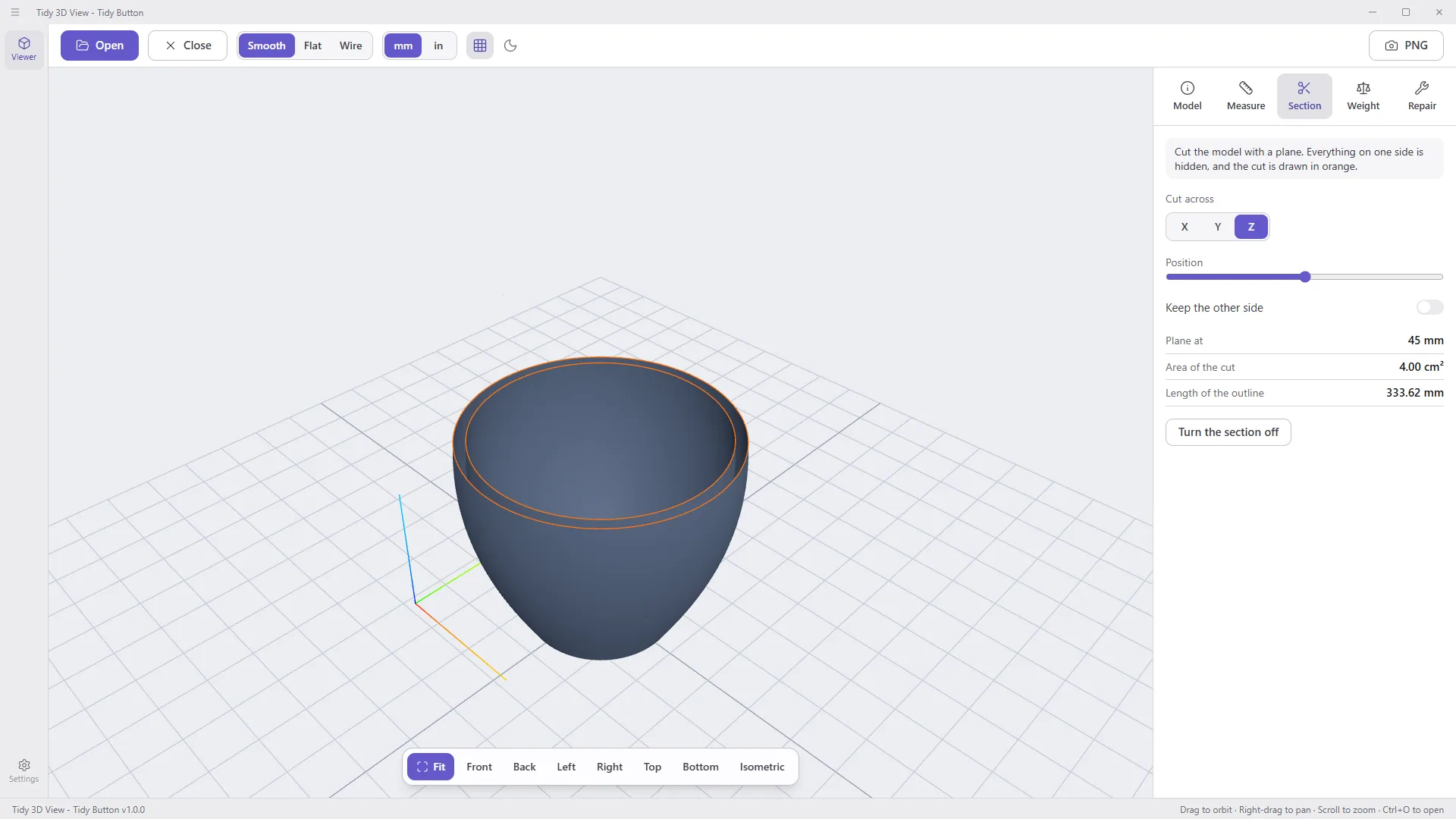
Pro: cut the model with a plane and read the area and outline length of the cut.
Weight
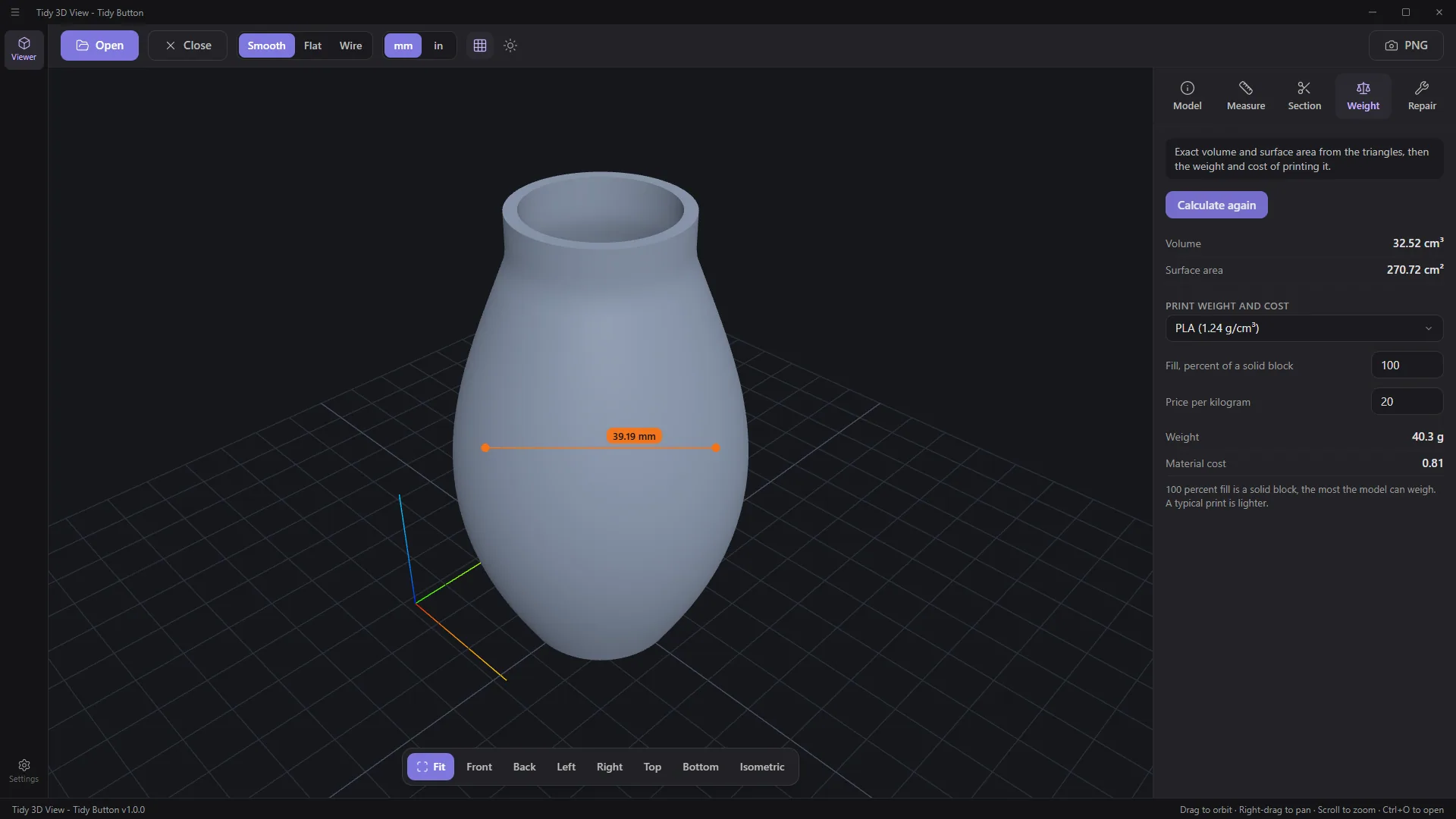
Pro: exact volume and surface area, with print weight and material cost.
Repair
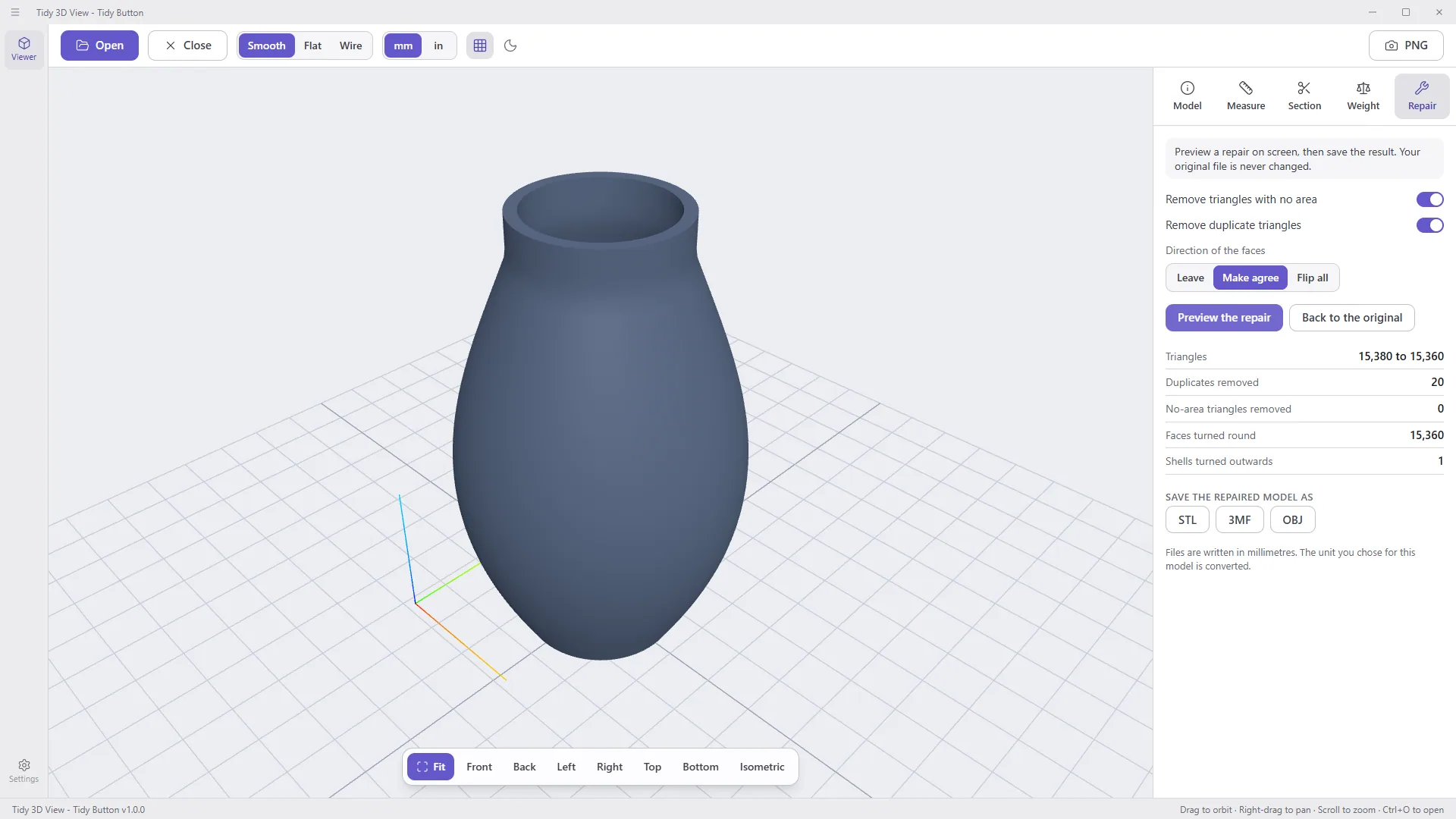
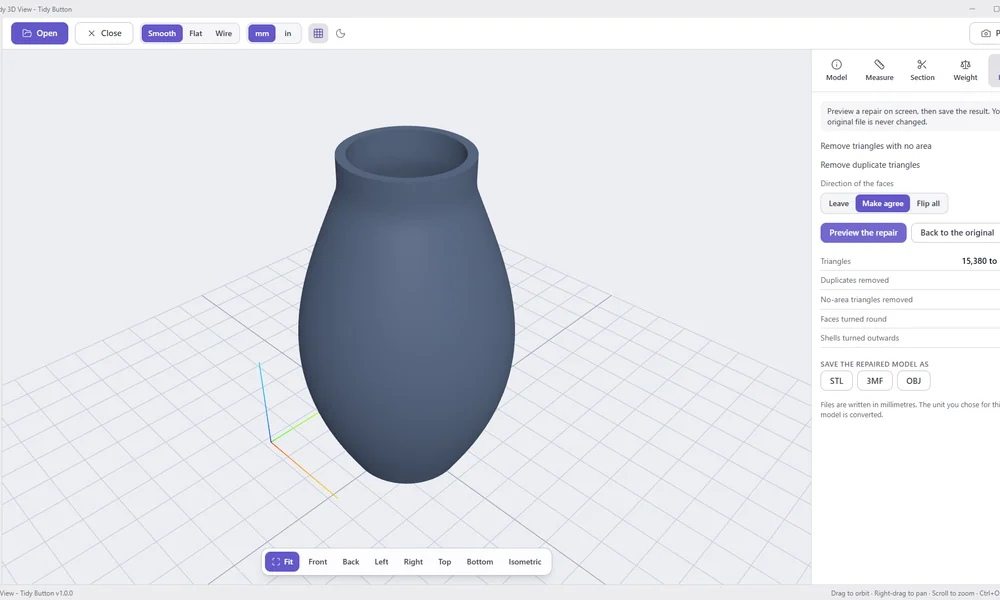
Pro: preview a repair, then save the result as STL, 3MF or OBJ. Your original file stays untouched.
Free limit
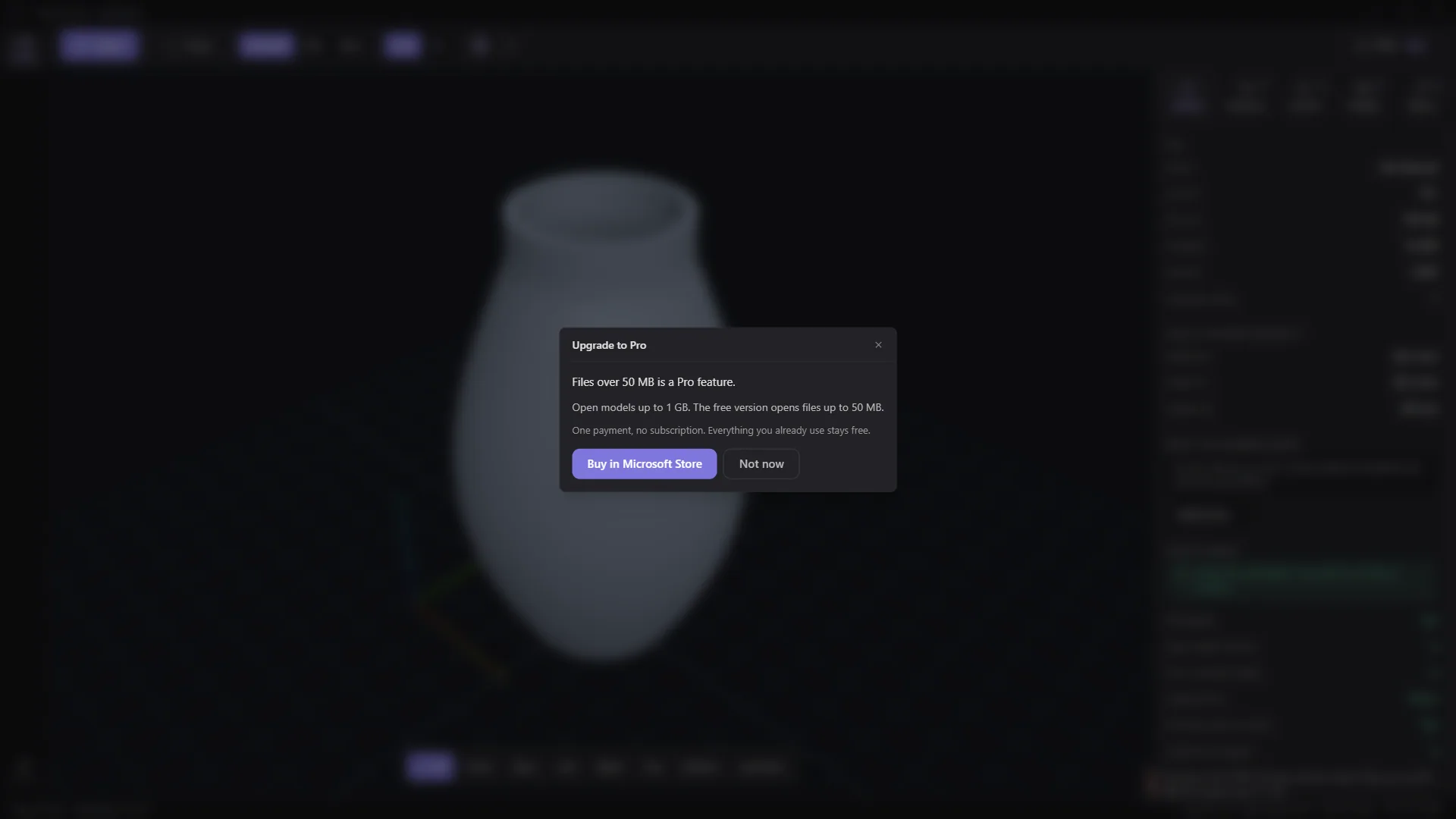
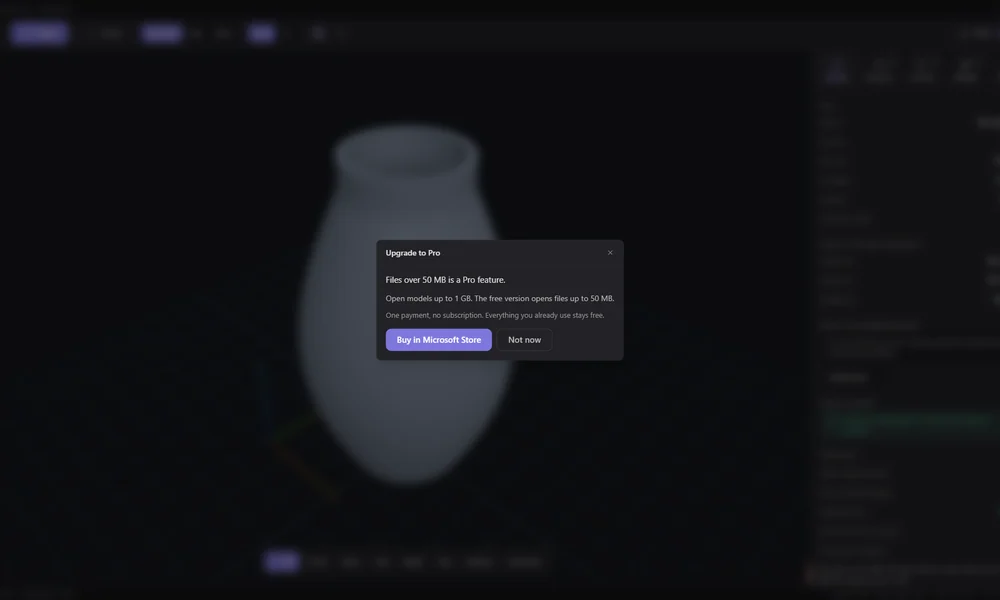
Free opens files up to 50 MB. Larger files ask for Pro only when you try to open one.
Screens use sample models made for this listing (a vase and a pen cup). The app has light and dark backgrounds.
How it works
Three steps. No manual.
01
Open a model
Drop in an STL, OBJ, 3MF or PLY file, or choose one.
02
Look around
Your model stands the right way up, with its size and triangle count beside it.
03
Check it
The health check says in plain words when a model has holes, so you find out before you print.
What it does
What it does.
Tidy 3D View opens a 3D model file and shows it to you. Pick an STL, OBJ, 3MF or PLY file, drag it onto the window, or double-click it in File Explorer, and it appears the right way up, ready to turn around. Opening your own files is free and always will be. There is no account, no subscription, no online library and no cloud. The file is read on your PC and stays on your PC.
STL, OBJ, 3MF and PLY
Open STL (binary and ASCII), OBJ, 3MF and PLY files from the file picker, by drag and drop, or by double-click in File Explorer.
Look from any side
Orbit and pan with the mouse, Fit to view, and seven ready-made views: front, back, left, right, top, bottom and isometric.
Shading and background
Smooth, flat or wireframe shading, a light or dark background, and the grid and axes on or off.
Size and counts
The size of the box around the model in millimetres or inches, with triangle, vertex and separate-shell counts.
Health check
Plain words on whether the model is solid and watertight, or has holes, shared edges, flipped faces, duplicate triangles or triangles with no area.
Units you choose
Tell the app what the numbers in an STL mean: millimetres, centimetres, metres or inches. A 3MF file states its own unit.
Recent files
A recent files list with a Remove button for each entry and a Clear list button.
Pro, one payment
Measuring, cross-sections, volume, area and weight, repair with export, transparent PNG pictures and files up to 1 GB.
The small print, in plain English
Safe by design.
Your original file is never changed. A repair is saved as a new file.
Larger files ask for Pro only when you try to open one.
The file is read on your PC and stays on your PC.
Opening your own files is free and always will be.
No account, no subscription, no online library, no cloud.
The upgrade prompt only appears when you touch a Pro control. It never appears when the app starts.
Pro is one payment, yours for good.
What Pro adds
Your model, measured.
Keep the free viewer as it is, or add Pro once.
Click two points to read the distance and the X, Y and Z differences.
Measure
Exact distances
Measure the distance between two points, with the X, Y and Z differences. Keep several measurements on screen.
Sections
Look inside
Cut the model with a plane along X, Y or Z and read the area and outline length of the cut.
Weight
Know the cost
Exact volume and surface area, plus the weight and material cost of a print, with your own fill percentage and price per kilogram.
Repair
Fix before printing
Preview a repair and save the result as STL, 3MF or OBJ. Your original file is never changed.
Pictures
Share a view
Save a PNG picture of the model with a transparent background.
Big files
Larger models
Open files up to 1 GB. The free version opens files up to 50 MB.
Pro is a one-time payment of $9.99, not a subscription. Everything in the free version stays free.
Good for
Handy when you are about to print.
Checking a model for holes before you print
Looking at a model from every side
Reading the size and triangle count of a file
Opening a 3D file without an account or a cloud
Questions
Plain answers.
Do I need an account?
No. There is no account, no subscription, no online library and no cloud.
Is my file uploaded?
No. The file is read on your PC and stays on your PC.
Which files can it open?
STL (binary and ASCII), OBJ, 3MF and PLY files, up to 50 MB in the free version.
What does the health check tell me?
Whether the model is solid and watertight, or has holes, edges shared by more than two faces, flipped faces, duplicate triangles or triangles with no area. It also notices a model that has been turned inside out.
What if my graphics card cannot draw 3D?
The app shows a clear message and offers a switch to software rendering.
What does Pro add?
Measuring, cross-sections, exact volume and surface area, print weight and material cost, repair preview with export to STL, 3MF or OBJ, transparent PNG pictures and files up to 1 GB, for one payment of $9.99.
When does the upgrade prompt appear?
Only when you touch a Pro control. It never appears when the app starts.