Coming to the Microsoft Store
Sticky Notes Little notes, right where you work.
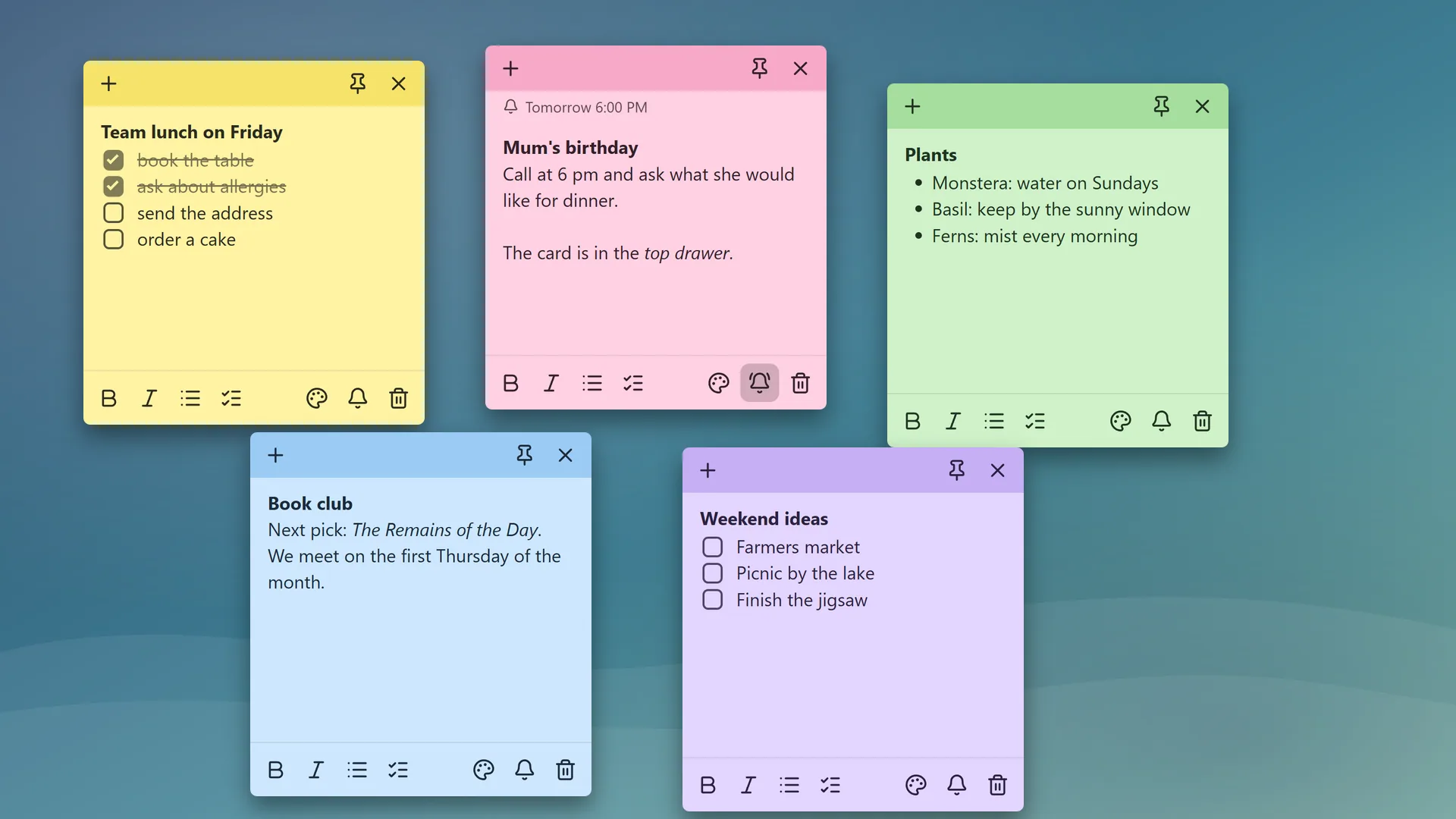
Small, colourful notes right on your desktop, each its own window. Checklists, reminders and a Trash that keeps deleted notes for 30 days. Saved as you type. Your notes stay on your PC. Works offline.
Not on sale yet. The app is still being built.
We will link the Store listing here the day it is live. Until then there is nothing to download.
- Works offline
- No account, no ads, no tracking
- Notes stay on your PC
- Free
See it
Six views. Notes, lists, reminders.
On the desktop
Colourful notes right on your desktop. Each one is its own small window that remembers where you put it
Checklists
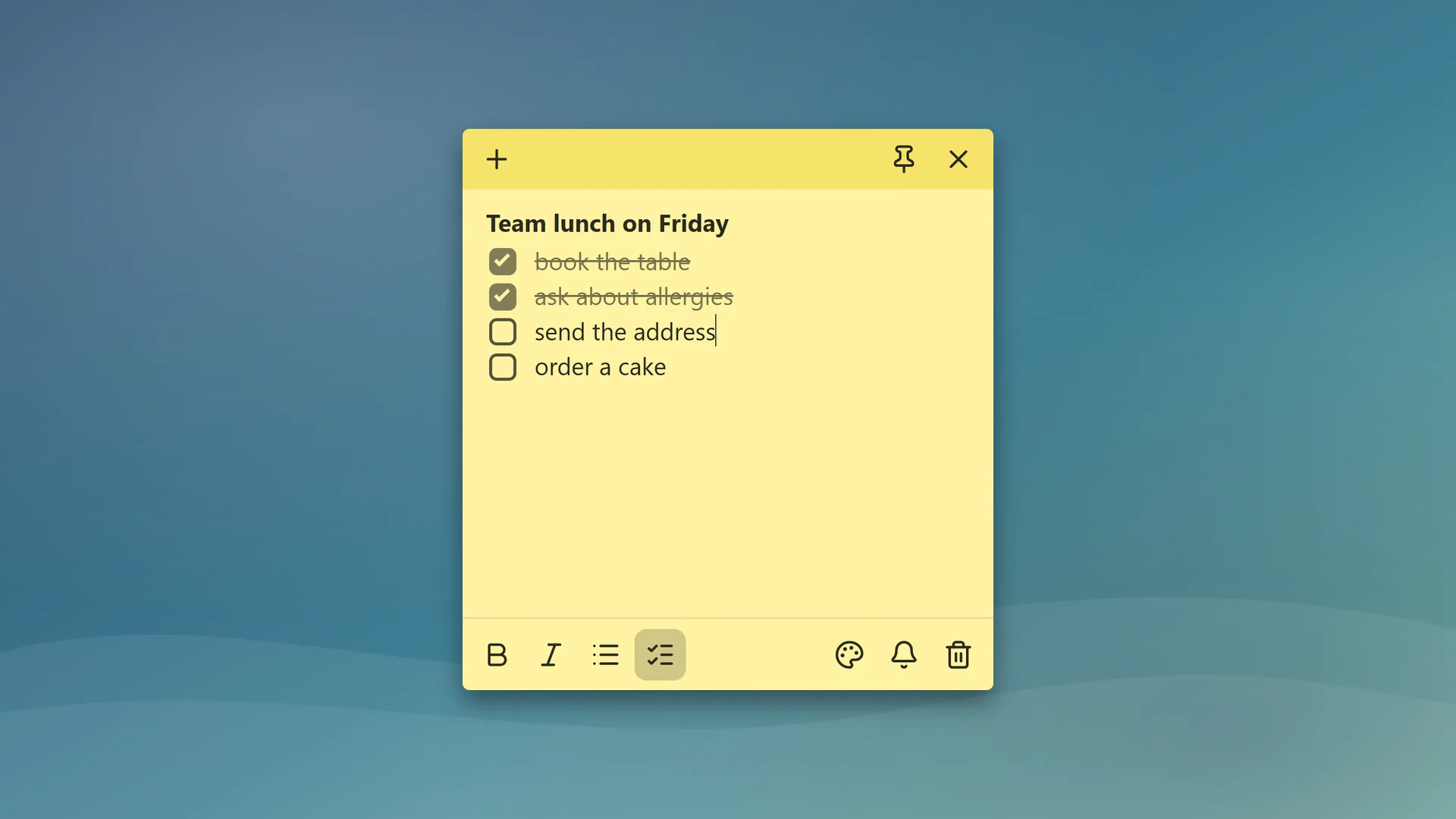
Checklists you tick off with a click, plus bold, italic and bullet lists. Everything is saved as you type
Colours
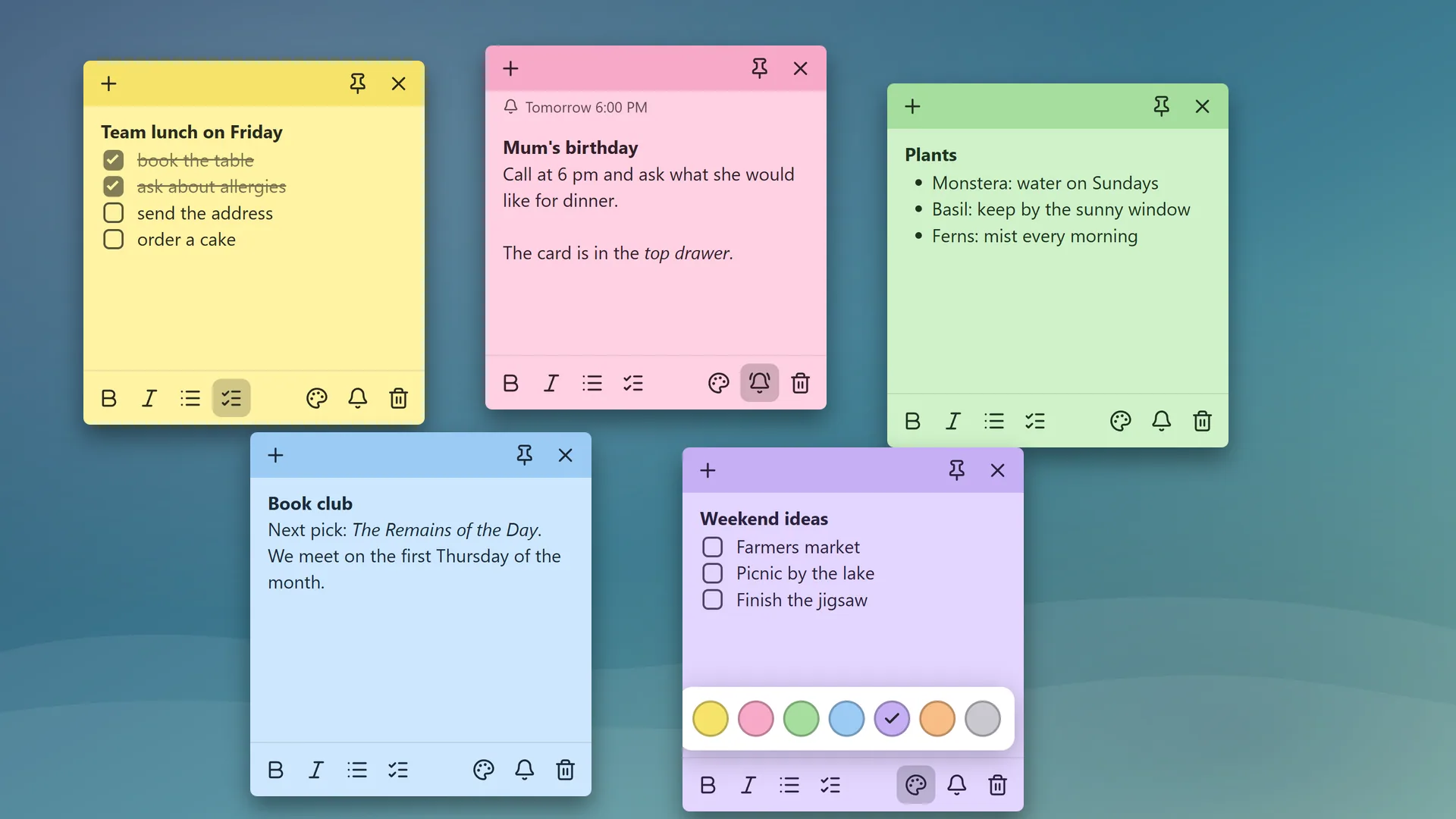
Seven note colours. Pick one from the colour button at the bottom of any note
Reminders
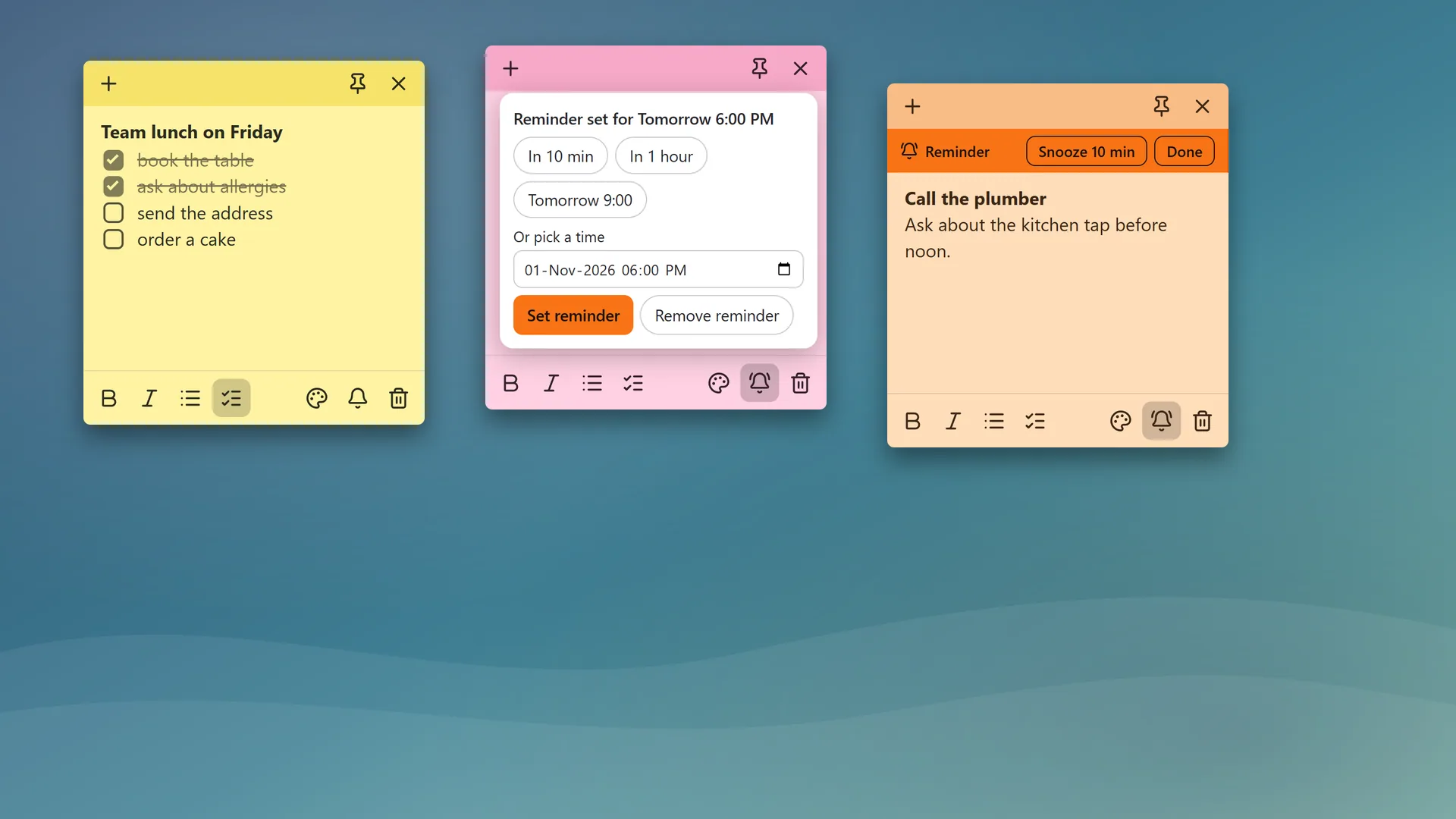
Set a reminder from the bell button. When it is due the note comes forward with Snooze and Done
Notes list
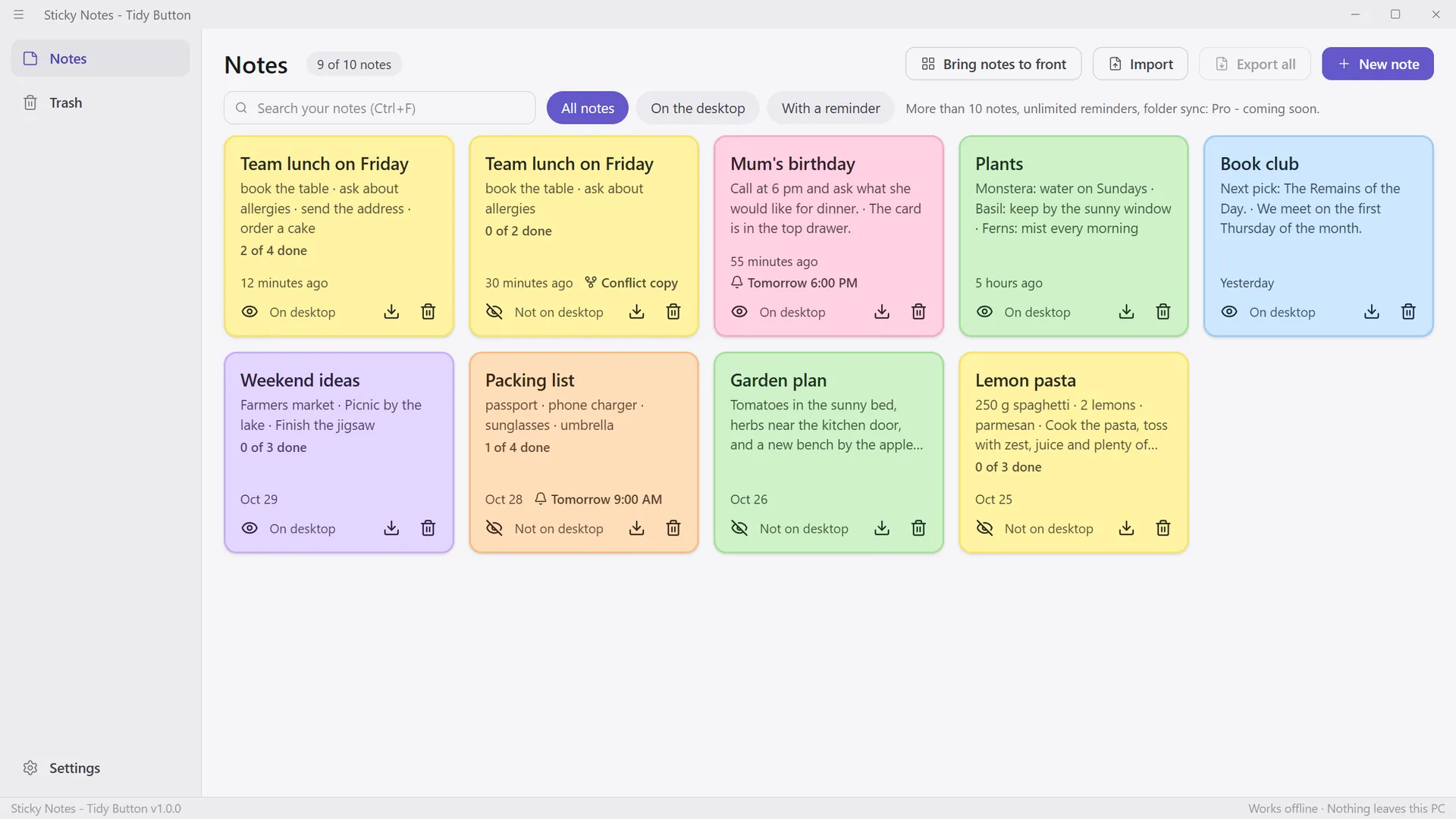
All your notes in one list, with reminders, checklist progress and which notes are on the desktop
Trash
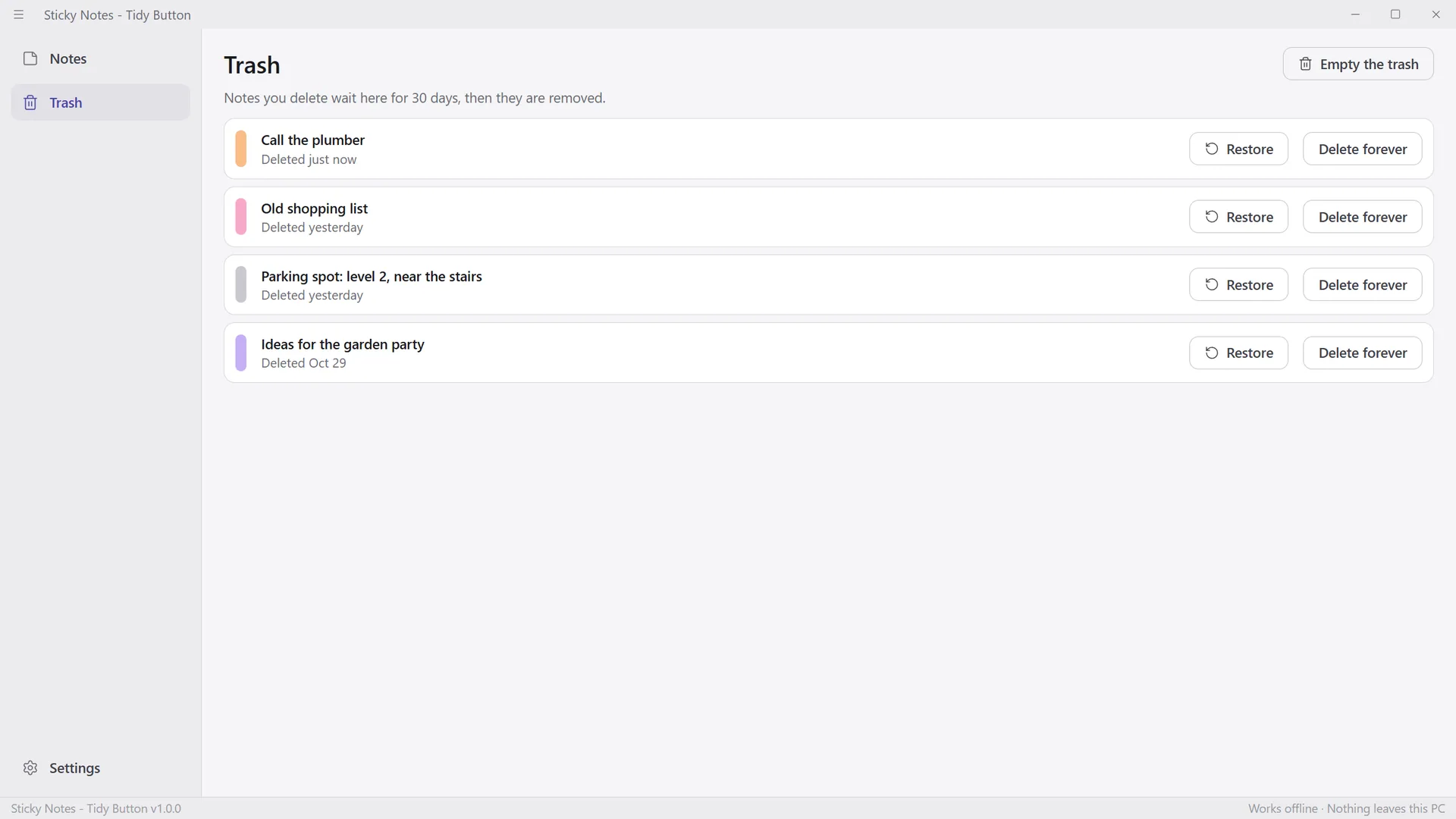
Deleted notes wait in the Trash for 30 days, so you can bring one back
Screens show invented sample notes. The app has light and dark themes.
What it does
What it does.
Sticky Notes puts small notes on your desktop. Each note is its own little window: drag it where you want it, resize it, keep it on top, and it is there again, in the same place, next time. Type and it is saved. Every change is written to a database on your PC as you type, and once more when you close a note, quit the app or shut Windows down.
Notes on your desktop
Each note is a small window that remembers its place on every monitor, and comes back onto the main screen if a monitor is unplugged.
Saved as you type
Changes are written to your PC as you type and again on close, quit and shutdown, so an edit is never lost.
Checklists and formatting
Bold, italic, bullet lists and checklists you tick off with a click.
Seven colours
Yellow, pink, green, blue, purple, orange or grey, and a one-click Keep on top.
Reminders
Set a reminder from the bell button. You get a Windows notification while the app runs, then snooze it or mark it done.
A note from anywhere
Press Ctrl+Alt+N (you can change it), use the tray icon, or the New note button.
Search and Trash
Search every note from the notes list. Deleted notes wait in the Trash for 30 days and can be restored.
Markdown in and out
Export any note as a Markdown file and import notes from .md or .txt files.
The small print, in plain English
Safe by design.
- Your notes are kept on your PC, in a database in the app's own data folder. The app never sends them anywhere.
- The app makes no internet connections. Reminders are Windows notifications made on your PC.
- Keeping notes in sync through a shared folder is coming with Pro. It is switched off in this version.
- No account, no ads, no tracking.
Good for
Handy when you need to remember it.
- Quick reminders and to-do lists on the desktop
- Keeping a few notes always in view
- Jotting something down from any program
Questions
Plain answers.
Where are my notes stored?
In a database on your PC, in the app's own data folder. The app never sends them anywhere.
Can I lose a note if the app crashes?
Changes are saved as you type, so at most the last fraction of a second of typing could be missing after a sudden stop.
Does it sync between PCs?
Not yet. Folder sync is planned for Pro (coming soon) and is switched off in this version. Your notes stay on this PC.
How do reminders work?
You get a Windows notification while the app is running, and the note comes forward with Snooze and Done.
What if I delete a note by mistake?
Deleted notes wait in the Trash for 30 days and can be restored.
What is free?
The free version holds 10 notes and 3 reminders at a time. More notes, unlimited reminders, folder sync and exporting every note at once are planned for Pro (coming soon).
Which versions of Windows does it run on?
Windows 10 and Windows 11.