We will link the Store listing here the day it is live. Until then there is nothing to download.
Real app, with a sample programme ready to run.
Works offline
No account, no ads, no tracking
Silent, visual cues
Free
See it
Seven views. One clear countdown.
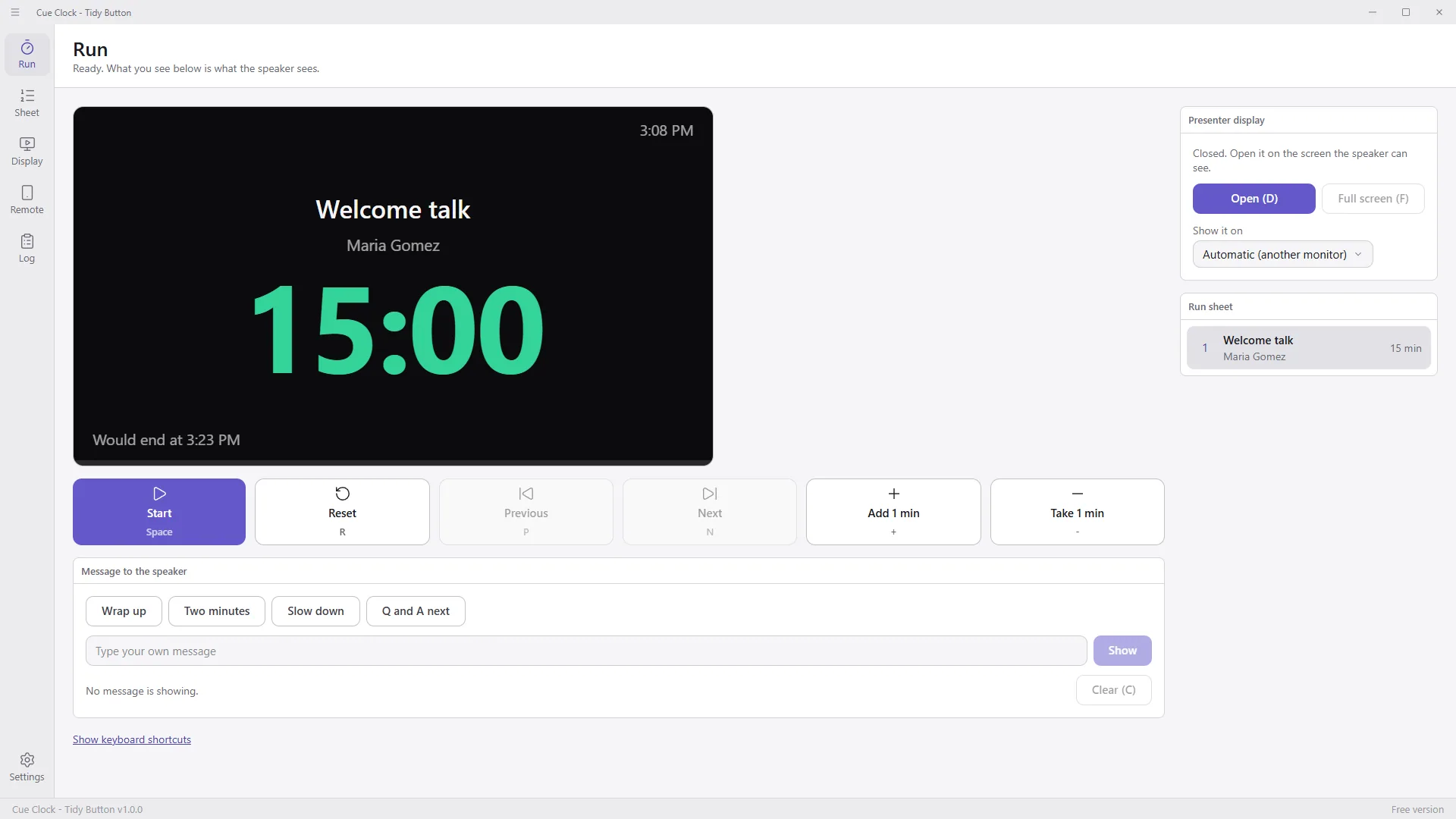
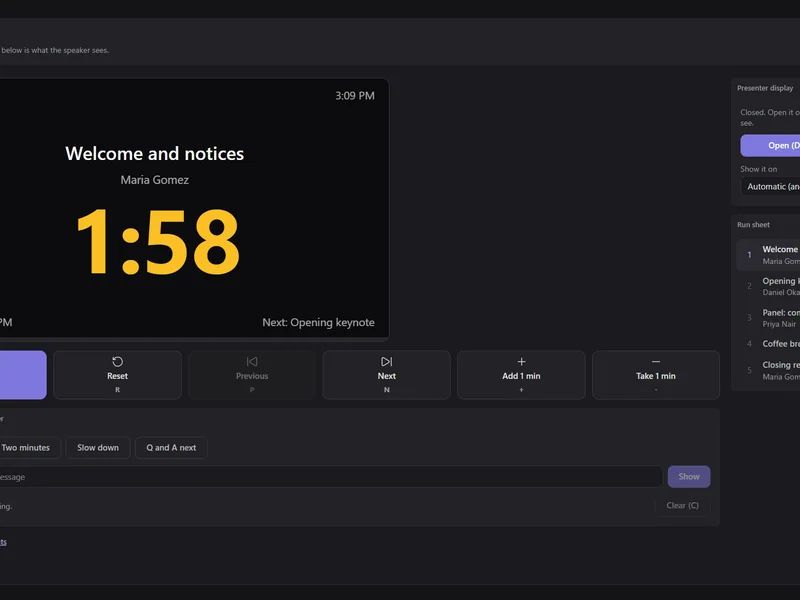
Ready
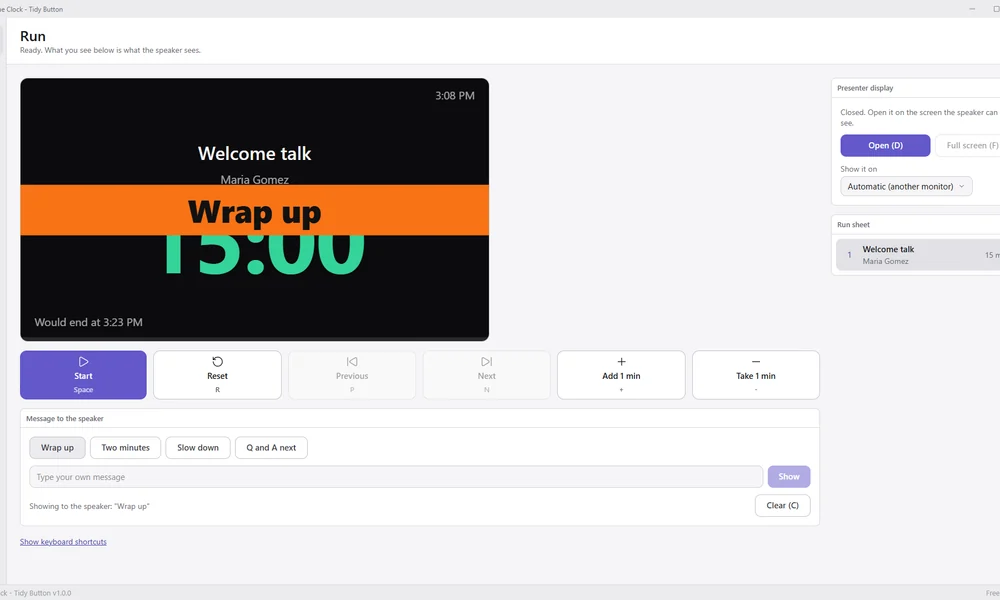
The Run screen, with a preview of exactly what the speaker sees
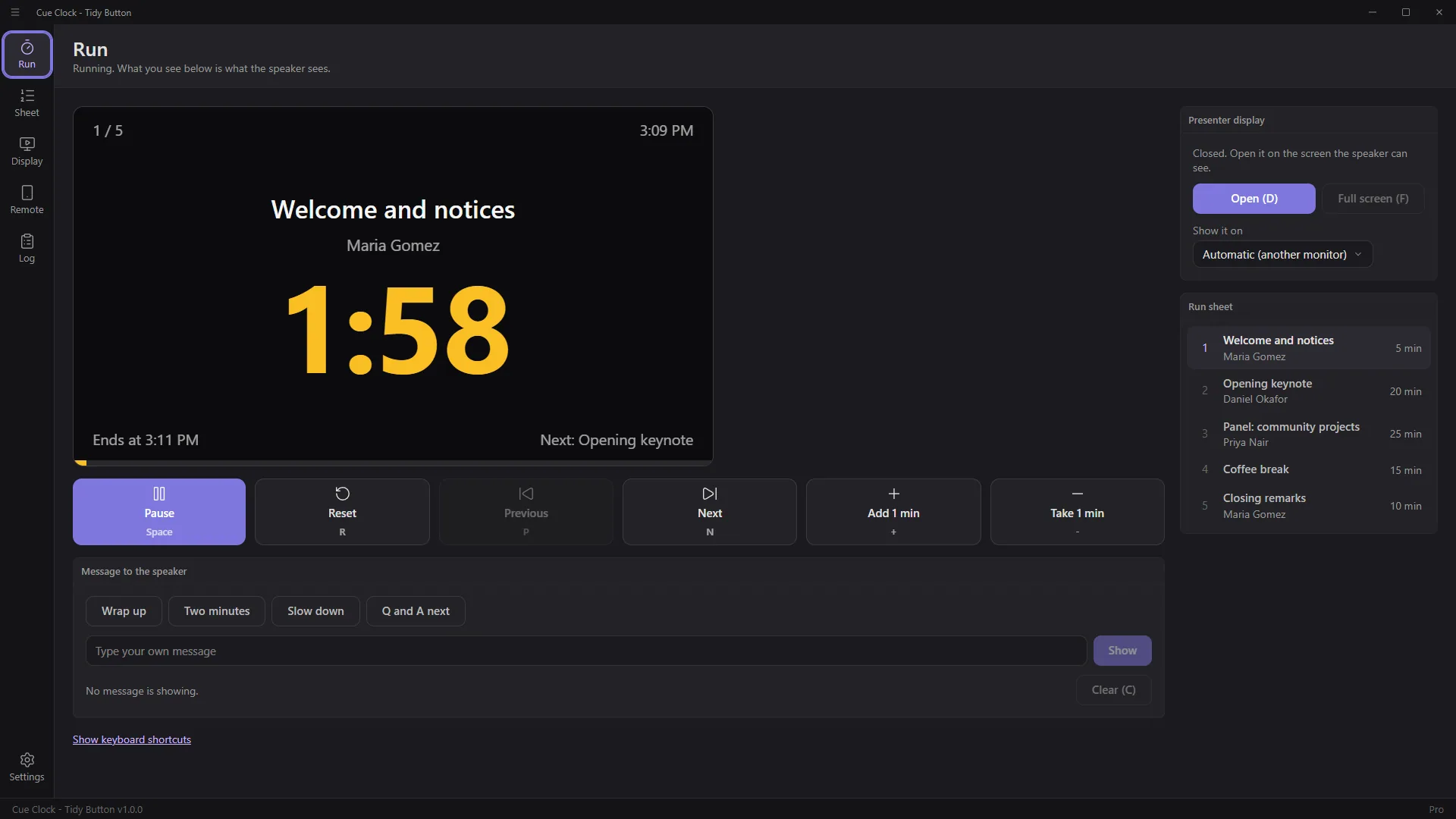
Run sheet
A run sheet of five segments, with the time turning amber as it runs short
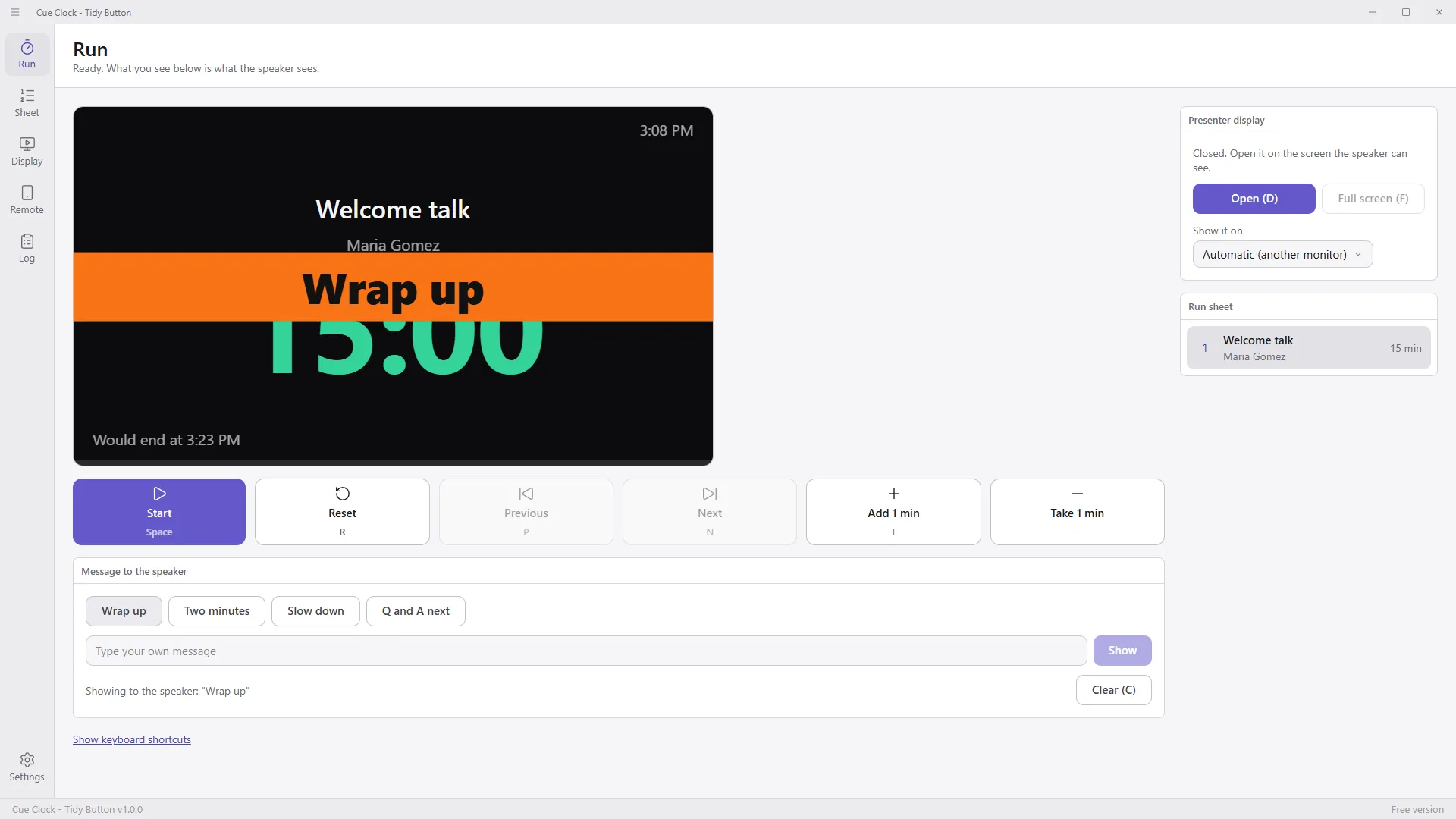
Message
Press a quick message and it shows over the display at once
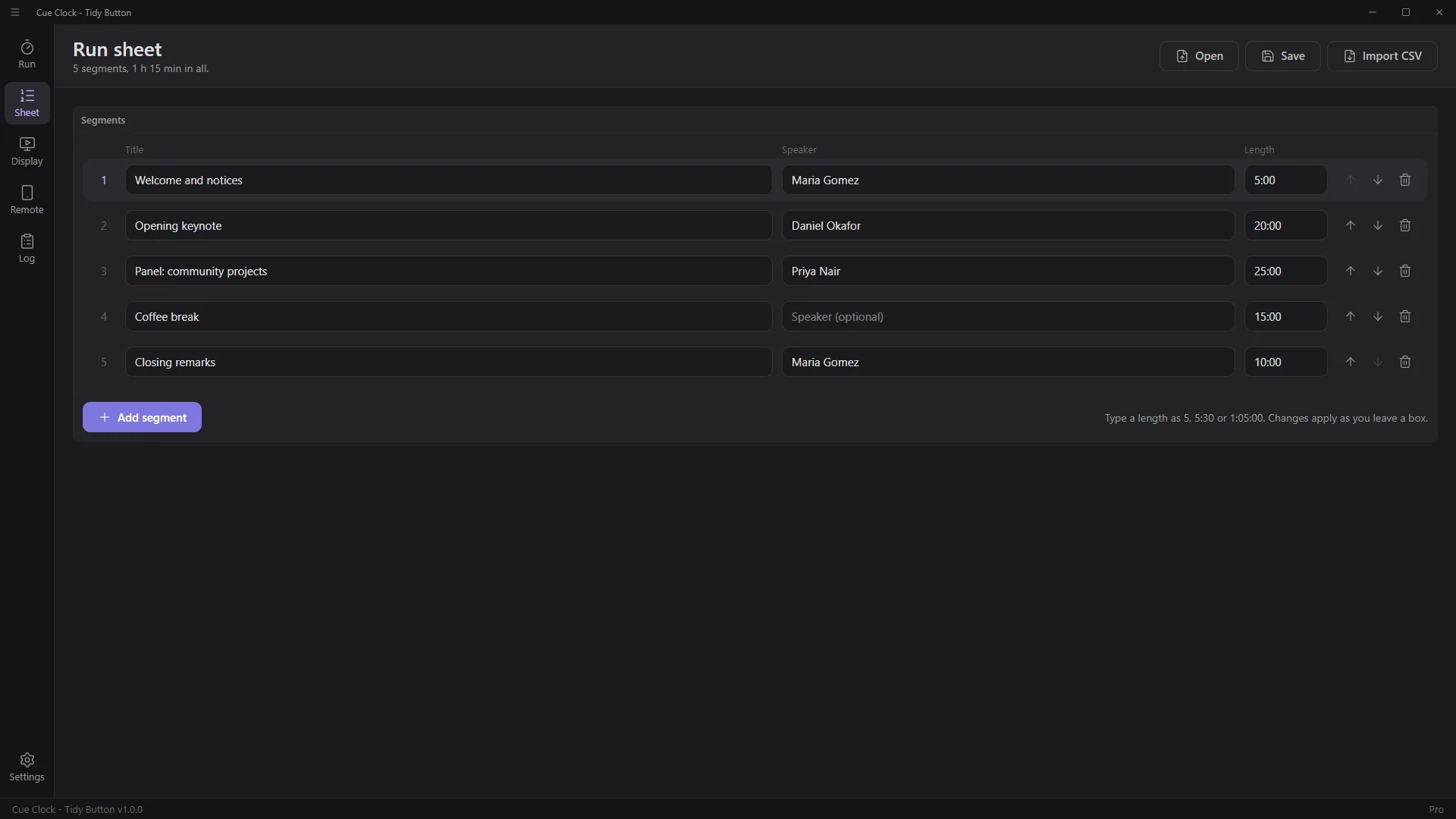
Sheet
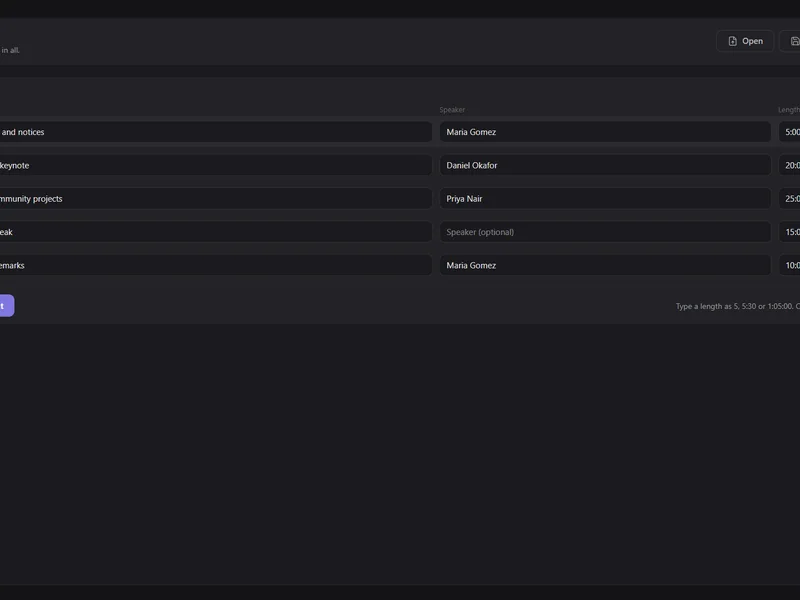
Build a run sheet with a title, speaker and length for each segment
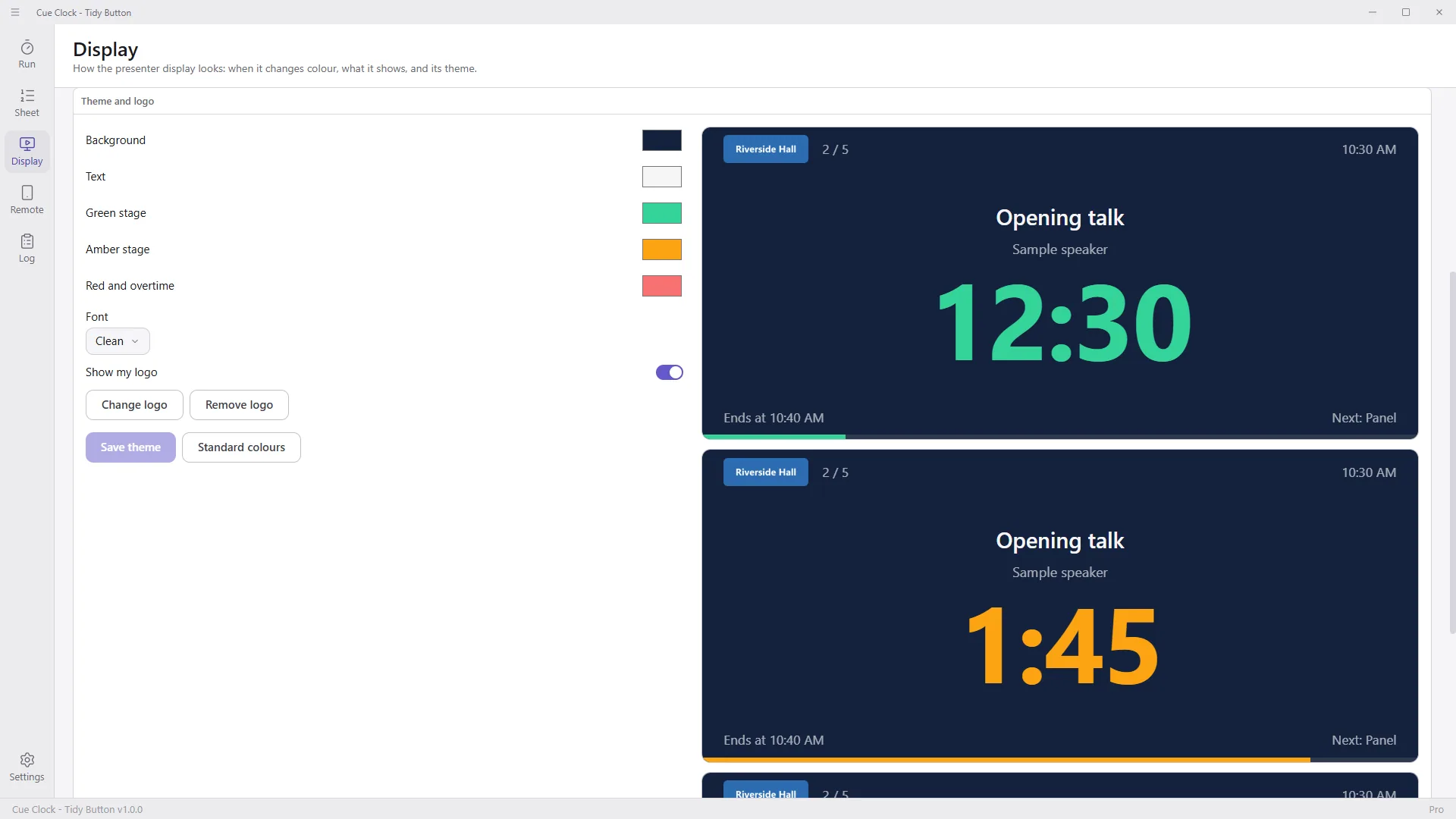
Display
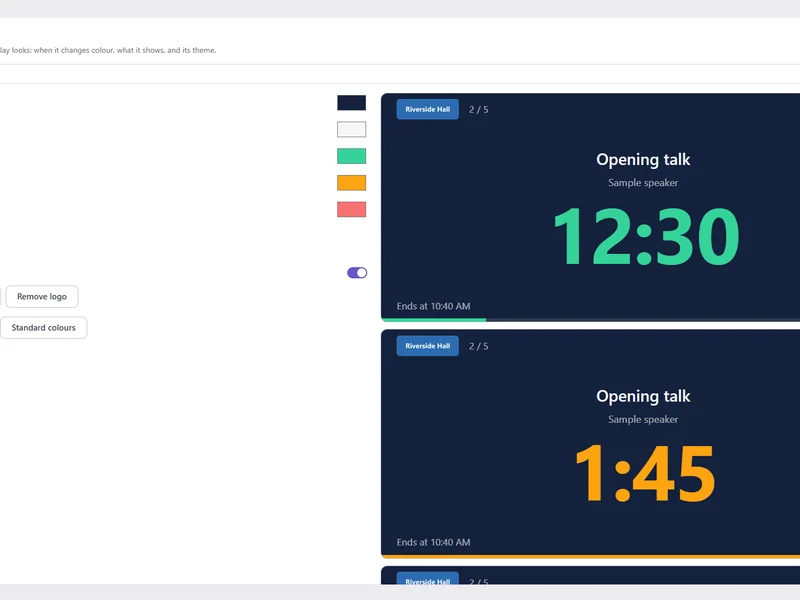
Your own colours, font and logo, with a preview of the three stages
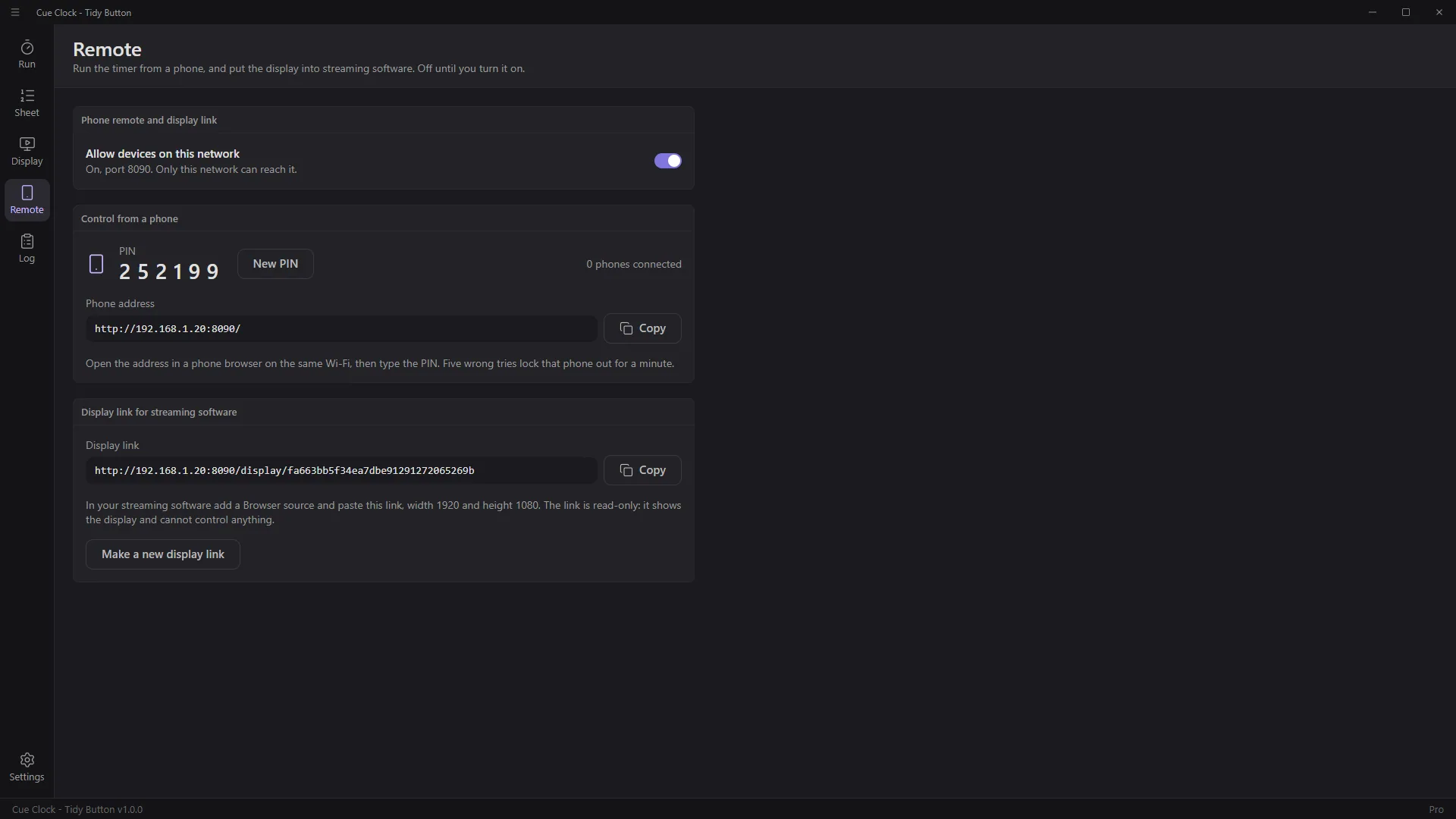
Remote
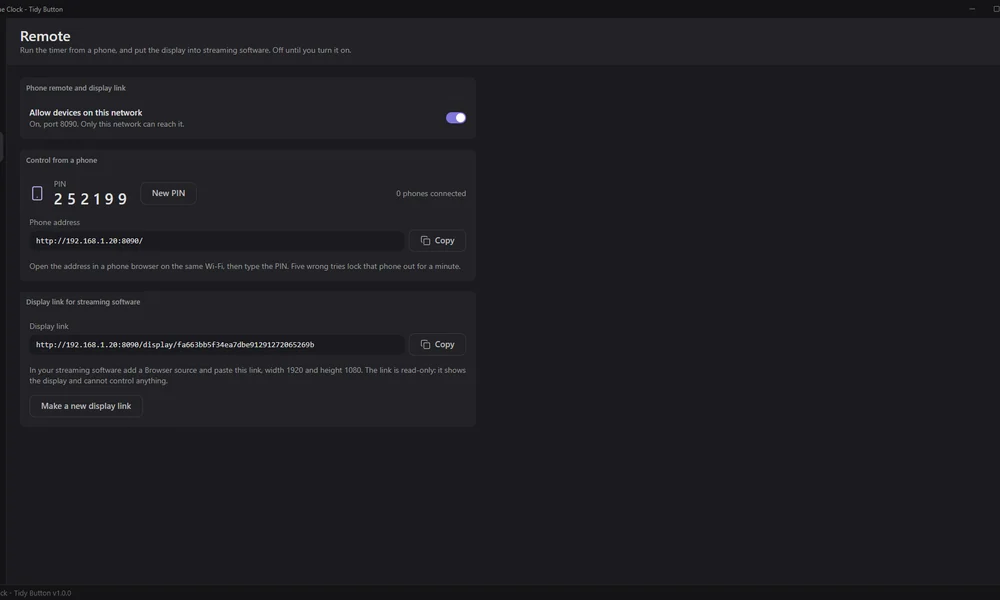
Run the timer from a phone on the same network, with a PIN
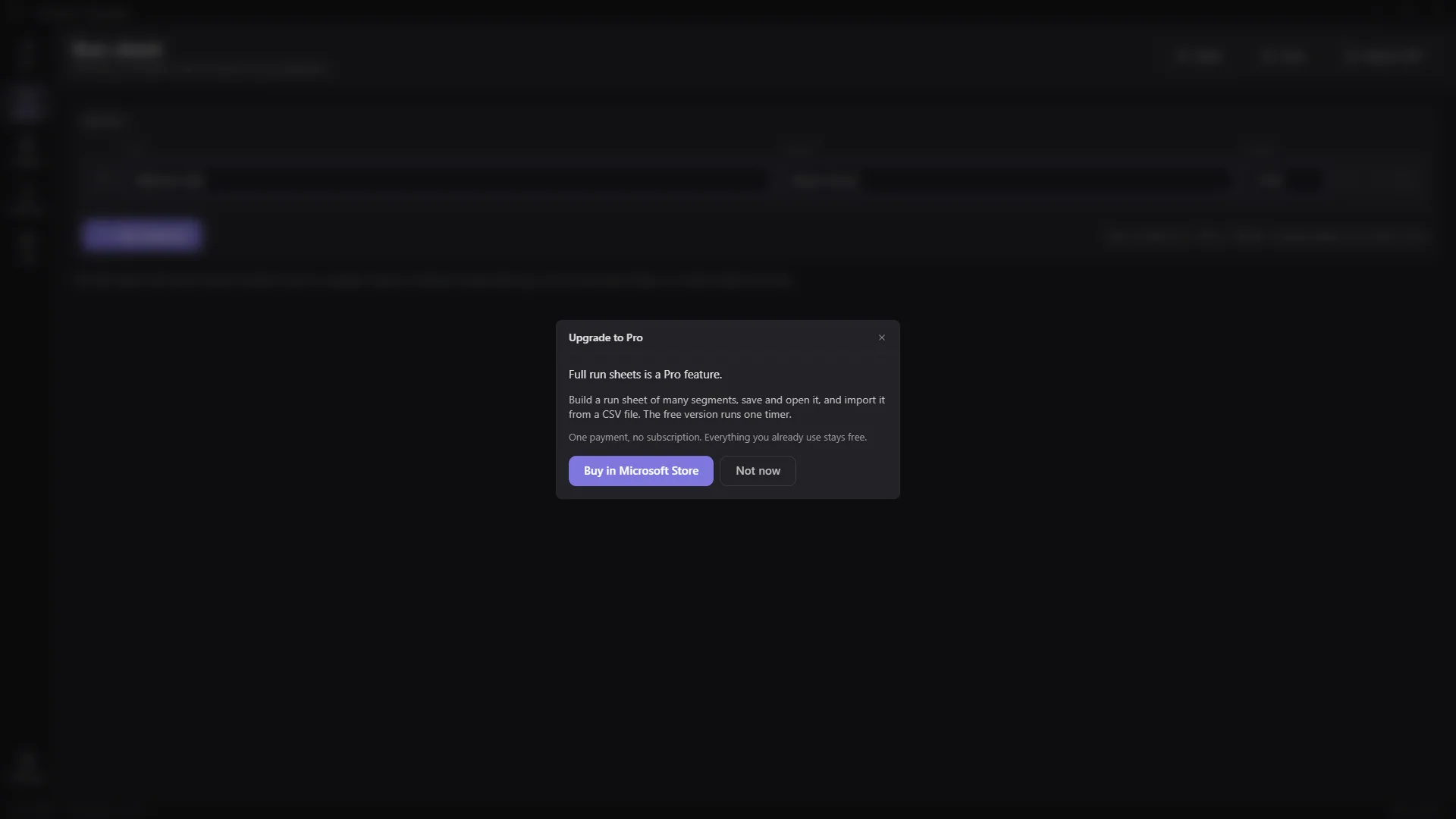
Free
The free version runs one timer and says so calmly
Screens use sample names and times, not real people. The app has light and dark themes.
How it works
Three steps. No manual.
01
Set the time
Type the length of the talk, such as 20, 5:30 or 1:05:00, and the speaker's name.
02
Open the display
Press D to open the presenter display on the monitor the speaker can see.
03
Start and guide
Press Start. Send a message such as Wrap up, or add a minute, with one key.
What it does
What it does.
Set the length of a talk, press Start and open the presenter display on the monitor the speaker can see. The time is green, turns amber, then red, flashes at zero and counts up in red, so the speaker always knows where they are. The timer lives in the app, not in a window, and reads the PC clock every time, so it does not drift over a long day. Pro adds run sheets for a whole programme, a phone remote and your own colours and logo.
A second screen for the stage
A full-screen presenter display on the monitor you choose, with a live preview on the operator screen that shows exactly what the speaker sees.
Green, amber, red
Choose when the time turns amber and red. It flashes at zero, then counts up in red once the time is over.
Messages to the speaker
Quick buttons such as Wrap up and Two minutes, which you can edit, or type your own. It shows over the display at once.
Time of day and end time
Show the clock and an Ends at time on the display, with a 24-hour option.
One key for everything
Start, pause, reset, next, previous and plus or minus a minute each have a key, and they work in both windows.
Keeps good time
The clock is read from the PC each time, so it does not drift, and it keeps running if you close the operator window.
Run sheets (Pro)
Many segments with a title, speaker and length. Save and open sheets, or import them from a CSV file.
Phone remote and display link (Pro)
Run the timer from a phone browser on the same network with a PIN, and add the display to streaming software as a browser source.
The small print, in plain English
Safe by design.
A message shows over the display at once and clears with one key.
The phone remote is off until you turn it on, and needs a PIN.
Silent. The cue is visual: colours, a flash and a message banner.
The free version runs one timer with every display feature.
Closing or hiding the operator window does not move the timer.
The phone remote is off until you turn it on, needs a PIN, and only answers on your own network.
Works offline. No account. No ads. No tracking.
What it does
Your timer, your colours.
Decide how the display looks and when it warns the speaker.
Choose the colours, the font and a logo.
Stages
Green, amber, red
You choose how many minutes before the end it turns amber and red.
Zero
Flash, then count up
The time flashes at zero, then counts up in red.
Messages
Quick buttons, or your own
Edit up to eight quick messages, or type one on the spot.
Clock
Time of day and end time
Show a small clock and an Ends at time on the display.
Monitors
Two screens, handled
Full screen on the other monitor, placed again if one is unplugged or plugged back in.
Sheet
A whole programme (Pro)
Many segments, saved and opened, or imported from a CSV file.
Pro is a one-time add-on: run sheets, the phone remote and display link, custom themes and logo, and log export.
Good for
Handy when time is tight.
A talk or a sermon with a hard end time
A conference programme with many speakers
School assemblies and events
Podcast and stream recordings
Questions
Plain answers.
Is anything uploaded?
No. Your run sheet, names and messages stay on your PC. The free app works with the internet turned off.
Will the timer drift or run late?
No. The time is read from the PC clock every time, not counted in ticks, so it stays right over a long day. It also keeps running if you close the operator window.
Does it make a sound?
No. The cue is visual: colours, a flash at zero and a message banner, so it works in a quiet room.
Does it work with two monitors?
Yes. On two monitors the presenter display goes full screen on the other one, and it is placed again if a monitor is unplugged or plugged back in. On one monitor it opens as a window.
Is there a limit in the free version?
The free version runs one timer, with the presenter display, colour stages, messages, the time-of-day clock and keyboard shortcuts. A one-time Pro add-on adds run sheets, a phone remote and display link, custom themes and a logo, and log export.
How does the phone remote stay safe?
It is a Pro feature and it is off every time the app starts. When you turn it on it answers only on your own network and needs a random six-digit PIN. Five wrong tries lock that device out for a minute.