We will link the Store listing here the day it is live. Until then there is nothing to download.
Real app, with made-up sample servers.
No account
No subscription
Secrets stay on your PC
Free for 3 hosts
See it
Eight views. One plain client.
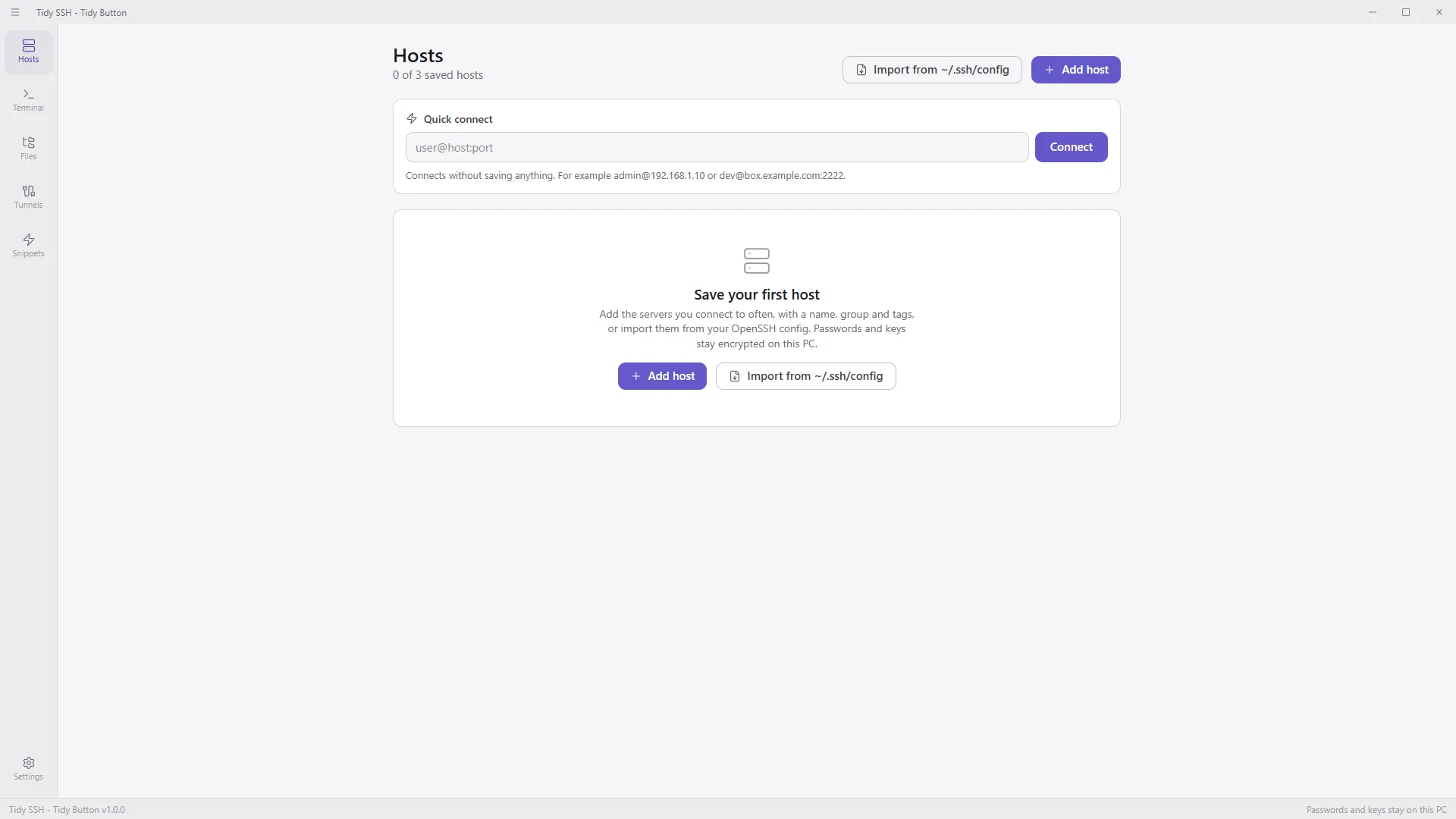
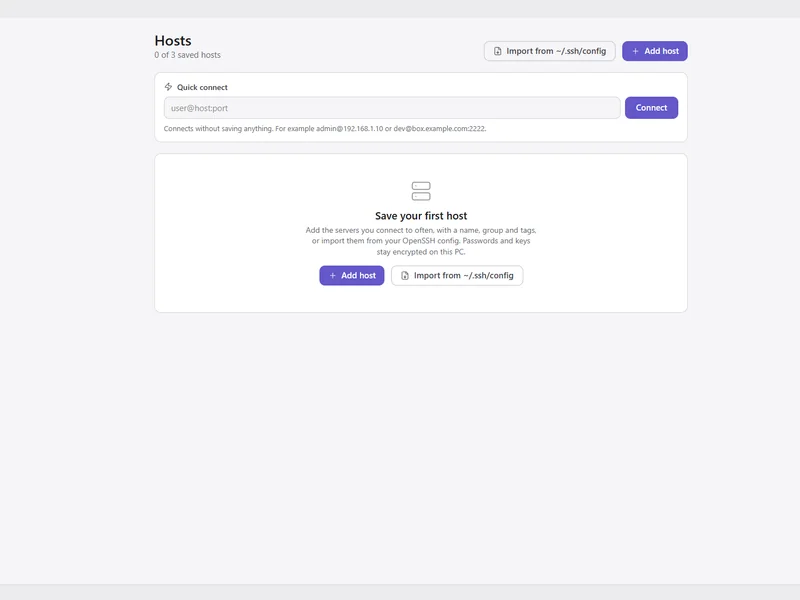
Hosts
Start with a clean Hosts screen. Type user@host:port to connect now, or save the servers you use often.
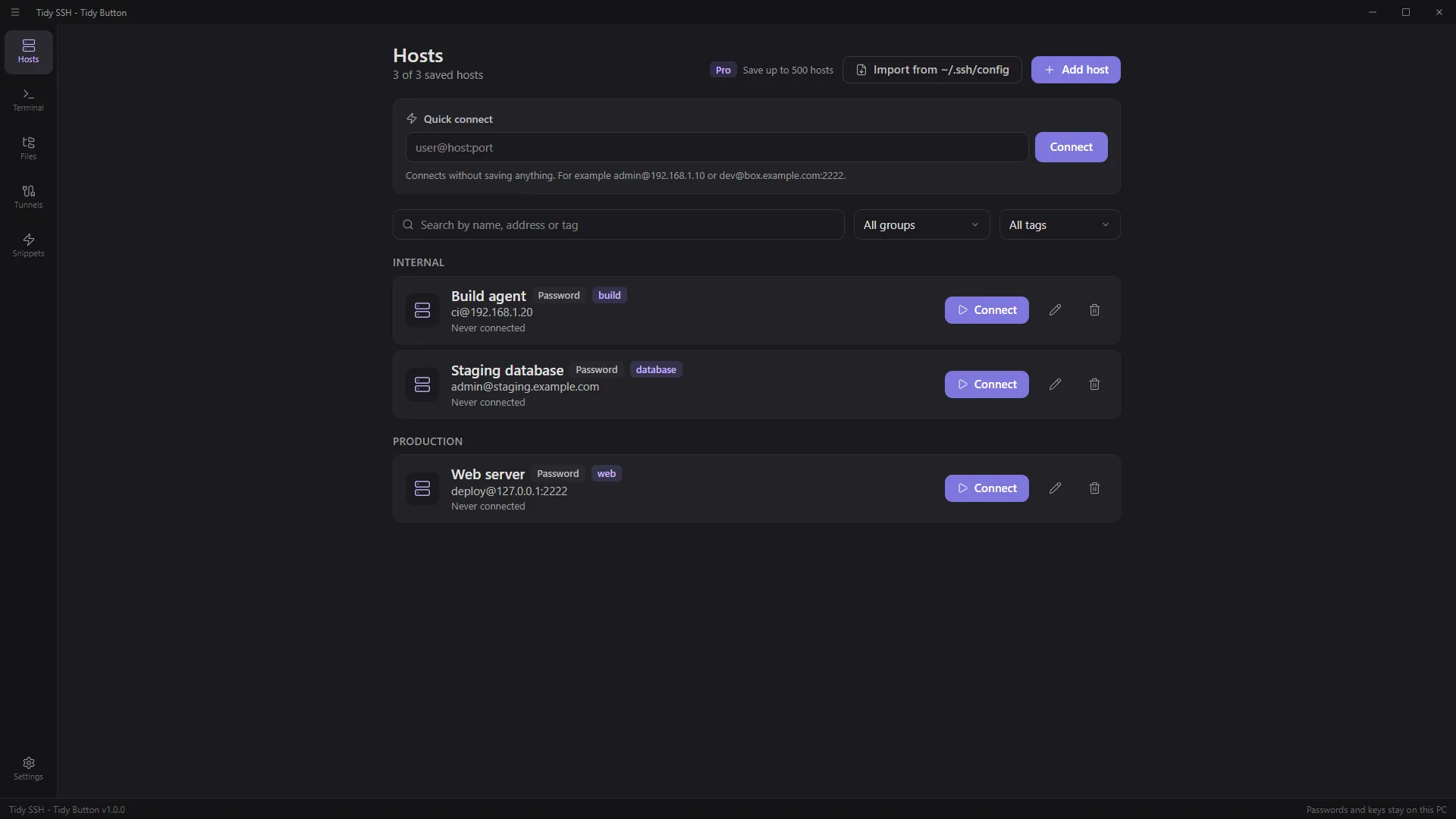
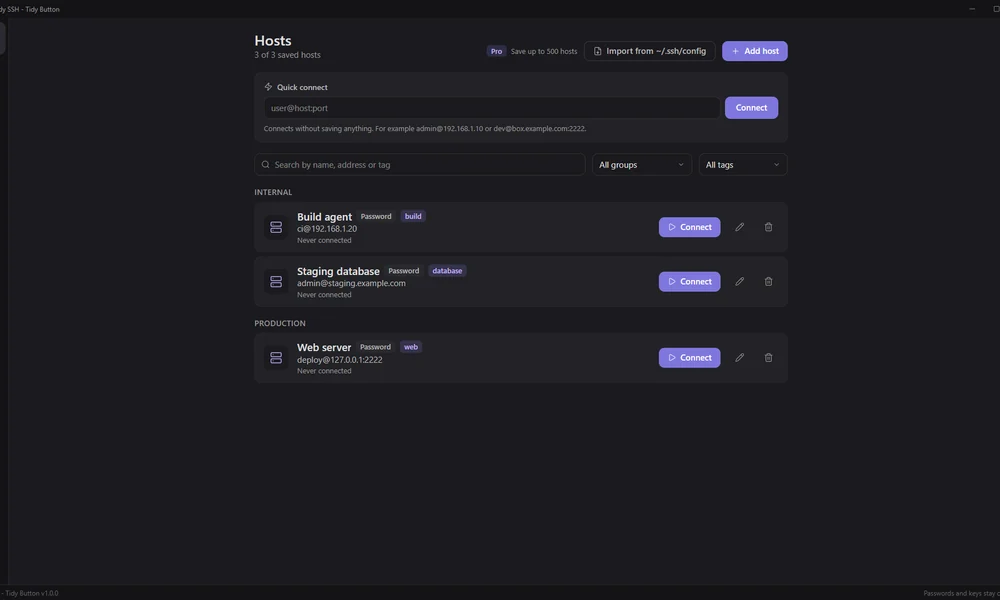
Saved hosts
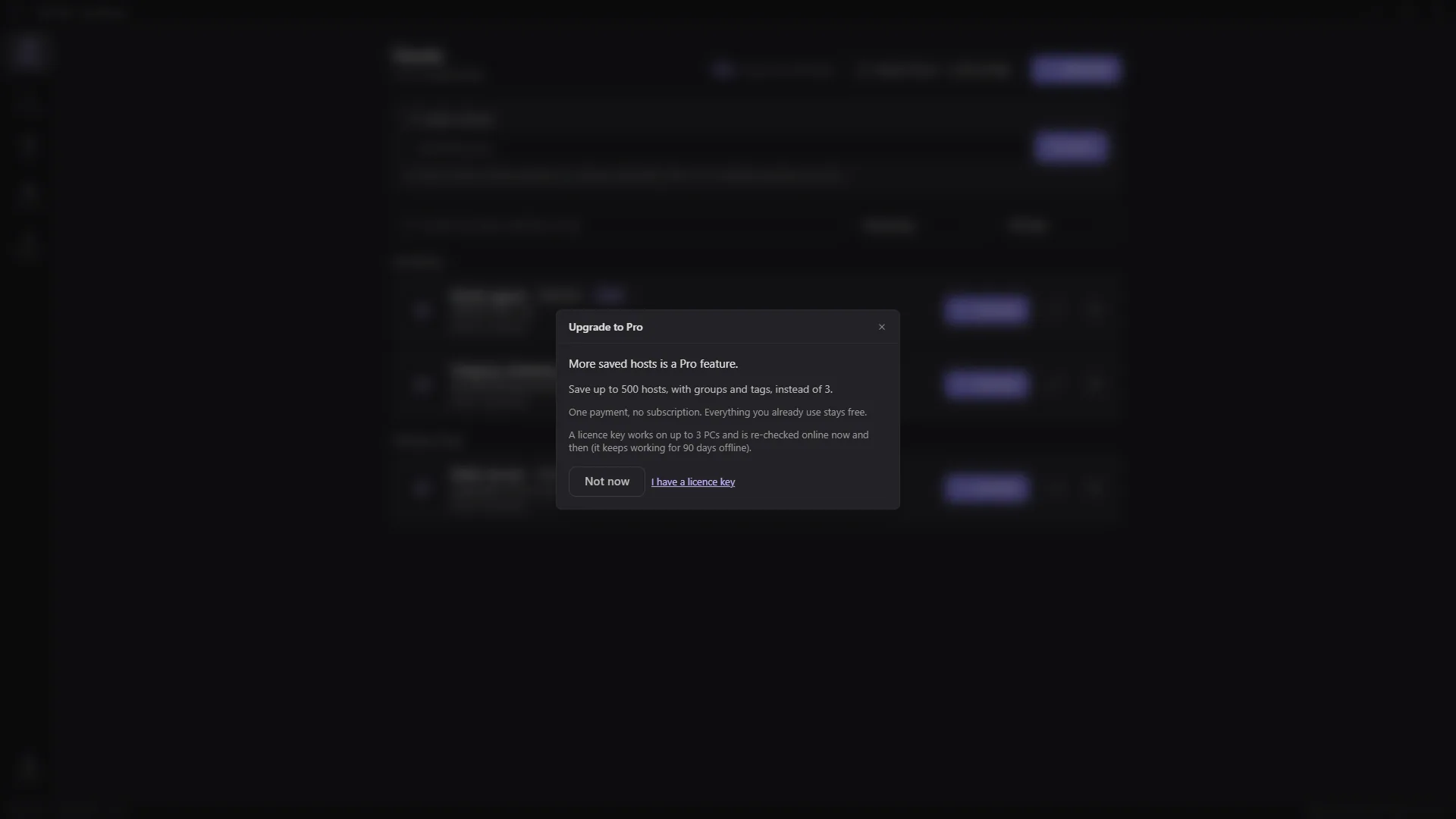
Keep your servers in groups with tags. The free app saves up to 3 hosts; Pro saves up to 500.
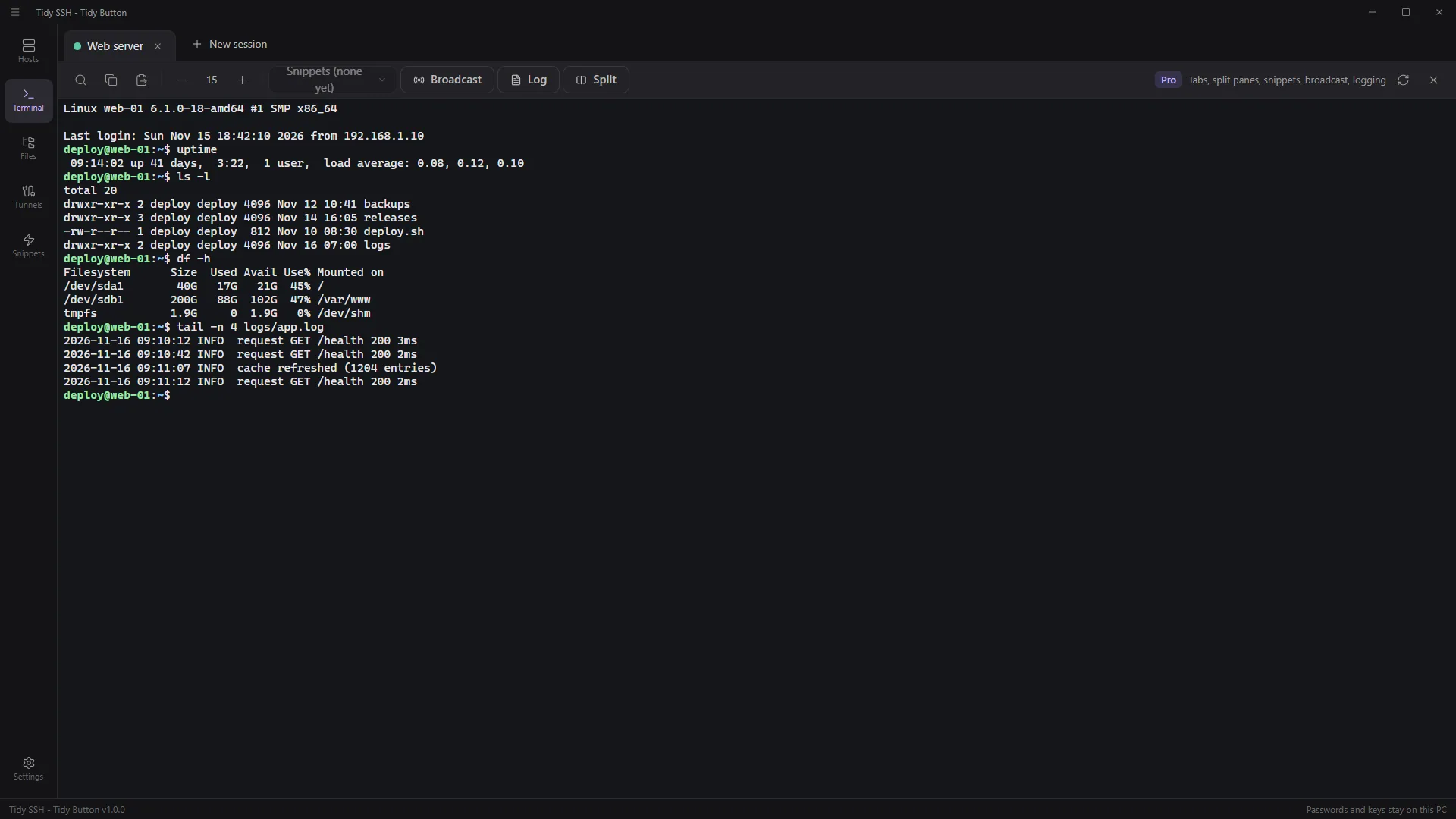
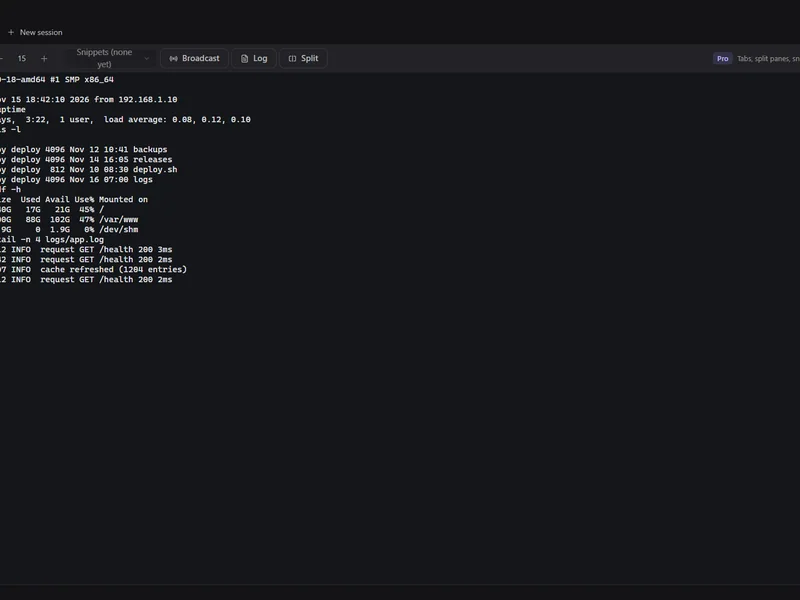
Terminal
A full terminal on your server, with copy and paste, find, text size and colour themes.
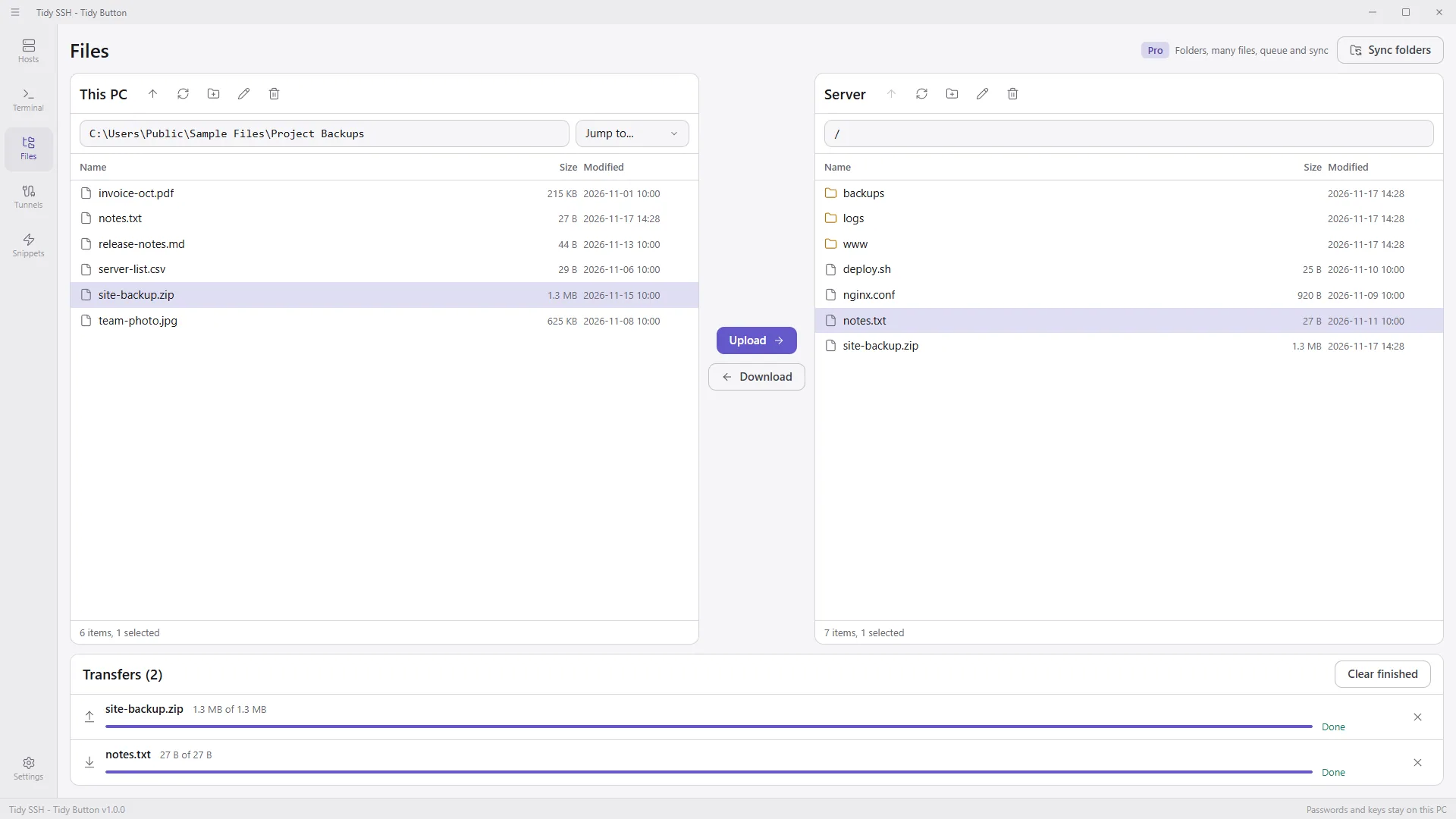
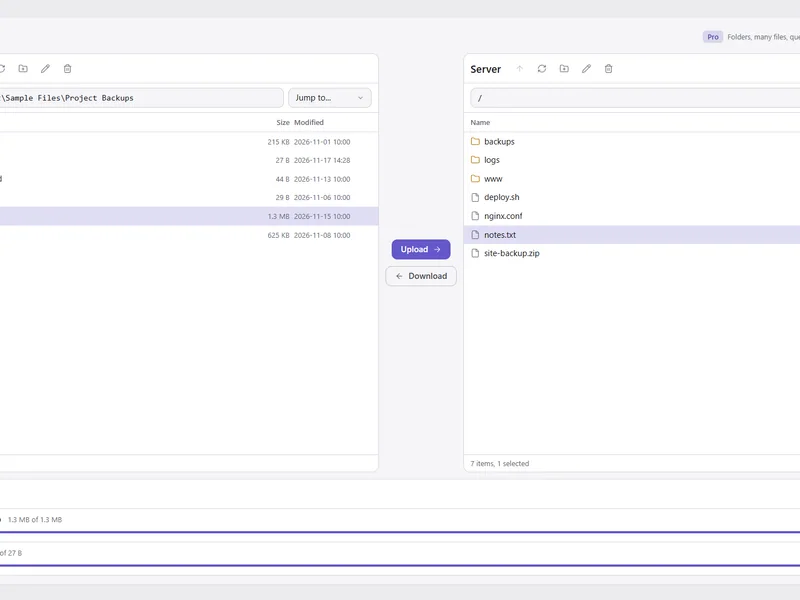
Files
Move files between your PC and the server side by side, with progress for every transfer.
Free limit
Free stays useful. When you reach a Pro limit, the app says so plainly and shows what Pro adds.
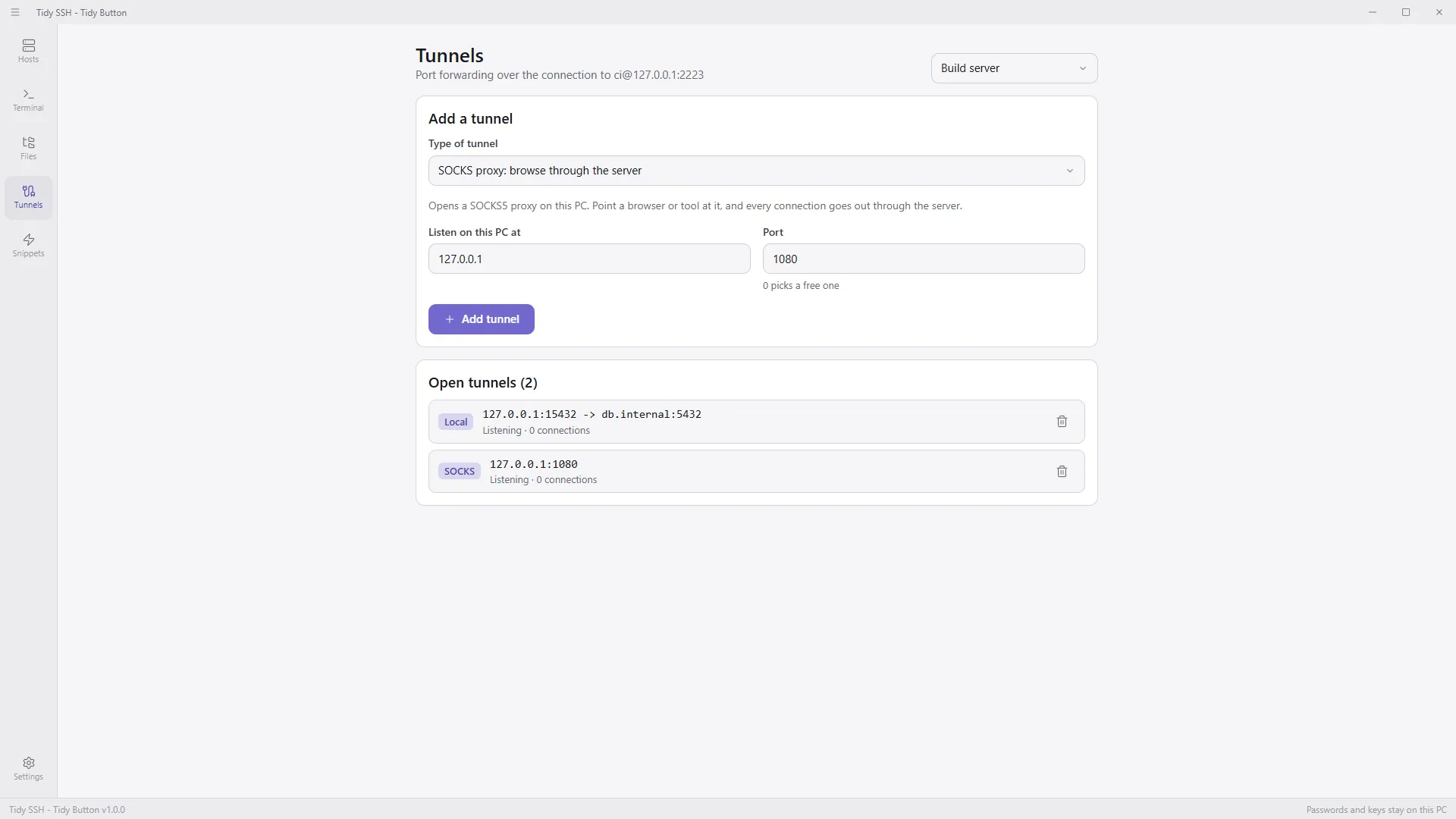
Tunnels
Pro: open local, remote and SOCKS5 tunnels over your SSH connection.
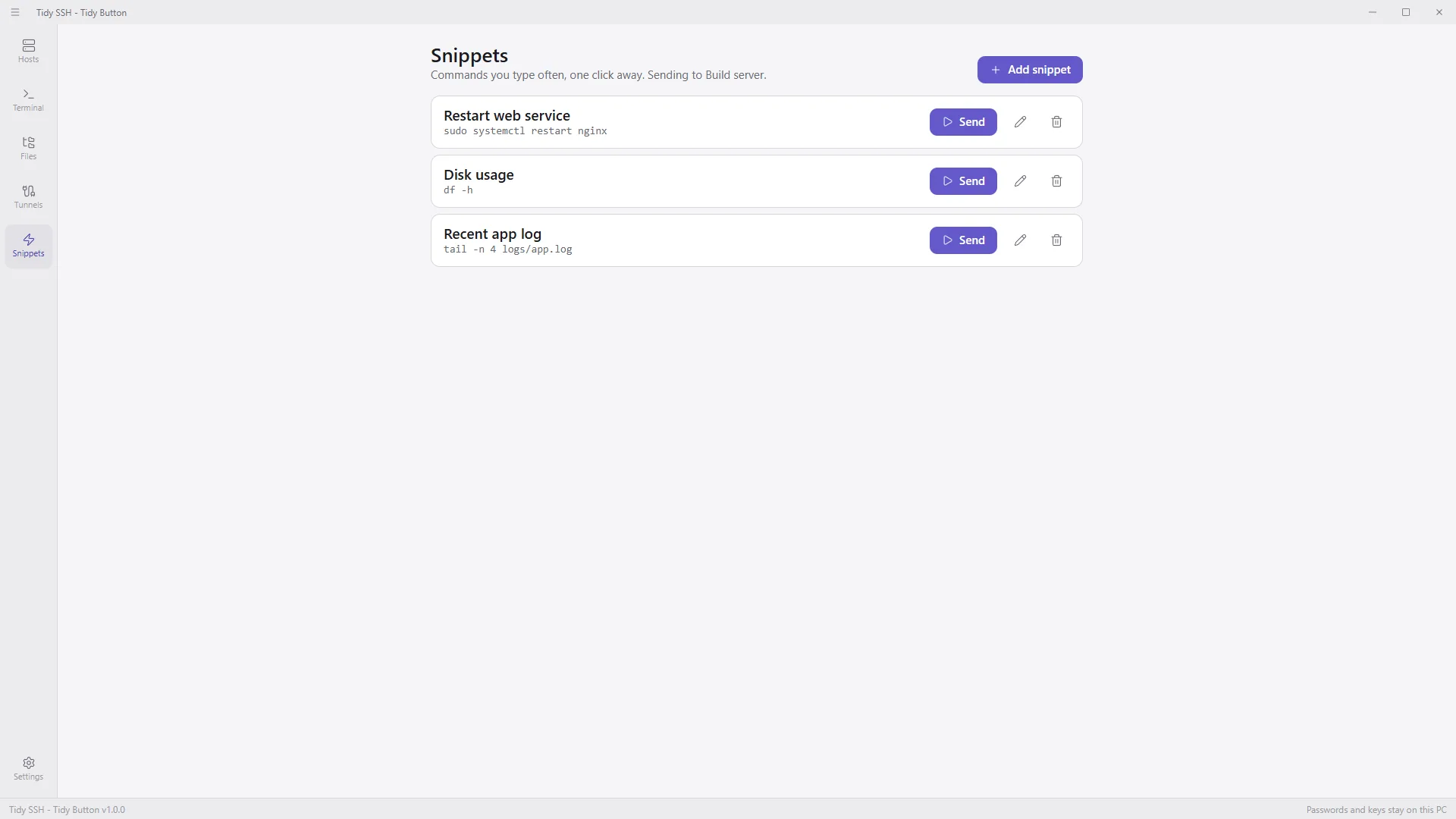
Snippets
Pro: save the commands you type often and send them to the open session with one click.
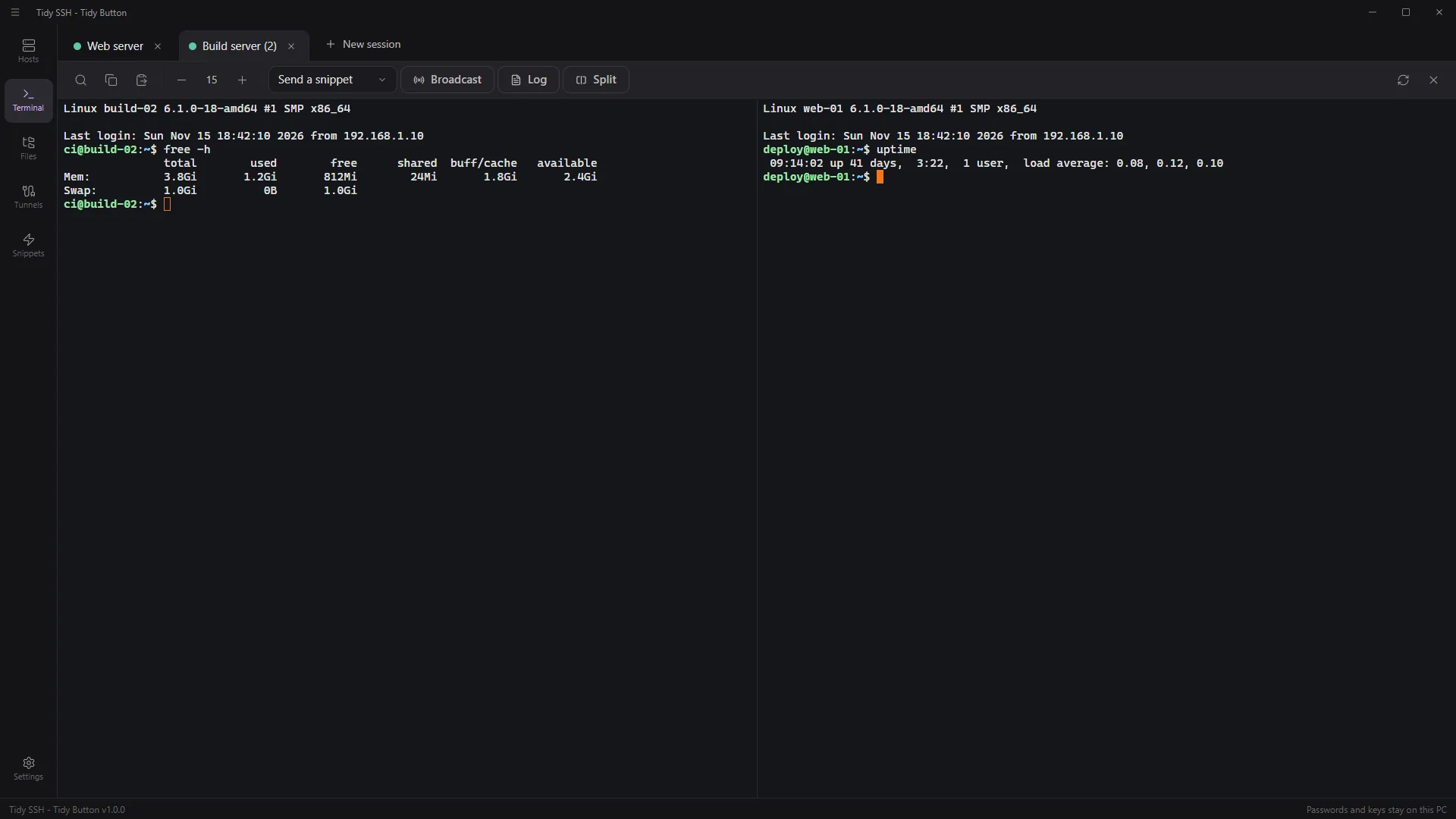
Split panes
Pro: keep several sessions open in tabs, or side by side in split panes.
Screens show made-up sample servers. The app has light and dark themes.
How it works
Three steps. No manual.
01
Add a host
Type user@host:port to connect now, or save the servers you use often.
02
Open a terminal
Work in a full terminal on your server, with copy and paste, find and colour themes.
03
Move files
Your PC and the server side by side, with progress for every transfer.
What it does
What it does.
Tidy SSH is a plain SSH and SFTP client for Windows. Open a terminal on a server, move files between your PC and the server, and get on with your day. There is no sign-up, no cloud vault and no subscription. Nothing leaves your PC except the connections you open yourself. Passwords and key passphrases are encrypted by Windows and are never written to settings files or logs.
A terminal on your server
Open a terminal with a password, a private key file (with a passphrase) or keyboard-interactive login.
Every server is checked
The first time you connect you see its fingerprint and choose whether to trust it. If a server's key ever changes, the app refuses to connect and shows both keys.
Two-pane file browser
Your PC on the left, the server on the right. Upload, download and drag and drop. Transfers show progress and can be paused and resumed.
Saved hosts
Save up to 3 hosts with groups and tags, connect quickly with user@host:port, or import hosts from an ssh config file.
A comfortable terminal
Search the terminal, copy and paste, change the text size, and pick a colour theme and font.
Reconnects for you
The app reconnects automatically when the network drops, with keep-alive for idle connections.
Secrets stay on your PC
Key files are remembered by their location, not copied, unless you choose to copy them.
Pro, one payment
Up to 16 sessions, up to 500 hosts, port forwarding, snippets, a transfer queue with folder sync, and an encrypted backup.
The small print, in plain English
Safe by design.
Your servers in groups with tags. The free app saves up to 3 hosts.
At a Pro limit the app says so plainly. Hosts you saved keep working.
No account, no sign-up, no cloud vault, no subscription, no tracking.
Nothing leaves your PC except the connections you open yourself.
Passwords and key passphrases are encrypted by Windows and never written to settings files or logs.
If you go back to the free version, your saved hosts keep working. Only adding more than 3 is paused.
Pro is one payment, yours for good.
What Pro adds
Your servers, your way.
Keep the free client as it is, or add Pro once.
Open local, remote and SOCKS5 tunnels over your SSH connection.
Sessions
Many at once
Up to 16 sessions at once, in tabs or side by side in split panes.
Hosts
Room to grow
Up to 500 saved hosts. The free version saves 3.
Tunnels
Reach more
Port forwarding: local, remote and SOCKS5 proxy.
Snippets
Type once
Snippets for the commands you type often, and broadcast to type once into several sessions.
Transfers
Whole folders
A transfer queue that sends whole folders and many files at once, plus folder sync that copies only new and changed files.
Backup
Safe and portable
Encrypted backup of your hosts, snippets and trusted servers in one file.
Pro is one payment, not a subscription. It also adds jump hosts, session logging to a text file and agent forwarding through the Windows SSH agent. Everything in the free version stays free.
Good for
Handy when you manage servers.
Opening a terminal on a server without extra tools
Moving files between your PC and a server
Keeping your servers in groups with tags
Reaching a machine through another one with Pro
Questions
Plain answers.
Do I need an account?
No. There is no sign-up, no account, no cloud vault, no subscription and no tracking.
How are my passwords kept?
Passwords and key passphrases are encrypted by Windows and are never written to settings files or logs. Key files are remembered by their location, not copied, unless you choose to copy them.
How do I know I am talking to the right server?
The first time you connect you see the server's fingerprint and choose whether to trust it. If its key ever changes, the app refuses to connect and shows both keys.
Can I move files?
Yes. Browse your PC and the server side by side, upload and download, and drag and drop. Transfers show progress and can be paused and resumed.
What is the free limit?
Free gives one session, 3 saved hosts, and a terminal and SFTP with single-file transfers. If you go back to the free version, your saved hosts keep working and only adding more than 3 is paused.
What does Pro add?
Up to 16 sessions, up to 500 hosts, port forwarding, jump hosts, snippets and broadcast, a transfer queue with folder sync, session logging, agent forwarding and an encrypted backup, for one payment.