Coming to the Microsoft Store
SQLite Viewer Look inside the file.
Open a SQLite database, browse and query it, then save what you need. Offline, no account.
Not on sale yet. The app is still being built.
We will link the Store listing here the day it is live. Until then there is nothing to download.
- Works offline
- No account, no ads, no tracking
- Read-only by default
- Free
See it
Four views. One database, open.
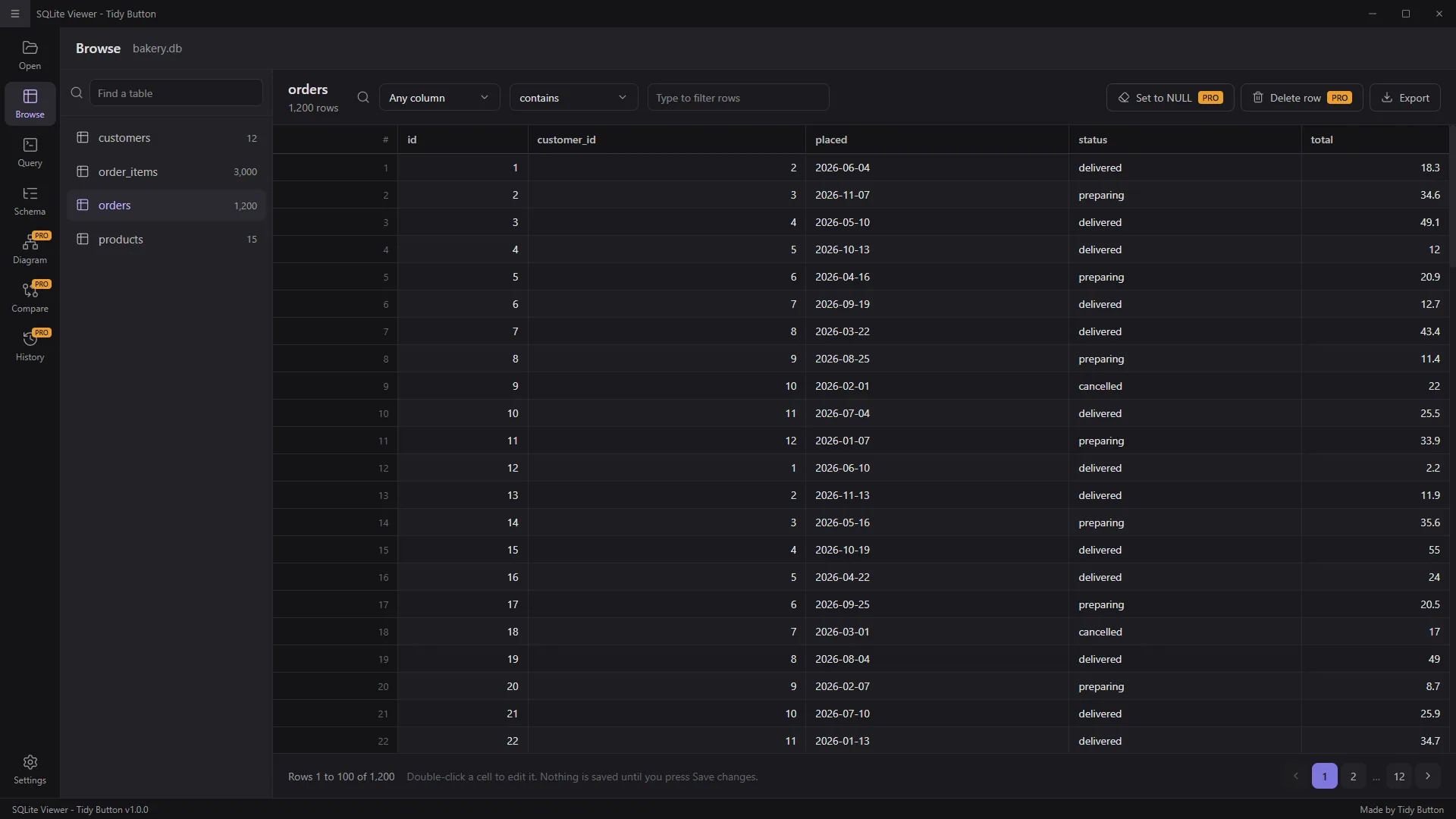
Browse
Every table, with rows you can sort and filter
Query
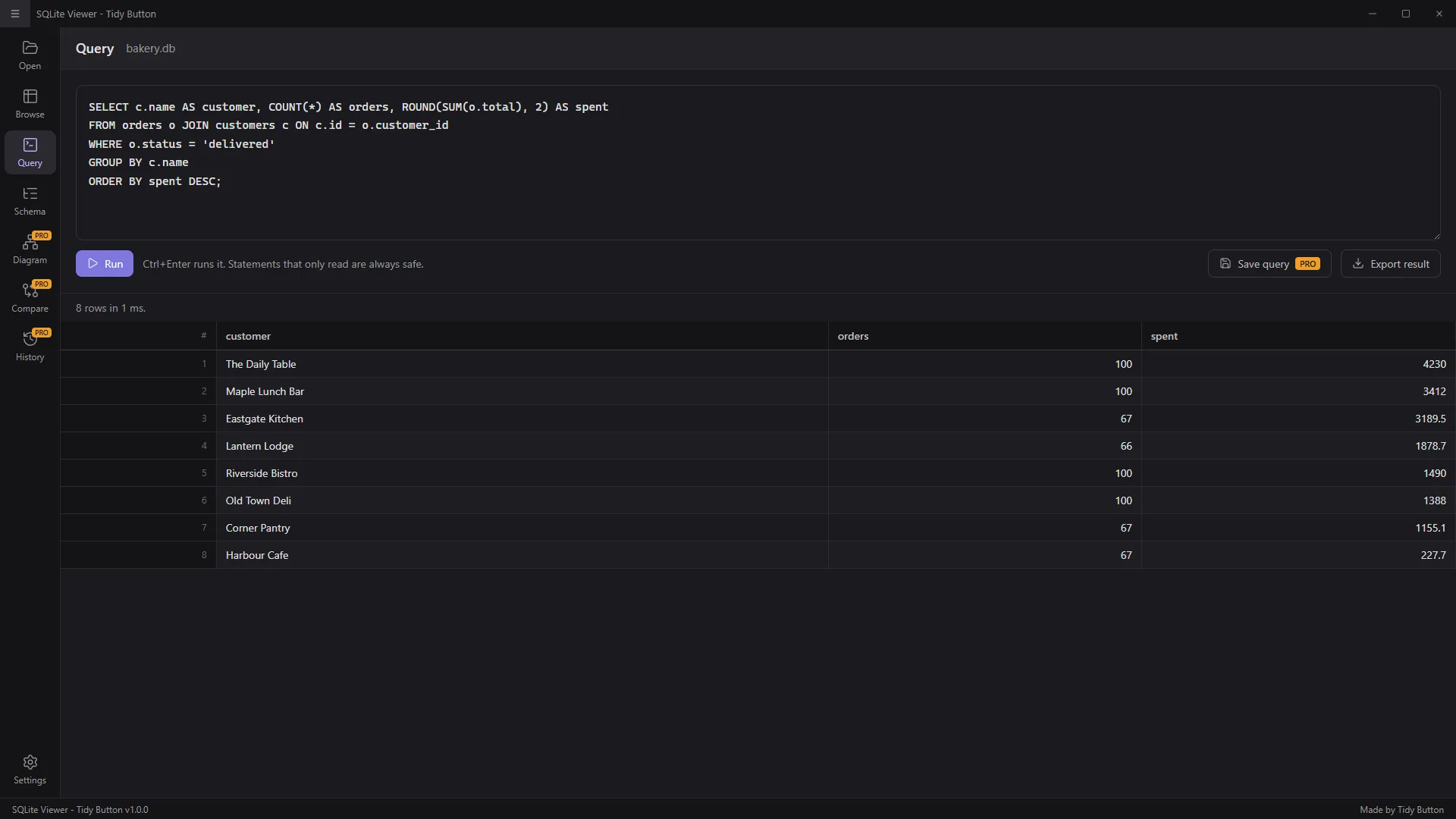
Run a SQL query and read the result
Schema
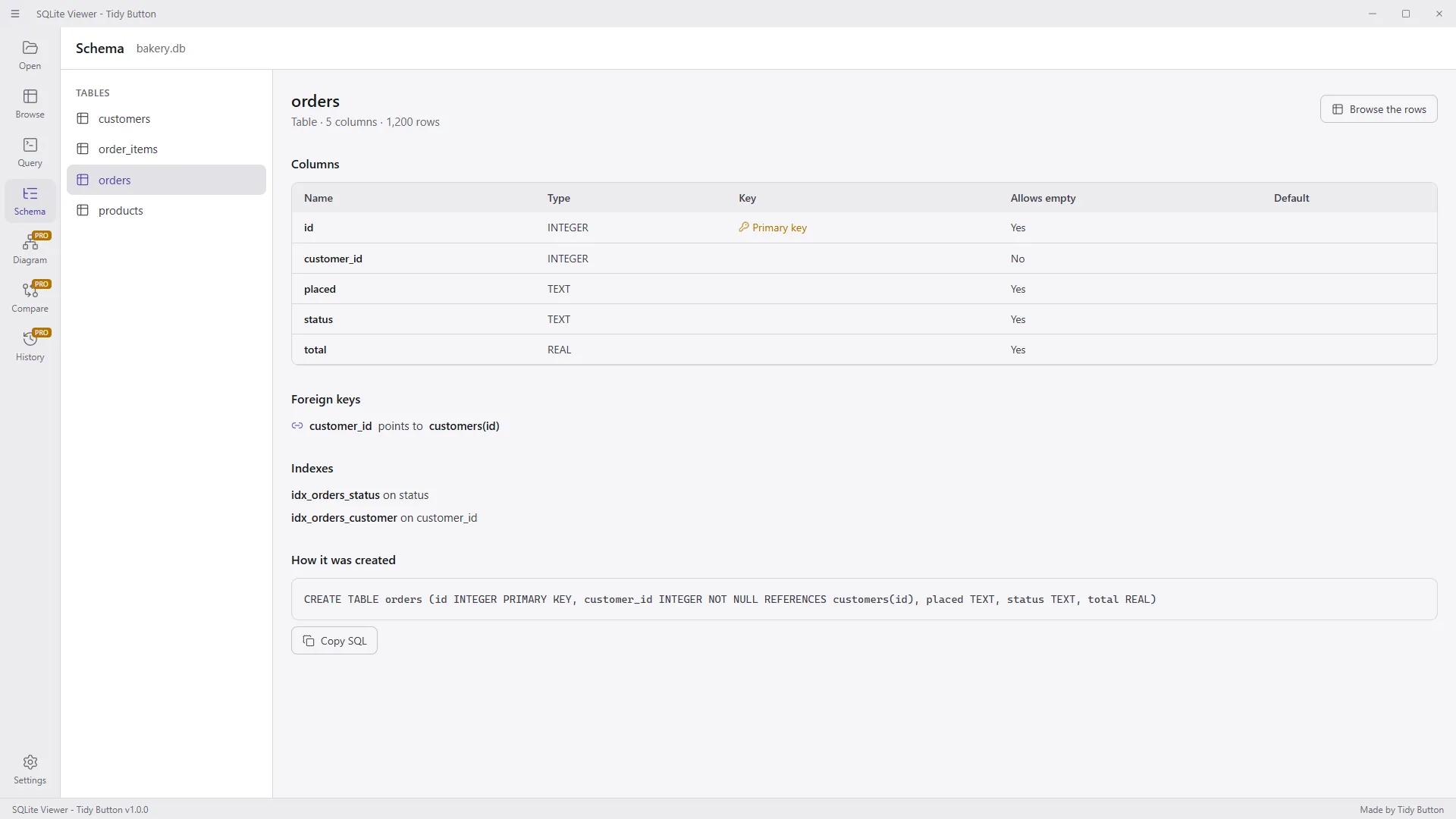
See how each table is built
Export
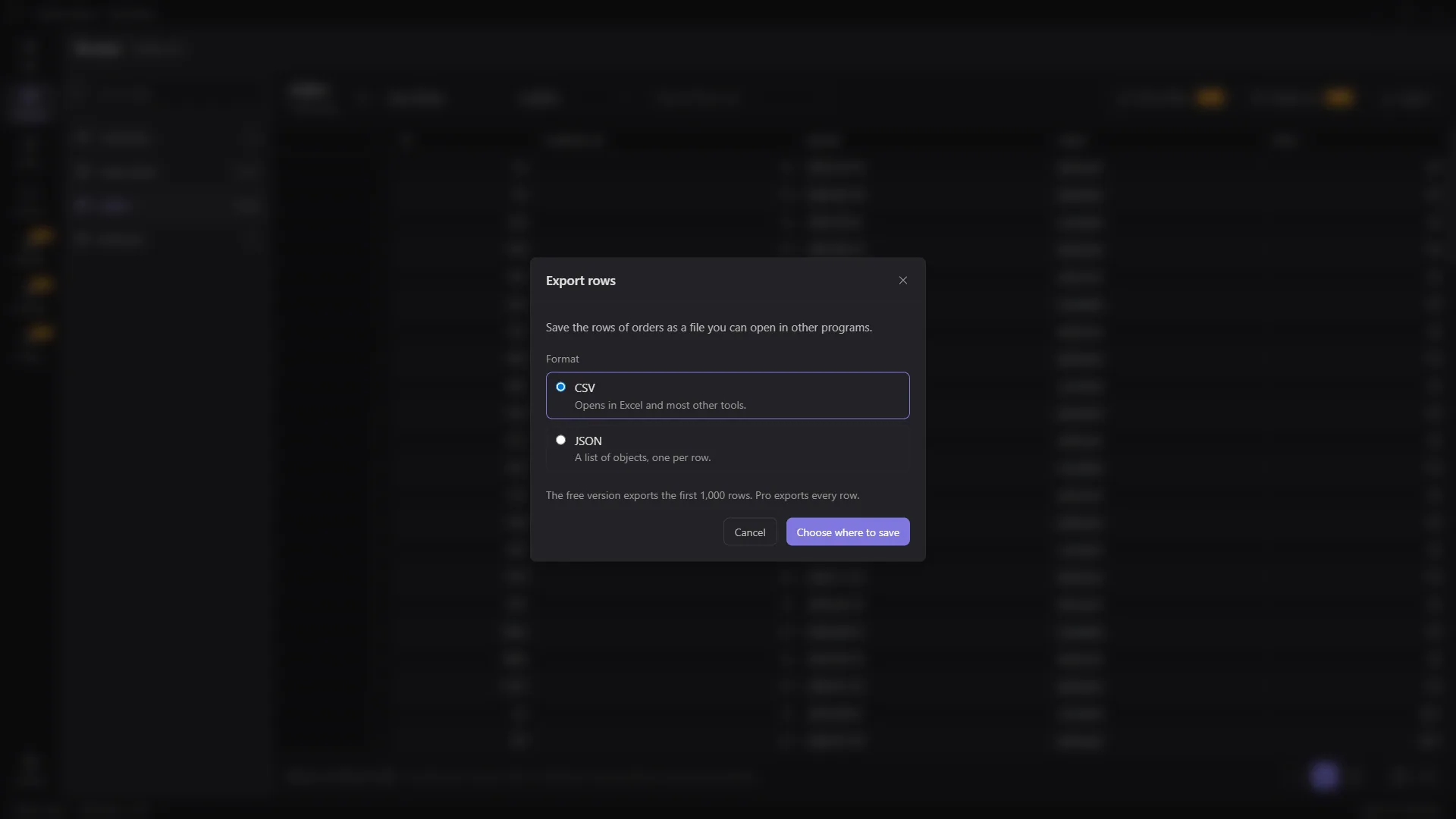
Save rows as CSV or JSON
Screens show a demo folder, not a real PC. The app has light and dark themes.
What it does
What it does.
SQLite Viewer opens the SQLite files that many apps use to keep their data. The tables appear in a list with their row counts, and you can sort, filter and page through the rows. Run SQL queries, read how each table is built, and save a table or a result as CSV or JSON. Your database stays on your PC and the free version never changes it.
Open any SQLite file
Use the button or drop a .db, .sqlite or .sqlite3 file on the window.
Browse, sort and filter
Pages of 100 rows, sort by clicking a header, filter by text in any column or one column.
Run SQL
Write a query and see the result as a table. A Stop button ends a long query.
Schema view
Columns, keys, indexes, foreign keys and the SQL that created each table.
Export to CSV or JSON
Save a table or a query result. The free version exports up to 1,000 rows and says so.
Read-only by default
The free version only reads your database and cannot change it.
The small print, in plain English
Safe by design.
- Your database stays on your PC. Nothing is uploaded.
- The free version never changes your file.
- Works offline. No account. No ads. No tracking.
Good for
Handy when you need to look inside.
- Looking inside an app's data file
- Learning SQL
- Checking what a file holds
- Testers and developers
- Reading a database without code
Questions
Plain answers.
Can it change my database?
Not in the free version. It only reads the file. An optional one-time Pro unlock adds editing, with a confirmation and a backup copy.
Which files can it open?
SQLite databases, usually ending in .db, .sqlite or .sqlite3.
Is my data uploaded?
No. The file is read on your PC and nothing is sent anywhere.
How many rows can I export?
The free version exports up to 1,000 rows to CSV or JSON and tells you when it stops there. An optional one-time Pro unlock exports every row.
Can I run SQL?
Yes. Queries that only read are always safe, and a Stop button ends one that takes too long.