How to pick a random name with a spinning wheel
This guide shows how to pick a name, a prize or a turn with a spinning wheel. You type your list, press spin and the wheel lands on one entry.
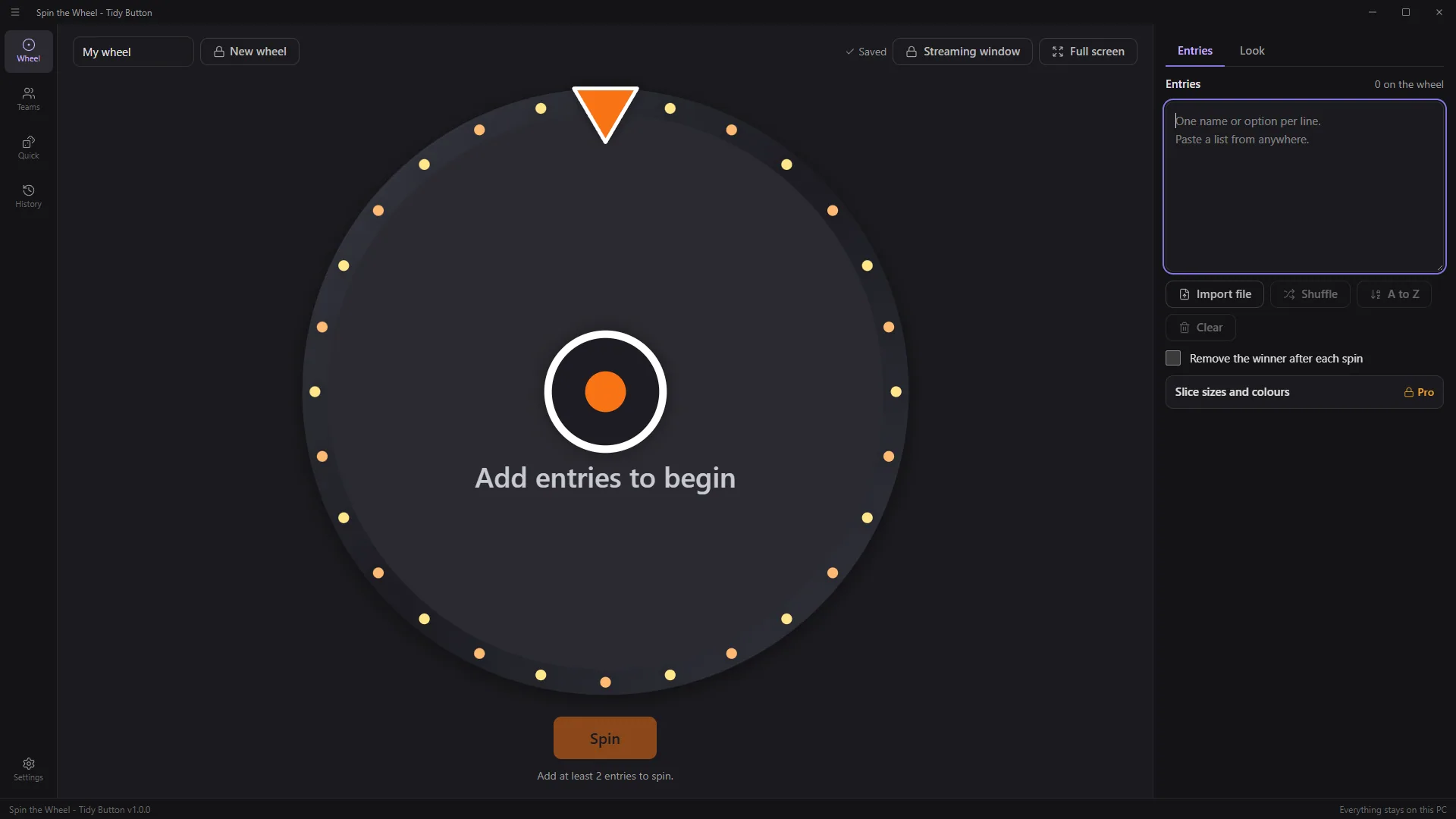
This app is not on the Microsoft Store yet. This guide is ready for the day it arrives.
Make a list and spin the wheel
- Open Wheel in the left menu.
- Click the Entries tab on the right.
- Type one name or option on each line in the entries box. You can also paste a list.
- Press Spin. You can also press the Space bar or Ctrl+Enter when no box or button has the focus.
- Read the winner in the box that appears.
Every entry has the same chance. The wheel is drawn from your PC's secure random generator.
Give everyone a turn
- Turn on Remove the winner after each spin under the entries box.
- Press Spin.
- When the winner appears, press Remove and close.
- Press Spin again for the next person.
If you spun without that switch, press Remove from wheel on the winner box to take the name off.
Bring in a list from a file
- Open Wheel and click the Entries tab.
- Press Import file and choose a TXT, CSV or TSV file.
- A window asks what to do with the names already on the wheel. Choose Add to the list or Replace the list.
- Press Shuffle to mix the order, or A to Z to sort it.
A first row of column titles, such as Name followed by a second column, is left out. Press Clear to empty the list.
Show the wheel to a classroom or a party
- Open Wheel.
- Press Full screen to get a big wheel and a large result.
- Press the Space bar to spin.
- Press Esc, or Leave full screen, to go back.
Flip a coin or pick a number
- Open Quick in the left menu.
- For a yes or no answer, press Decide for me.
- For numbers, type the Lowest and Highest numbers.
- Tick No number twice if you do not want repeats.
- Press Pick.
If something goes wrong
Where can I see earlier results?
Open History in the left menu. Every spin, coin flip and number draw is listed there. Press Clear to empty the list.
The spin is too fast or too slow. Can I change it?
Open Settings and change How long a spin lasts. The wheel also moves more calmly if Windows has animations turned off.
I do not want the sound or the confetti. How do I turn them off?
Open Settings and switch off Sound or Confetti.
The Space bar does not spin the wheel. Why?
Space types a space while you are typing in the entries box. Click on an empty part of the window first, or press Spin. Ctrl+Enter also spins.
Still stuck? Support is by email, and a person reads it.