We will link the Store listing here the day it is live. Until then there is nothing to download.
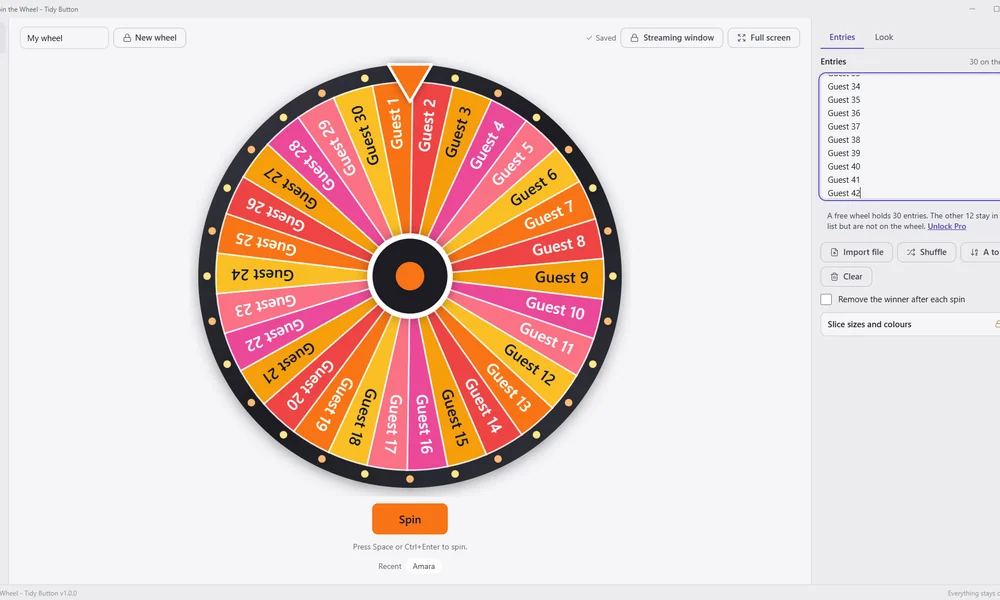
Real app, with a sample list of names ready to spin.
Works offline
No account, no ads, no tracking
Fair random draw
Free
See it
Eight views. One fair pick.
Start
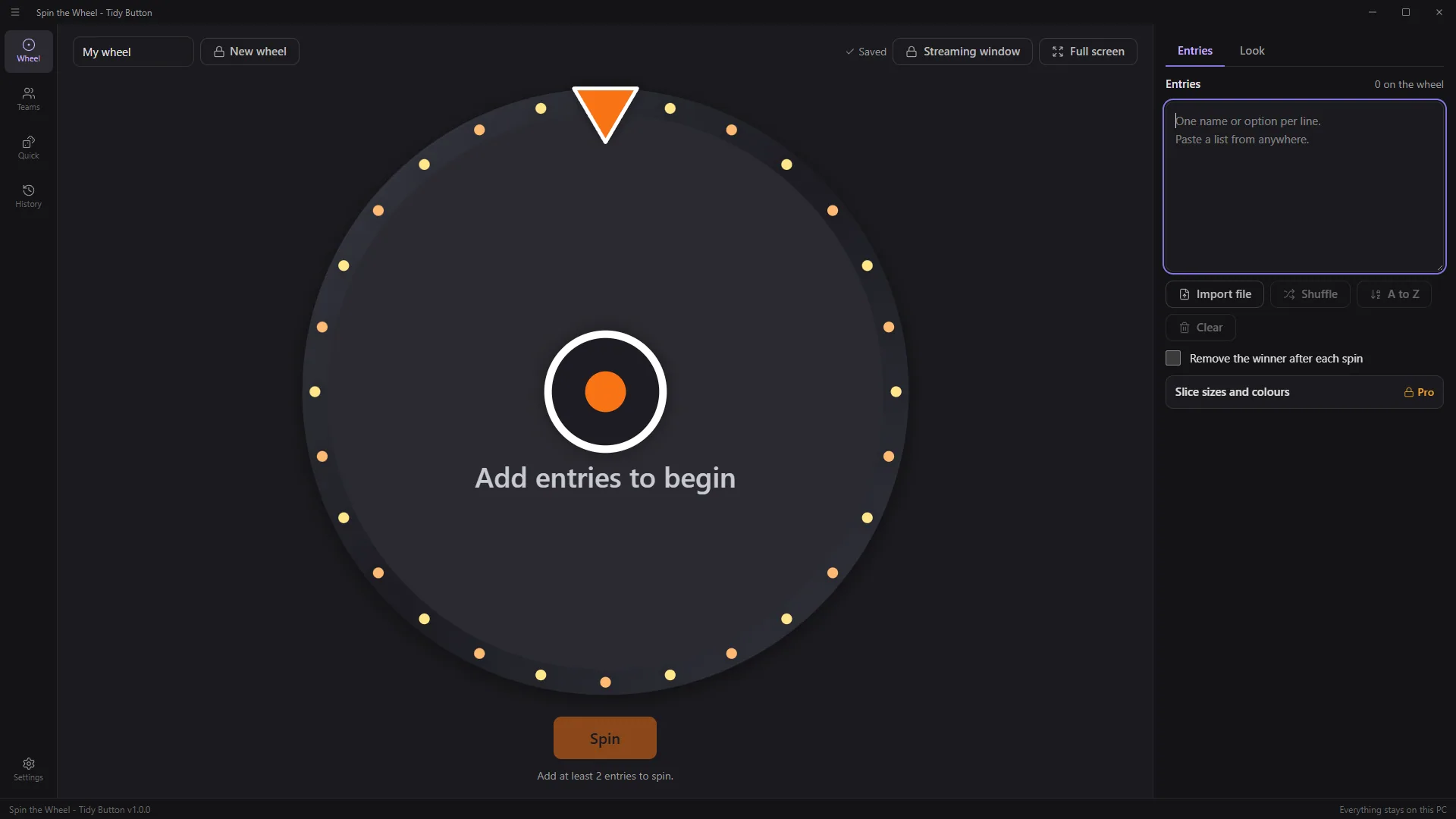
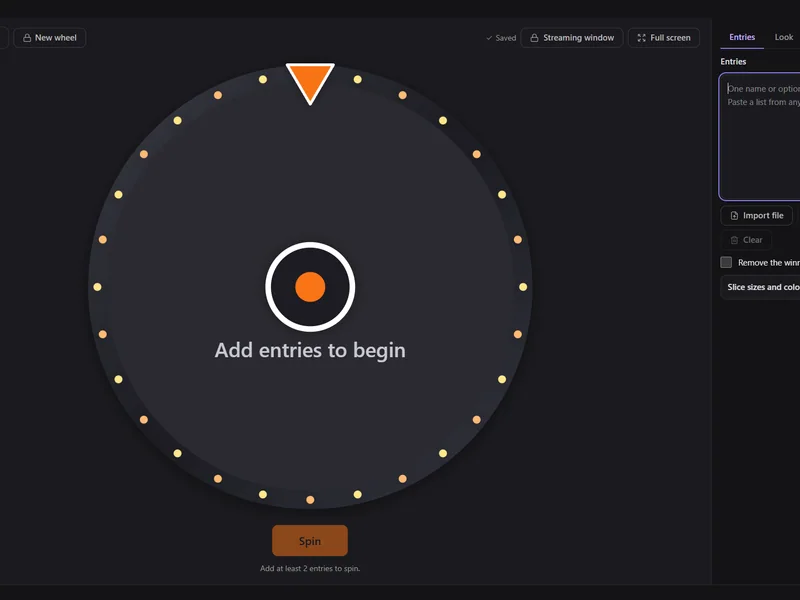
Start with an empty wheel. Type or paste one name per line, or import a file
Wheel
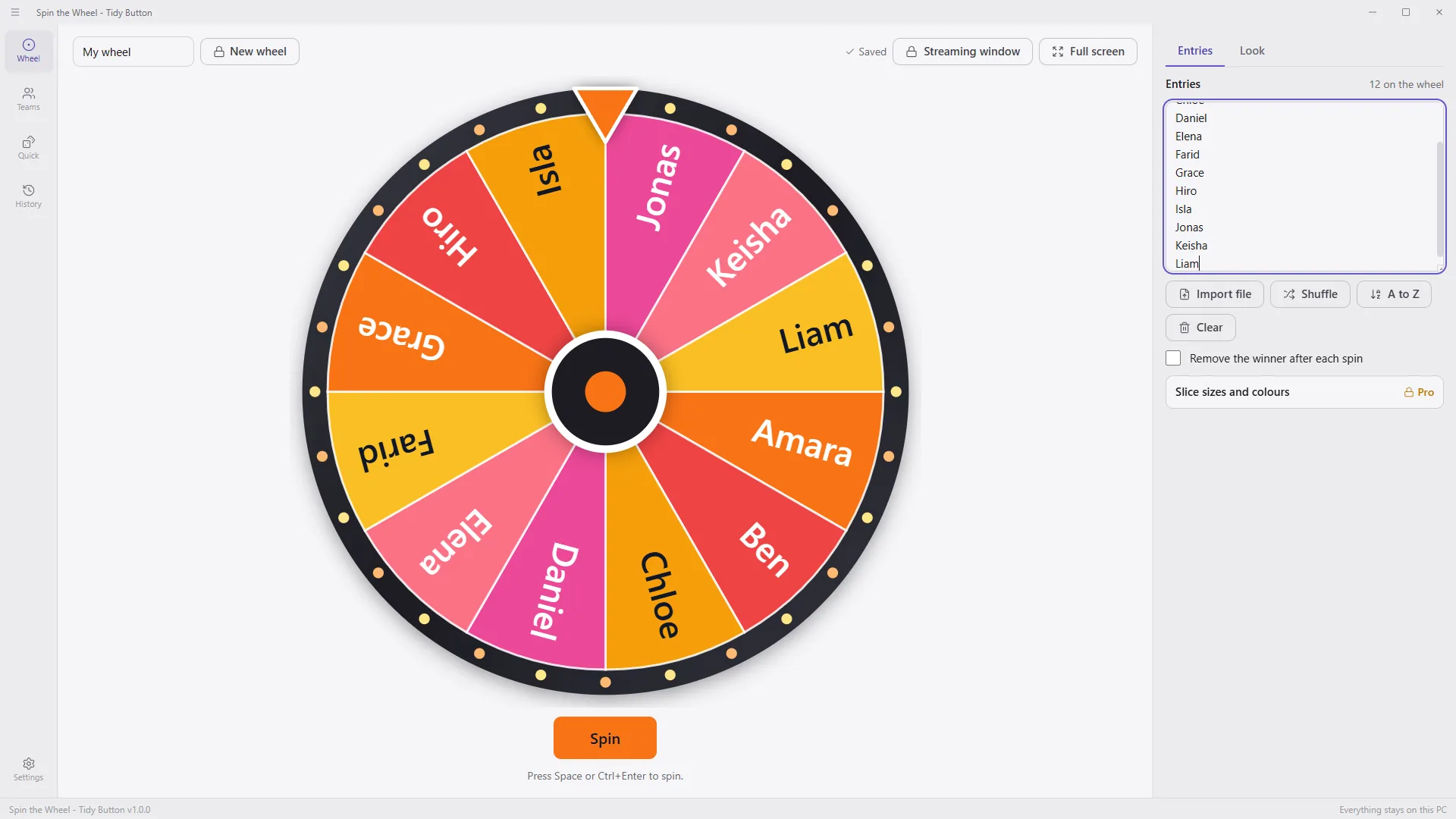
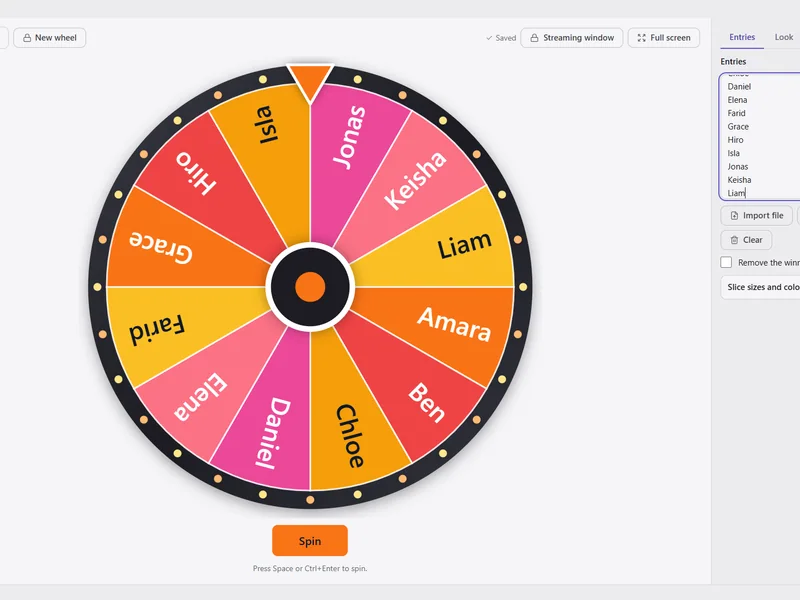
Twelve names on the wheel, ready to spin
Result
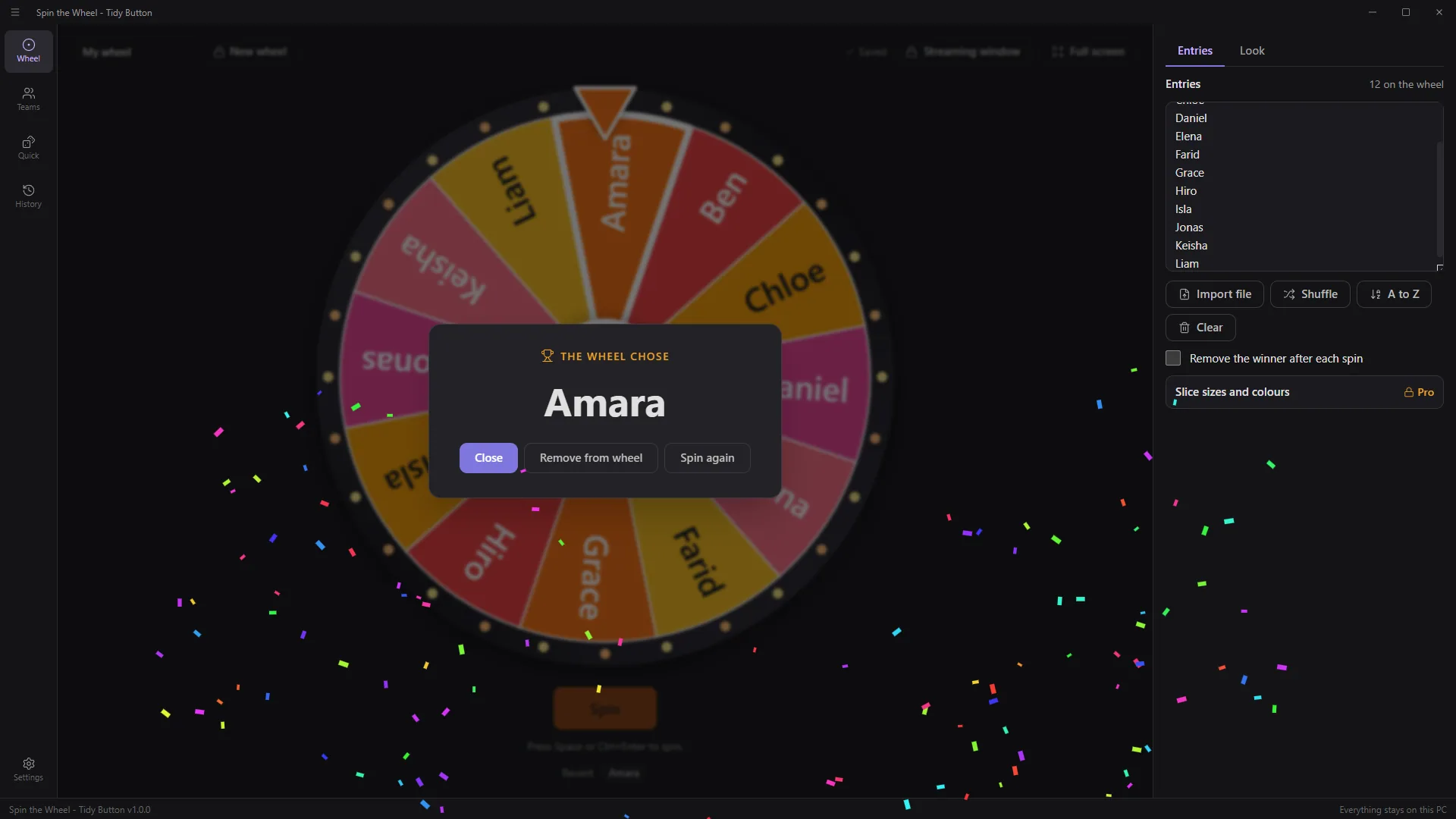
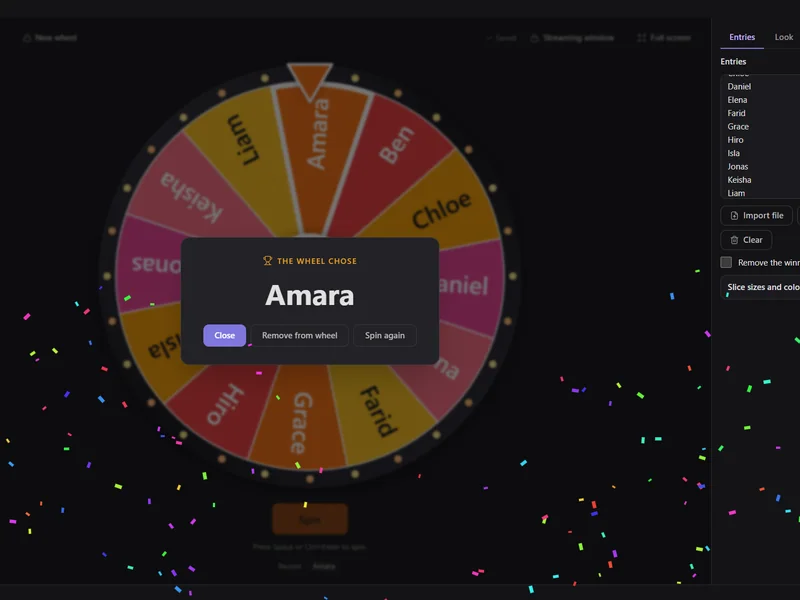
The winner is shown big, with confetti
Quick picks
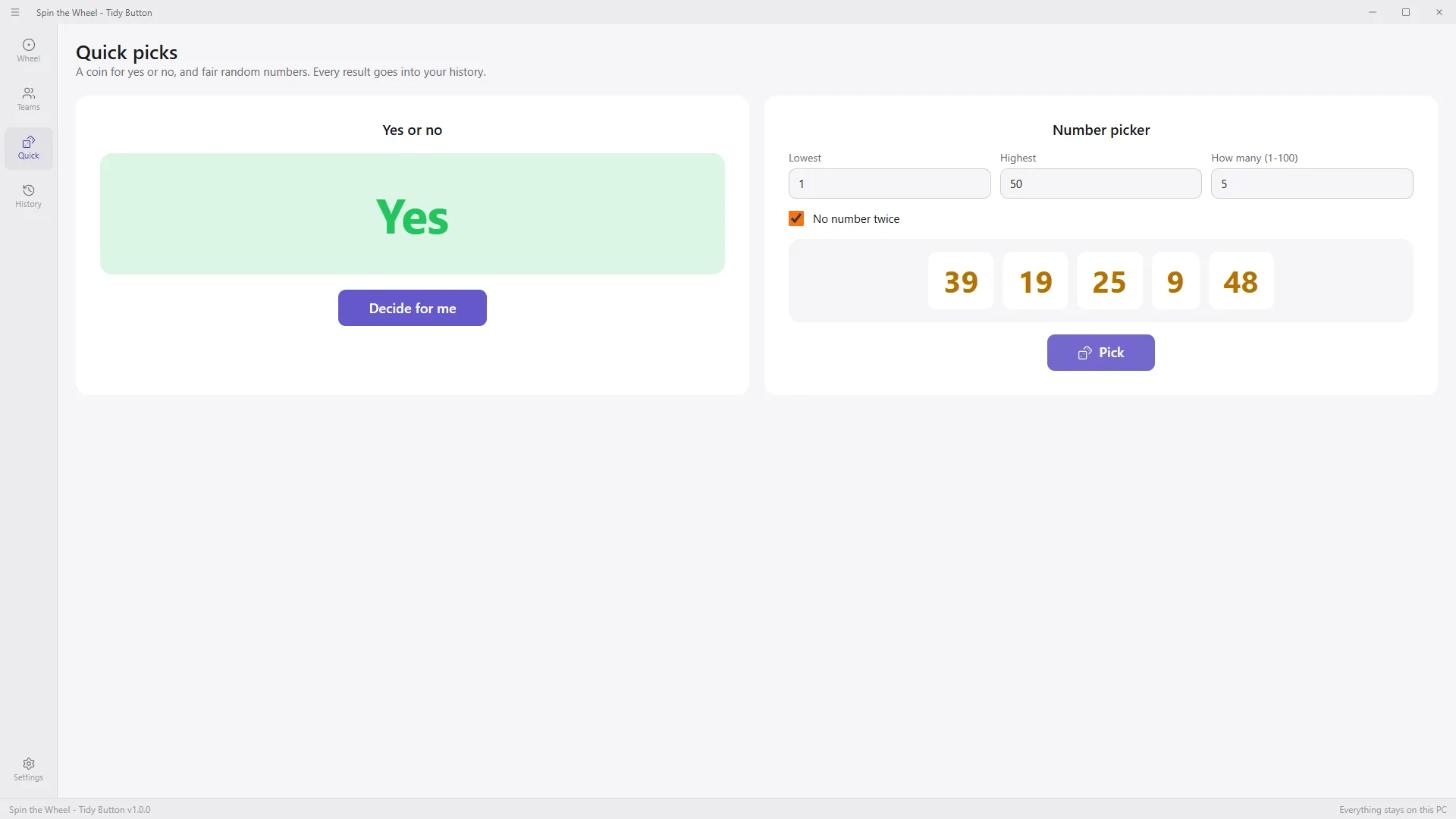
A coin for yes or no, and a number picker with no number twice
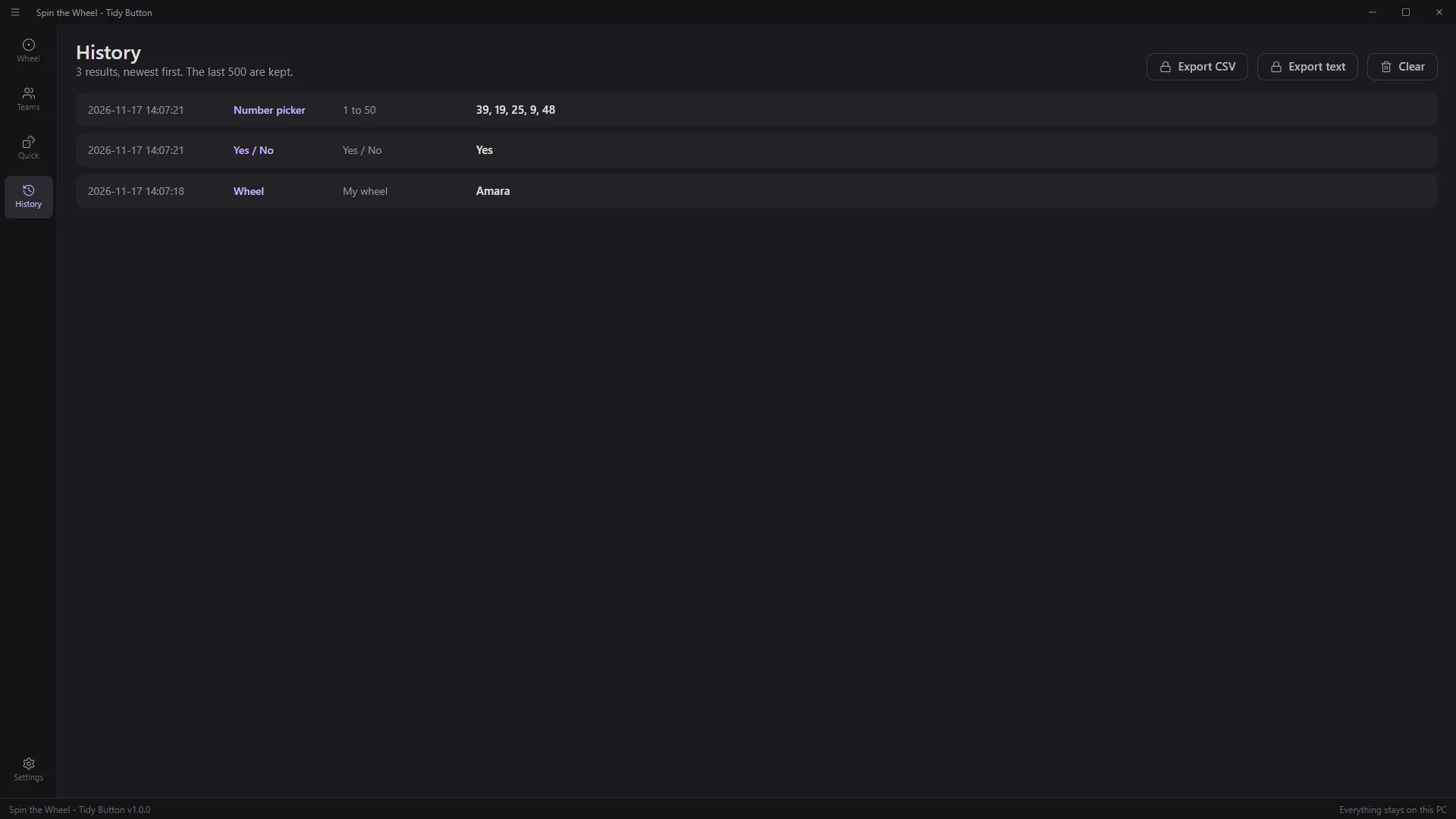
History
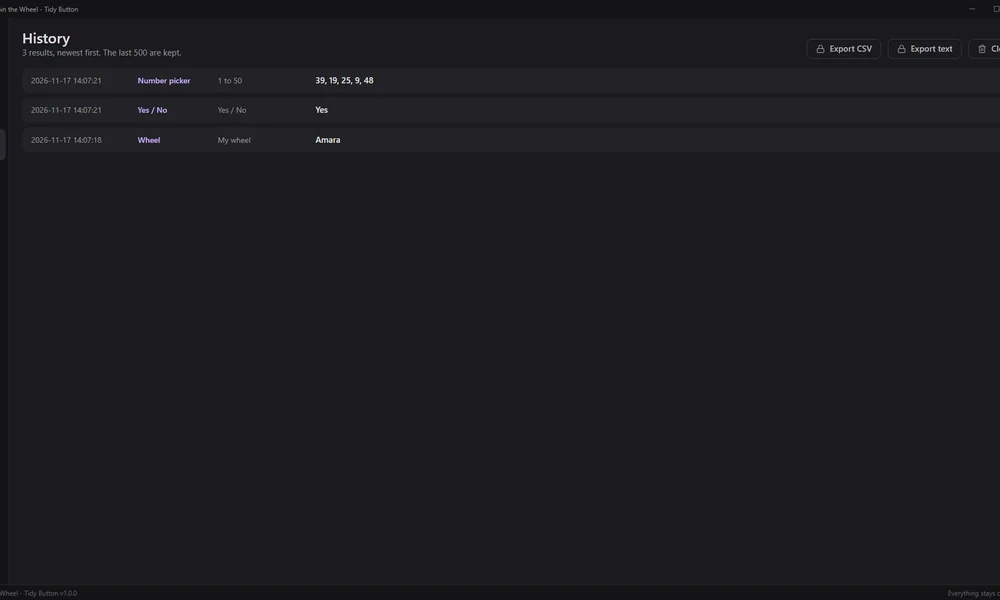
Every spin and pick is kept in a history of the last 500 results
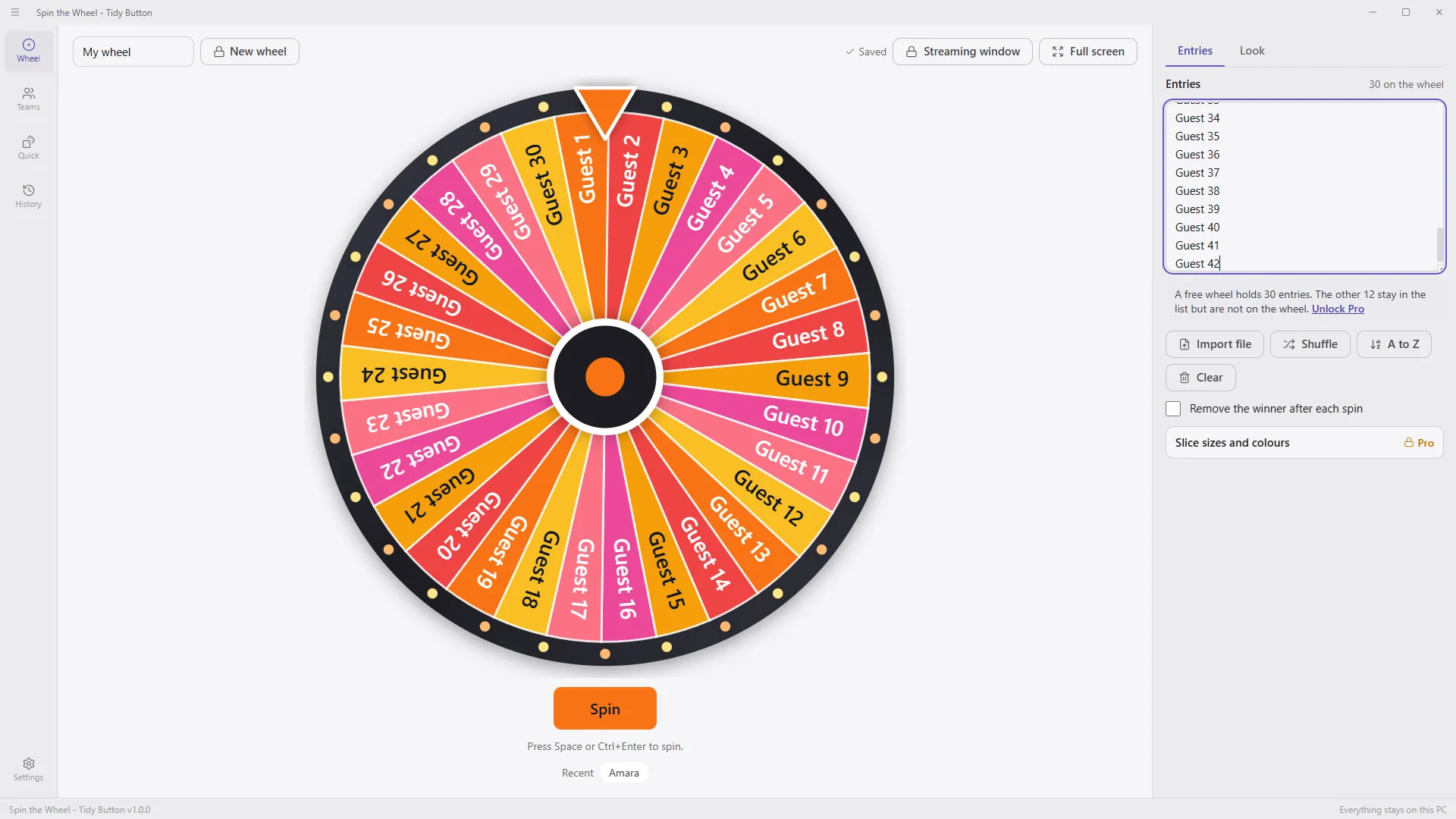
Free limit
The free wheel holds 30 entries and says so plainly
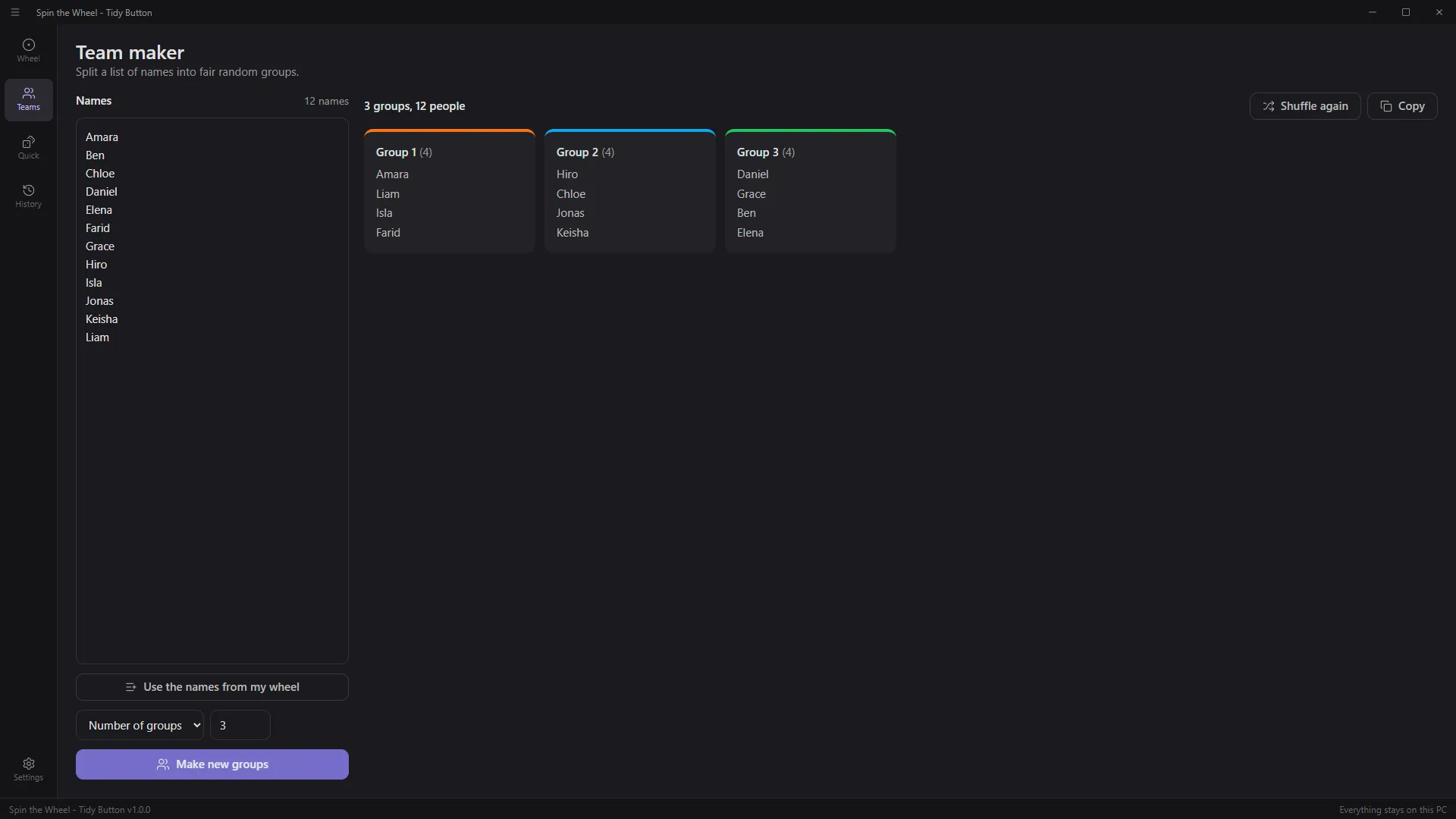
Team maker
Pro: split a list of names into fair random groups
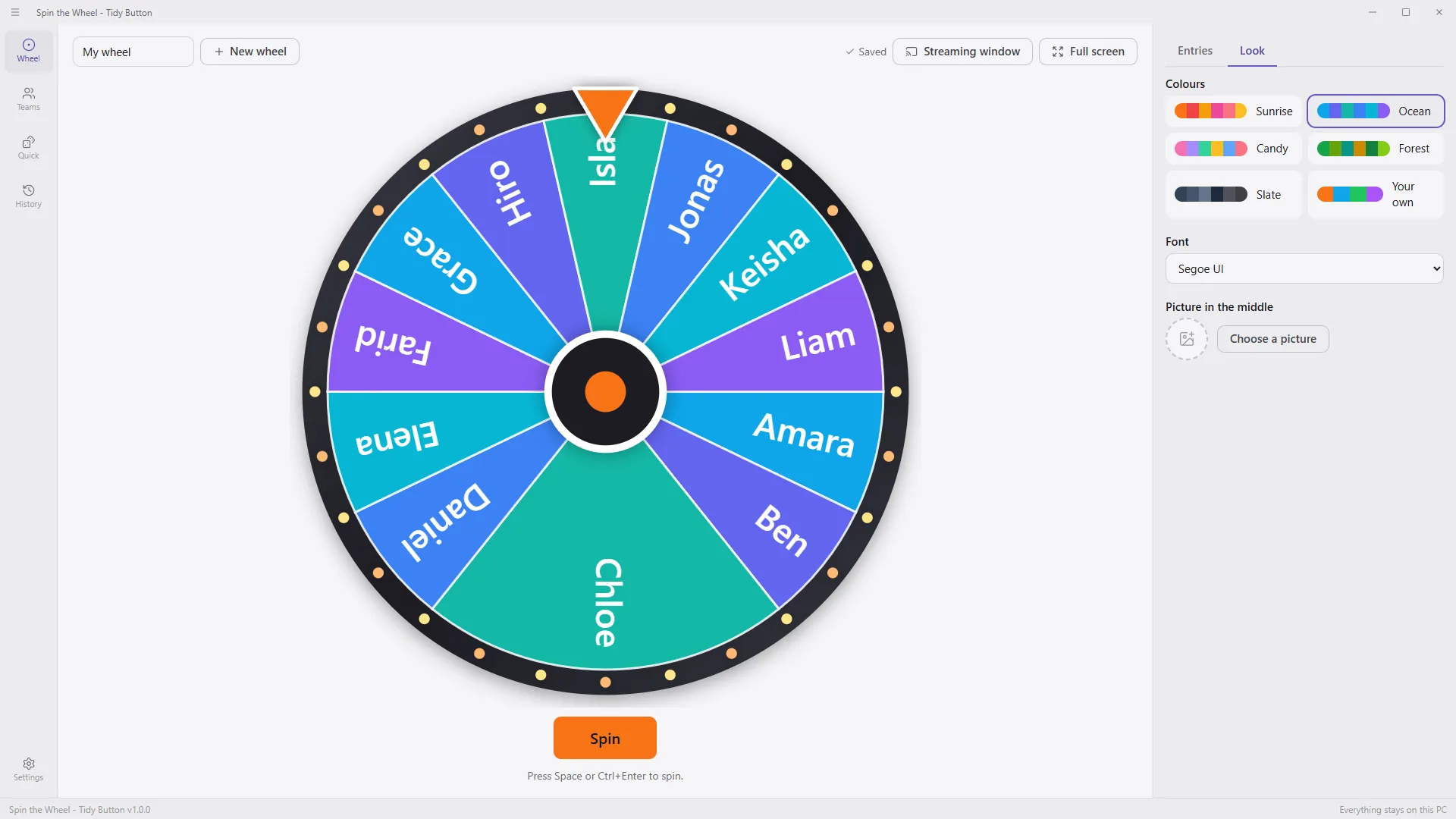
Look
Pro: choose colours and fonts, and give a name a bigger slice
Screens show sample names, not real people. The app has light and dark themes.
How it works
Three steps. No manual.
01
Add your names
Type or paste one name per line, or import a TXT or CSV file.
02
Spin
Press Spin or the Space key. The wheel slows down and lands on the winner.
03
See the winner
The winner is shown big. Close it, remove the winner from the wheel, or spin again.
What it does
What it does.
Need to pick a student, a giveaway winner or whose turn it is? Type or paste one name per line, press Spin, and the wheel slows down and lands on the winner. Everything happens on your PC. The winner is drawn with your PC's secure random generator, every entry has the same chance, and the free app works with the internet turned off.
A smooth, fair wheel
The wheel slows down realistically and lands on the winner, drawn with your PC's secure random generator. Every entry has the same chance.
Type, paste or import
One entry per line, or import a TXT or CSV file. A header row such as Name,Weight is left out.
Remove the winner
Take the winner off the wheel after each spin so everyone gets a turn. The last 500 results are kept in a history.
Sound and confetti
A tick while it spins and a burst of confetti for the winner. Both can be switched off, and motion stays calm when Windows has animations turned off.
Full screen
A big wheel and a huge result for a classroom or a party. Space spins and Esc leaves.
Yes or no, and numbers
A coin for quick decisions, and a number picker with a range you choose and no number twice.
Team maker (Pro)
Split a list of names into a number of groups or groups of a size, shuffle again, and copy the result.
Your own look (Pro)
Unlimited entries, saved wheels, bigger slices for some names, your own colours, fonts and a picture in the middle, plus a see-through streaming window and results export.
The small print, in plain English
Safe by design.
Every result is kept in a history on your PC, newest first.
The free limit is stated plainly: 30 entries on the wheel.
Nothing is uploaded. Your lists and results stay on your PC.
The winner is drawn first, fairly, and the wheel lands on it.
The free version holds one wheel with up to 30 entries.
Works offline. No account. No ads. No tracking.
What it does
Your list, your wheel.
Everything a fair pick needs, and nothing that leaves your PC.
Pro: your own colours, fonts and slice sizes.
Fair draw
No favourites
Chosen with your PC's secure random generator. Every entry has the same chance.
Remove the winner
Everyone gets a turn
Take the winner off the wheel after each spin so everyone gets a turn.
Full screen
Space spins, Esc leaves
A big wheel and a huge result for a classroom or a party.
Quick picks
Fast decisions
A coin for yes or no, and numbers from a range you choose with no number twice.
Team maker
Pro
Split names into groups of a size or a number of groups. This is a Pro feature.
Streaming window
Pro
A see-through, always-on-top wheel you can capture as a window. This is a Pro feature.
The free version holds one wheel with up to 30 entries. Pro is an optional one-time add-on.
Good for
Handy when someone has to choose.
A teacher choosing a student
A giveaway or raffle winner
Chores, turns and what to have for dinner
Splitting a class into teams
Questions
Plain answers.
Is anything uploaded?
No. Your lists and results stay on your PC. The free app works with the internet turned off.
Is the wheel really fair?
Yes. The winner is drawn first with your PC's secure random generator, with no bias towards any entry, and then the wheel lands on it.
How many names can I use for free?
One wheel with up to 30 entries. If your list is longer, the first 30 are on the wheel and a note says how many are left out. Pro removes the limit.
Can I import a list?
Yes. Import a TXT or CSV file, or paste a list with one name per line.
Does it work in full screen?
Yes, and it is free. A big wheel and a huge result. Space spins and Esc leaves.
What does Pro add?
Unlimited entries, saved wheels, different slice sizes, your own colours, fonts and picture, the team maker, a see-through streaming window and exporting your results. It is a one-time purchase.