We will link the Store listing here the day it is live. Until then there is nothing to download.
Real app, with made-up sample lists.
Works offline
No account, no ads
Child names stay on your PC
Free for 3 lists
See it
Eight views. One calm spelling list.
Start
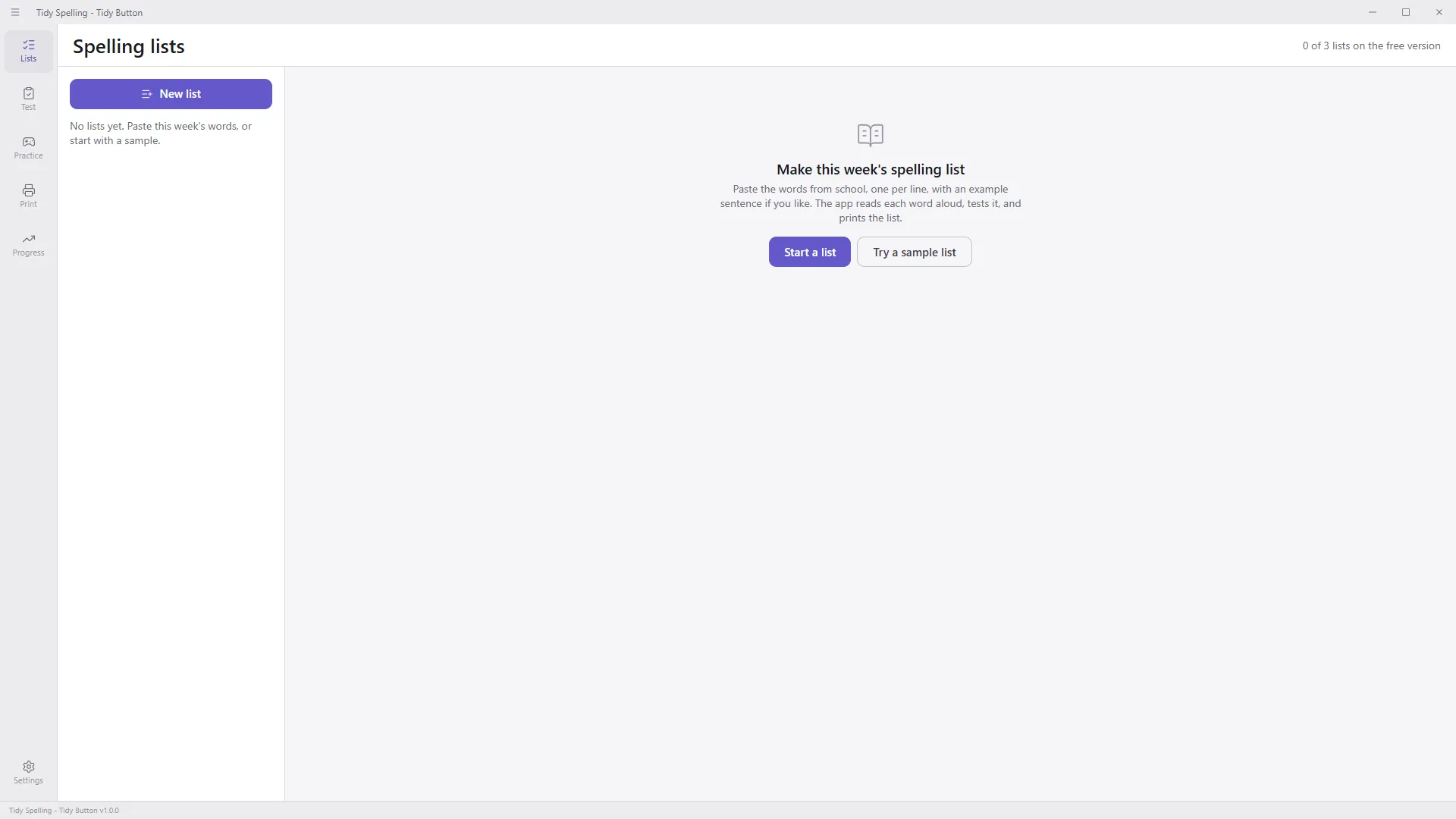
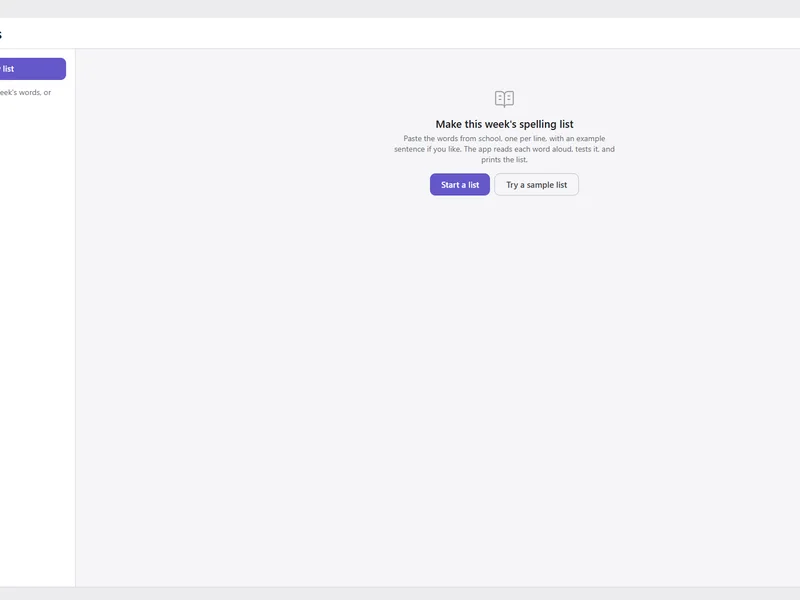
Start a list by pasting this week's words, or try the built-in sample.
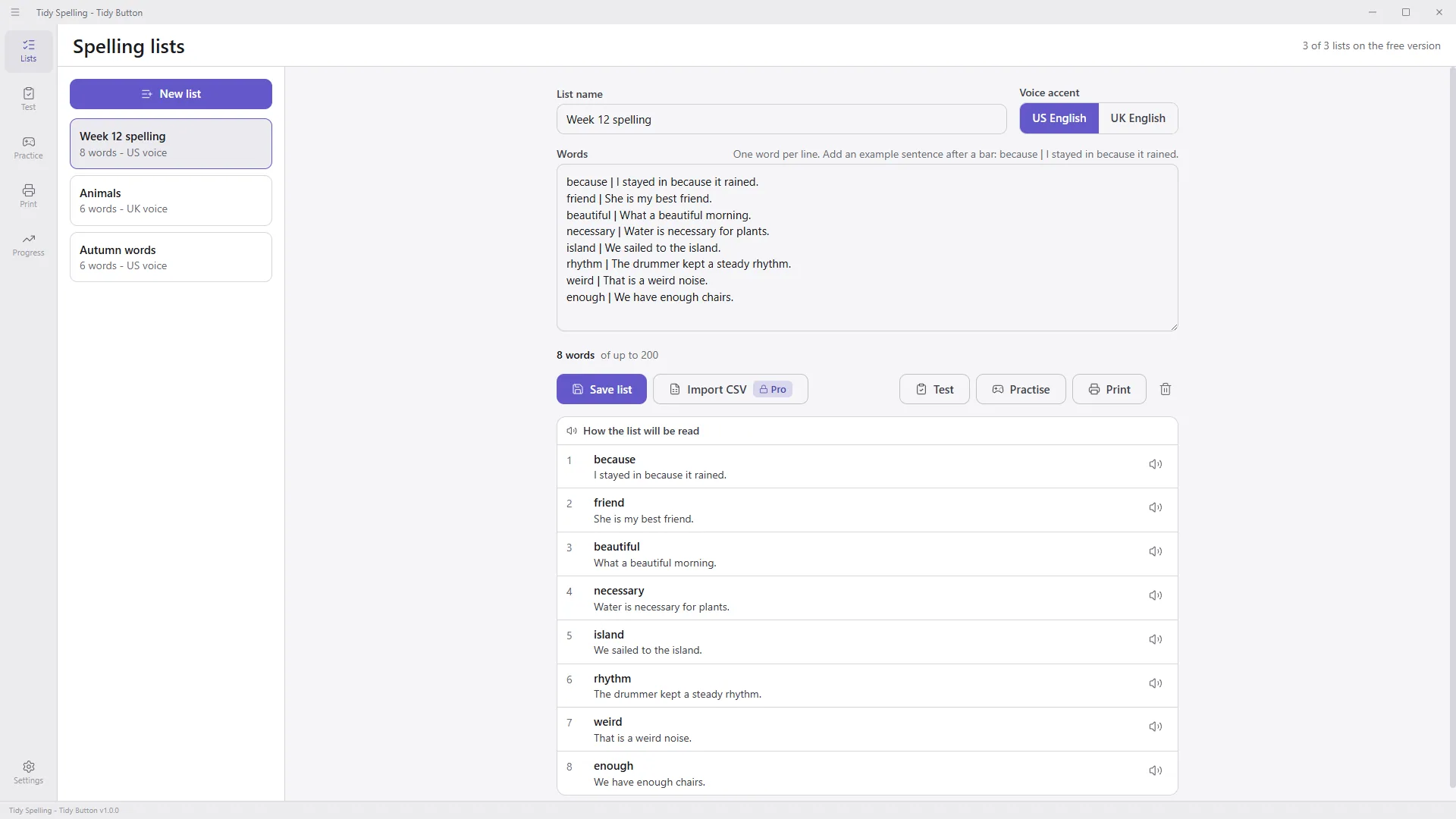
Weekly list
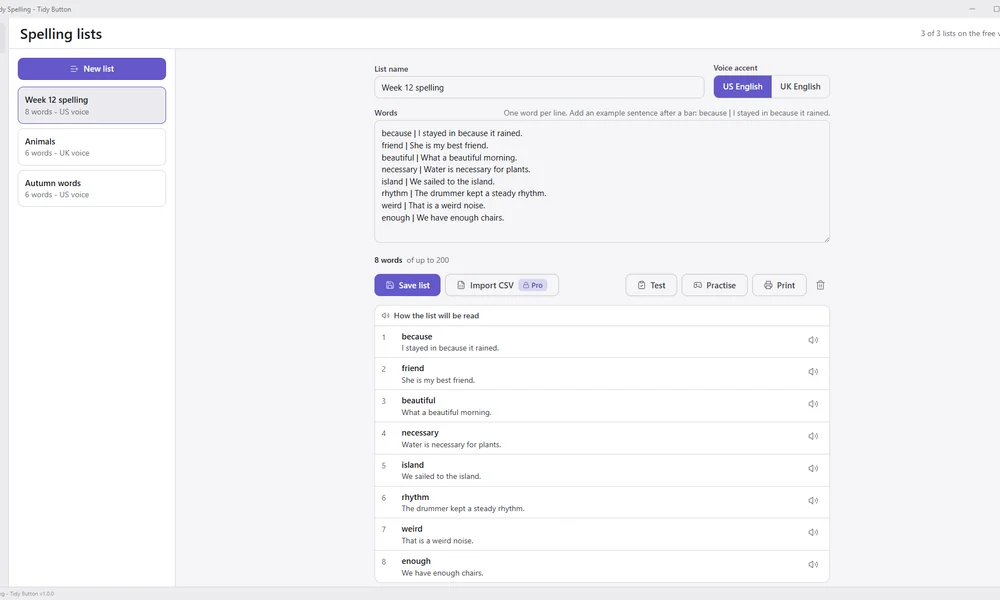
Each word can have an example sentence. Preview how the list will be read aloud.
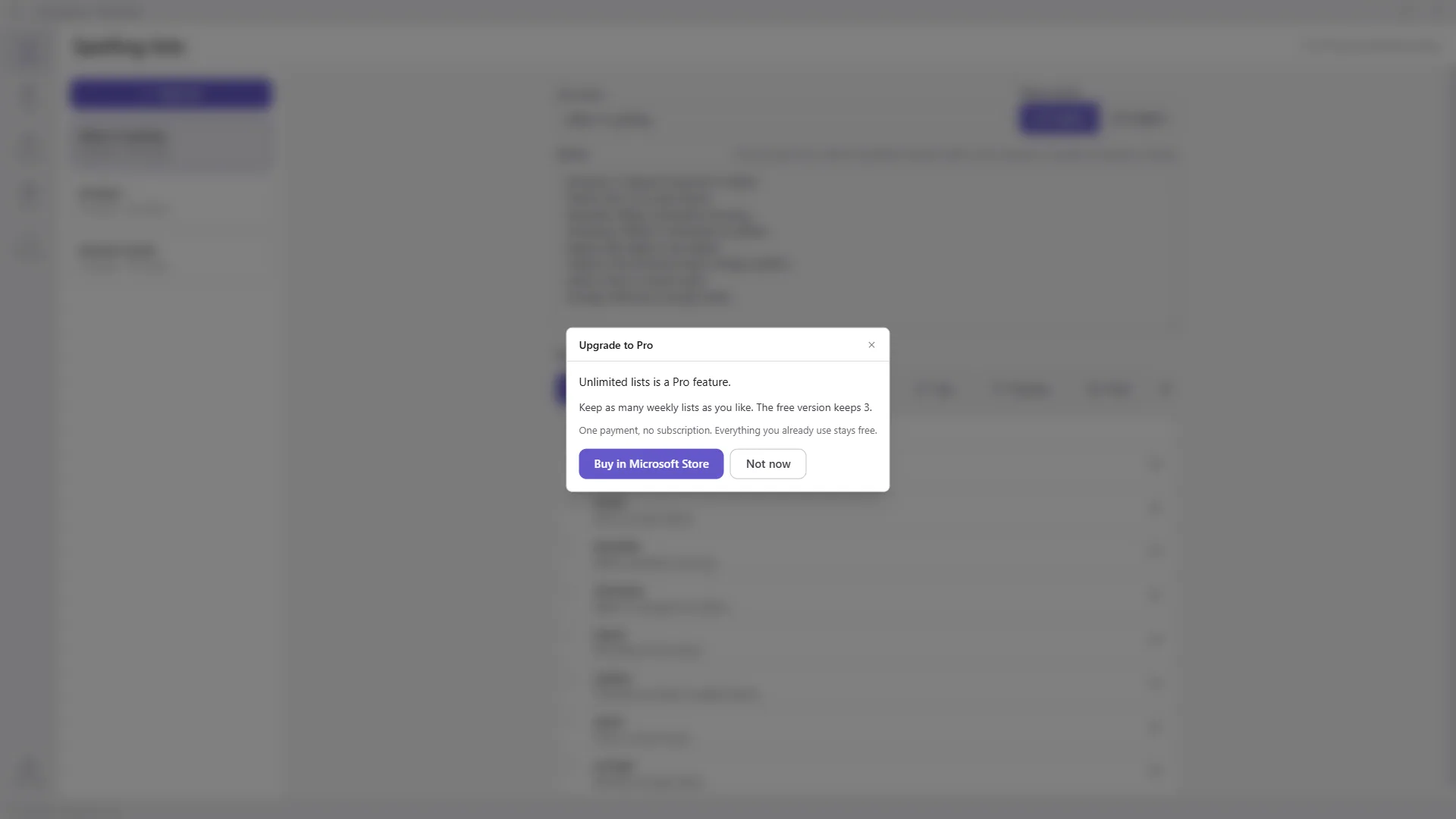
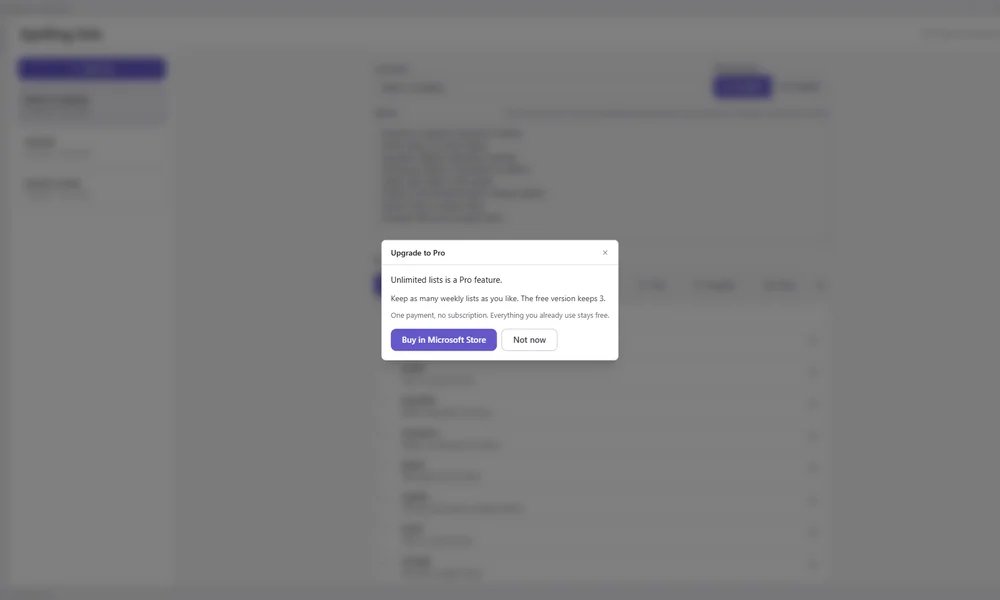
Free limit
The free version keeps 3 lists. One payment unlocks unlimited lists and more.
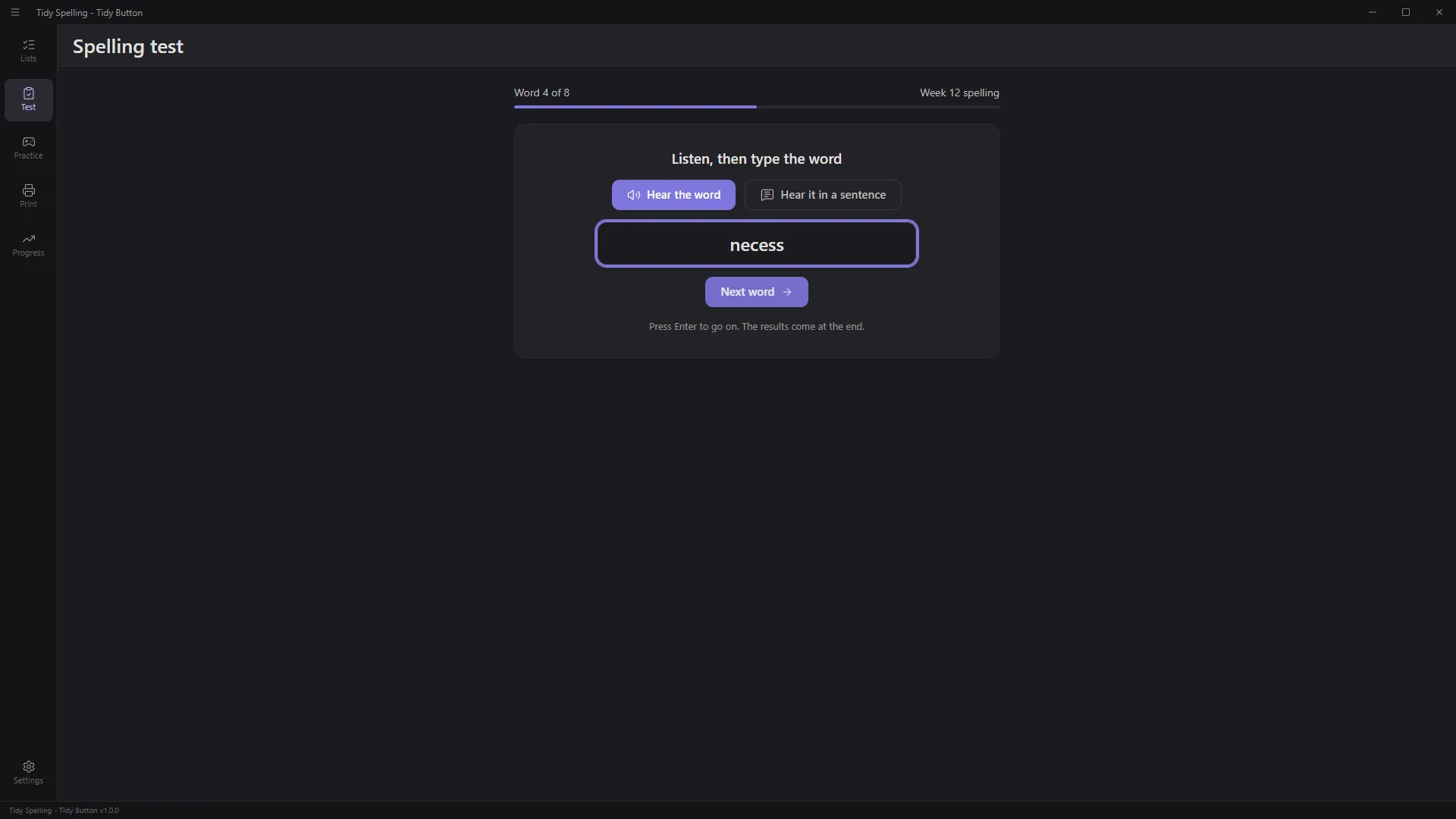
Spoken test
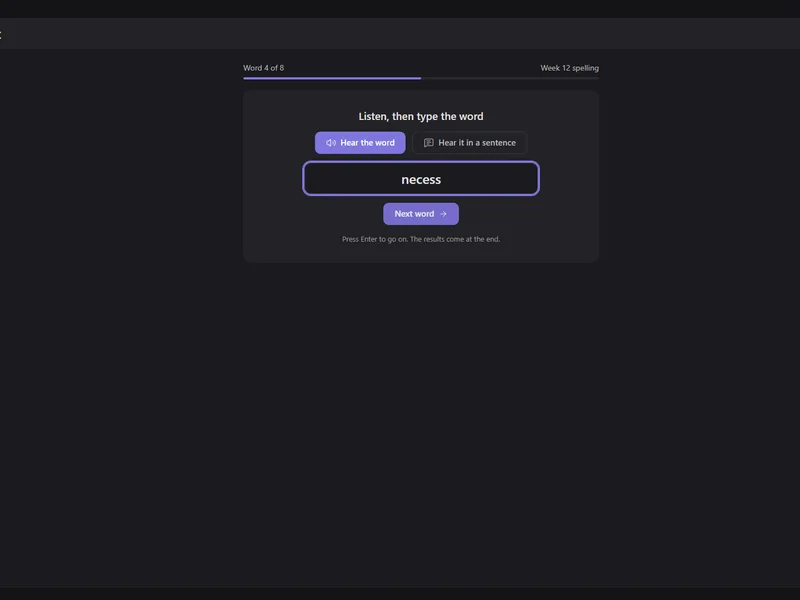
Hear the word, hear it in a sentence, then type it from memory.
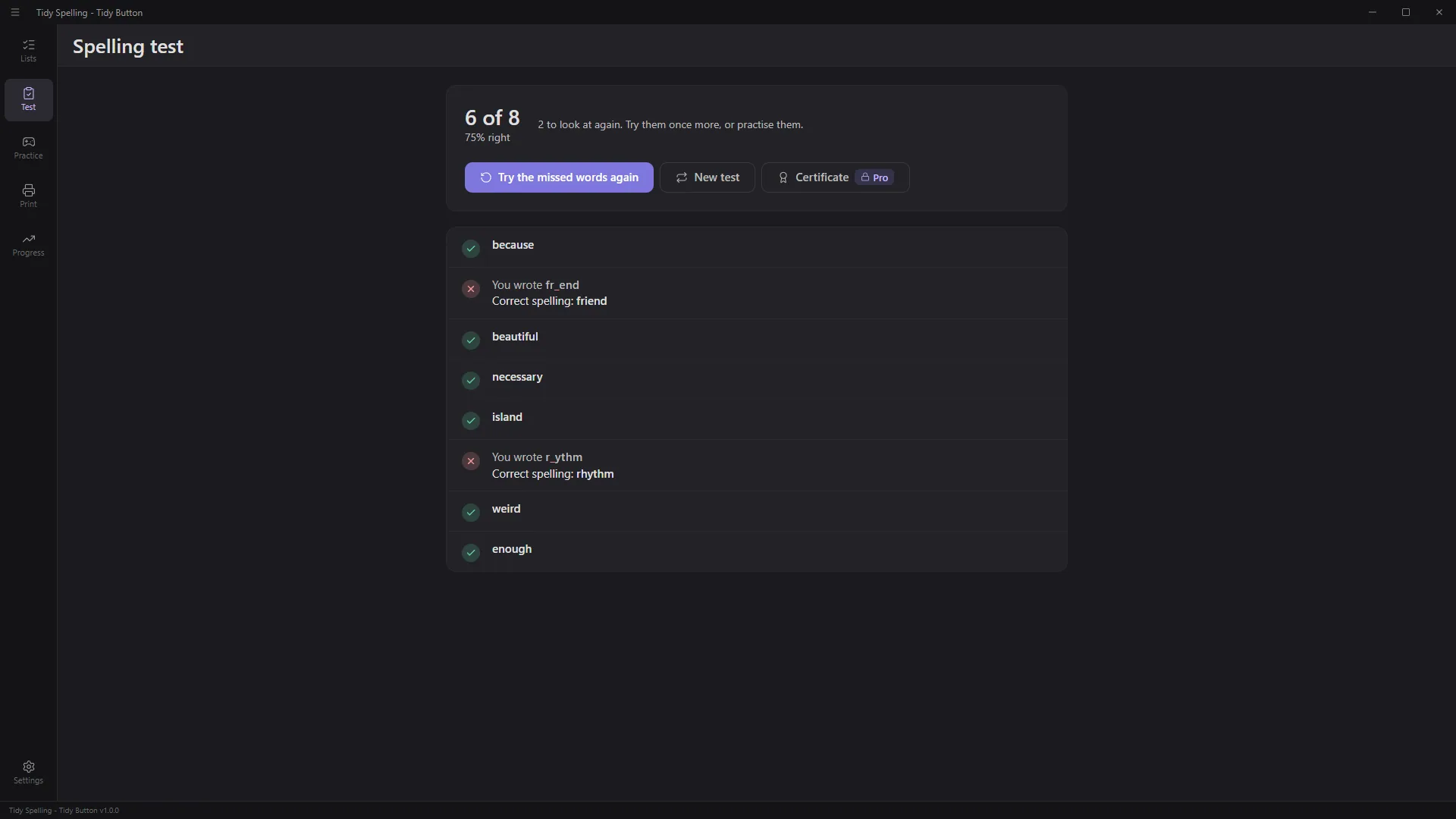
Results
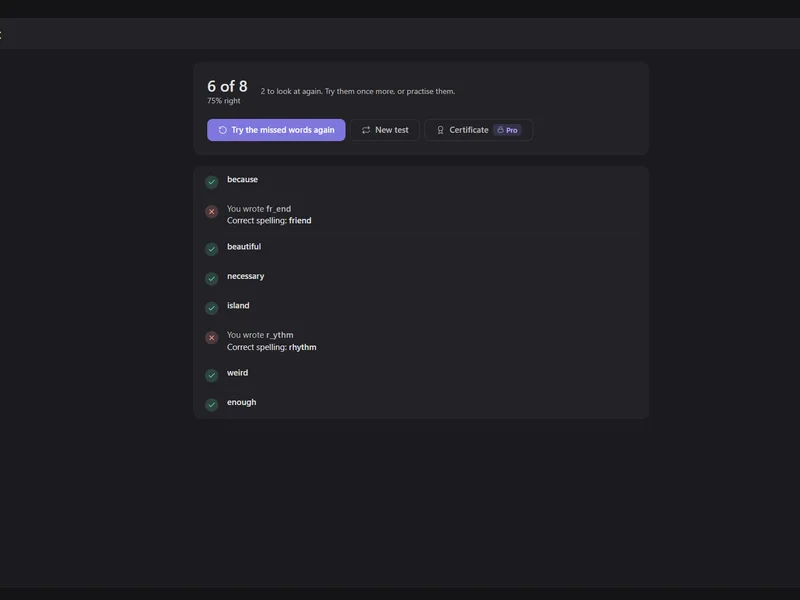
See the score, the right spelling of each missed word, and retry just the misses.
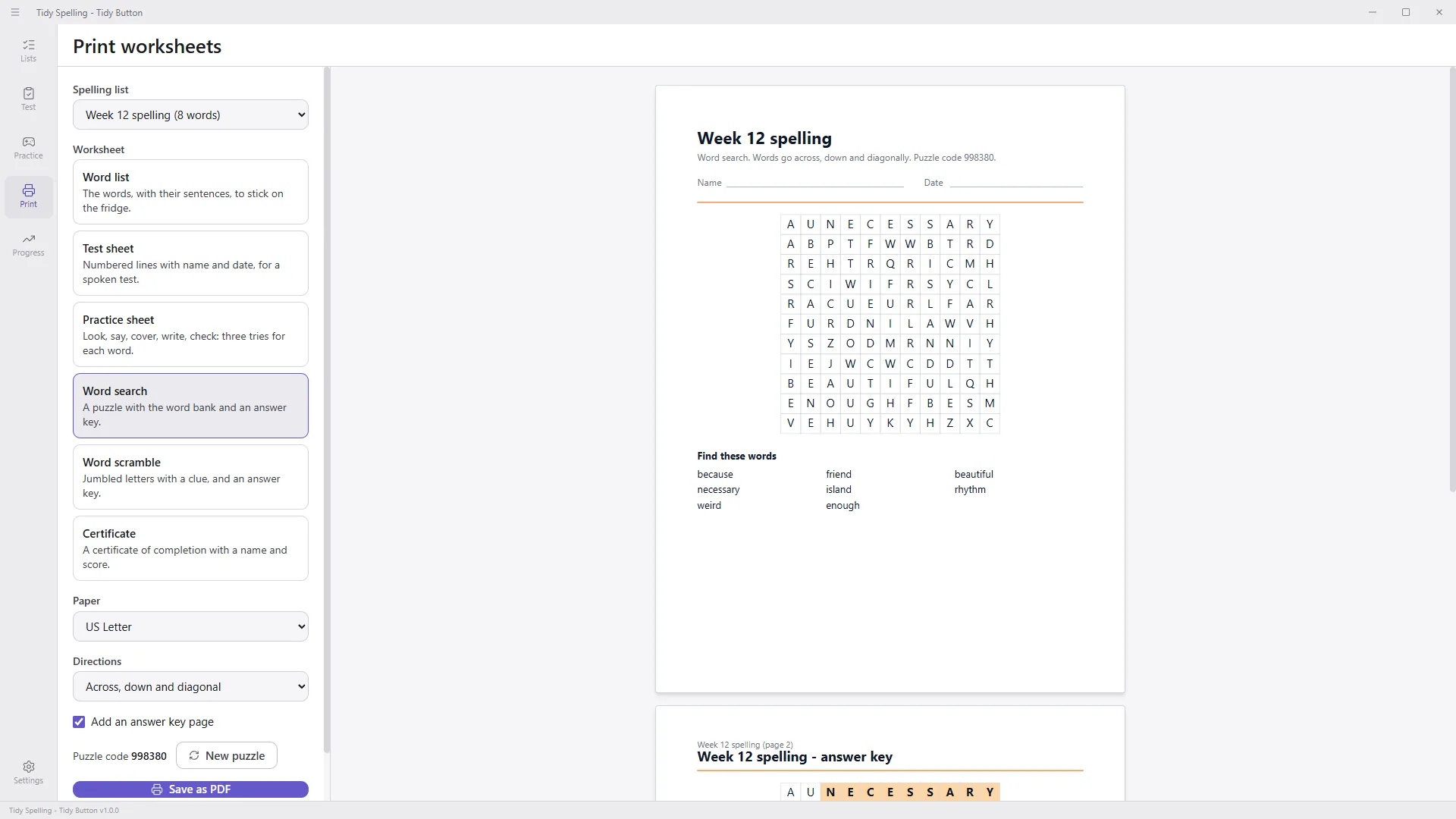
Word search
Print a word search with a word bank and an answer key (Pro).
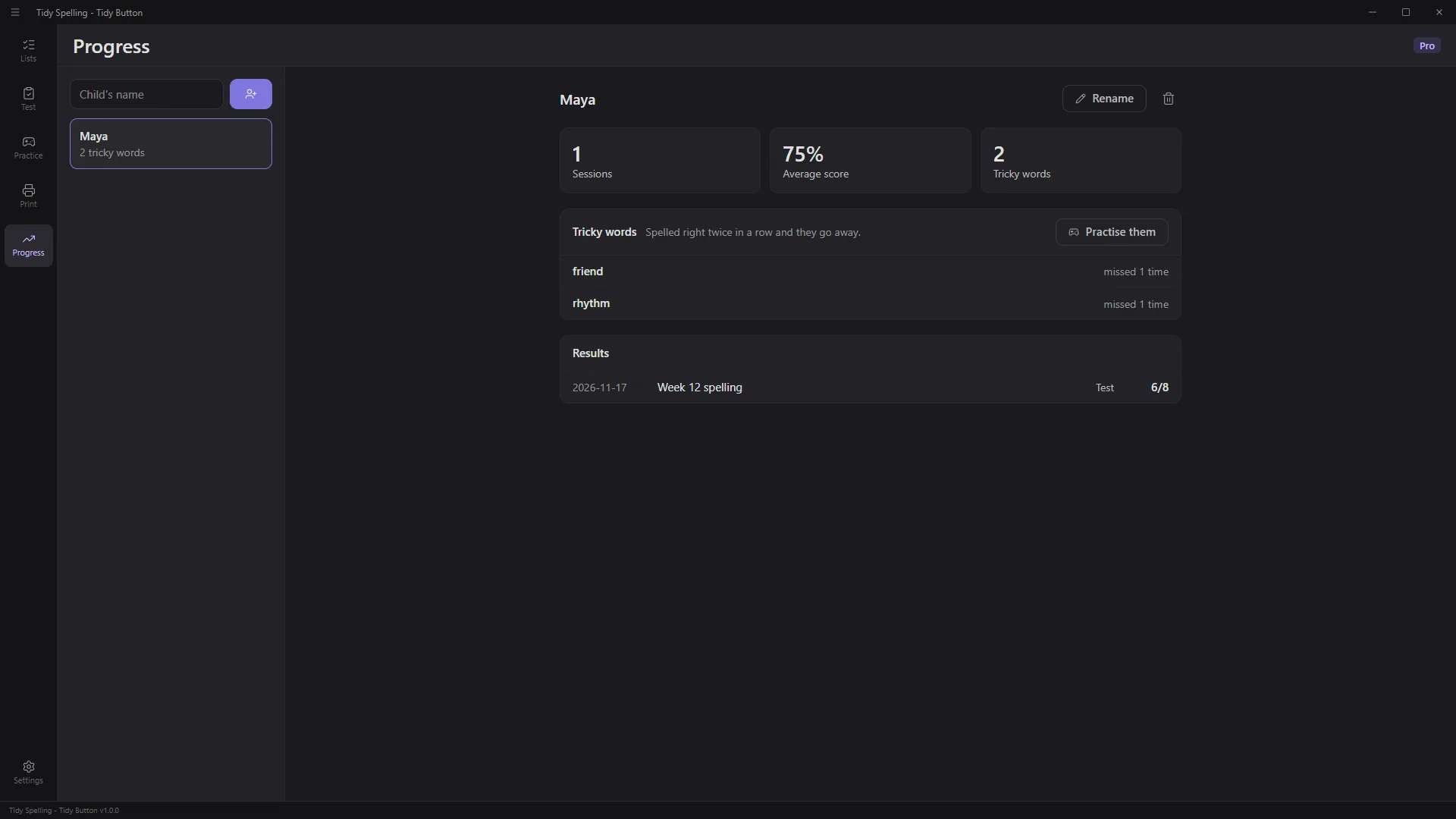
Progress
Child profiles keep results and carry tricky words into the next test (Pro).
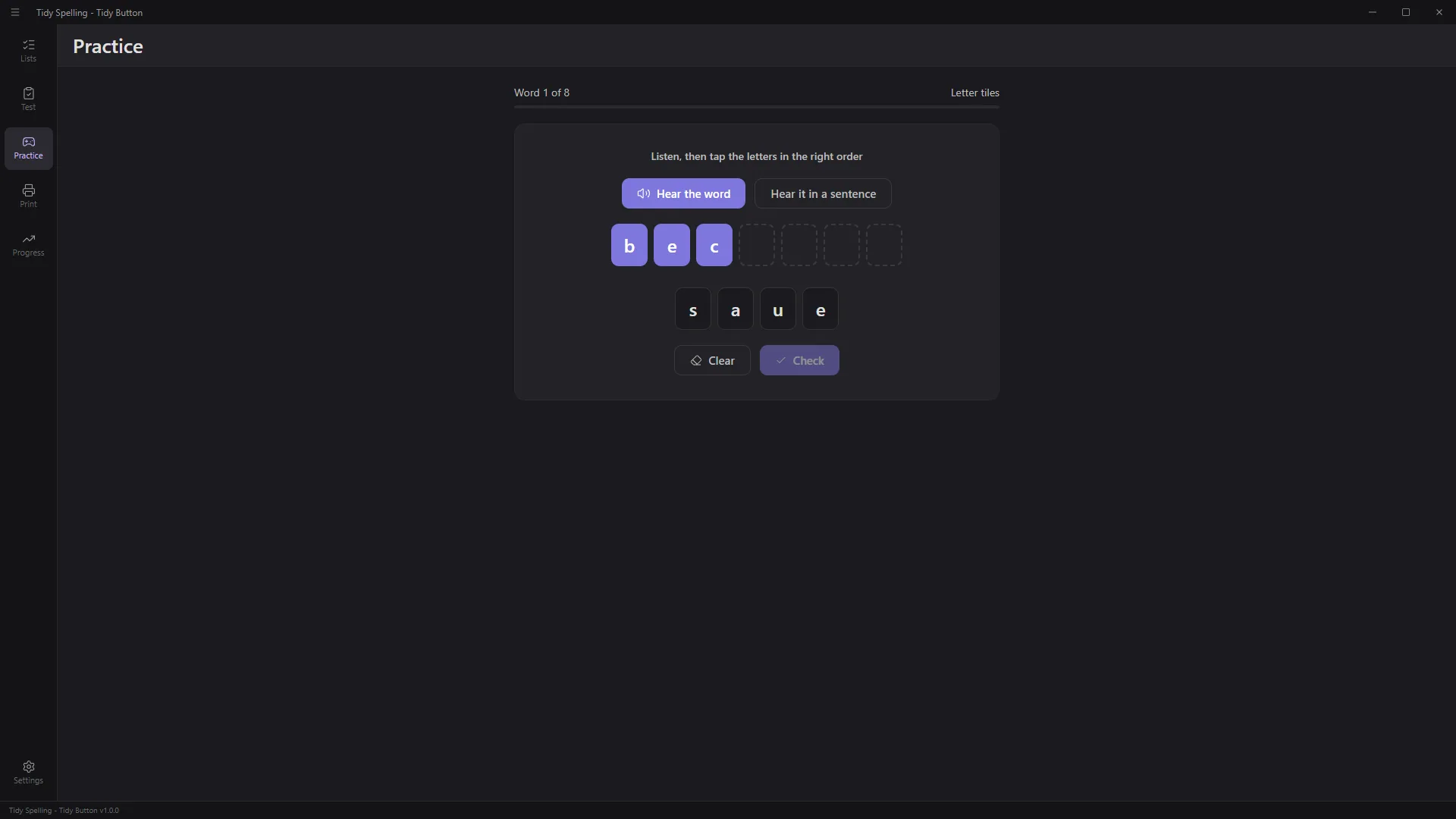
Letter tiles
Tap the letters in the right order after hearing the word (Pro).
Screens show made-up sample lists. The app has light and dark themes.
How it works
Three steps. No manual.
01
Paste the words
Paste this week's words, one per line, and add an example sentence after a bar if you like.
02
Hear and type
The test says the word, reads it in a sentence, then your child types it from memory.
03
See the results
See the score and the right spelling of each missed word, then retry just the misses.
What it does
What it does.
Tidy Spelling helps you practise the weekly spelling list from school on a Windows PC. Paste the words, one per line, and add an example sentence after a bar if you like. The app reads each word and its sentence aloud with the voices already installed in Windows, tests the spelling, shows what went wrong, and prints the list. Everything stays on your PC. There is no account, no ads and no internet connection needed.
Spoken tests
The test says the word, reads it in a sentence, then says it again. Your child types the answer.
Results and retry
See the score, the correct spelling of each missed word and a short hint when a capital letter or an accent mark was the only slip. One tap retries just the missed words.
Marking you can trust
Marking is strict by default. Switch on ignore capital letters or ignore accent marks for a gentler test.
Your voices, your English
Pick US or UK English for each list, choose the voice, and set the speaking speed.
Look, say, cover, write, check
The word is shown, hidden, written from memory and compared. This practice is free for everyone.
Print it
Print or save as PDF the word list, a test sheet with numbered lines, and a practice sheet, on A4 or US Letter.
Your work is safe
Lists and results are saved in your Documents folder, with a daily backup of the last 7 days.
Pro, one payment
Unlimited lists, child profiles with tricky words, letter tiles and missing letters, word search and scramble sheets, certificates and CSV import.
The small print, in plain English
Safe by design.
Words and sentences are read aloud with the voices already installed in Windows. Nothing is sent anywhere.
The free version keeps 3 lists, and the prompt says so plainly.
Works offline, with no account and no ads.
Everything stays on your PC. No text is sent anywhere to be spoken.
Child names are never sent anywhere.
Free keeps 3 lists, with spoken tests, retry and printing.
Pro is one payment, not a subscription.
What Pro adds
Every child, every list.
Keep the free version as it is, or add Pro once.
Child profiles keep results and carry tricky words into the next test.
Lists
No limit
Unlimited lists. The free version keeps 3.
Profiles
Tricky words
A profile for each child with their results. Words they miss are carried into the next test until they have been spelled right twice in a row.
Games
Practice that feels like play
Letter tiles and missing letters.
Sheets
Printable fun
A word search and a word scramble, each with an answer key.
Certificates
Celebrate
A certificate of completion with the child's name and score.
CSV
Skip the typing
Import a word list from a CSV file.
Pro is a one-time payment of $7.99, not a subscription. Everything in the free version stays free.
Good for
Handy when test day is near.
Practising the weekly spelling list from school
Spoken tests without a grown-up reading the words out
Printable test sheets and practice sheets
Homework help for more than one child
Questions
Plain answers.
Do I need an account?
No. There is no account, no ads and no internet connection needed.
Where are my lists kept?
On your PC, in your Documents folder, with a copy of the previous version and a daily backup of the last 7 days.
Who reads the words aloud?
The voices already installed in Windows. You can pick US or UK English for each list, choose the voice and set the speaking speed. No text is sent anywhere to be spoken.
How is the spelling marked?
Strictly by default. Switch on ignore capital letters or ignore accent marks when you want a gentler test.
What is the free limit?
Free gives 3 spelling lists, spoken tests with retry, look-say-cover-write-check practice, and the printable list, test sheet and practice sheet.
What does Pro add?
Unlimited lists, child profiles with tricky words, letter tiles and missing letters, word search and scramble sheets, certificates and CSV import, for one payment of $7.99.
Does it work with other languages?
Text in Hebrew, Arabic and Indic scripts is shown on screen, with a note that it may not print correctly in PDFs yet.