Coming to the Microsoft Store
Soundboard A pad for every sound.
Drop in your own sound files and play each one from a pad or a global hotkey. Send them to your speakers and, at the same time, to a virtual audio cable for calls and streams. Works offline, no account, no ads.
Not on sale yet. The app is still being built.
We will link the Store listing here the day it is live. Until then there is nothing to download.
- Works offline
- No account, no ads, no tracking
- Ships no sounds
- Free
See it
Nine views. From file to pad.
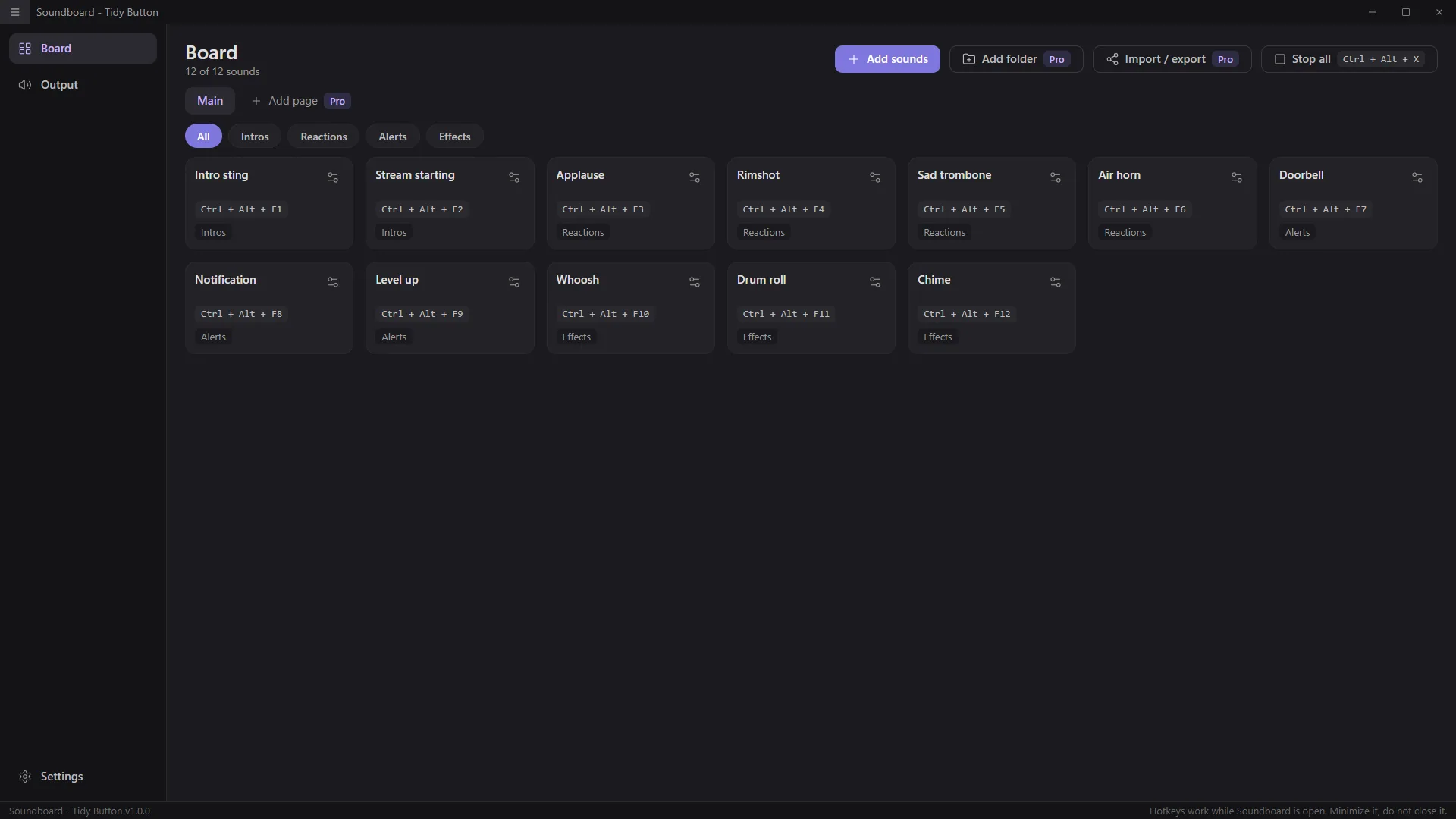
Board
Every sound is a pad with its own hotkey and category
Categories
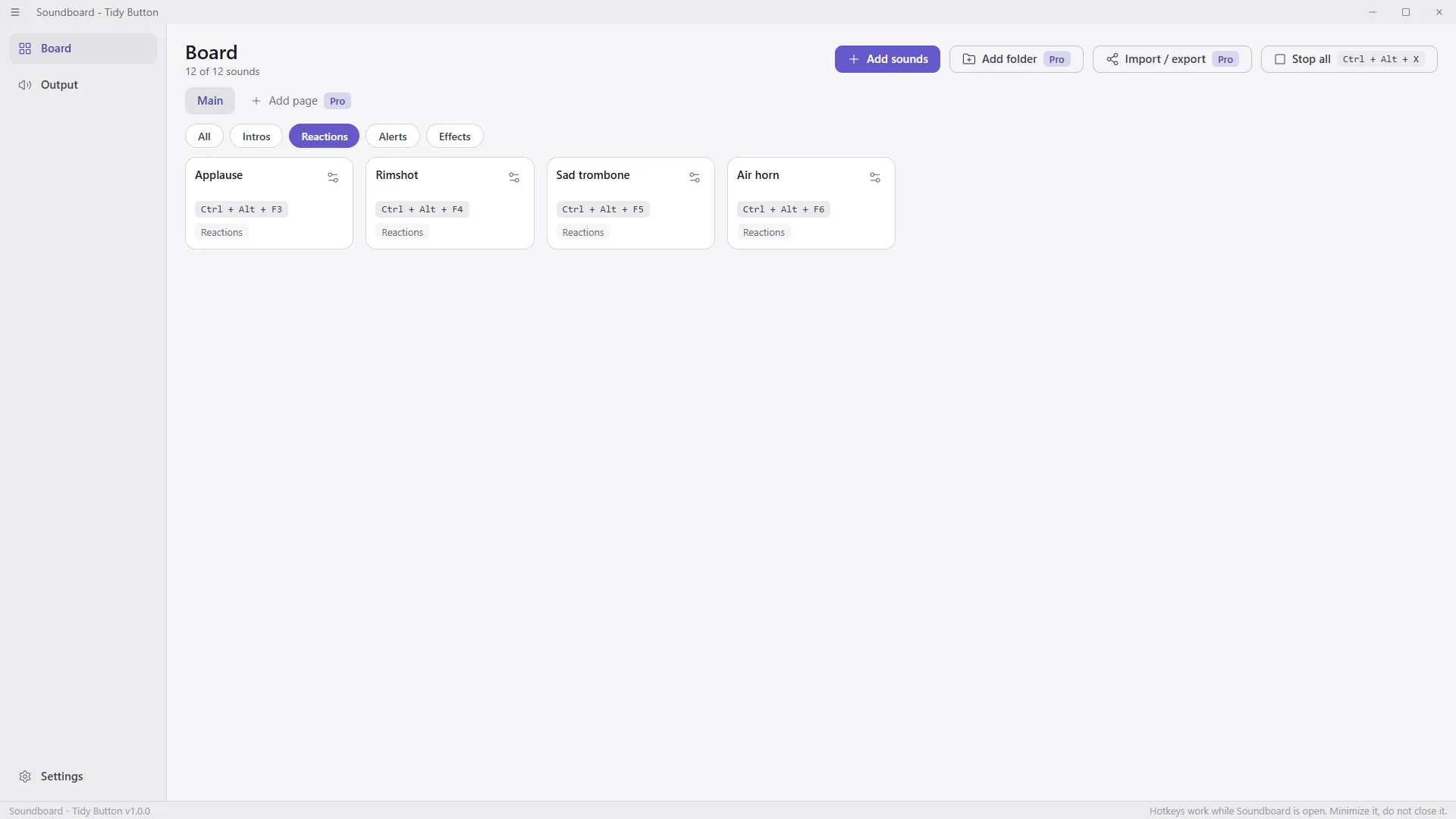
Filter the board by category, in the light theme
Edit a sound
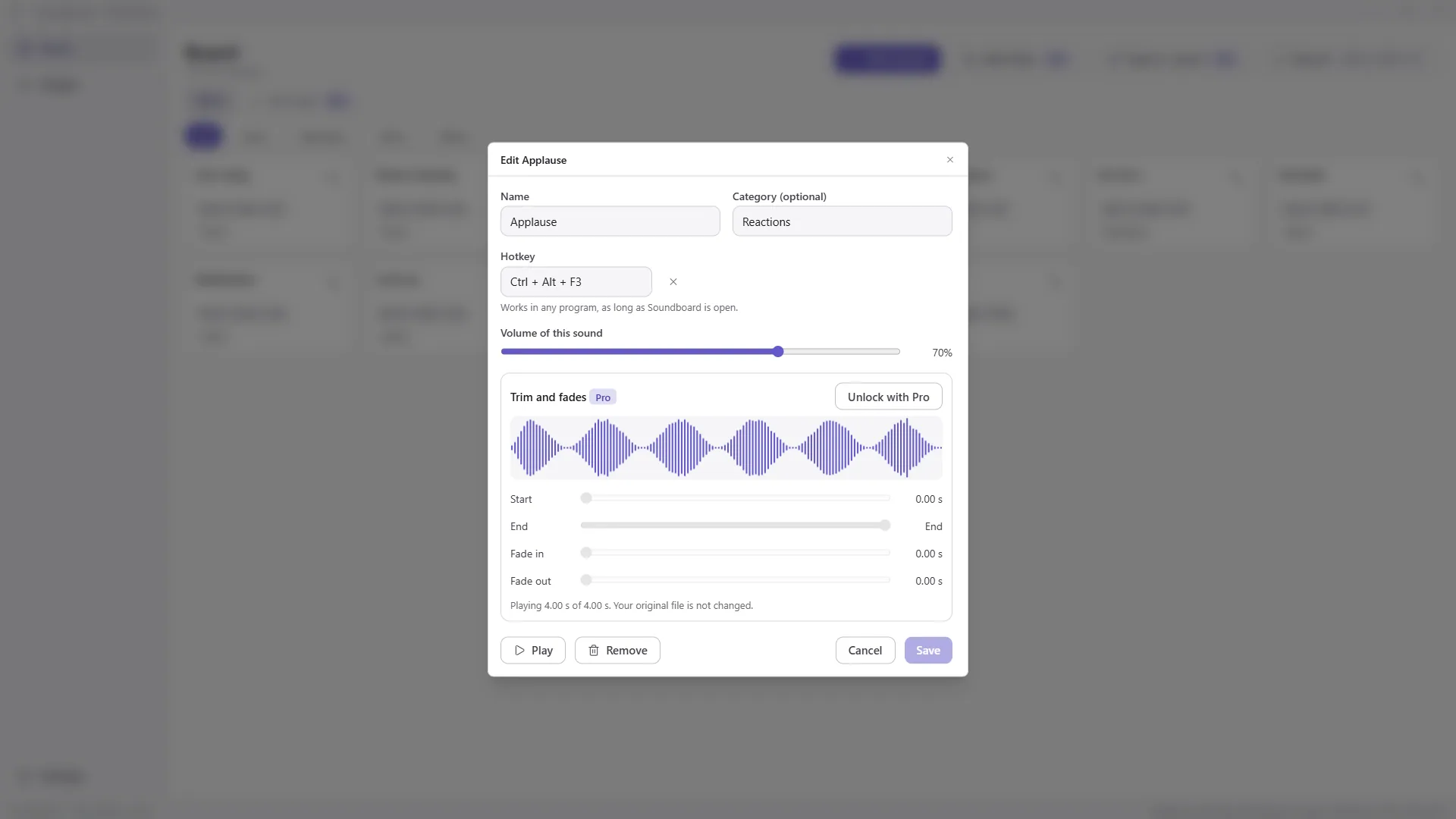
Change a sound's name, category, hotkey and volume
Output
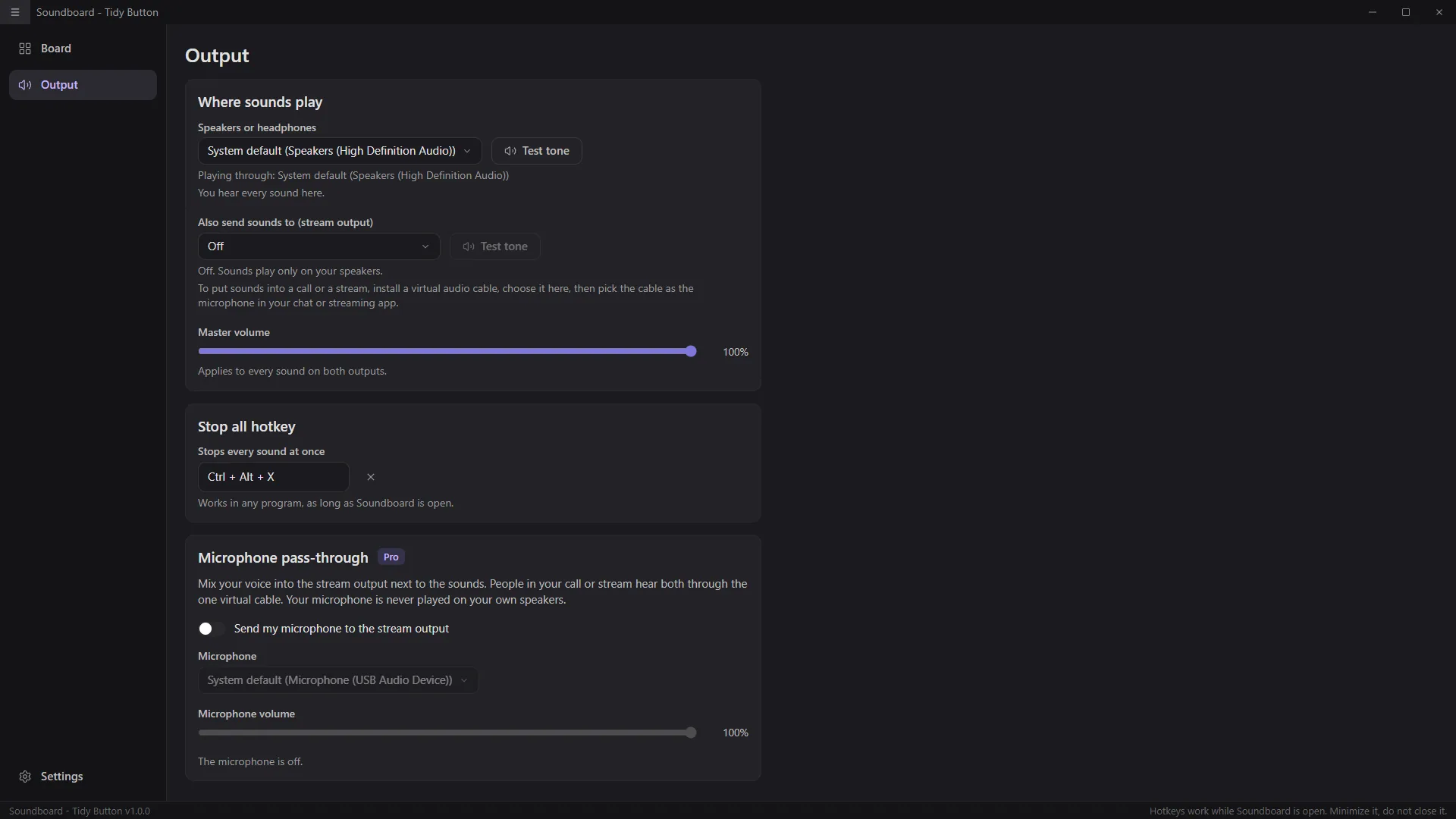
Play to your speakers and a second output such as a virtual cable
Screens show invented sound names and tones made for the pictures. The app ships no sounds. It has several themes, including light and dark.
What it does
What it does.
A pad for every sound, a hotkey for every pad. Soundboard plays your own audio files from any program while it is open. It ships with no sounds, and it keeps your files where they are.
Pads and hotkeys
Each sound gets a pad and a global hotkey. A Stop all button and hotkey silence everything at once.
Your own sounds
Add MP3, WAV, OGG, M4A and FLAC files by drag and drop or from a dialog. The app ships no sounds.
Volume for each sound
Set a volume for every pad and a master volume for the whole board.
Categories
Group sounds into categories and filter the board with one click.
Two outputs
Play through the speakers or headphones you choose, and also to a second output such as a virtual audio cable. Each has a test tone.
Themes
Dark, light, Slate, Midnight, High contrast or the same as Windows.
Optional Pro
More than 12 sounds, trim and fades with a waveform, pages, folder import, microphone pass-through and board import and export. The free version holds 12 sounds.
The small print, in plain English
Safe by design.
- Ships with no sounds. You add your own files.
- Your sound files stay where they are on your PC.
- Hotkeys work only while Soundboard is open, and you can change or clear them.
- No account. No ads. No tracking.
Good for
Handy when you need a sound now.
- Streamers and podcasters
- Game masters and teachers
- Anyone who wants a sound at the press of a key
Questions
Plain answers.
Does it include sounds?
No. Soundboard ships with no sounds. You add your own audio files.
Do hotkeys work in other programs?
Yes, while Soundboard is open. Minimize it instead of closing it.
Can a call or stream hear the sounds?
Yes, if you install a virtual audio cable and choose it as the second output. Soundboard does not include a cable.
Is there a limit in the free version?
The free version holds 12 sounds. Pro is an optional one-time add-on for more.