Coming to the Microsoft Store
Sheet Music Reader Your music stand, on your PC.
Turn your PC or tablet into a music stand. Keep PDF scores and chord charts in a library, build set lists, and turn pages with a pedal, the keyboard or a tap. It never downloads music. Works offline.
Not on sale yet. The app is still being built.
We will link the Store listing here the day it is live. Until then there is nothing to download.
- Works offline
- No account, no ads, no tracking
- Never changes your originals
- Free
See it
Six views. Library, set list, stand.
Library
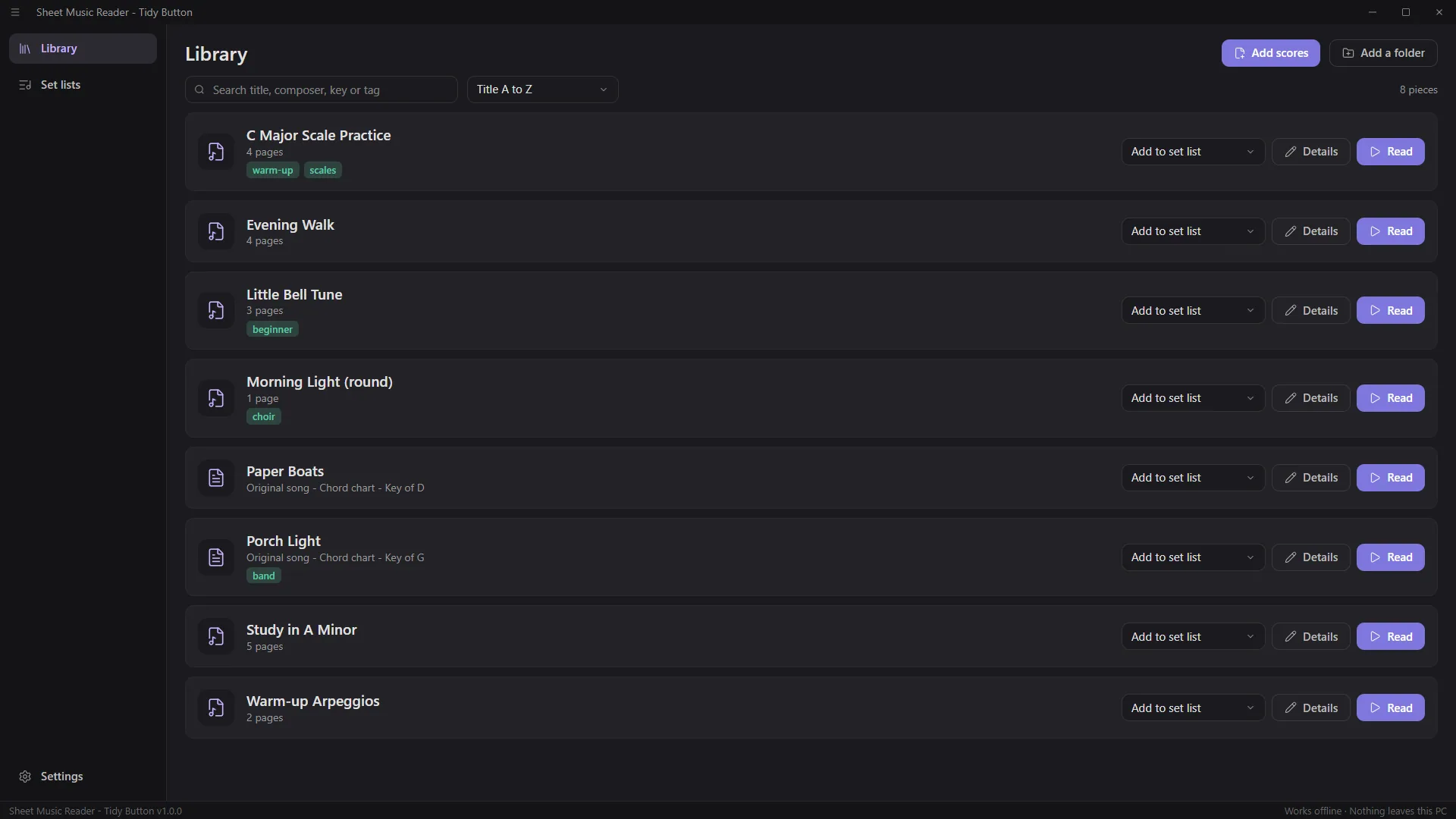
Your scores in one place. Search by title, composer, key or tag. The app keeps its own copy, so your original files are never changed
Set list
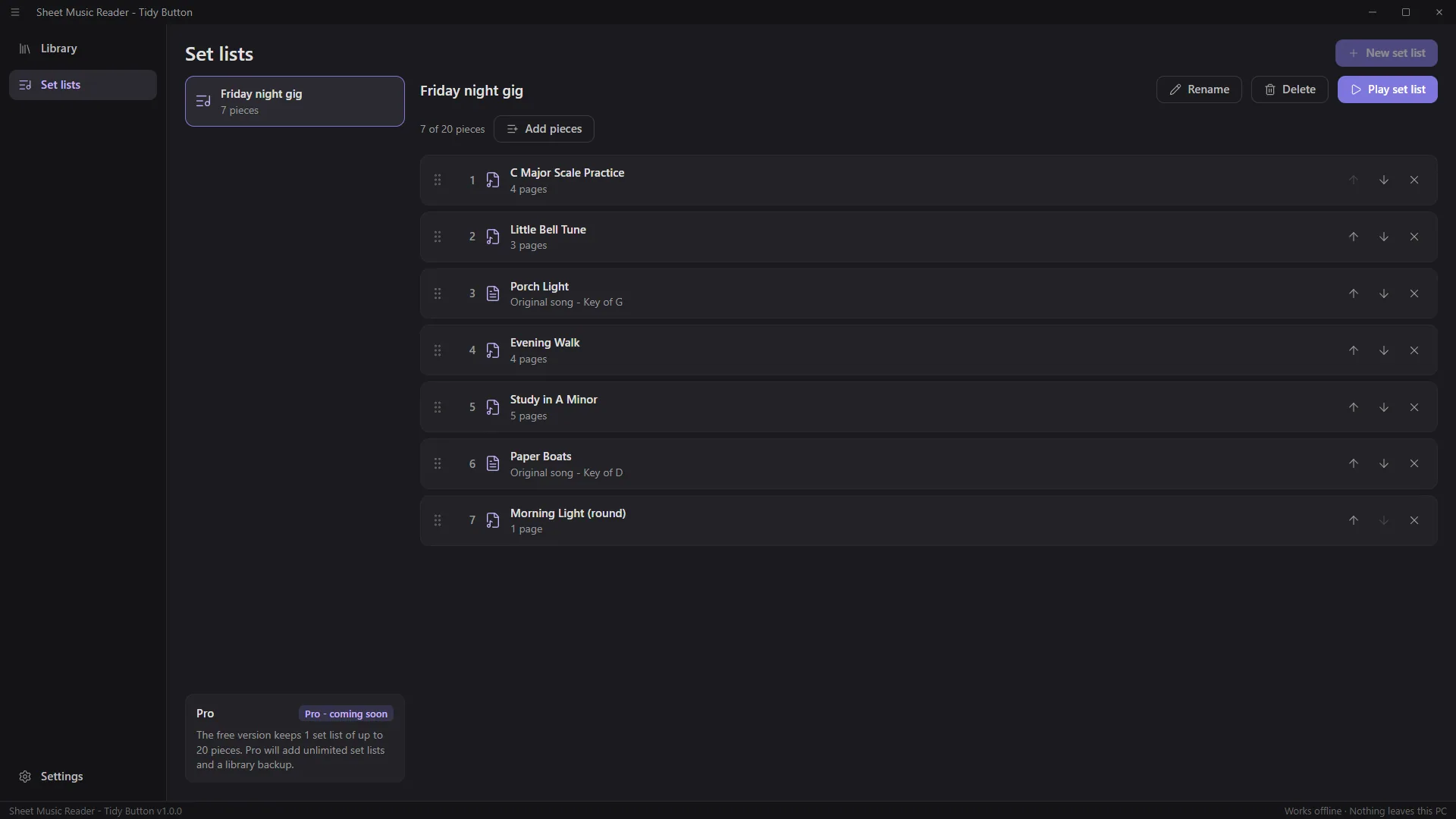
Build a set list and drag the pieces into playing order. Play it from the top and the next piece opens when you reach the end of one
Half-page turn
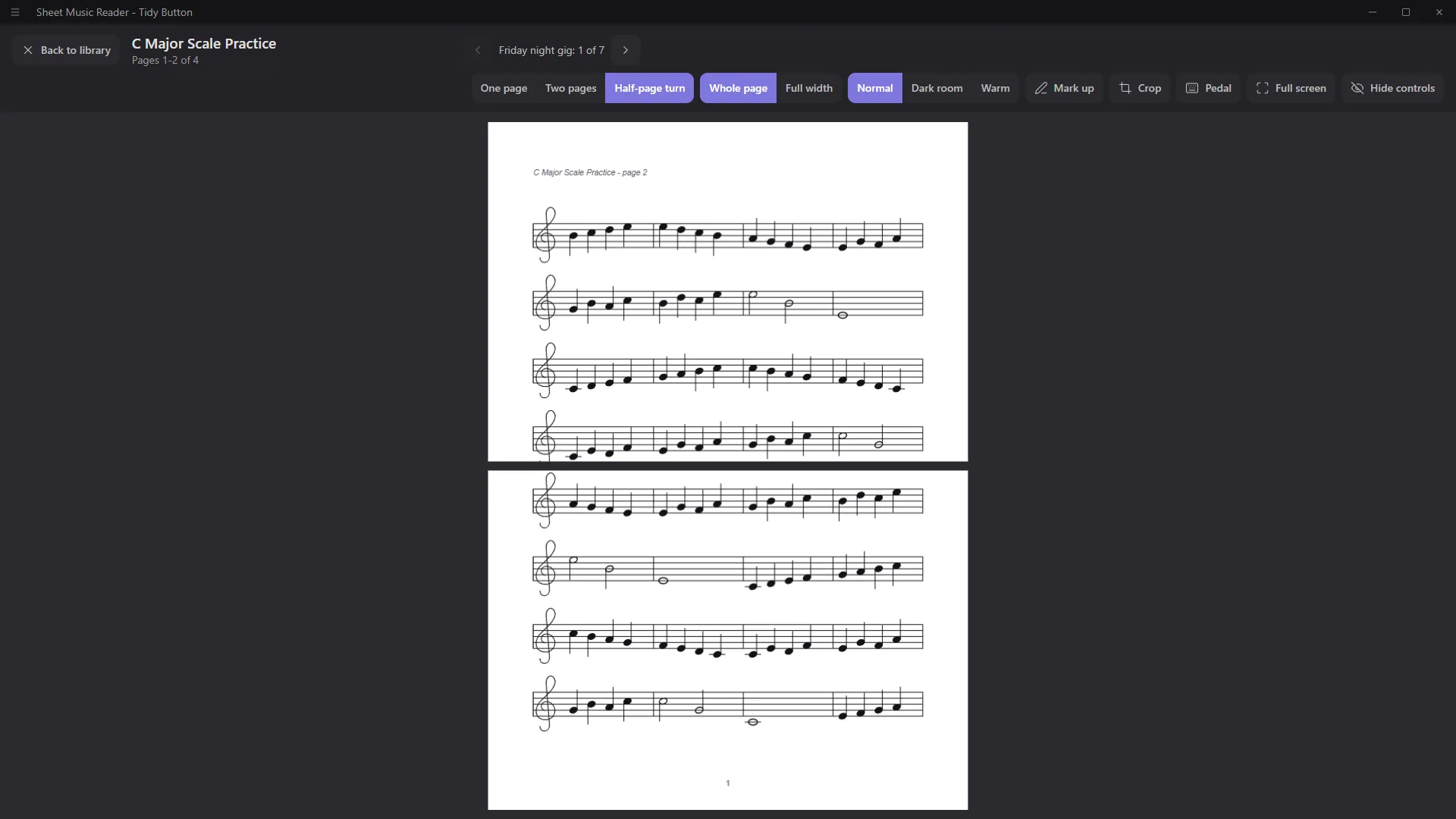
The top of the next page appears while the bottom of this one is still on screen, so you never stop playing to turn
Mark up
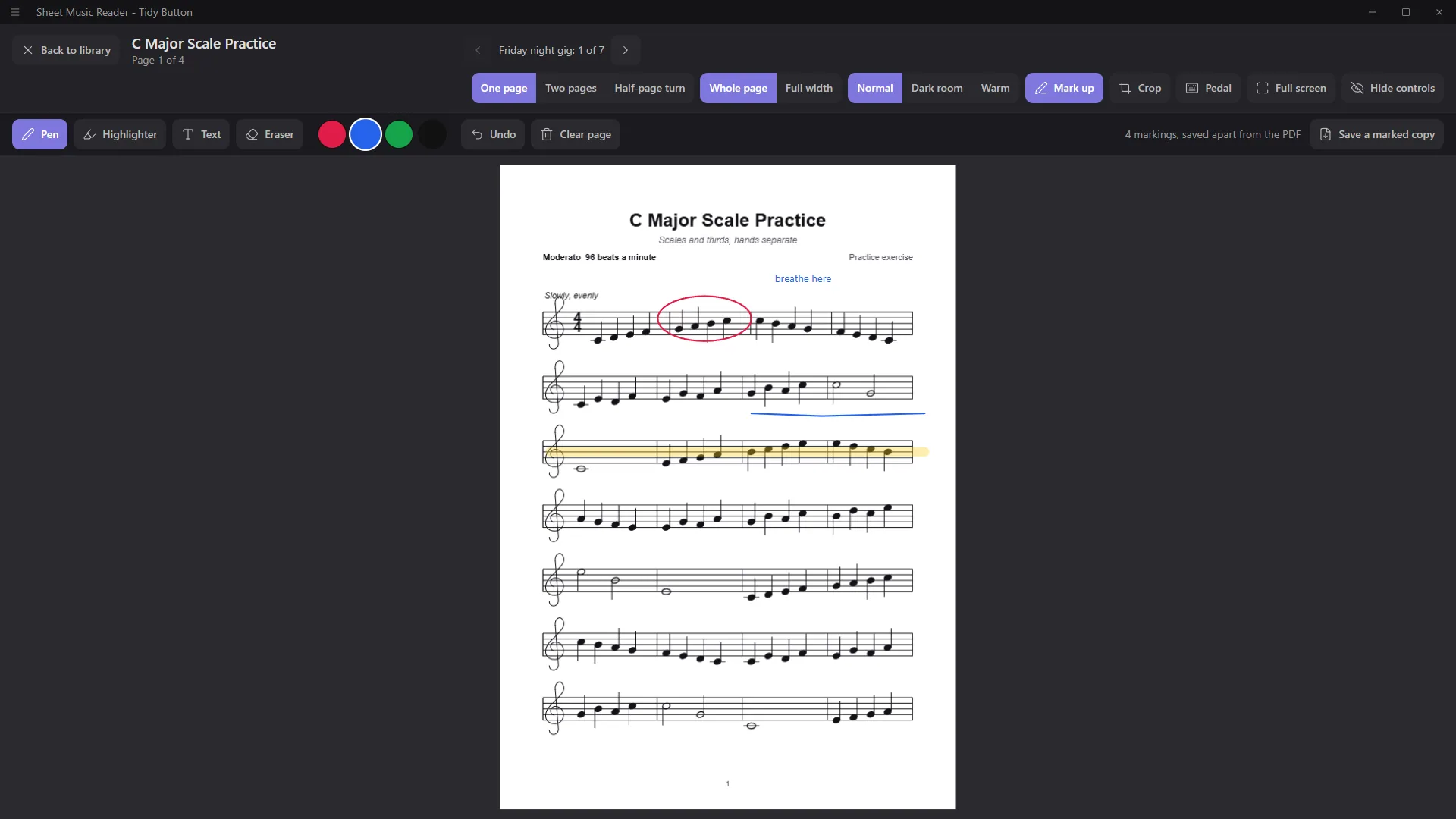
Mark up with a pen, highlighter or text, with undo and an eraser. Markings are saved apart from the PDF, and you can save a marked copy
Chord charts
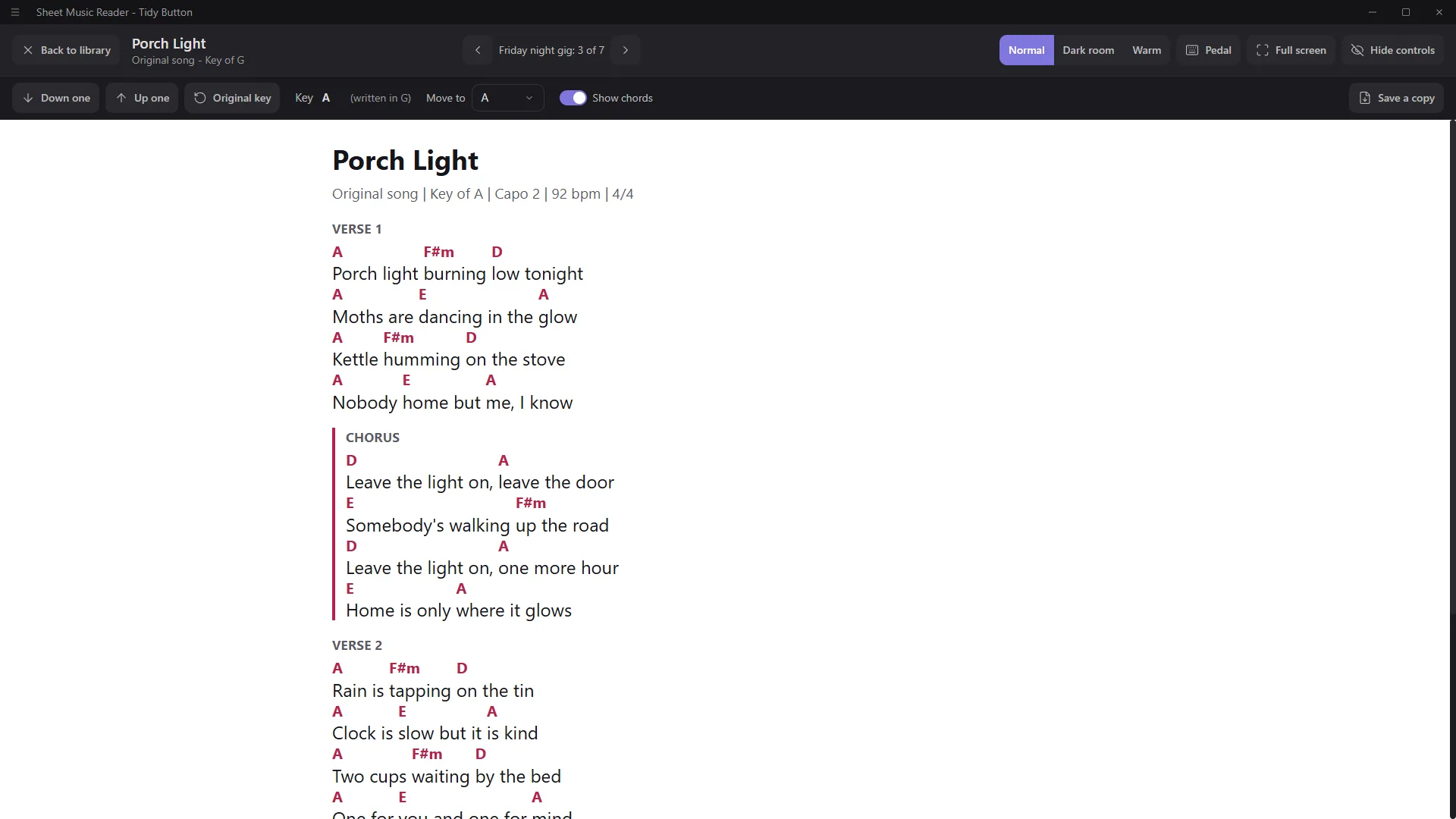
Chord charts in ChordPro or plain text. Move every chord to a new key in one click, with the right sharps and flats for that key
Pedal setup
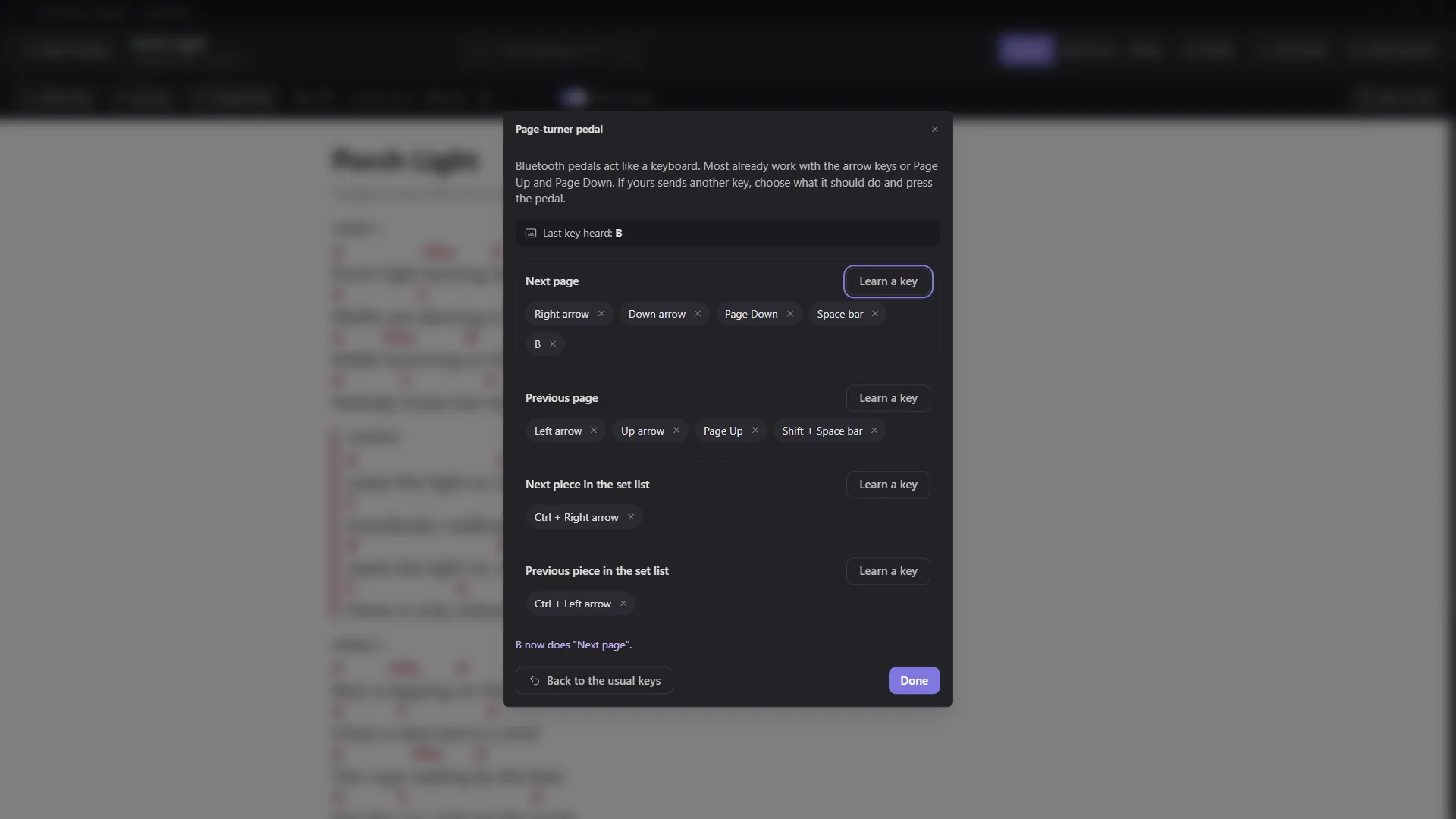
Press your pedal and the app learns which key it sends. Choose what it does: next page, previous page, next piece or previous piece
Screens show scores and chord charts drawn or written for the app. The app has light and dark themes and a dark room mode for reading.
What it does
What it does.
Add your PDF scores, put them in order for the gig, and turn the pages with a Bluetooth pedal, the keyboard or a tap on the page. Bring your own music: the app keeps its own copy of every score you add, so your original files are never opened, moved or changed, and it never downloads music. Read one page, two pages side by side like an open book, or half-page turn. Mark up scores with a pen, highlighter or text, and move chord charts to a new key in one click.
A library of your own scores
Add files or a whole folder, or drop them onto the window. Give each piece a title, composer, key and tags, and search by any of them.
Set lists
Put pieces in order, drag them around and press Play. When one piece ends, the next one opens.
Made for a music stand
One page, two pages, or half-page turn, crop blank margins, dark room mode, a warm paper tone and full screen with the controls hidden.
Page turns that keep up
The next and previous pages are drawn ahead of time, so a turn on a page that is already drawn is immediate.
Pedals and keys
Arrow keys, Page Up, Page Down and Space work straight away, and so do most Bluetooth page-turner pedals. If your pedal sends a different key, press Learn a key and choose what it does.
Mark up your scores
Pen, highlighter and text notes with eraser and undo, saved apart from the PDF. Save a copy with the markings drawn in when you need to share it.
Chord charts
Open ChordPro or plain text chord sheets, see the chords above the words, and move every chord to a new key with the right sharps and flats.
Your originals stay untouched
The app reads its own copy. Removing a piece from the library deletes that copy and its markings, never your original file.
The small print, in plain English
Safe by design.
- The app never downloads music and has no store of its own. It reads only the scores and folders you choose.
- It copies each score you add into its own library, so your original files are never opened, moved or changed.
- Nothing leaves your PC. The app makes no internet connections.
- No account, no ads, no tracking. You are responsible for having the right to use the scores you add.
Good for
Handy when the gig is tonight.
- Pianists and guitarists reading from a tablet or laptop
- Bands and choirs playing from a set list
- Music teachers who share marked-up copies
Questions
Plain answers.
Does it download or sell music?
No. You bring your own PDF scores and chord charts. The app never downloads music and has no store.
Does it change my original files?
No. It keeps its own copy of every score you add, and your markings are saved apart from the PDF. You can save a new copy with the markings drawn in.
Does anything leave my PC?
No. The app makes no internet connections and has no account, analytics or tracking.
Which pedals work?
Most Bluetooth page-turner pedals behave like a keyboard, so they work. If yours sends a different key, press Learn a key, press the pedal and choose what it should do.
What chord chart formats does it open?
ChordPro (.cho, .chordpro) and plain text (.txt). You can move every chord to a new key and save the result as a new file.
What is free?
The free version keeps 1 set list of up to 20 pieces. A Pro add-on with unlimited set lists and a backup of your library is planned (coming soon).
Which versions of Windows does it run on?
Windows 10 and Windows 11.