We will link the Store listing here the day it is live. Until then there is nothing to download.
Real app, with sample sermons.
Works offline
No account, no ads
Files stay on your PC
Free for 10 sermons
See it
Eight views. One quiet planner.
Start
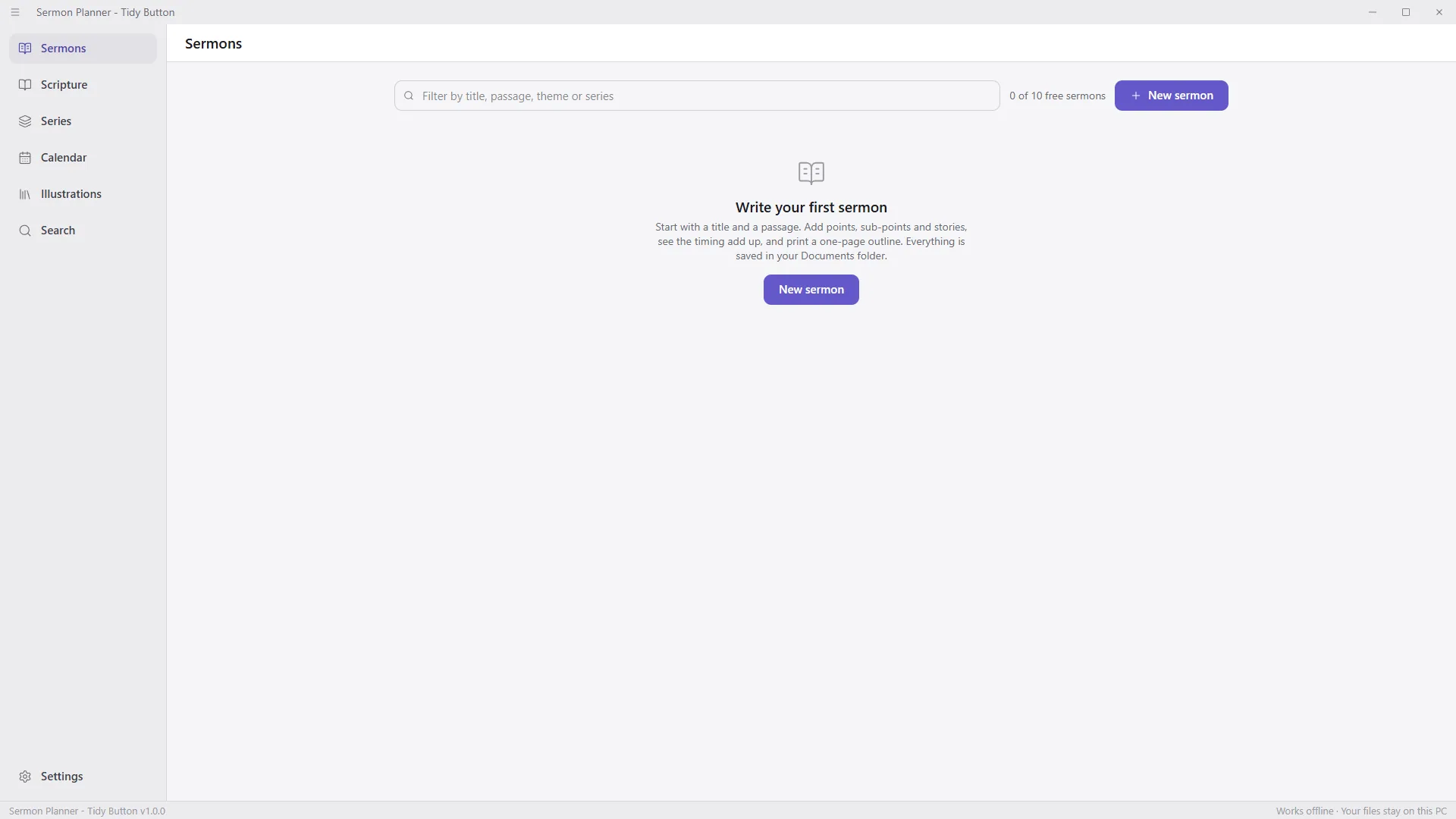
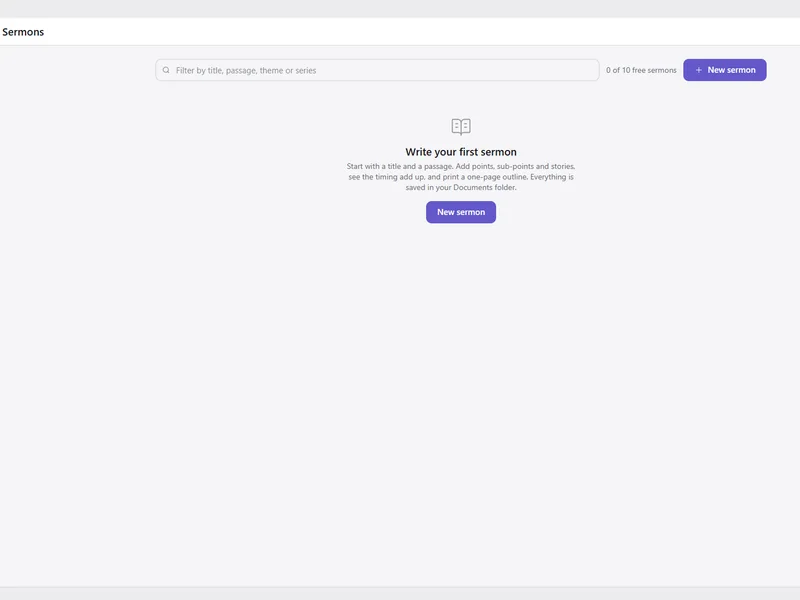
A calm first screen: start a sermon with a title and a passage. The counter shows how many of the 10 free sermons you have used.
Outline
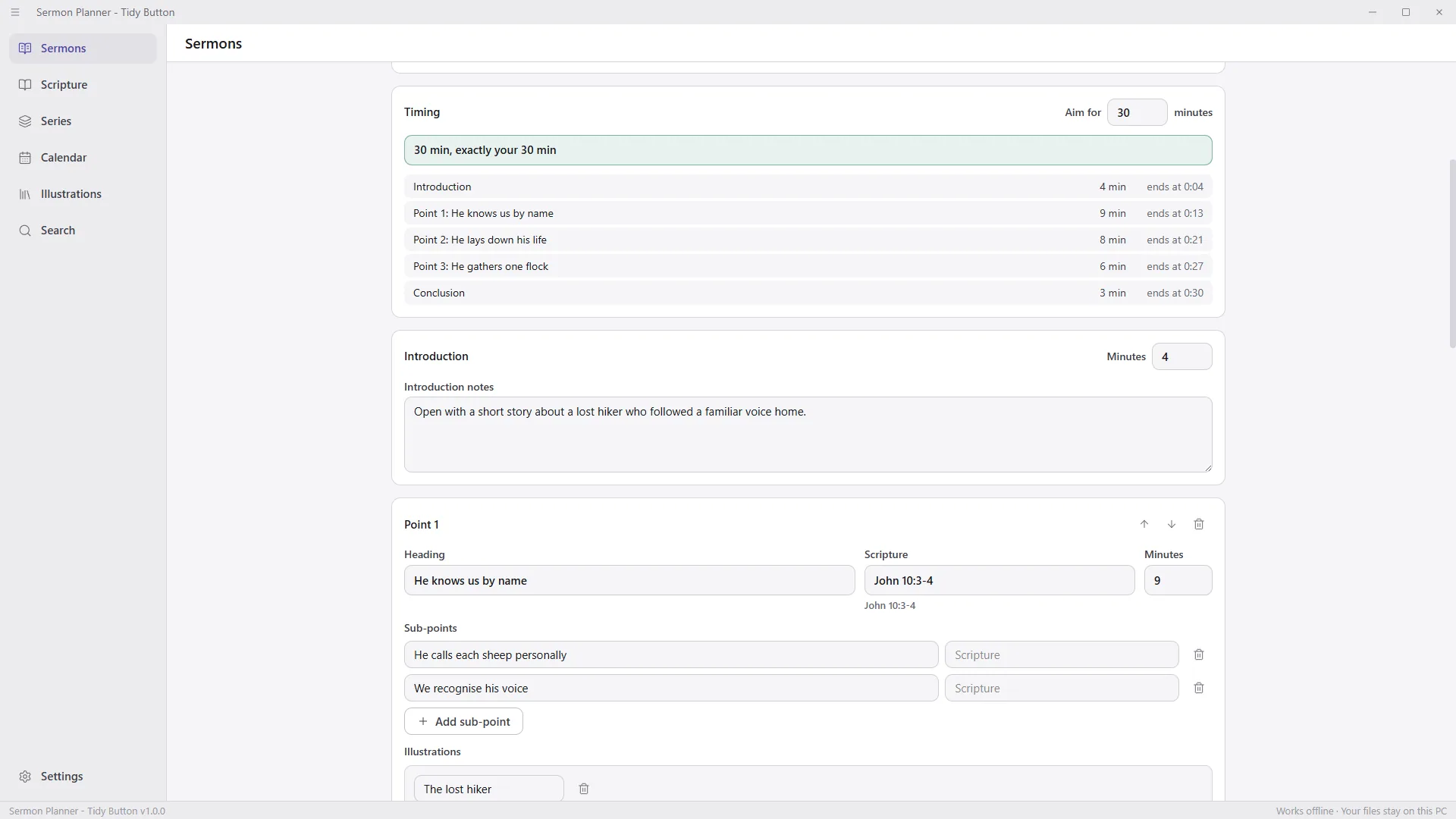
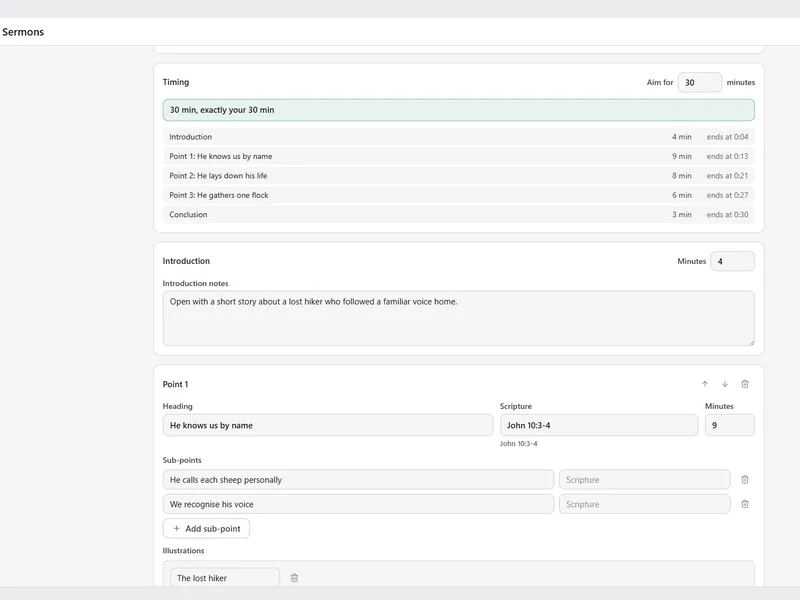
The outline editor adds up your timings: minutes for each part, a running total against your target length, and where each part ends.
Scripture
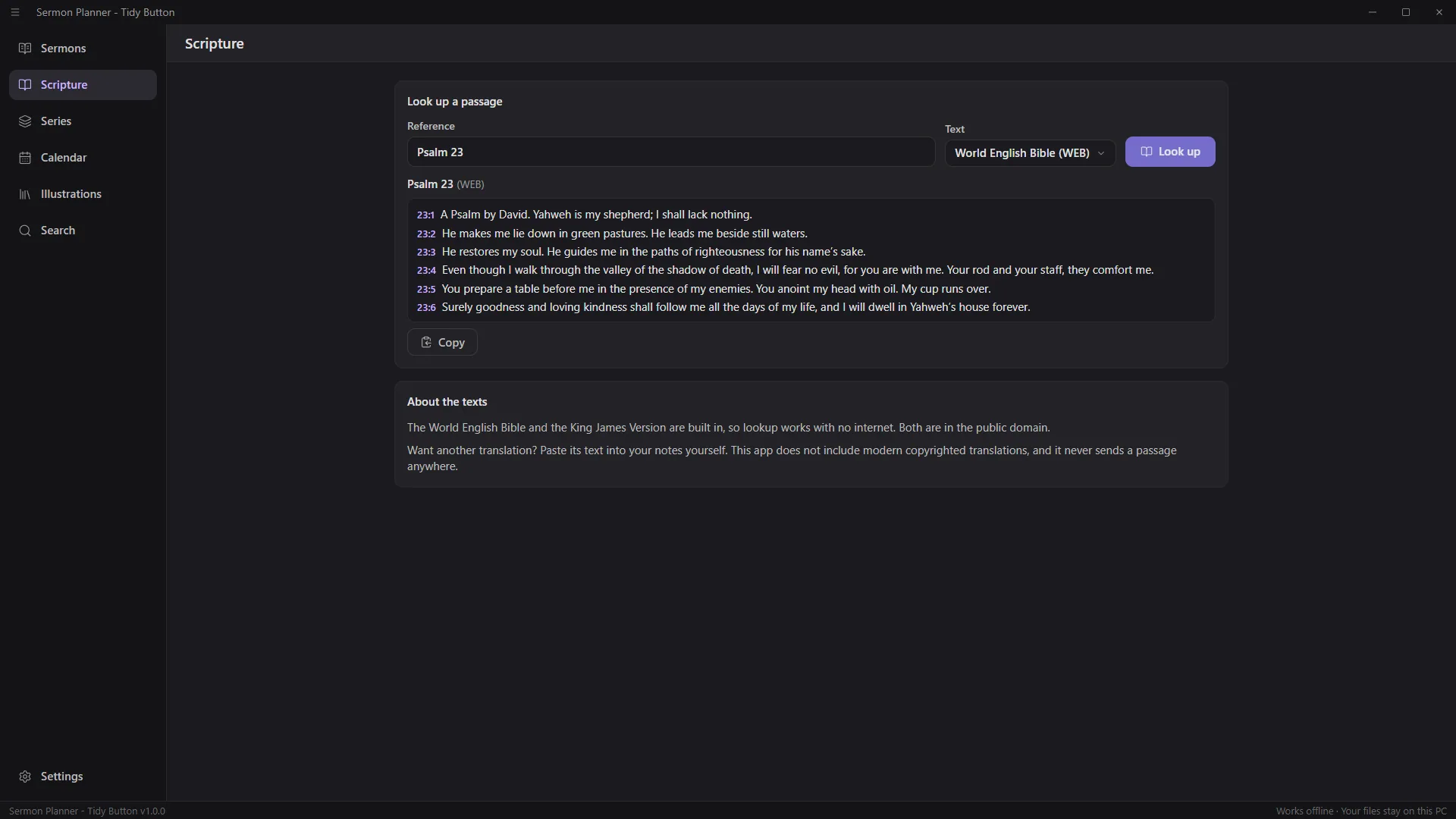
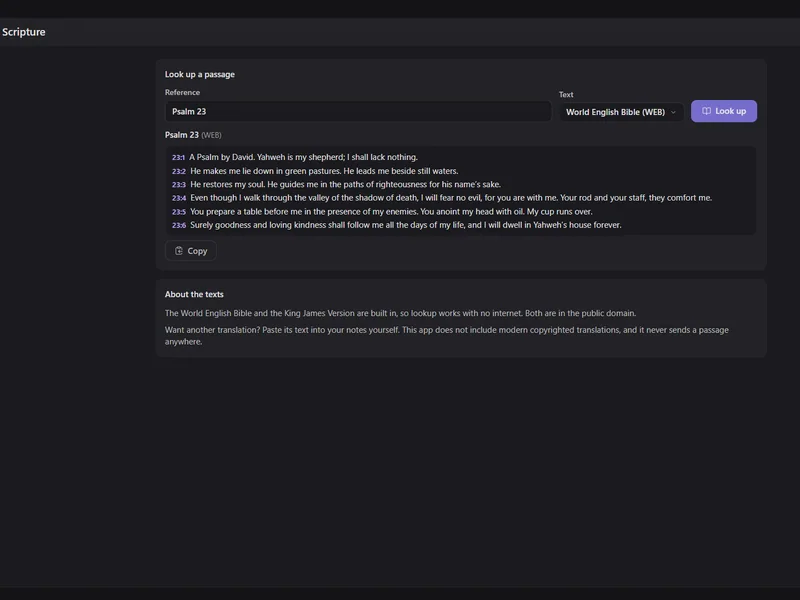
Look up Psalm 23 offline in the World English Bible or the King James Version, then copy it or insert it into your notes. Shown in the dark theme.
Free limit
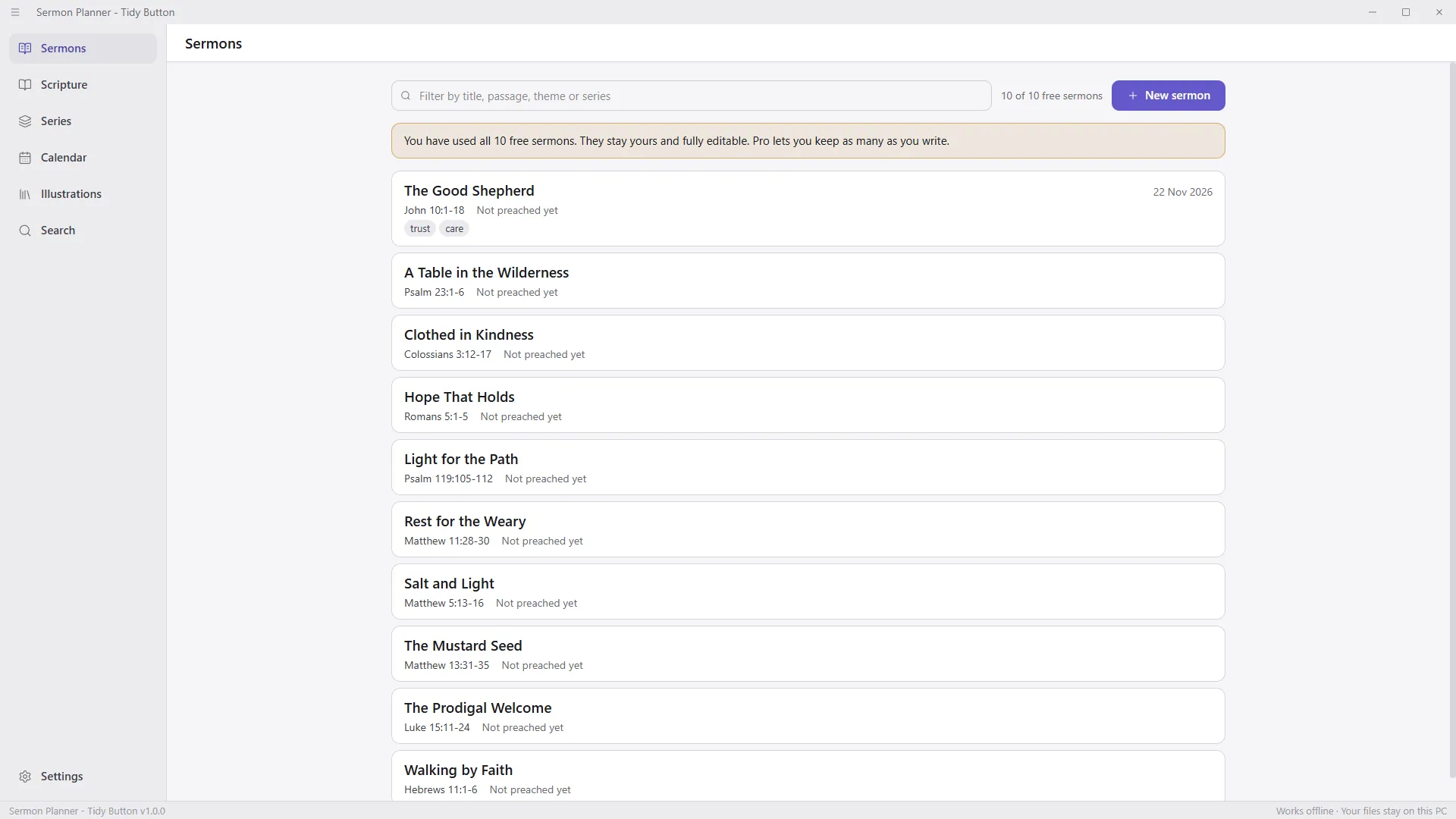
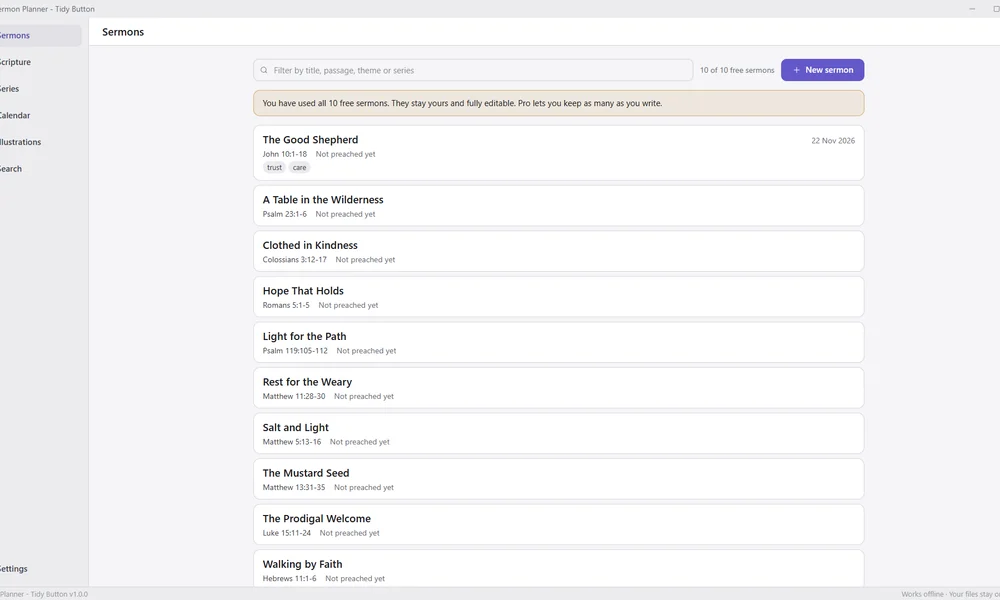
The free tier holds 10 sermons. When they are used, a plain note says so. Every sermon stays yours and fully editable.
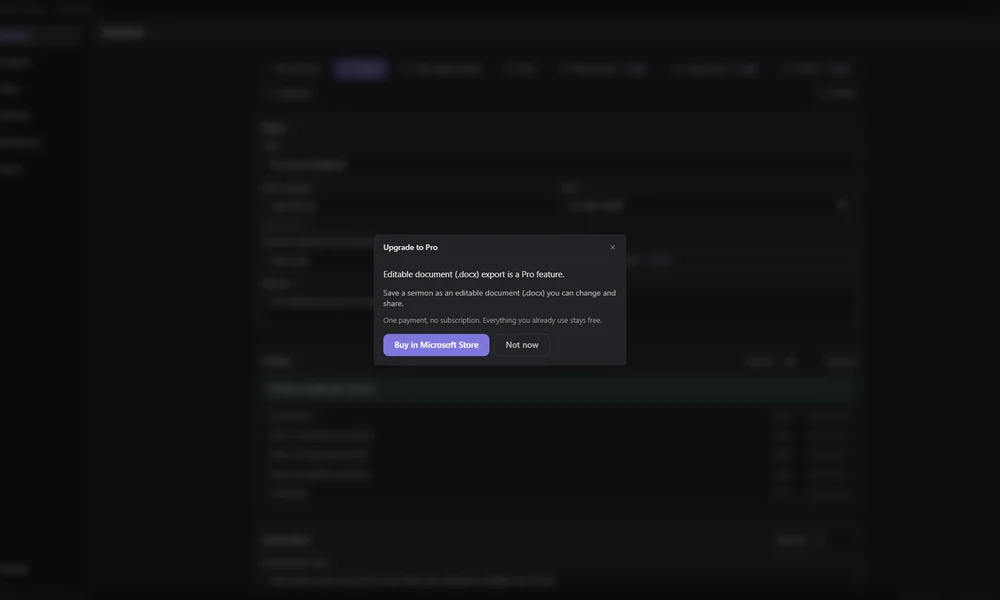
Pro prompt
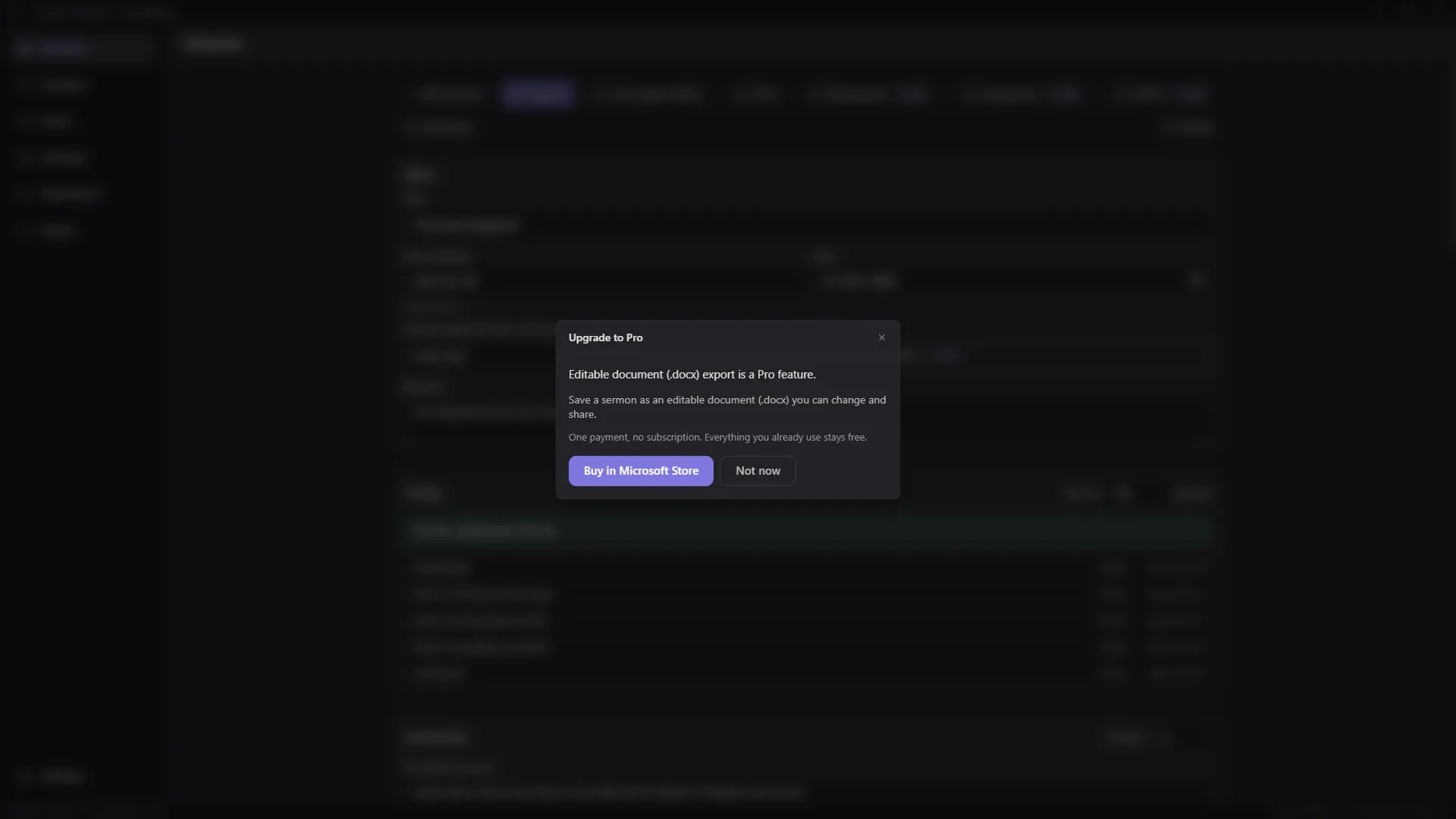
Pro features ask first. Touching the editable document (.docx) export explains it in one clear message, with one payment and no subscription.
Series
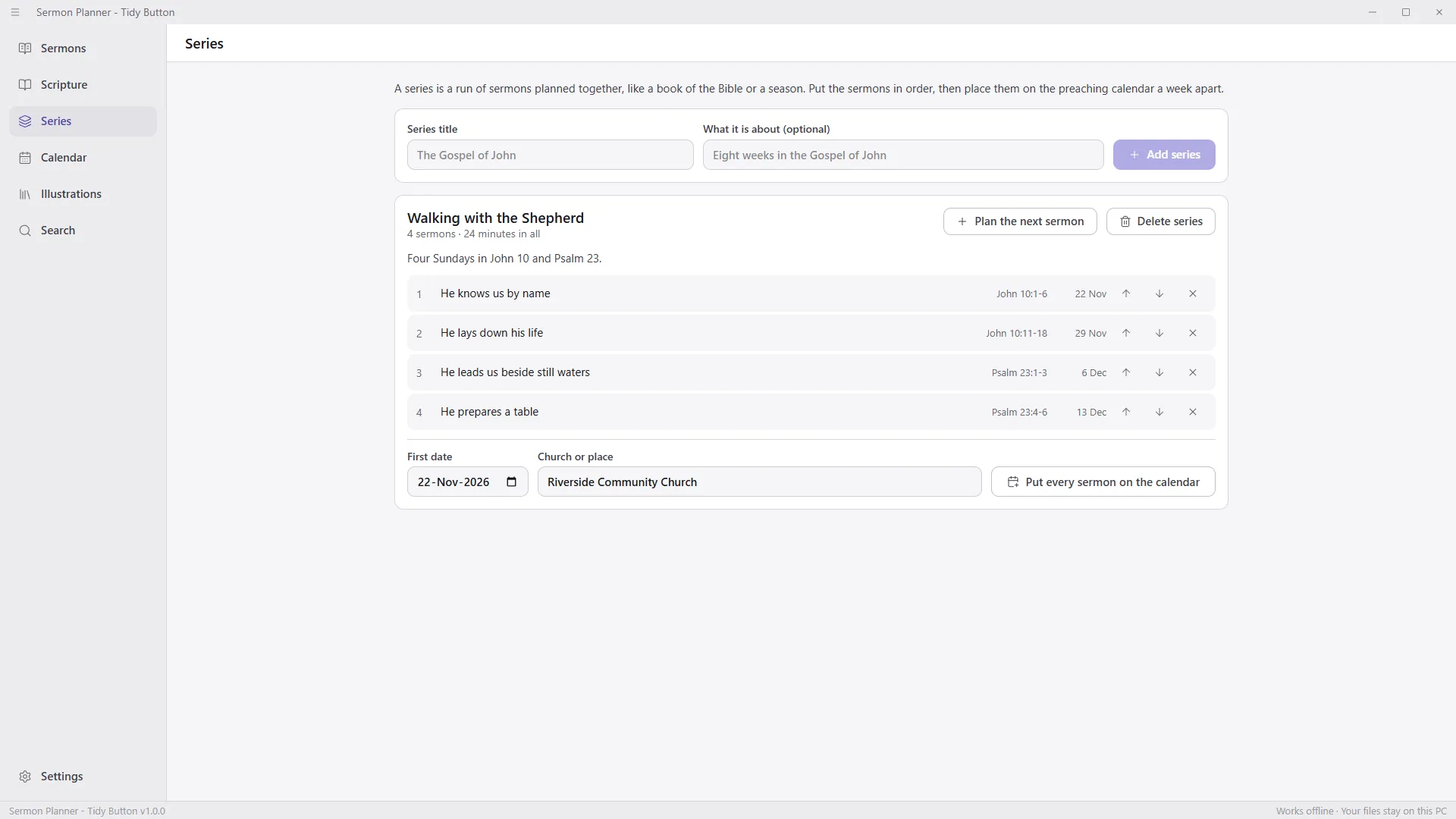
Pro: plan a series. Put the sermons in order, then place them on the preaching calendar one week apart.
Calendar
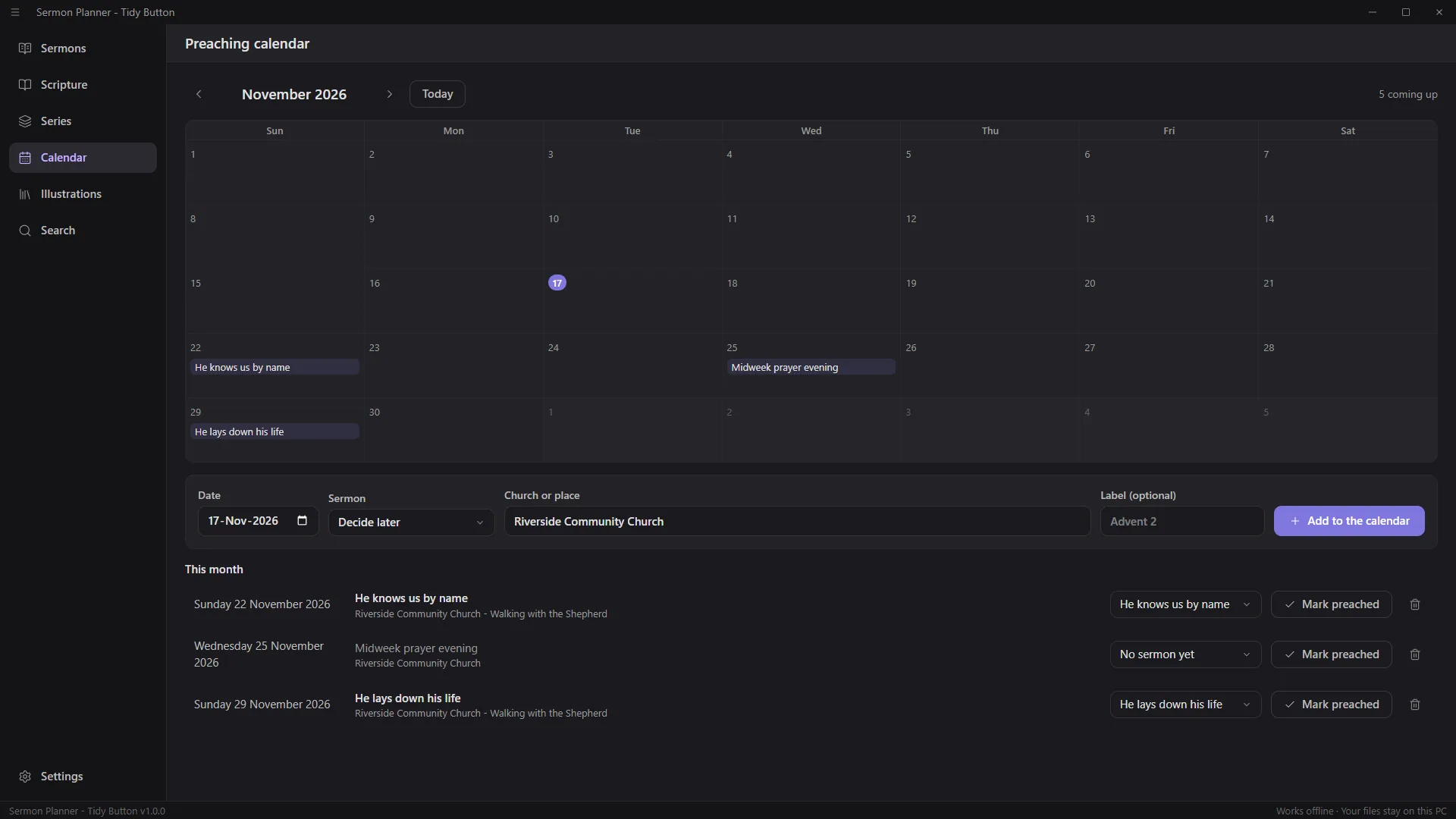
Pro: the preaching calendar shows the month, what is planned for each Sunday, and lets you mark a sermon as preached.
Illustrations
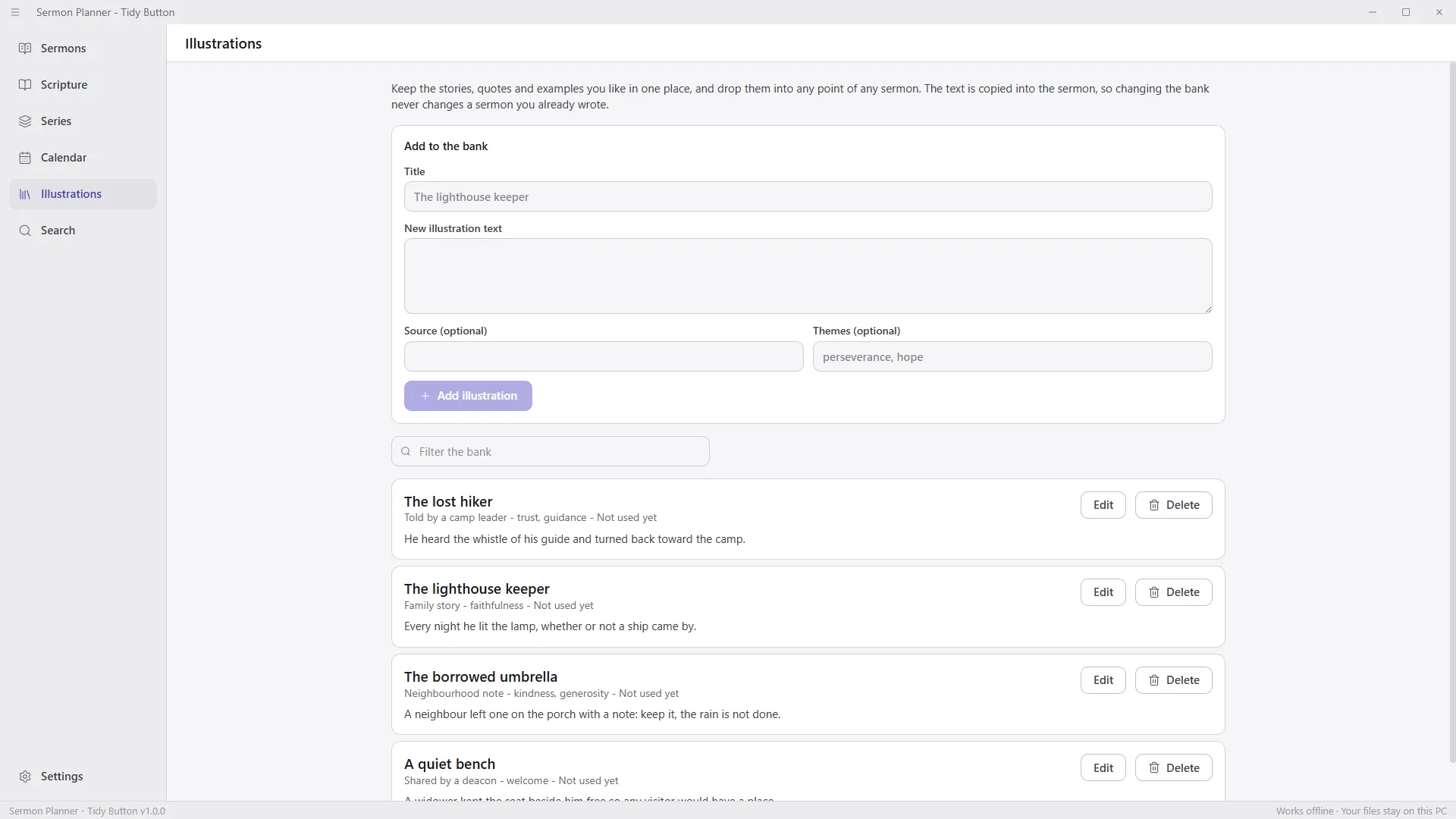
Pro: keep stories and quotes in one illustration bank and drop them into any point. The text is copied, so old sermons never change.
Screens show sample sermons. The app has light and dark themes.
How it works
Three steps. No manual.
01
Start a sermon
Begin with a title and a passage.
02
Time the outline
Add points and give each part its minutes. The running total shows where each part ends.
03
Look up scripture
Look up a passage offline, then copy it or insert it into your notes.
What it does
What it does.
Start with a title and a passage. Add your points, sub-points, stories and application, and give each part its minutes. A running total shows how long the sermon will take against the length you aim for, and where each part ends. Look up scripture without internet in the World English Bible or the King James Version. Both texts are in the public domain and are built into the app, and a passage you look up is never sent anywhere. Print a one-page outline for the pulpit, or save it as a PDF.
Outlines with timings that add up
Give each point its minutes. A running total shows the length against your target, and where each part ends.
Scripture offline
Look up a passage in the World English Bible or the King James Version, then copy it or insert it into your notes.
One-page outline
Print a one-page outline for the pulpit, or save it as a PDF.
Preached-history log
Keep a log of what you have preached. It is free, along with up to 10 sermons that are each fully editable.
Safe saving
Your sermons are saved on your PC in your Documents folder, with a crash-safe save and a dated copy each day.
Series and calendar (Pro)
Plan a series and schedule it on a preaching calendar with a month view.
Illustration bank (Pro)
Keep stories and quotes you want to reuse, and drop them into any point.
Pro, one payment
Unlimited sermons, history checks, manuscript and large-print PDF, an editable document (.docx) export, search and backups.
The small print, in plain English
Safe by design.
At the free limit every sermon stays yours and fully editable.
Pro features ask first, in one clear message, with one payment and no subscription.
Works offline. Your files stay on your PC.
A passage you look up is never sent anywhere.
If you stop at the free tier, nothing is deleted or hidden. Sermons past the tenth stay readable and editable.
No ads, no pop-ups, no account, and no internet needed to write.
Pro is one payment with no subscription.
What Pro adds
Your sermons, your calendar.
Keep the free planner as it is, or add Pro once.
See the month, what is planned for each Sunday, and mark a sermon as preached.
Sermons
No limit
Unlimited sermons. The free version holds 10.
Series
Plan ahead
A series planner and a preaching calendar with a month view.
Illustrations
Reuse your best
An illustration bank for stories and quotes you want to reuse.
History
No repeats
Preached-history checks, so you do not repeat a sermon, passage or story to the same church.
Export
Print or edit
Manuscript and large-print pulpit notes as PDF, and an editable document (.docx) export.
Search
Find anything
Search across every sermon, point, story, series, date and church.
Pro is a one-time payment, not a subscription. It also backs up to a folder you choose. Everything in the free version stays free, and restoring from a backup is always free.
Good for
Handy when Sunday is coming.
Writing sermon outlines with timings that add up
Looking up scripture without internet
Planning a series on a preaching calendar
Keeping stories and quotes you want to reuse
Questions
Plain answers.
Do I need an account?
No. There is no account, no ads and no pop-ups, and you do not need the internet to write.
Where are my sermons kept?
On your PC, in your Documents folder, with a crash-safe save and a dated copy each day.
Does scripture lookup need the internet?
No. The World English Bible and the King James Version are built into the app, and a passage you look up is never sent anywhere.
What is the free limit?
You can write, time and print up to 10 sermons, each one fully editable, with scripture lookup and a preached-history log.
What happens to my sermons if I stay on the free version?
Nothing is deleted or hidden. Sermons past the tenth stay readable and editable.
What does Pro add?
Unlimited sermons, a series planner and preaching calendar, an illustration bank, preached-history checks, manuscript and large-print PDF, an editable document (.docx) export, search across everything and backups to a folder you choose. It is one payment with no subscription.
Can I print an outline?
Yes. Print a one-page outline for the pulpit, or save it as a PDF.