How to write a screenplay on a PC with proper formatting
This guide shows how to write a script that is formatted like a real screenplay as you type. Your script is saved as a plain .fountain text file that you own.
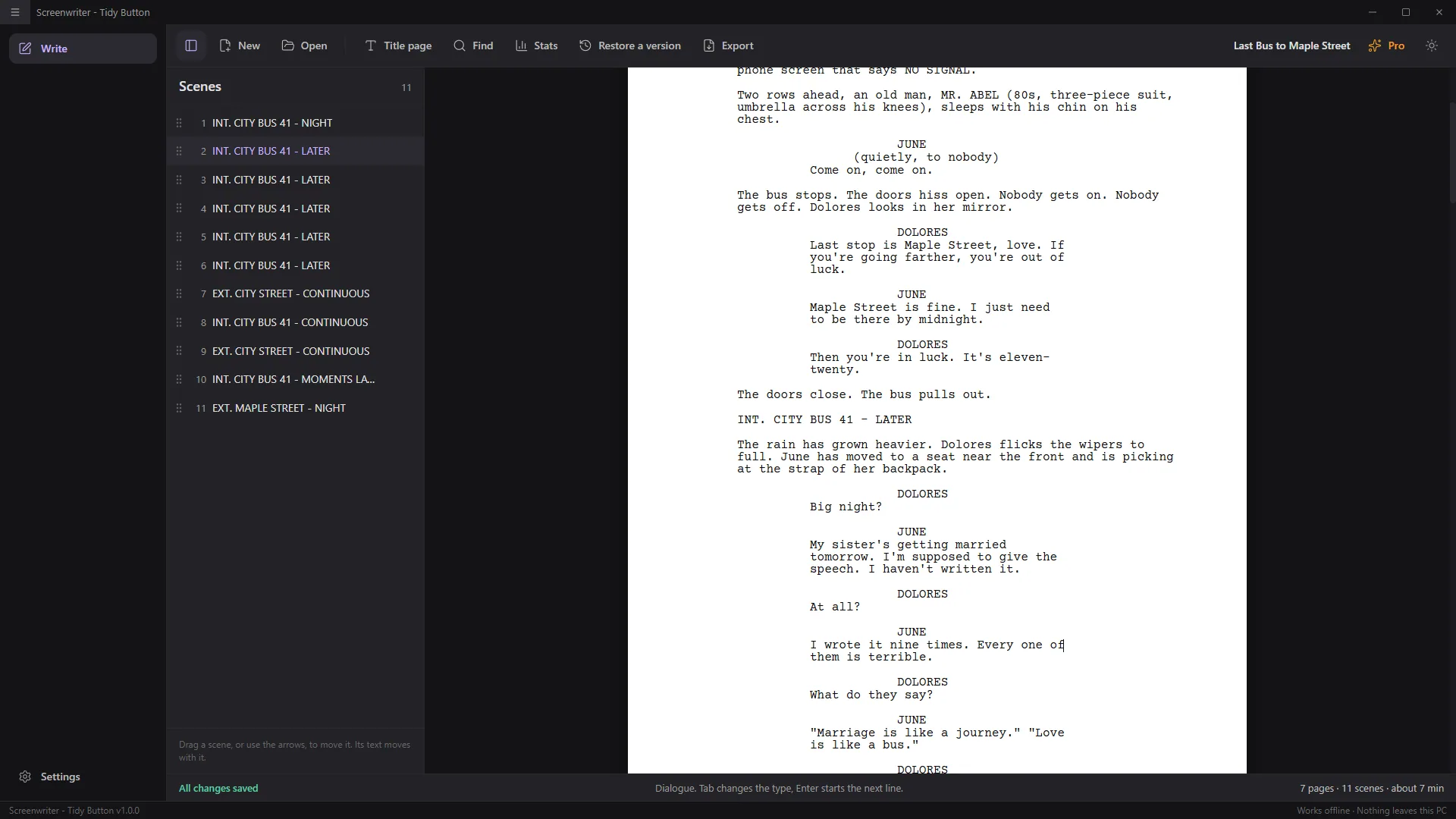
This app is not on the Microsoft Store yet. This guide is ready for the day it arrives.
Start a new script and write your first scene
- Open Screenwriter and press New script, then choose a file name.
- Type a scene heading that starts with INT. or EXT., for example INT. KITCHEN - DAY, and press Enter.
- Type a line of action and press Enter.
- Type a character name in capitals and press Enter. The line becomes a character cue.
- Type the dialogue. Press Tab on a line to change its type.
The script is saved automatically a few seconds after you stop typing.
Save a PDF to send to someone
- Press Title page in the toolbar and fill in fields such as Title and Written by.
- Press Save title page.
- Press Export in the toolbar.
- Leave Include the title page ticked if you want it in the PDF.
- Press Save PDF and choose where to save the file.
The dialog tells you the page size and about how many pages the PDF will have.
Rename a character everywhere
- Press Find in the toolbar.
- Open the Rename a character tab.
- Choose the name in the list under Character.
- Type the new name in New name. The app shows how many places will change.
- Press Rename everywhere.
Move a scene to a new place
- Press the button that shows or hides the scene list, next to New in the toolbar.
- Drag a scene to a new spot in the list, or use the arrow buttons next to it.
- Click a scene in the list to jump to it in the script.
The text of the scene moves with its heading.
Go back to an earlier version of your script
- Press Restore a version in the toolbar.
- Click a version in the list. A preview of that version appears on the right.
- Press Restore this version.
The text you had before is saved as a version too, so you can come back to it.
If something goes wrong
How do I open a script I wrote earlier?
Press Open in the toolbar and choose a .fountain file. Final Draft files can be opened the same way. Recent scripts also show on the start screen.
The Find, Title page and Export buttons are greyed out. Why?
They need a script to be open. Press New or Open first.
Where are my backup versions kept?
Next to the script by default. In Restore a version you can press Choose a different folder to use another place.
Can I open my script in another program?
Yes. The script is a plain text file in the Fountain format, so a text editor can open it.
Good to know
- Uninstalling the app removes the data it keeps in its own folder, so keep a copy of your scripts somewhere safe.
Still stuck? Support is by email, and a person reads it.