We will link the Store listing here the day it is live. Until then there is nothing to download.
Real app, with a sample script open.
Works offline
No account, no ads, no tracking
No watermark
Free
See it
Ten views. One script, yours.
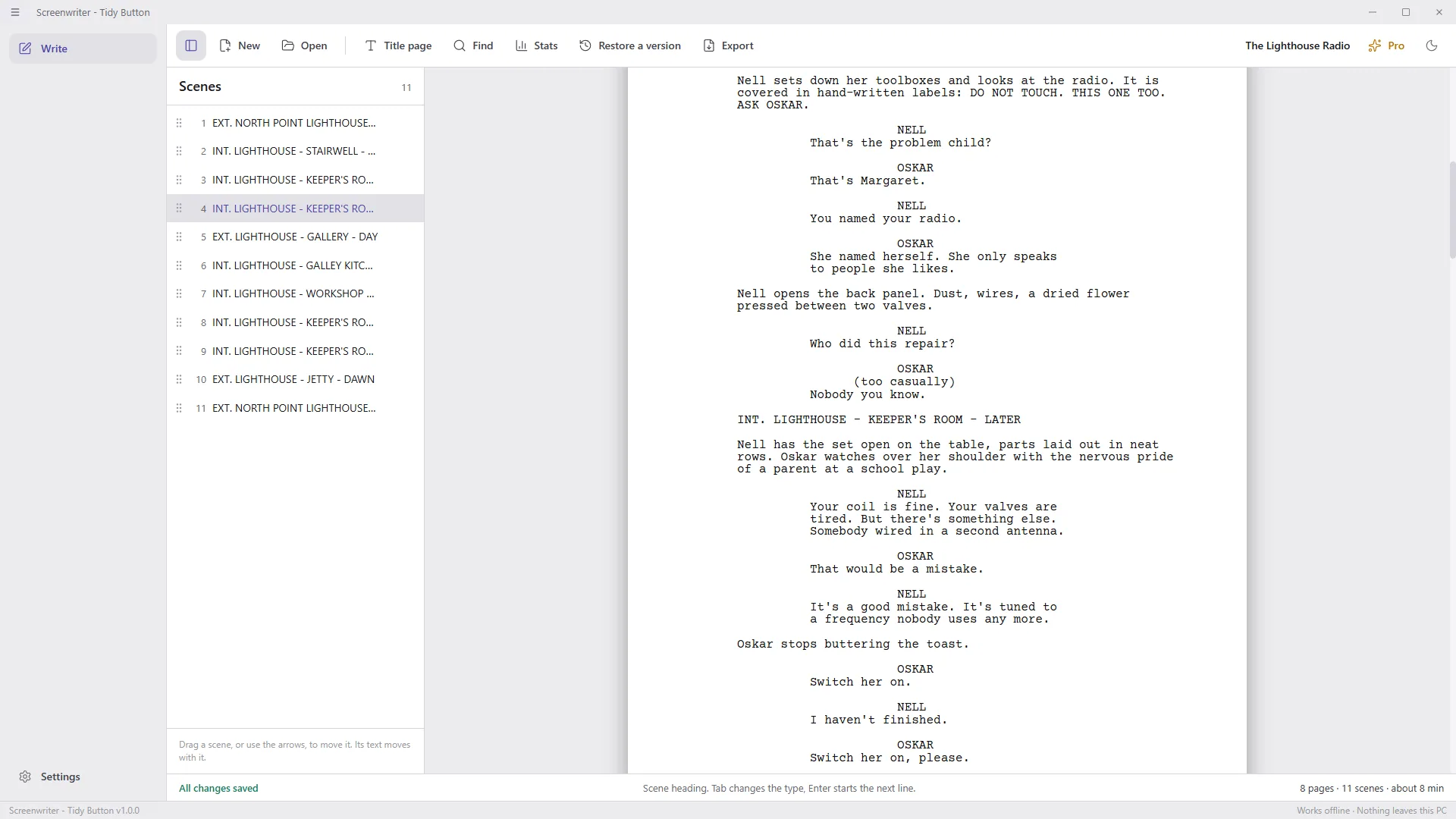
Editor
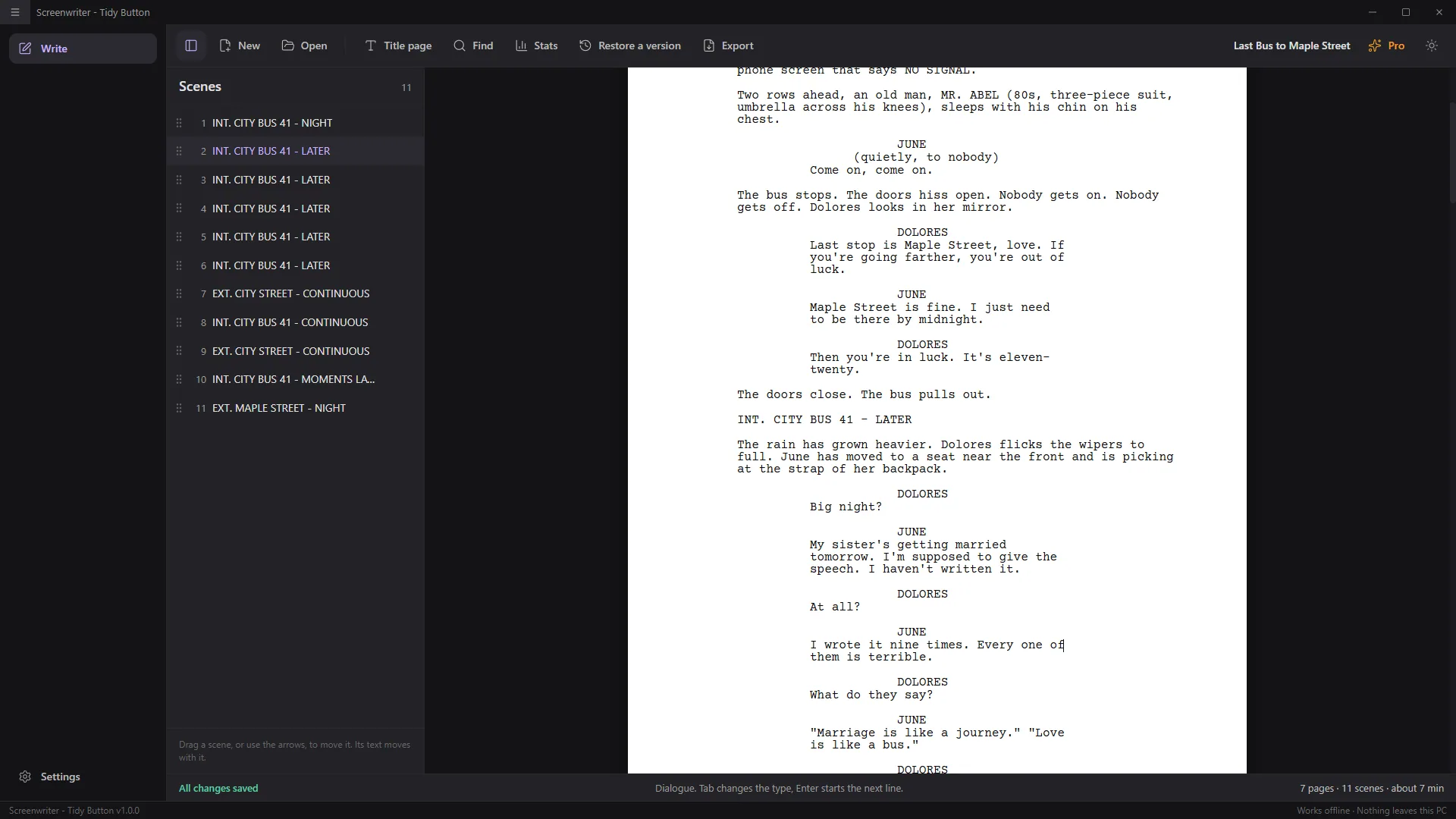
Write on a properly formatted page. Scene headings, action, cues and dialogue sit at the standard indents as you type
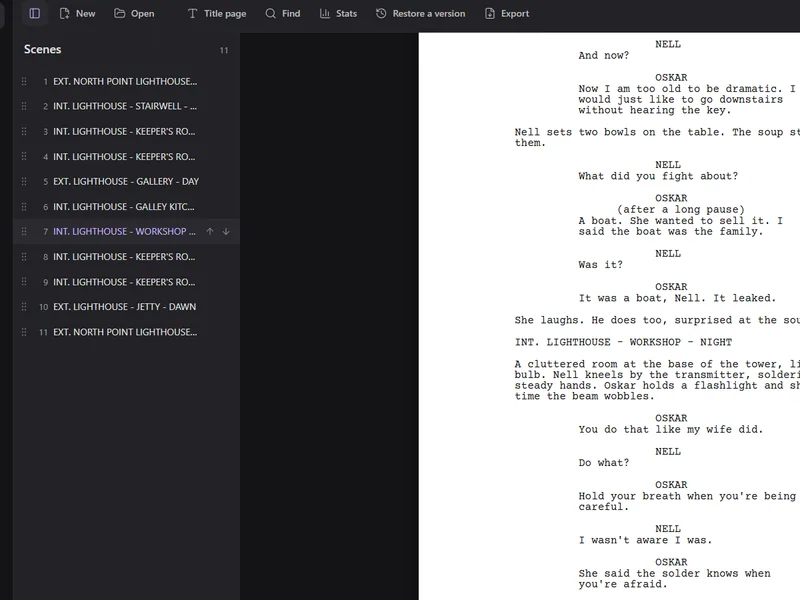
Scenes
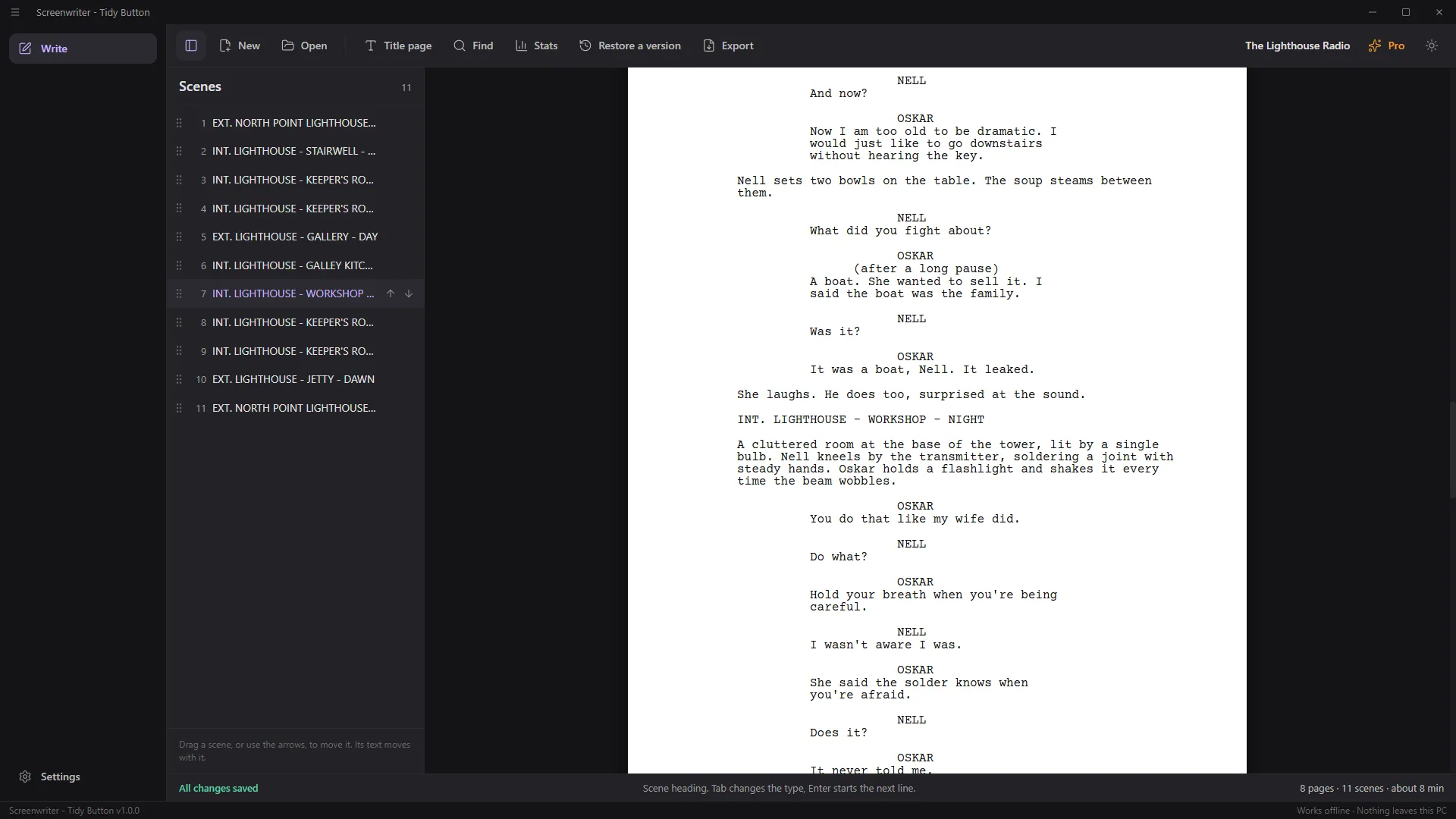
See every scene by number and heading. Click to jump, drag to reorder, and the scene's text moves with it
PDF
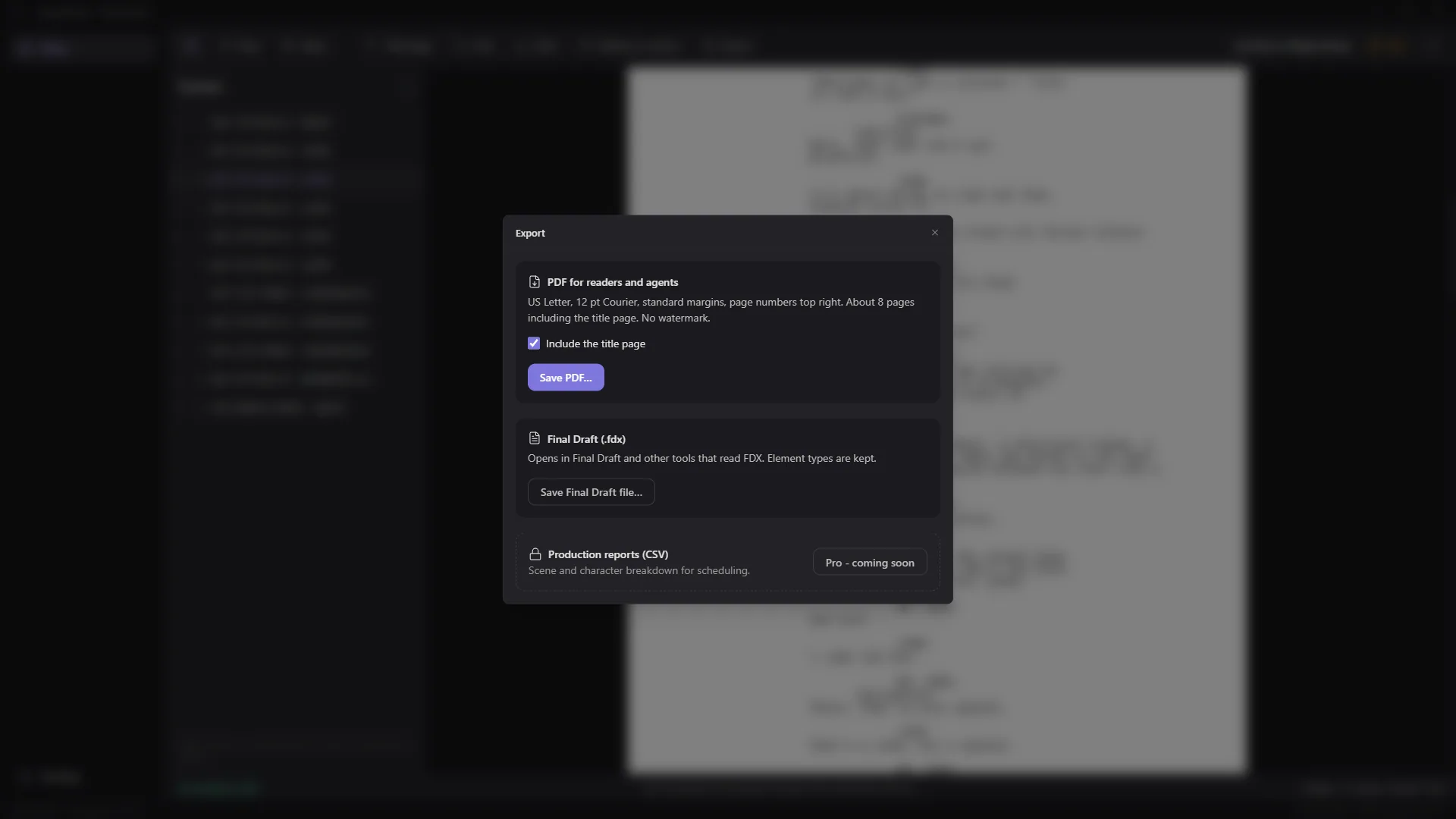
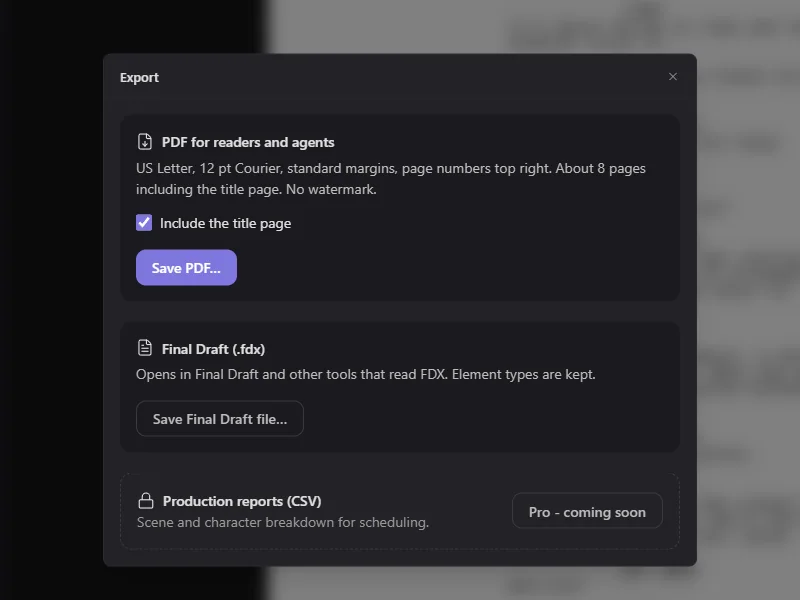
Export a Letter-size PDF in 12 pt Courier with a title page and page numbers. No watermark
Versions
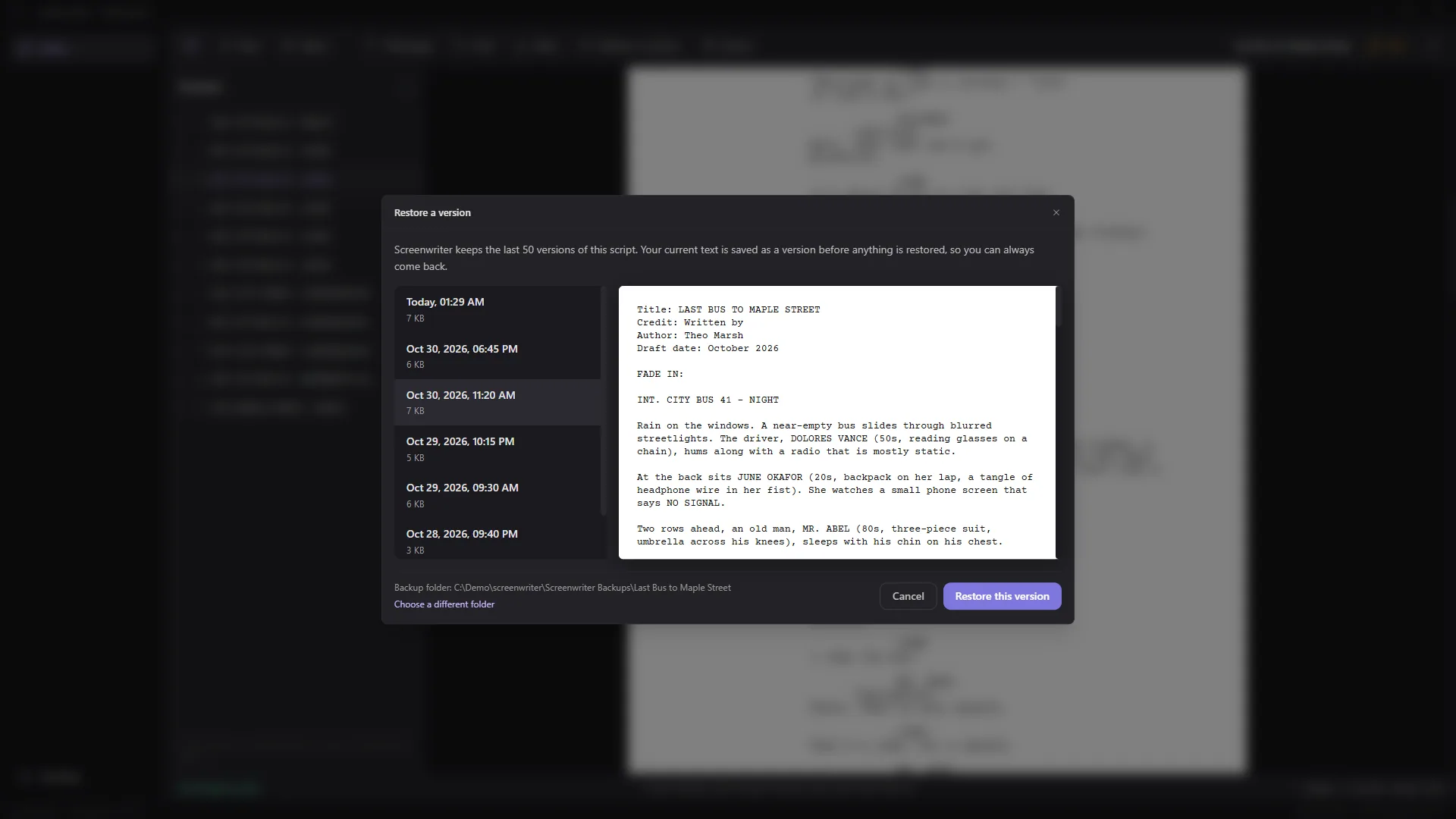
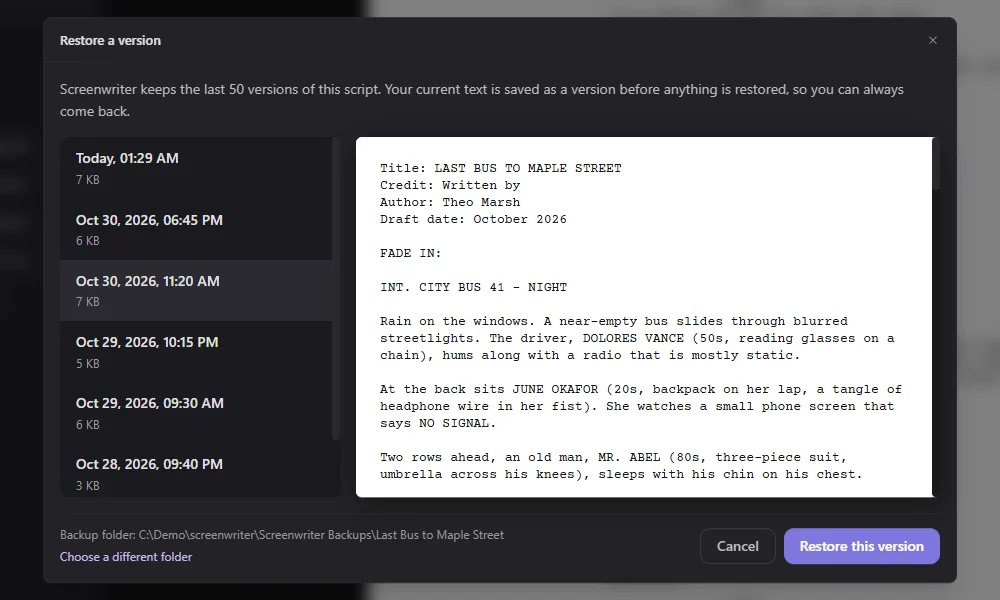
Go back to any of the last 50 versions. Preview it first; the text you are leaving is kept too
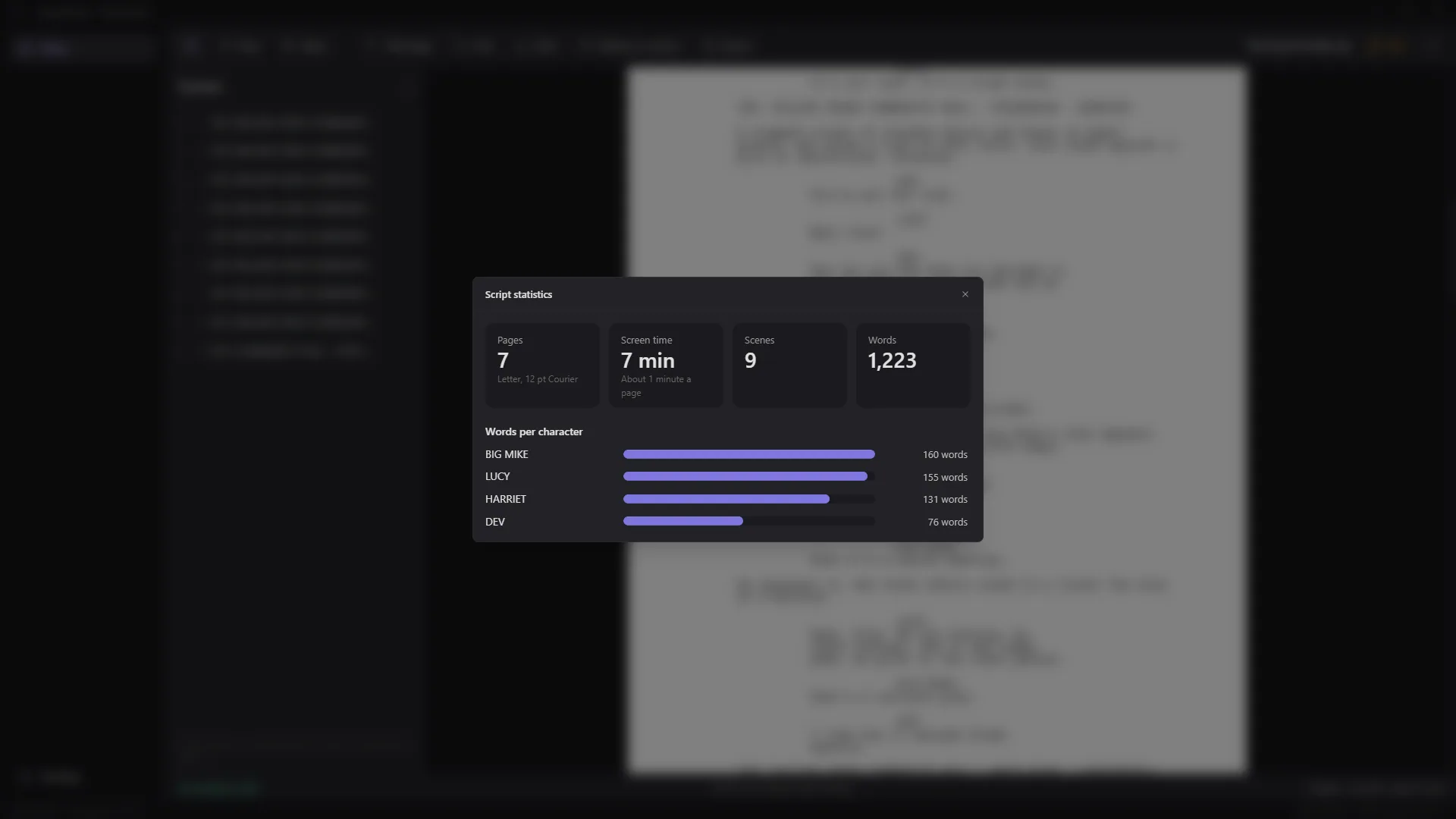
Stats
Page count, estimated screen time, scenes and the words spoken by each character
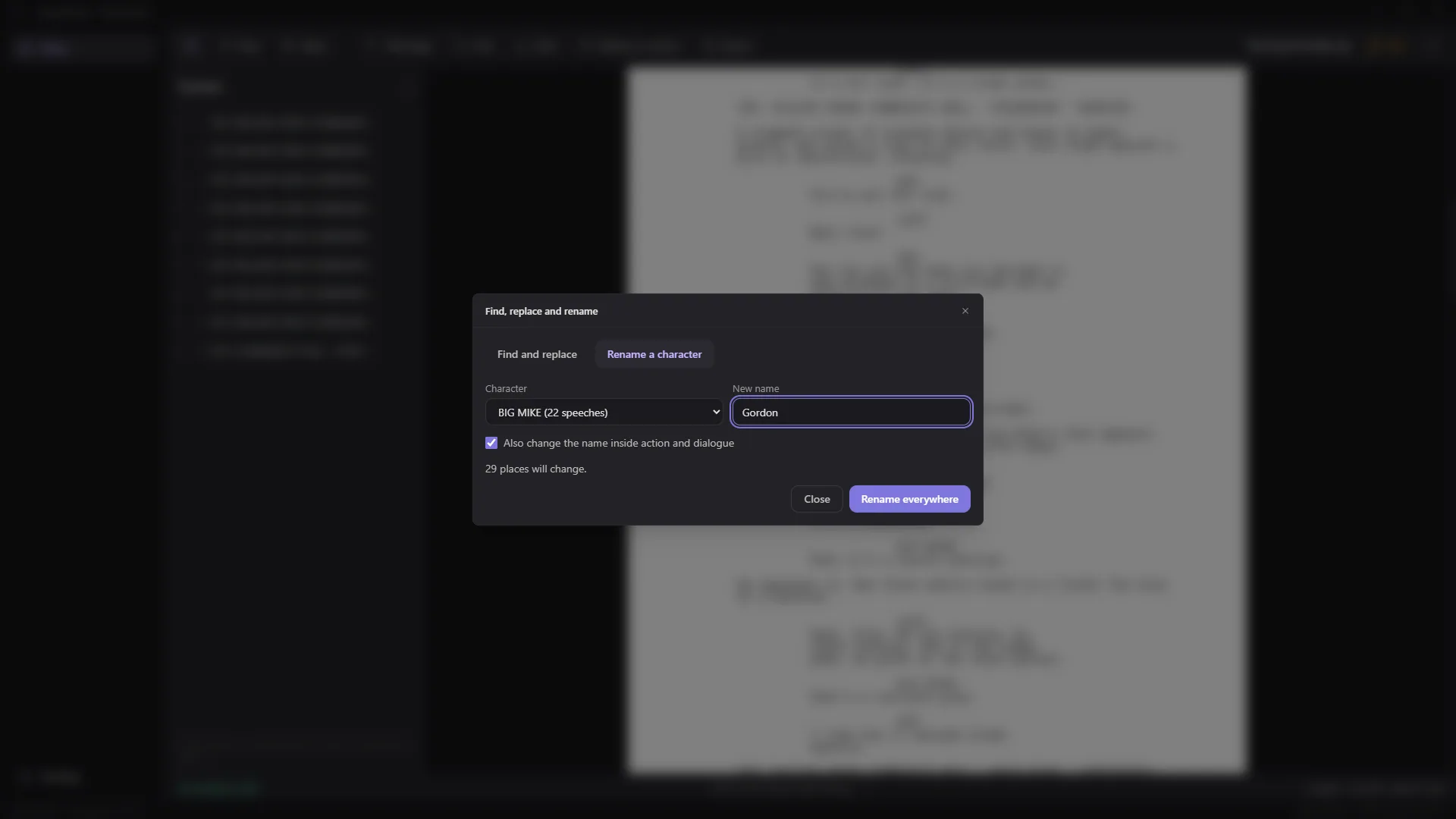
Rename
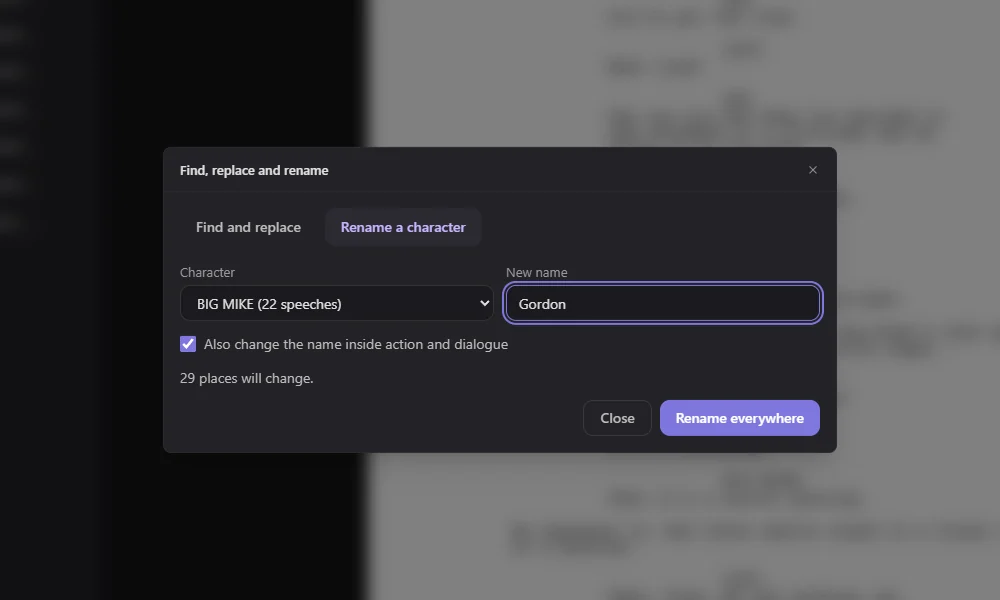
Rename a character everywhere in one step, and see how many places change first
Light theme
A light theme for the app. The script page stays white like paper in both themes
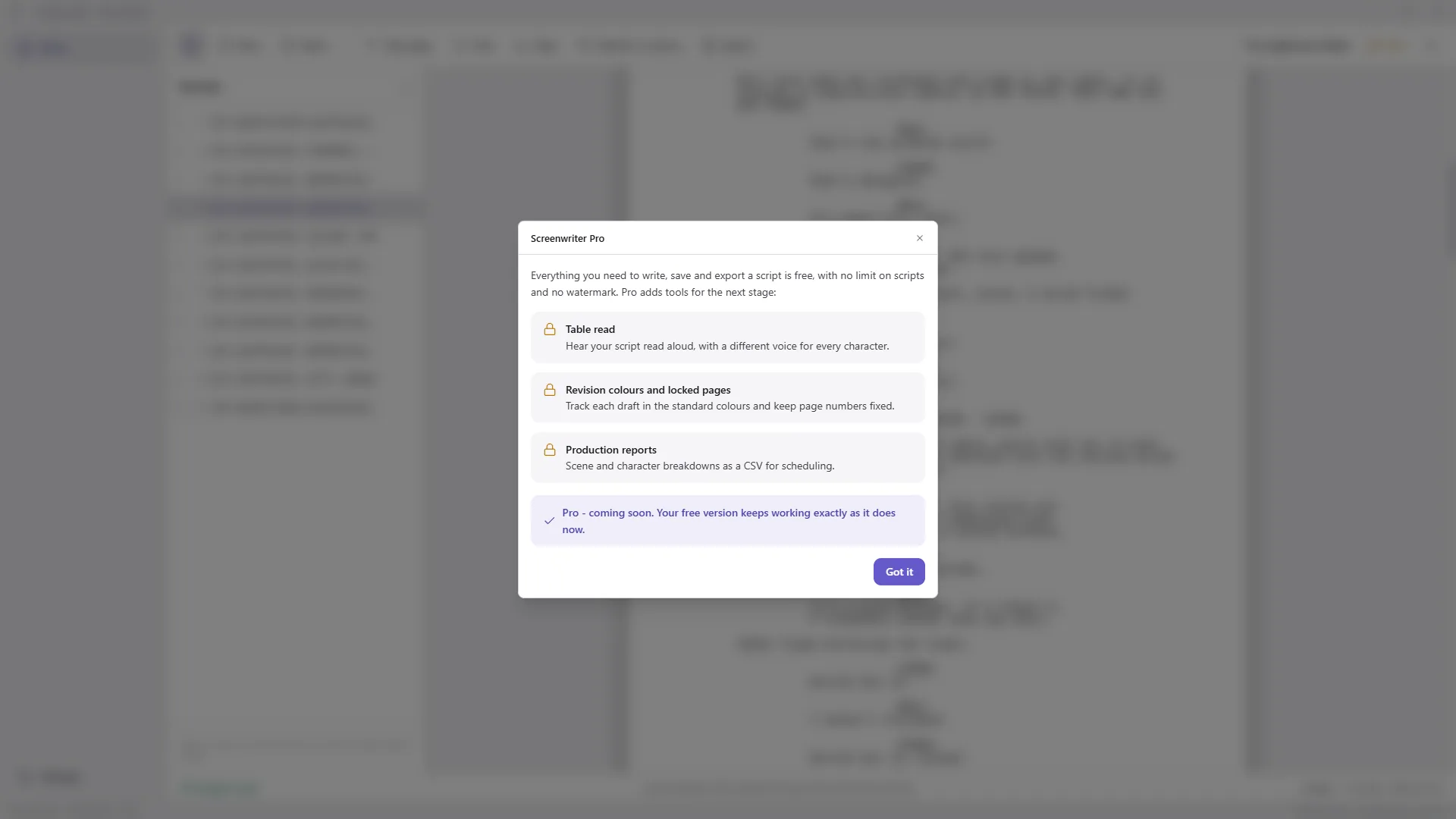
Pro, planned
Table read, revision colours and production reports are planned for Pro (coming soon). Everything else is free, with no limit on scripts
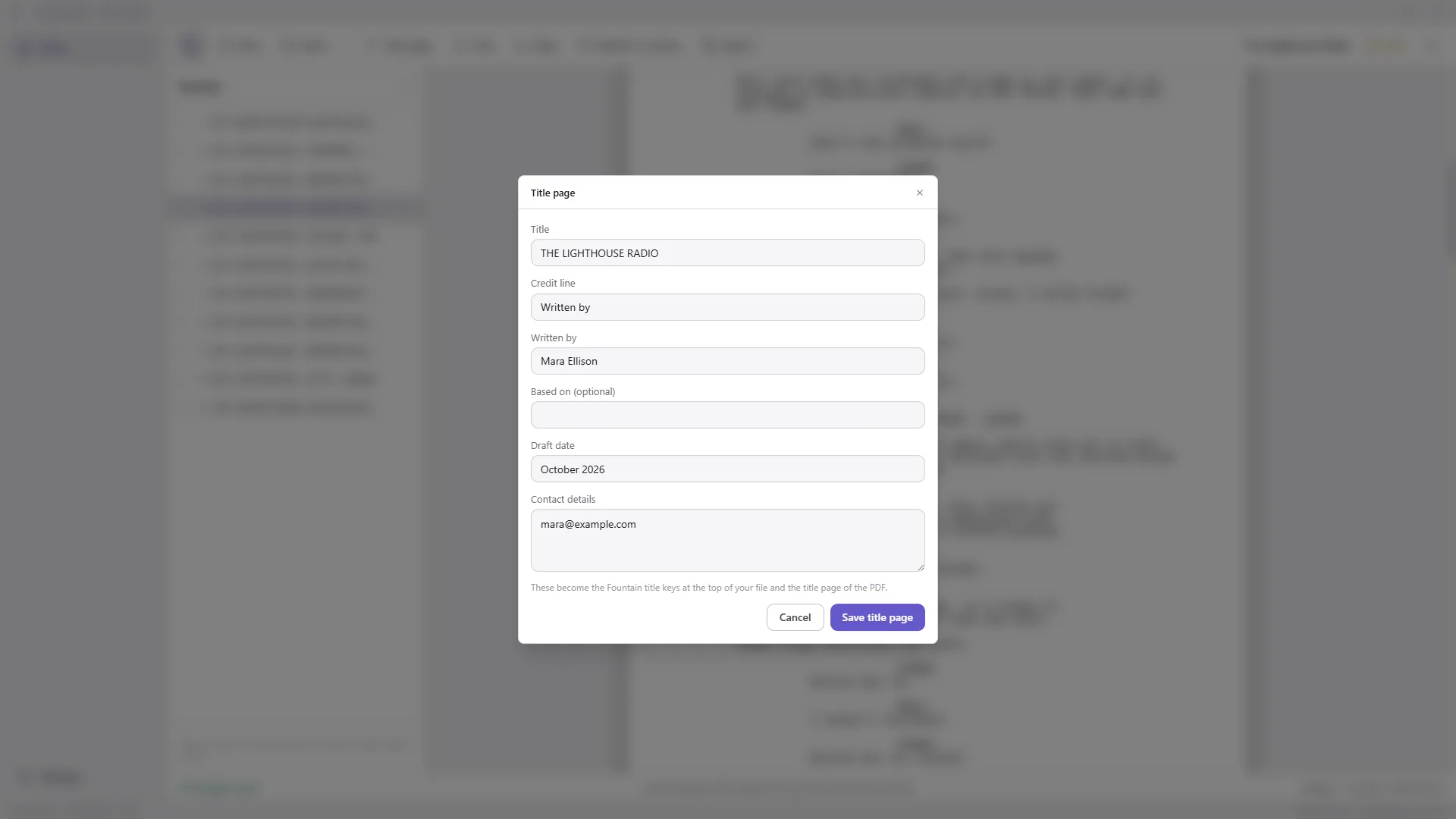
Title page
Fill in the title page once. It becomes the title keys in your .fountain file and the first page of the PDF
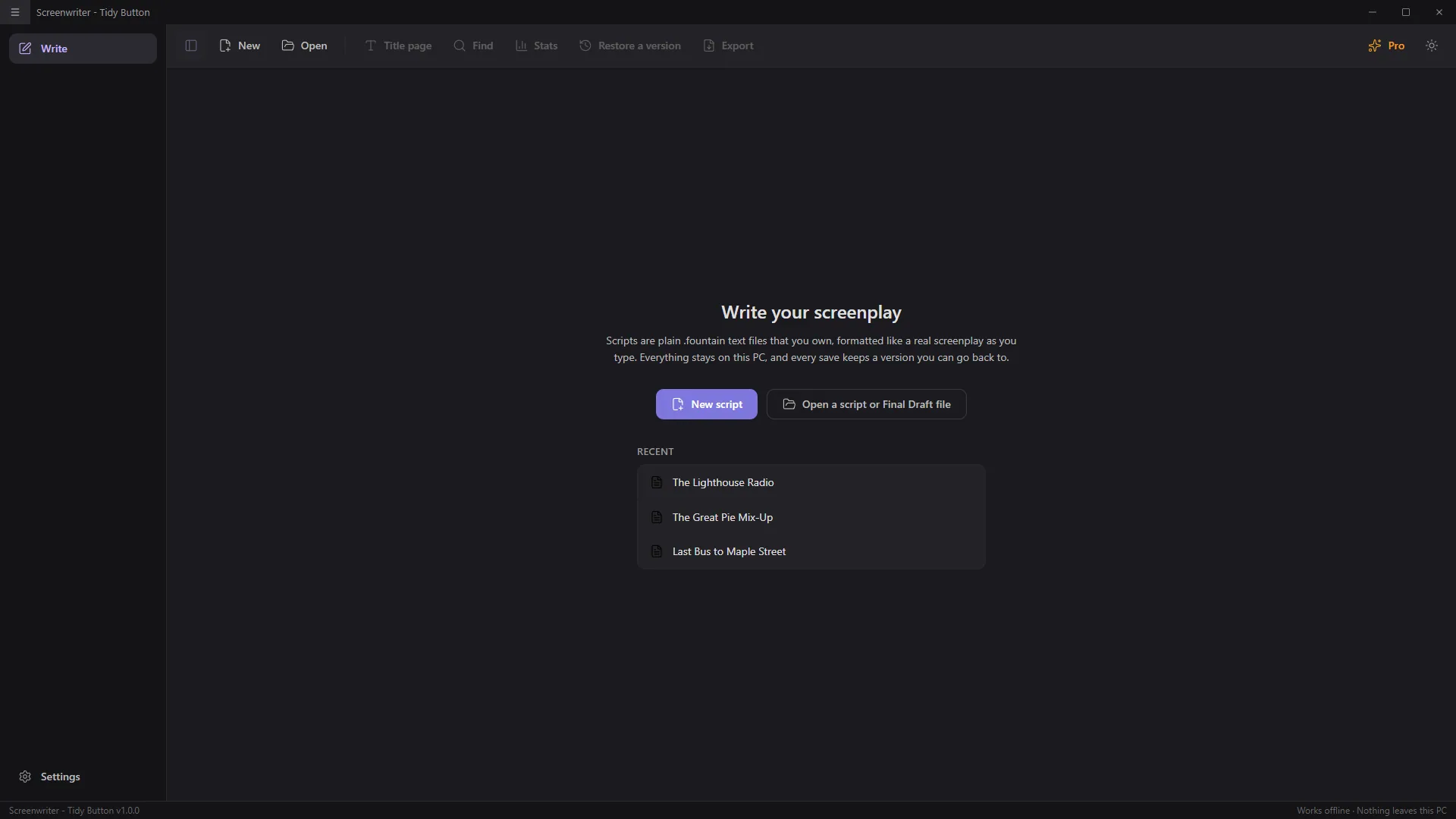
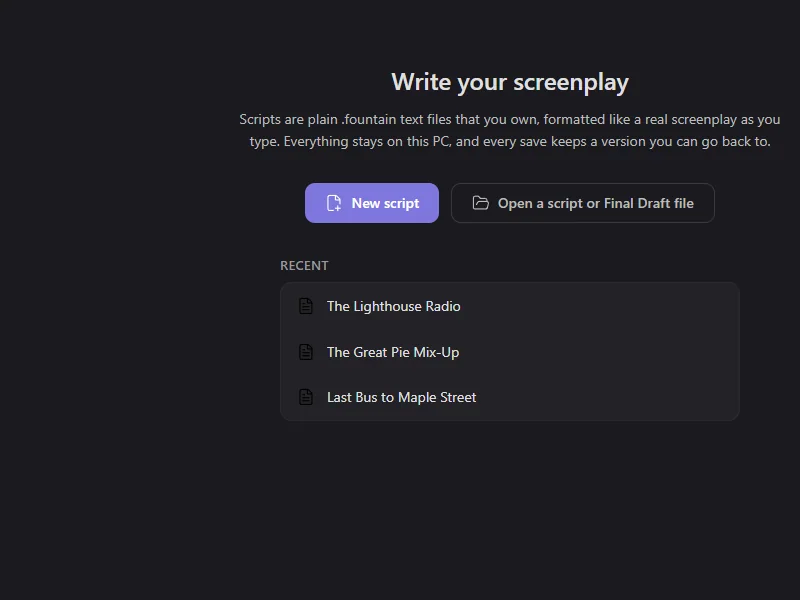
Start
Start a new script or open one. Recent scripts are one click away, and everything stays on your PC
Screens show sample scripts, not real ones. The app has light and dark themes.
How it works
Three steps. No manual.
01
Start a script
Press New script and choose a file name, or open a .fountain file.
02
Write and move scenes
Type INT. or EXT. for a scene heading. Click a scene in the list to jump, or drag to reorder.
03
Export
Save a PDF with a title page and page numbers, or a Final Draft file.
What it does
What it does.
Your script is a plain .fountain text file that you own, shown as a properly formatted page while you write. Type INT. or EXT. and the line becomes a scene heading. Type a name in capitals and press Enter, and it becomes a character cue. Everything stays on your PC. There is no account, no cloud and no limit on how many scripts you can have.
Formatted as you type
Scene headings, action, character cues and dialogue sit at the standard indents. Press Tab to change the type of a line.
Names and places suggested
Characters and locations you have already used are suggested as you type.
Scene list
See every scene with its number and heading. Click to jump, or drag a scene to move it, and its text moves with it.
Never lose a word
Your script is saved a few seconds after you stop typing, written safely so a crash leaves the old or the new complete file.
Latest 50 versions
Timestamped versions are kept in a backup folder. Restore shows a preview first, and keeps the text you are leaving as a version too.
Print-ready PDF
US Letter, 12 pt Courier, a title page, page numbers, and (MORE) and (CONT'D) where a speech runs across a page. No watermark.
Final Draft files
Import and export .fdx files with the element types kept.
Statistics and rename
Page count, estimated screen time, scenes and words spoken by each character. Find and replace, and rename a character everywhere in one step.
The small print, in plain English
Safe by design.
Restore a version shows a preview first, and keeps the text you are leaving.
Renaming a character shows how many places will change before you confirm.
Your script is a plain text file on your PC. Nothing is uploaded and the app makes no network requests.
Saving is safe: a crash or a power cut leaves either the old or the new complete file, never half of one.
Versions are kept in a backup folder you can see, and restoring one keeps the text you leave.
The PDF has no watermark, ever.
Works offline. No account. No ads. No tracking.
What it writes
Fountain in, PDF out.
Plain text for you, a proper page for everyone else.
PDF and Final Draft export.
Fountain files
Plain text
Open and save .fountain files, which any text editor can read.
Final Draft
.fdx in and out
Import and export .fdx files with the element types kept.
PDF page
Print-ready
US Letter, 12 pt Courier, standard margins and page numbers at the top right.
Title page
Fill in once
Built from the title keys in your script.
Versions
Fifty of them
The latest 50 versions are kept in a backup folder next to the script, or one you choose.
Scripts
No limit
No limit on how many scripts you can have.
The PDF uses the standard built-in Courier font of the PDF format. The script page in the app always stays white, like paper, in both themes.
Good for
Handy when the story comes first.
A short film, a feature or a stage script
Keeping your scripts as plain files in your own folders
Sending a clean PDF with a title page
Moving a script to or from Final Draft
Questions
Plain answers.
Is anything uploaded?
No. The app makes no network requests and your scripts stay on your PC.
What is a .fountain file?
A plain text file that any text editor can open. Screenwriter shows it as a formatted page while you write.
Can I lose my work?
The script is saved a few seconds after you stop typing, in a way that never leaves half a file. The latest 50 versions are also kept in a backup folder.
Is the PDF watermarked?
No. The PDF has no watermark, ever.
Does it read Final Draft files?
Yes. You can import and export .fdx files with the element types kept.
Is there a limit on scripts?
No. The free version has no limit on how many scripts you have. A Pro add-on is planned (coming soon) with table read, revision colours and locked pages, and production reports as CSV.