Coming to the Microsoft Store
Screenshot Annotator Show it. Mark it. Share it.
Capture a region, a window or the whole screen, then add arrows, boxes, highlights, text, numbered steps and blur in the same window. Copy it or save it as a PNG or JPEG. It works offline with no account.
Not on sale yet. The app is still being built.
We will link the Store listing here the day it is live. Until then there is nothing to download.
- Works offline
- No account, no ads, no tracking
- Blur, arrows, text and steps
- Free
See it
Four views. One picture, marked up.
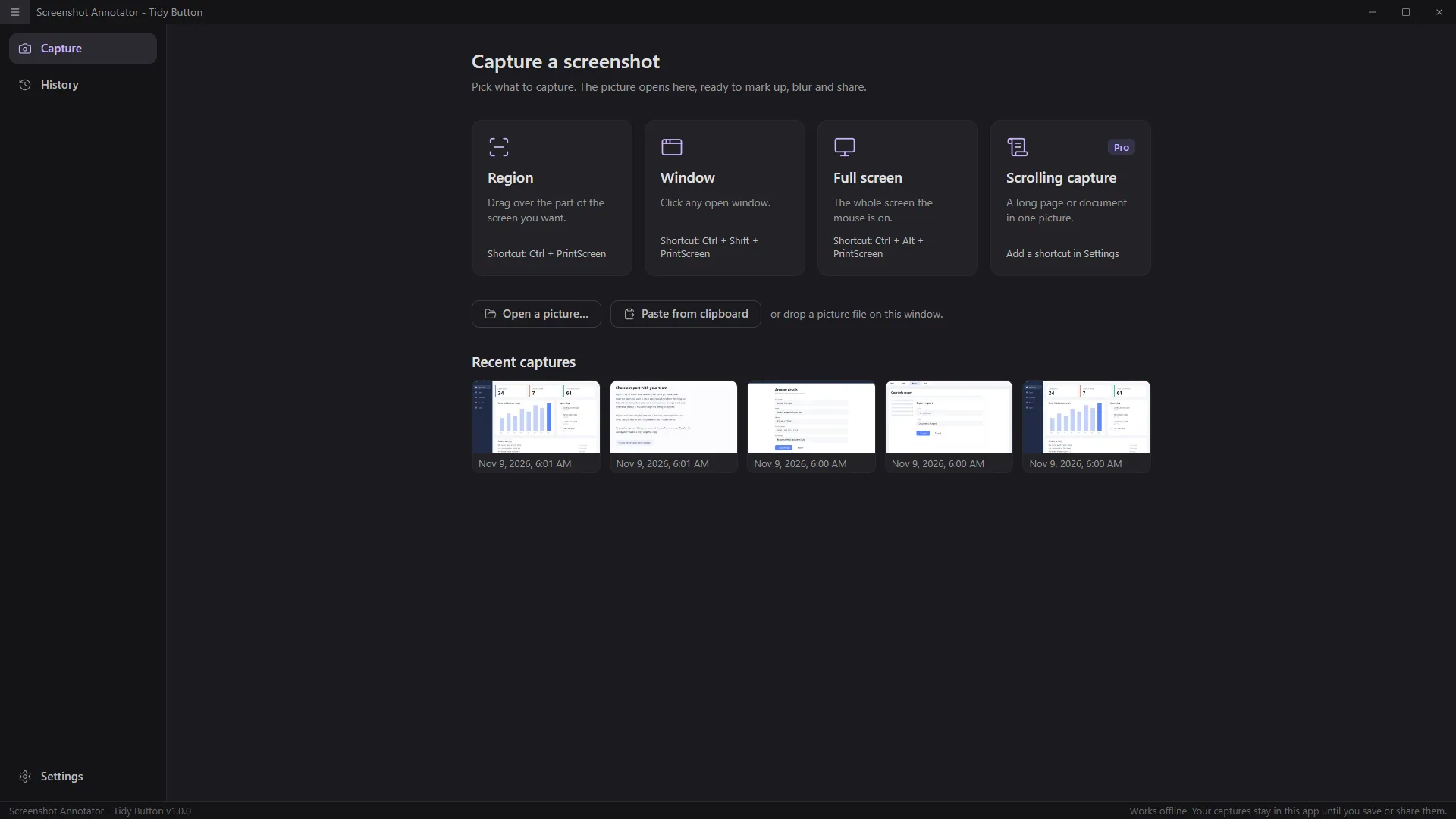
Capture
Pick Region, Window or Full screen, or open a picture file
Mark up
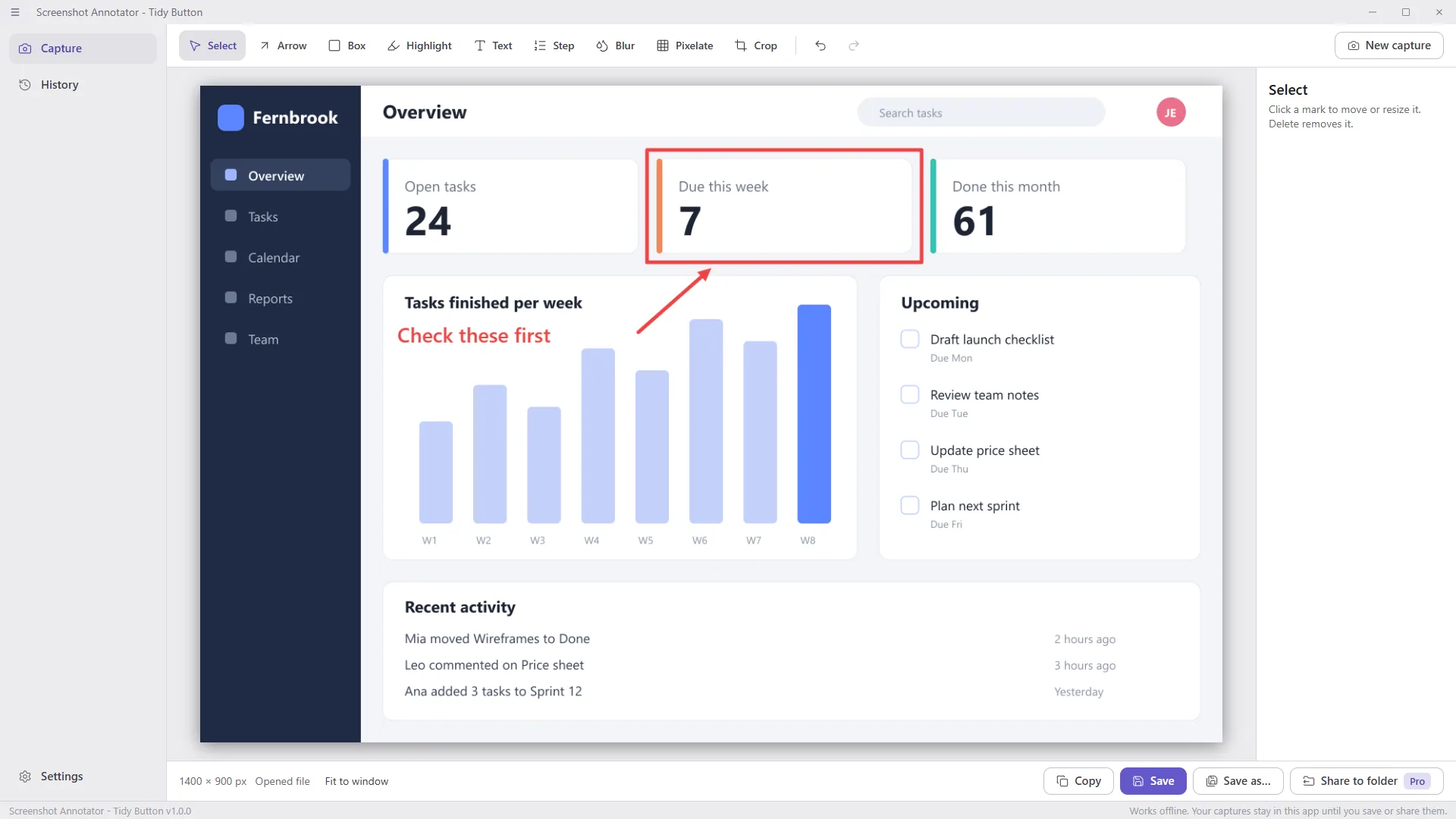
Add a box, an arrow and text to make your point
Steps
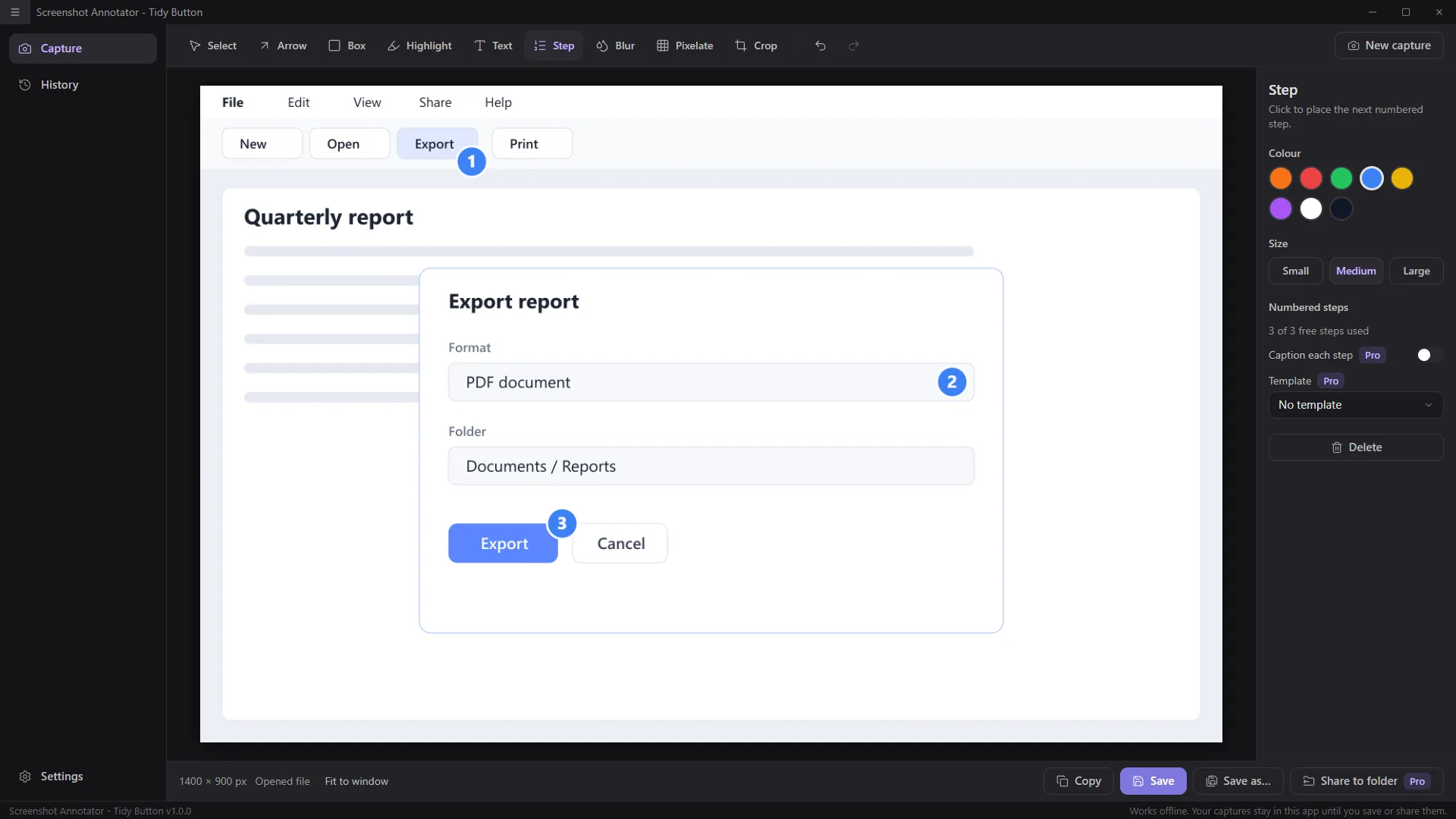
Number the steps of a how-to guide
Blur
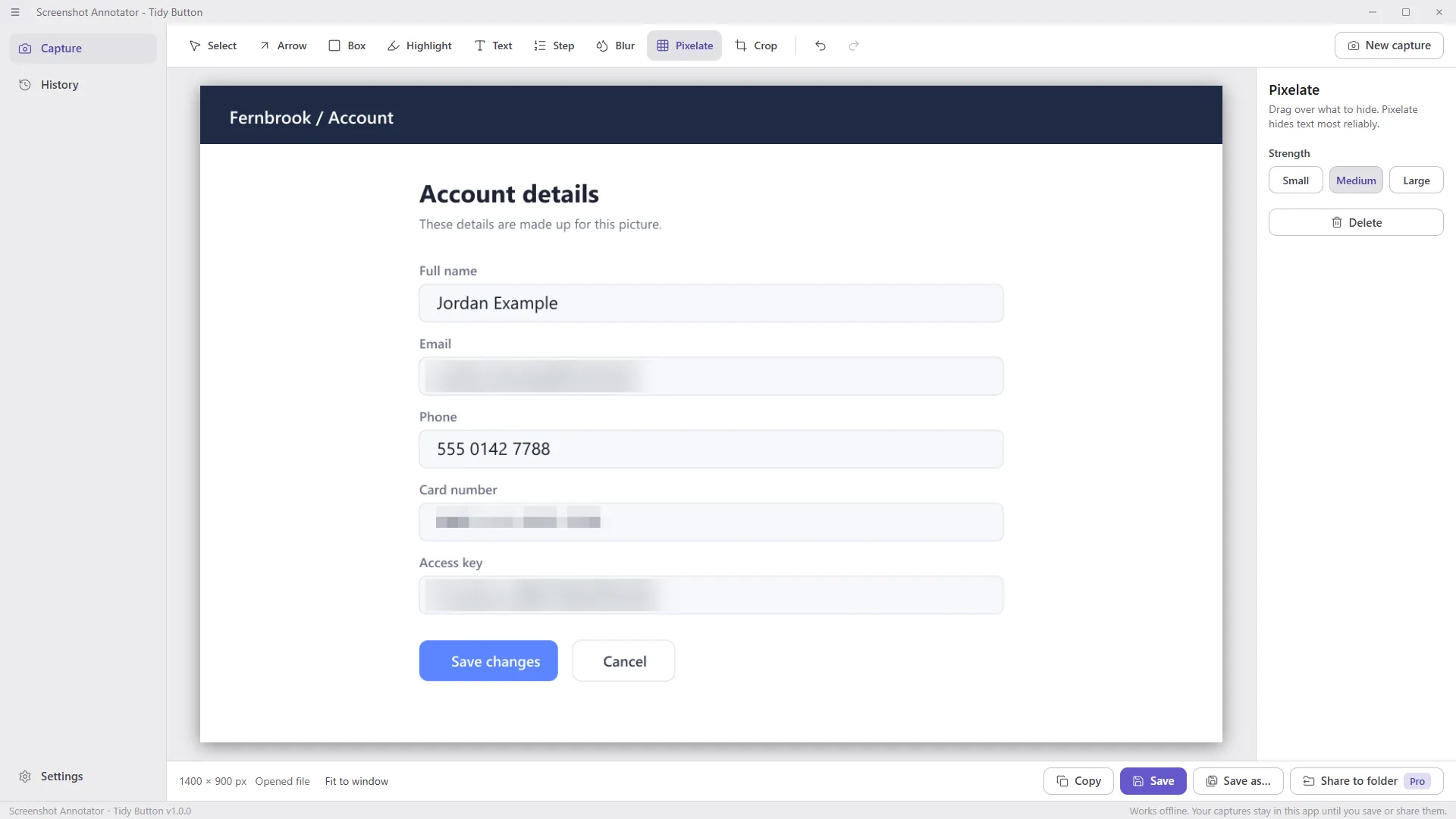
Hide private details with Blur or Pixelate
Screens show made-up pictures of a fictional app, drawn for this page. The app has light, dark and other themes.
What it does
What it does.
Screenshot Annotator captures part of your screen and opens it in an editor right away. Mark it with arrows, boxes, highlights and text, number the steps of a guide, blur out private details and crop to what matters. Copy the finished picture to paste into a message, or save it as a PNG or JPEG. Nothing is uploaded: your pictures stay on your PC unless you send them yourself.
Three ways to capture
Drag over a region, click a window, or take the whole screen the mouse is on. Each one has its own shortcut.
Open any picture
Open a picture file, paste one from the clipboard, or drop a file on the window to mark it up.
Arrows, boxes, highlights and text
Choose from eight colors and three sizes, then move or resize any mark. Undo and redo as often as you like.
Numbered steps
Click to place the next number for a how-to guide or a bug report. The free version numbers up to 3 steps per picture.
Blur and pixelate
Hide a name, an email address or a key. The hidden part is part of the saved picture, so it cannot be undone by the person you send it to.
Crop
Drag over the part to keep. Reset crop brings the whole picture back.
Copy and save
Copy to the clipboard, or save as a PNG for sharp pictures or a JPEG for smaller files, into a folder you choose.
History
Your last 5 captures stay with their marks, so you can reopen one and keep editing.
The small print, in plain English
Safe by design.
- Your pictures stay on your PC. The app does not upload them.
- The app photographs the screen only when you press a capture button or a capture shortcut.
- The free app works offline. The only network use is the optional Pro licence check.
- Nothing you already made is taken away if you go over a free limit.
- No account. No ads. No tracking.
Good for
Handy when a picture needs to explain.
- How-to guides and support replies
- Hiding private details before you share
- Bug reports with numbered steps
Questions
Plain answers.
Does it upload my screenshots?
No. Your pictures stay on your PC. The app only saves or copies a picture when you press Save or Copy.
Does it need an internet connection?
No. Everything in the free app works offline. The only network use is the optional Pro licence check.
Is blur safe for hiding private details?
Blur and Pixelate are baked into the saved picture, so the hidden part cannot be undone from the file you share. Pixelate hides text most reliably, so use it for card numbers and keys.
What can I do for free?
Capture a region, a window or the full screen, use every drawing tool plus blur, pixelate and crop, place up to 3 numbered steps per picture, copy, save as PNG or JPEG, use the three standard shortcuts and keep your last 5 captures.
What does Pro add?
A one-time Pro add-on adds unlimited numbered steps with a caption on each, scrolling capture for long pages, a history of up to 500 captures, Share to folder, and your own shortcuts and presets.
Which shortcuts does it use?
Ctrl+PrintScreen captures a region, Ctrl+Shift+PrintScreen a window and Ctrl+Alt+PrintScreen the whole screen. If another program already uses one, the app tells you.
Which versions of Windows does it run on?
Windows 10 and Windows 11.