Coming to the Microsoft Store
Scan to PDF Paper in, one tidy PDF out.
Turn photos and scans of paper into one PDF. Pages are cropped, straightened and cleaned for you, and can be made searchable. The text is read on your PC. Works offline, with no account.
Not on sale yet. The app is still being built.
We will link the Store listing here the day it is live. Until then there is nothing to download.
- Works offline
- No account, no ads, no tracking
- Nothing is uploaded
- Free
See it
Six views. From photo to PDF.
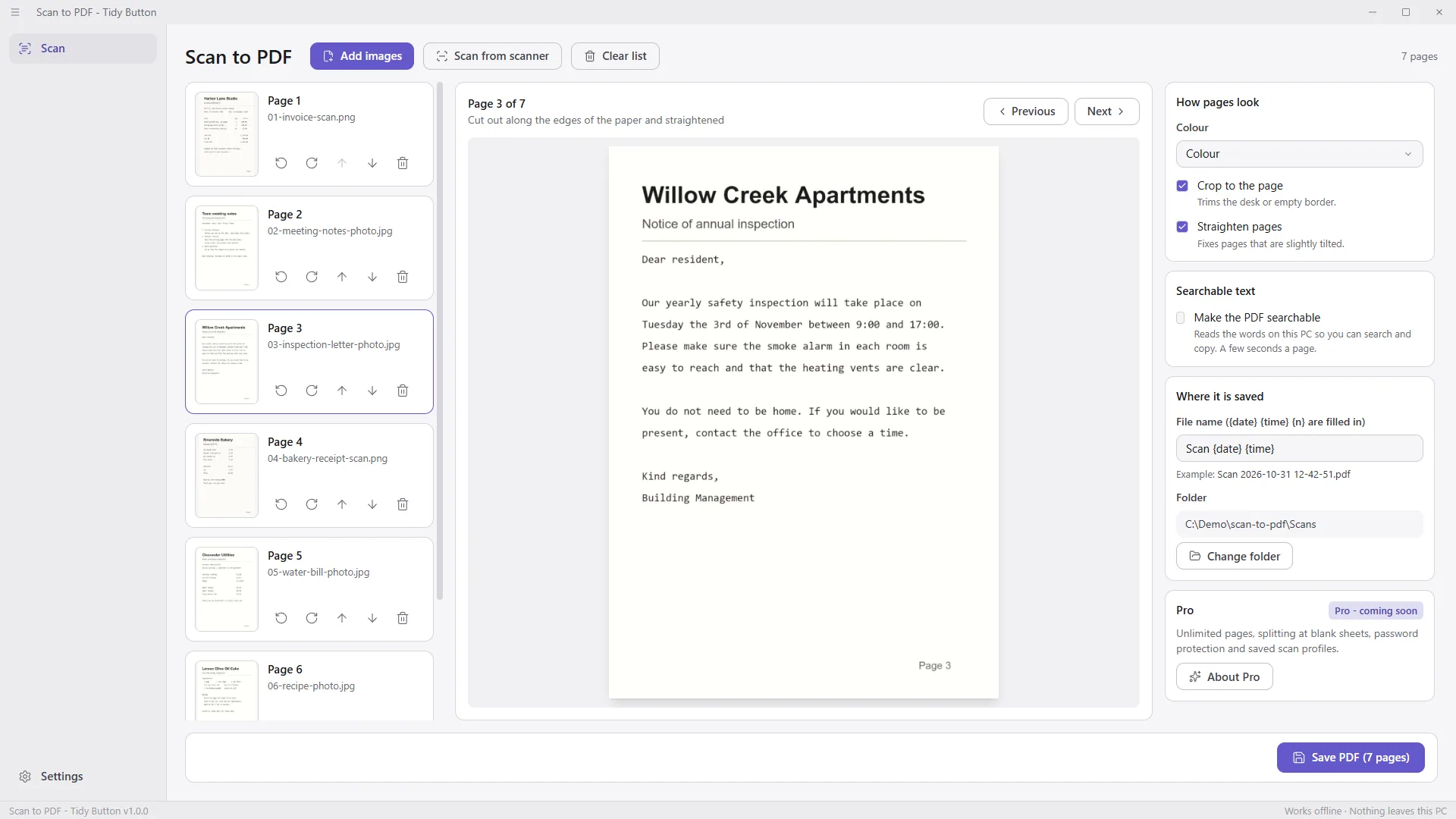
Straightened
A photo of a page on a desk is cut out and straightened. The list, the preview and the options sit on one screen
Turn and order
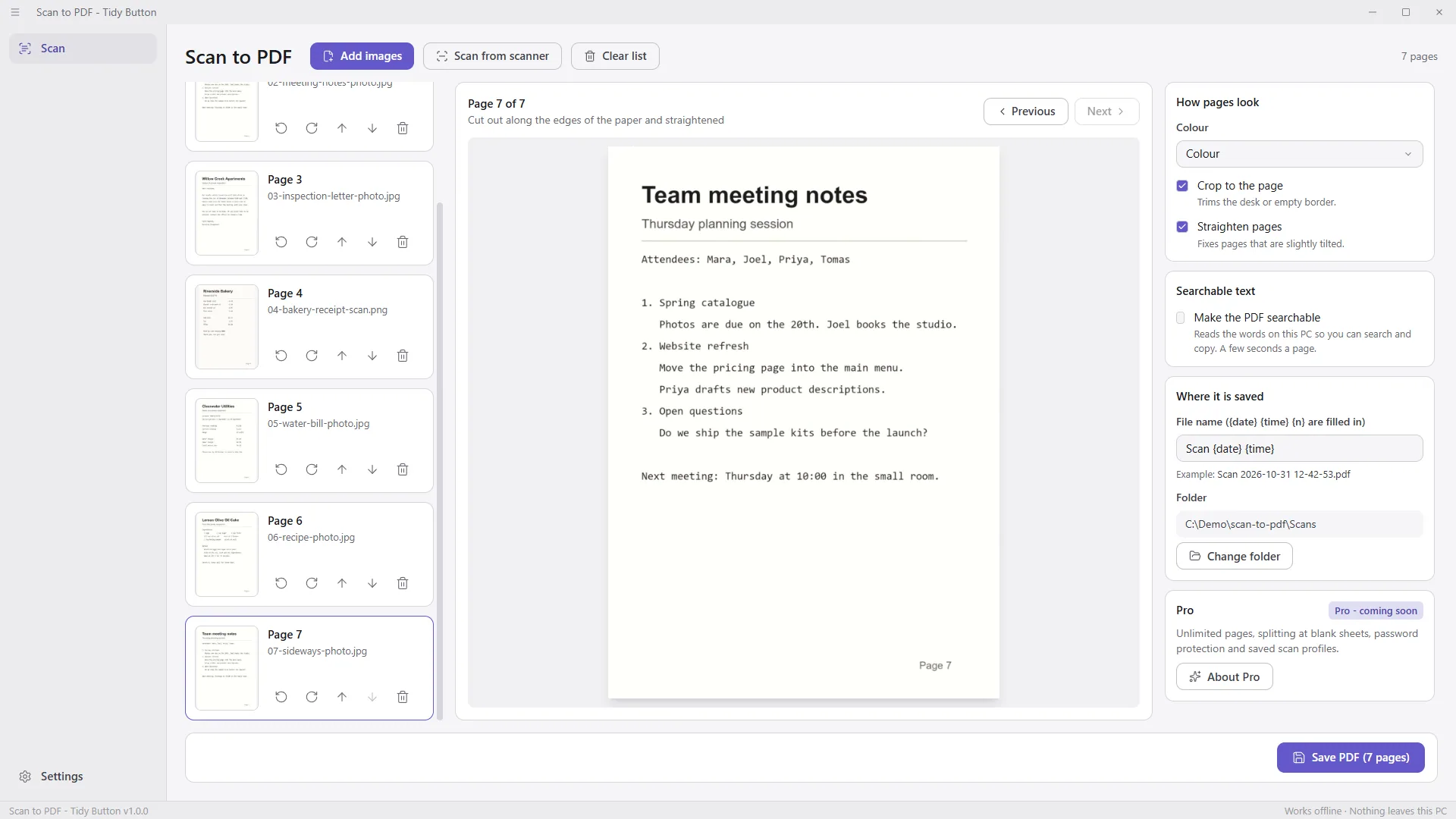
A sideways page is turned upright with one click, and any page can be moved or removed
Options
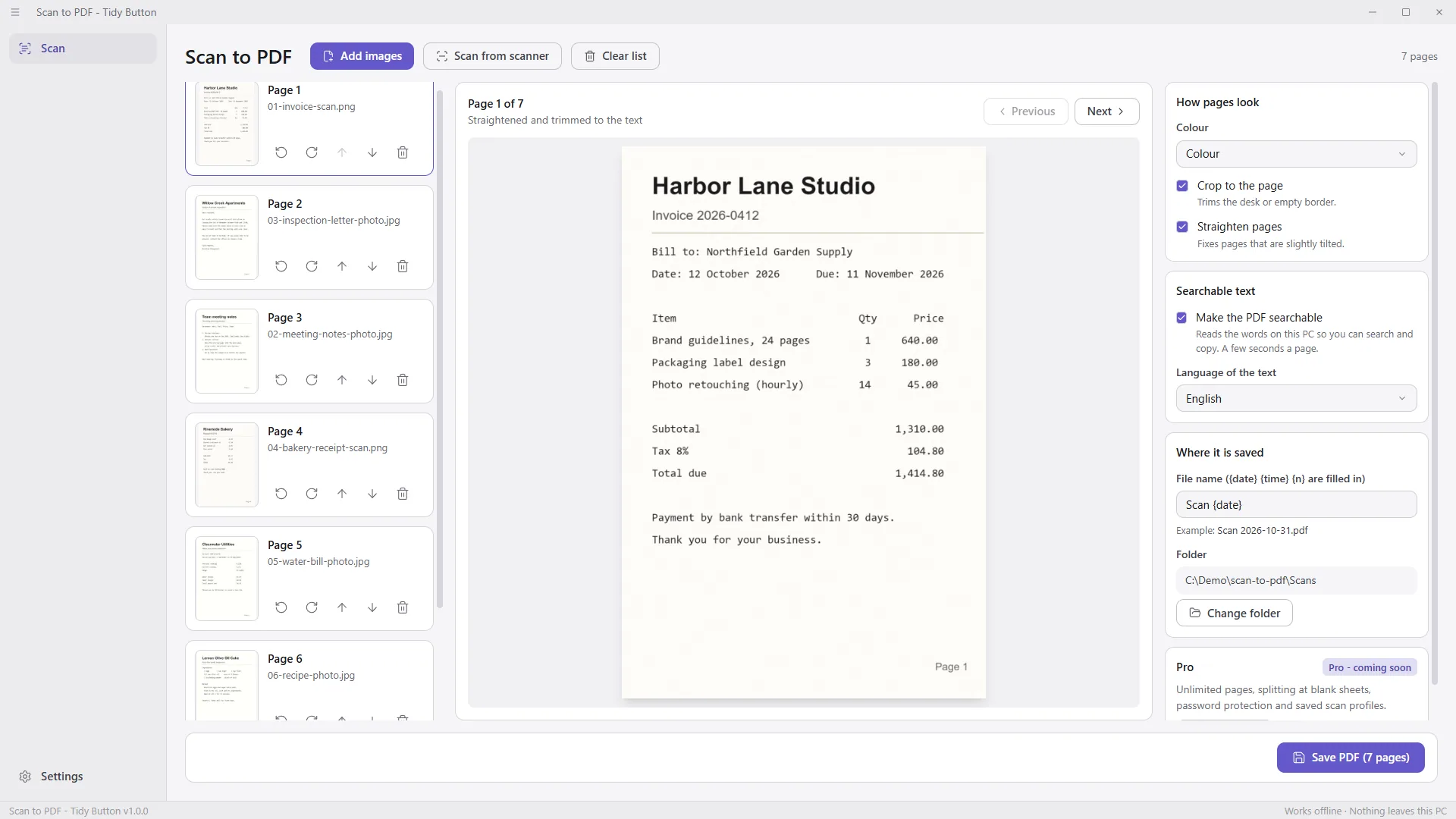
Choose colour, crop, straighten, searchable text, the folder and a file name rule such as Scan {date}
Saved
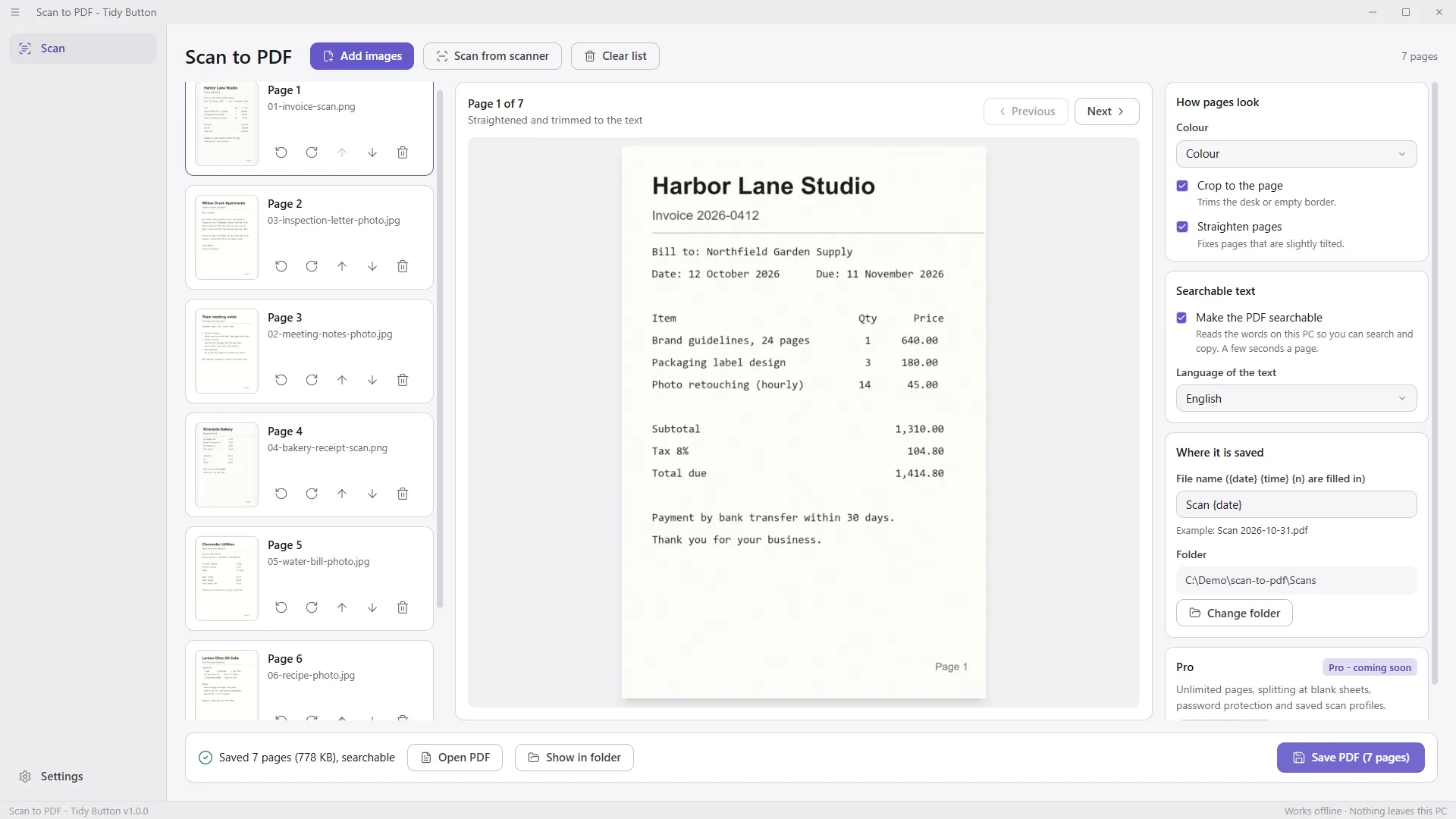
The finished PDF is saved in your folder. Open it, or show it in the folder
Black and white
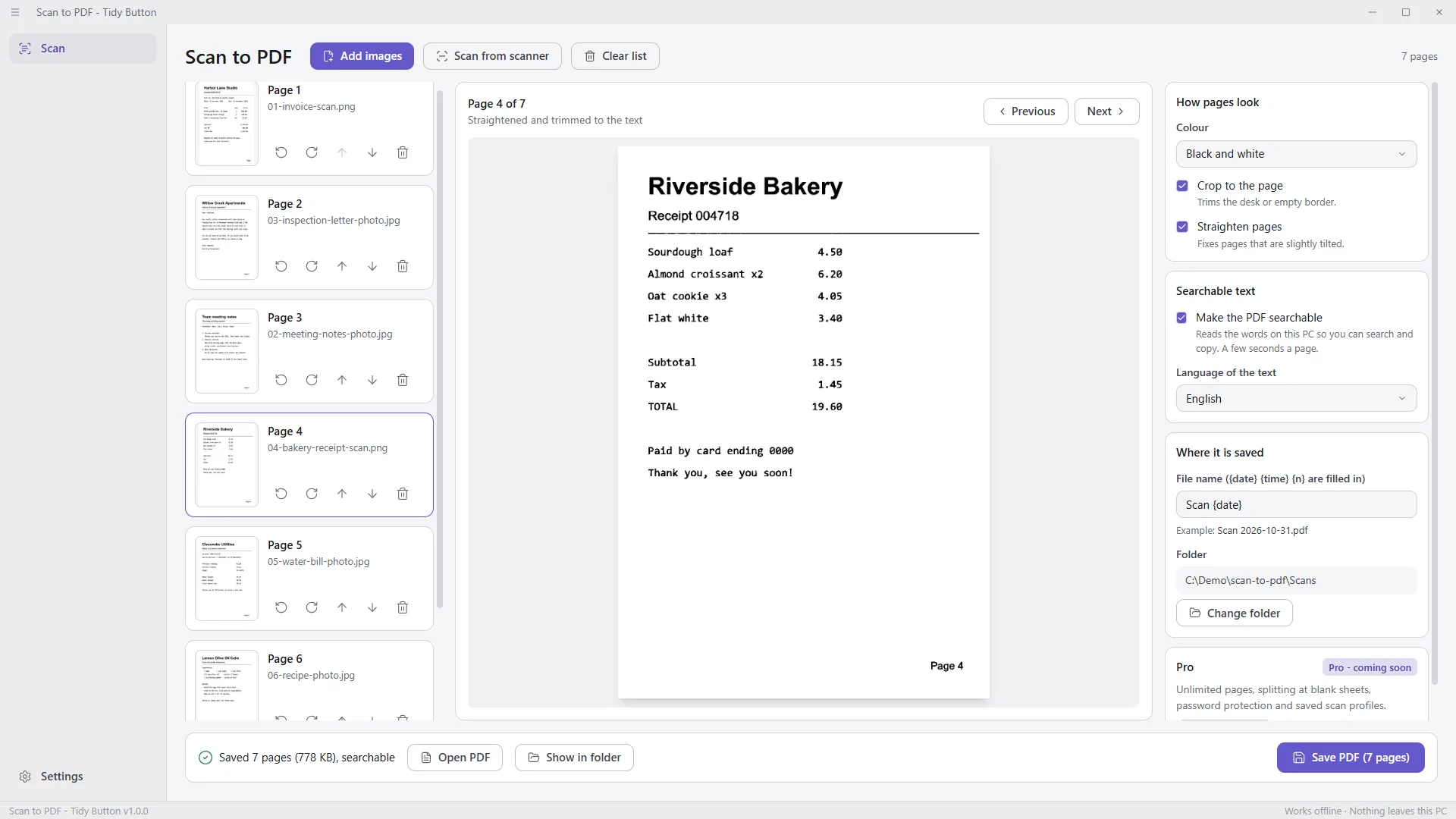
Black and white removes shadows and makes small, sharp pages for text documents
Scanner
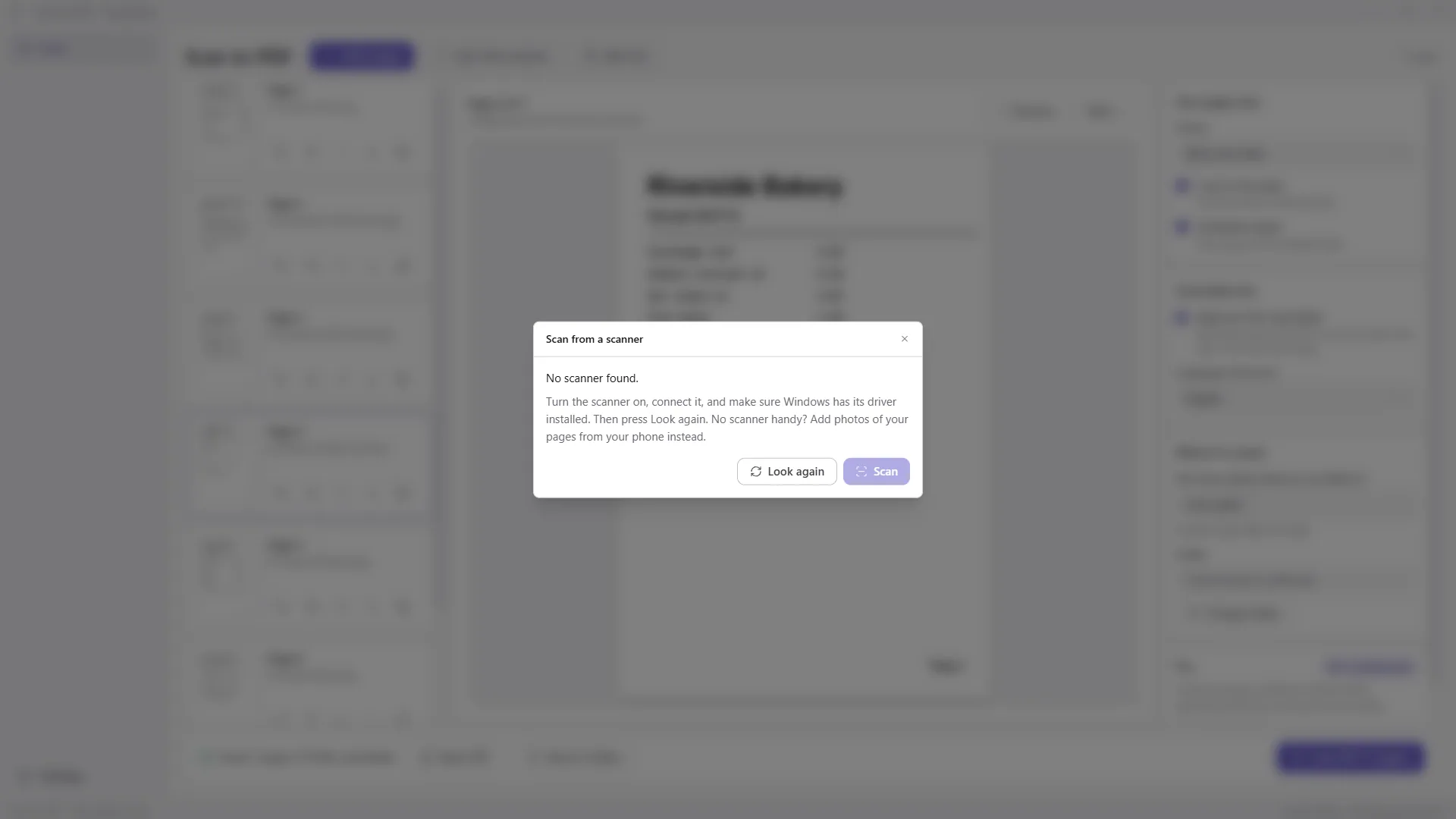
With no scanner connected the app says so and suggests adding photos instead
Screens show invented sample pages. The app has light and dark themes.
What it does
What it does.
Add photos of your pages from your phone, image files from a scanner, or scan straight from a scanner that Windows already knows. The app cuts each page out of the picture, straightens it, cleans up the colour and puts the pages in one PDF. Everything happens on your PC. The pictures, the text reading and the PDF are never uploaded.
Photos and files into one PDF
Add PNG, JPG, BMP, WebP and GIF files by button or by dropping them on the window. Pages stay in the order you choose.
Crop and straighten
Each page is cut out of the picture and straightened, so a photo of a sheet on a desk looks like a scan.
Colour, grey or black and white
Black and white removes shadows and makes small files.
Searchable PDF
The words on each page are read on this PC and added as invisible text, so you can search and copy. Covers English, Spanish, French, German, Italian and Portuguese.
Scan from a scanner
Works with a scanner that Windows can use, flatbed glass or a document feeder. With no scanner, adding photos works the same way.
Turn, reorder and remove
Turn a sideways page, move pages with the buttons or by dragging, and remove the ones you do not want.
Your folder, your file name
Pick the folder and a naming rule such as Scan {date} {time}. A file is never replaced: a number is added instead.
Works offline
No account, no ads, no tracking, and nothing is uploaded.
The small print, in plain English
Safe by design.
- Pictures, text reading and the PDF all stay on your PC. The app makes no network requests.
- Your original image files are never changed or deleted.
- PDFs are saved only in the folder you chose, and an existing file is never replaced.
- No account, no ads, no tracking.
Good for
Handy when paper piles up.
- Forms and letters photographed with a phone
- Receipts and contracts you want as one file
- Anyone with a scanner who wants a tidy PDF
Questions
Plain answers.
Are my pages uploaded?
No. The pictures, the text reading and the PDF all stay on your PC, and the app makes no network requests.
Do I need a scanner?
No. Photos from your phone and image files work the same way. To scan directly you need a scanner with a Windows (WIA) driver.
What does searchable mean?
The app reads the words on each page on this PC and adds them to the PDF as invisible text, so you can search and copy from it. It covers English, Spanish, French, German, Italian and Portuguese.
Will it replace a file with the same name?
No. A number is added to the name instead.
Does it change my original pictures?
No. Your original image files are never changed or deleted.
Is there a limit in the free version?
The free version saves up to 10 pages in one PDF. If you add more, the first 10 are saved and the rest stay in the list for the next PDF. A Pro add-on is planned (coming soon).
Which versions of Windows does it run on?
Windows 10 and Windows 11.