How to read RSS feeds on Windows without an account
This guide shows how to follow blogs and news sites in a feed reader that needs no account, and how to read, star and manage what you follow.
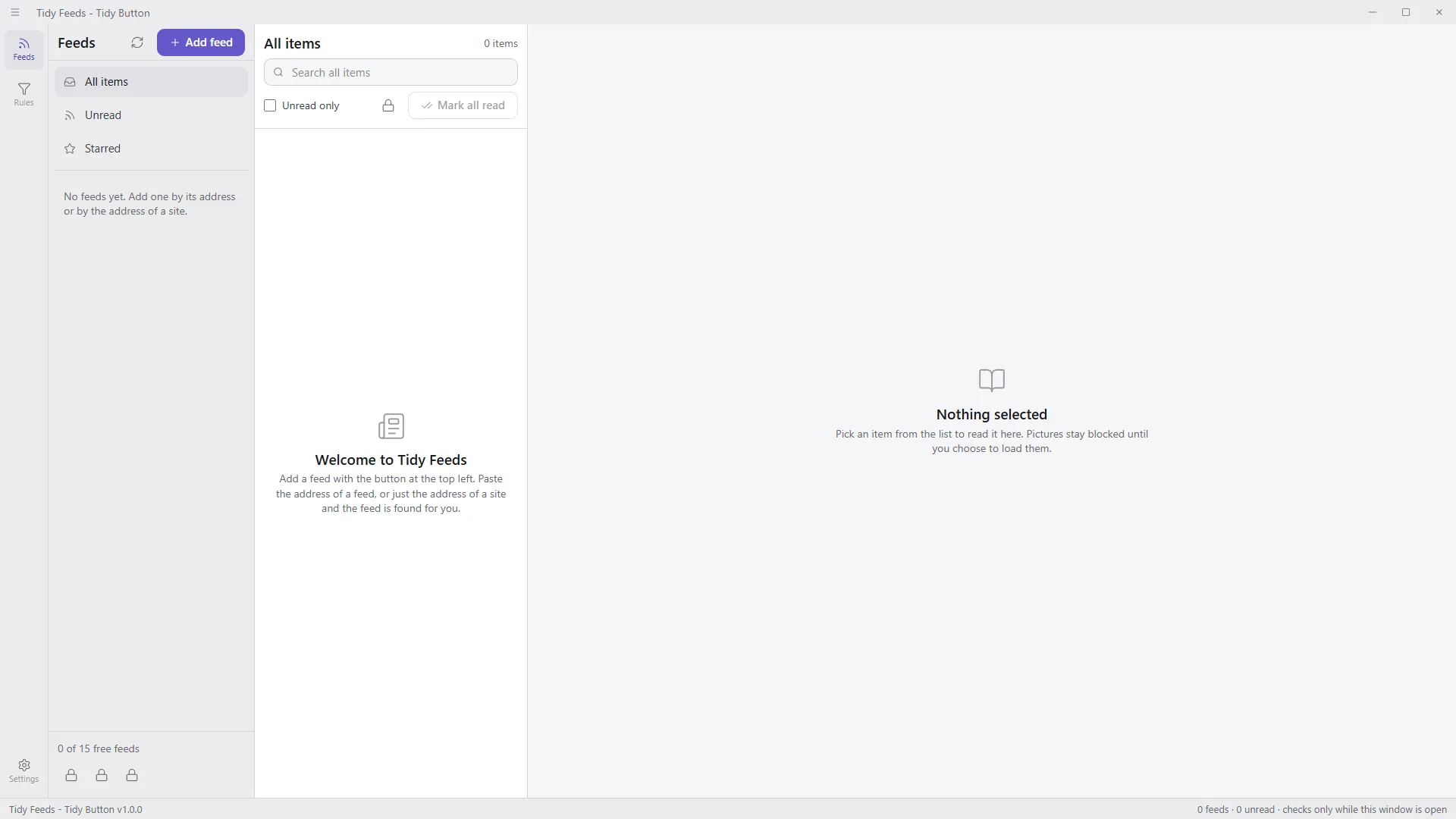
This app is not on the Microsoft Store yet. This guide is ready for the day it arrives.
Add a feed
You can paste the address of a feed, or only the address of a site. The app looks for the feed on the page.
- Open Feeds in the left menu.
- Press Add feed at the top of the left column.
- Paste the address into Address of a feed or of a site, for example example.com.
- Press Add feed in the window.
- Wait for the message that says the feed was added. Its items then appear in the middle column.
RSS, Atom and JSON Feed all work.
Read items and keep the ones you like
- In the left column, click All items, Unread, Starred or one of your feeds.
- Click an item in the middle column to read it on the right.
- Press Star this item to keep it. Press Remove star to undo.
- Press Mark as unread if you want to come back to it, or Mark as read to clear it.
- Press Open in browser to read the full page on the site.
Tick Unread only above the list to hide items you have read.
Search and mark everything read
- Type a word in the Search items box above the list. It looks in titles, authors and text.
- Press Mark all read to clear the unread items in the feed or view you have open. A search does not narrow it.
- Press Mark all read again in the question window to confirm.
Show the pictures in an item
Pictures from other sites are blocked until you ask, so a site cannot tell that you opened the item.
- Open an item.
- Look for the banner that says pictures are blocked.
- Press Load pictures to show them.
Choose how often feeds refresh
- Open Settings in the left menu.
- Find Reading and refresh.
- Under Check for new items, choose a time such as Every hour, or choose Only when I press Refresh.
- On the Feeds screen, press Refresh all feeds whenever you want to check at once.
Feeds are checked only while the app window is open.
If something goes wrong
The app could not find a feed at the address I typed. What can I try?
Check the spelling. You can type the address of a site, such as example.com, or the address of the feed itself, such as https://example.com/feed.xml.
A feed has a warning sign beside it. What does it mean?
The last check failed. Point at the feed and press the three dots that appear beside it to open Manage feed. The Problem line shows the reason. Press Check now to try again.
How do I stop following a feed?
Point at the feed, press the three dots that appear beside it, then press Unsubscribe and confirm. The feed, its saved items and its starred items are removed from this PC.
An item opens with no text. Why?
Some feeds send only a title. Press Open in browser to read the item on the site.
Good to know
- The app only checks feeds while its window is open. It does not run in the background.
Still stuck? Support is by email, and a person reads it.