We will link the Store listing here the day it is live. Until then there is nothing to download.
Real app, with made-up sample properties and tenants.
Works offline
No account, no ads, no tracking
Your data stays on your PC
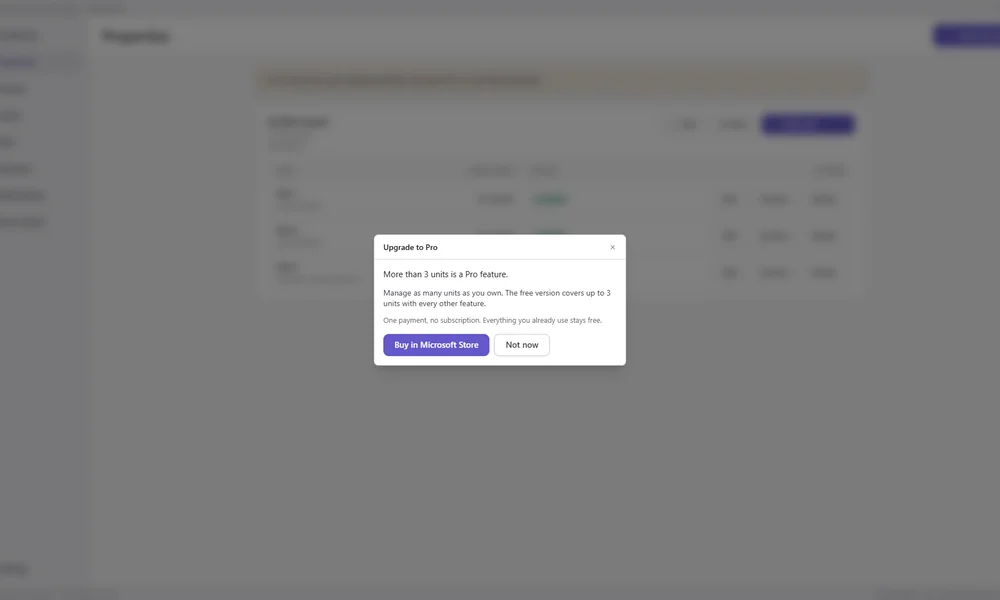
Free for up to 3 units
See it
Eight views. One tidy ledger.
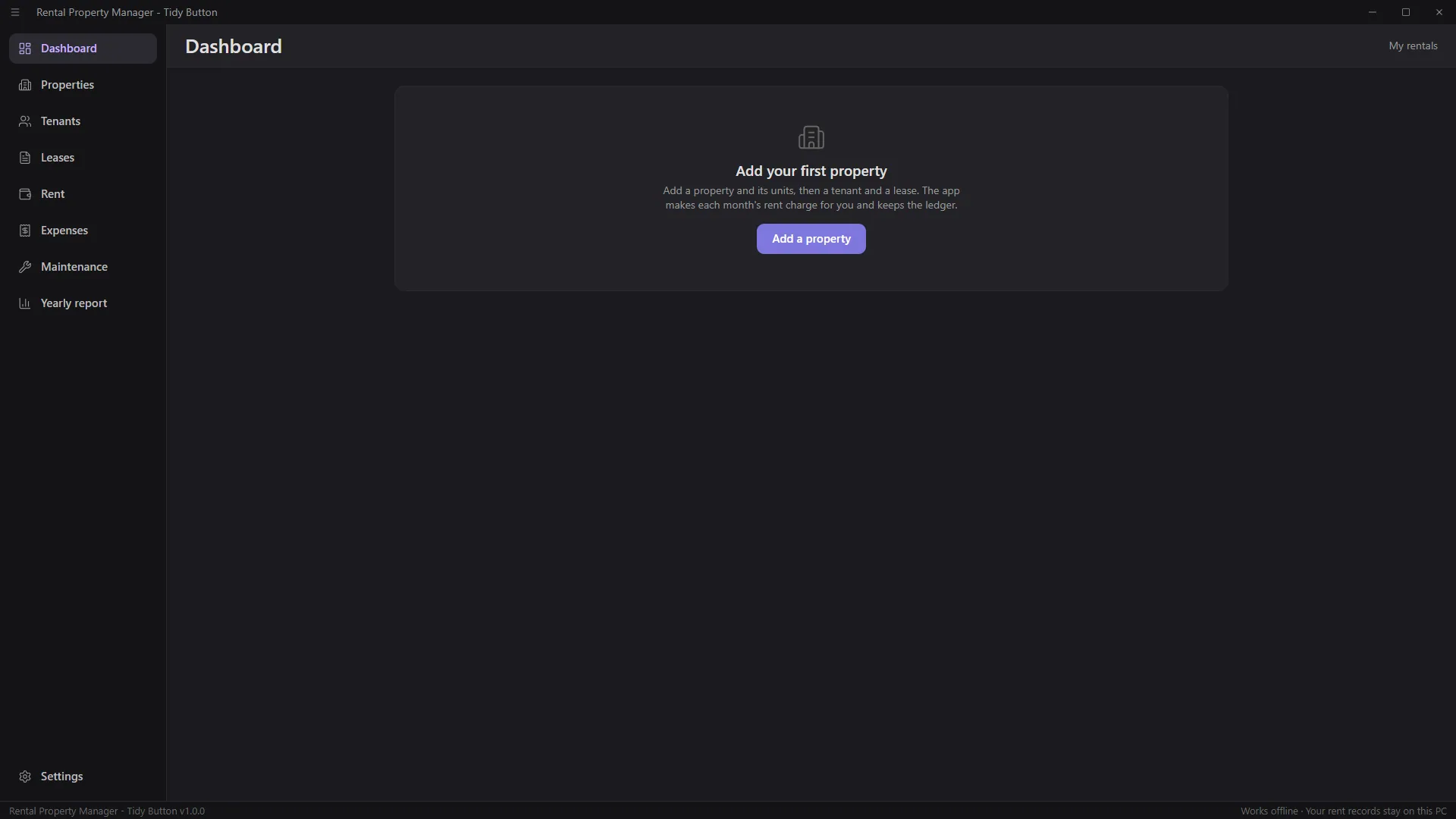
Start
Start with a clean slate: add a property, a tenant and a lease
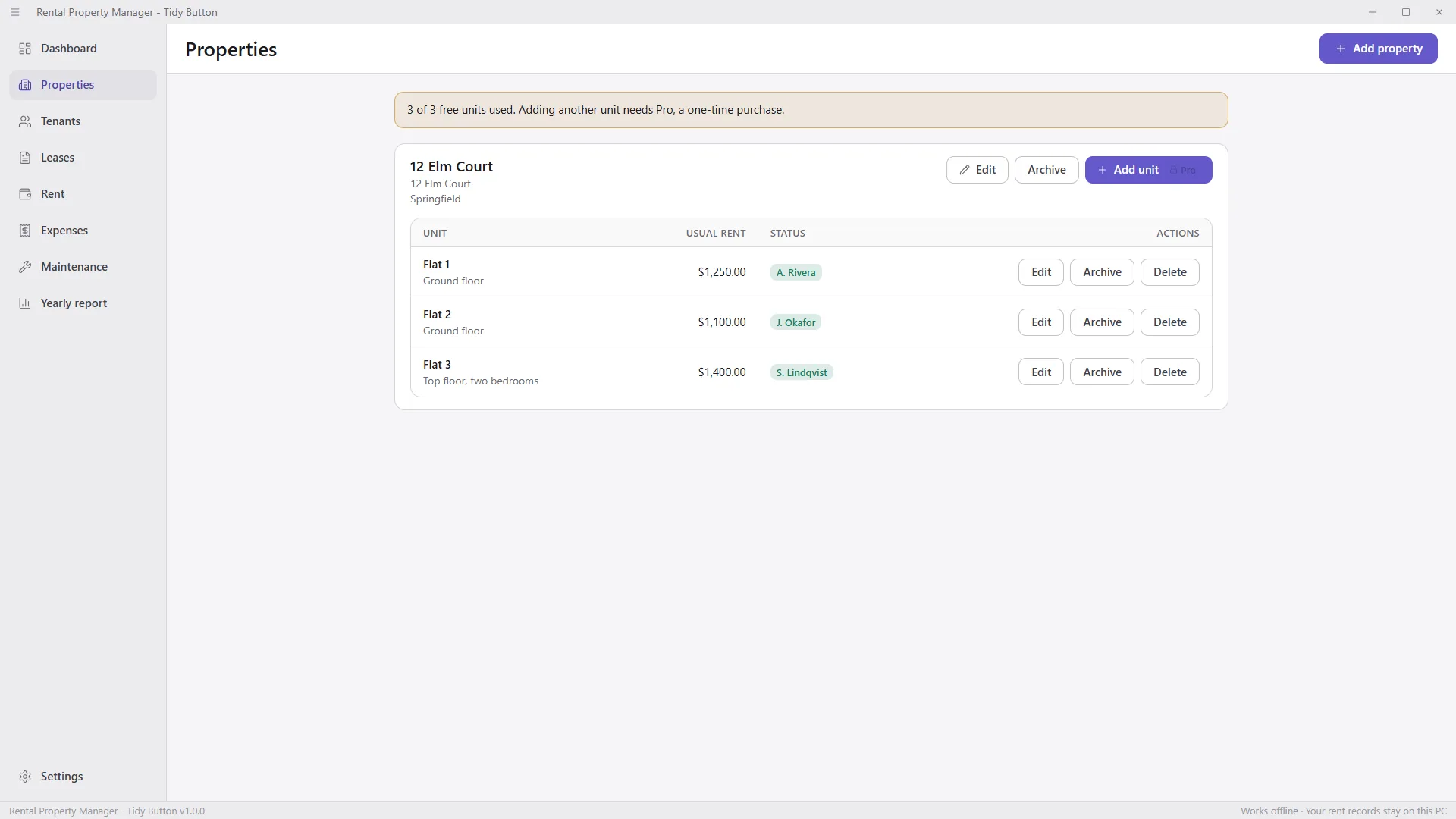
Properties
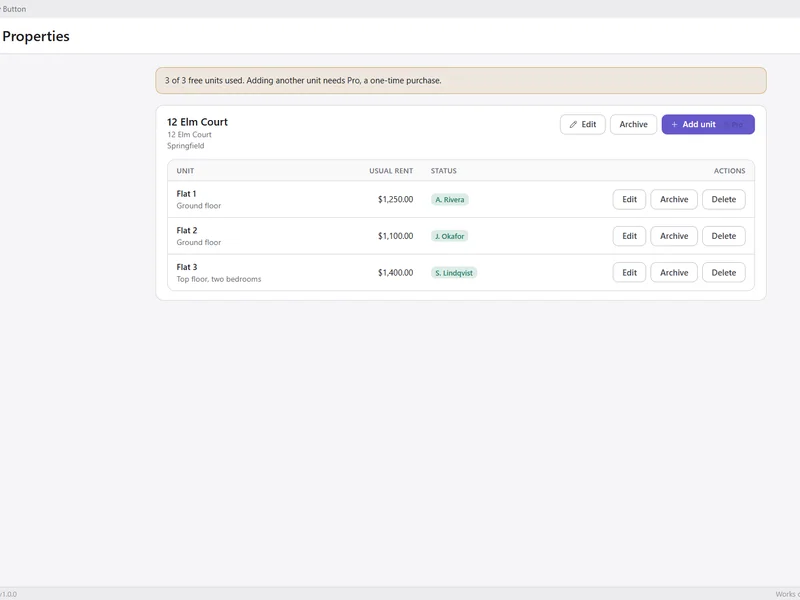
Properties and their units, with who lives in each one
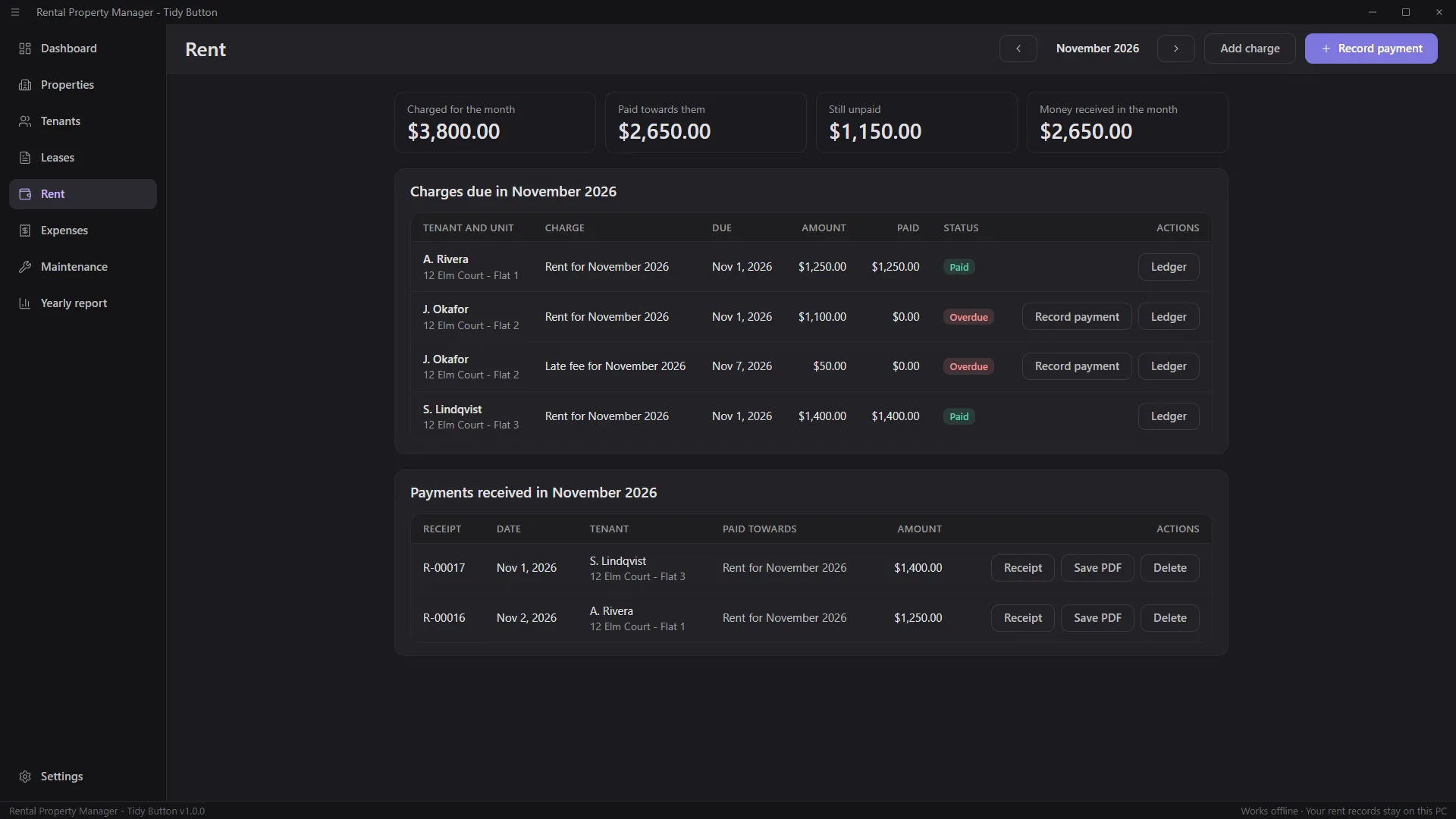
Rent
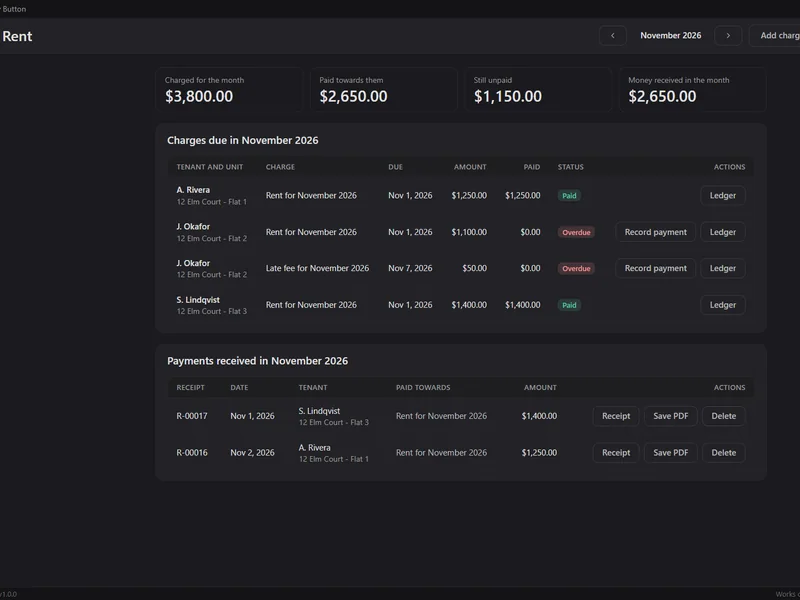
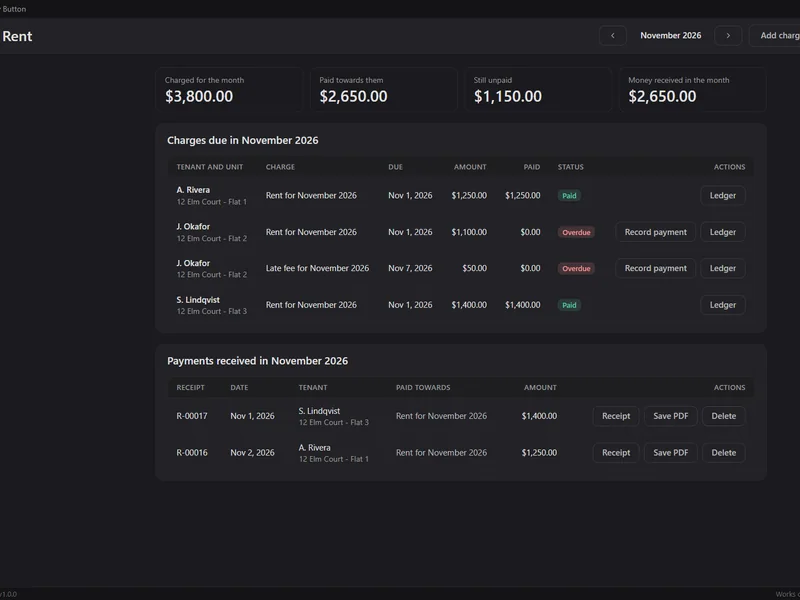
The month's charges: due, paid and overdue, with part payments applied oldest first
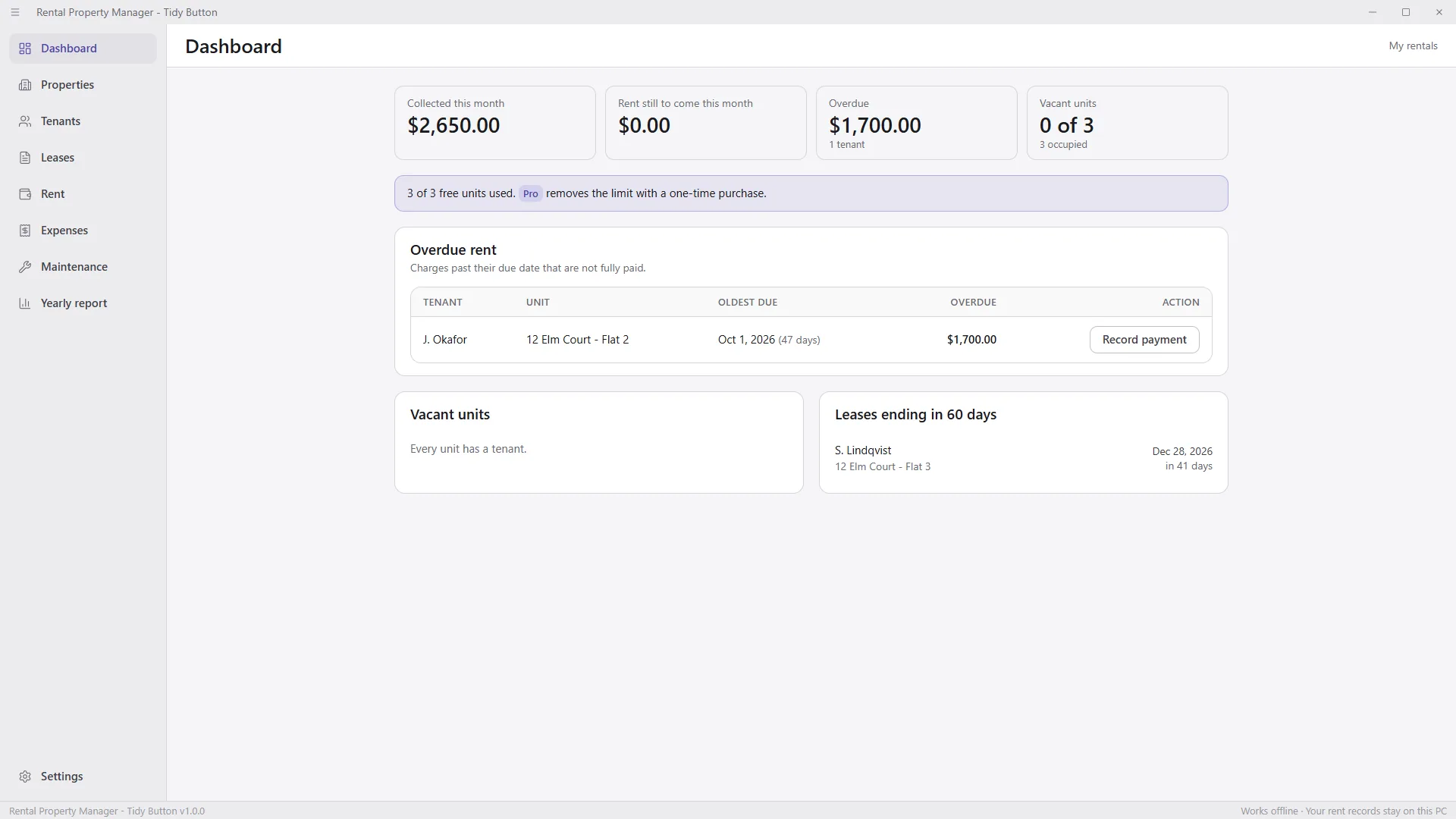
Dashboard
Rent collected, who is overdue, vacant units and leases ending soon
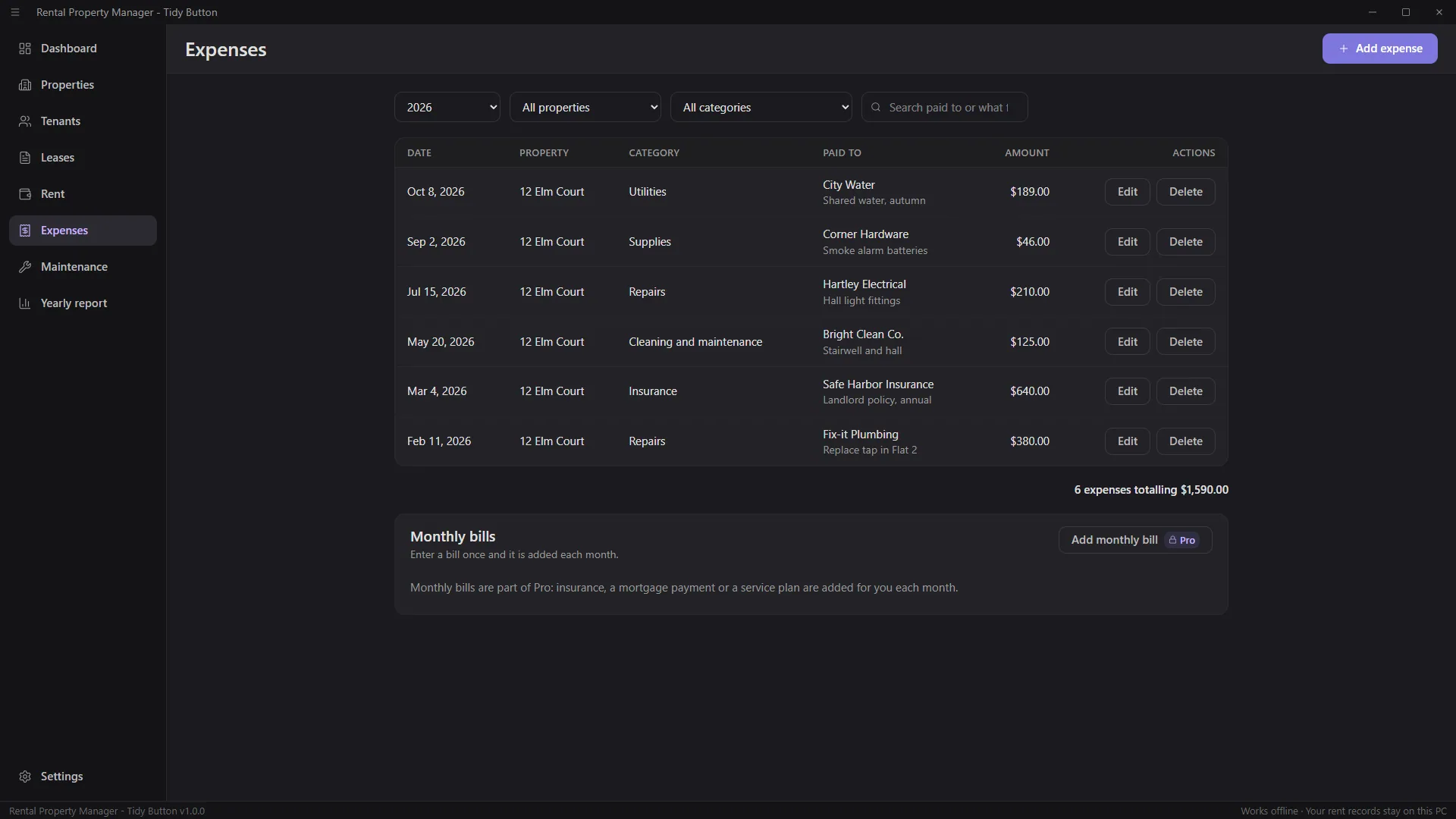
Expenses
Expenses by property and category, with the receipt file attached
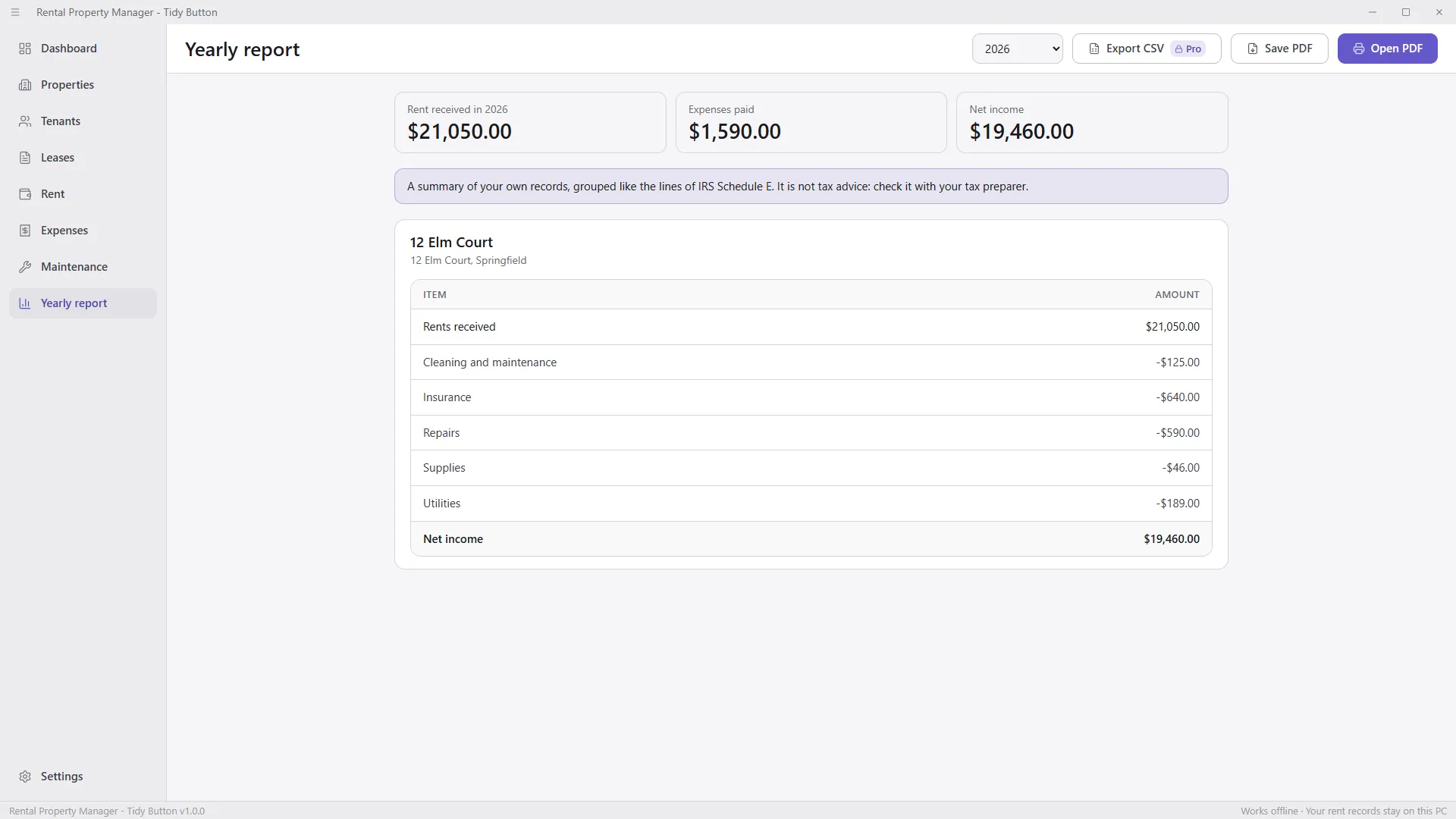
Yearly report
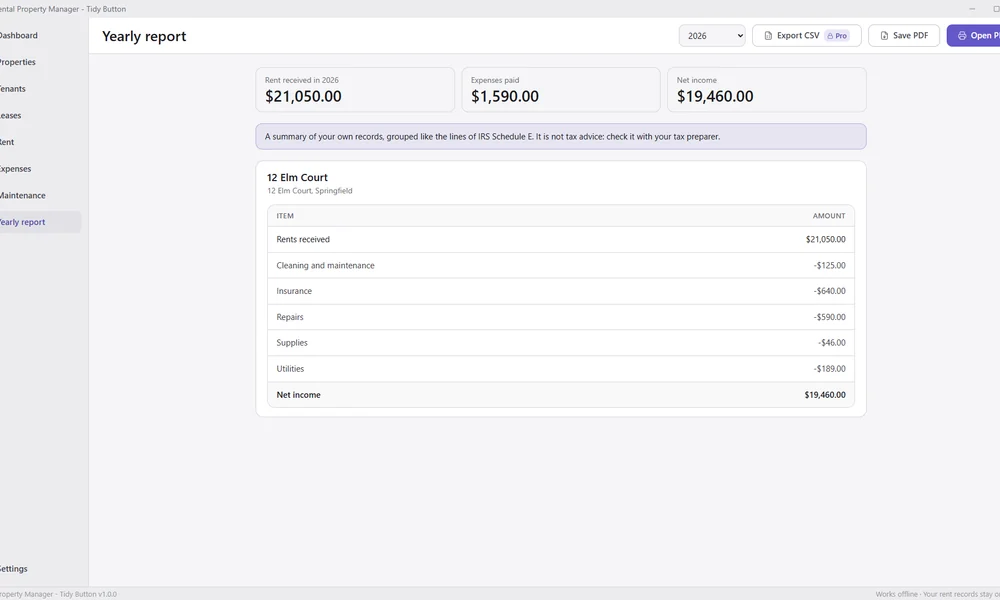
A yearly income and expense report for each property
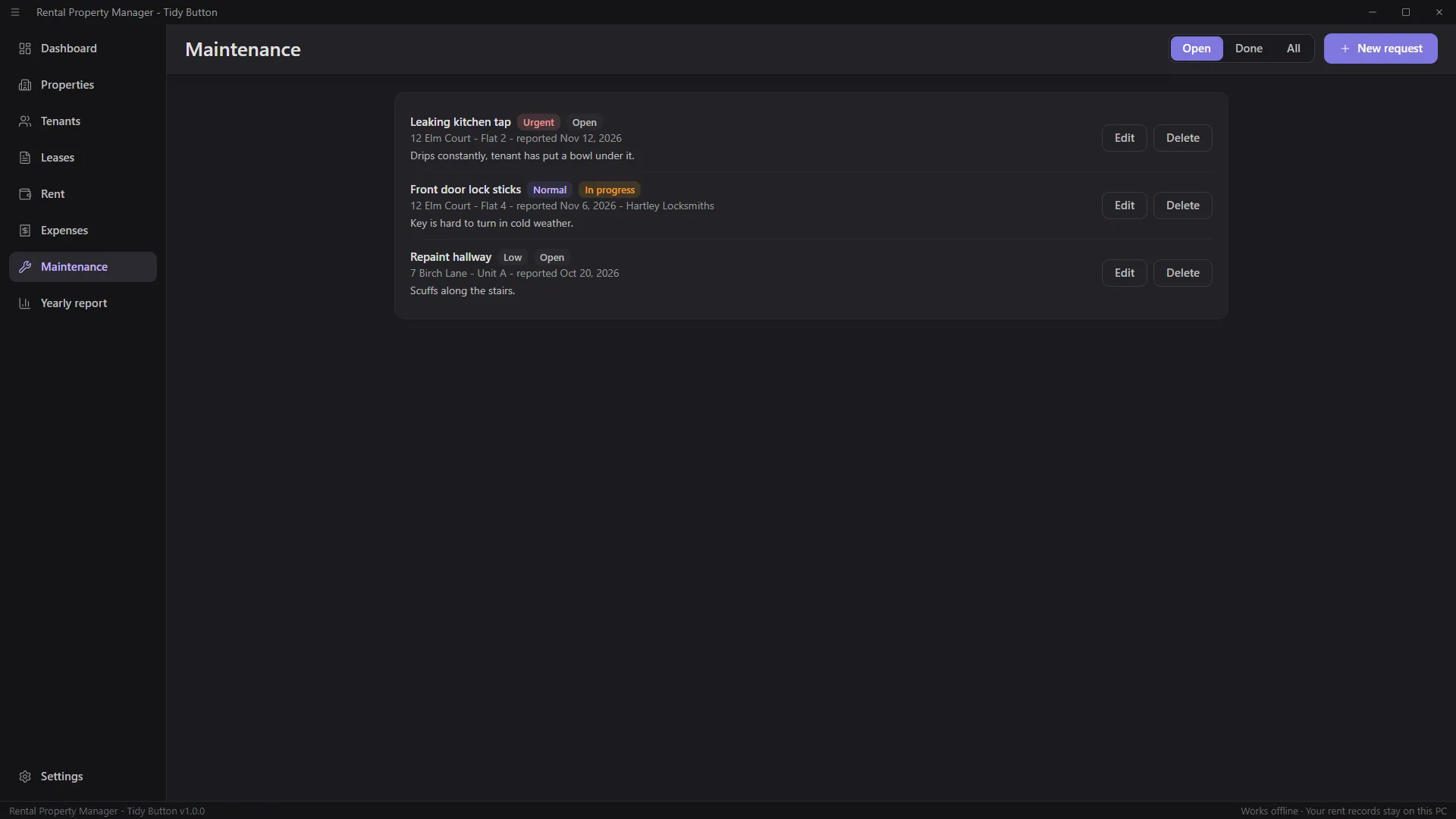
Maintenance
Pro: a maintenance tracker with priority, status and vendor
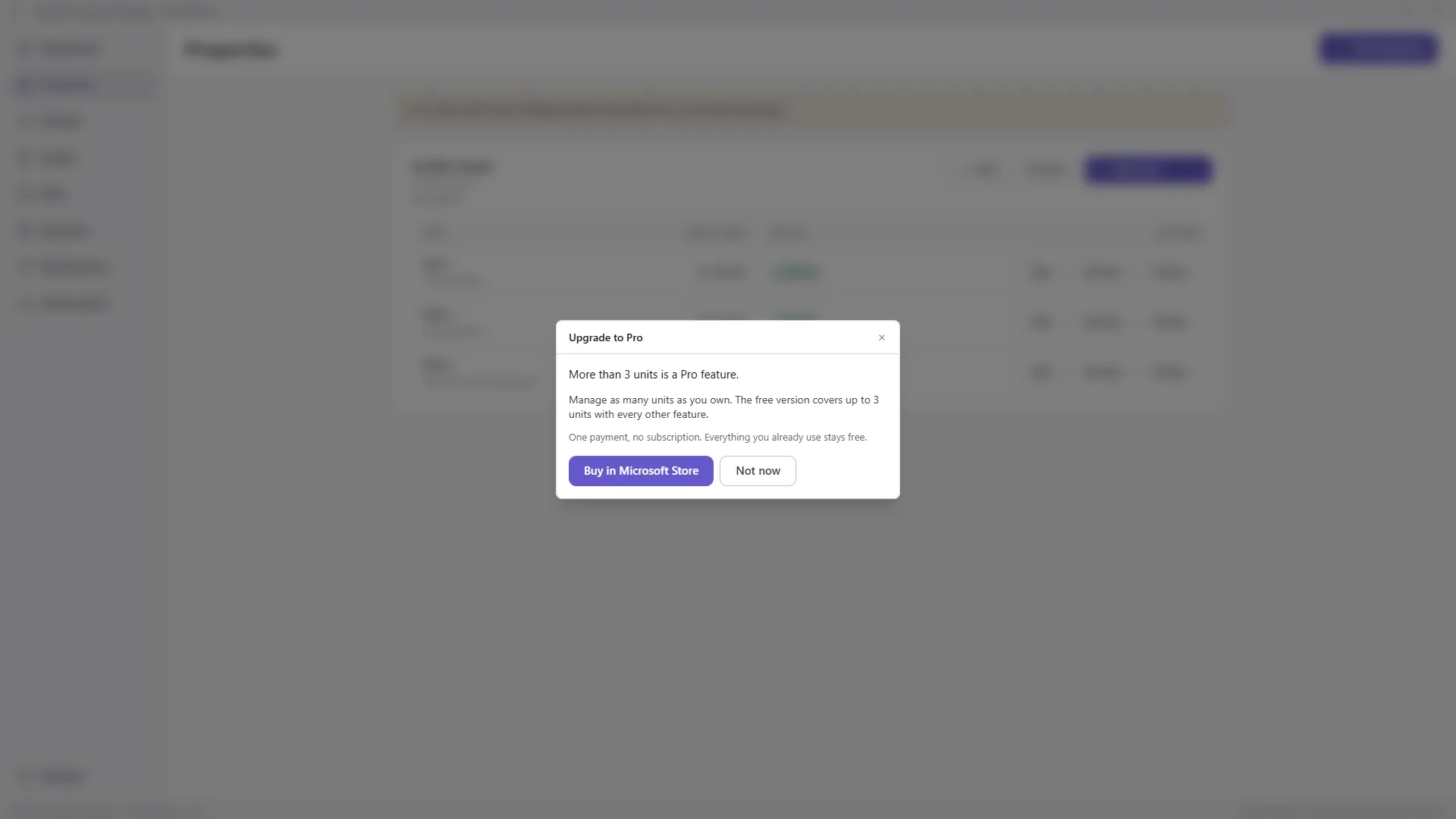
Free limit
The free version handles up to 3 units and says so plainly
Screens show made-up sample properties and tenants. The app has light and dark themes.
How it works
Three steps. No manual.
01
Add a property
Add the property and its units, with the usual rent for each.
02
Add a tenant and lease
Pick the unit, add the tenant and set the start date, due day and late fee. Rent charges appear on their own.
03
Record payments
Record each payment, part payments included, and print a rent receipt as PDF.
What it does
What it does.
Rental Property Manager keeps the records of a small landlord in one file on your own PC: properties and units, tenants and leases, the rent ledger, expenses with their receipts and a yearly report. Everything happens on your PC, and the free app works with the internet turned off. The free version covers up to 3 units.
Properties and units
Add each property and its units. Archive a unit instead of deleting it, so its history is never lost.
Tenants and leases
Rent, deposit, due day, grace days and a late fee as a fixed amount or a percentage. Open-ended or fixed-term leases.
Rent made for you
Each month's rent charge is added on its own, and the first and last month are charged by the day.
A real rent ledger
Part payments go to the oldest charge first. A late fee is added once, when rent is still unpaid after the grace days.
Receipts as PDF
Numbered rent receipts and tenant ledgers as PDF, to save or open. Fonts are built in, so no internet is needed.
Expenses with receipts
Record expenses by property in categories that follow IRS Schedule E, and copy the receipt file into your data folder.
Yearly report
Income and expenses for each property, on screen and as PDF. It is a summary of your own records, not tax advice.
Backup and restore
Save a backup of your records together with the receipt files, and restore it later. Your data is one file in Documents.
The small print, in plain English
Safe by design.
A yearly report per property, labelled as a summary and not tax advice.
The free limit is shown calmly, and everything you already use stays free.
Your records stay on your PC. Nothing is uploaded.
Your data is saved in your Documents folder and stays there if you uninstall the app.
Free for up to 3 units with every core feature. Pro is one payment, no subscription.
Works offline. No account. No ads. No tracking.
What it keeps
Your records, your file.
One file in Documents that you own, with backup and restore.
Charges, payments and receipts for the month.
Rent charges
Automatic
Made for you each month. First and last month by the day.
Part payments
Oldest first
Applied to the oldest charge first.
Late fees
Added once
A fixed amount or a percentage, added once after the grace days.
Receipts
PDF
Rent receipts and tenant ledgers as numbered PDF files.
Expenses
Schedule E style
By property and category, with the receipt file attached.
Backup
Everything together
Backup and restore carry the receipt files too.
Money is kept in whole cents with one stated rounding rule, and dates are plain calendar dates.
Good for
Handy when rent is on paper.
A flat above a shop or a few rental houses
Landlords who keep rent in a notebook or a spreadsheet
Printing a rent receipt when a tenant asks
Getting the year's income and expenses ready for your tax preparer
Questions
Plain answers.
Is anything uploaded?
No. Your records are saved on your PC and never leave it. The free app works with the internet turned off.
Where is my data kept?
In one database file in a Rental Property Manager folder inside your Documents folder. It stays there if you uninstall the app.
What does Pro add?
One payment unlocks more than 3 units, a maintenance tracker, monthly bills, CSV export, more than one portfolio and your own logo, colour and footer note on receipts.
Is the yearly report tax advice?
No. It is a summary of your own records, grouped like the lines of IRS Schedule E. Check it with your tax preparer.