We will link the Store listing here the day it is live. Until then there is nothing to download.
Real app, with original sample questions.
Works offline
No account, no ads, no tracking
Answer key for every version
Free
See it
Eight views. One test, printed.
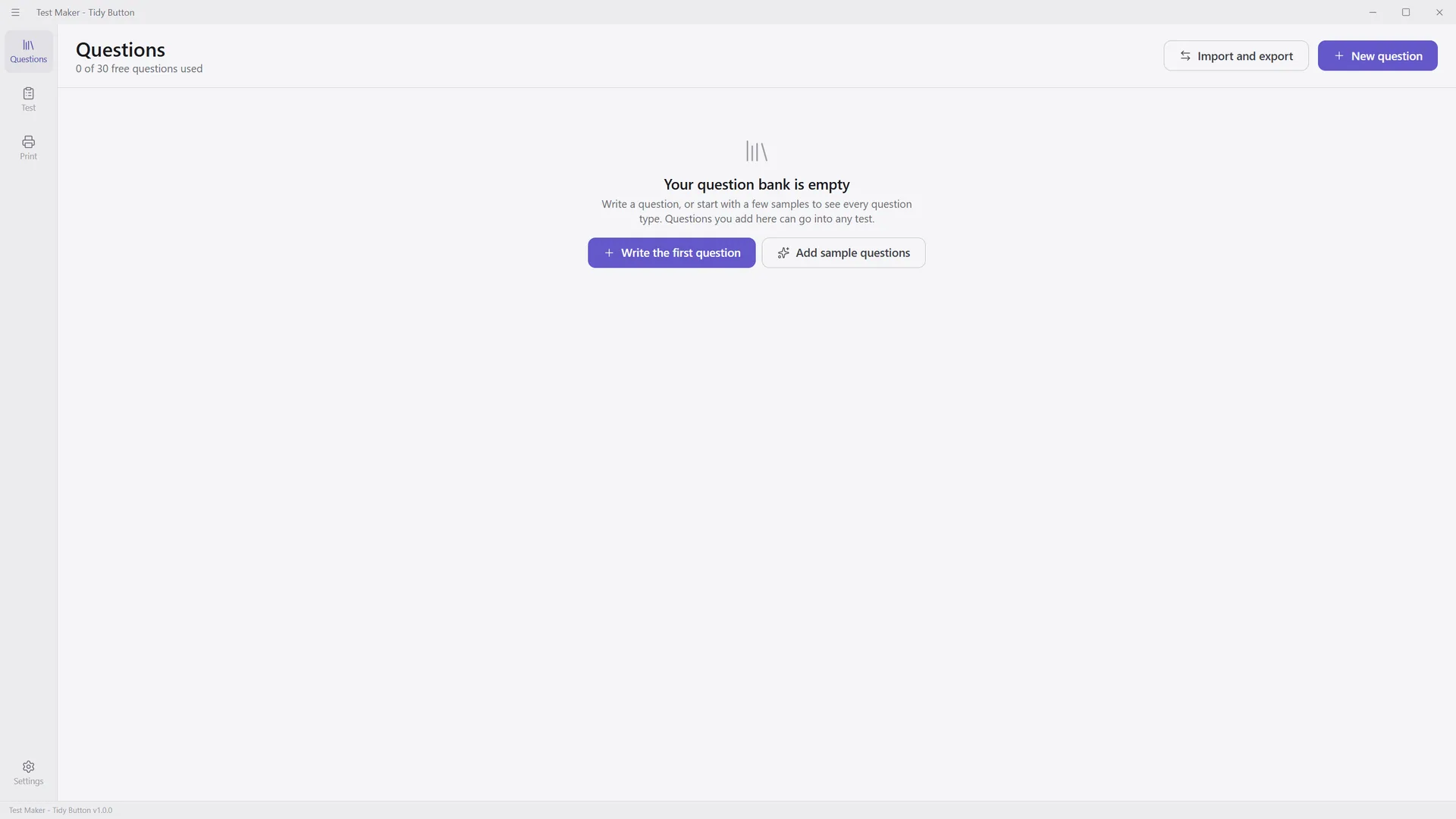
Empty bank
Start with an empty bank: write your own questions or add a few samples
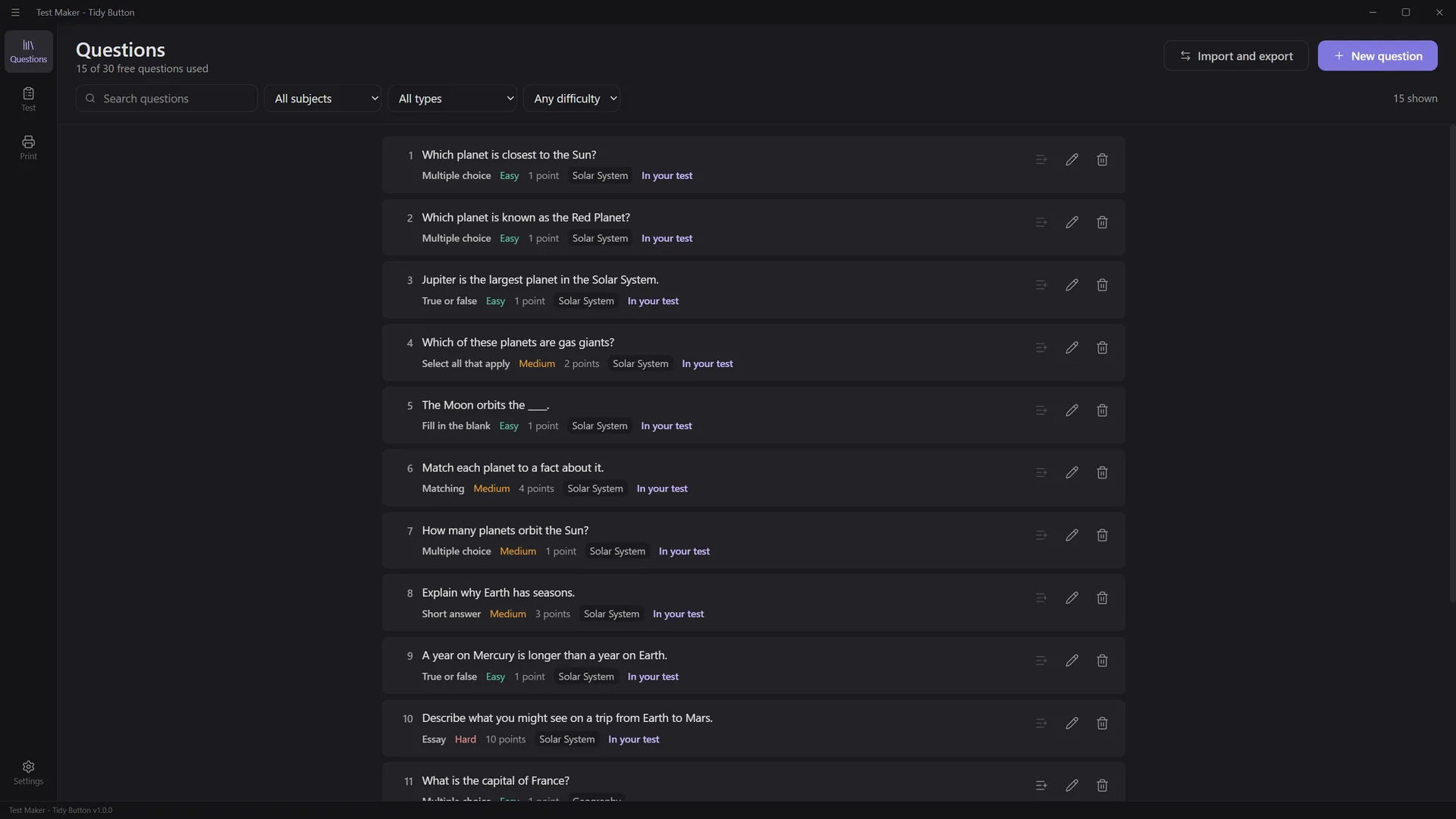
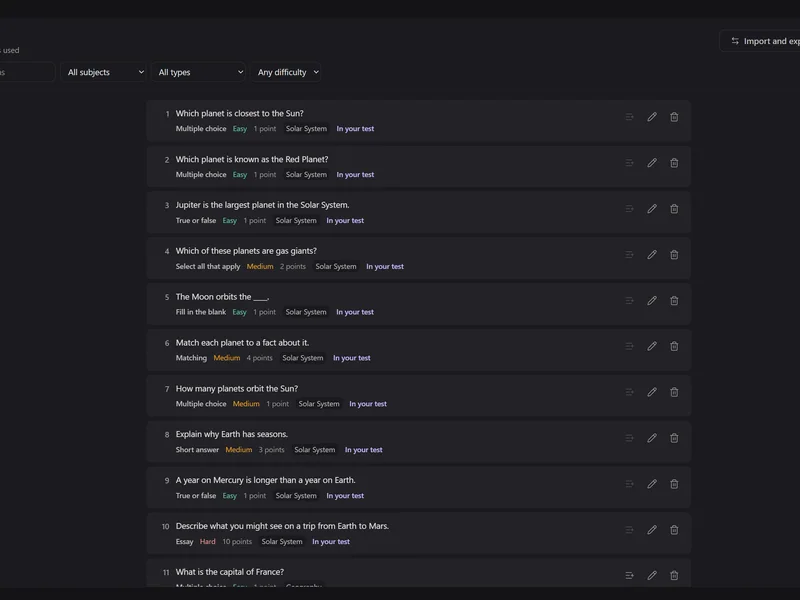
Question bank
Every question in one bank, with its type, difficulty, points and subject
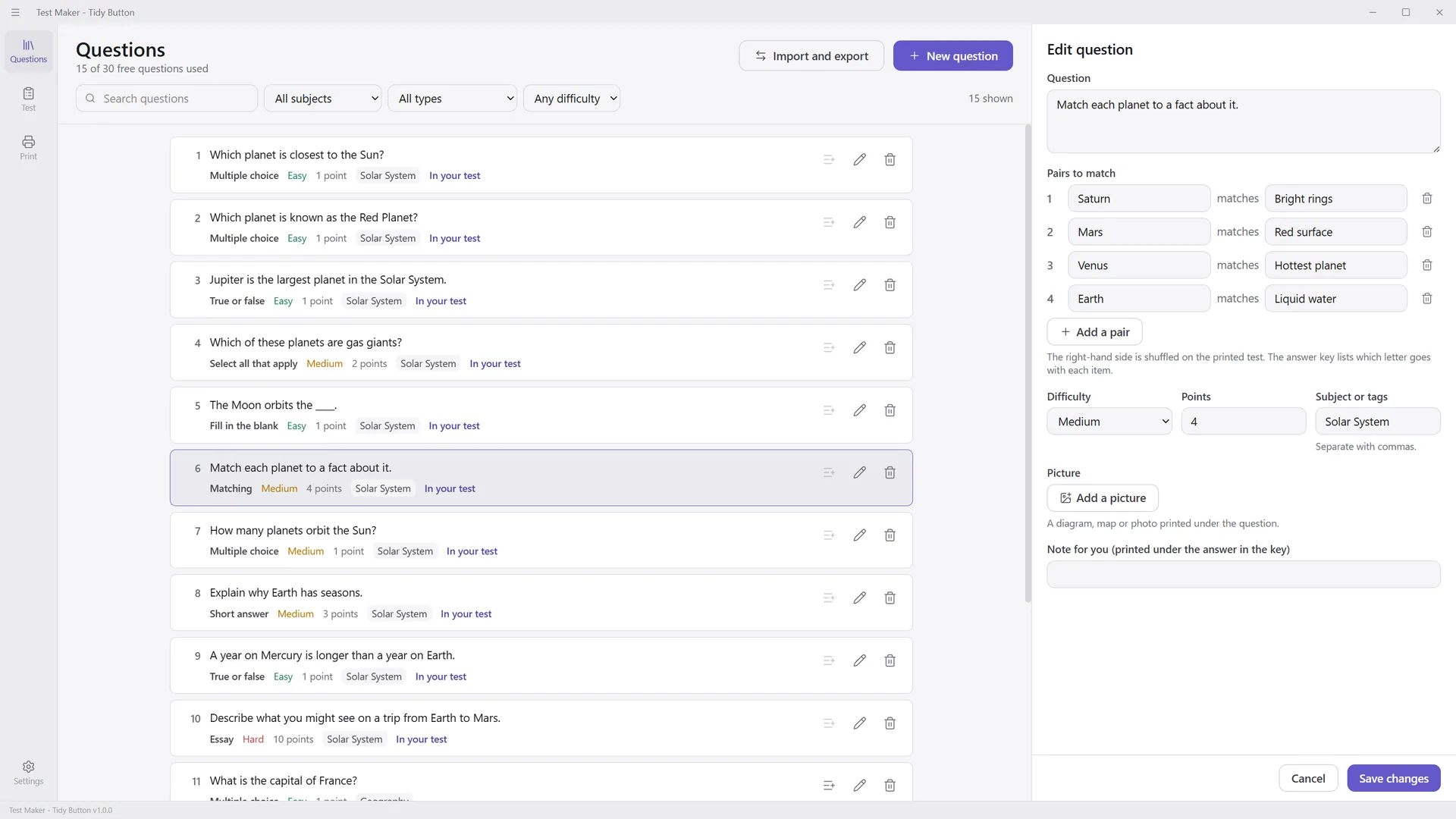
Write a question
Edit the choices, points, difficulty and subject on one panel
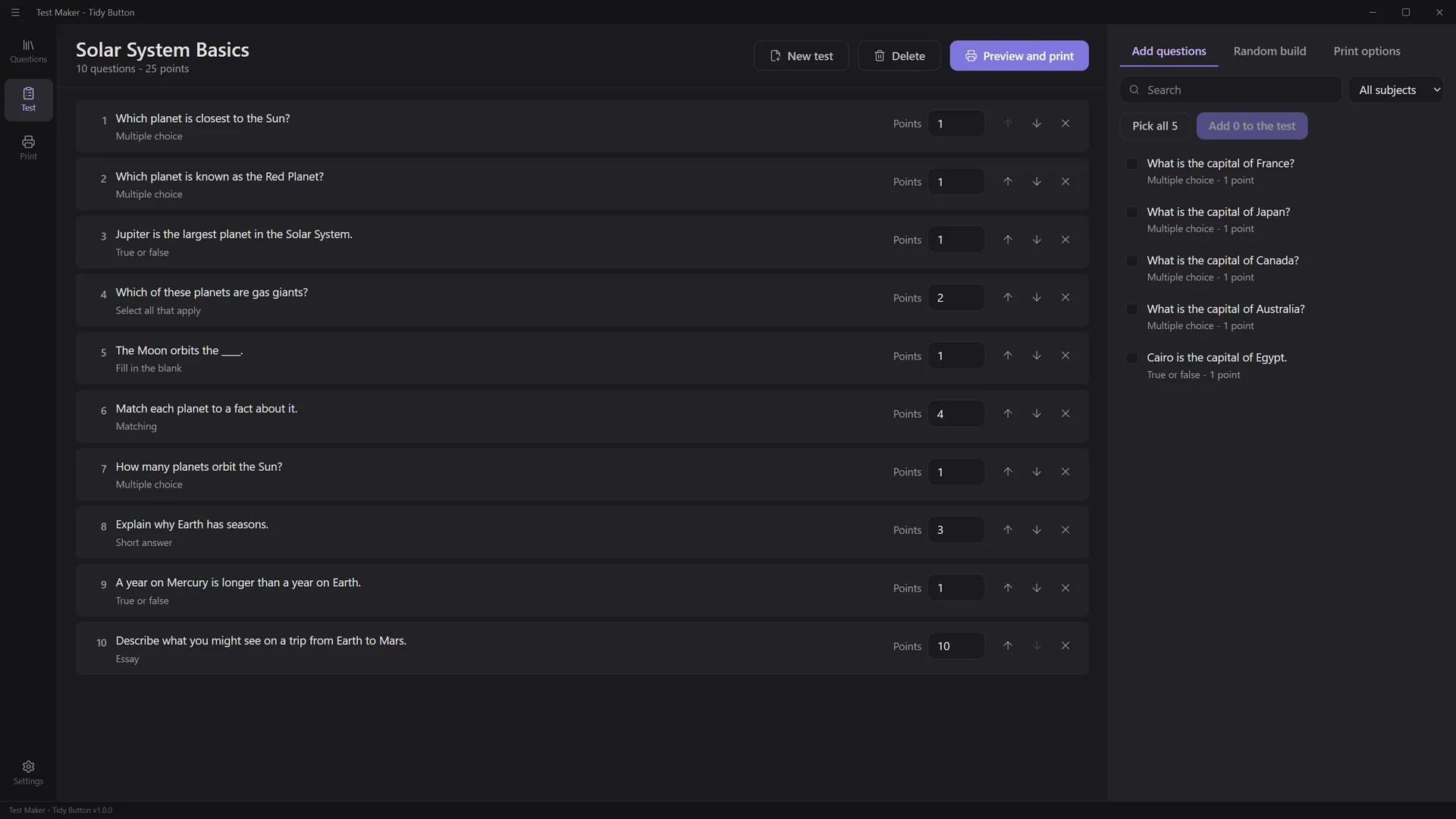
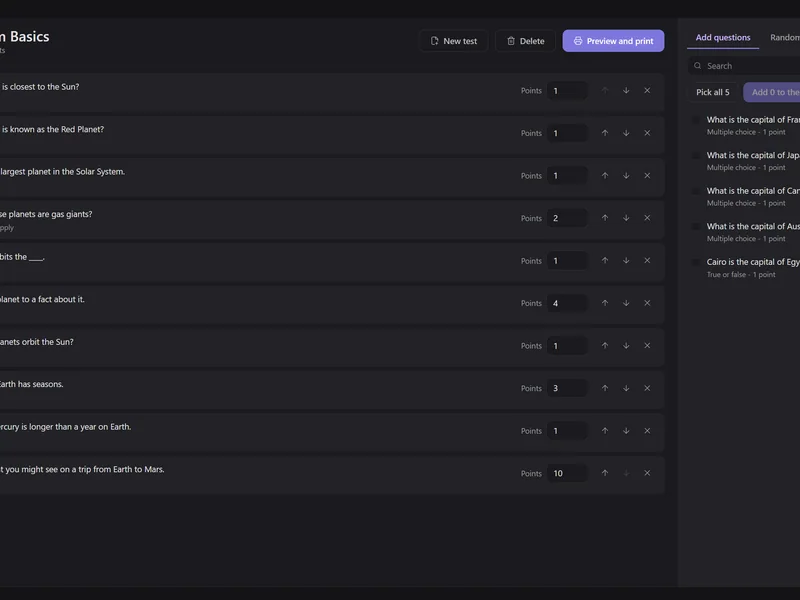
Build a test
Pick questions from your bank and set the points for each
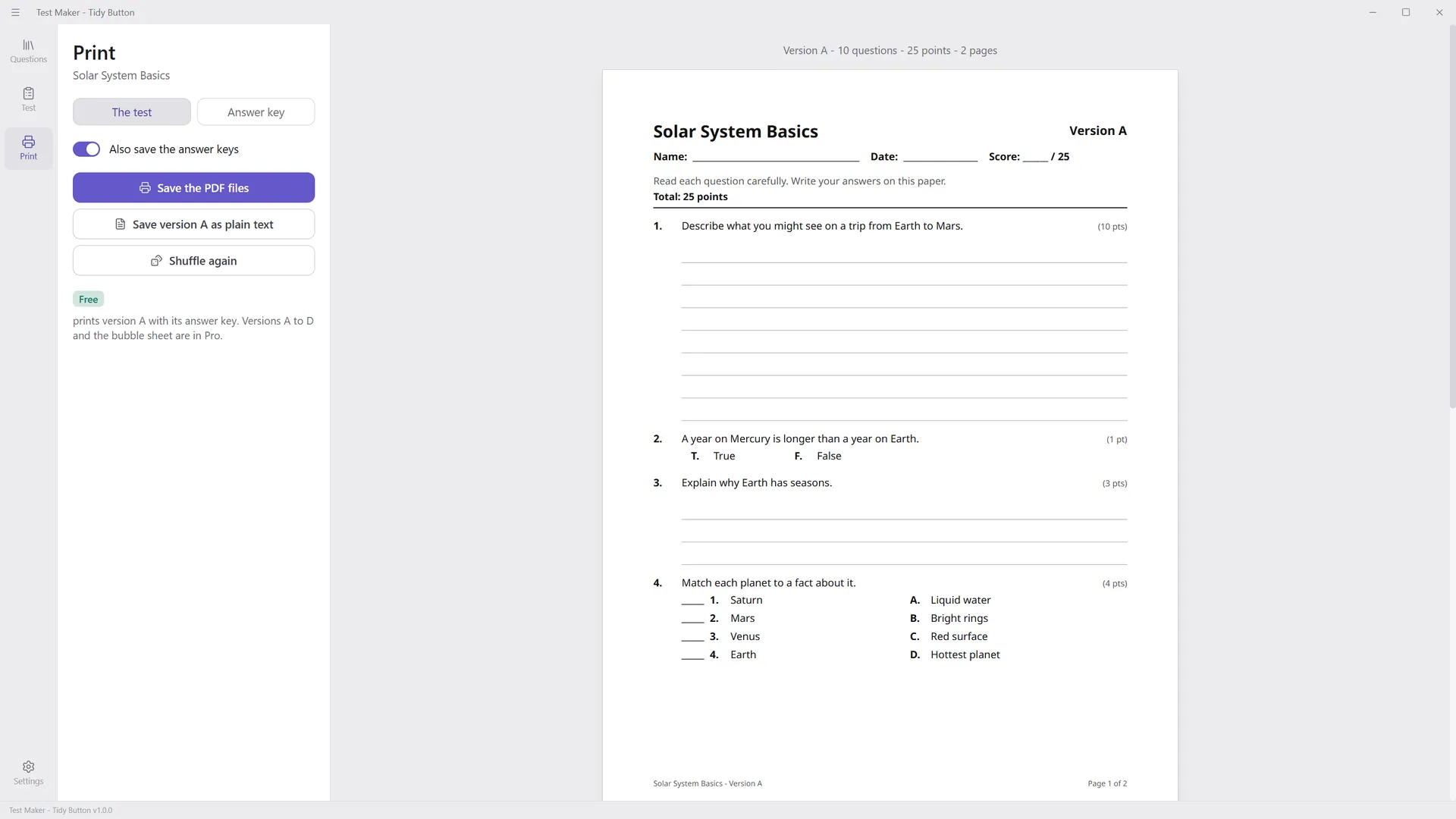
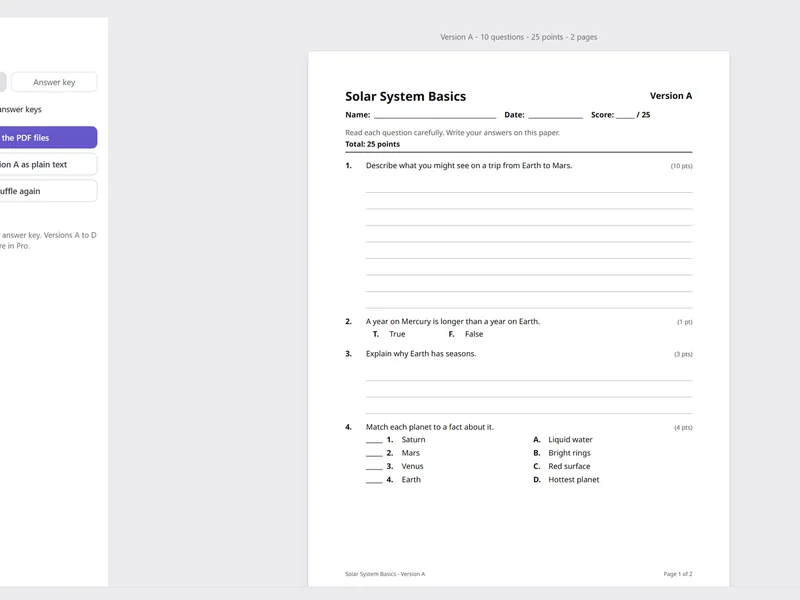
Printed test
Preview the printed test before you save it, with no question split across two pages
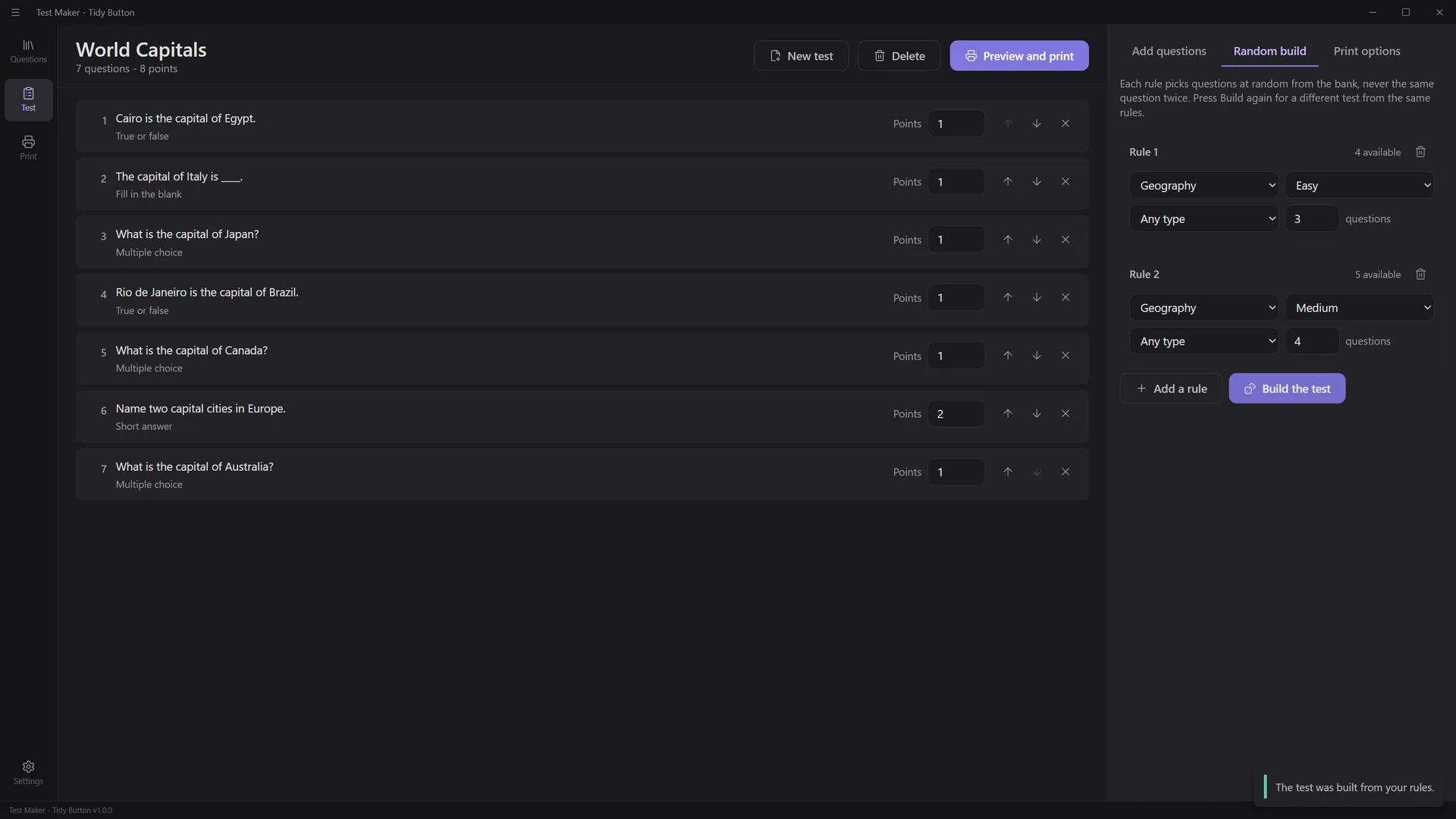
Random build
Pro: let rules pick the questions by subject, difficulty and type
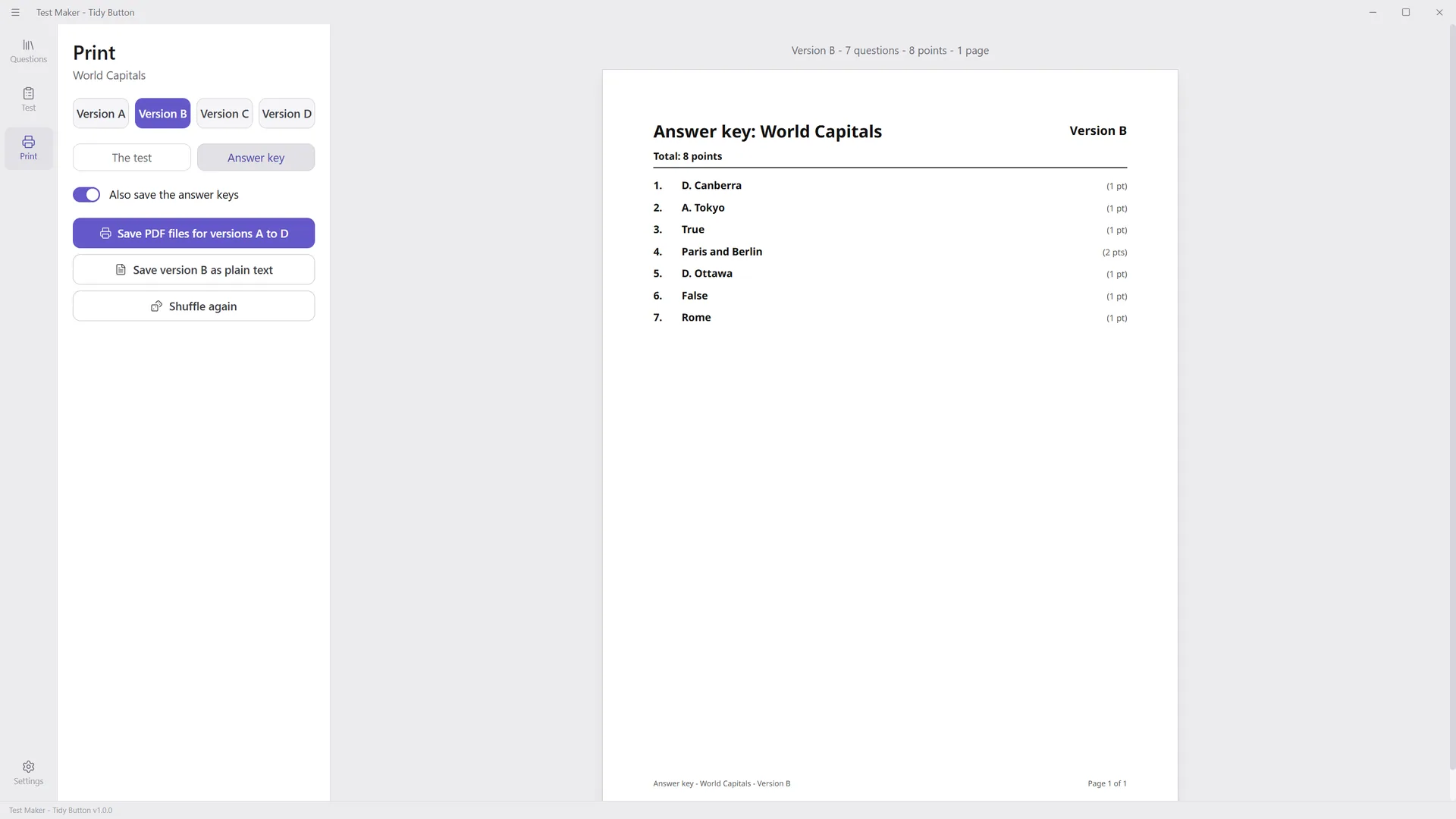
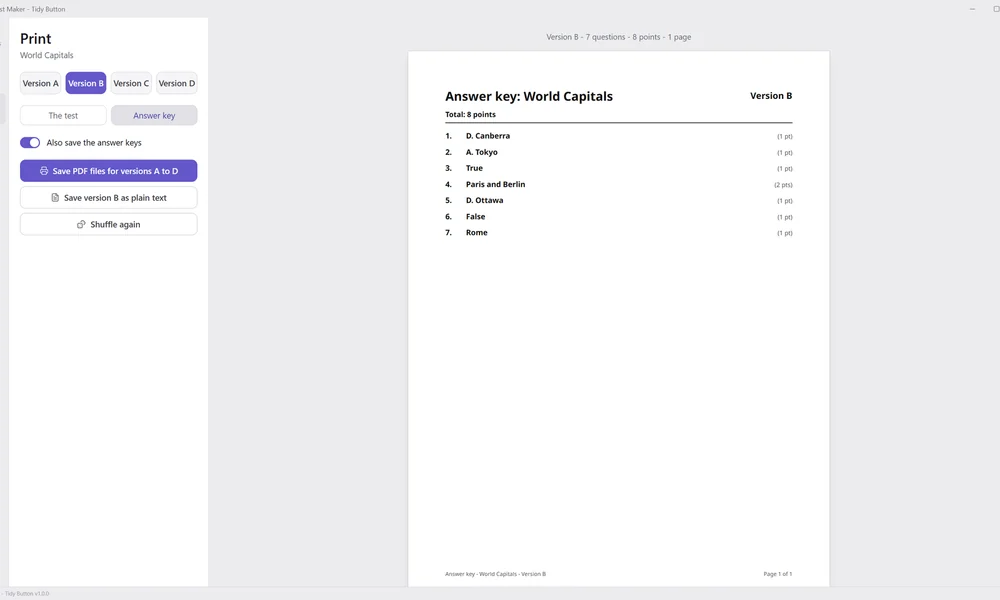
Versions and key
Pro: versions A to D, each with its own checked answer key
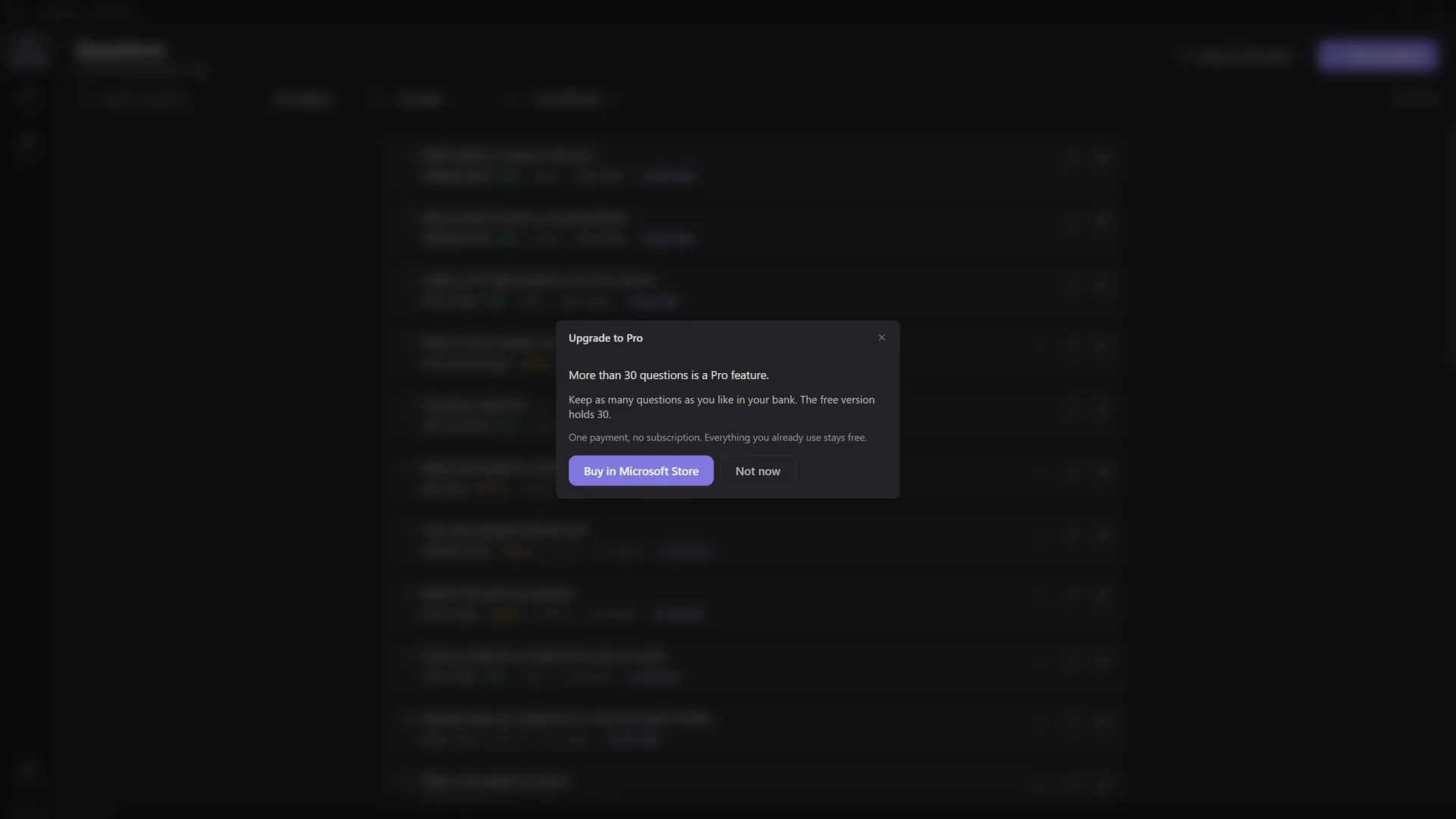
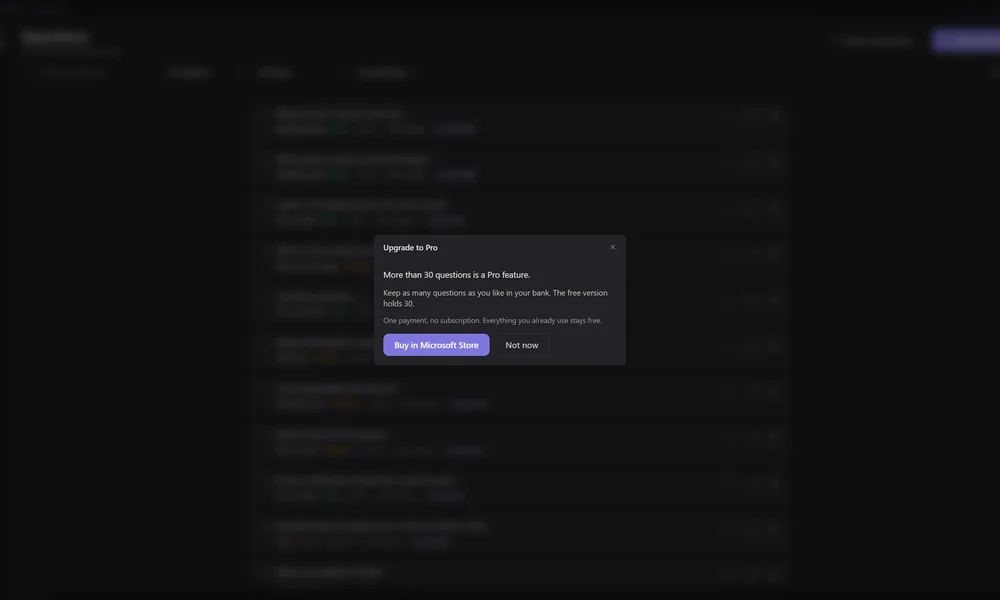
Free limit
The free bank holds 30 questions and says so plainly
Screens show original sample questions. The app has light and dark themes.
How it works
Three steps. No manual.
01
Fill your bank
Write questions of seven types, or add a few samples to start.
02
Build the test
Add questions by hand, set the points and change the order.
03
Print with the key
Preview the printed test, then save the PDF files and the answer key.
What it does
What it does.
Write questions once and reuse them every term. Add them to a test by hand, check the preview, then save the test and its answer key as PDF files. Everything happens on your PC. Your bank and tests are kept in one file in your Documents folder, with a backup copy and a dated backup each day.
Seven question types
Multiple choice, select all, true or false, matching, fill in the blank, short answer and essay lines.
A bank you can search
Give every question a subject, a difficulty and points, then search and filter the bank.
Prints right
Name, date and score lines, points for each question and a total, on US Letter or A4. No question is split across two pages.
Answer keys that match
Each key is checked against the printed choices before a file is written.
Versions A to D (Pro)
Questions and choices are shuffled from a shuffle code, so a version can be made again. Each version has its own key.
Random build (Pro)
Build a test from rules by subject, difficulty and question type.
Bubble answer sheet (Pro)
Add an answer sheet with bubbles to every version.
Import and export (Pro)
Bring questions in from, and send them out as, CSV and QTI files. Plain text export is always free.
The small print, in plain English
Safe by design.
Each version has its own answer key, checked before it is saved.
The free limit is stated plainly, and everything you already have stays free.
Nothing is uploaded. Your questions and tests stay on your PC.
No student names or results are stored.
Your data is one file in your Documents folder, with a backup copy and a dated backup each day.
The free version keeps 30 questions, one test at a time and version A, with a PDF test and answer key.
Works offline. No account. No ads. No tracking.
What it prints
Tests that read right.
A clear page for the student and a key you can trust.
Name, date and score lines, points for each question and a total.
Page breaks
Kept whole
A question is never split across two pages.
Paper
Your size
US Letter or A4.
Answer keys
Checked
A separate key for each version, checked against the printed choices.
Shuffling
Repeatable
Questions and choices are shuffled from a shuffle code, so a version can be made again. Pro.
Last choices
Stay put
All of the above and None of the above stay last.
Plain text
Always free
A plain text copy of any test is always free.
Everything is made on your PC. Nothing is uploaded.
Good for
Handy when a test must print right.
Classroom quizzes and unit tests
Make-up tests with a different order
Tutoring worksheets
Staff training checks
A question bank you reuse every term
Questions
Plain answers.
Is anything uploaded?
No. Your questions and tests stay on your PC. The app works with the internet turned off.
Where is my data kept?
In one file in your Documents folder, with a backup copy and a dated backup for each day you work.
Do the answer keys match shuffled versions?
Yes. Each version has its own key, and the app checks it against the printed choices before it writes a file.
Is a question ever split across two pages?
No. A question moves to the next page whole.
Is there a limit in the free version?
The free version keeps 30 questions, one test at a time and version A, with a PDF test, a PDF answer key and plain text. Pro unlocks an unlimited bank, random build rules, versions A to D, a bubble answer sheet, pictures, CSV and QTI import and export, and saved tests.
Does it store student names or marks?
No. It makes tests and keys only. The Name line on a printed test is left blank for the student.