We will link the Store listing here the day it is live. Until then there is nothing to download.
Real app, making a code for a demo address.
Works offline
No account, no ads, no tracking
Every code type free
Free
See it
Nine views. One code, ready to print.
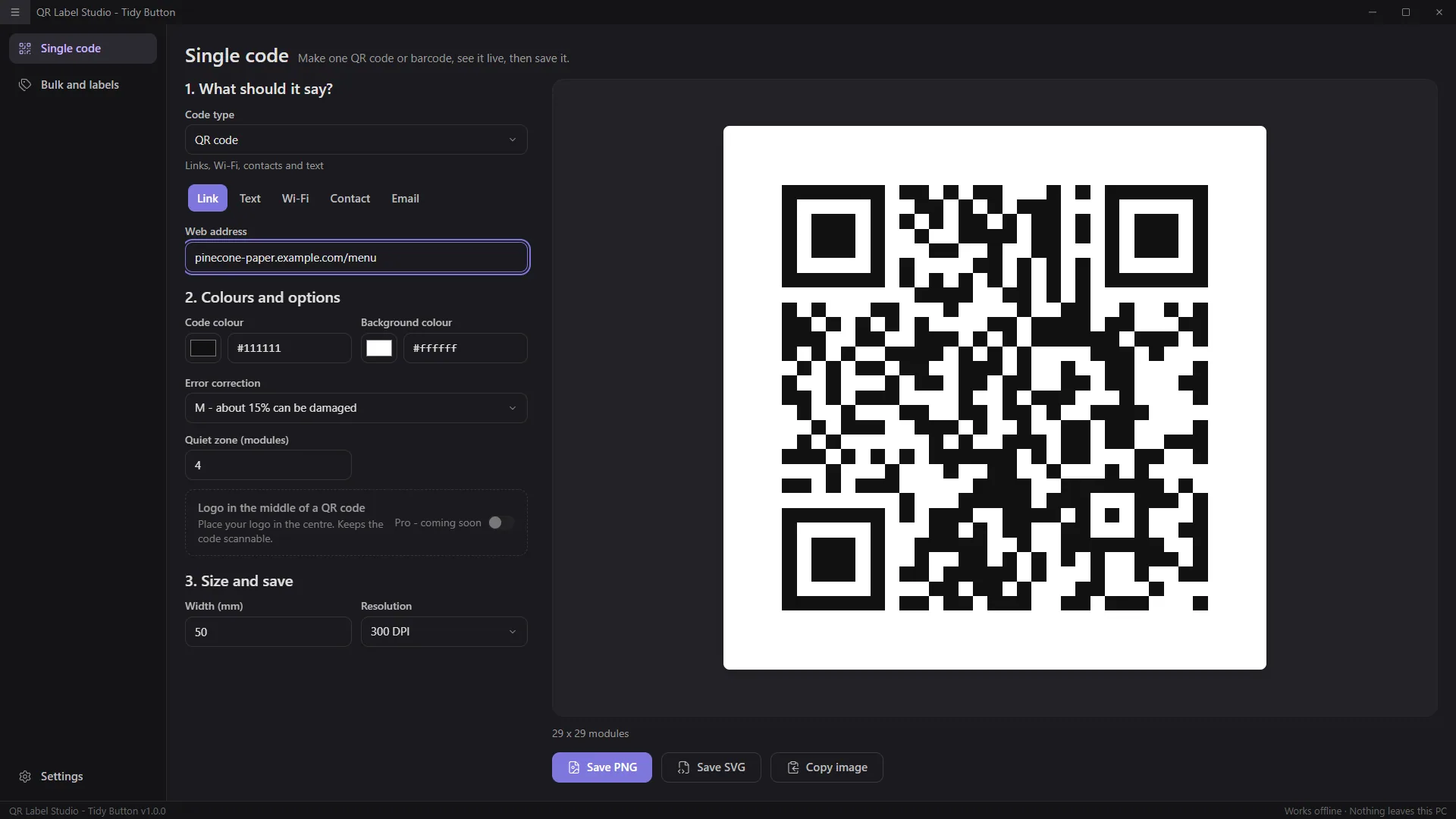
Link
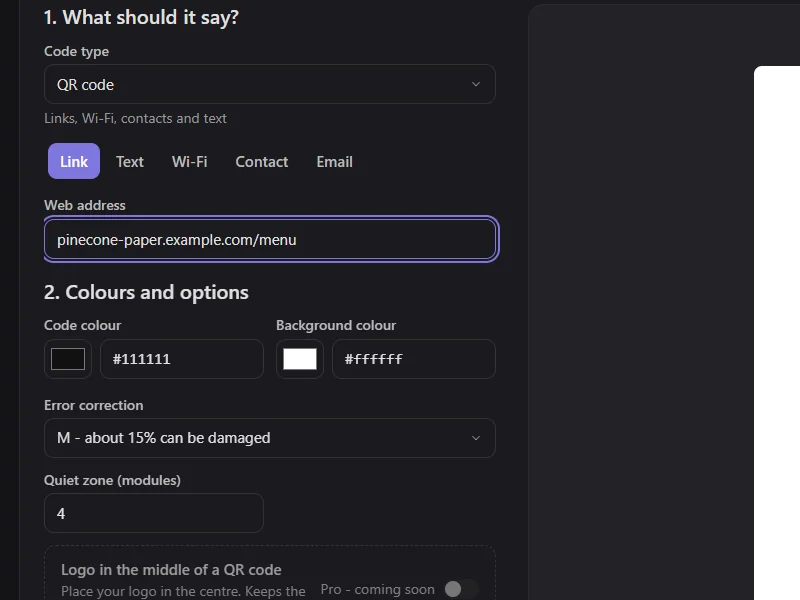
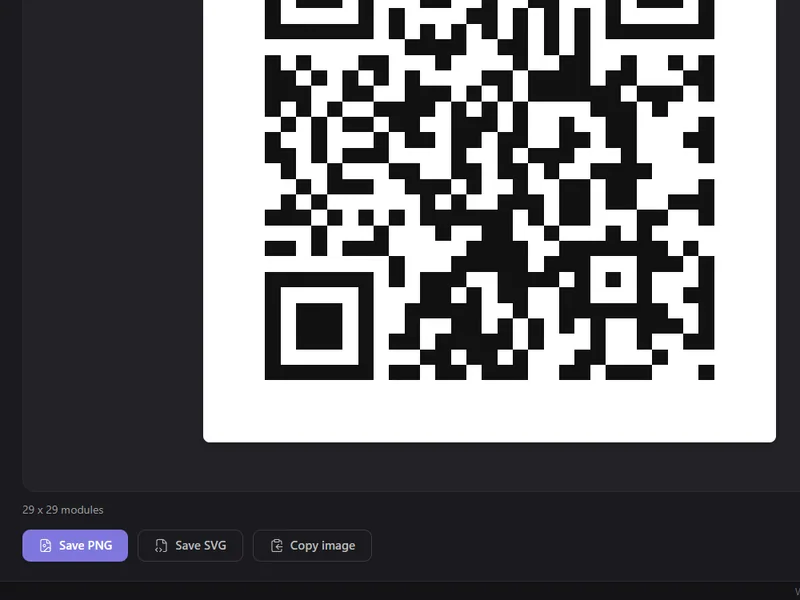
Type a web address and the QR code appears live
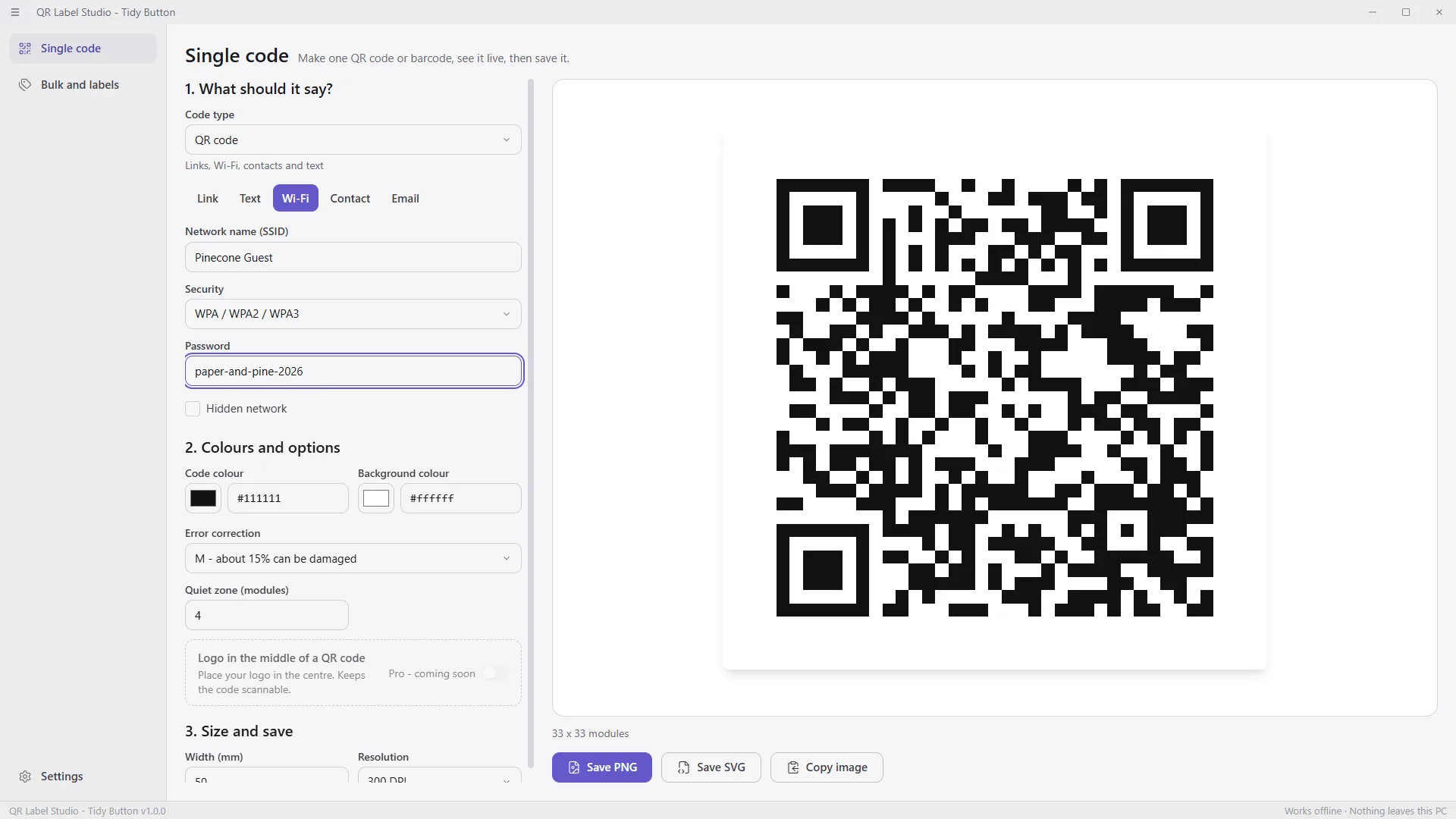
Wi-Fi
A Wi-Fi code: enter the network name and password and guests scan to join
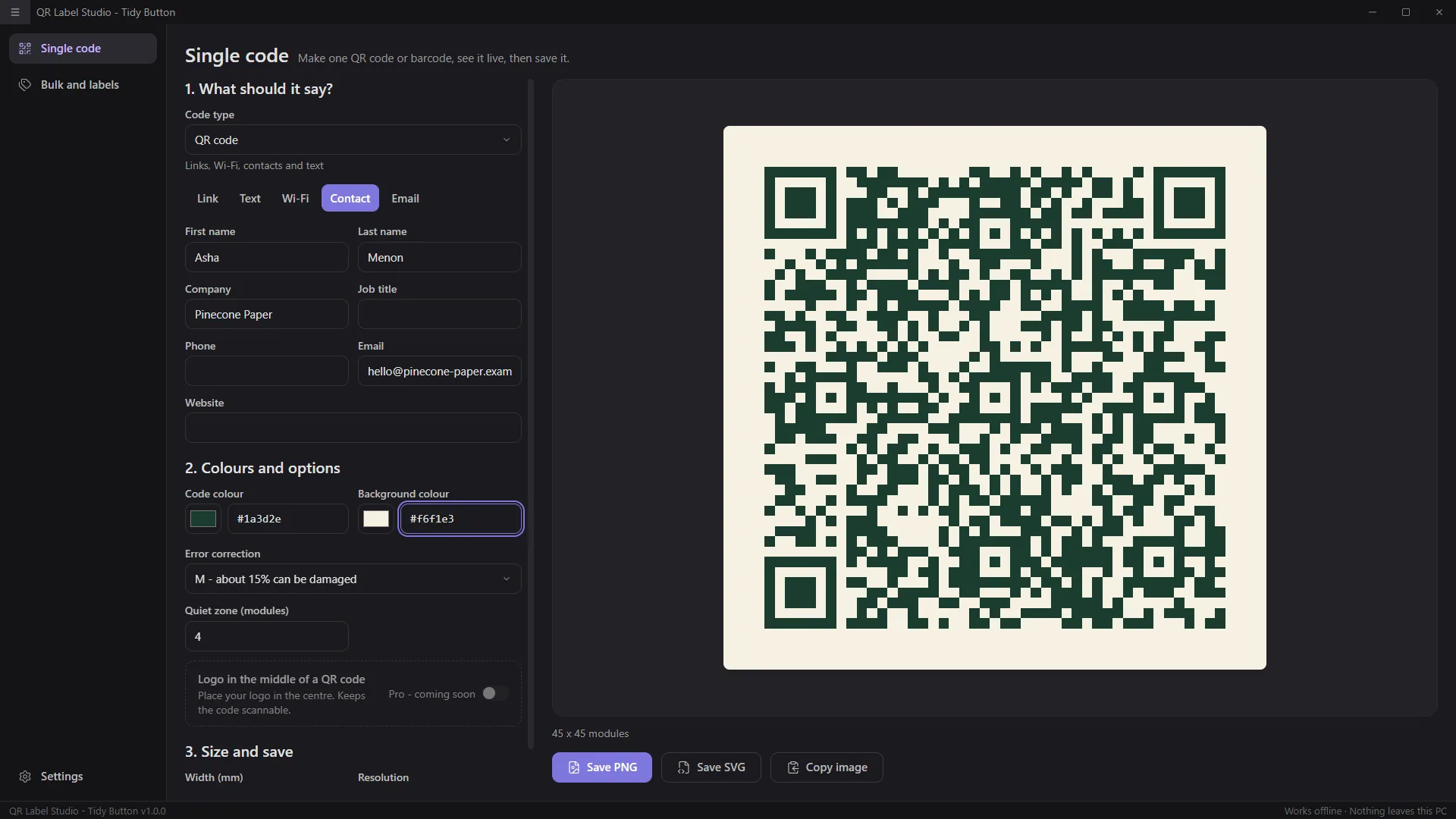
Contact
Contact cards and brand colours, with a warning if the colours are too faint to scan
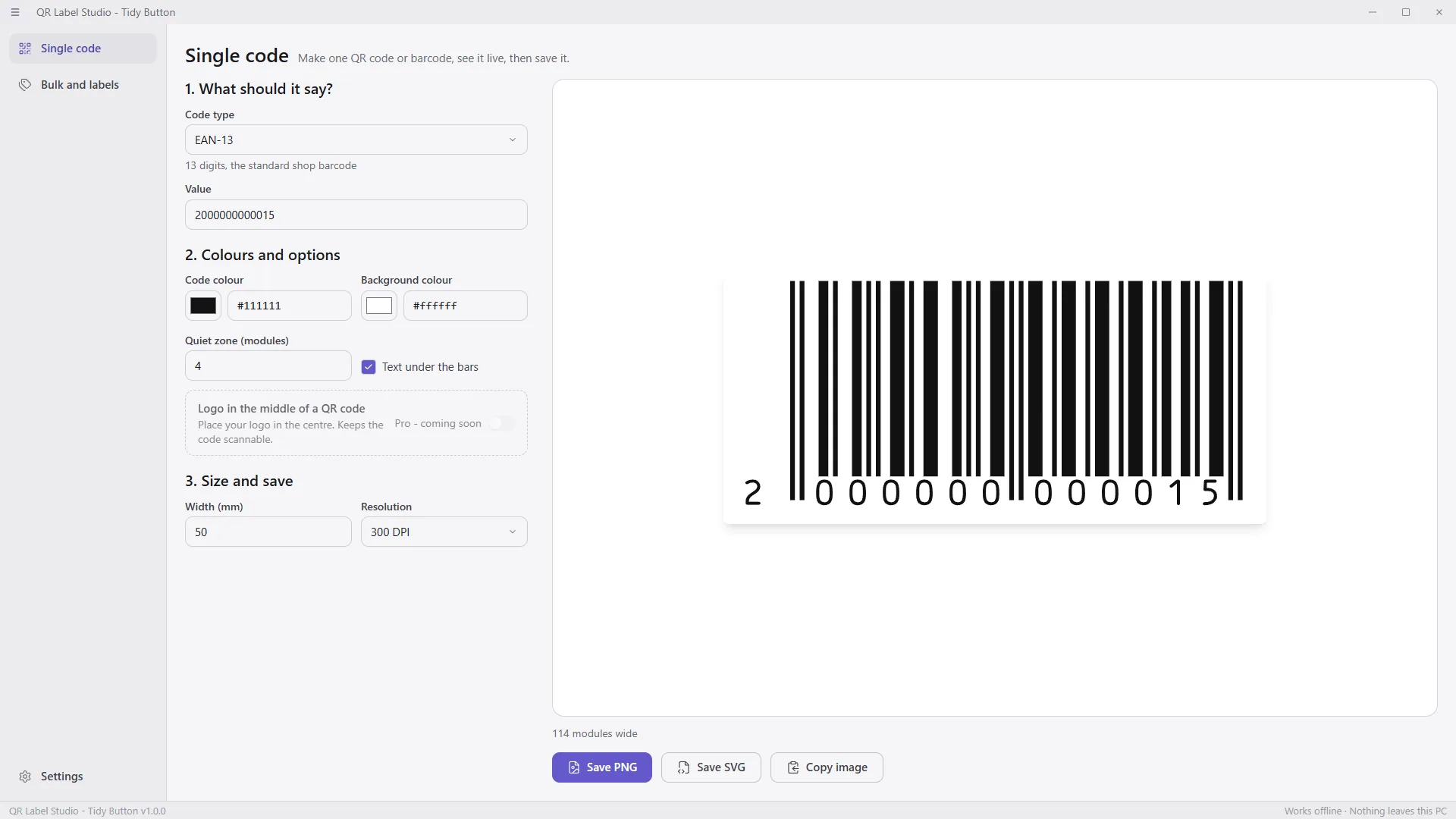
EAN-13
EAN-13 barcodes with the digits laid out the standard way
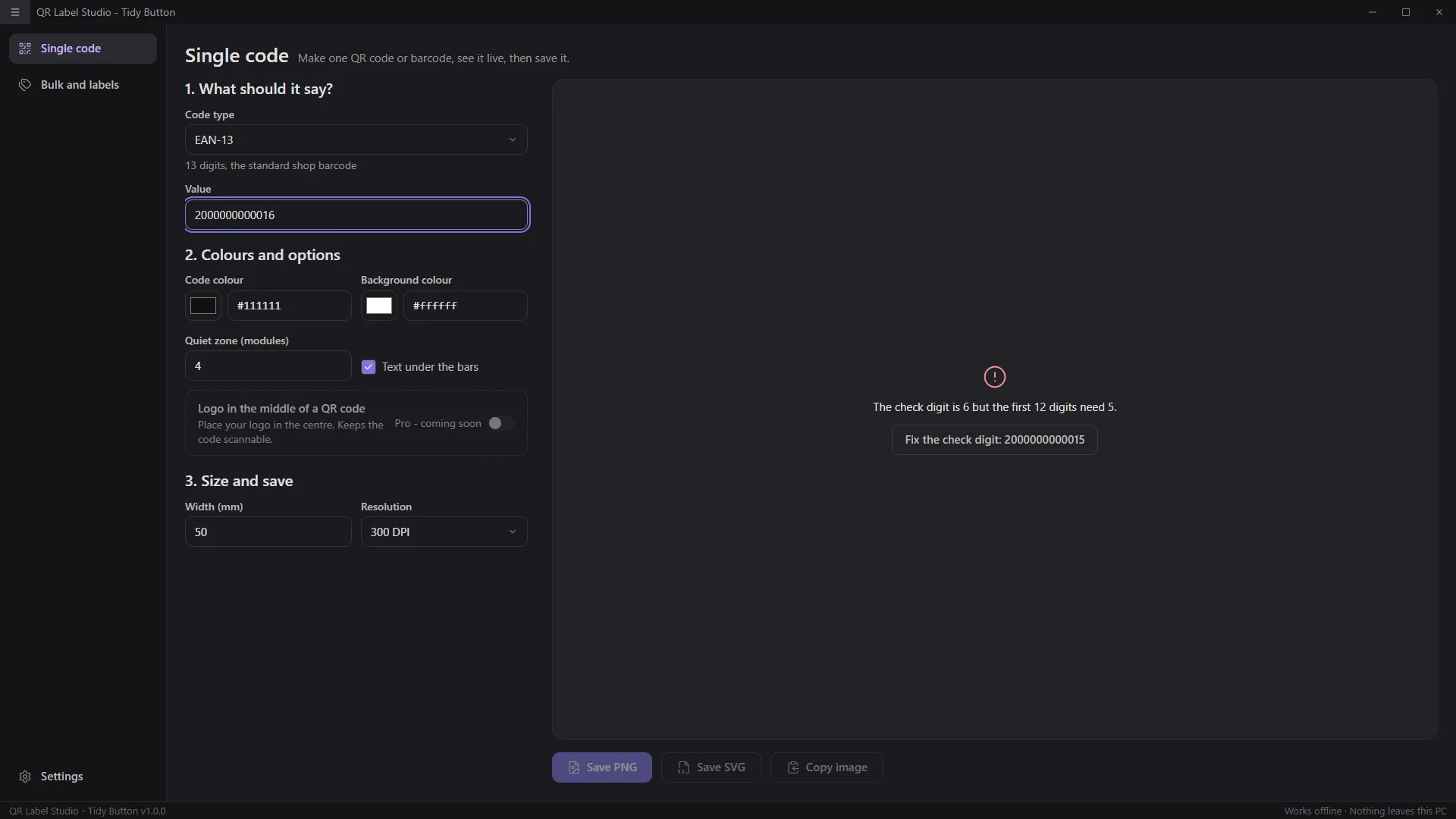
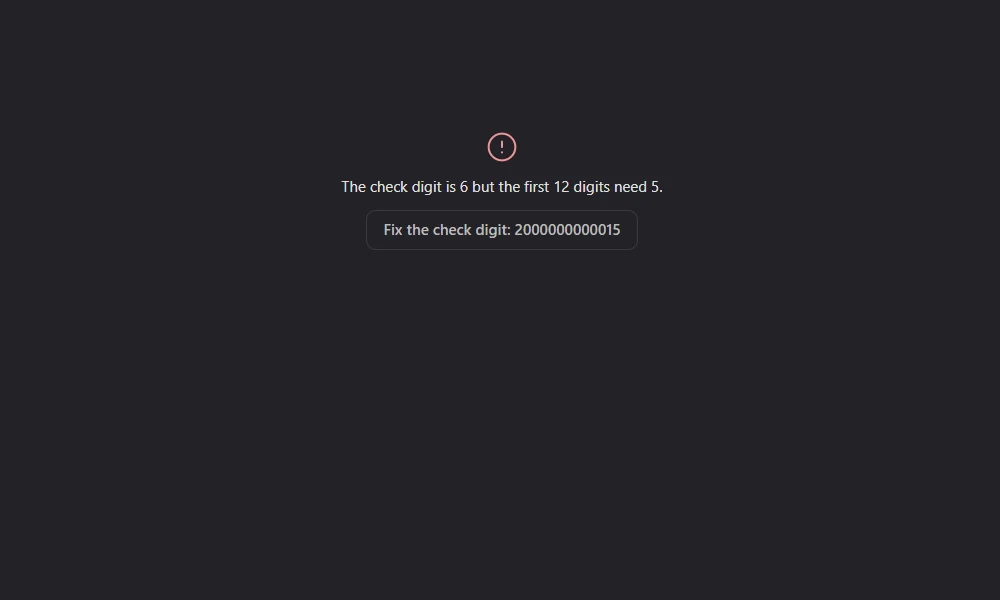
Check digit
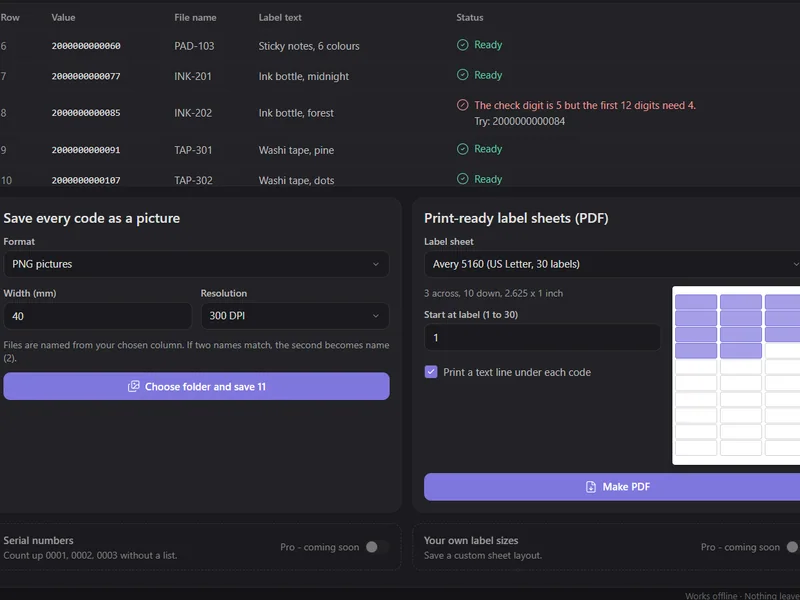
A wrong check digit is caught and explained, with one click to fix it
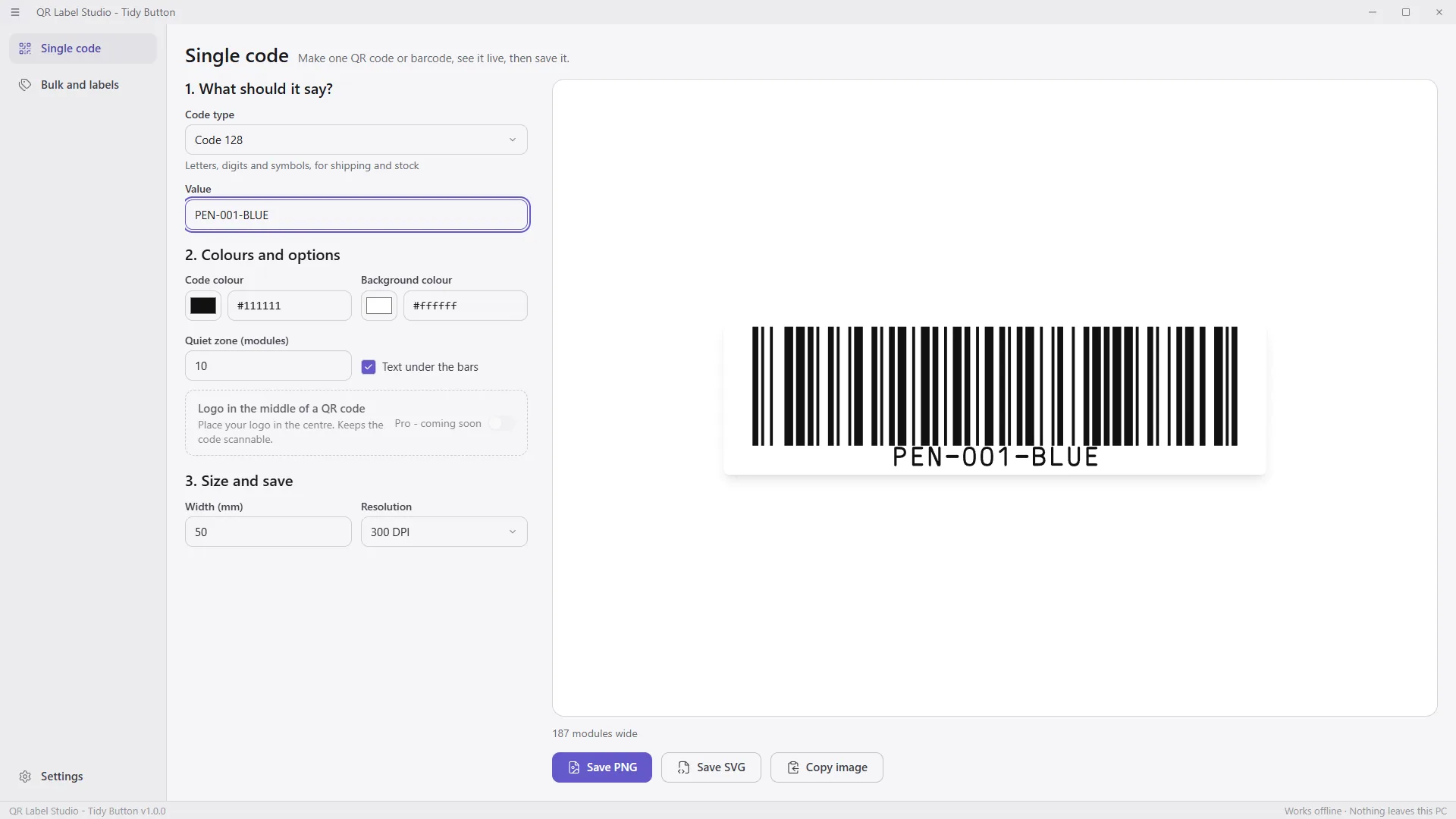
Code 128
Code 128 is free too, along with Code 39, UPC-A and Data Matrix
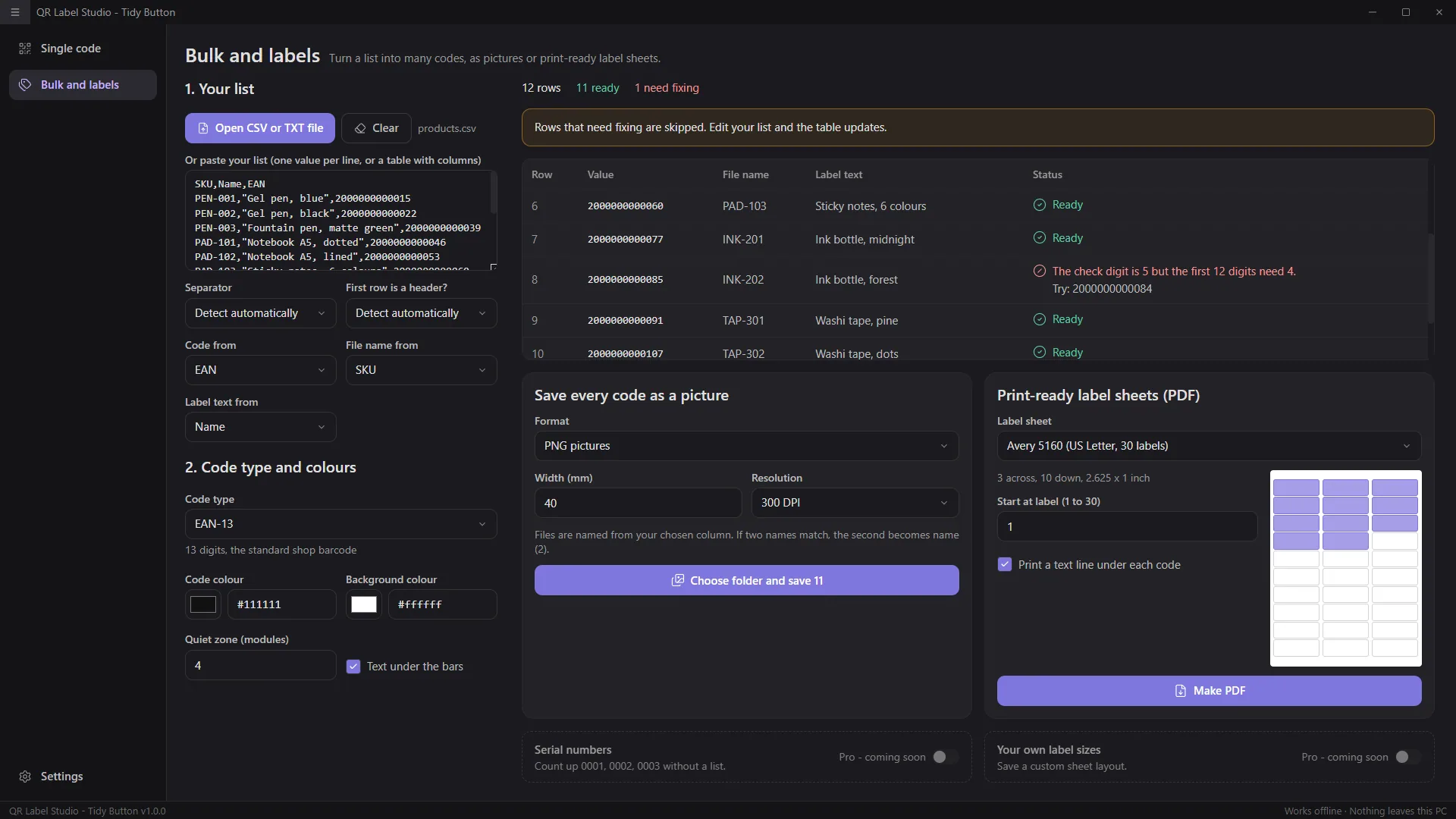
Bulk
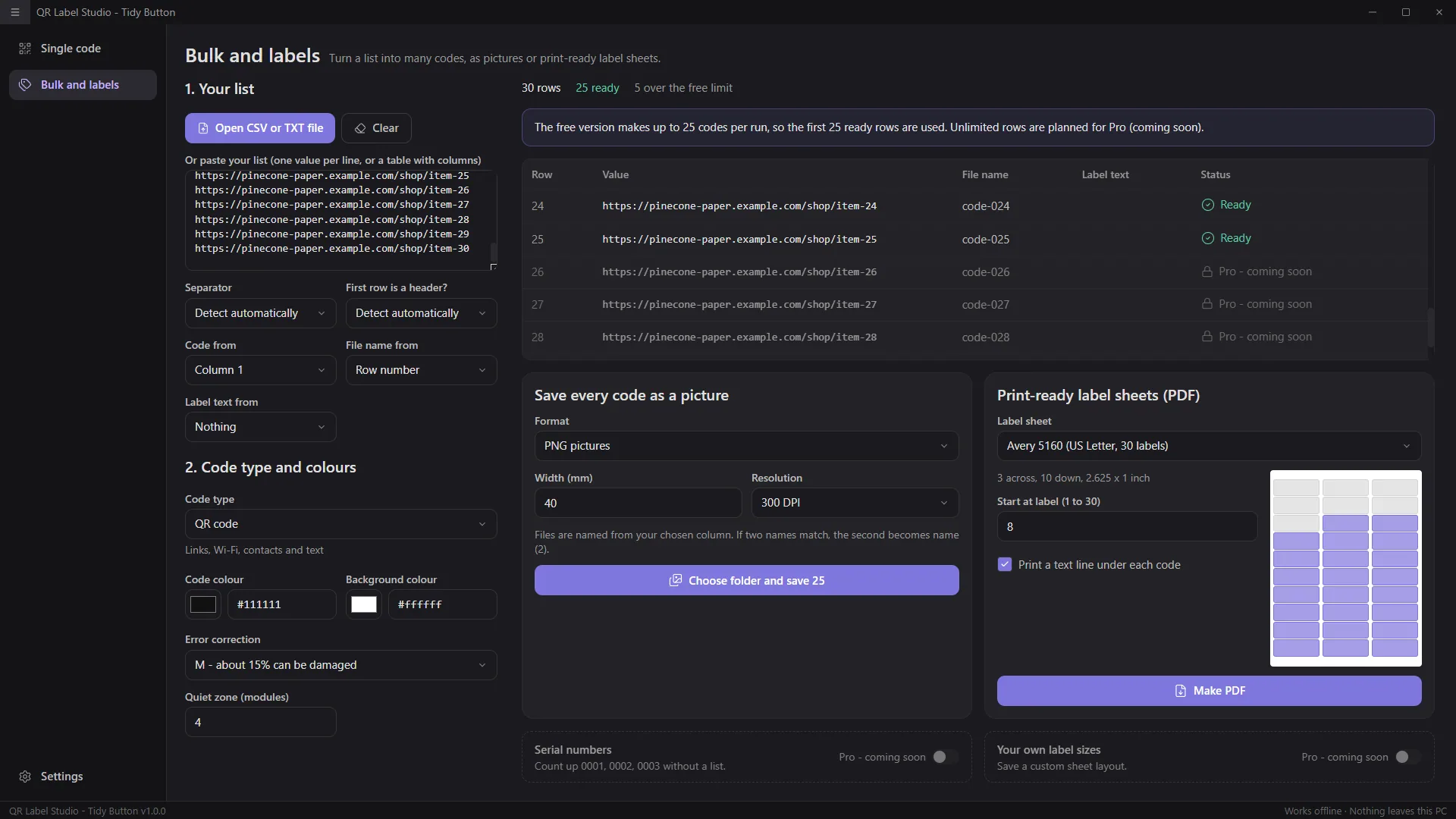
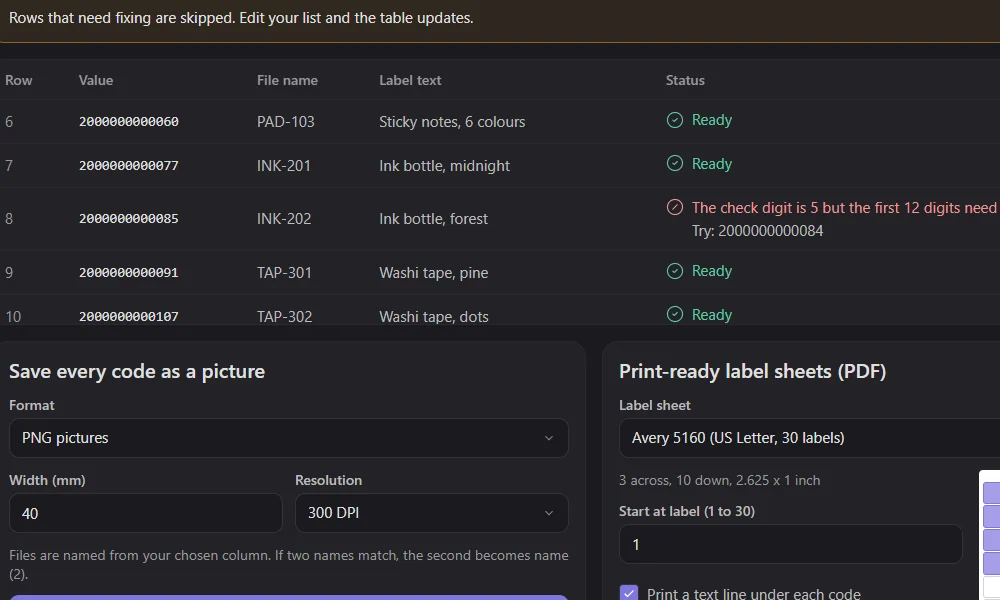
Bulk mode checks every row before you save
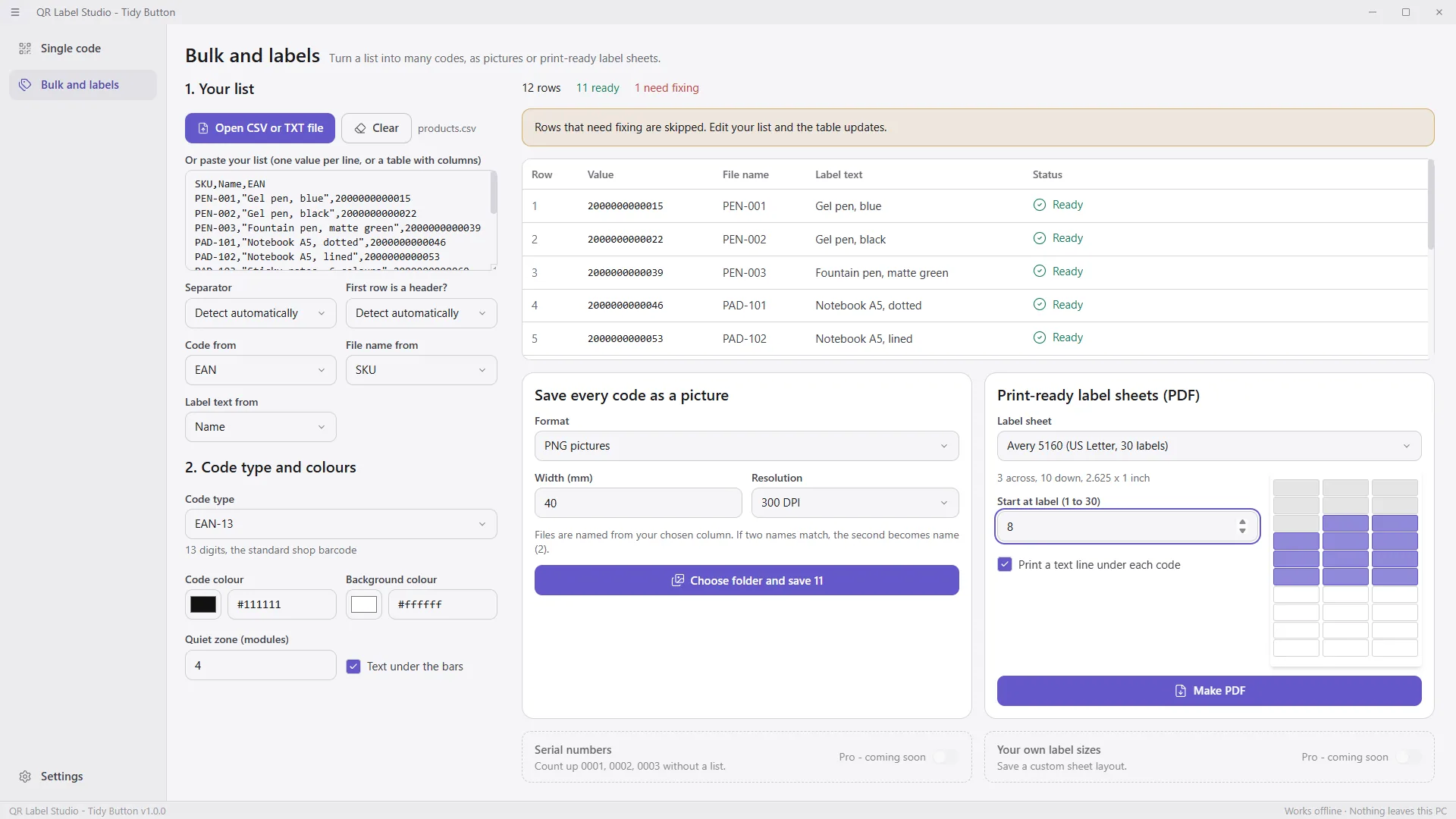
Label sheet
Print-ready PDF label sheets, starting at any label
Free limit
The free version makes up to 25 codes per bulk run
Screens use sample addresses and products, not real data. The app has light and dark themes.
How it works
Three steps. No manual.
01
Pick a type and type
Choose QR code or a barcode type, then type what it should say. The code appears as you type.
02
Save or copy it
Save a PNG at 300 or 600 DPI, save an SVG, or copy the image into a document.
03
Go bulk and print
Open a CSV or text file, check the table, then save every code as a picture or make a PDF of label sheets.
What it does
What it does.
Pick the type, type what the code should say and watch it appear. Save it as a picture, as an SVG, or copy it into a document. Or open a list and make hundreds in one go. Check digits are verified, faint colours are flagged, and the print-ready PDF label sheets can start at any label, so a half-used sheet is not wasted.
QR codes with helpers
Links, text, Wi-Fi, contact cards and email, with error-correction level and quiet zone.
Five barcode types, all free
Code 128, Code 39, EAN-13, UPC-A and Data Matrix. No code type is held back.
Live preview
The code redraws as you type, with a warning when the colours are too faint or inverted to scan.
Check digits fixed
EAN-13 and UPC-A check digits are verified. When one is wrong, the app shows the right one and fixes it in one click.
PNG, SVG or clipboard
Save a PNG at 300 or 600 DPI, save an SVG that stays sharp at any size, or copy the image.
Bulk from a list
Paste a list or open a CSV or text file, pick the column and see every row checked in a table.
Save every code as a picture
Files are named from the column you choose. Nothing already in the folder is overwritten, and a clash becomes name (2).
Print-ready label sheets
PDF sheets that stay sharp when printed: 30-up US Letter, 21-up and 24-up A4, 4 x 6 inch and 2 x 1 inch, starting at any label, with an optional text line under each code.
The small print, in plain English
Safe by design.
A wrong check digit is explained, with the right one one click away. No ink wasted on a bad barcode.
Rows that need fixing are flagged before anything is saved, and skipped until you fix them.
Every code type is free. Single codes are unlimited.
Bulk runs make up to 25 codes in the free version, and rows beyond that are marked, not hidden.
A wrong check digit is caught and explained before you print.
Bulk pictures never overwrite files already in the folder.
Works offline. No account. No ads. No tracking.
The code types
Six types, all free.
Pick the one your shelf, shop or scanner expects. None of them is locked behind a paywall.
Code 128 for shipping and stock.
QR code
Links, Wi-Fi, contacts, email, text
Choose the error-correction level and the quiet zone, and pick your own colours.
Code 128
Shipping and stock
Letters, digits and symbols.
Code 39
Capital letters and digits
Also takes - . $ / + % and a space.
EAN-13
The standard shop barcode
13 digits, with the check digit verified.
UPC-A
Used in the US and Canada
12 digits, with the check digit verified.
Data Matrix
Small square code
For parts and tiny labels.
Label sheets: 30 per US Letter sheet (5160 style), 21 per A4 sheet (L7160 style), 24 per A4 sheet, 4 x 6 inch shipping and 2 x 1 inch thermal.
Good for
Handy when things need a label.
Shelf, bin and box labels
Product barcodes for a small shop
A Wi-Fi code for guests
Stock and asset tags from a spreadsheet
Event tickets and table cards with a link
Questions
Plain answers.
Is every code type really free?
Yes. QR codes, Code 128, Code 39, EAN-13, UPC-A and Data Matrix are all free, and single codes are unlimited.
Is there a limit on bulk codes?
The free version makes up to 25 codes in one bulk run. Rows beyond that are marked clearly and are not made. A Pro add-on is planned for unlimited bulk runs.
Will my codes scan?
The app verifies EAN-13 and UPC-A check digits and warns when the colours are too faint or inverted to scan reliably. Do a test scan of a printed label before you print a whole sheet.
Which label sheets can I print?
Five layouts as a PDF: 30 labels on US Letter (5160 style), 21 labels on A4 (L7160 style), 24 labels on A4, 4 x 6 inch shipping labels and 2 x 1 inch thermal labels. You can start at any label, so a half-used sheet is not wasted.
What can I open for a bulk run?
A CSV or text file, or a list you paste. You pick the column to encode and the column to name the files from, and you see every row checked in a table before you save.
Will bulk saving overwrite my files?
No. Files are named from the column you choose, nothing already in the folder is overwritten, and a name that clashes becomes name (2).
Does it need an account or an internet connection?
Neither. There is no account, no ads and no tracking, your lists stay on your PC and the app works offline.