We will link the Store listing here the day it is live. Until then there is nothing to download.
Real app, with invented sample products.
Works offline
No account, no ads, no tracking
Unlimited bills
Receipts for 58 mm and 80 mm
See it
Eight views. One counter, running.
Start
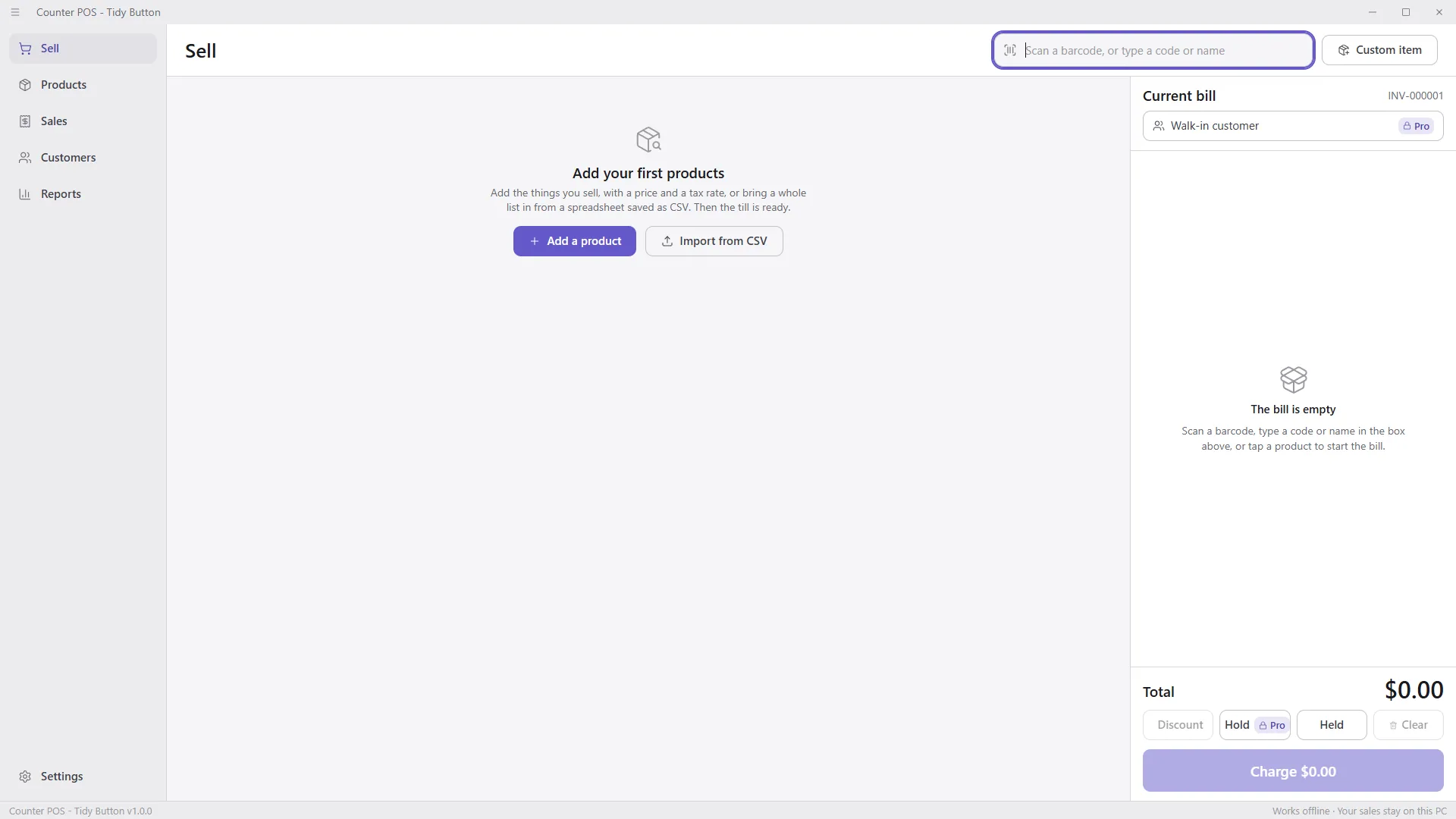
A clean till on first start, ready for your first products or a CSV import.
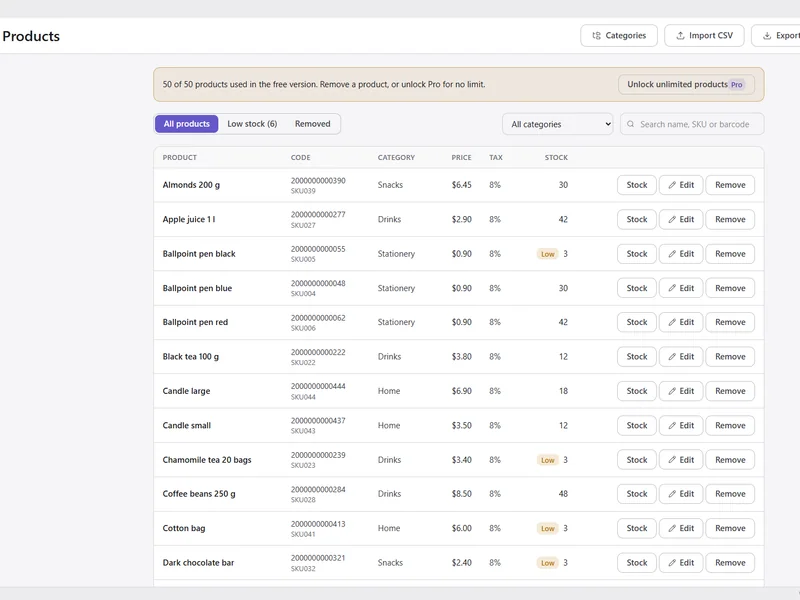
Products
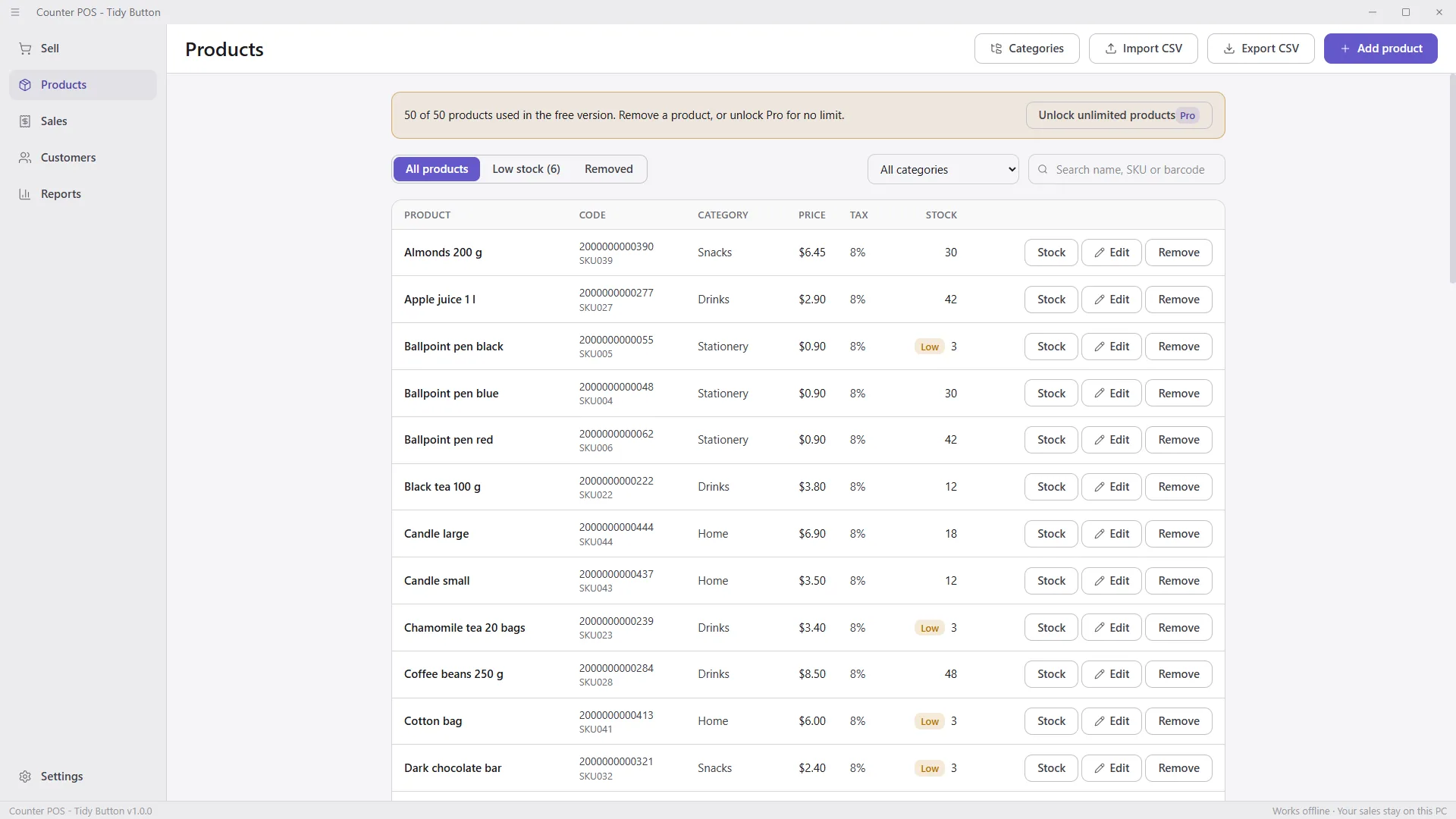
Your catalogue with prices, tax, stock and low-stock marks. The free version holds 50 products.
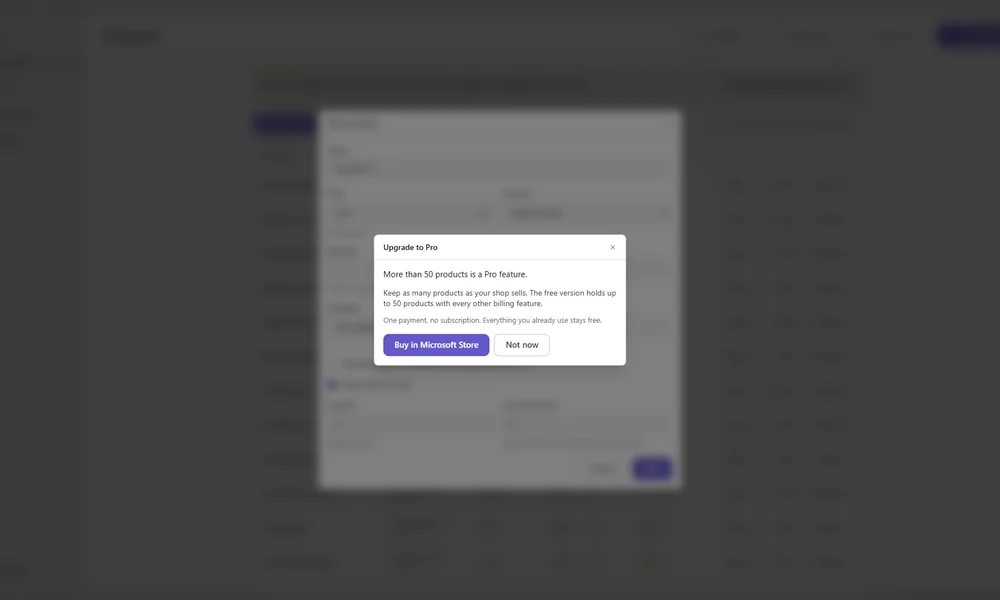
Pro prompt
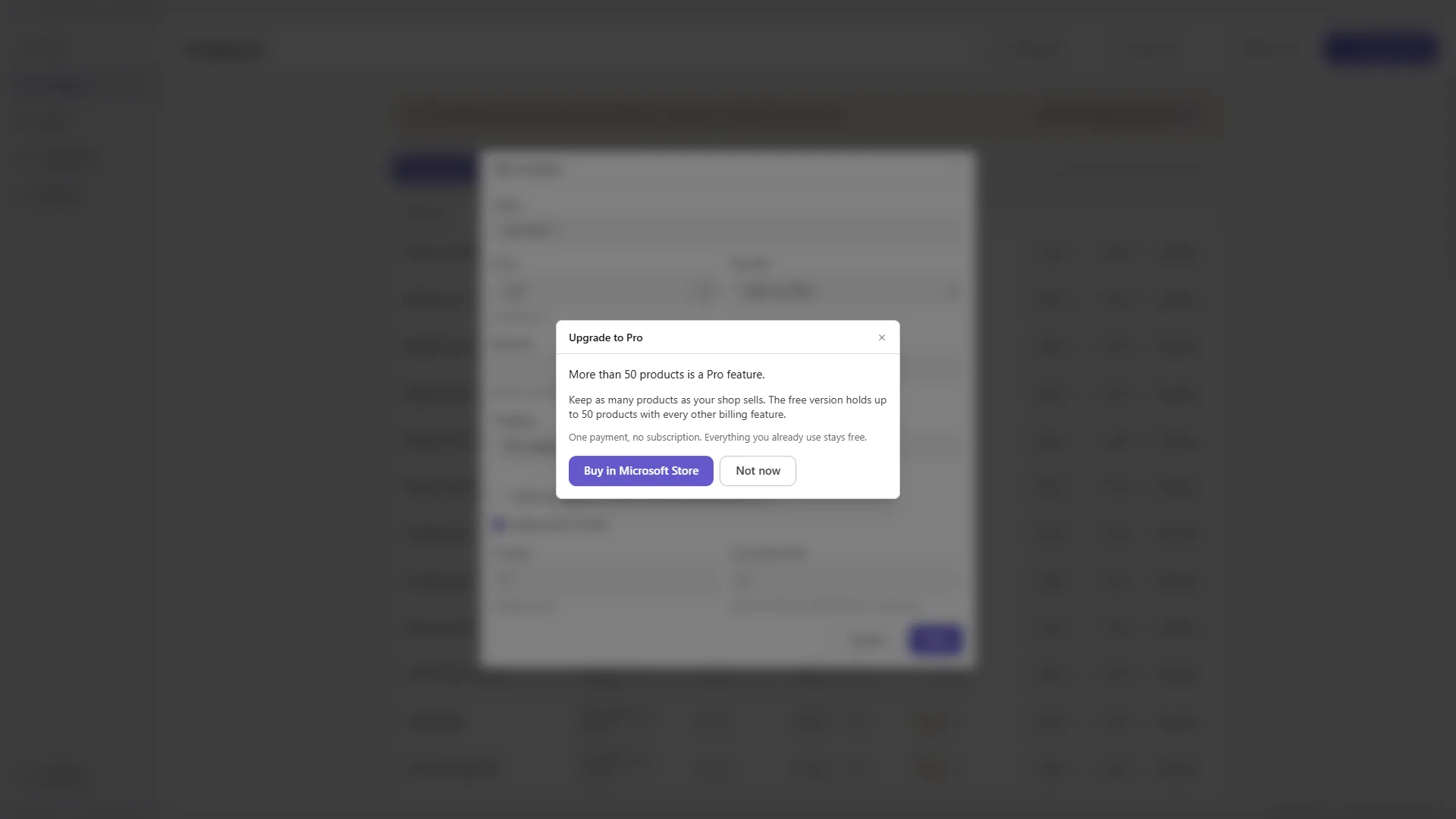
Adding a 51st product shows a calm, one-time Pro option. Everything else stays free.
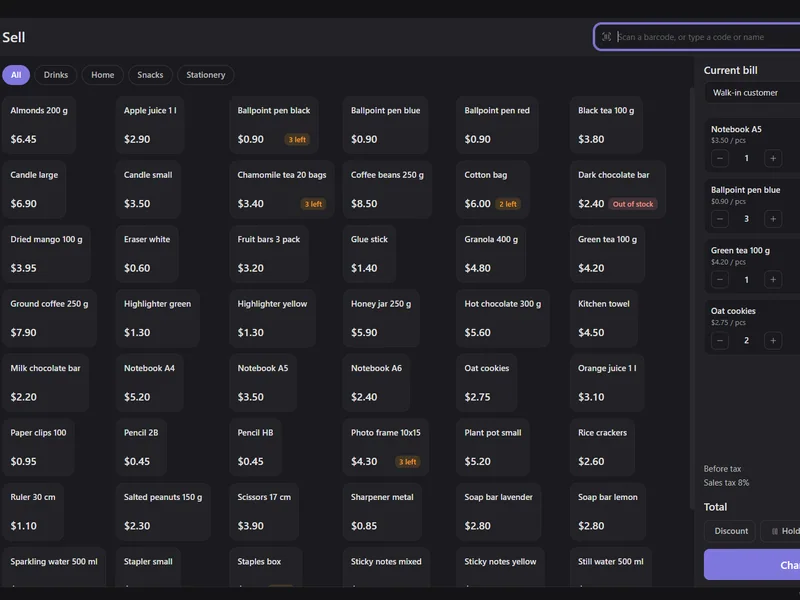
Till
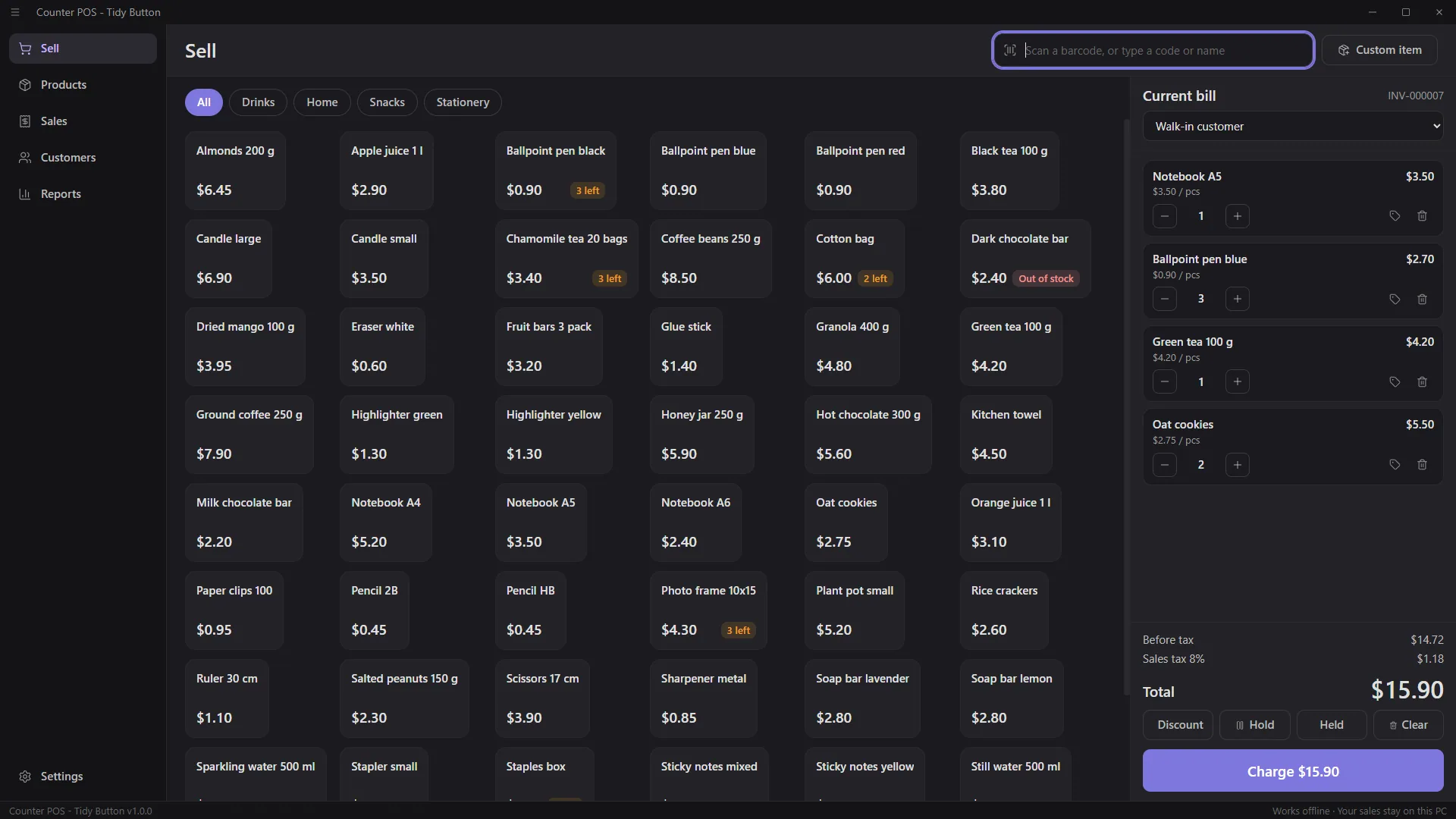
Scan or tap products to build a bill. Tax and the total update as you go.
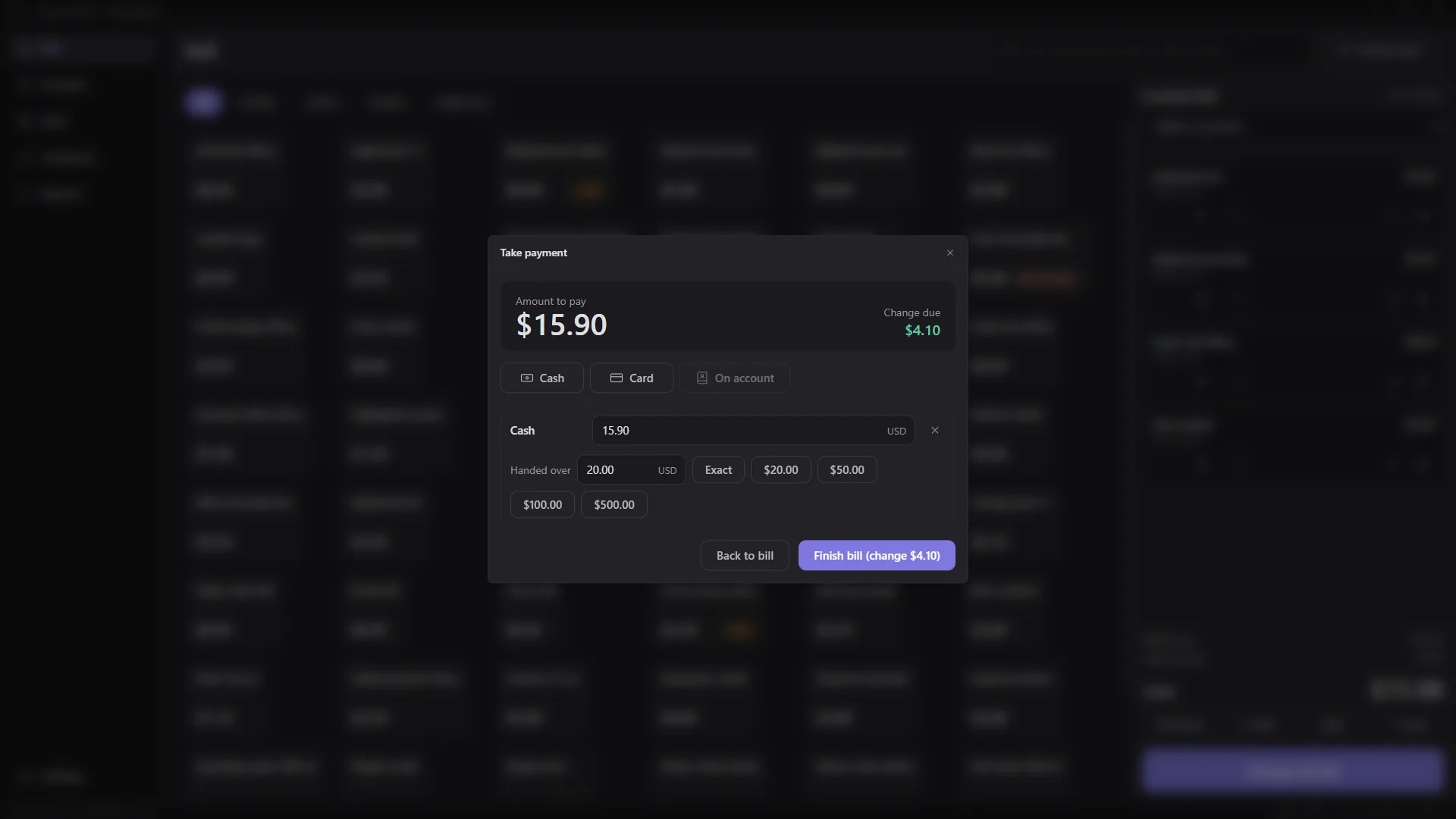
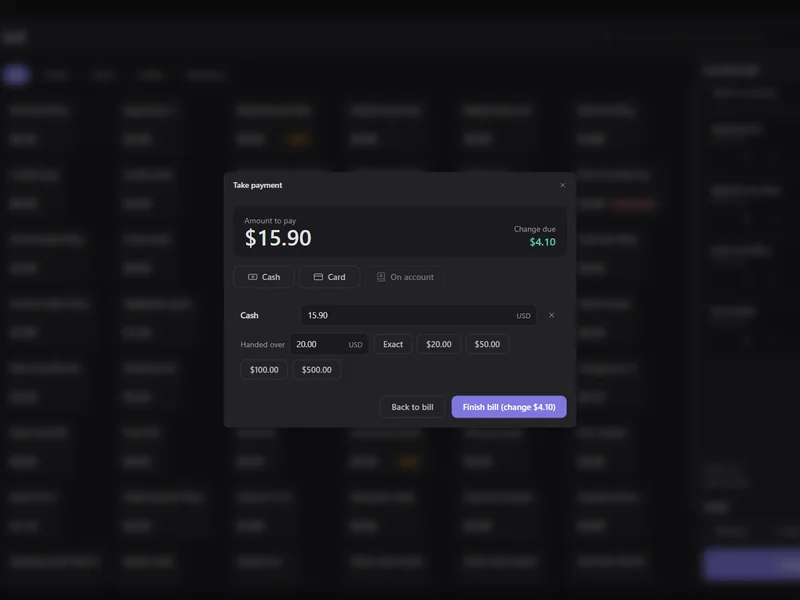
Payment
Take cash, card or split payments, with the change due worked out for you.
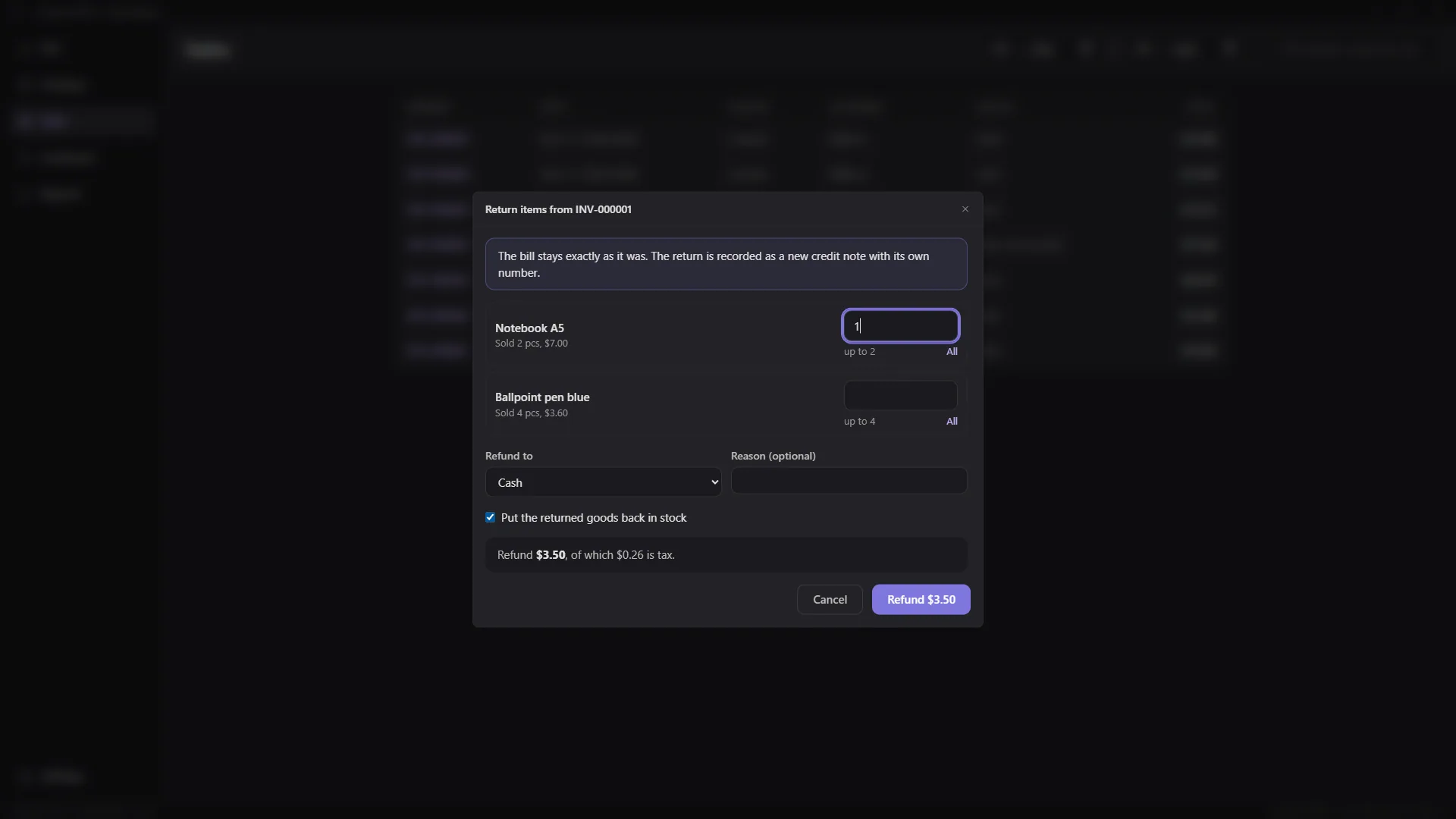
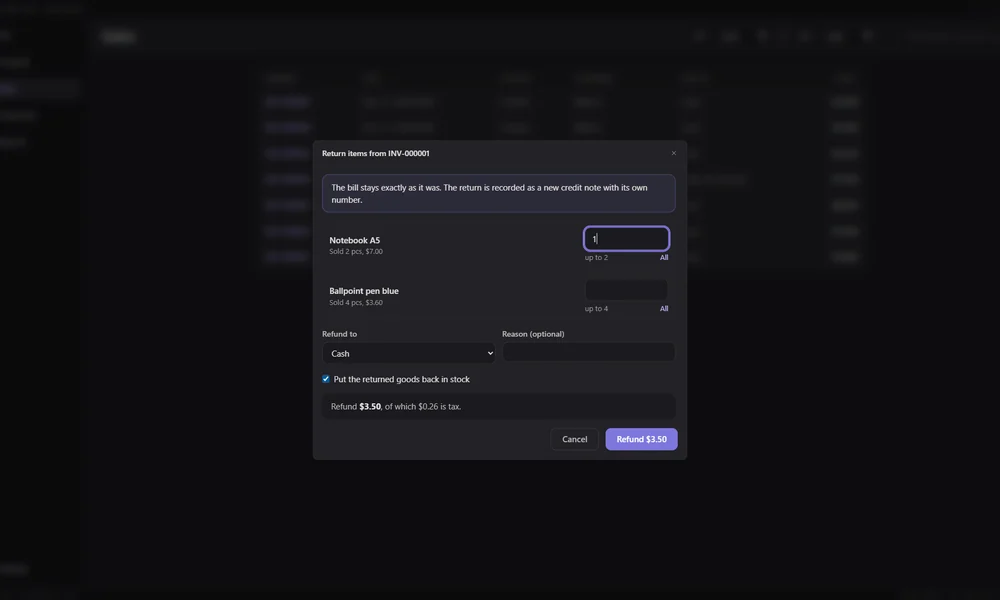
Returns
Pro: return items and record a numbered credit note. The original bill stays unchanged.
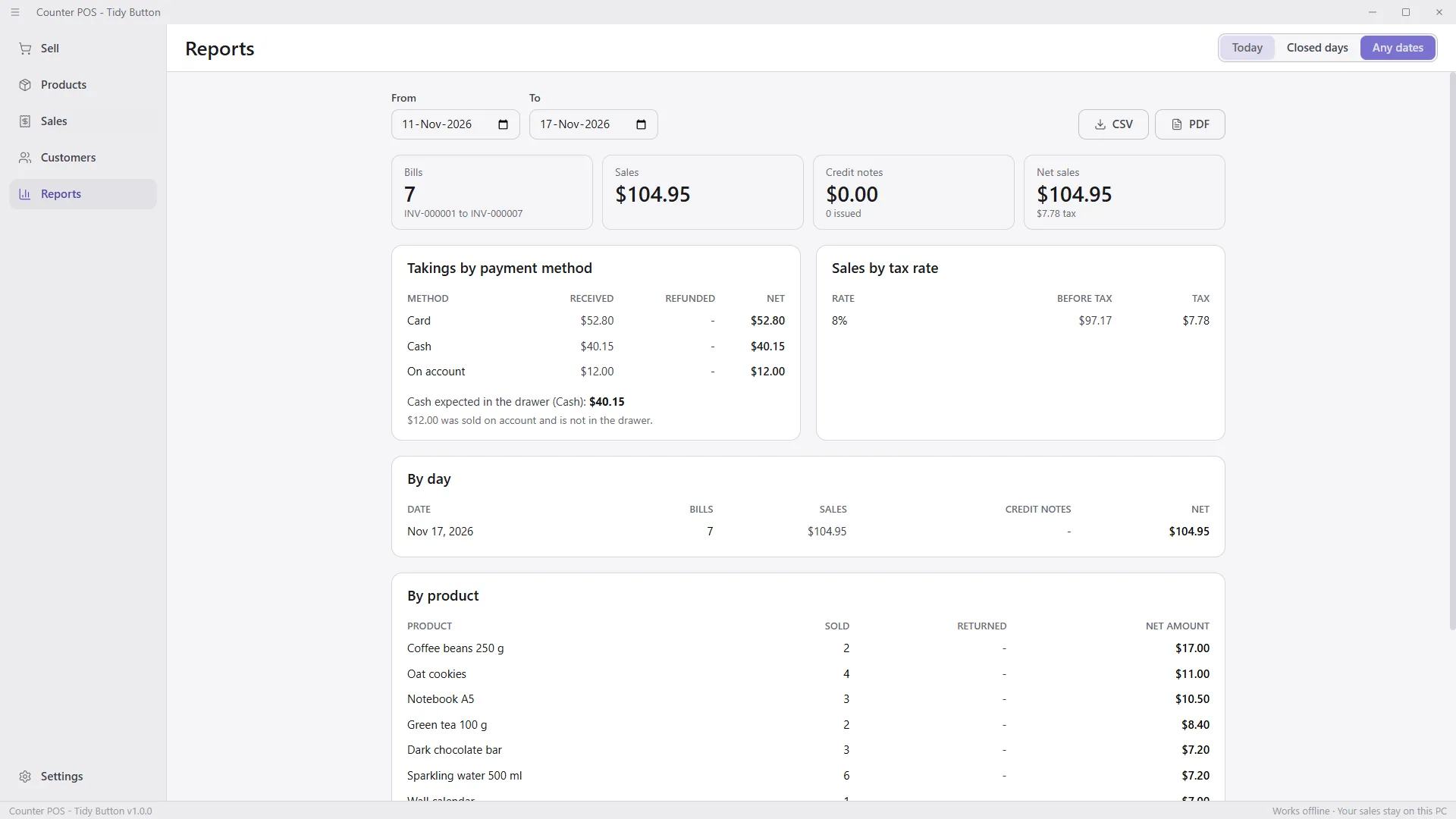
Reports
Pro: reports for any dates by day, product, payment method and tax rate.
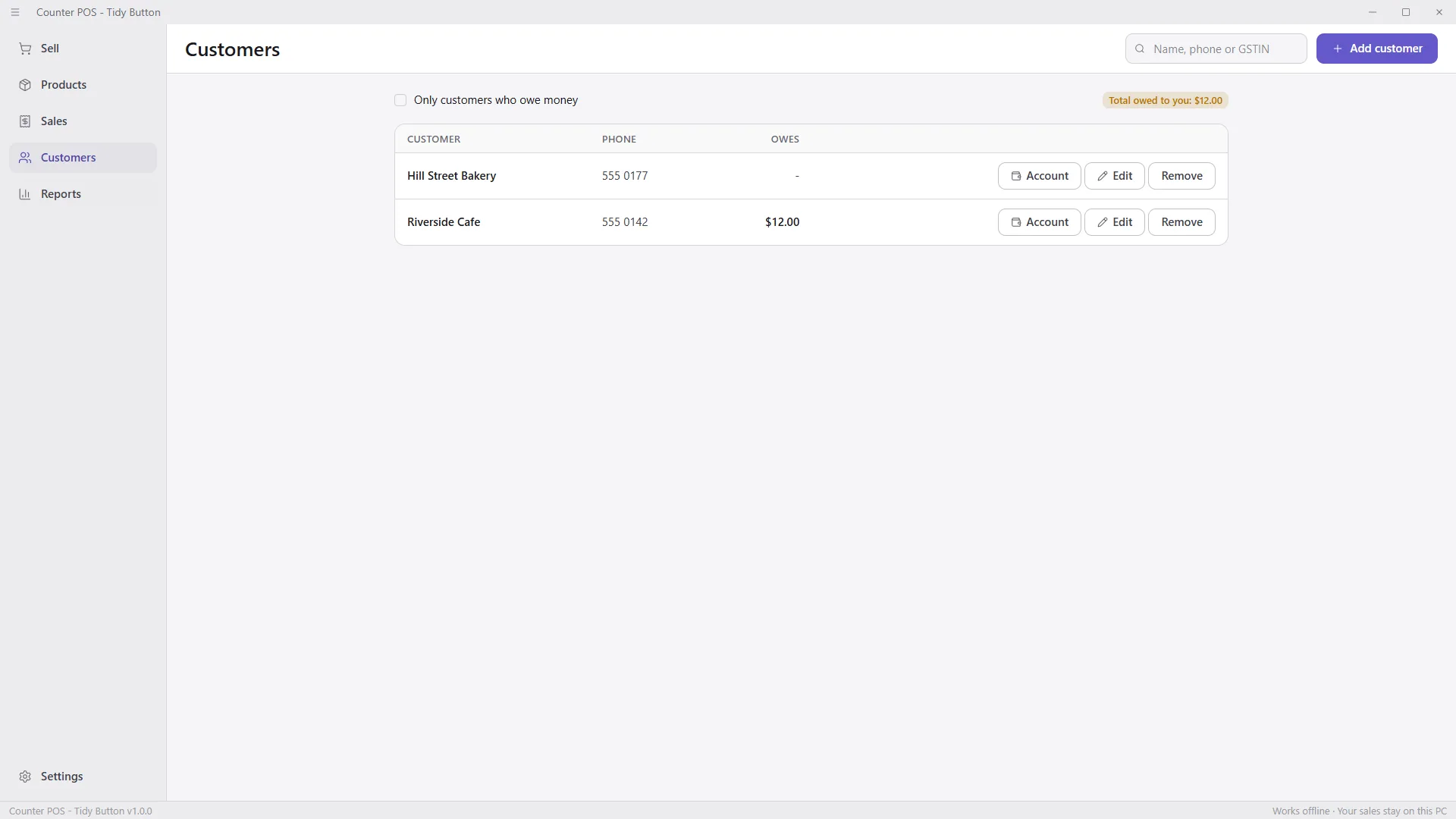
Customers
Pro: keep customer accounts and see who owes what.
Screens show invented sample products and customers. The app has light and dark themes.
How it works
Three steps. No manual.
01
Add your products
Add products with barcode, price, tax rate and stock, or import them from a CSV file.
02
Build a bill
Scan a barcode, tap a product or type a name. Tax and the total update as you go.
03
Take payment
Choose cash, card or split payments, see the change due and print the receipt.
What it does
What it does.
Counter POS is a simple till for a small shop, cafe or market stall. Scan a barcode, tap a product or type a name, take payment and print the receipt. It runs on one Windows PC, works offline, and needs no account or server. Prices can include tax or have it added, and every amount is kept in whole cents, so the receipt, the report and the daily close always agree. The free version has unlimited bills, up to 50 products, receipts for 58 mm and 80 mm printers, a daily close with a Z-report and daily automatic backup. Pro adds unlimited products, several tax rates, GST mode, returns with credit notes, customers with dues, reports for any dates and cashiers with PIN sign-in. Your data stays on your PC.
Bill your way
Scan a barcode, tap a product tile or search by name. Add discounts on a line or on the whole bill.
Exact tax
Prices with or without tax, with rounding per line or per bill. Amounts are kept in whole cents.
Take payment
Cash, card or your own payment labels, split payments and the change due worked out for you.
Receipts and invoices
Receipts for 58 mm and 80 mm printers, and an A4 invoice saved as a PDF.
Daily close
A Z-report with counted cash and a history of closed days.
Stock and backup
Stock levels, a low-stock list, CSV import and export of products, and a daily automatic backup.
Returns and customers
Pro: returns recorded as numbered credit notes, and customers with accounts, dues and payments.
GST and reports
Pro: several tax rates, GST mode with HSN, CGST, SGST and IGST, and reports for any dates as CSV or PDF.
The small print, in plain English
Safe by design.
Adding a 51st product shows a calm, one-time Pro option. Everything else stays free.
Pro: a return records a numbered credit note and the original bill stays unchanged.
Your sales and customers stay on your PC.
No ads, no pop-ups and no waiting screens.
Works offline. No account. No server.
Unlimited bills are free. Pro is optional and one payment.
What it does
Every sale, counted exactly.
From the first bill to the daily close.
Pro: reports for any dates.
Bills
Free
Unlimited bills in the free version, with no daily limit.
Products
Free
Up to 50 products with barcode, price, tax rate, stock and low-stock level.
Tax
Exact
Prices with or without tax and rounding per line or per bill, in whole cents.
Close
Free
A daily close with a Z-report, counted cash and a history of closed days.
Safe
Always
Finished bills cannot be edited and a daily automatic backup is kept.
Pro
Pro
Unlimited products, several tax rates, GST mode, returns, customers, reports and cashiers.
The free version covers a small shop's day. Pro adds the extra tools for bigger catalogues and accounts.
Good for
Handy when customers are waiting.
A small shop or cafe counter
A market stall
Billing with a barcode scanner
Printing receipts on a 58 mm or 80 mm printer
Keeping track of stock and daily takings
Questions
Plain answers.
Does it need the internet or an account?
No. It runs on one Windows PC, works offline and needs no account or server.
Is there a limit on bills in the free version?
No. Bills are unlimited with no daily limit. The free version holds up to 50 products.
Which printers does it support?
It prints receipts for 58 mm and 80 mm printers through the Windows printer driver, and saves an A4 invoice as a PDF.
Can bills be edited after they are finished?
No. Finished bills cannot be edited, and bill numbers are never reused.
Does it process card payments?
No. Payment names are labels only.
Is my data sent anywhere?
No. Your sales and customers stay on your PC. The only network use is the check of a Pro licence.
What does Pro add?
One payment, no subscription. Pro adds unlimited products, several tax rates, GST mode with HSN codes, holding a bill, returns with credit notes, customers with dues, reports for any dates, cashiers with PIN sign-in, and your logo on receipts.