Coming to the Microsoft Store
Focus Timer Focus, then rest.
A timer, a task list and your last 7 days. Offline, no account.
Not on sale yet. The app is still being built.
We will link the Store listing here the day it is live. Until then there is nothing to download.
- Works offline
- No account, no ads, no tracking
- Saved on your PC
- Free
See it
Four views. One timer, open.
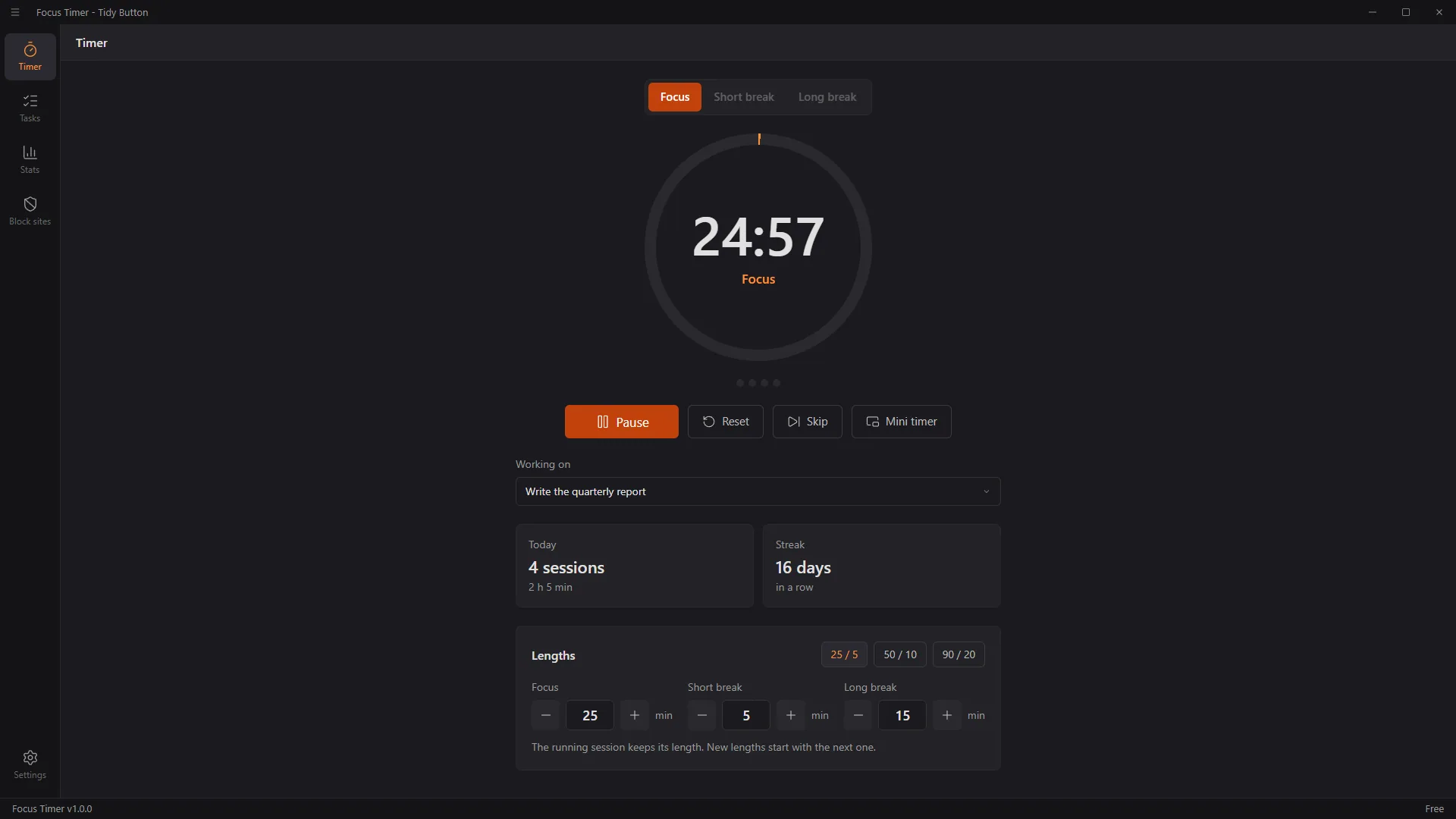
Timer
A focus session running, with today's sessions and your streak
Tasks
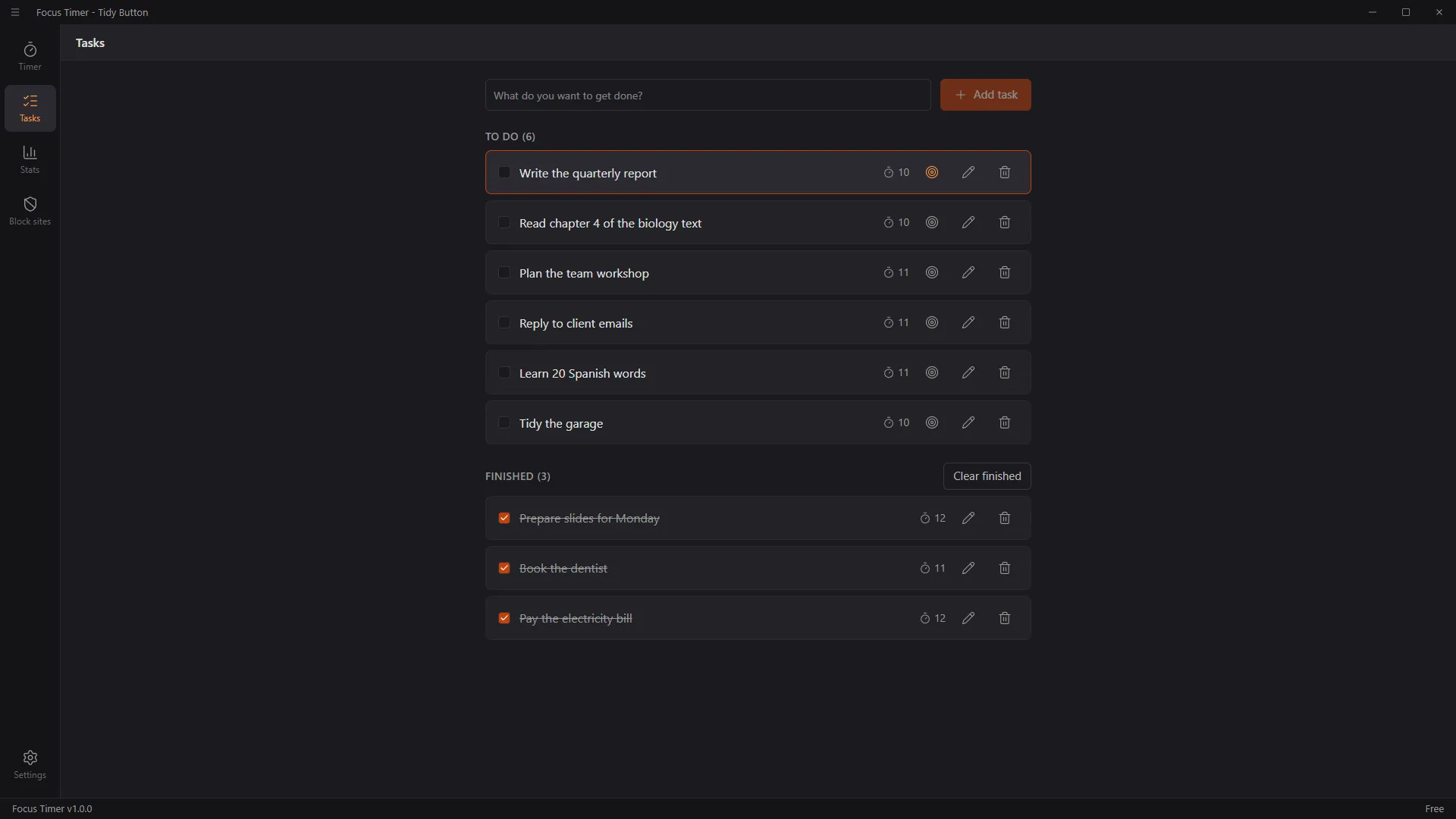
A task list with the sessions finished for each task
Stats
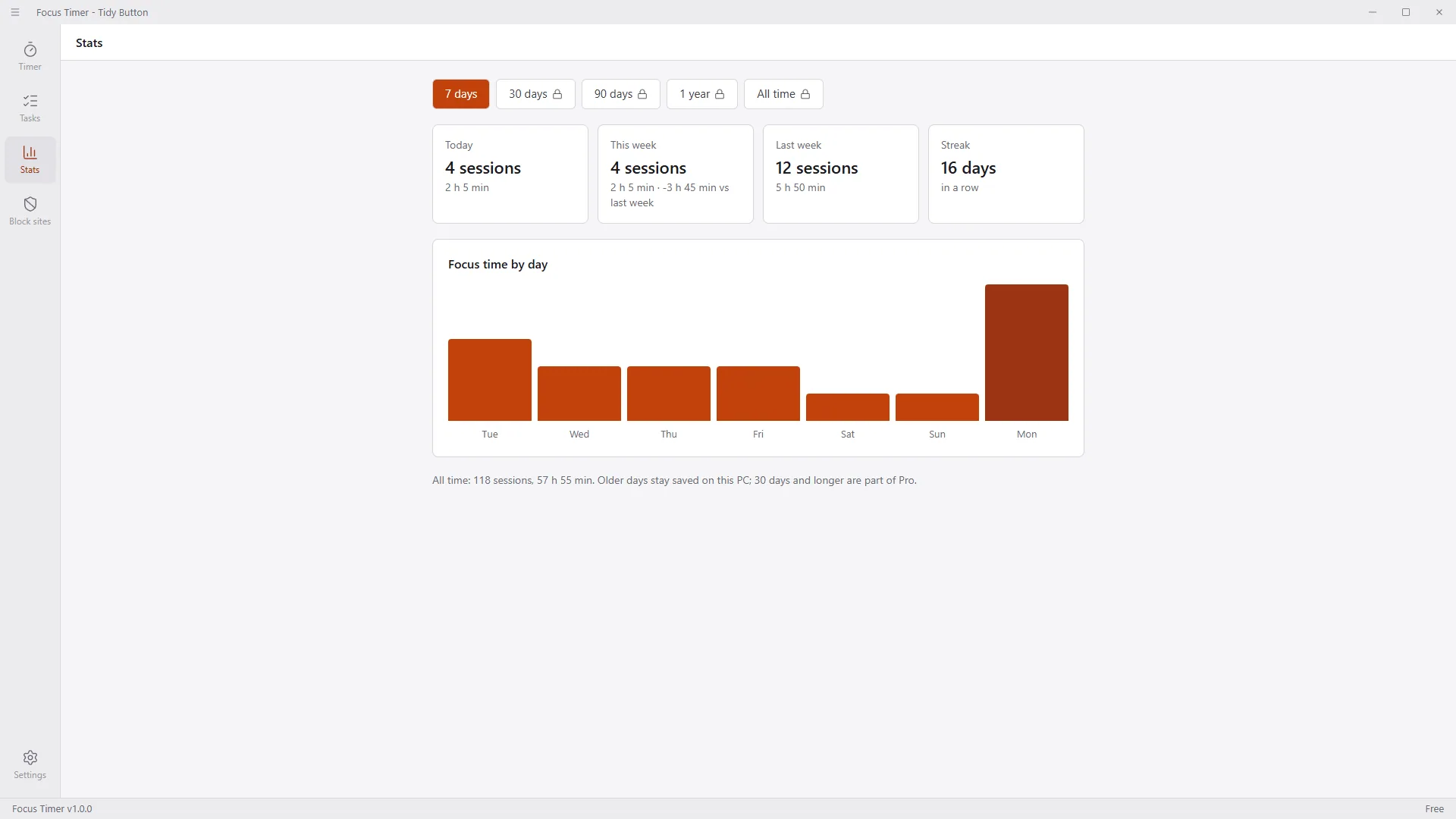
The last 7 days at a glance
Settings
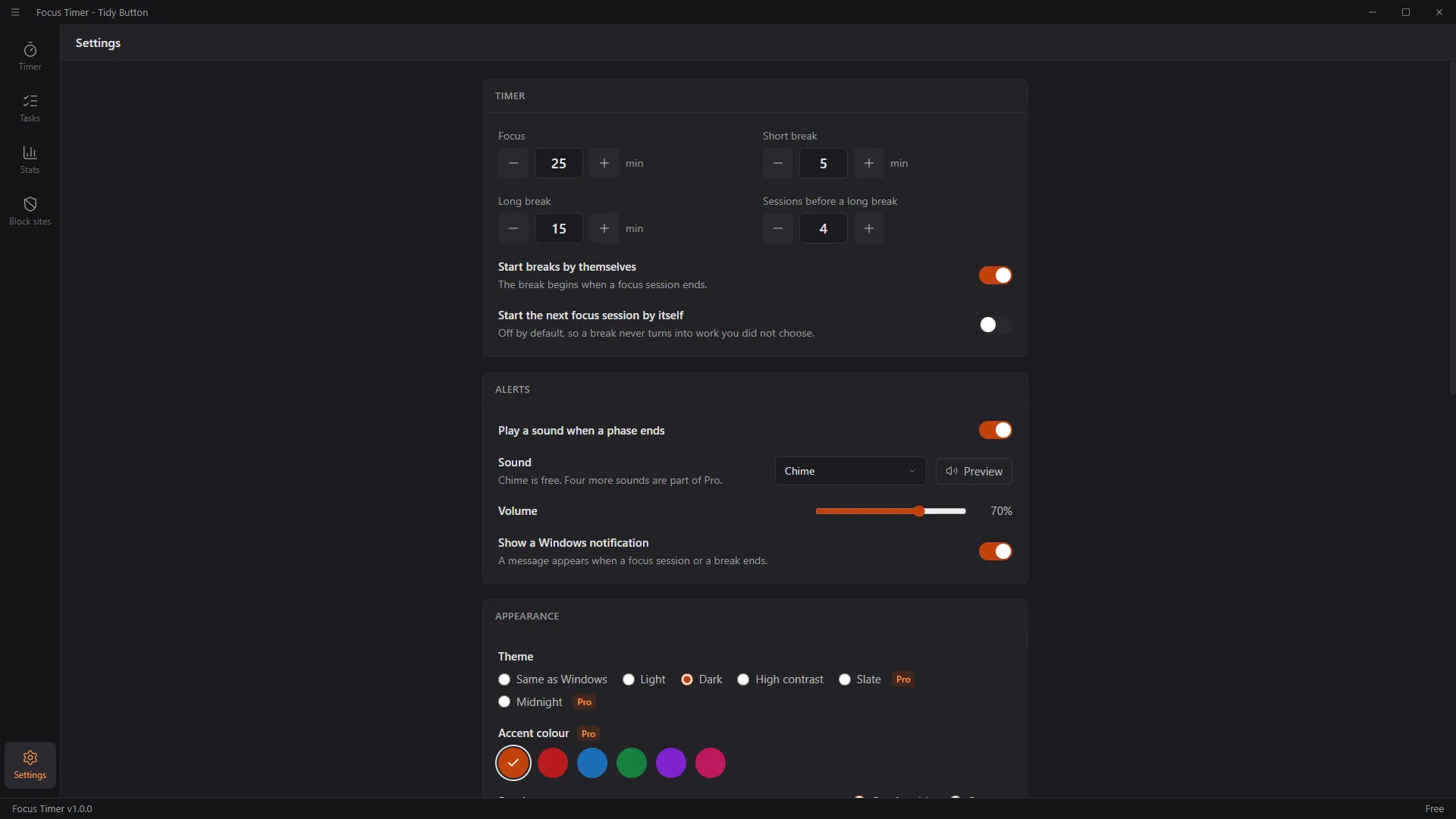
Choose your lengths, alerts and theme
Screens show a demo folder, not a real PC. The app has light and dark themes.
What it does
What it does.
Pick a task, press Start and work until the chime. Then take a break. Every finished focus session is counted for the day and for the task. Your tasks, finished sessions and site list are saved on your own PC, in a folder called Focus Timer inside Documents.
Your own lengths
Set the focus, short break and long break lengths in minutes, or pick a preset: 25 / 5, 50 / 10 or 90 / 20. Choose how many sessions come before a long break.
Task list
Keep up to 500 tasks, pick the one you are working on and see how many sessions you finished for each.
Mini timer
A small window with the clock that stays on top of other windows while you work.
Sound and notification
A sound and a Windows notification when a focus session or a break ends. Set the volume or turn either off.
Stats for 7 days
Today, this week against last week, your streak of days in a row and a chart of each day.
Pro tools
An optional one-time Pro add-on adds website blocking during focus sessions, long-term stats, extra themes and sounds, history export to CSV and a hotkey to start and pause from any program.
The small print, in plain English
Safe by design.
- Your tasks and history stay on your PC.
- Nothing you type is uploaded.
- Works offline. No account. No ads. No tracking.
- Pro is optional and one payment. Everything above stays free.
Good for
Handy when you need to focus.
- Studying in focused blocks
- Working through a to-do list
- Writing and coding sessions
- Anyone who wants a timer without an account
- Seeing how much you focused this week
Questions
Plain answers.
Where are my tasks and sessions saved?
On your own PC, in a folder called Focus Timer inside your Documents folder. They stay there if you uninstall the app. Nothing is uploaded.
Can I change the lengths?
Yes. Set the focus, short break and long break lengths in minutes, or pick a preset. You can also choose how many focus sessions come before a long break.
Does a stopped session count?
No. Only a focus session that runs to the end is counted. Reset and Skip ask first.
How much history is free?
The last 7 days of stats are free. Older sessions stay saved on your PC. Viewing 30 days and longer is part of the optional Pro add-on.
Does it need an account or an internet connection?
Neither. There is no account, no ads and no tracking. The timer, tasks and stats work offline. The only network use is the optional check of a Pro licence.
Which versions of Windows does it run on?
Windows 10 and Windows 11.