We will link the Store listing here the day it is live. Until then there is nothing to download.
Real app, with sample pictures.
Works offline
No account, no ads, no tracking
Everything stays on your PC
Free up to 128 x 128
See it
Eight views. One sprite, drawn.
Start
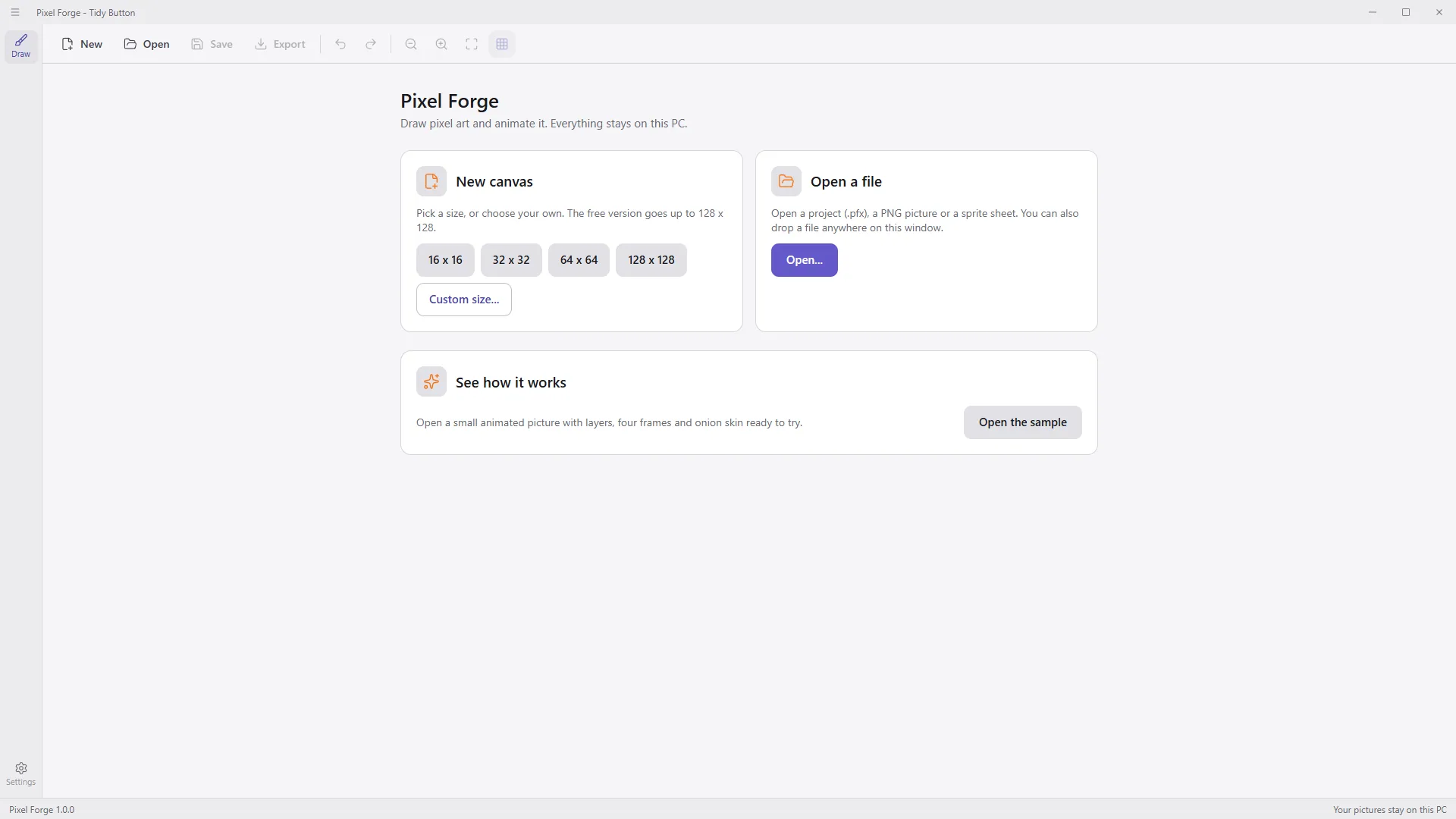
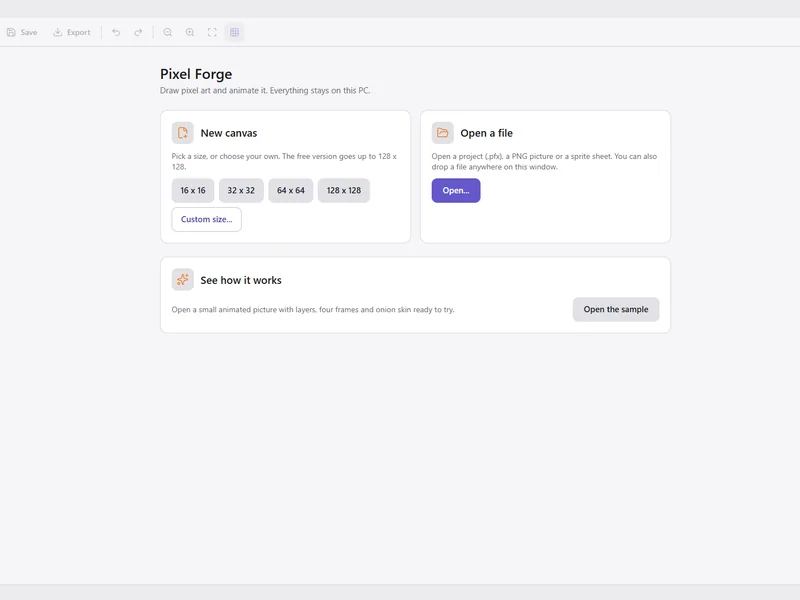
Start with a new canvas from 16 x 16 to 128 x 128, open a file, or try the sample.
Draw
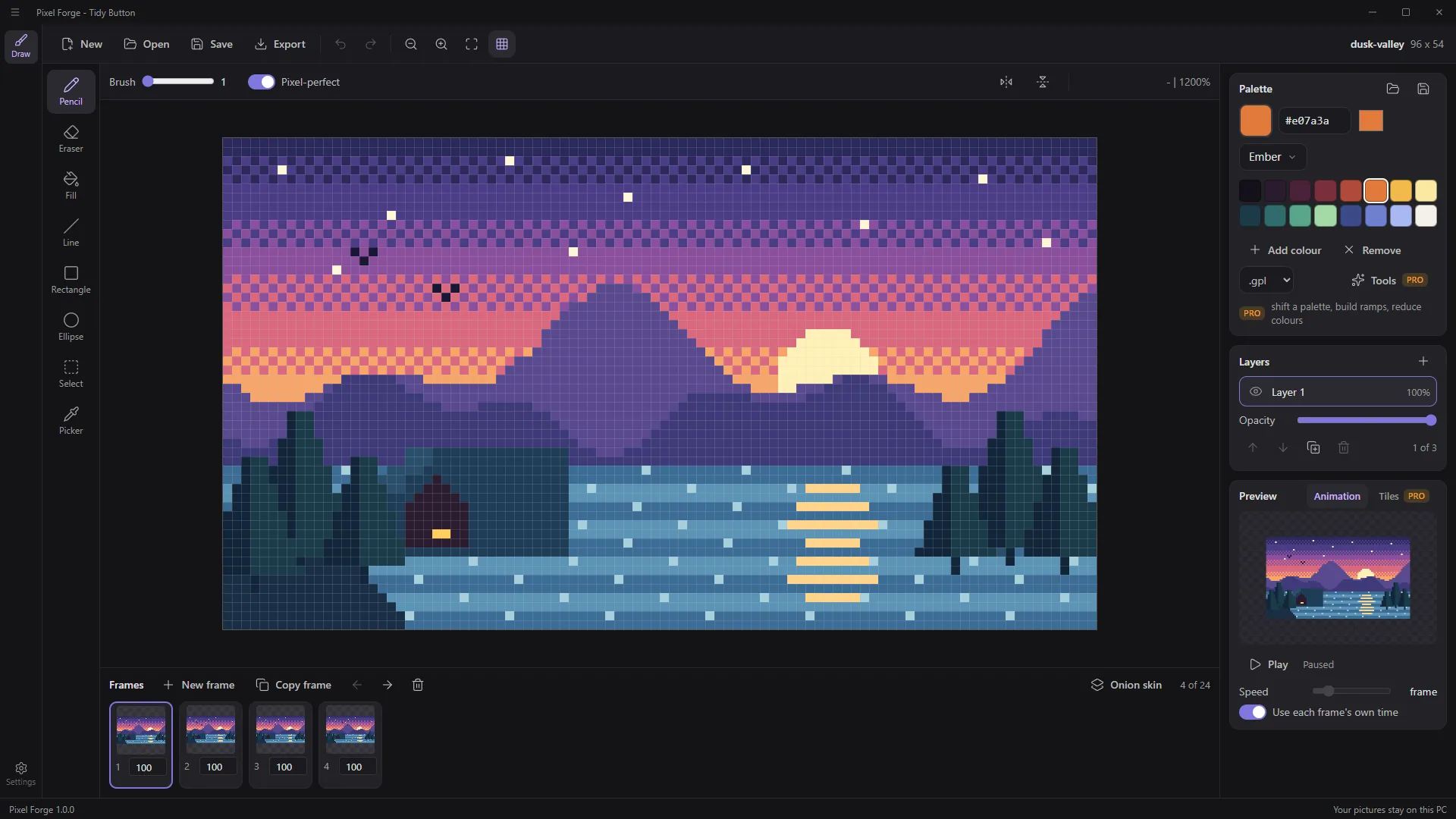
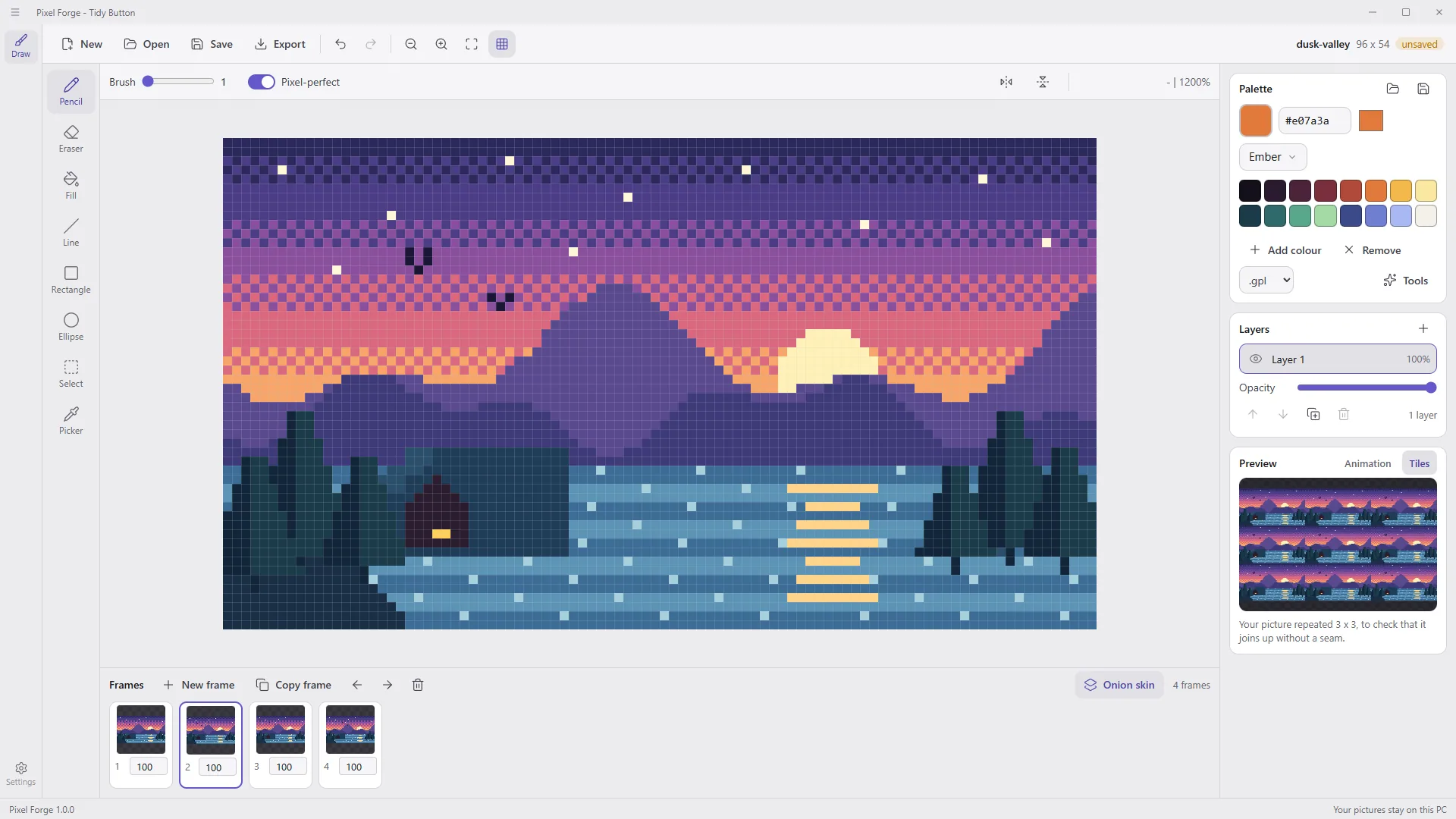
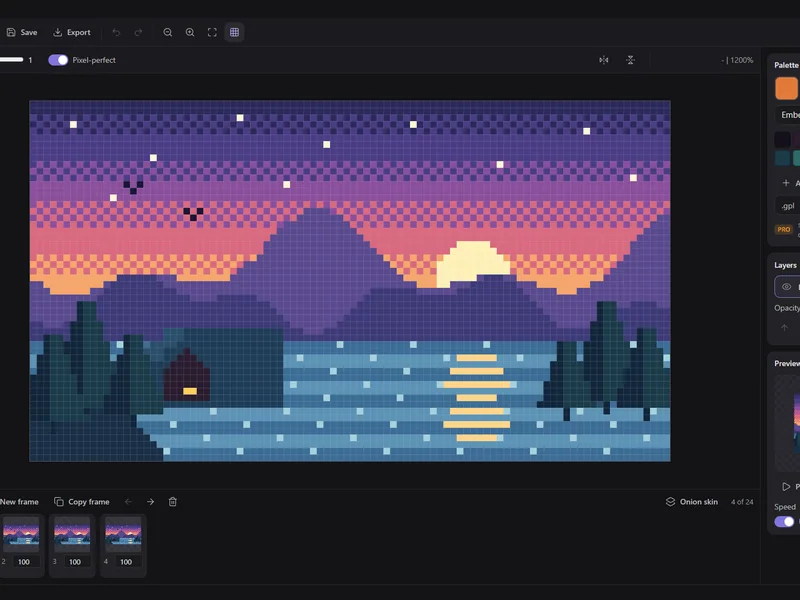
Draw with eight tools, a pixel grid and a clear palette, in the dark theme.
Frames
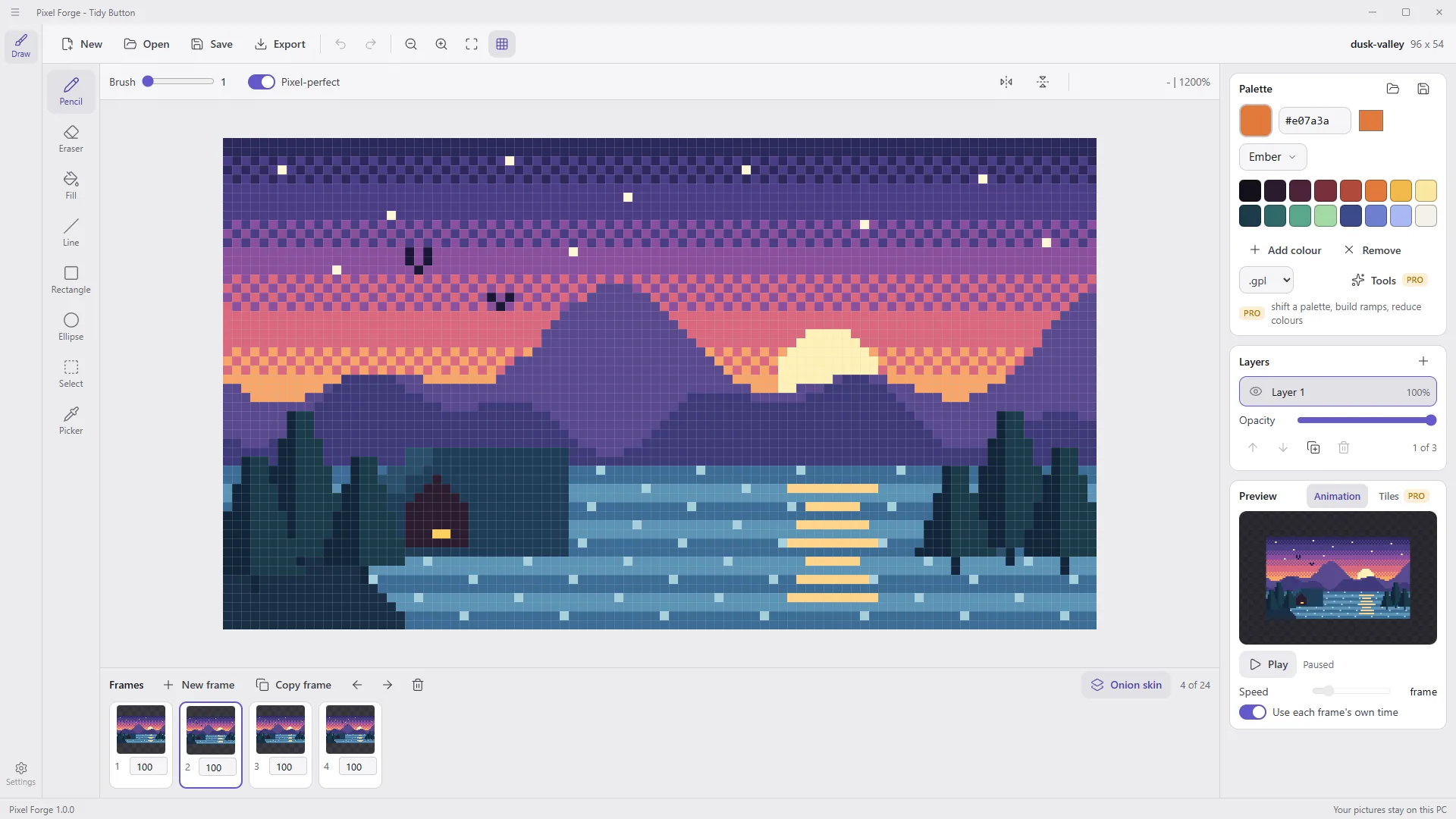
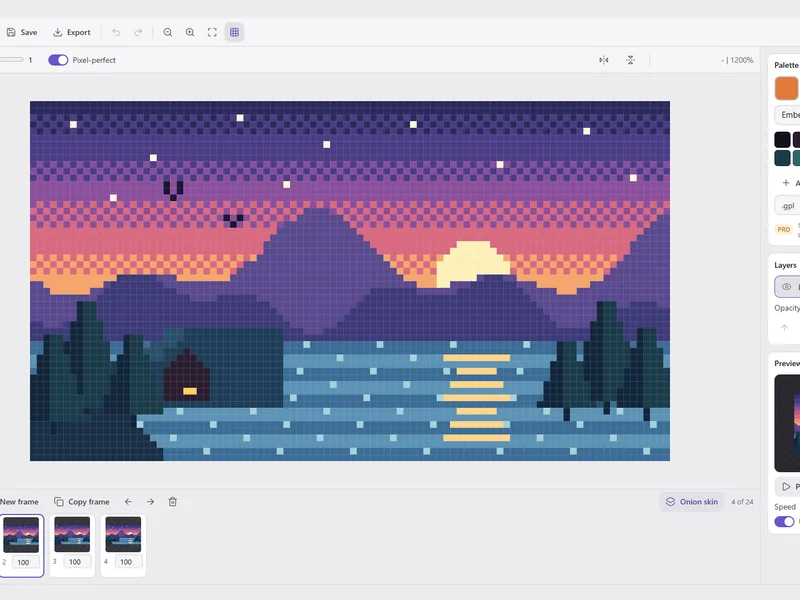
Add frames, switch on onion skin and play the animation back.
Export
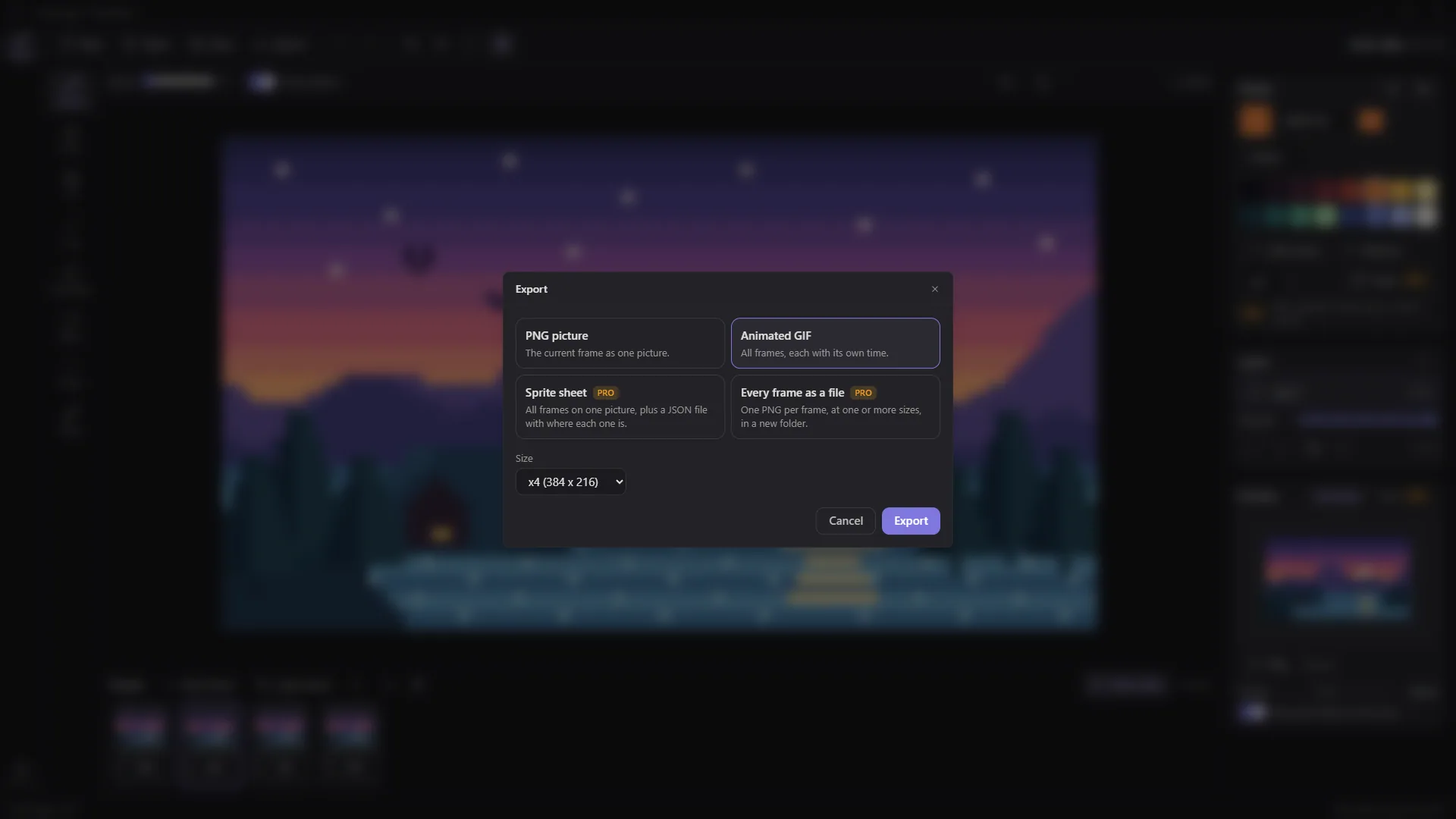
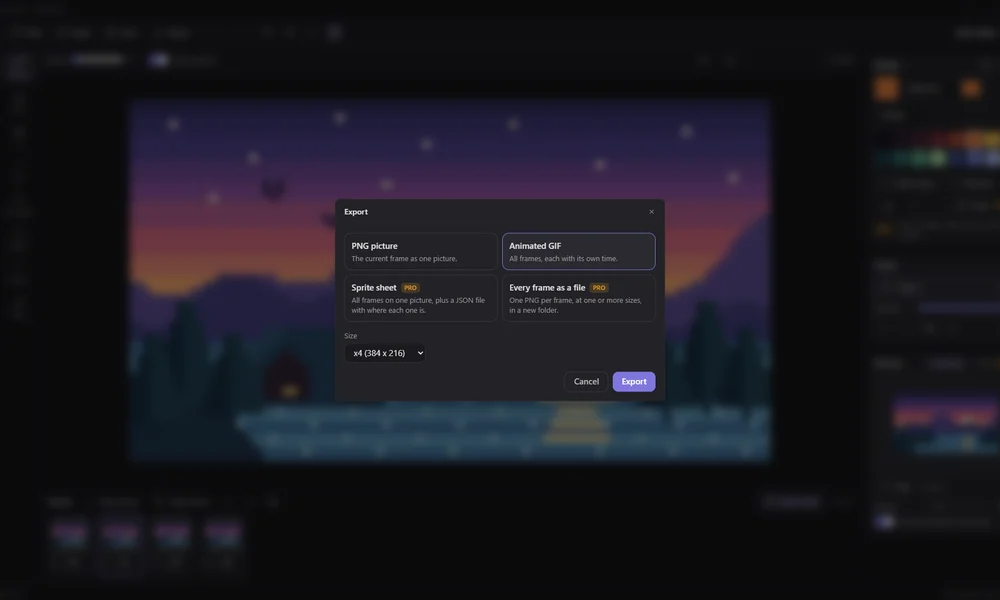
Export a PNG or an animated GIF at 1x to 10x, and keep every frame's own time.
Free limit
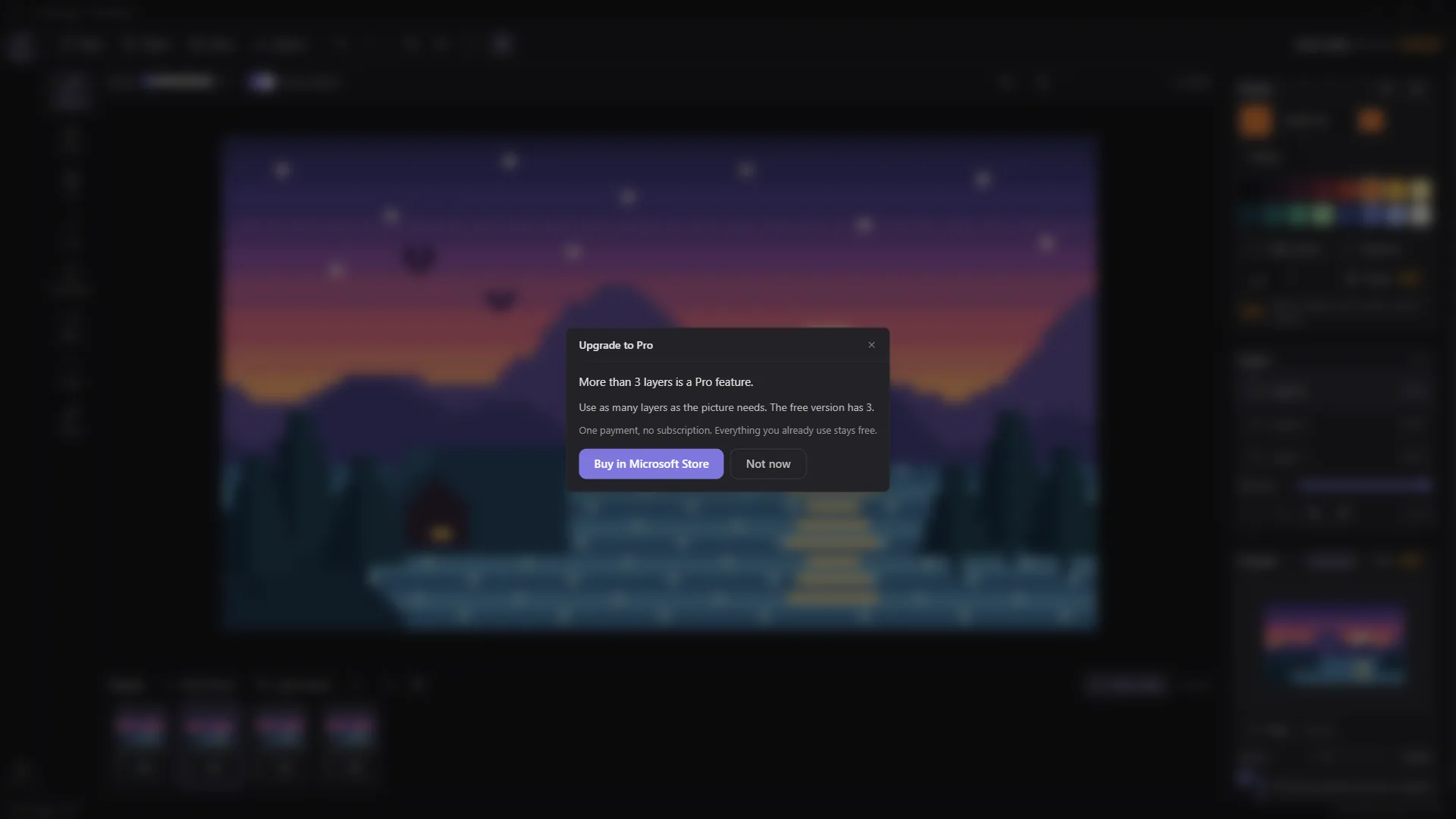
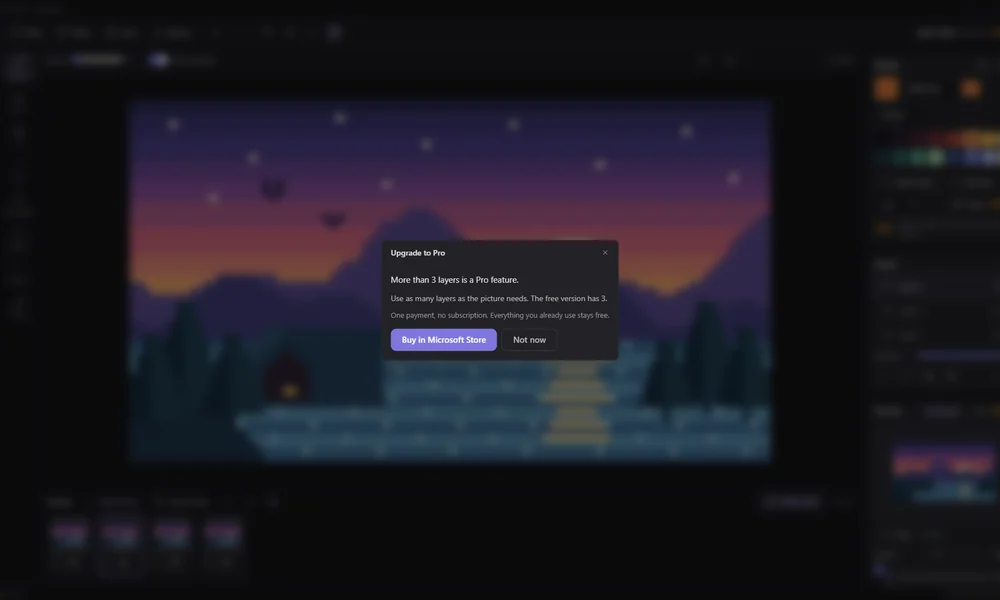
The free version has 3 layers. A fourth asks first, and nothing you made is lost.
Sprite sheet
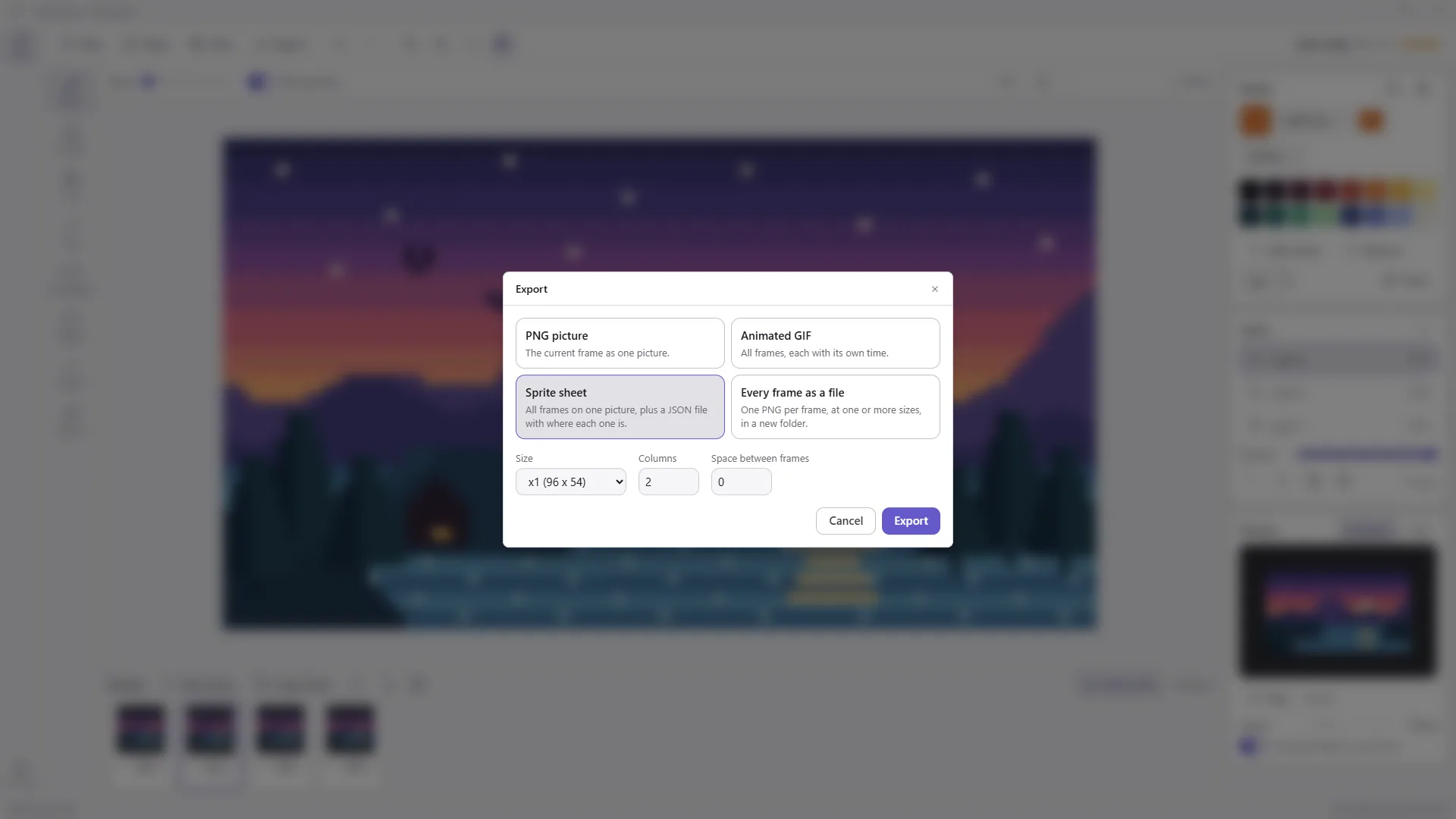
Pro: export all frames as one sprite sheet, with a JSON file that says where each frame is.
Palette tools
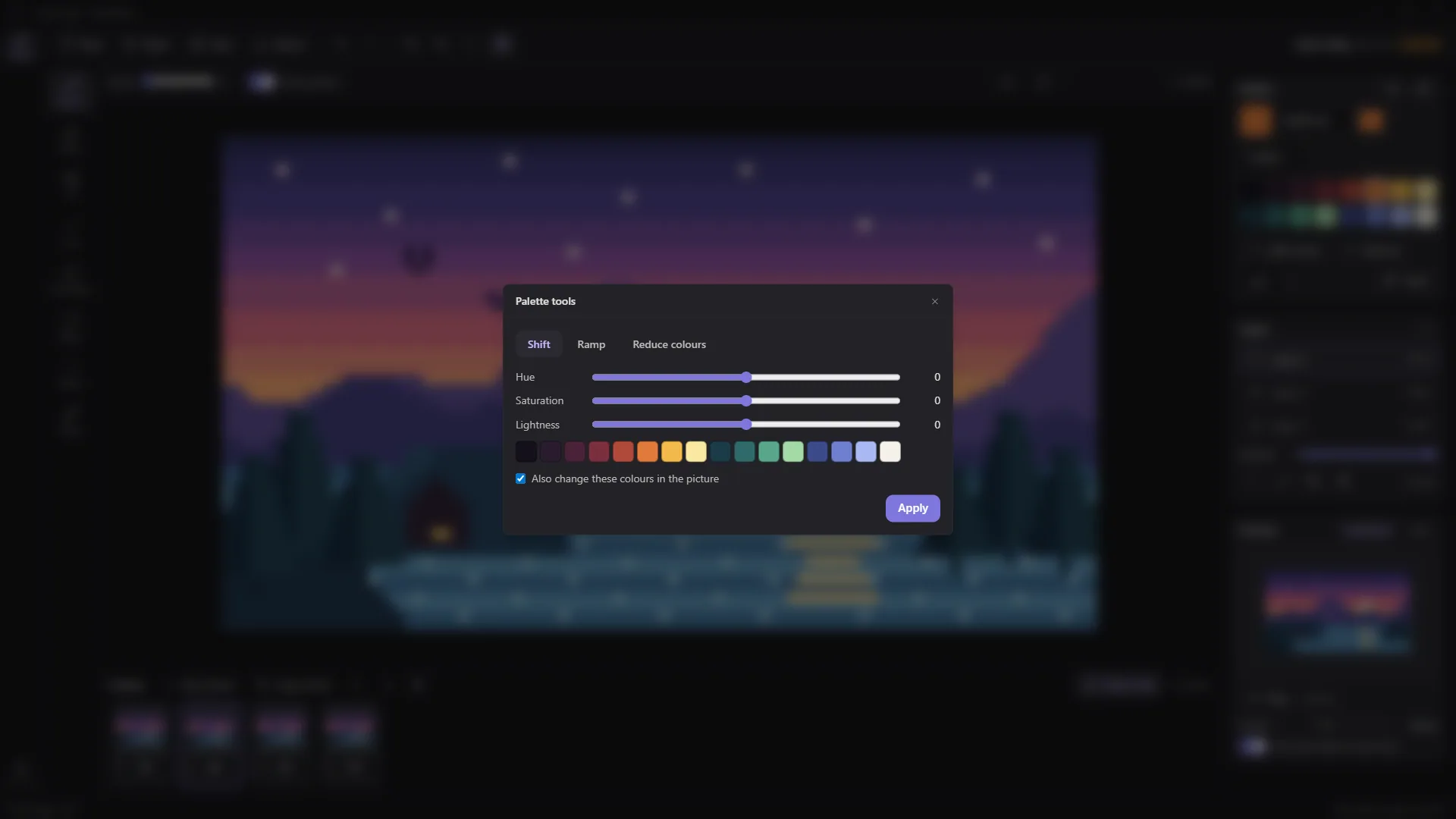
Pro: shift hue, saturation and lightness, build colour ramps and reduce colours.
Tile preview
Pro: preview your picture repeated 3 x 3 to check that it joins up without a seam.
Screens show sample pictures drawn in the app. The app has light and dark themes.
How it works
Three steps. No manual.
01
Pick a canvas
Start with a new canvas, open a file or try the sample.
02
Draw
Use eight tools, a pixel grid and a clear palette. Add layers as you need them.
03
Animate and export
Add frames, play them back and export a PNG or an animated GIF.
What it does
What it does.
Pixel Forge is a calm, fast editor for sprites, tiles and short animations. Pick a canvas, pick a colour and draw with the pencil, eraser, fill, line, rectangle, ellipse, select-and-move and colour picker. Turn on pixel-perfect drawing, mirror your strokes and zoom in whole-number steps so every pixel stays sharp. Build a picture from layers, add frames to animate it and play it back. Export a PNG or an animated GIF at 1x to 10x, and save whole projects with layers and frames as .pfx files. Everything happens on your PC with no account and no upload. The free app covers canvases up to 128 x 128. Pro adds bigger canvases, unlimited layers and frames, sprite sheet export and palette tools.
Eight tools
Pencil, eraser, fill, line, rectangle, ellipse, select and move, and colour picker in one labelled column.
Clean lines
Pixel-perfect drawing, brush sizes from 1 to 8, mirror drawing and whole-number zoom with a pixel grid.
Layers
Each layer has its own opacity, visibility and order. Rename, reorder and duplicate them.
Animate
Add frames, switch on onion skin and play back at an adjustable speed or with each frame's own time.
Palettes you can trust
Six starter palettes, and open or save palettes as .gpl, .hex or .png files. An indexed PNG gives you its colours.
Bring in, send out
Open a PNG or cut a sprite sheet into frames. Export PNG, indexed PNG or animated GIF at 1x to 10x.
Pro sprite sheets
Pro: export a sprite sheet with a JSON file that says where each frame is, or every frame as its own PNG.
Pro bigger and more
Pro: canvases up to 1024 x 1024, unlimited layers and frames, tile preview and palette tools.
The small print, in plain English
Safe by design.
The free version has 3 layers. A fourth asks first, and nothing you made is lost.
Export a PNG or an animated GIF at 1x to 10x.
Your pictures stay on your PC.
No ads, no pop-ups and no waiting screens.
Works offline. No account. No tracking.
The free app is complete for small sprites. Pro is optional and one payment.
What it does
Every pixel, where you put it.
From a 16 x 16 icon to a short animation.
Pro: tile preview checks for a seam.
Draw
Free
Eight tools, pixel-perfect drawing, mirror drawing and whole-number zoom.
Layers
Free
Up to 3 layers in the free app, each with opacity, visibility and order.
Frames
Free
Up to 24 frames with onion skin and adjustable playback.
Export
Free
PNG, indexed PNG or animated GIF at 1x to 10x, and .pfx projects.
Palettes
Free
Six starter palettes, plus .gpl, .hex and .png palettes.
Pro
Pro
Canvases up to 1024 x 1024, unlimited layers and frames, sprite sheets, tile preview and palette tools.
A file made with Pro is never cut down. Opened without Pro, the app tells you which Pro feature the file needs and leaves the file as it is.
Good for
Handy when a game needs a sprite.
Drawing sprites and tiles for a game
Making a short animated GIF
Cutting a sprite sheet into frames
Checking that a tile repeats without a seam
Reworking the colours of a palette
Questions
Plain answers.
What does the free version include?
Canvases from 8 x 8 up to 128 x 128, up to 3 layers and 24 frames, every drawing tool, palettes, onion skin, PNG and GIF export at 1x to 10x, and .pfx projects.
What does Pro add?
One payment, no subscription. Pro adds canvases up to 1024 x 1024, unlimited layers and frames, sprite sheet export with a JSON file, every frame as its own PNG, tile preview, palette tools, custom shortcuts and automatic recovery copies.
What happens if I open a Pro file without Pro?
The app tells you which Pro feature the file needs and leaves the file as it is. A file made with Pro is never cut down.
Which files can it open and save?
It opens PNG files, sprite sheets and .pfx projects, and exports PNG, indexed PNG and animated GIF.
Is anything sent anywhere?
No. Your pictures stay on your PC. The only network use is the check of a Pro licence.
Do I need an account or an internet connection?
Neither. There is no account, no ads and no tracking, and everything works offline.