Coming to the Microsoft Store
Ping and Uptime Monitor Know when it is down.
Ping and web checks, a live latency chart and a record of every outage. No account.
Not on sale yet. The app is still being built.
We will link the Store listing here the day it is live. Until then there is nothing to download.
- Works offline
- No account, no ads, no tracking
- Live latency chart
- Free
See it
Four views. One calm dashboard.
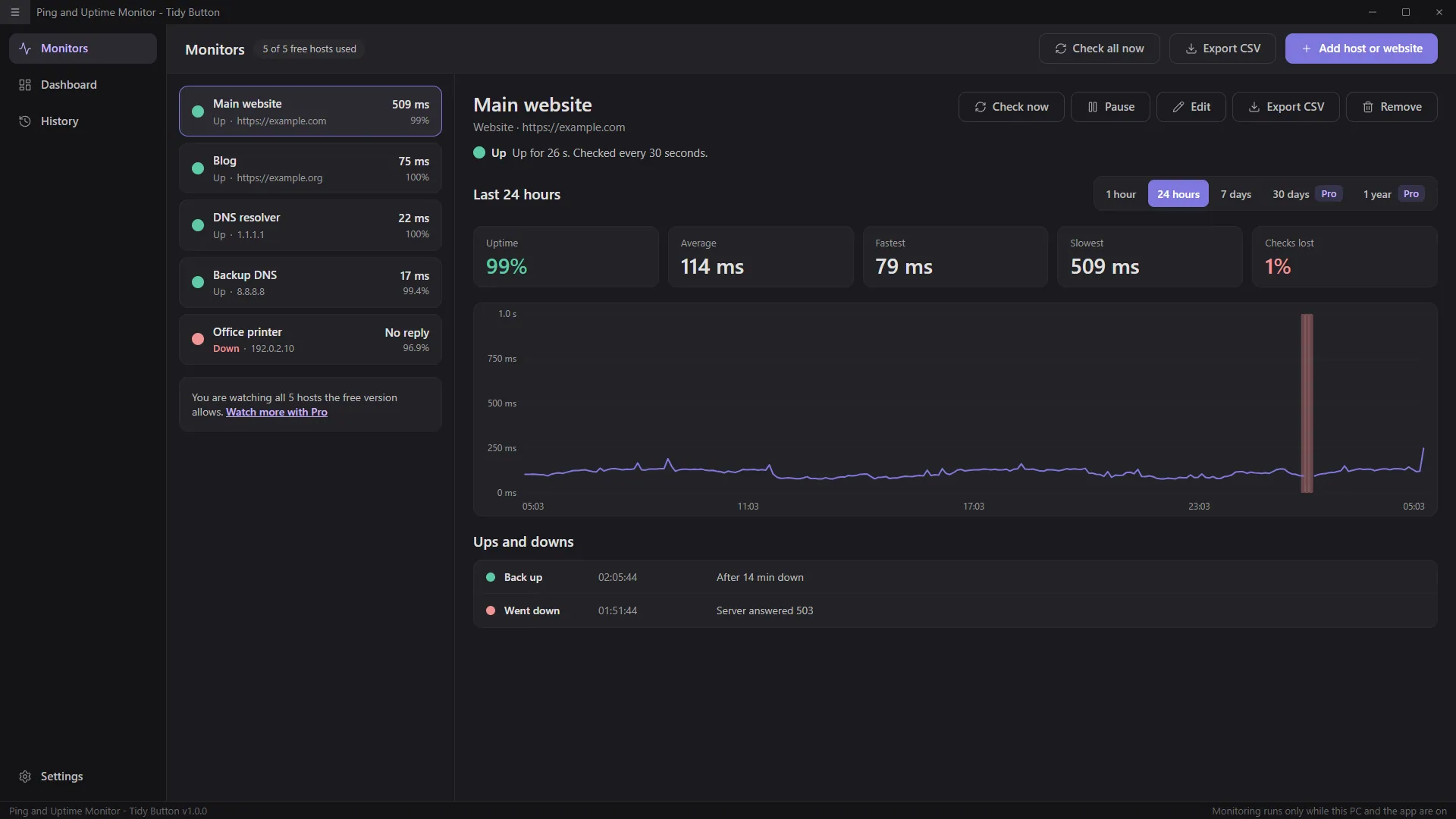
Monitors
Every host at a glance, with a live latency chart
Host down
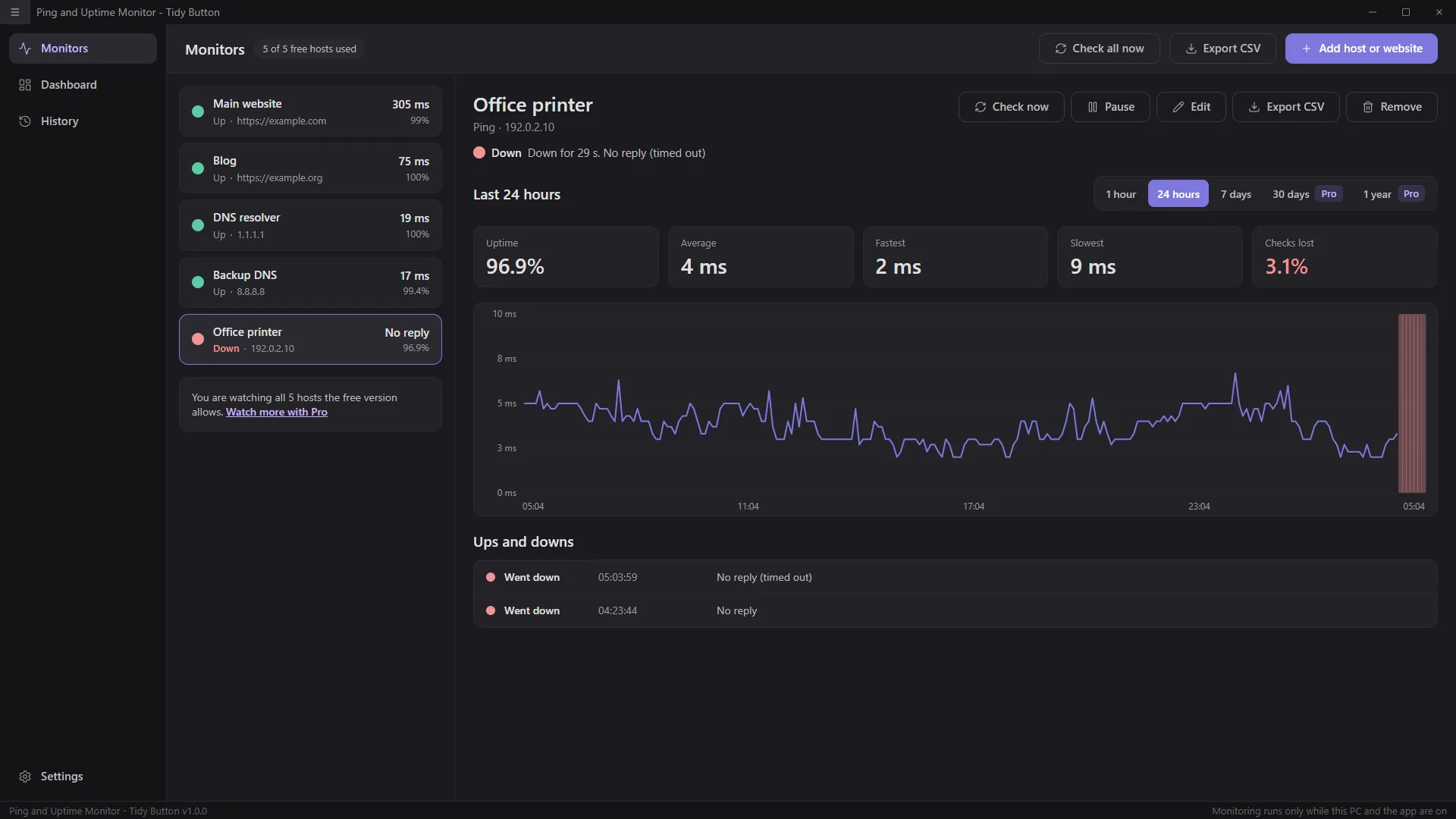
A host that stopped answering is marked Down
Seven days
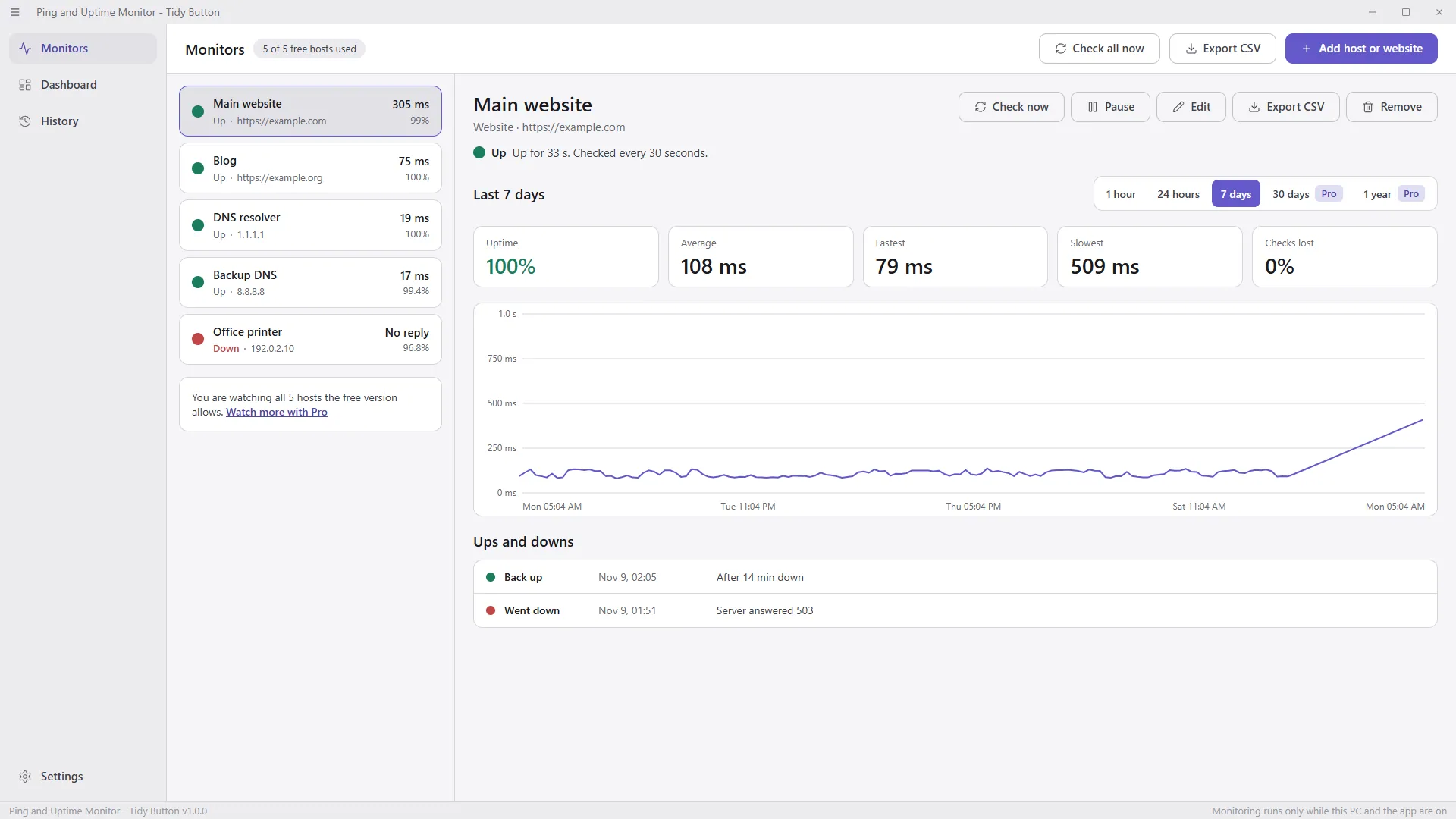
Look back over a week of checks
History
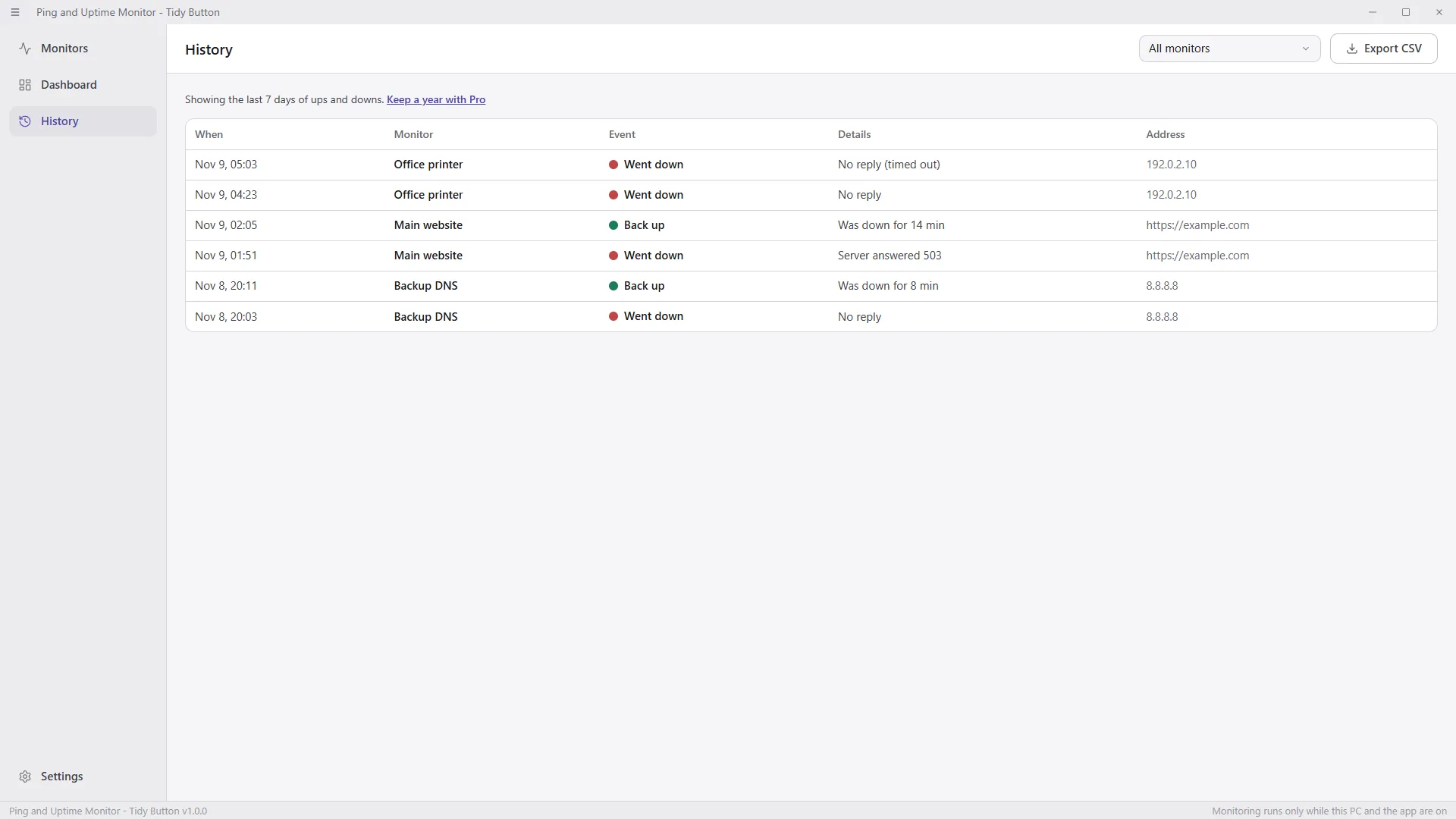
Every outage, and how long it lasted
Screens show a demo folder, not a real PC. The app has light and dark themes.
What it does
What it does.
Ping and Uptime Monitor checks your websites and hosts on a schedule you choose, from every 5 seconds to every 15 minutes. Each host shows Up or Down, its latest delay and its uptime. Select a host to see a live latency chart for the last hour, 24 hours or 7 days, with figures for uptime, average, fastest and slowest. When a host stops answering you get a notice, and the outage is recorded.
Ping and web checks
Ping a host, or check that a website answers, as often as every 5 seconds.
Live latency chart
See delay over the last hour, 24 hours or 7 days, with uptime, average, fastest and slowest.
Alerts when it goes down
A Windows notice and a sound, with a setting for how many failed checks count as down.
History of outages
Every time a host went down and came back, and how long it lasted.
CSV export
Save the check log, the ups and downs and the hourly summary for a spreadsheet.
Pause, edit, check now
Pause a host, change it, or check it right away.
The small print, in plain English
Safe by design.
- Contacts only the hosts and web addresses you add.
- Your list and history stay in files on your PC.
- Removing a host asks first.
- No account. No ads. No tracking.
Good for
Handy when uptime matters.
- Small websites and shops
- A home server or router
- An office printer or NAS
- Checking a DNS or VPN host
- Knowing when something is down
Questions
Plain answers.
What does the app send over the network?
Only the checks you ask for: a ping to each host, or a web request to each address. Nothing is sent to the publisher.
How often does it check?
You choose for each host, from every 5 seconds to every 15 minutes.
Does it keep checking when I close the window?
It checks while the app is running. Keep the window open or minimised to keep watching.
How long is the history kept?
The free version keeps 7 days of history. An optional one-time Pro unlock keeps a year.
How many hosts can I watch?
The free version watches 5 hosts and websites at a time. An optional one-time Pro unlock removes the limit and adds email and web hook alerts and check groups.