Coming to the Microsoft Store
PDF Toolkit Everyday PDF jobs, done on your PC.
Join PDFs, cut one into parts, turn and reorder pages, and make big files smaller. Every result is saved as a new file, and your files are processed on your PC. Works offline, no account.
Not on sale yet. The app is still being built.
We will link the Store listing here the day it is live. Until then there is nothing to download.
- Works offline
- No account, no ads, no tracking
- Originals never changed
- Free
See it
Four tools. One small app.
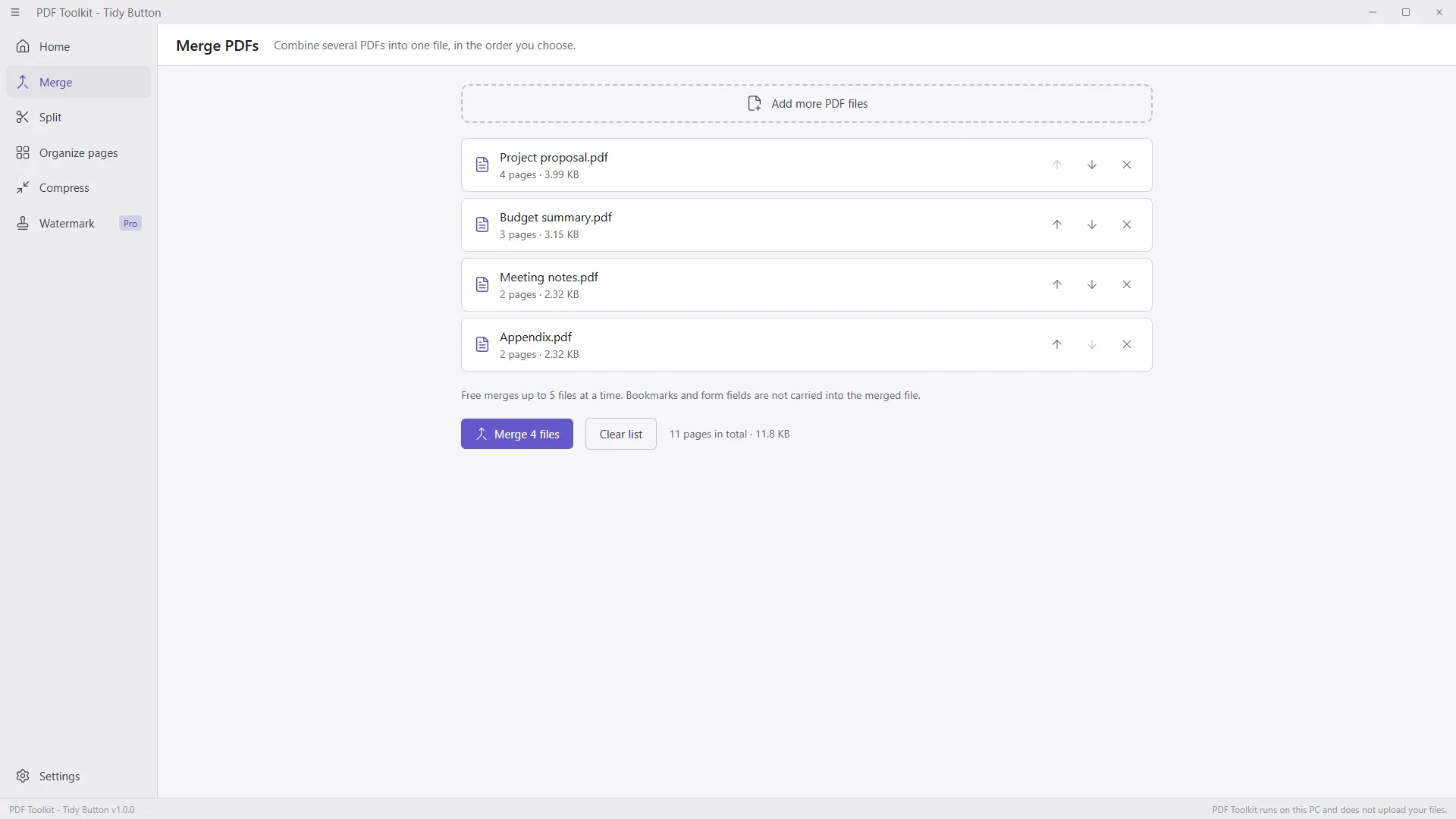
Merge
Merge PDFs in the order you choose
Split
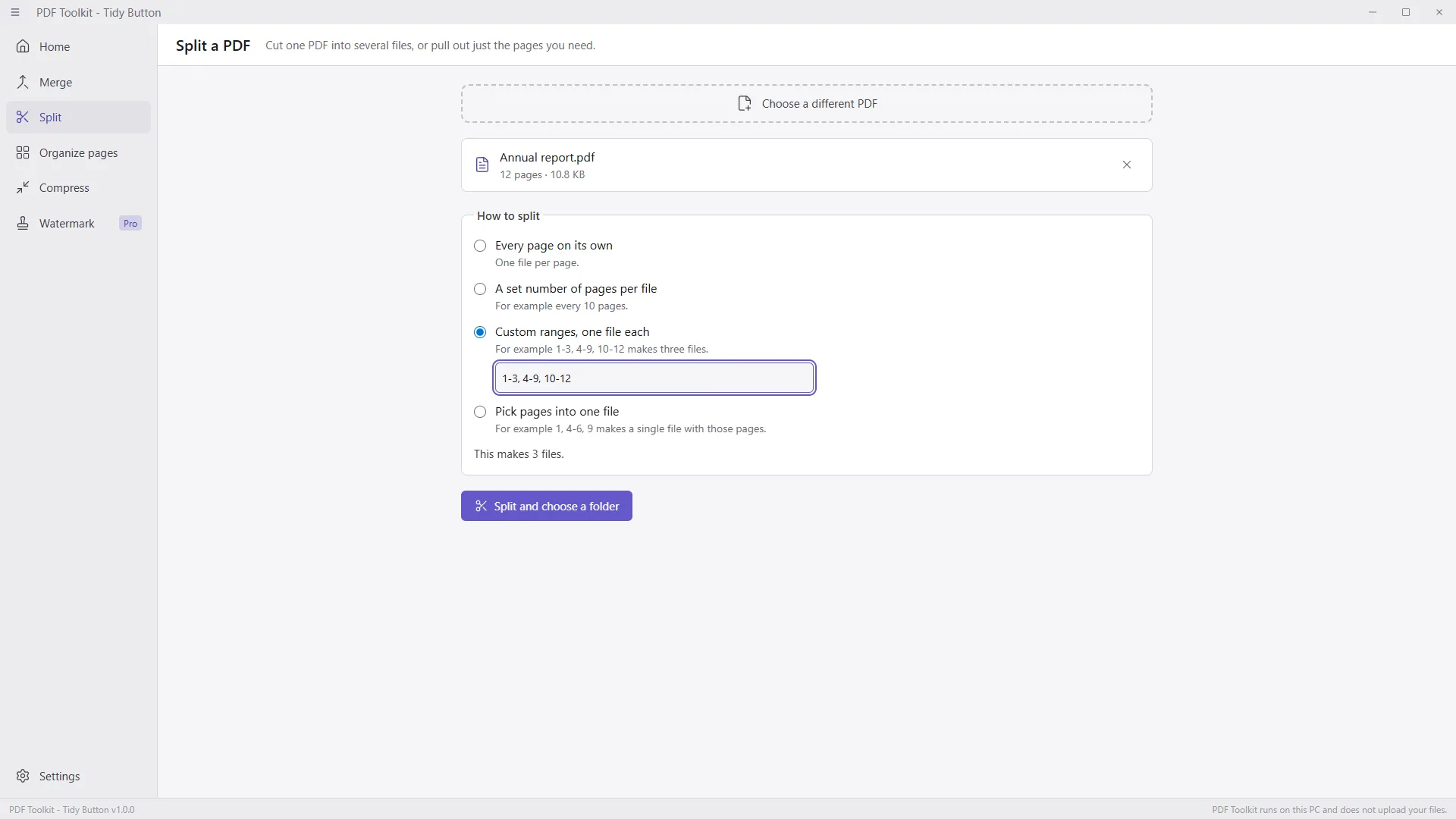
Split by page, by count or by your own ranges
Organize pages
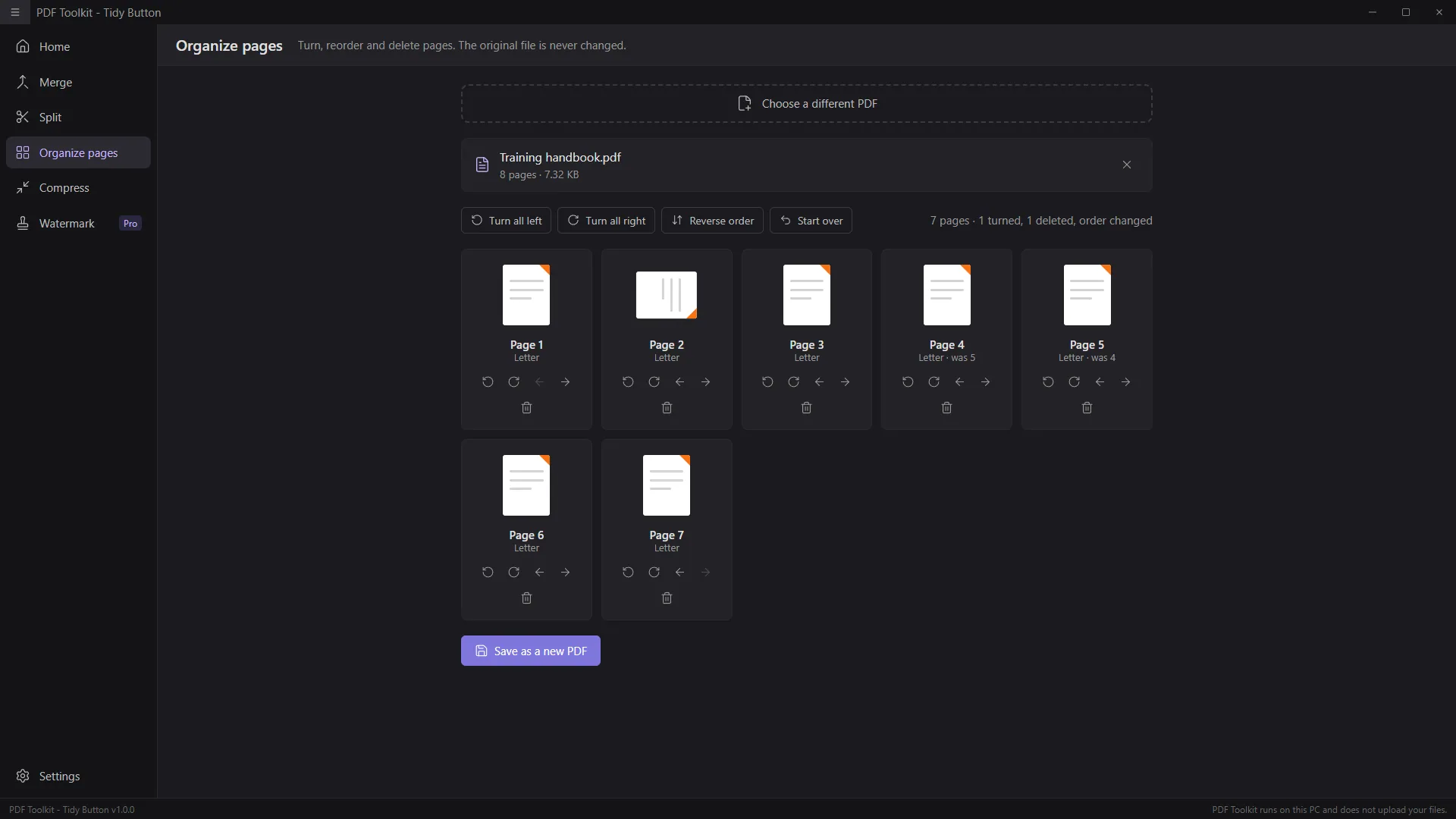
Turn, move or delete pages, then save a new PDF
Compress
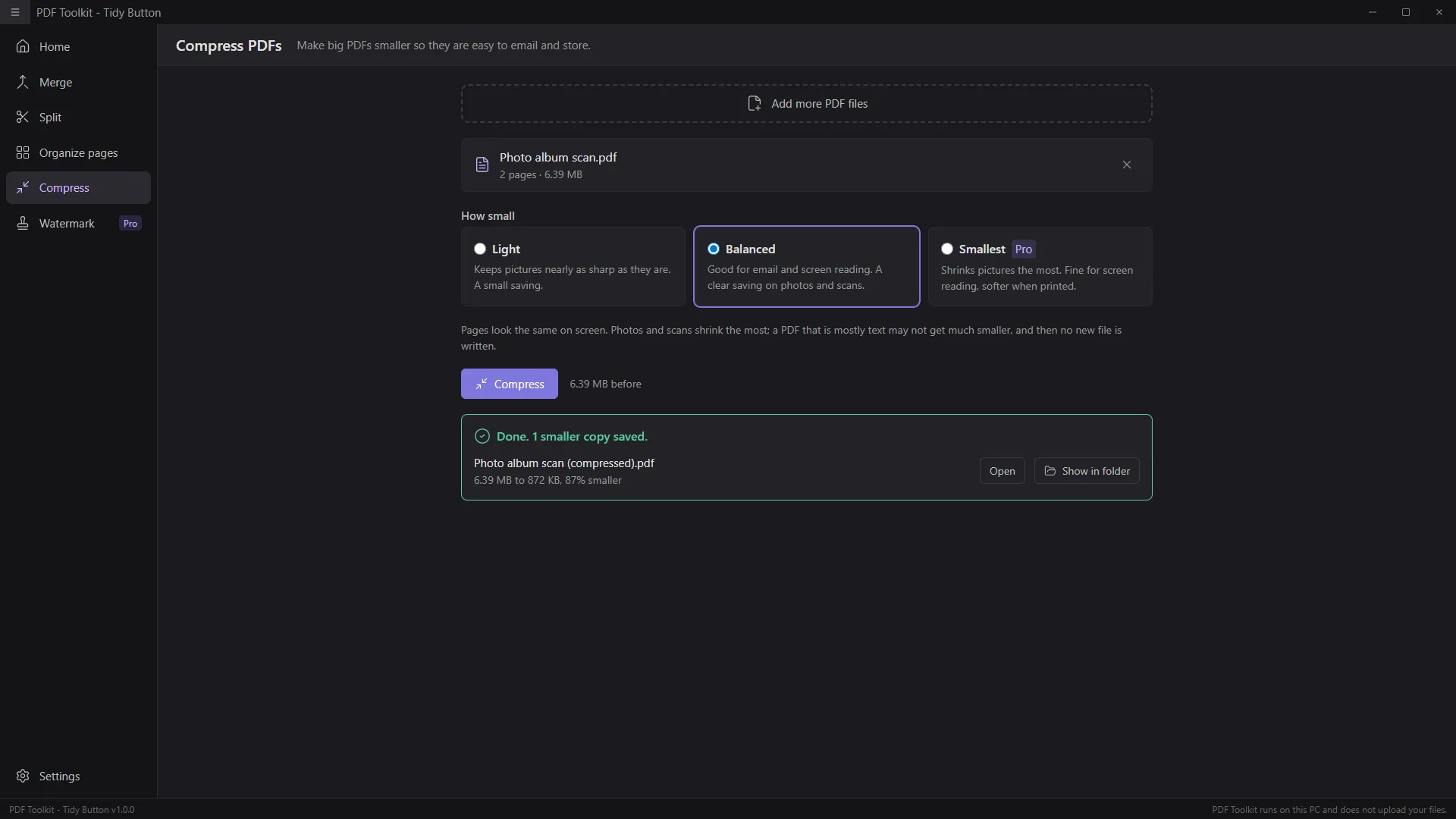
See how much smaller the new copy is
Screens show made-up documents with invented text and drawn charts. The app has light, dark and other themes.
What it does
What it does.
PDF Toolkit covers the everyday jobs on PDF files. Pick a tool, drop in your files and save the result as a new file. Merge several PDFs into one, split one into parts or pull out the pages you need, turn, move and delete pages, and compress a heavy scan so it is easy to email.
Merge in your order
Join up to 5 PDFs into one file and set the order with the arrow buttons. Pro removes the limit of 5.
Split four ways
One file per page, a set number of pages per file, your own ranges such as 1-3, 4-9, 10-12, or chosen pages in one new file.
Organize pages
See every page as a tile. Turn it, move it or delete it, then save a new PDF.
Compress big files
Light or Balanced makes photos and scans smaller, and the result shows the size before and after.
Originals stay as they are
Every result is saved as a new file. Nothing is changed or replaced.
Problem files flagged
A PDF that is protected with a password, or is not a real PDF, is flagged in plain words and left alone.
Watermarks with Pro
Stamp words or a picture on every page, with a preview, strength, angle and position.
The small print, in plain English
Safe by design.
- Your files are processed on your PC and are never uploaded.
- Originals are never changed or replaced. Results are new files.
- Password-protected files are flagged, not forced open.
- Works offline. No account. No ads. No tracking.
Good for
Handy when a PDF needs a quick fix.
- Joining scanned pages and receipts into one file
- Sending only a few pages of a long report
- Fixing a page that was scanned sideways
- Shrinking a heavy scan before you email it
Questions
Plain answers.
Does it change my original PDF files?
No. Every result is saved as a new file in a place you choose. Your originals are never changed or replaced.
Does it need an internet connection?
No. Everything in the free app works offline, and your files are never uploaded. The only network use is the optional Pro licence check.
What can I do for free?
Merge up to 5 files at a time, split a PDF, pick pages into one file, turn, reorder and delete pages, and compress one file at a time with Light or Balanced.
What does Pro add?
A one-time Pro add-on adds unlimited merging, watermarks with words or a picture, the Smallest compression setting and compressing several files at once.
Can it open a password-protected PDF?
No. A PDF that is protected with a password or restrictions is flagged and left alone, so remove it from the list to continue.
Do I keep bookmarks and form fields when I merge?
No. Bookmarks and form fields are not carried into the merged file. The pages themselves are.
Why did Compress not save a new file?
A PDF that is mostly text may not get much smaller. When that happens, no new file is written. Photos and scans shrink the most.
Which versions of Windows does it run on?
Windows 10 and Windows 11.