Coming to the Microsoft Store
PDF Redactor Covered means gone.
Black out names, numbers and areas in a PDF. Covered text is removed from the page, not just hidden, and the saved file is checked. Works offline, with no account and no upload. The original is never changed.
Not on sale yet. The app is still being built.
We will link the Store listing here the day it is live. Until then there is nothing to download.
- Works offline
- No account, no ads, no tracking
- Nothing is uploaded
- Free
See it
Six views. Cover it, then check it.
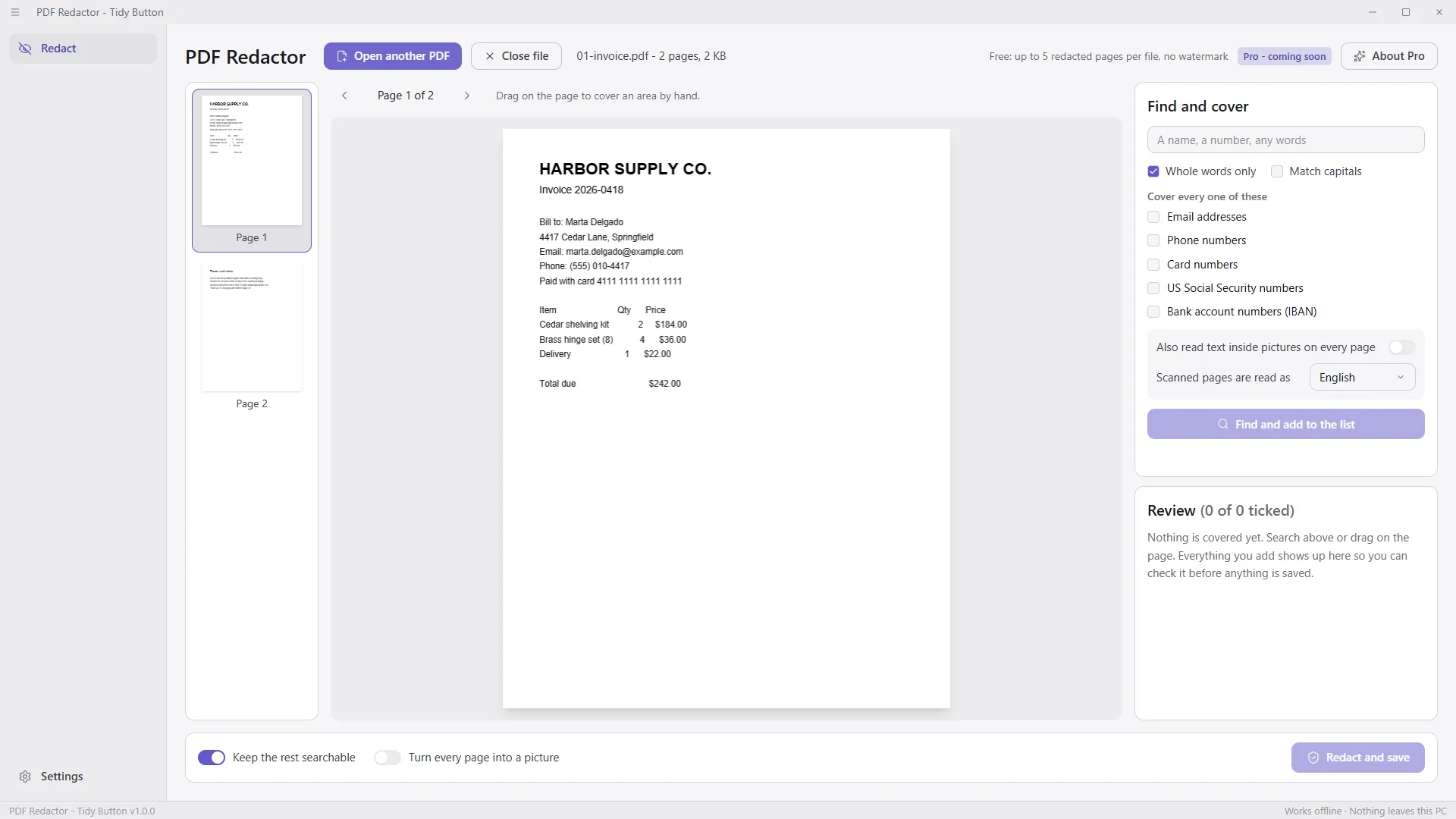
Open
Pages on the left, the page in the middle and the tools on the right. Drag on the page to cover any area by hand
Find and cover
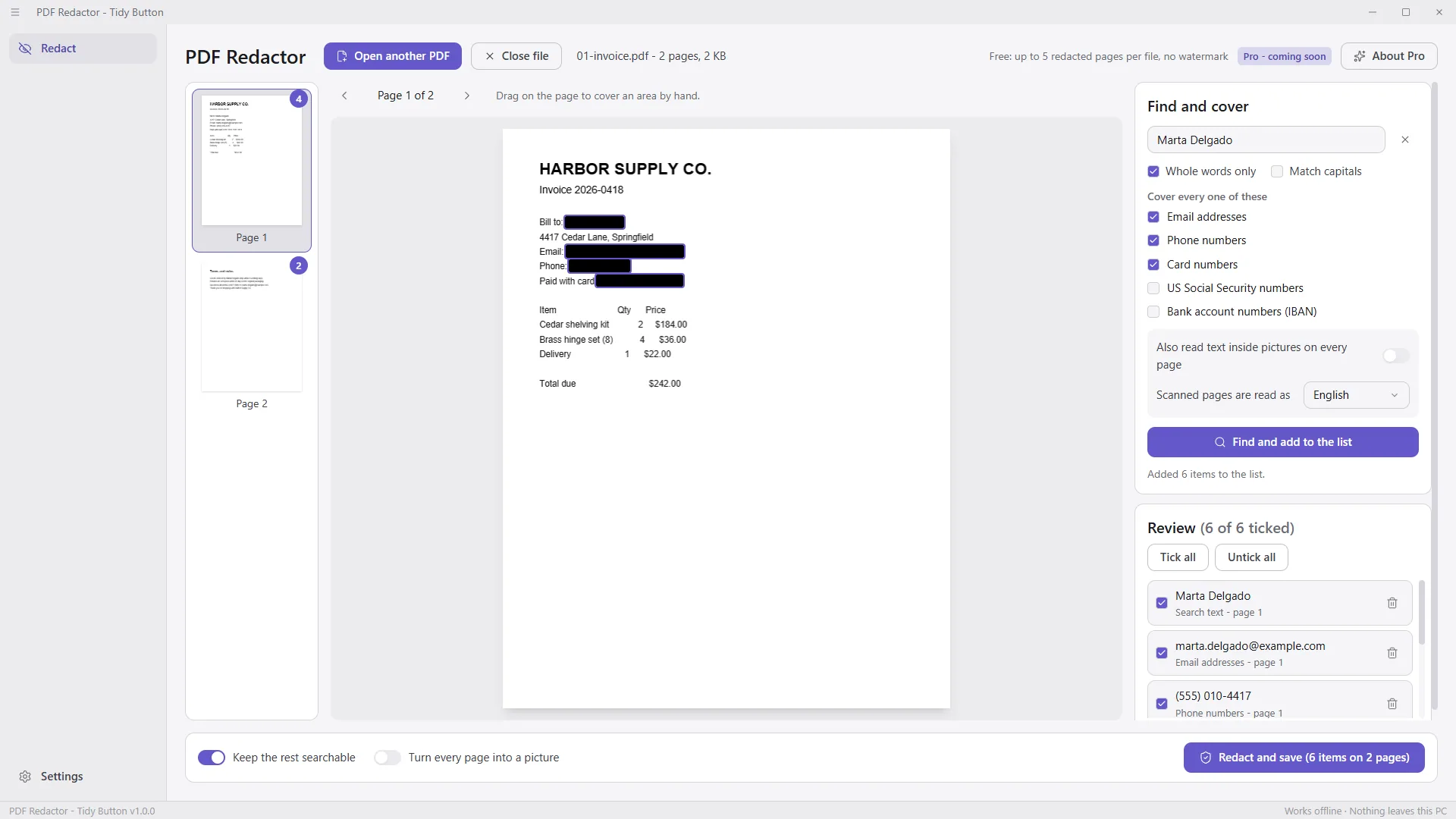
Search for a name and cover every email address, phone number and card number in one go
Review
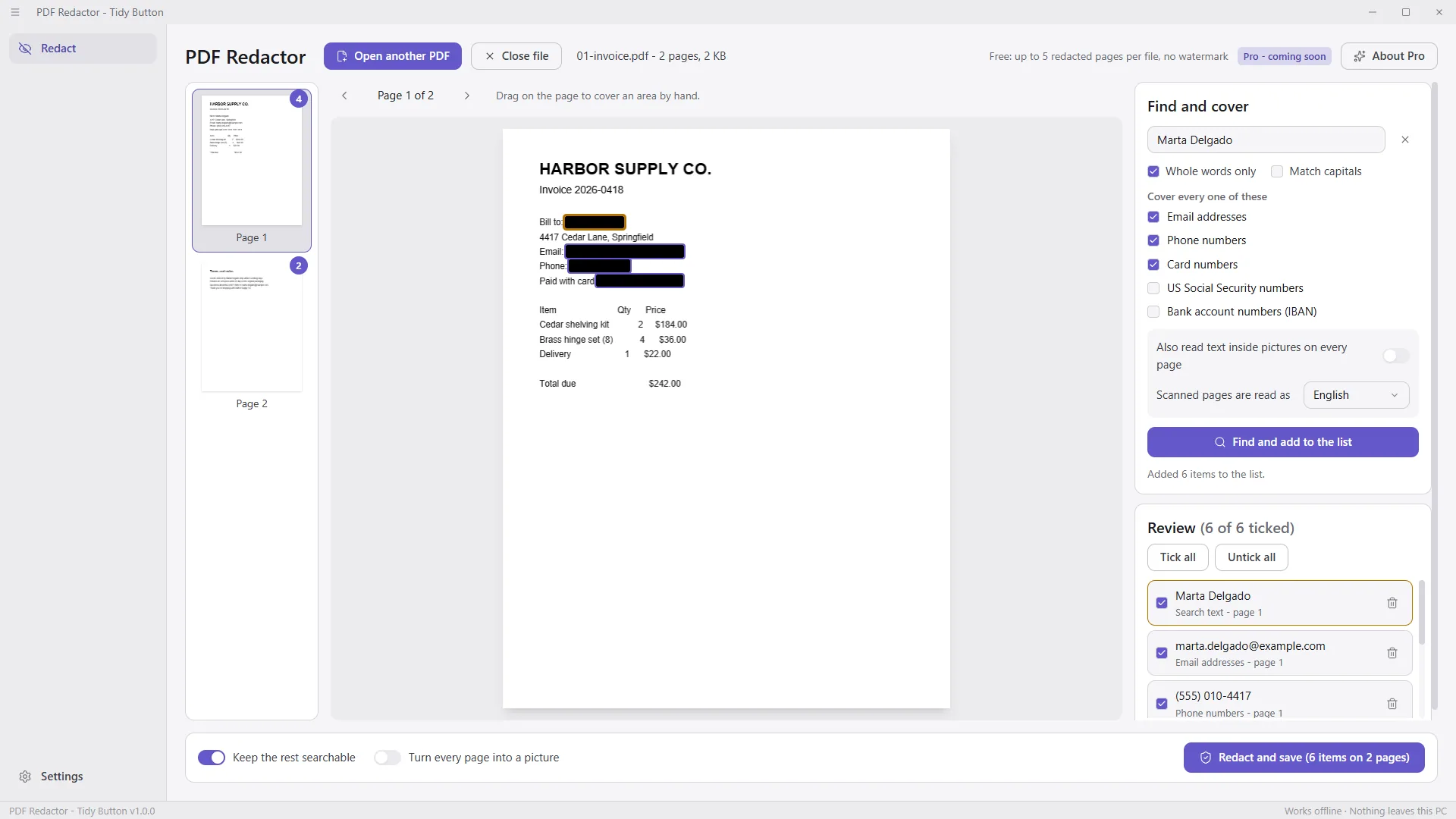
Everything you add is listed so you can check it. Tick, untick or remove items and jump to each one
Checked
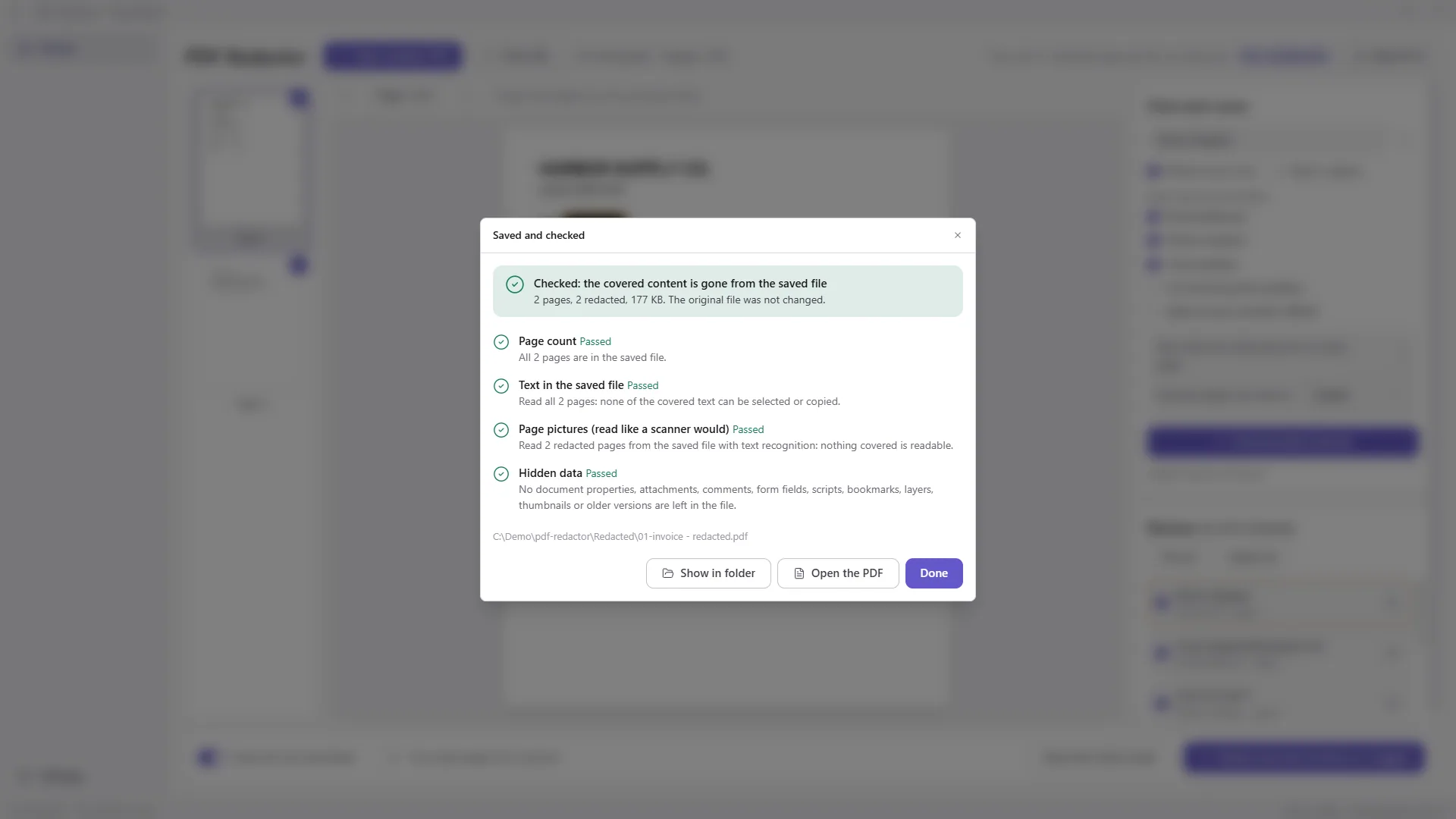
After saving, the new file is opened again and checked: its text, the page pictures and hidden data
Scanned pages
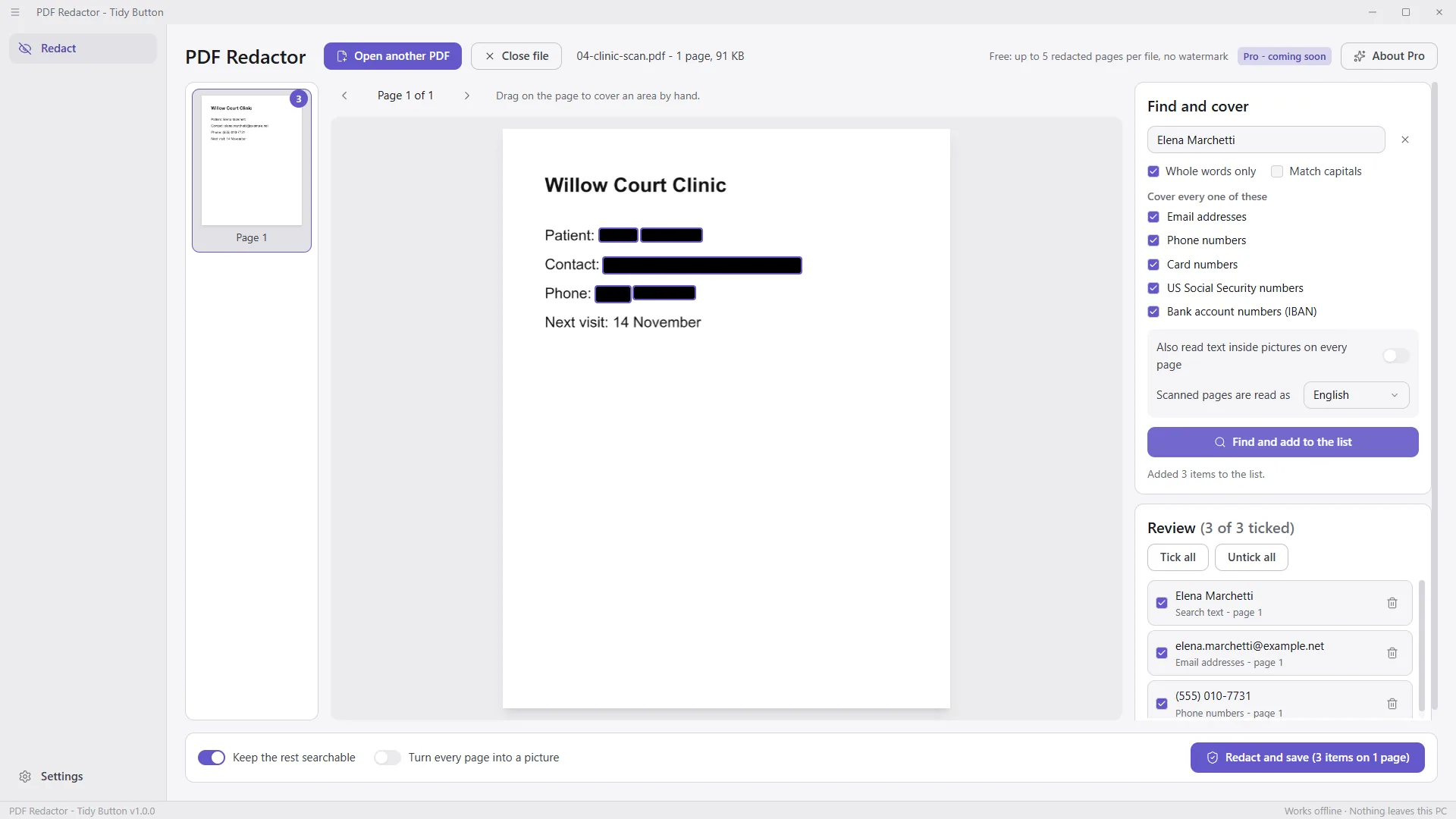
Words in scanned pages and photos of paper are read on this PC and can be covered too
Hidden data
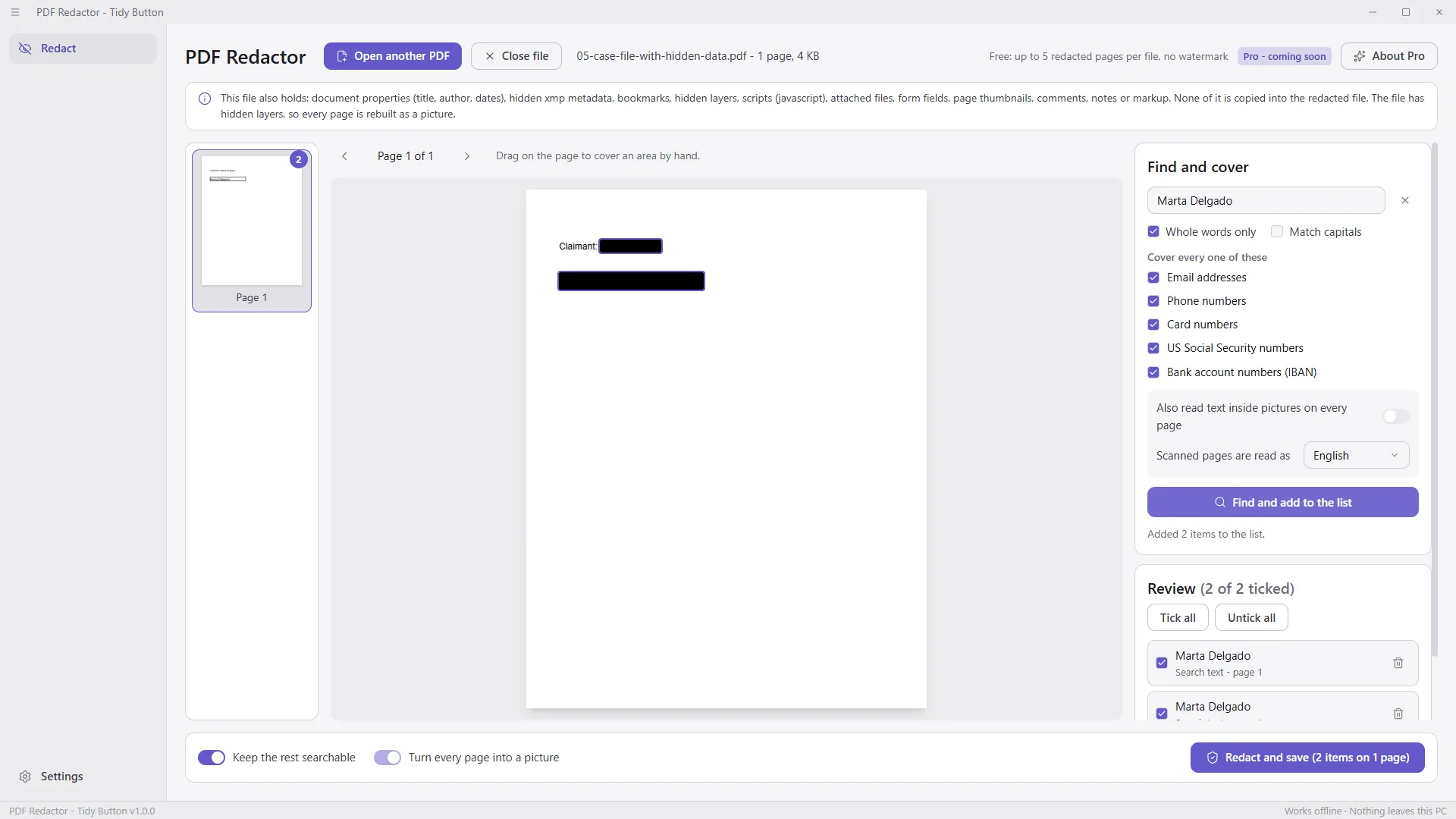
The app tells you what else is inside a file and leaves all of it out of the new copy
Screens show an invented sample document. The app has light and dark themes.
What it does
What it does.
A black box drawn over text only hides it: the words are still in the file and can be copied out. PDF Redactor works differently. Every page that has a redaction is drawn again with the boxes painted into the picture, and that picture replaces the page. After saving, the app opens the new file again and checks it. You check the list and the result before you share. The app makes no claim of legal compliance.
Search and cover
Search for words or numbers and cover every match on every page.
Cover kinds of data
Email addresses, phone numbers, card numbers (checked with the card check digit), US Social Security numbers and bank account numbers (IBAN, checked with its check digits).
Draw boxes by hand
Cover any area, such as a signature or a photo.
Review the list
Tick, untick or remove items and jump to each one on its page before anything is saved.
Scanned pages
Words in scans and photos of paper are read on this PC, so they can be found and covered too.
Real removal
Redacted pages are rebuilt as pictures, so the covered words are gone from the file. The words you did not cover come back as invisible text, so the rest stays searchable.
Checked after saving
The saved file is opened again and tested: its text, the pictures of the redacted pages and hidden data. You see the result on screen.
Leaves hidden extras out
Document properties, attached files, comments, form fields, scripts, bookmarks, hidden layers, thumbnails and older versions are not copied into the new file.
The small print, in plain English
Safe by design.
- Your PDFs and the words you search for never leave your PC. The app makes no network requests for your documents.
- The original file is never changed or overwritten. The new copy is named your file - redacted.pdf.
- The check covers what you asked the app to cover. If you forget to cover something, it is not covered, so review the result before sharing.
- No account, no ads, no tracking.
Good for
Handy when a PDF has private details.
- Names and numbers in a contract you are sharing
- Statements and forms with account numbers
- Scanned letters with private details
Questions
Plain answers.
Is the covered text really gone?
Pages with a redaction are redrawn as pictures with the boxes painted in, so the covered words are not in the new file. The app then reads the saved file back, its text and the page pictures, and shows you the result.
Does it change my original PDF?
No. It saves a new file named your file - redacted.pdf and never changes or overwrites the original.
Can it find words in scanned pages?
Yes. Scans and photos of paper are read on this PC, so words in pictures can be found and covered. Text reading covers English, Spanish, French, German, Italian and Portuguese.
What if I miss something?
The check covers what you asked the app to cover. If you forget to cover something, it is not covered. Review the list and the saved file before sharing.
Does it work on password-protected files?
Files protected with a password must be unlocked first.
Is there a limit in the free version?
The free version covers up to 5 pages with redactions in each file, with a clean copy and no watermark. A Pro add-on is planned (coming soon).
Which versions of Windows does it run on?
Windows 10 and Windows 11.