Fill PDF forms on your own PC, with typed text, ticks and your signature. Save a copy or print it. Saved answers fill the next form in one click. No upload, no account.
We will link the Store listing here the day it is live. Until then there is nothing to download.
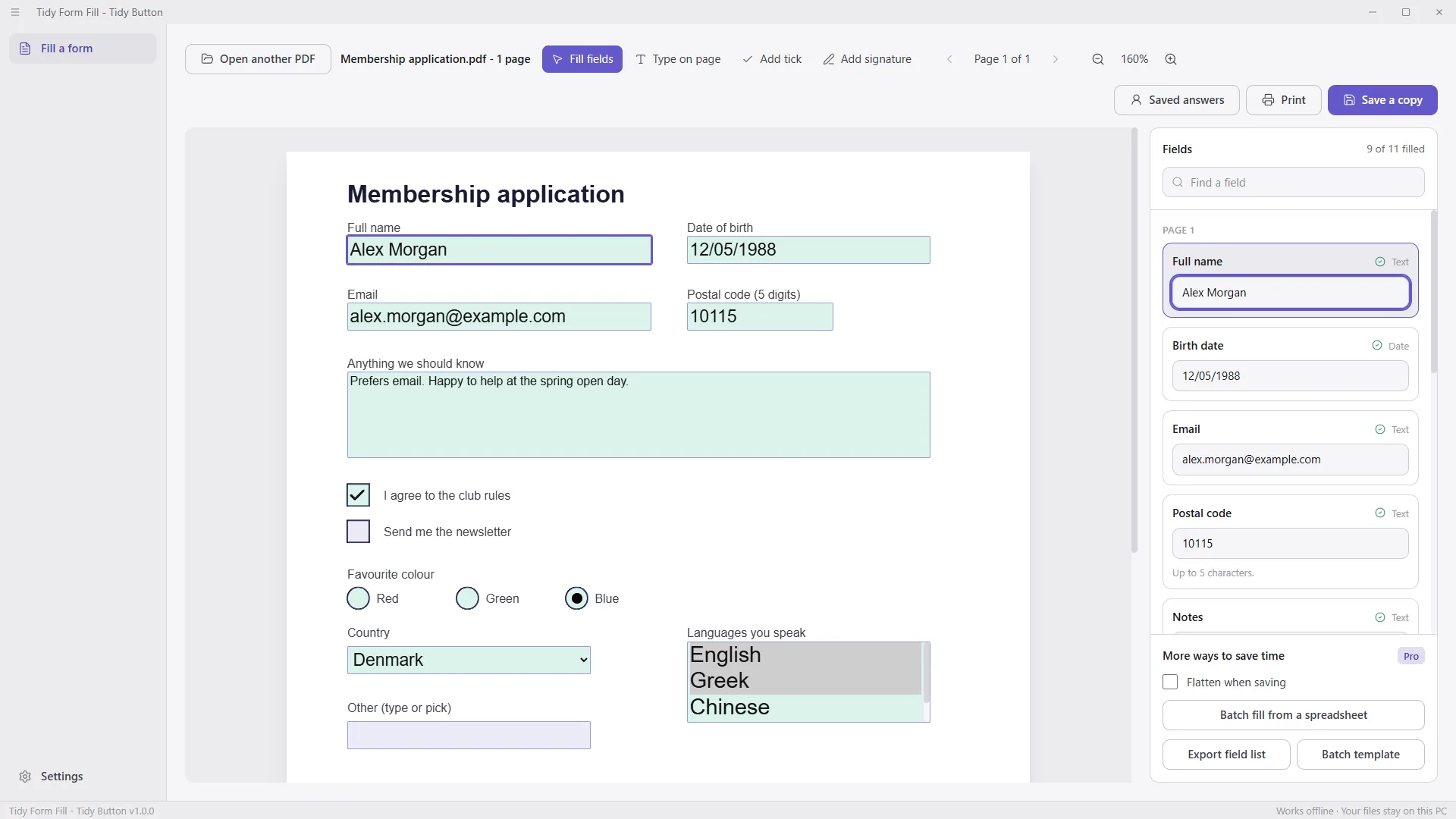
Real app, with a sample membership form filled in.
Works offline
No account, no ads, no tracking
No watermark
Free
See it
Eight views. One form, filled.
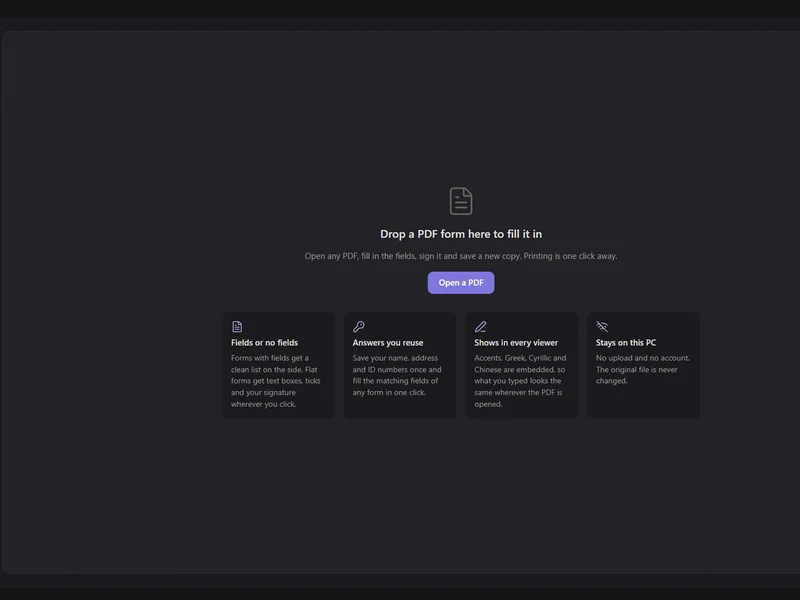
Start
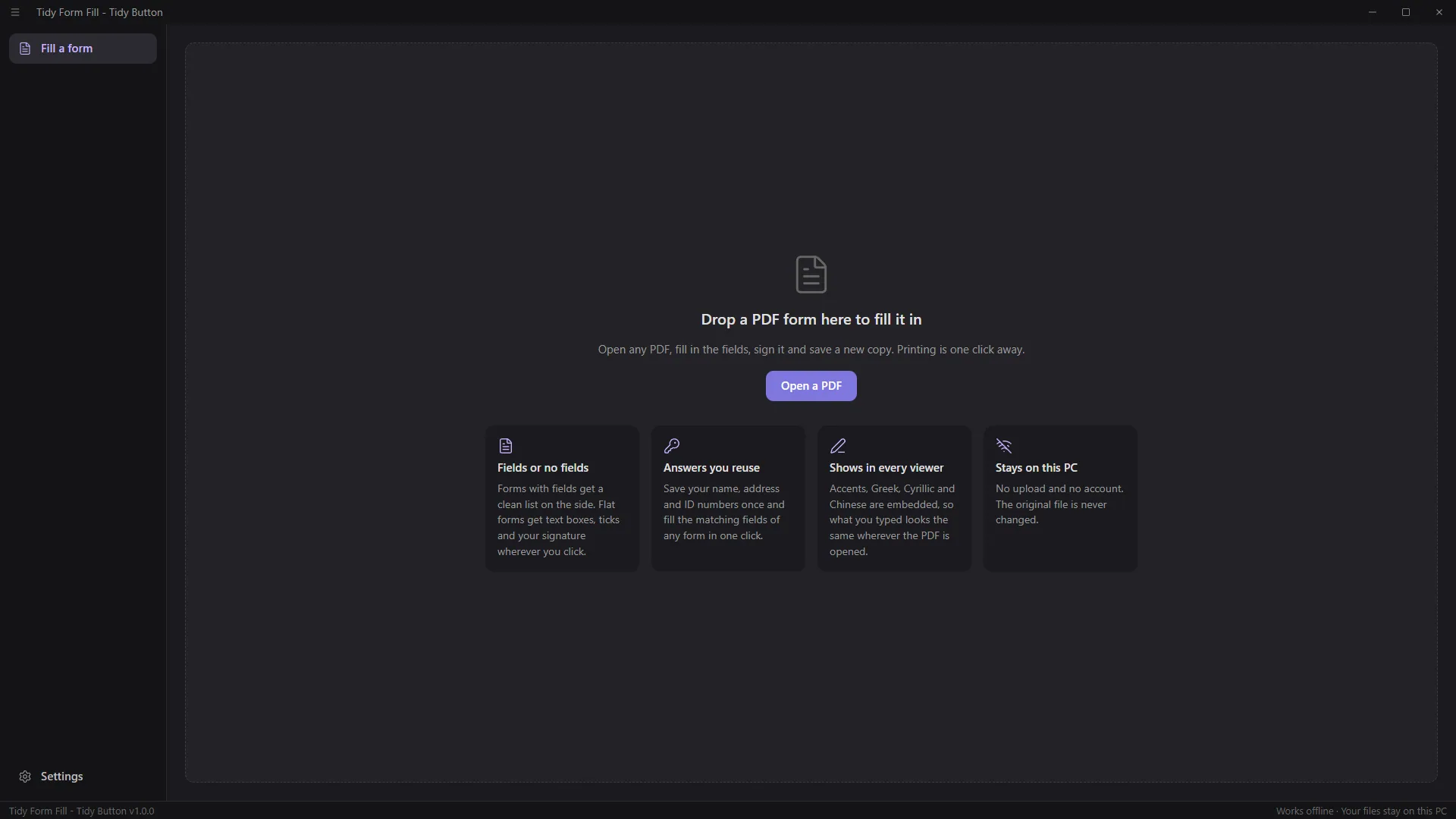
Start by opening or dropping a PDF form
Fill a form
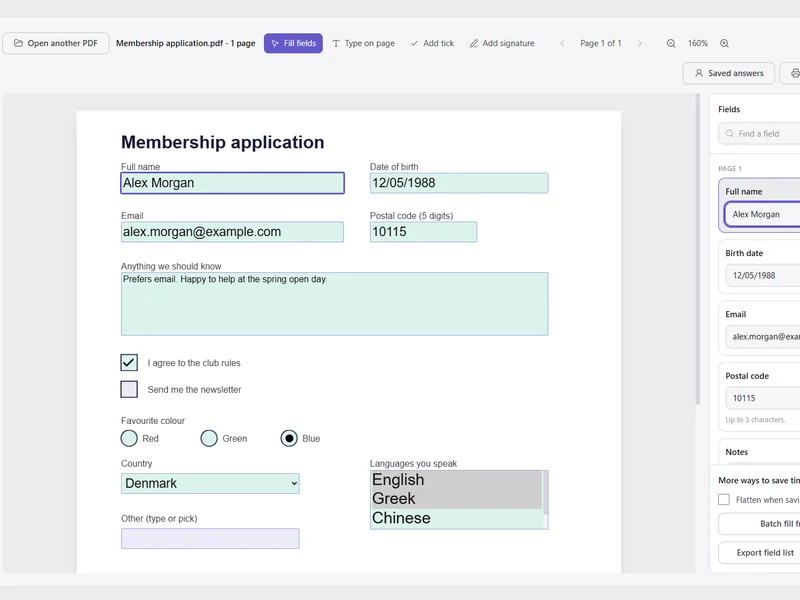
Fill a form from the field list or right on the page
Saved
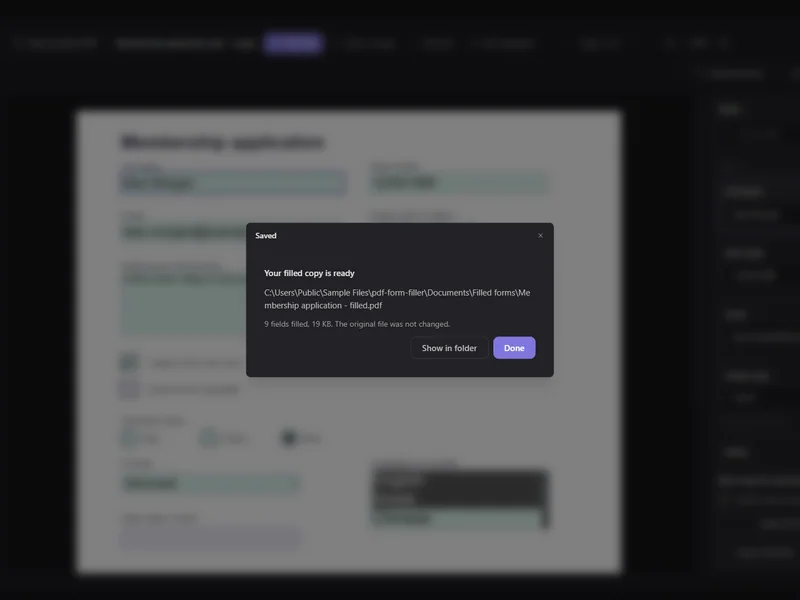
Save a copy and keep the original untouched
Type anywhere
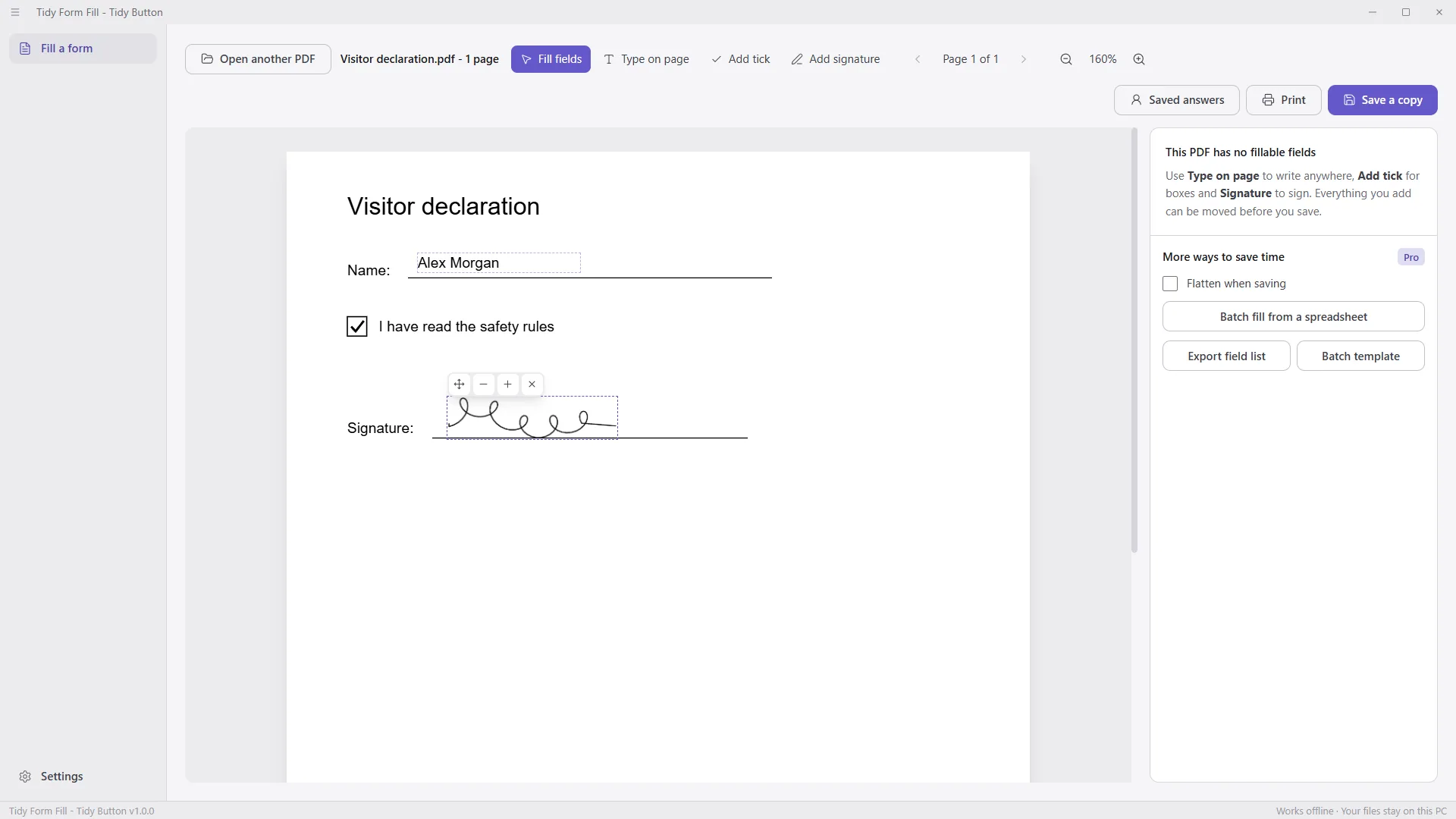
No fields? Type anywhere, add ticks and place your signature
Saved answers
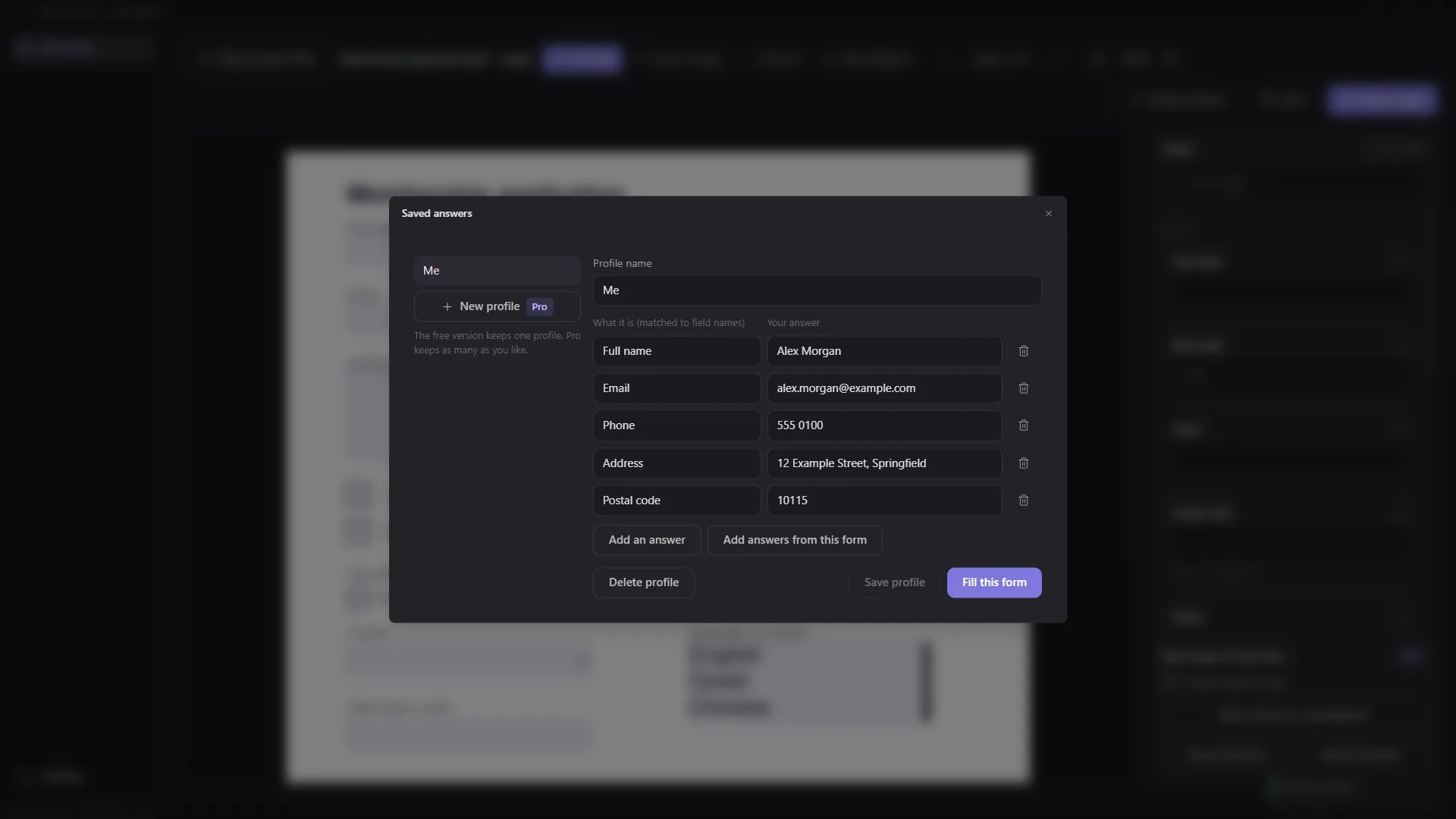
Fill the matching fields of any form in one click
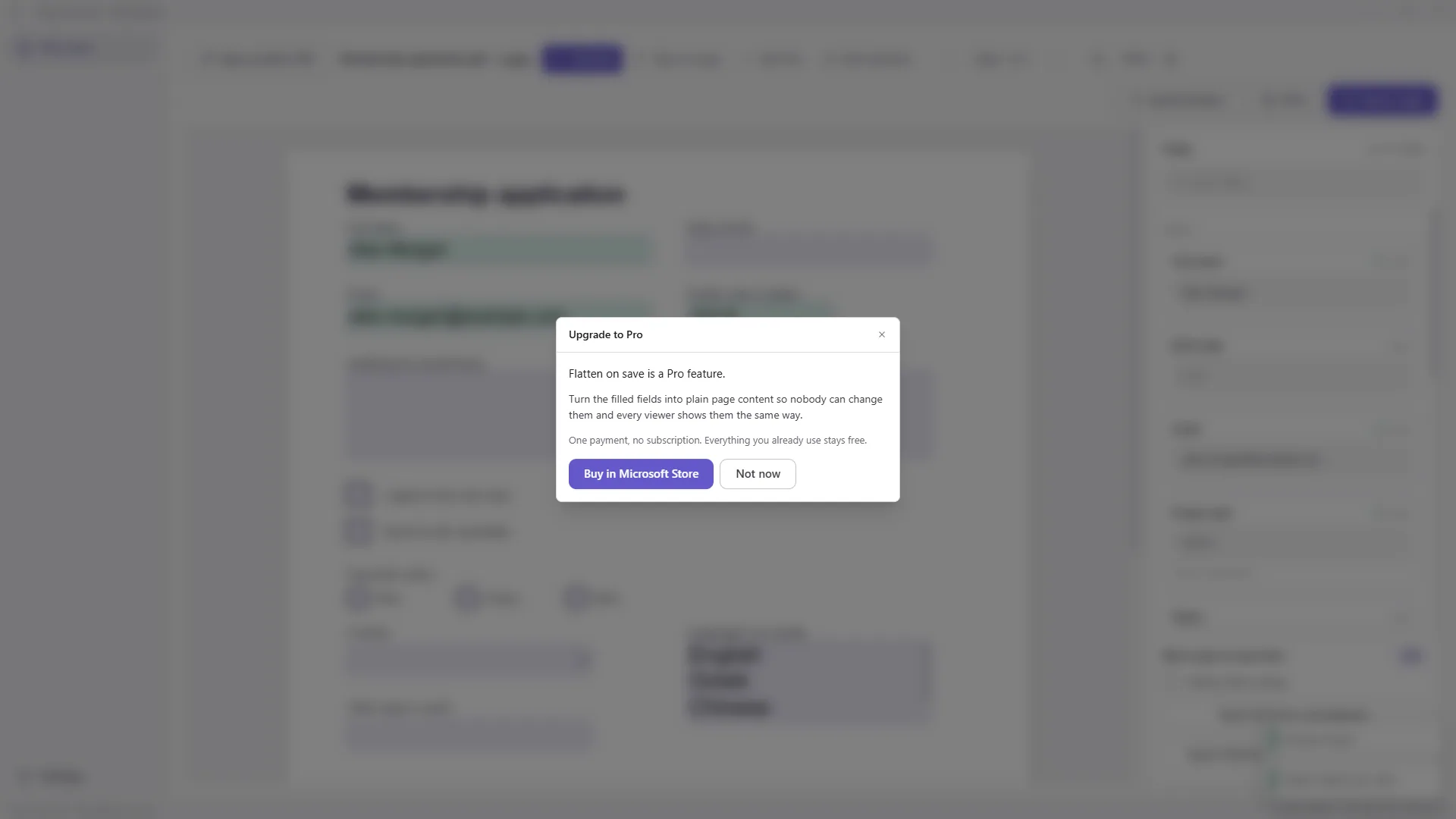
Pro
Flatten on save is Pro, and the app says so plainly
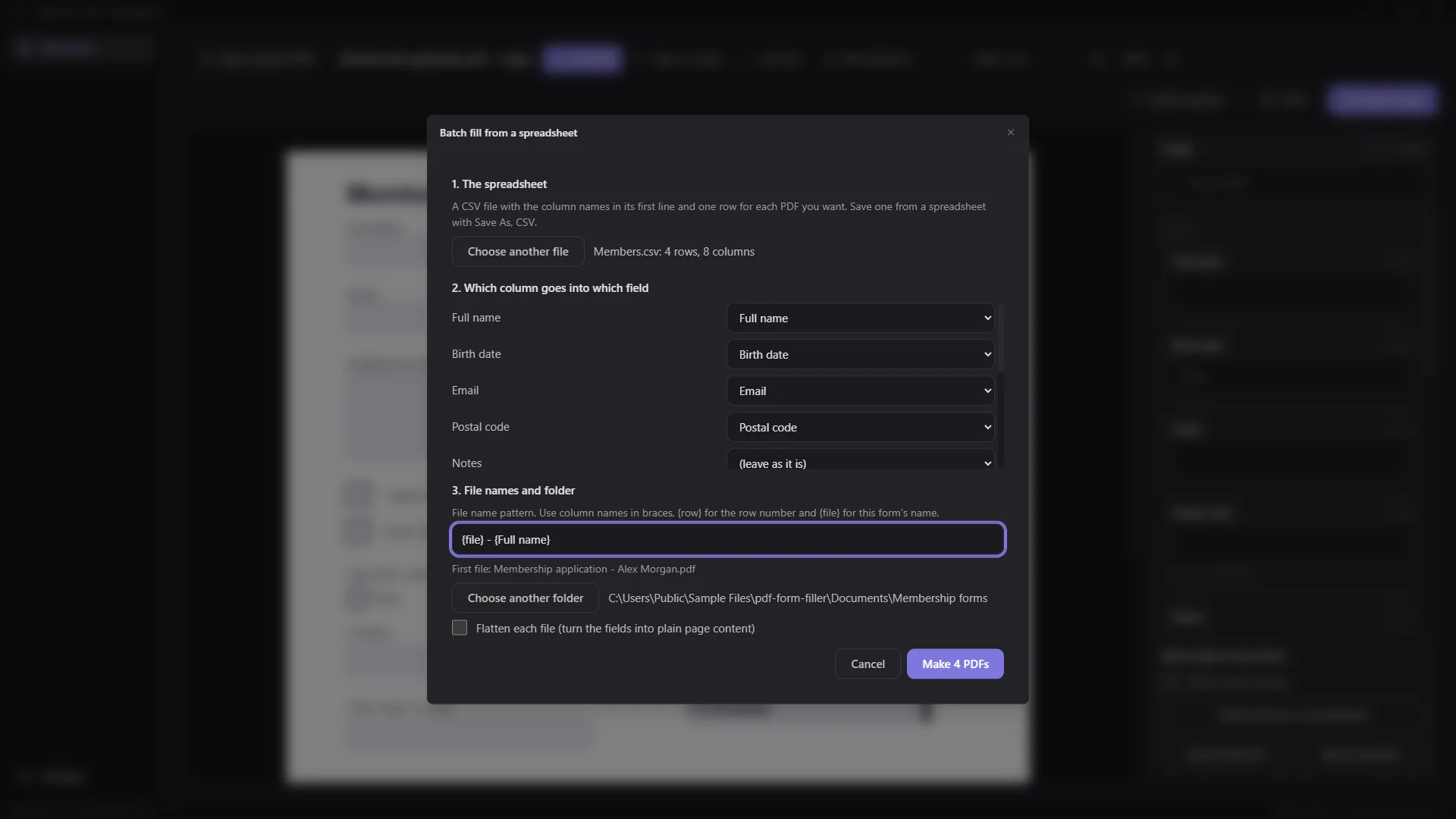
Batch fill
Pro: match spreadsheet columns to fields and make one PDF per row
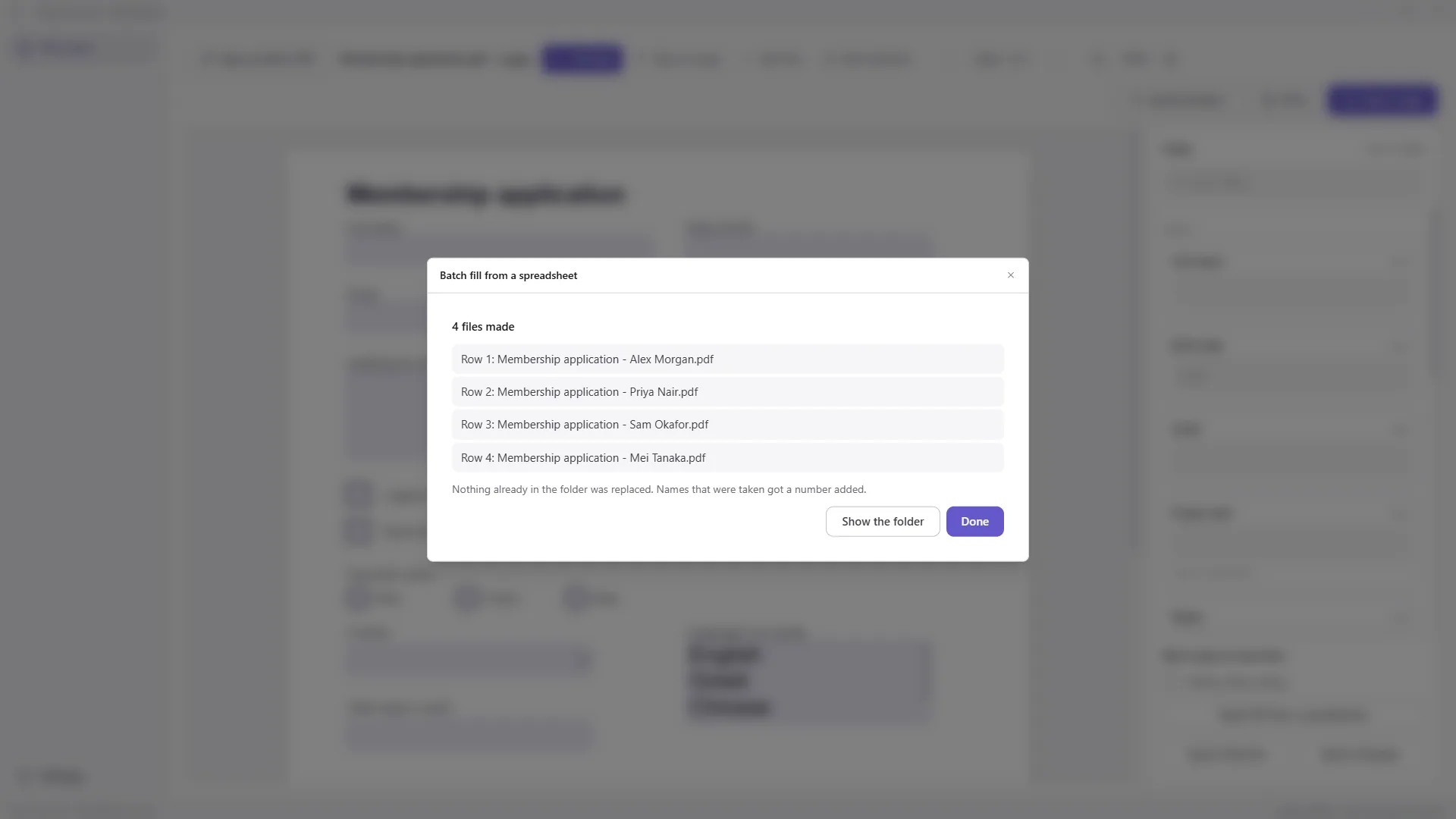
Batch result
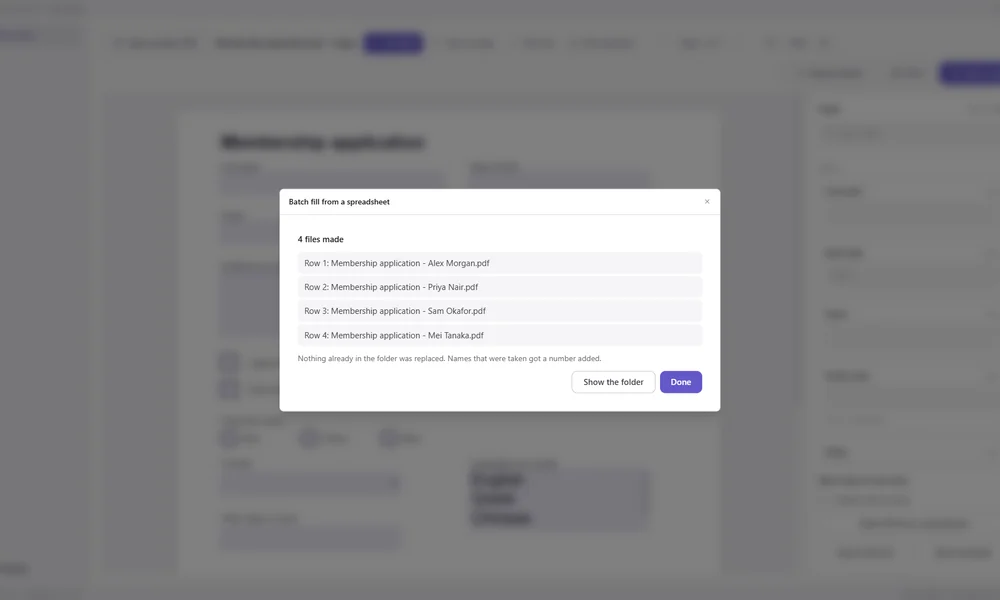
A clear summary of every file made
Screens show a sample form and sample names, not real documents. The app has light and dark themes.
How it works
Three steps. No manual.
01
Open your form
Drop a PDF on the window, or use Open a PDF.
02
Fill it in
Type in the field list or on the page. For a form with no fields, type anywhere, add ticks and sign.
03
Save or print
Save a new copy or print it. The original file is never changed.
What it does
What it does.
Tax, visa, school, landlord, HR and insurance forms all arrive as PDF. Open one, fill it in from a clean list on the side or straight on the page, sign it, and save a new copy. Your original file is never changed. Everything happens on your PC. The free app works with the internet turned off.
Every kind of field
Text and date fields, check boxes, radio groups, dropdowns (also ones you can type in) and lists, including lists where you pick several.
Forms with no fields
Type anywhere, add ticks, and place your signature. Everything can be moved, resized and removed before you save.
Your signature
Draw it with the mouse or a pen, or choose a picture of it and the paper becomes see-through. It is remembered on this PC.
Shows in other viewers
What you typed is written into the file with its own appearance, so it is not blank elsewhere. Accents, Greek, Cyrillic and Chinese are included.
Saved answers
Keep your name, address and numbers once. One click fills the matching fields of any form, even when the names differ a little.
Print
Print the filled form through the Windows print dialog.
Original kept safe
Save a copy named like Form - filled.pdf. The app refuses to save over the original.
Pro: a PDF for every row
Batch fill from a CSV file, one PDF per row with a file name pattern you choose. Pro also flattens on save and exports the field list.
The small print, in plain English
Safe by design.
A new copy every time. The original is never changed.
A clear summary after every batch, and nothing is replaced.
Nothing is uploaded. Your PDFs are read on your PC and never leave it.
Your original PDF is never changed.
Batch fill never replaces a file that is already there. A number is added to a taken name.
The free version fills, saves, signs and prints any form, with one saved-answers profile.
Works offline. No account. No ads. No tracking. No watermark.
What it does
Your forms, your answers.
Fill in what you need and keep what you already know for next time.
Save your answers once and fill the next form in one click.
Fields
Every kind
Text, date, check boxes, radio groups, dropdowns and lists.
No fields
Click and type
Type anywhere, add ticks, and place your signature on a flat form.
Signature
Remembered
Draw it or use a picture of it. It is kept on this PC.
Saved answers
One click
Matched to field names by meaning, so Surname fills last_name.
Other viewers
Not blank elsewhere
Values are written into the file, so they show up outside this app too.
Pro
One payment
More saved-answers profiles, flatten on save, batch fill from a CSV file and a field list export.
The free version fills, saves, signs and prints any form. Pro is a one-time payment, not a subscription.
Good for
Handy when the form is a PDF.
Tax, visa and school forms you fill every year
Forms that came as a flat page with no fields
A signed copy without printing and scanning
One filled form for each person on a list
Questions
Plain answers.
Is anything uploaded?
No. Your PDFs are read on your PC and never leave it. The free app works with the internet turned off.
Does it change my original PDF?
No. Save a copy writes a new file, named like Form - filled.pdf. The app refuses to save over the original.
Will what I typed show in other PDF viewers?
Yes. The values are written into the file with their own appearance, and accents, Greek, Cyrillic and Chinese text are embedded, so the fields are not blank elsewhere.
My form has no fields. Can I still fill it?
Yes. Choose Type on page to write anywhere, Add tick for boxes and Add signature to sign. You can move, resize and remove everything before you save.
How do I add my signature?
Draw it with the mouse or a pen, or choose a picture of it and the paper is made see-through. It is remembered on this PC.
What does the free version include?
Filling, saving, typing anywhere, ticks, signing and printing, with one saved-answers profile.
What does Pro add?
More saved-answers profiles, flatten on save, batch fill from a CSV file (one PDF per row) and a field list export. It is a one-time payment.
Does it need an account?
No. There is no account, no ads, no tracking and no watermark.