Coming to the Microsoft Store
PC Specs What is inside, shared safely.
See what is inside your PC and share a clean report. Share safe mode leaves out serial numbers, MAC addresses and names. Includes a Windows 11 check. Hardware details stay on your PC. Works offline, with no account.
Not on sale yet. The app is still being built.
We will link the Store listing here the day it is live. Until then there is nothing to download.
- Works offline
- No account, no ads, no tracking
- Nothing leaves your PC
- Free
See it
Six views. Your PC, in plain words.
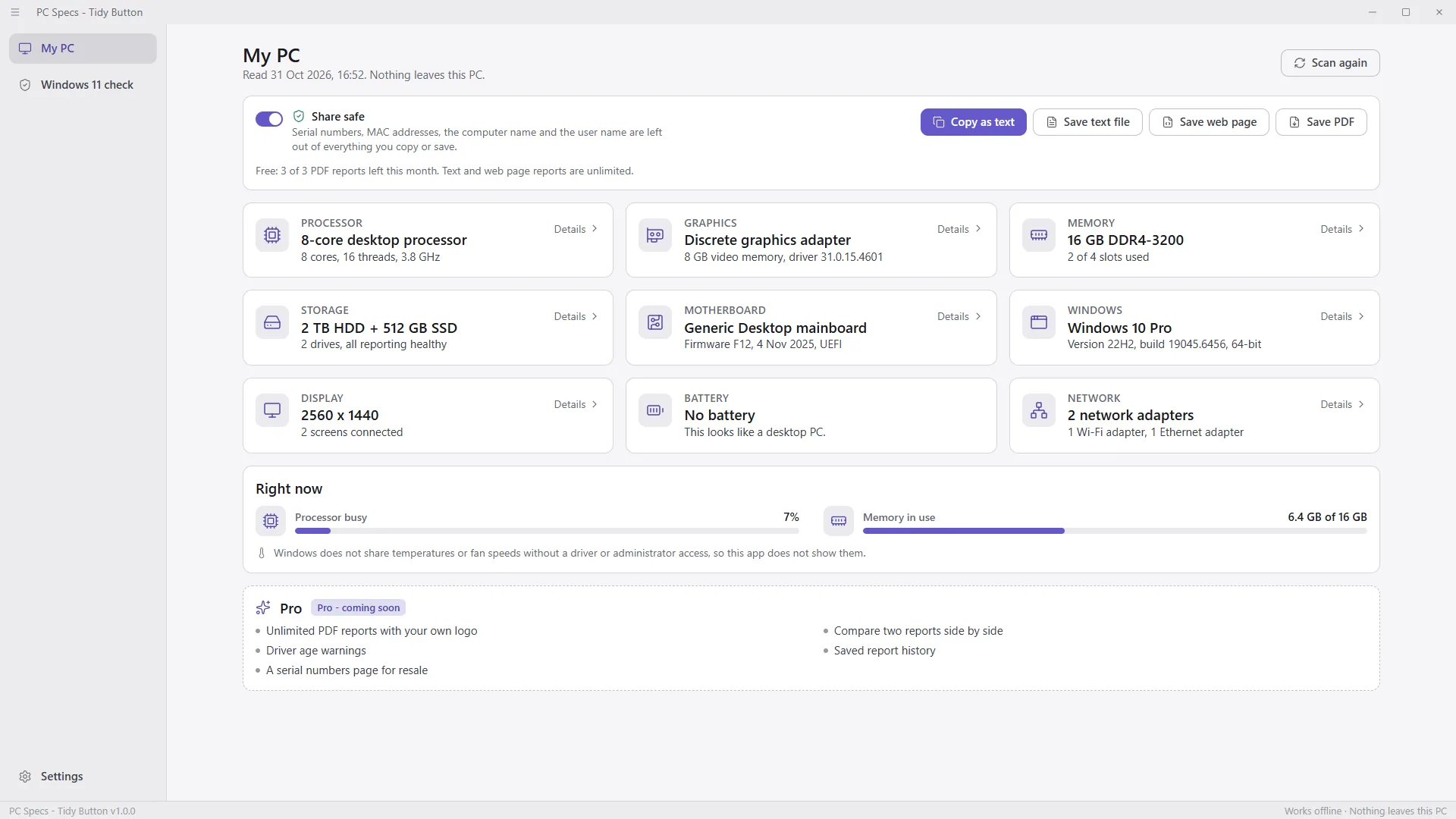
Overview
Nine cards tell you what is inside your PC at a glance
Memory
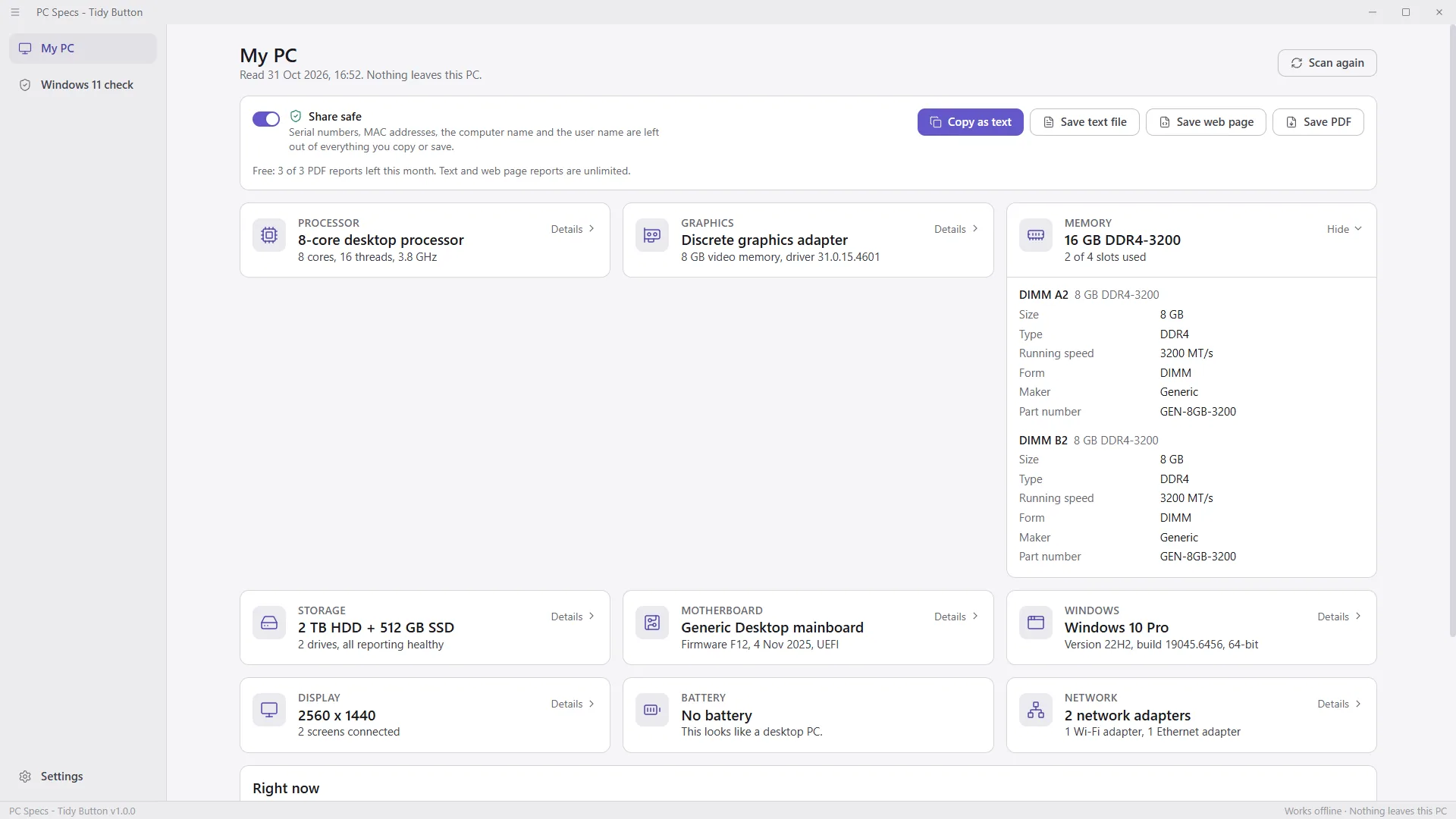
Memory stick by stick: size, type, speed and how many slots are used
Storage
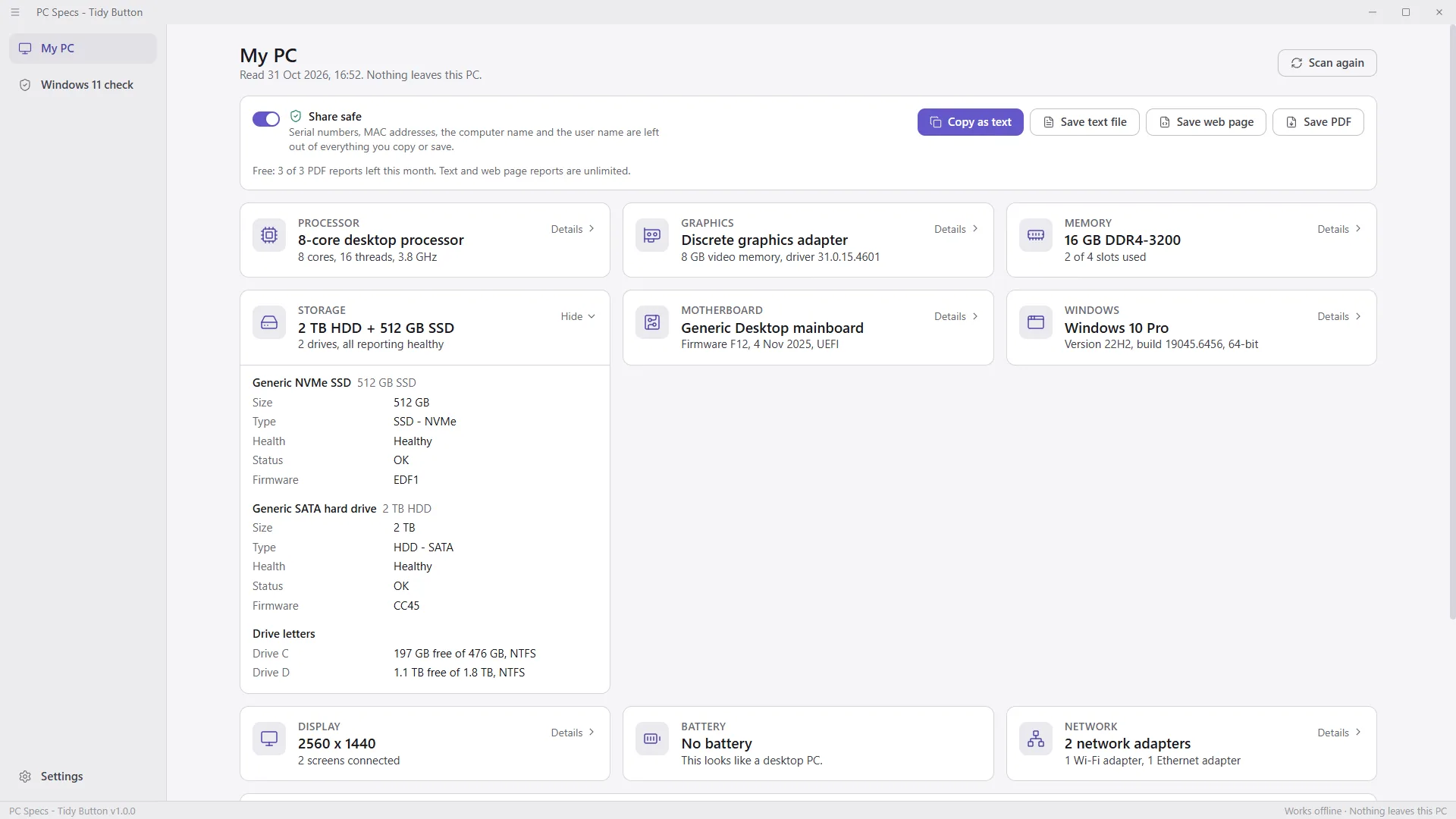
Every drive with its size, type and health, and free space on each drive letter
Share safe off
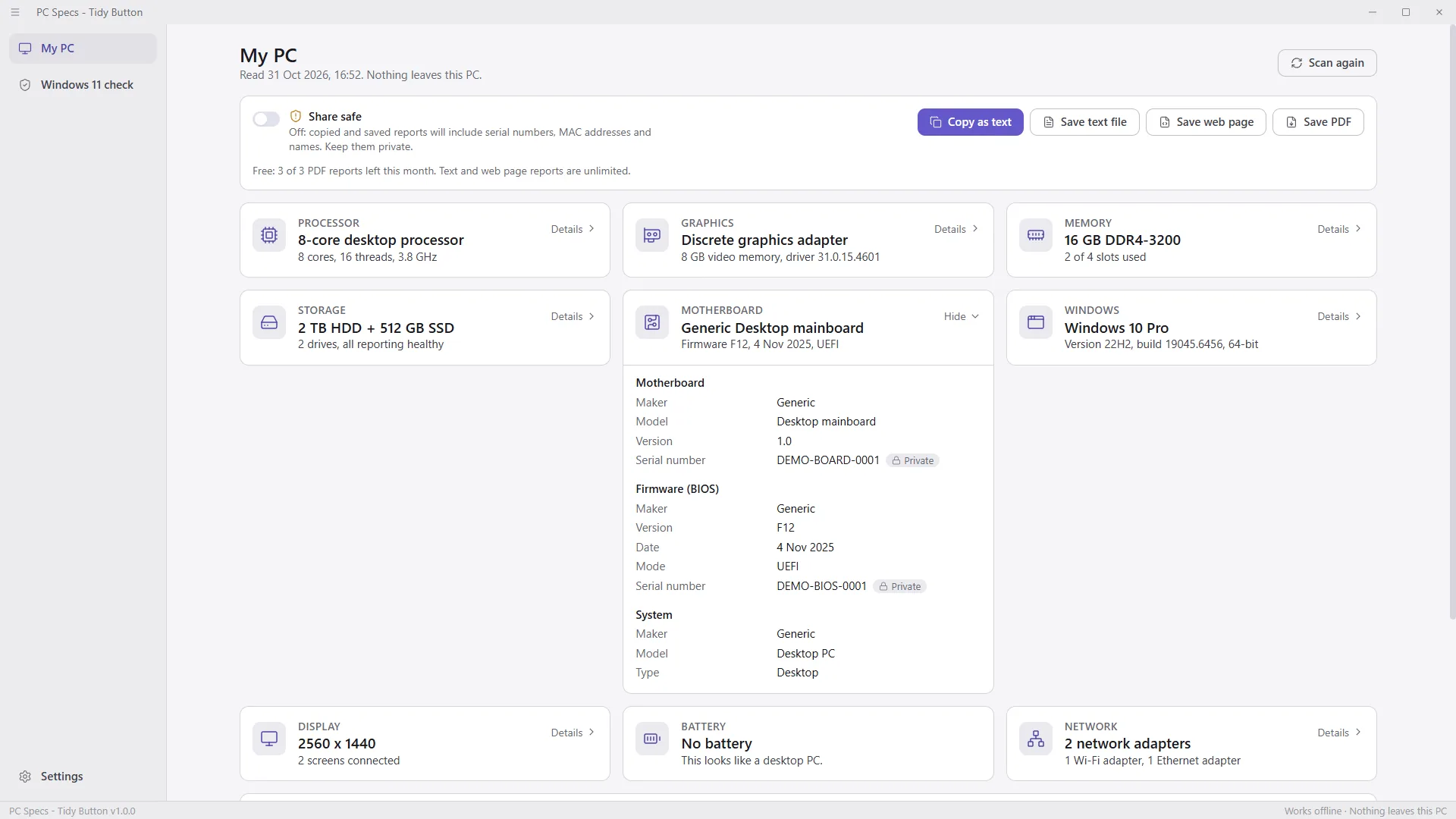
Turn Share safe off for one report and private details are marked Private
Save and share
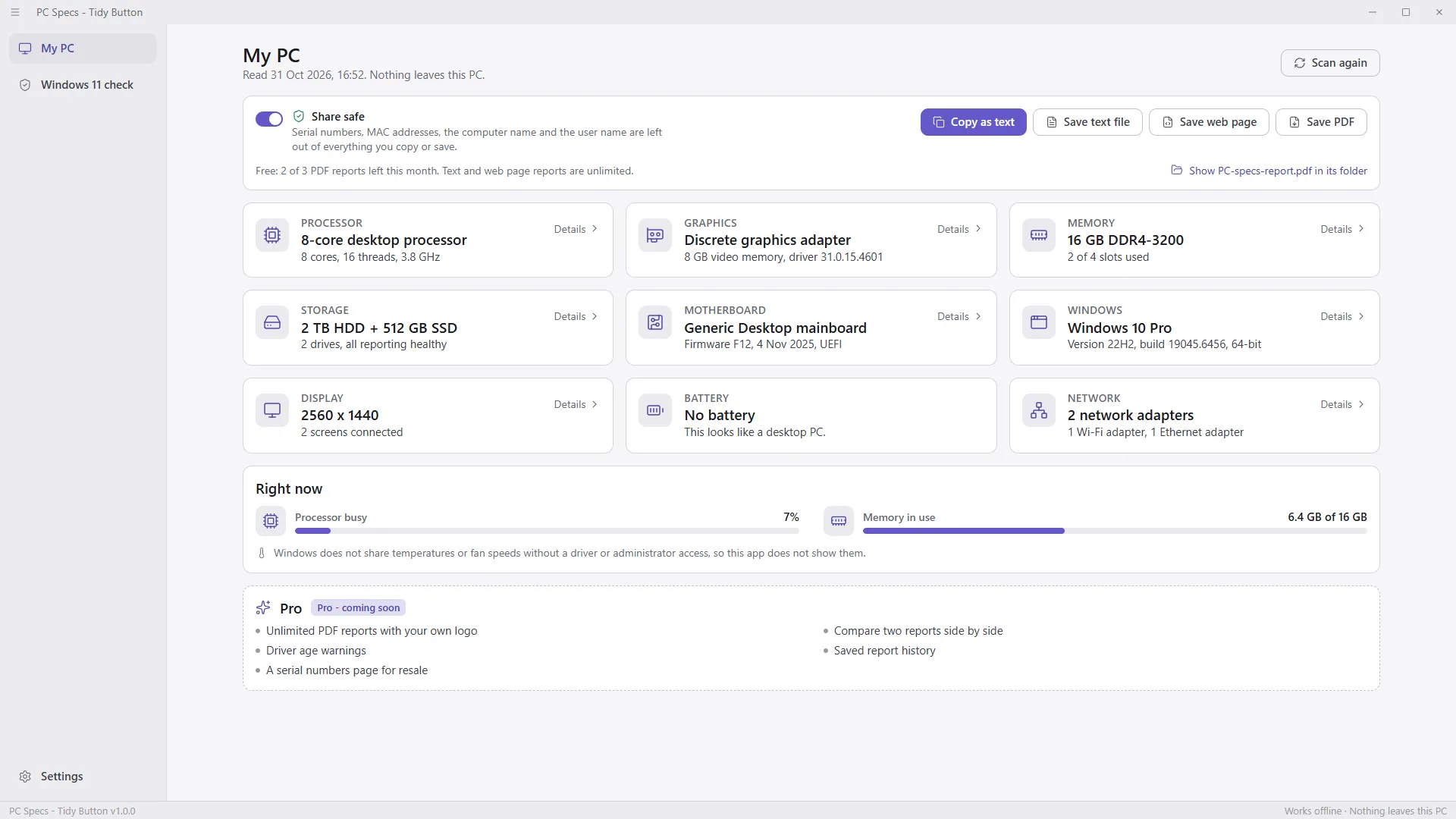
Copy as text, or save a text file, a web page or a PDF. Share safe is on by default
Windows 11 check
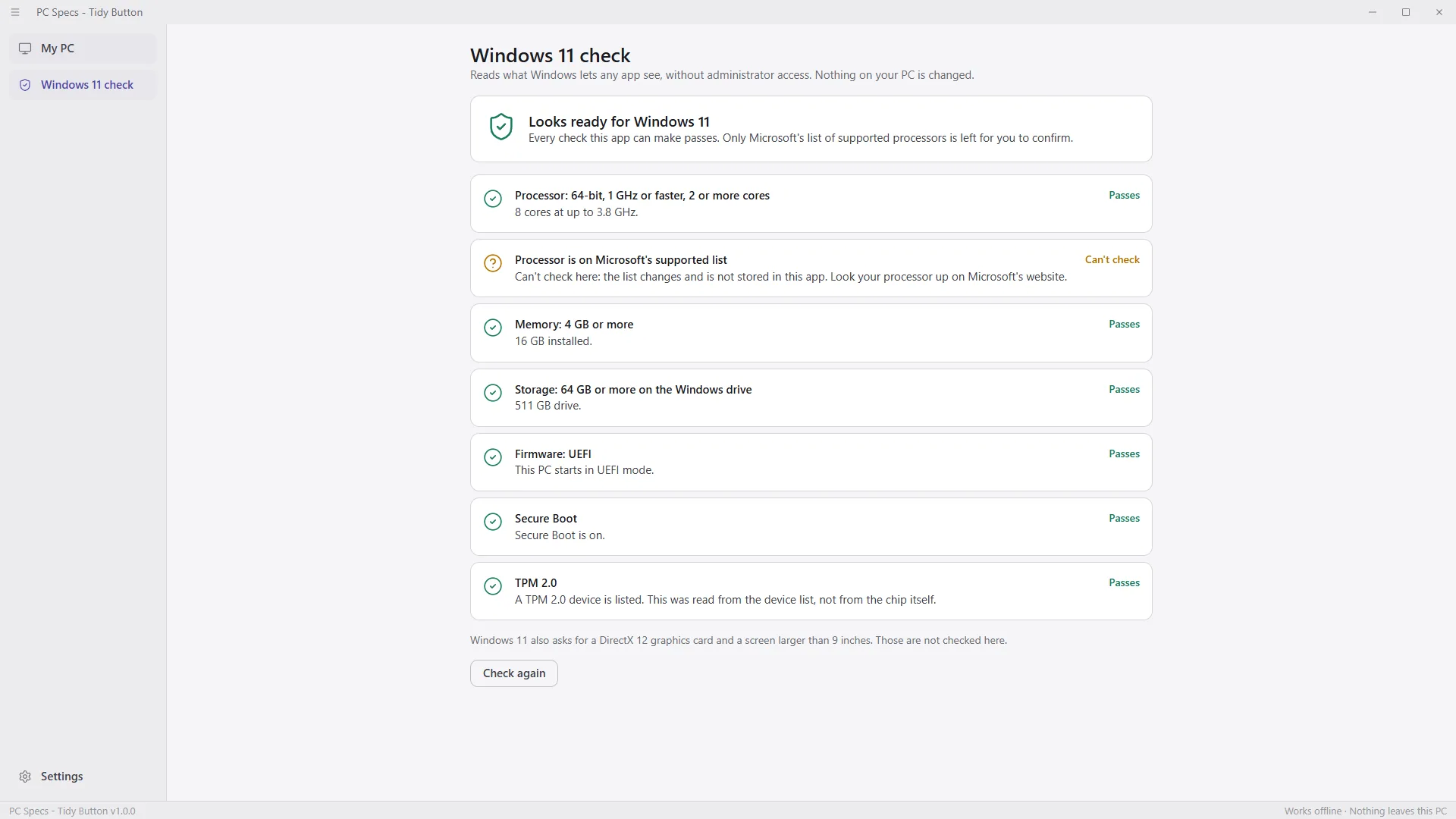
Check the Windows 11 basics. Anything it cannot check says so, with no guessing
Screens show a fictional example PC, not a real machine. The app has light and dark themes.
What it does
What it does.
Open the app and it reads your hardware in a few seconds. Nine cards give the short answer, and each one opens up for the detail. Share safe is on by default, so what you copy or save leaves out serial numbers, network addresses and names. The hardware report itself is kept only in memory while the app is open.
Nine cards
Processor, graphics, memory, storage, motherboard and firmware, Windows, display, battery and network.
Memory, stick by stick
Total size and type, the speed, and how many slots are used.
Share safe
Serial numbers, MAC addresses, the computer name and the user name are left out of everything you copy or save. Turn it off for a single report when you need them, for example for a warranty claim.
Get the report out
Copy as text, or save a text file, a web page or a PDF.
Windows 11 check
Processor basics, memory, storage, UEFI, Secure Boot and TPM 2.0, using only what Windows lets any app read without administrator access. When a check cannot be made, it says so instead of guessing.
Battery and drive health
Charge, health and wear on a laptop, and health on every drive.
Live use
Live processor and memory use.
No invented numbers
Windows does not give temperatures or fan speeds to an ordinary app, so none are shown.
The small print, in plain English
Safe by design.
- Your hardware details stay on your PC. The app makes no network requests.
- Share safe is on by default: serial numbers, MAC addresses, the computer name and the user name are removed before anything is copied or written.
- It changes nothing on your PC, needs no administrator access and installs no driver.
- No account, no ads, no tracking.
Good for
Handy when someone asks for your specs.
- Sharing your specs in a chat, a listing or a support ticket
- Checking the Windows 11 basics
- Seeing which memory slots are used
Questions
Plain answers.
Does my hardware information leave my PC?
No. The app reads your hardware, shows it on screen and sends nothing anywhere. Copying or saving a report is your choice.
What does Share safe do?
It leaves serial numbers, MAC addresses, the computer name and the user name out of everything you copy or save. It is on by default and can be turned off for a single report.
Does it need administrator access?
No. It changes nothing on your PC and installs no driver.
Does it show temperatures?
No. Windows does not give temperatures or fan speeds to an ordinary app, so none are shown. You will never see an invented number.
How reliable is the Windows 11 check?
It looks at the processor basics, memory, storage, UEFI, Secure Boot and TPM 2.0. When a check cannot be made, it says so. The list of supported processors is not stored in the app, so that one line is always left for you to confirm.
Is there a limit in the free version?
The free version includes unlimited viewing, copying, text and web page reports, and 3 PDF reports a month. A Pro add-on is planned (coming soon).
Which versions of Windows does it run on?
Windows 10 and Windows 11.