Coming to the Microsoft Store
MQTT Client Every topic, in plain sight.
Connect to your MQTT brokers, watch the topic tree build itself, subscribe and publish. TLS, MQTT 5, JSON and hex views, and a memory limit so a busy topic never slows your PC. It connects only to the brokers you add.
Not on sale yet. The app is still being built.
We will link the Store listing here the day it is live. Until then there is nothing to download.
- Only brokers you add
- No account, no ads, no tracking
- Passwords encrypted by Windows
- Free
See it
Six views. Topics, messages, bytes.
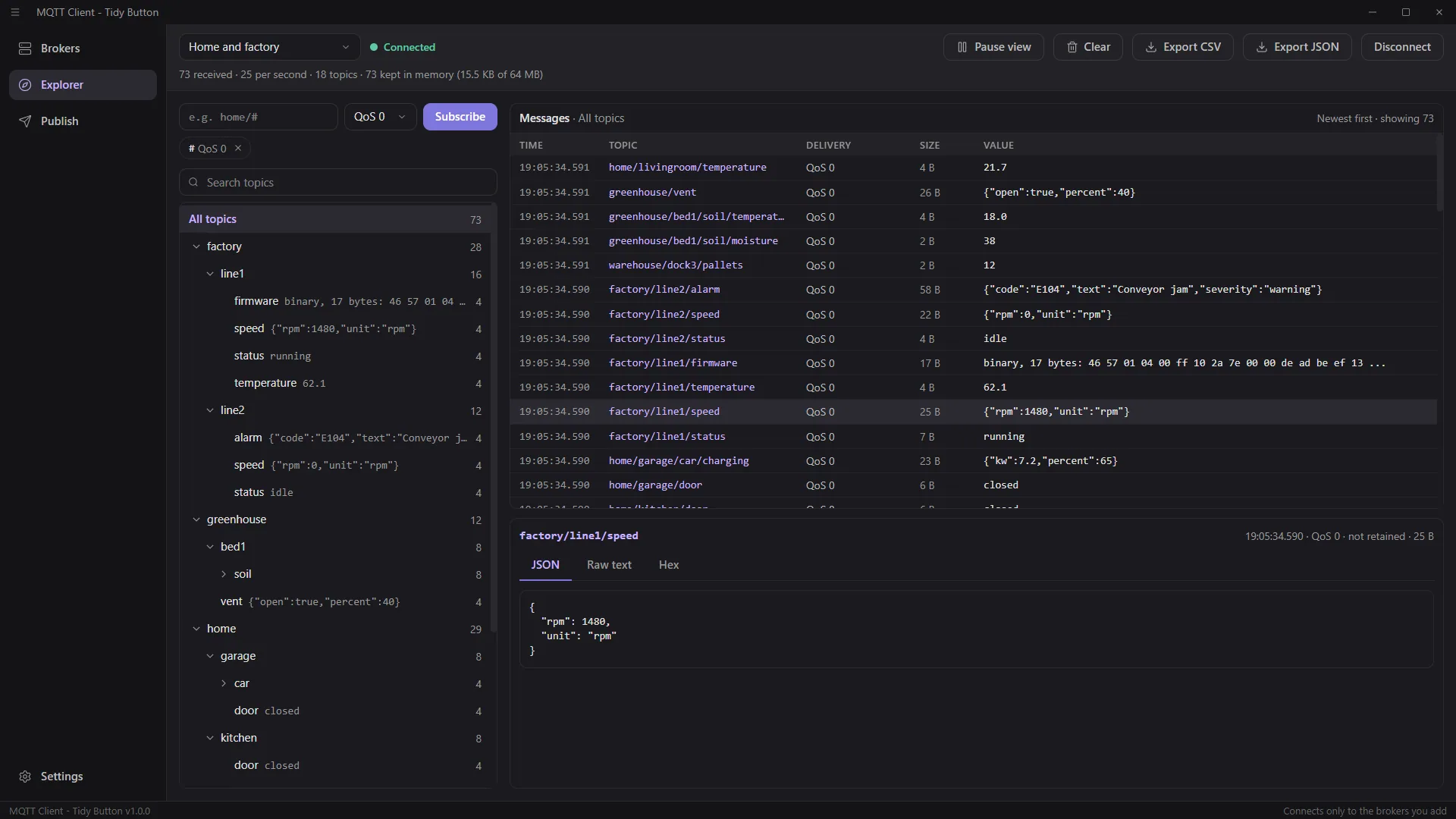
Topic tree
The topic tree builds itself as messages arrive, with a count and the last value on every branch. The list shows time, topic, delivery level, size and value
JSON
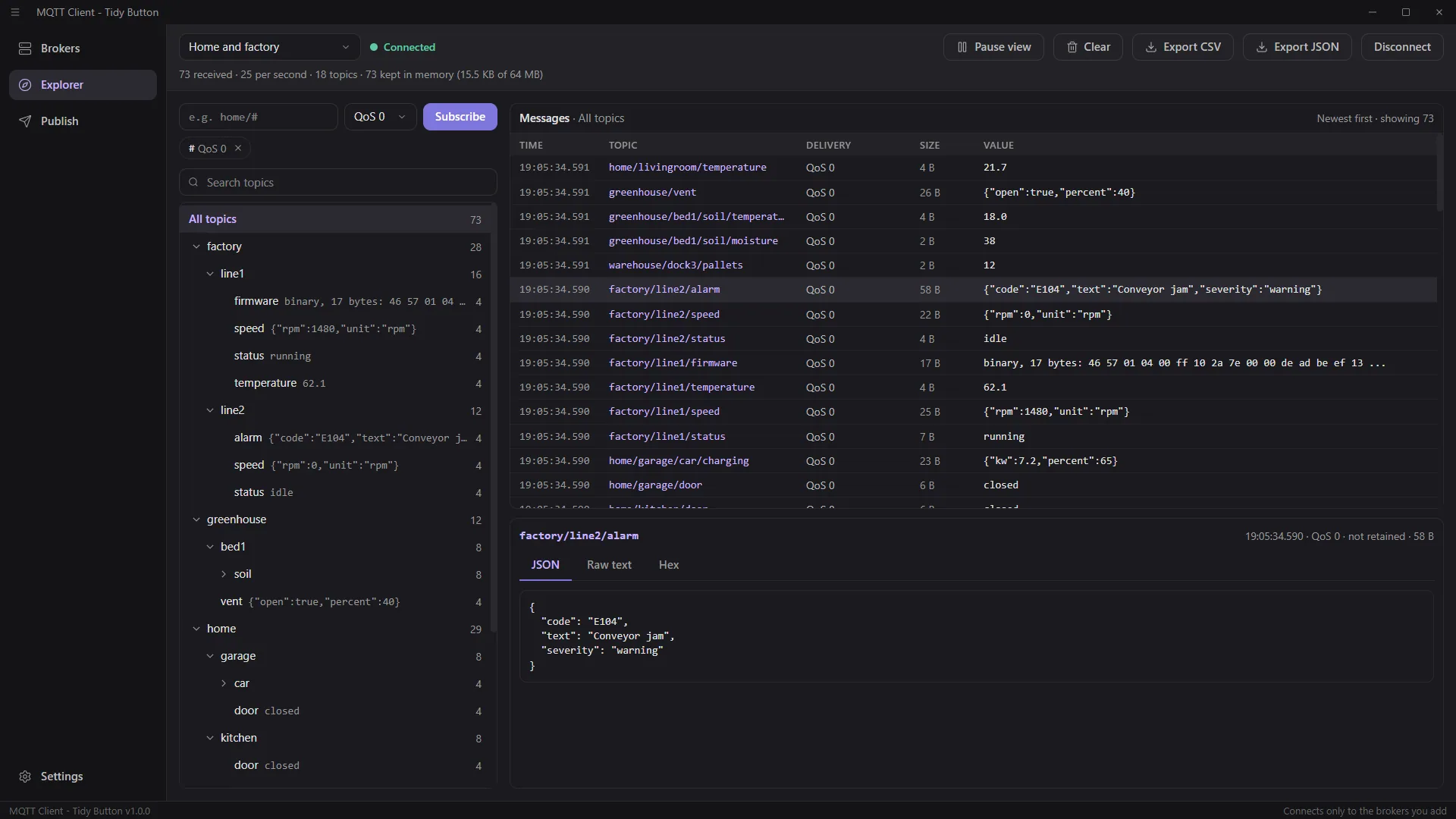
JSON messages are pretty printed, with the raw text and a hex view one tab away. Retained messages and QoS are shown on every message
Binary as hex
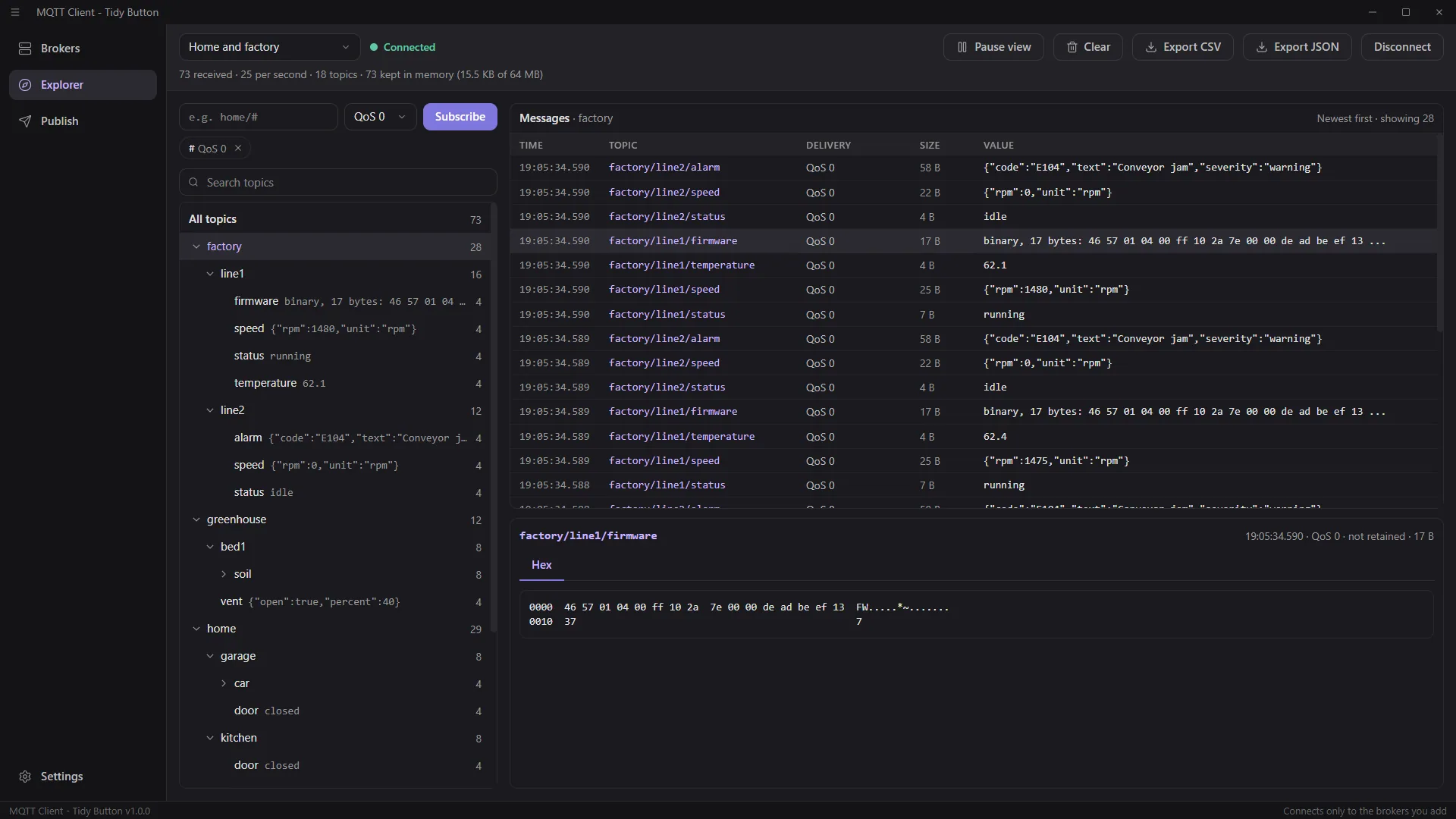
Select a branch to see only its messages. A binary message opens as a hex dump with offsets and text
Publish
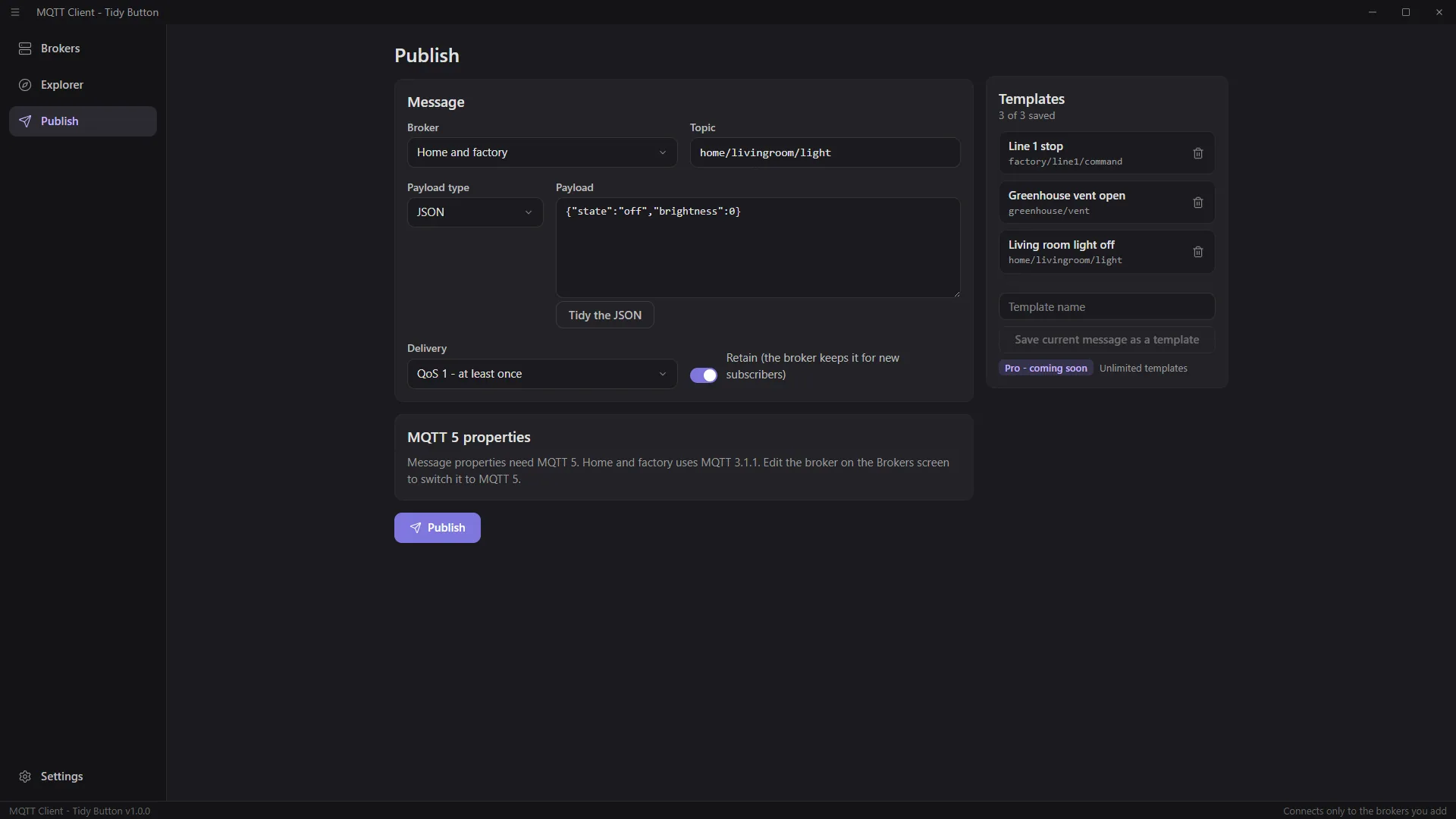
Publish text, JSON or hex to any topic with QoS and retain. JSON is checked before it is sent. Save the messages you send often as templates
Busy topics
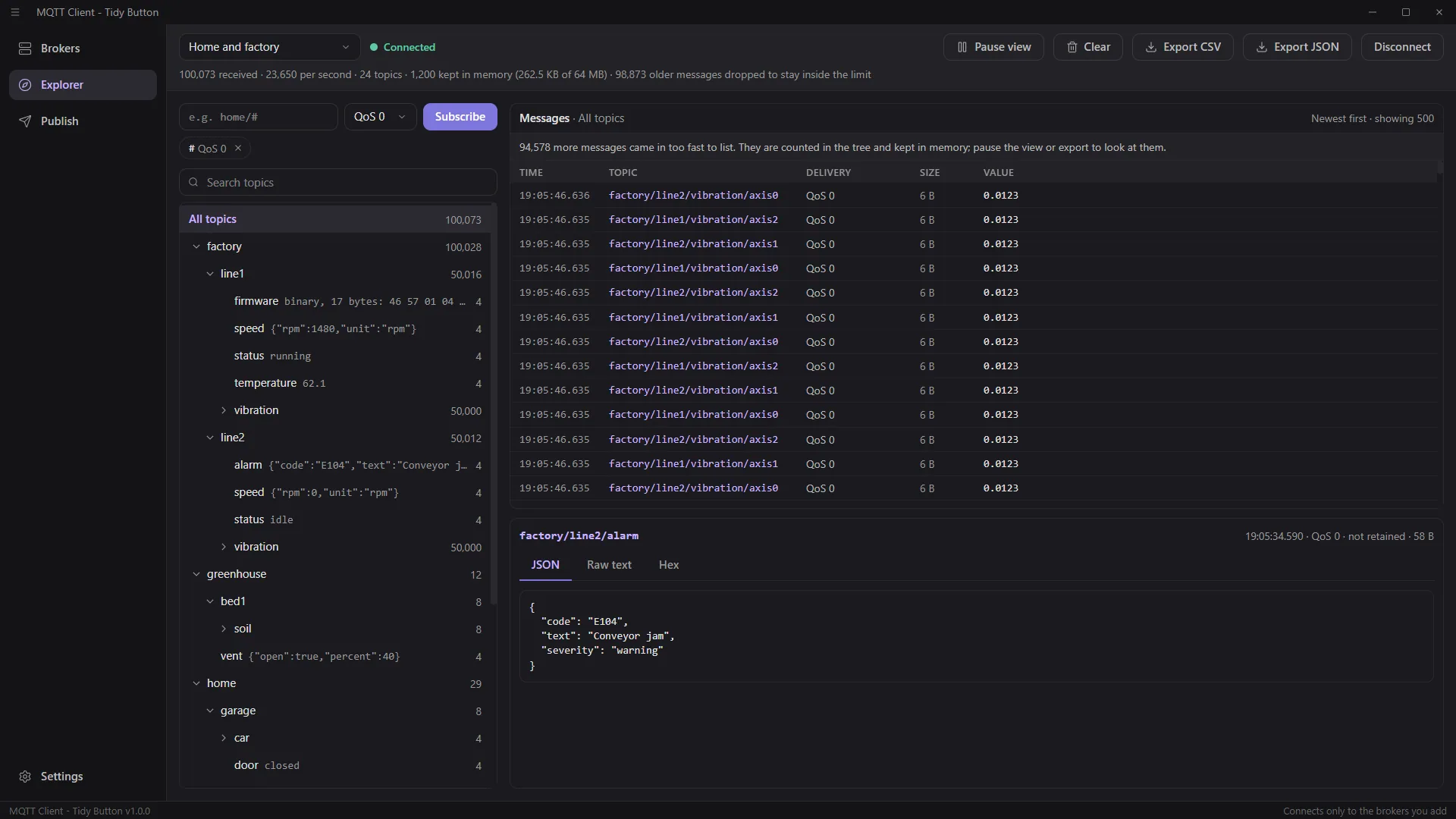
A very busy topic stays inside a memory limit you choose. The window stays quick, the counts in the tree stay exact, and only the newest messages are kept
Add a broker
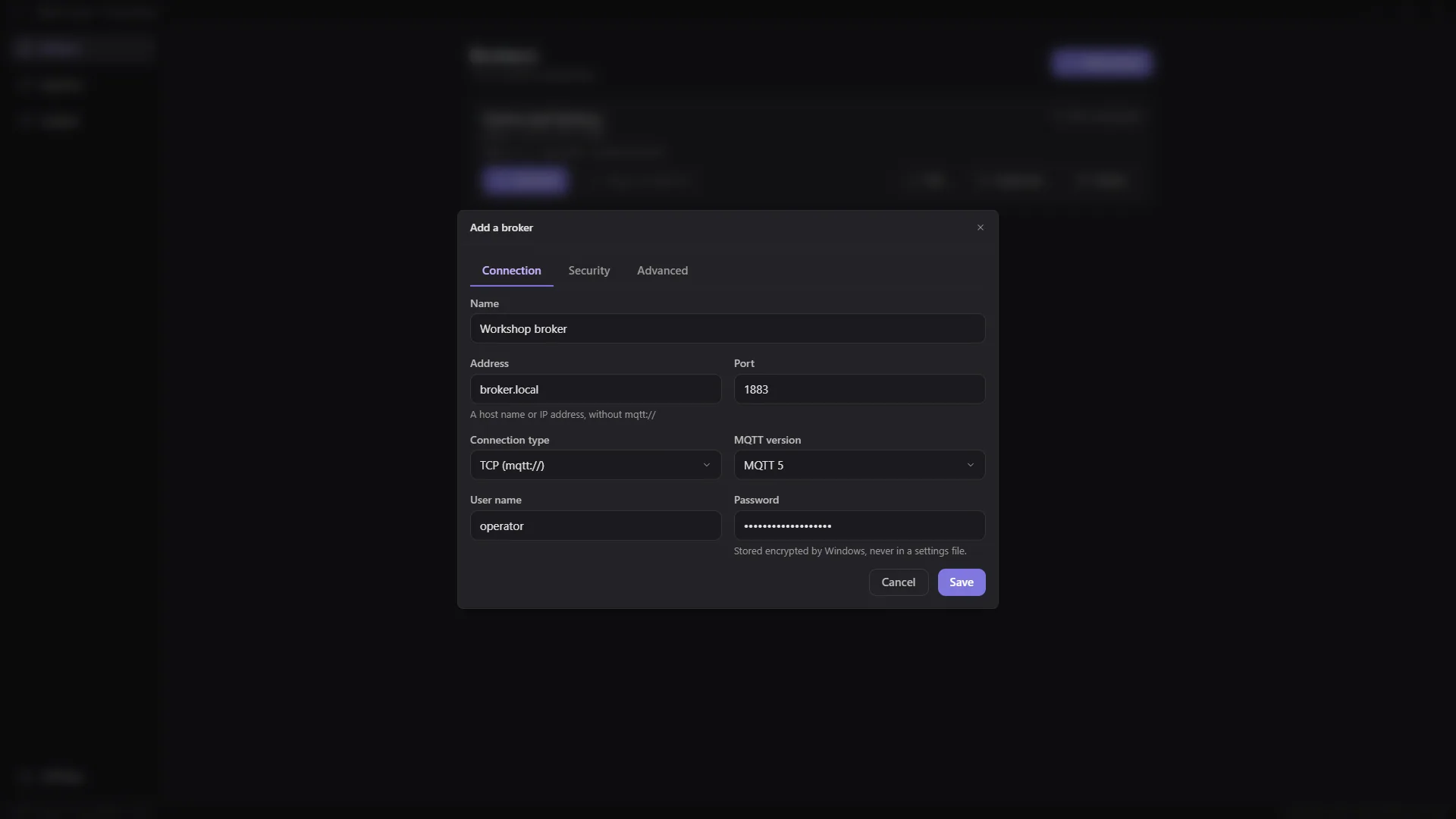
Add a broker once: address, port, connection type, MQTT 3.1.1 or 5, user name and password. The password is stored encrypted by Windows
Screens show a local test broker with invented devices (home, factory, greenhouse). The app has light and dark themes.
What it does
What it does.
MQTT Client connects to the MQTT brokers you add, shows every topic as a tree as messages arrive, and lets you subscribe and publish from one window. It is for people who build or look after devices, sensors, machines and home automation. Add a broker once and it is saved. Choose plain TCP, TLS, WebSocket or secure WebSocket, MQTT 3.1.1 or MQTT 5, a user name and password, and your own CA and client certificate files. Passwords and key passphrases are stored encrypted by Windows, never in a settings file.
A topic tree that builds itself
Every topic it sees becomes a branch, with a message count and the last value on each one.
Subscribe with wildcards
Use + and # at QoS 0, 1 or 2, and keep your subscriptions with the connection.
TCP, TLS and WebSocket
Plain TCP, TLS, WebSocket and secure WebSocket, MQTT 3.1.1 and 5, with your own CA and client certificate files.
Passwords kept safe
Passwords and key passphrases are stored encrypted by Windows (DPAPI), never in a settings file, log or export.
Readable messages
JSON is pretty printed, binary opens as a hex dump with offsets and text, and the retained flag and MQTT 5 properties are shown.
Publish and templates
Send text, JSON (checked before it is sent) or hex bytes with QoS, retain and MQTT 5 properties. Save messages you send often as templates.
Pause and export
Pause the view to read it without disconnecting, then catch up. Export messages to CSV or JSON.
Stays fast on busy topics
The newest messages of each topic are kept in a memory limit you choose, older ones are dropped first, and the counts in the tree stay exact.
The small print, in plain English
Safe by design.
- The app connects only to the MQTT brokers you add, at the address and port you type in. It makes no other network connection.
- Passwords and key passphrases are stored encrypted by Windows and are never written to a settings file, a log or an export.
- Nothing is sent to us or to any other server. No account, no ads, no tracking.
- A broker's certificate is checked by default. Trusting any certificate is an off-by-default option for test brokers, with a warning.
Good for
Handy when a sensor goes quiet.
- Debugging sensors and devices that publish to a broker
- Checking what your home automation is really sending
- Testing a broker with TLS and your own certificates
Questions
Plain answers.
What does it connect to?
Only the MQTT brokers you add, at the address and port you type in. There is no account, no analytics and no update check.
Where are my passwords stored?
On your PC, encrypted by Windows (DPAPI) for your Windows user. They are never written to a settings file, a log or an export.
Does it support TLS and MQTT 5?
Yes. It supports plain TCP, TLS, WebSocket and secure WebSocket, MQTT 3.1.1 and MQTT 5, and your own CA and client certificate files.
What happens on a very busy topic?
The newest messages of each topic are kept inside a memory limit you choose and older ones are dropped first. The counts in the topic tree stay exact.
What is free?
The free version saves 2 broker connections and 3 templates, and exports the newest 200 messages. Unlimited connections and templates, export of the full history and tools for retained messages are planned for Pro (coming soon).
Do I need my own broker?
Yes. The app is a client. Any MQTT broker you can reach works, including one running on your own PC.
Which versions of Windows does it run on?
Windows 10 and Windows 11.